Port & Harbor Booking Website Template
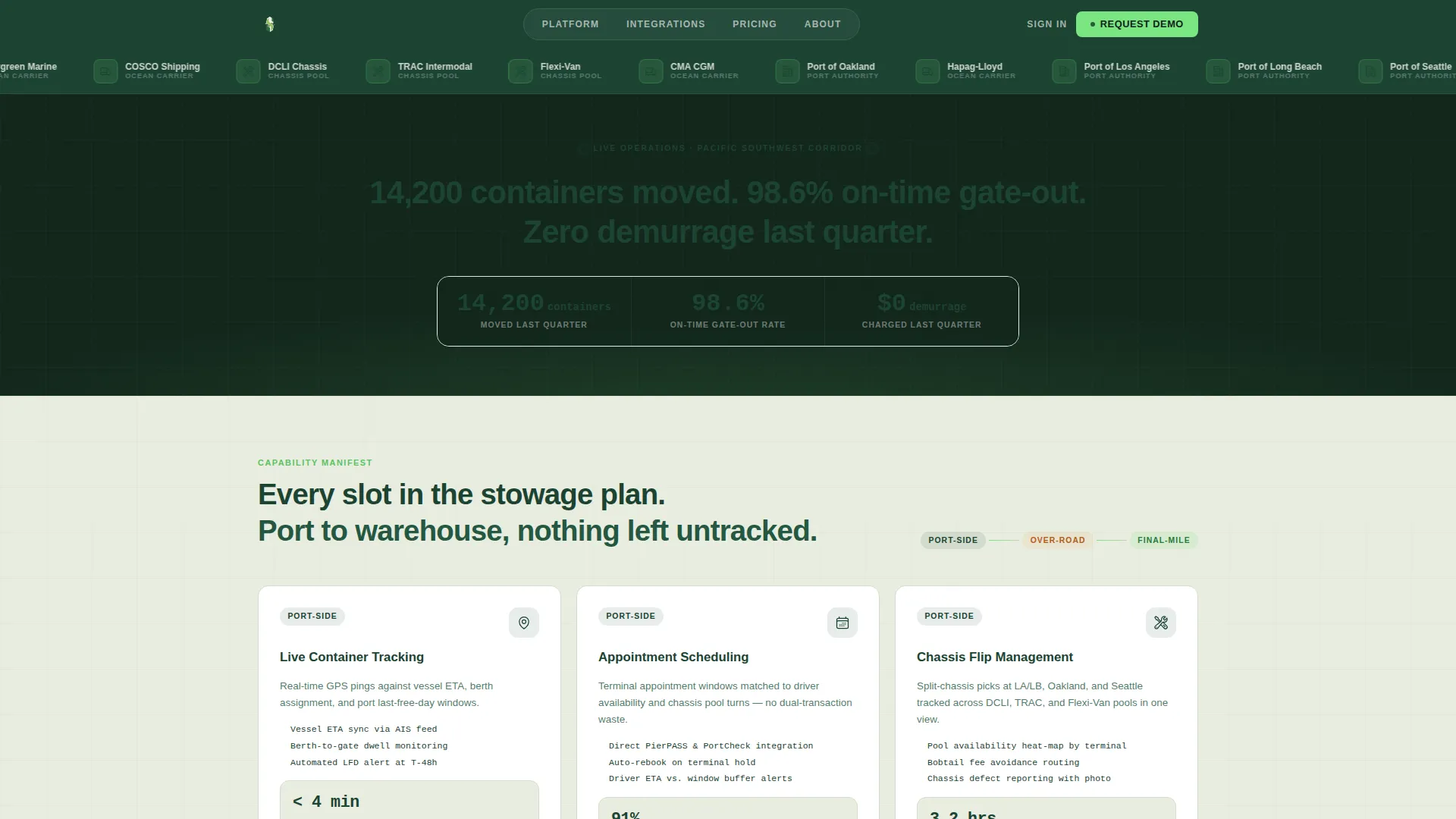
Drayflow is a modular card grid landing page built for port logistics and drayage operations. It presents live container tracking, chassis management, appointment scheduling, and proof-of-delivery capabilities in a tight, scannable dashboard layout. The Forest Trust color system and stat-driven header build instant credibility, guiding freight forwarders, beneficial cargo owners, and third-party logistics managers toward requesting a drayage quote.
by Rocket studio
Quick summary
Drayflow is a single-page drayage operations landing page built on a Dashboard Pro theme. It uses a modular card grid to present each core capability clearly, from port-side container tracking through final-mile delivery. A stat-driven logo bar header establishes trust immediately, and every card closes with a chartreuse call-to-action button to drive click-throughs.
Who this template is for
This template is designed for drayage operators, port logistics companies, and intermodal service providers who need a credible, conversion-focused web presence. It speaks directly to the people making time-sensitive decisions around container moves.
- Freight forwarders managing split-chassis picks at congested port terminals
- Beneficial cargo owners (BCOs) tracking per-diem charges and late return costs
- Third-party logistics (3PL) operations managers who need proof-of-delivery timestamps that reconcile with their transportation management system records
What problem this template solves
Drayage businesses often struggle to communicate complex, time-critical capabilities to prospective clients on a single page. Buyers arrive with specific pain points and need fast, verifiable answers before they will commit to a conversation.
- Port logistics buyers cannot quickly find the specific operational details they need, such as chassis pool availability, gate cut-off visibility, or demurrage mitigation proof
- Generic service pages fail to build the operational trust that freight forwarders and BCOs require before requesting a quote
- Scattered capability descriptions make it hard for visitors to follow the full container journey from berth to warehouse
What you get with this template
This template delivers a fully structured, modular landing page designed around the real container drayage workflow. Every section has a defined purpose, and every design decision reinforces operational confidence.
- A stat-driven logo bar header featuring port authority emblems, ocean carrier logos, and chassis pool partner marks with a bold performance headline
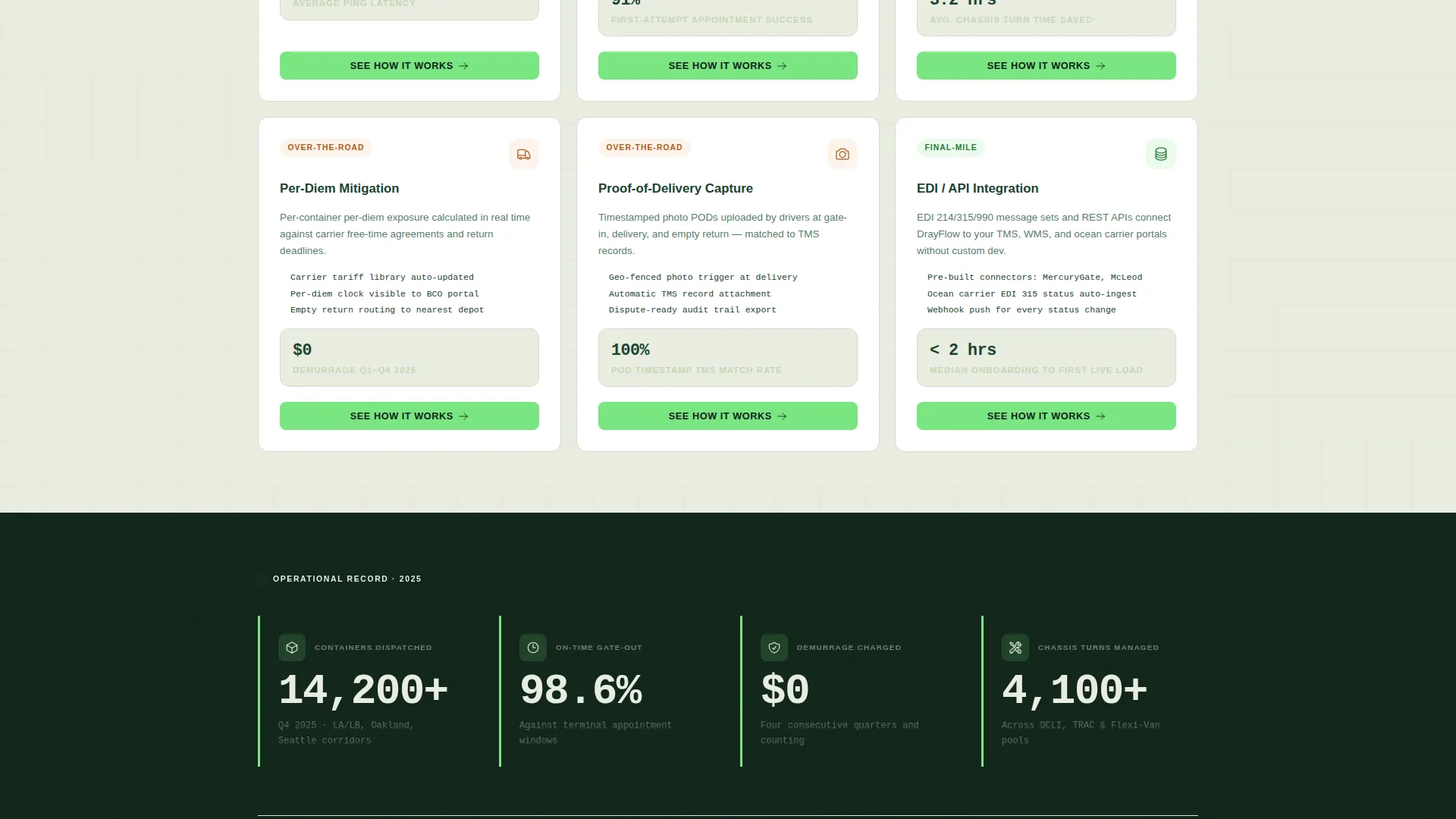
- A card grid layout where each card covers one discrete drayage capability, complete with an icon, a three-line operational description using real port terminology, and a bolded key performance indicator (KPI)
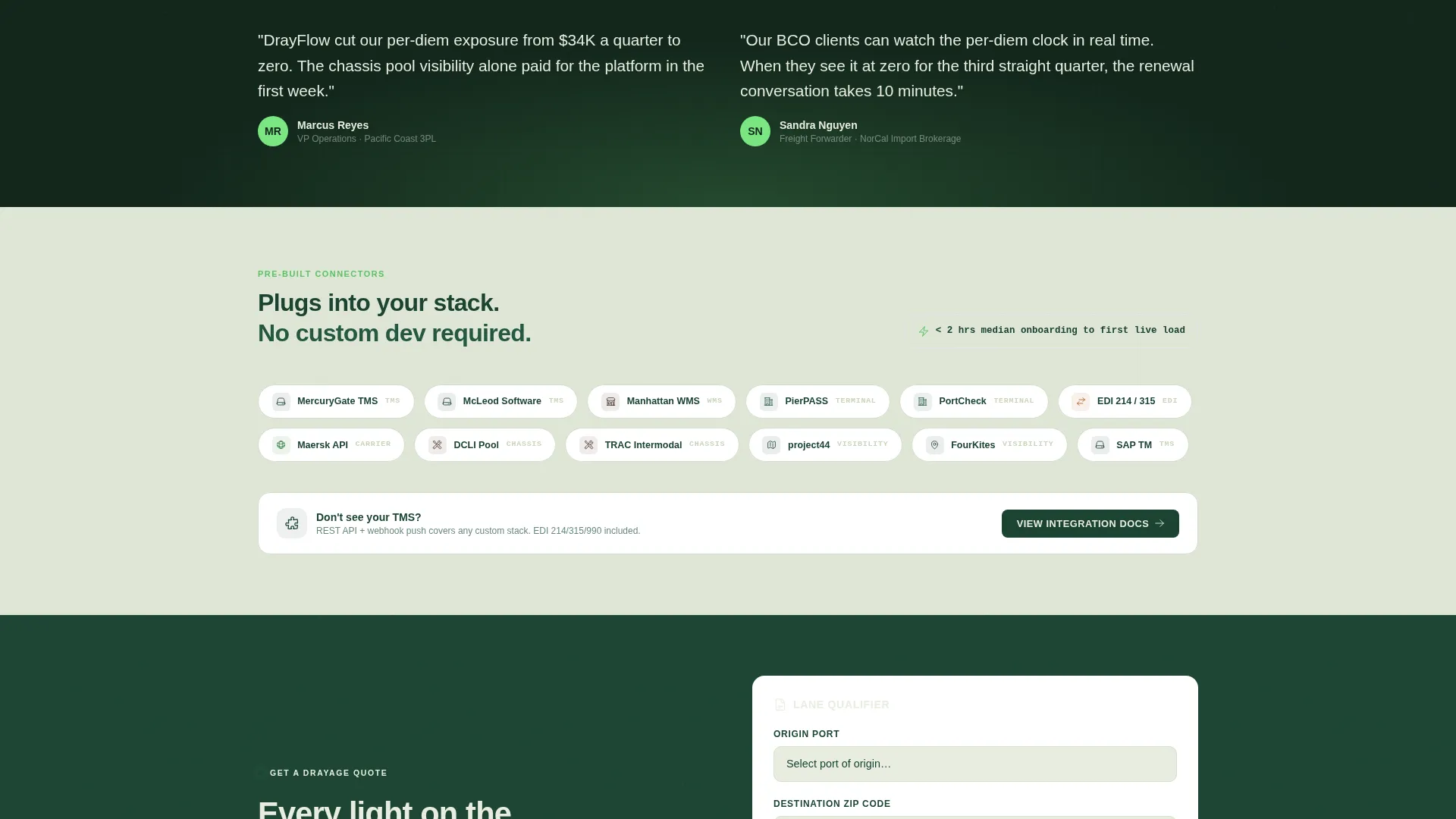
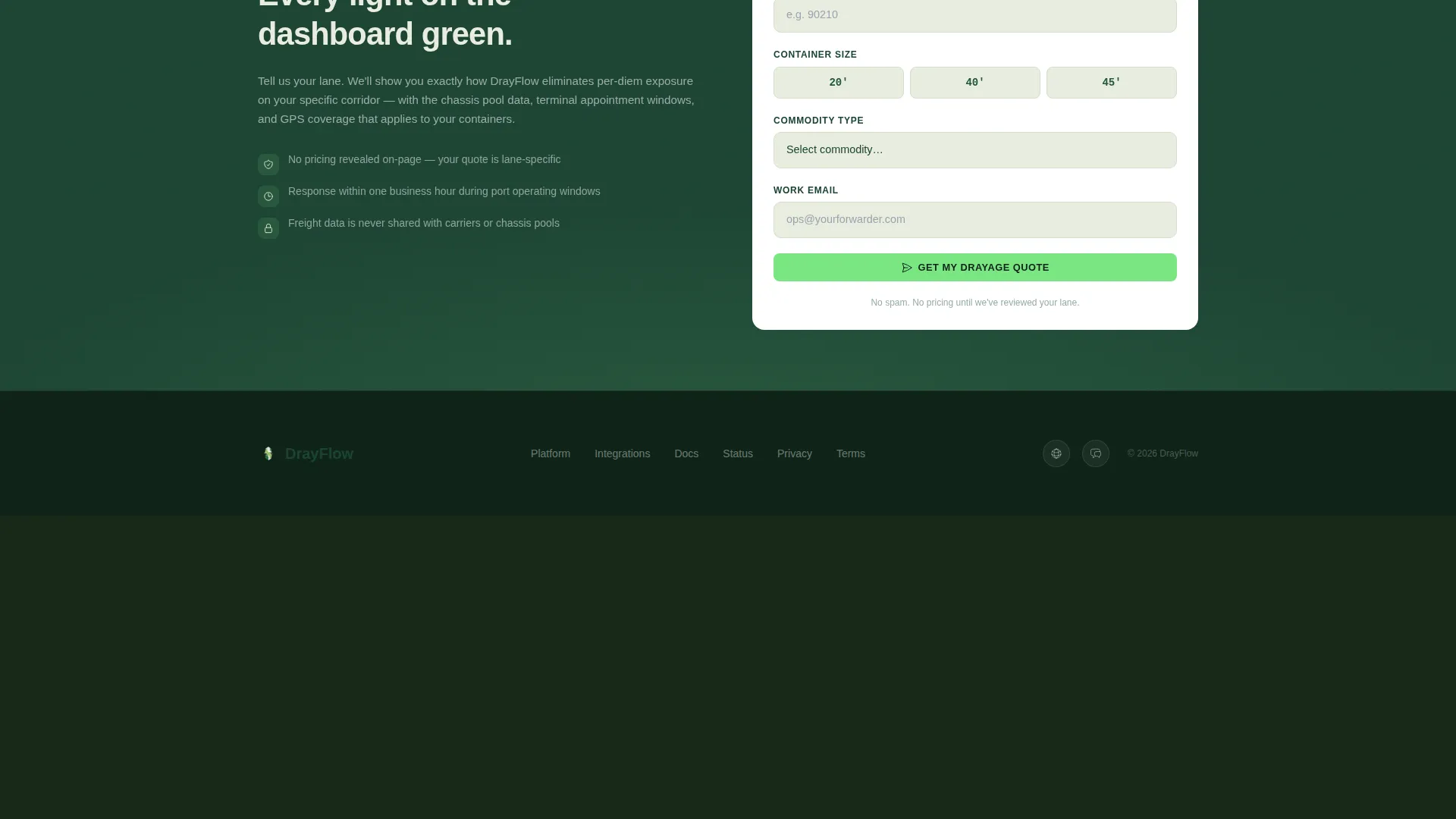
- A floating "Get a Drayage Quote" call-to-action button anchored to a short qualifying form collecting origin port, destination ZIP code, container size, and commodity type
Feature list
This template packages six core capability cards, a trust-building header, and a click-through conversion architecture into one cohesive landing page layout.
Stat-Driven Logo Bar Header
The header presents trusted port authority emblems, ocean carrier logos, and chassis pool partner marks in a single scrolling row. Below the logos, a single performance headline anchors credibility with real operational figures, reading like a terminal operating system welcome screen.
Modular Capability Card Grid
Each card is uniform in height and locked into a tight grid that mirrors a vessel stowage plan. Cards progress from port-side operations through over-the-road transit to final-mile delivery, following the actual container journey as a visitor scrolls.
Per-Card Click-Through Architecture
Every card carries a chartreuse "See How It Works" button at its bottom edge. This routes visitors to a detailed capability page, stacking proof with each scroll rather than revealing everything on one screen.
Floating Quote Request Form
A persistent floating button in the lower-right corner reads "Get a Drayage Quote." It anchors to a compact qualifying form with four fields: origin port, destination ZIP code, container size (20-foot, 40-foot, or 45-foot), and commodity type.
Forest Trust Color System
The visual identity uses deep canopy green for primary backgrounds and navigation, weathered bark tones for card borders, morning fog for open card surfaces and data fields, and new-growth chartreuse for live-status indicators and call-to-action buttons.
Operational KPI Display
Each capability card includes a single bolded KPI drawn from real drayage performance metrics. These figures compound trust as the visitor scrolls, making the quote request feel like a natural next step rather than a leap of faith.
Page sections overview
| Section | Purpose |
|---|---|
| Logo Bar Header | Display trusted partner marks and a performance headline |
| Live Container Tracking | Showcase GPS-based container visibility capability |
| Appointment Scheduling | Present gate appointment and port cut-off management |
| Chassis Flip Management | Explain chassis pool availability and split-chassis handling |
| Per-Diem Mitigation | Highlight demurrage cost reduction and return coordination |
| Proof of Delivery | Feature photo capture and timestamp reconciliation |
| EDI and API Integration | Describe data exchange with transportation management systems |
| Floating Quote call to action | Anchor a persistent quote request form |
Design & branding system
The template follows a Dashboard Pro theme built around the Forest Trust color system. The palette feels rooted and precise, like a Pacific Northwest control tower monitoring active terminal operations.
- Deep canopy green (#1B4332) for primary backgrounds and navigation bars; weathered bark (#3D2B1F) for card borders and secondary frames
- Morning fog (#E8EDDF) across open card surfaces and data entry fields; new-growth chartreuse (#7AE582) on live-status indicators and all call-to-action buttons
- Spec Sheet creative direction drives the layout: icon plus three-line description plus one bolded KPI per card, creating a dense, organized visual rhythm
Mobile & speed optimization
The card grid layout is built to remain scannable and functional on smaller screens. Modular card structures adapt cleanly to narrower viewports without losing their uniform height or grid alignment.
- Uniform card heights and a tight grid structure reduce layout reflow across screen sizes
- The floating quote button remains accessible at the lower-right corner on all viewport sizes, keeping the primary conversion action always within reach
How this template helps you convert
Drayflow is built around a deliberate trust-stacking architecture. Each element earns the visitor's confidence before asking for a commitment.
- The logo bar header establishes credibility immediately by displaying recognized port authority and carrier partner marks alongside verified performance statistics, so visitors trust the operator before reading a single capability card.
- The card grid builds proof progressively. Each card adds one more bolded KPI and one more operational detail, compounding confidence with every scroll until requesting a quote feels like the obvious next move.
Other information about this template
This template sits within the Marine and Maritime category, specifically the Port and Harbor subcategory, targeting the Port Logistics and Drayage niche. It is designed for operators who need a professional, conversion-ready landing page without building one from scratch.
- The template style is a Card Grid (Modular) layout built on a Dashboard Pro theme
- The landing page direction is Click-Through, meaning the primary goal is to move visitors from capability awareness to a quote request or a detailed capability page
- The header concept is a Logo Bar, which prioritizes partner credibility and verified statistics over decorative imagery
- No pricing is displayed on the page; the conversion path is built on operational proof rather than price competition
- The template can support operators working across multiple port regions, container sizes, and commodity types given its modular card structure
Theme
Dashboard Pro
Creative direction
Spec Sheet
Color system
Forest Trust
Style
Card Grid (Modular)
Direction
Click-Through
Page Sections
Stat-driven Logo Bar Header
Modular Capability Card Grid
Per-card Click-through Buttons
Floating Quote Request Form
Operational KPI Display Per Card
Forest Trust Visual Identity
Related questions
Who is this landing page template designed for?
Does the template show pricing on the page?
What information does the quote request form collect?
Can I customize the capability cards for my own services?
What makes this template different from a standard logistics service page?