Port & Harbor Comparison Website Template
Berth is a single-page landing page template built for marina management platforms targeting harbormasters, marina owners, and yacht club operators. It combines a cinematic dark operations-room aesthetic with a scroll-driven audit structure, comparison tables, and a dual-path conversion system. The template helps marina managers turn operational frustration into a decisive call to action.
by Rocket studio
Quick summary
Berth is a high-impact landing page template designed for marina management software platforms. It uses a dark, instrument-panel visual system and a checklist-and-audit scroll structure to name every inefficiency marina managers live with daily. The template guides visitors from recognition to conversion through diagnostic sections, head-to-head comparison tables, social proof metrics, and a targeted audit form.
Who this template is for
This template suits any team launching or promoting a marina operations platform that competes on data, automation, and efficiency. It speaks directly to the people who feel the weight of legacy systems every morning.
- Marina owners and operators running 50-to-500 slip facilities on spreadsheets or aging software
- Yacht clubs with commodores fielding member wait-list and billing complaints
- Harbormaster teams managing seasonal haul-outs, transient bookings, and live-aboard services across radio and clipboard
What problem this template solves
Marina managers carry a large number of overlapping tasks across slip assignments, fuel logs, billing cycles, and maintenance schedules. Without a unified system, every one of those tasks creates friction, errors, and revenue loss. This template makes that friction visible and frames the platform as the fix.
- Slip assignment chaos, billing disputes, and missed haul-out dates go unnamed in most sales pages. This template names them all.
- Visitors using paper or spreadsheet-based processes can see a direct comparison of what they lose versus what the platform provides.
- Two conversion paths reduce abandonment: an audit form for ready buyers and a gated checklist download for those still evaluating.
What you get with this template
The template delivers a complete single-column flow landing page structured around operational credibility and comparison-driven urgency. Every section has a defined role in moving marina operators from awareness to action.
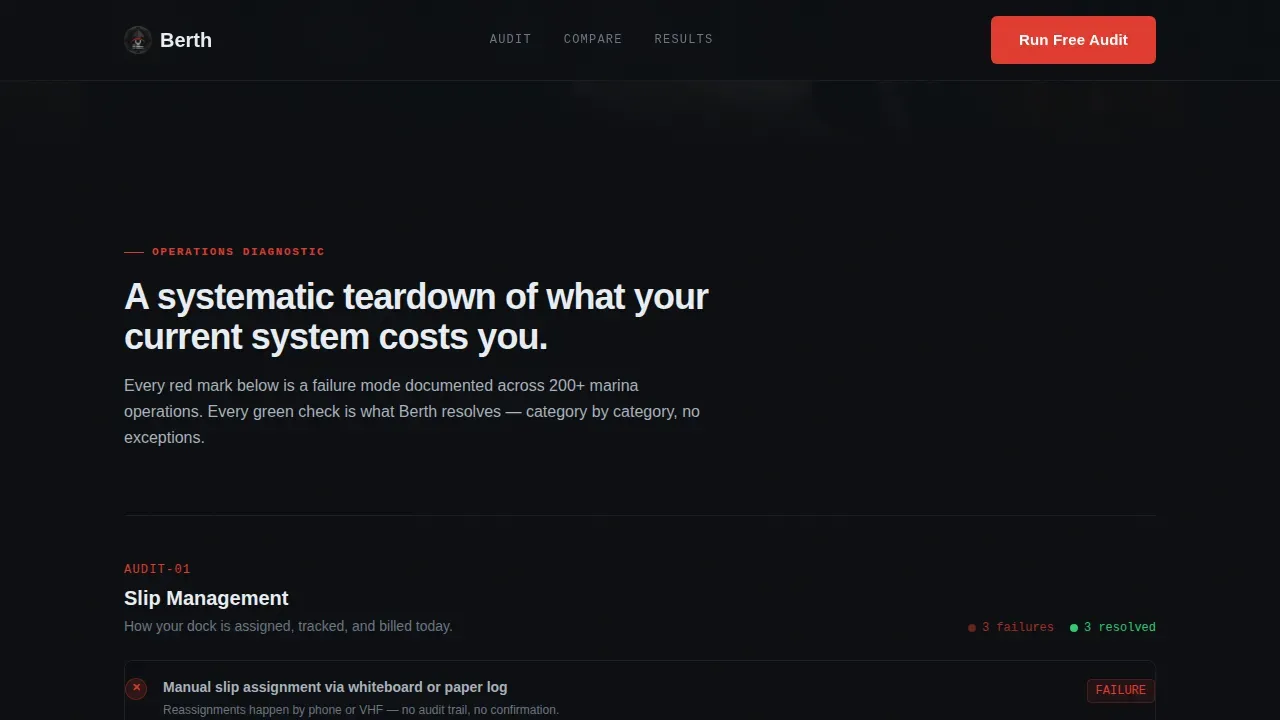
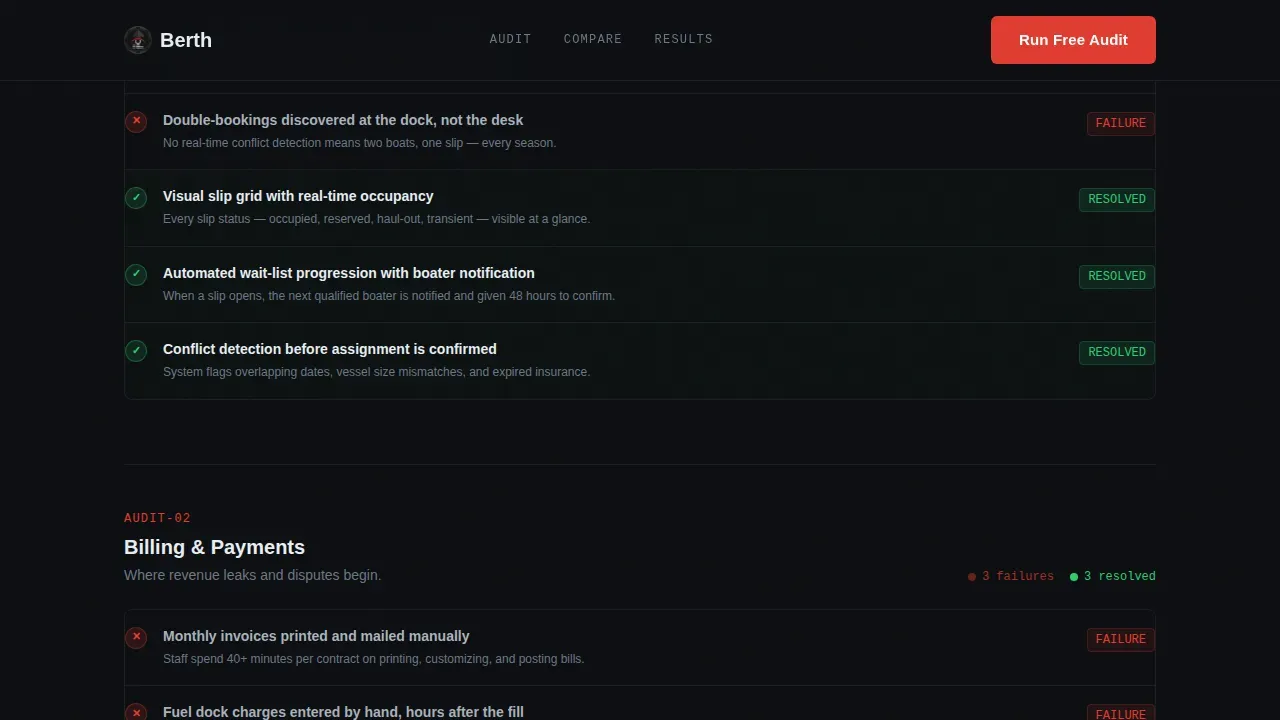
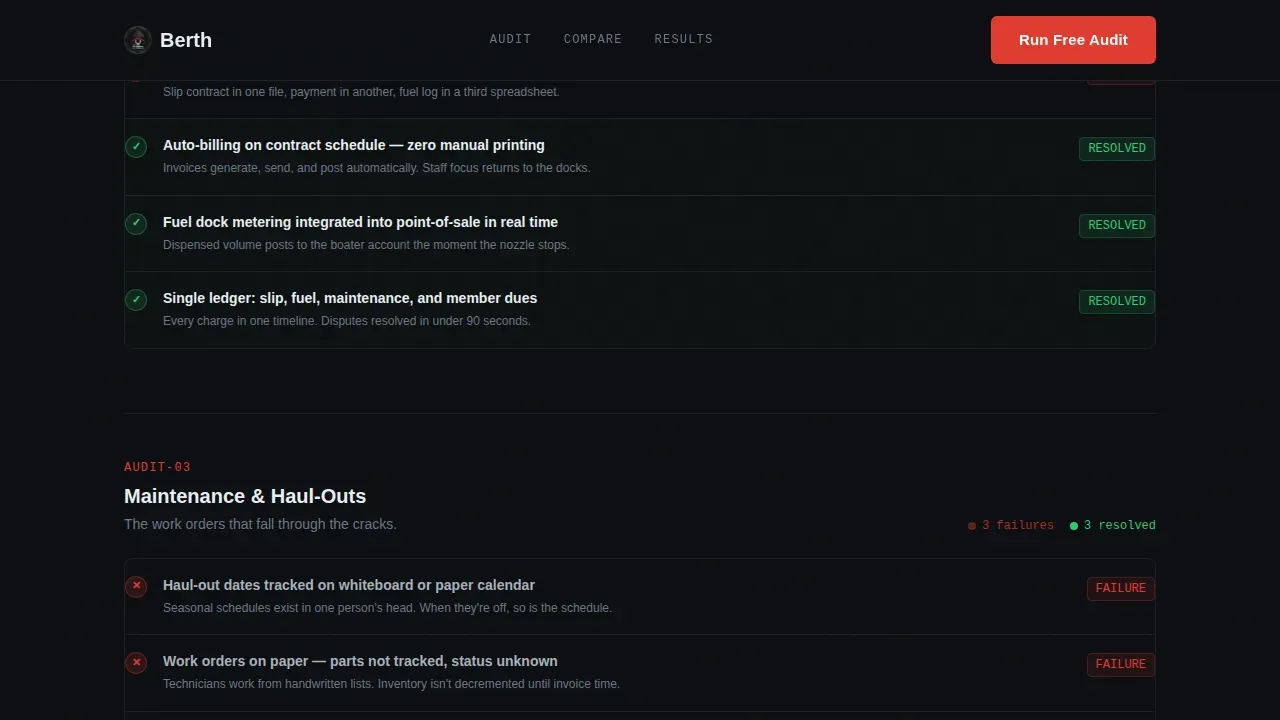
- A full-bleed operations-room hero with a fade-in headline, followed by five diagnostic checklist sections covering slip management, billing, maintenance, fuel tracking, and member communications
- A head-to-head comparison table pitting the platform against spreadsheets and competing management software, with specific capability rows
- A dual-path conversion system: a primary audit form and a secondary gated PDF download, both designed to capture qualified facility leads
Feature list
This template packages a focused set of conversion-ready features that reflect how marina operations actually run. Each section is built to do real work.
Cinematic Behind-the-Scenes Hero
The hero opens with a full-bleed photograph of a live marina operations room. Monitors show slip grids, a VHF radio sits mid-desk, and a whiteboard lists haul-out dates. A single headline fades in over the image. The visual language immediately signals authenticity to any harbormaster who has stood in that room.
Checklist and Audit Scroll Structure
The page scrolls through five operational areas as diagnostic checklists. Each row uses red marks for what legacy systems get wrong and green checks for what the platform resolves. Rows stagger in on scroll, building urgency through recognition. This format helps marina managers see their own daily process failures named and addressed, one by one.
Head-to-Head Comparison Tables
Comparison tables appear between audit sections. They pit the platform against spreadsheets, generic property management software, and a leading marina competitor. Specific capability rows include items like automated wait-list progression and real-time fuel-dock metering. Hover states on each row enhance readability and focus attention on key differentiators.
Dual-Path Conversion System
The primary call to action is "Run Your Free Marina Audit," placed after the third checklist section and repeated as a sticky bottom bar. The form collects marina name, total slip count via dropdown, and current management method. A secondary path offers a gated PDF download called "Download the Switchover Checklist," capturing email and facility size from operators not yet ready to commit.
Social Proof and Outcome Metrics
A dedicated section displays outcome data alongside harbormaster testimonials. Metrics include a 34% booking increase, over 40 minutes saved per contract, and revenue tripling outcomes. Authentic testimonials with name and title give marina managers the peer validation they need before clicking through.
Sticky Call-to-Action Bar
After the comparison tables, a sticky bottom bar keeps the primary audit call to action visible throughout the remainder of the scroll. The bar uses signal-flag red to draw attention without disrupting the dark instrument-panel reading experience.
Page sections overview
| Section | Purpose |
|---|---|
| Hero Operations Room | Full-bleed photo with fade-in headline establishes operational credibility |
| Slip Management Audit | Checklist teardown of slip assignment failures and platform resolutions |
| Billing Audit Checklist | Diagnoses billing dispute patterns and automated billing remedies |
| Maintenance Audit Checklist | Surfaces missed haul-out and maintenance scheduling risks |
| Fuel Tracking Audit | Covers real-time fuel-dock metering gaps and platform solutions |
| Member Communications Audit | Flags wait-list and communication failures in legacy systems |
| Comparison Tables | Side-by-side capability rows versus spreadsheets and competitors |
| Social Proof Metrics | Outcome data and named harbormaster testimonials |
| Audit Form Section | Primary "Run Your Free Marina Audit" form with slip count dropdown |
| PDF Download Path | Secondary gated download for operators still evaluating |
| Footer Row | Linear single-row footer with navigation and compliance links |
Design & branding system
The visual identity follows a Dashboard Pro theme using a Carbon Fiber color system. The palette reads like the cockpit of a center-console at night: dark, functional, and precise. Every illuminated element serves a purpose.
- Deep hull black (#0D0F12) as the page background, instrument-panel charcoal (#1E2328) for panel sections, and dock-cleat silver (#A8B2BD) for primary body text
- Signal-flag red (#E03C31) reserved exclusively for alerts, call-to-action buttons, red audit marks, and audit failure states
- DM Sans for all headings and JetBrains Mono for data labels, audit row text, and comparison table values
Mobile & speed optimization
The template is built desktop-first to serve harbormaster teams working at operations desks. Responsive behavior is included to support mobile access for operators checking in from the dock or on a device at the fuel berth.
- Server Components handle all static sections to keep the page fast and reduce unnecessary client-side load
- Client Components are scoped to the audit form and sticky call-to-action bar, keeping interactivity contained and efficient
- Medium animation intensity: hero headline fade-in, checklist row stagger reveals, and scroll-triggered audit marks are all optimized to avoid layout shifts
How this template helps you convert
This template is engineered for Comparison/Versus conversion. The scroll strategy builds urgency by making visitors recognize their own operational failures before the call to action ever appears.
- The checklist-and-audit structure forces recognition: visitors watch their current process diagnosed section by section, creating emotional momentum toward the form. Real-time data framing and outcome metrics reinforce the cost of inaction before the primary call to action appears.
- The dual-path system captures leads at two intent levels. Ready buyers complete the audit form. Operators still evaluating download the gated checklist PDF, which still captures email and facility size for follow-up. Neither visitor leaves without a next step.
Other information about this template
This template is part of a broader marina industry ecosystem where cloud based solution options are increasingly replacing paper-based port management workflows. Berth planning, berth allocation, and vessel scheduling across ports are challenges that extend well beyond recreational marinas to container port terminals and facilities managed by port authorities overseeing large-scale port operations. The template's comparison strategy is directly informed by the competitive landscape, including platforms like Marinapy, Marina Master, and Slipwise, each of which serves different segments of the marina management software market. The template can suit teams that want to position their cloud based platform as the more purpose-built option in a field where generic management software often falls short. It is utilized by product and marketing teams who need a conversion-ready page that combines expert knowledge of marina operations with a data-driven visual system. The page structure can integrate naturally into a wider go-to-market program, giving the sales team a focused entry point to qualify inbound leads by facility size and current management method.
- The template is localized for English, United States Dollar pricing, and North American marina context
- Typography, color tokens, and component structure are fully editable within the Dashboard Pro theme system
- Footer follows Pattern 1, a linear single-row layout with navigation, compliance links, and brand mark

Theme
Dashboard Pro
Creative direction
Checklist & Audit
Color system
Carbon Fiber
Style
Single Column Flow
Direction
Comparison/Versus
Page Sections
Operations Room Hero Section
Checklist and Audit Scroll
Head-to-head Comparison Tables
Dual-path Conversion System
Social Proof and Outcome Metrics
Sticky Audit Call-to-action Bar
Related questions
What types of marinas is this template designed for?
Can I edit the checklist rows and comparison table content?
Does the template include the audit form and PDF download path?
Is this template suitable for port management and larger vessel operations?
How does the sticky call-to-action bar behave?