Kids Cooking After-School Landing Page Template
Simmer is a warm, modular landing page template built for kids cooking after-school programs. It features an interactive ingredient card header, a three-question personalization quiz, and a dynamic class card grid that reshuffles in real time. Designed for mobile-first parents browsing late at night, every section guides families from curiosity to enrollment with a single click-through flow.
by Rocket studio
Quick summary
Simmer is a single-page template designed for kids cooking after-school programs. It opens with an animated kitchen counter, walks visitors through a short personalization quiz, and surfaces class cards matched to their child. The entire page flows toward one goal: a confident click to the enrollment page, no form required.
Who this template is for
This template is built for enrichment program owners who want to turn late-night parent searches into real enrollments. It works especially well when your program offers multiple class tracks for different ages, tastes, or dietary needs.
- After-school cooking program directors and small studio owners
- Children's enrichment educators launching a new semester
- Program coordinators managing multiple class tracks for kids aged 6 to 12
What problem this template solves
Parents searching for after-school activities at 11pm are overwhelmed by generic program pages that list times and prices but never show why their specific child would love it. Simmer solves the personalization gap by making the page feel like it is assembling itself around each family.
- Generic program pages fail to connect with a picky eater's parent or a grandparent raising a grandchild
- Most landing pages ask parents to fill out a form before they feel any excitement
- Without a clear click path, curious visitors leave without enrolling
What you get with this template
You get a fully structured, modular landing page with six distinct sections, each designed to build trust and move parents toward a decision. The layout is card-grid based, making it easy to swap content blocks without breaking the design.
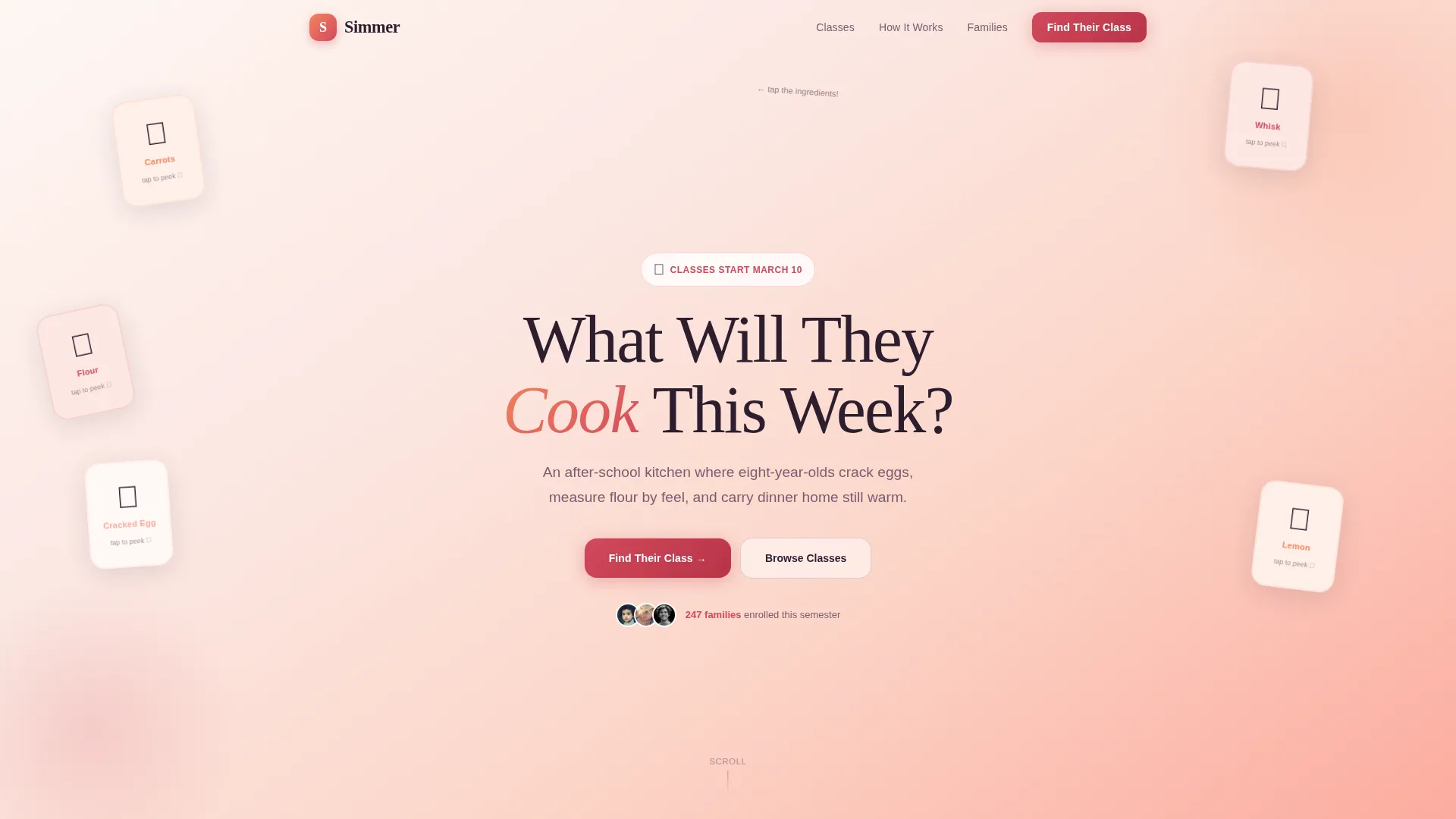
- An interactive hero section with flippable ingredient cards and a headline that sparks curiosity
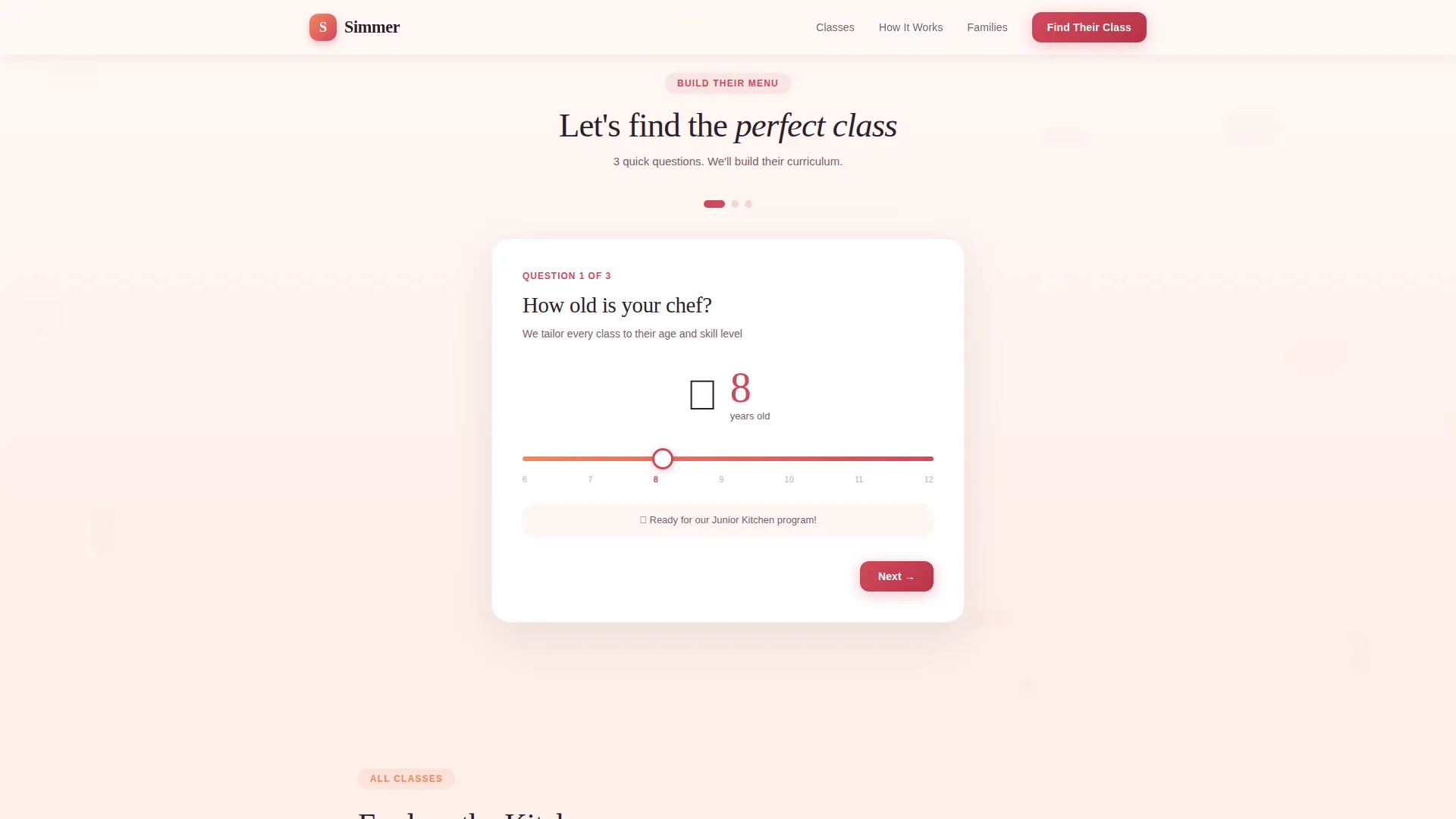
- A three-question quiz that reshuffles the class grid to match the child's age, allergies, and food preferences
- A sticky bottom bar with a recommended class track and a secondary call to action appearing after quiz completion
Feature list
This template ships with a high-interactivity feature set tuned for parent audiences browsing on mobile devices after school pickup.
Flippable Ingredient Card Header
The hero section displays an illustrated kitchen counter scattered with ingredient cards. Each card wiggles with a subtle micro-animation and flips on tap or hover to reveal a kid-friendly recipe name, a difficulty star rating, and a real child's hands mid-prep photo. The headline "What Will They Cook This Week?" fades in above.
Three-Question Personalization Quiz
A slide-in quiz asks three focused questions: the child's age via a cartoon toque slider, any ingredients to avoid via tappable allergy cards, and flavor or style preference via four playful options. Each answer triggers a real-time reshuffle of the class card grid below.
Dynamic Class Card Grid
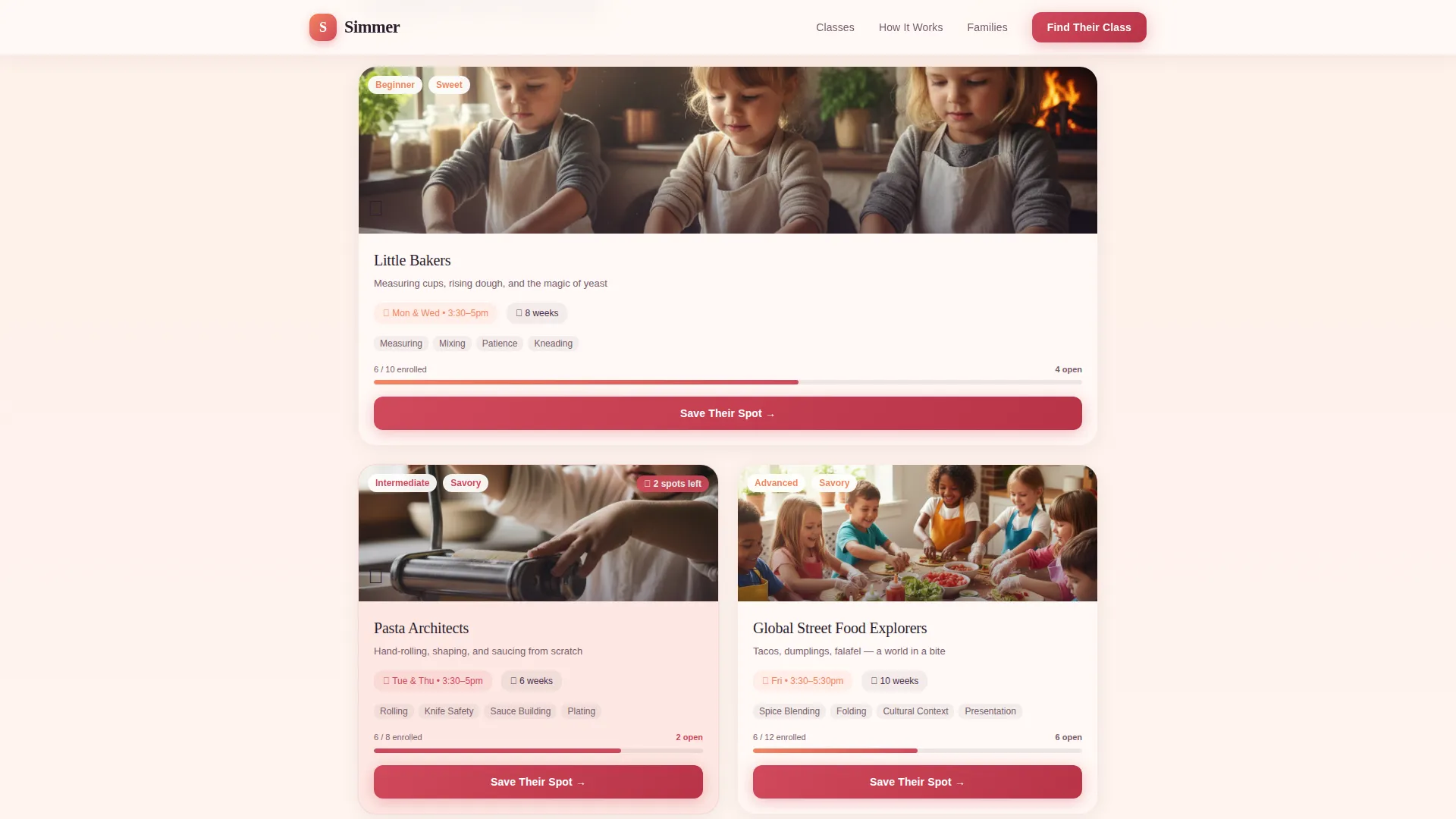
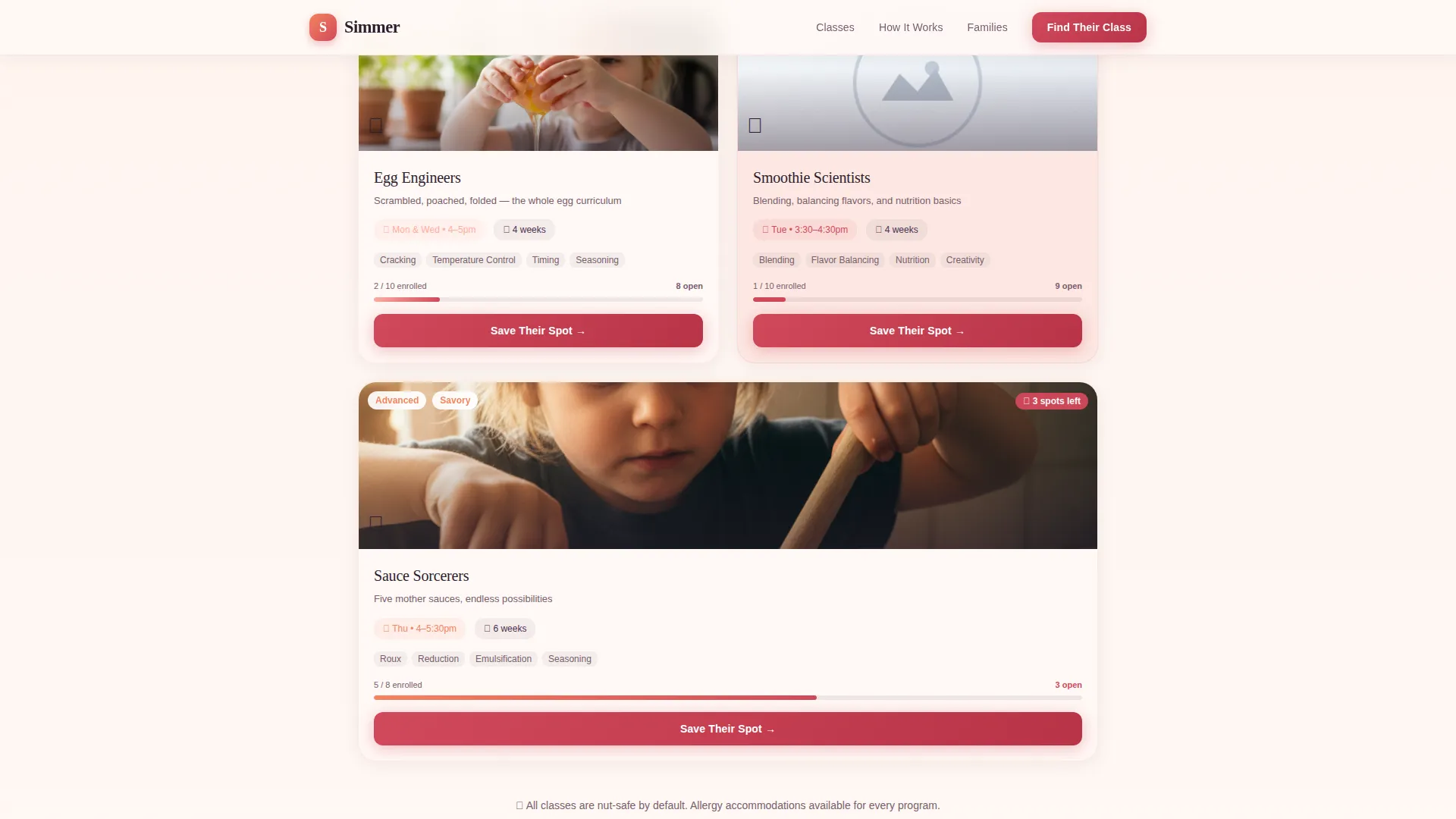
The bento-style card grid surfaces class modules, such as Pasta Architects, Little Bakers, and Global Street Food Explorers, based on quiz responses. Each card includes a schedule, skill badges, and a photo carousel of real kids cooking. A persimmon "Save Their Spot" button on every card routes to enrollment with quiz answers pre-filled.
Sticky Enrollment Bar
After the quiz completes, a sticky bottom bar appears showing the child's recommended class track. It carries a primary call to action and a secondary "Gift a Semester" option, keeping the conversion path visible throughout the scroll without interrupting the reading experience.
Parent Testimonials Section
A dedicated section presents parent quotes with names and cities alongside real kid cooking photos and enrollment numbers. This social proof block is designed to reassure the working parent who is close to deciding but needs one final reason to trust the program.
Visual How It Works Section
A three-step visual process block explains the program flow in a clean, non-numbered layout. It gives first-time visitors a quick mental model of what happens after they click through, reducing hesitation before enrollment.
Page sections overview
| Section | Purpose |
|---|---|
| Hero Ingredient Counter | Hook curiosity with animated, flippable recipe cards |
| Personalization Quiz | Match each child to the right class track |
| Dynamic Class Grid | Display reshuffled class cards with enrollment buttons |
| Parent Testimonials | Build trust with real parent quotes and kid photos |
| How It Works | Explain the program in three visual steps |
| Footer | Provide a clean single-row navigation anchor |
Design & branding system
The visual identity follows a Nurture and Care theme built on a Sunset Gradient color system. The palette evokes the golden-hour light that fills a kitchen at afternoon pickup time, warm and inviting without being childish.
- Colors flow from soft peach (#FDAB9E) through warm apricot (#F4845F) and ripe persimmon (#D1495B), anchored by rich eggplant (#2D1E2F) for headlines and body text
- Fraunces is used for display headlines to add warmth and character, while DM Sans handles body copy for clean readability
- Persimmon highlights buttons, badges, and key interactive elements; peach-to-apricot gradients wash across section backgrounds
Mobile & speed optimization
The template is built mobile-first, reflecting the reality that most parents discover after-school programs on their phones late at night. Every interaction, from quiz taps to card flips, is designed for a thumb-sized screen.
- CSS animations power the wiggle effects, card flips, and quiz slide transitions to keep motion smooth without heavy script dependencies
- Intersection Observer drives scroll-reveal effects, so content loads into view only when the parent reaches it
- The card grid layout reflows cleanly across screen sizes, keeping class cards readable and tappable on small displays
How this template helps you convert
Simmer is a click-through landing page, meaning there is no form to fill on the page itself. The quiz creates emotional investment before the parent ever reaches a button.
- The interactive header sparks curiosity immediately, inviting parents to explore before they read a single line of program copy
- The personalization quiz makes the page feel tailored, so by the time a parent sees "Save Their Spot," they have already imagined their child in an apron
- The sticky bottom bar and pre-filled enrollment link reduce friction at the final step, passing quiz context directly to the enrollment page
Other information about this template
This template is part of the Kids and Family category, sitting within the Kids Cooking for Kids after-school program niche. It is localized for a United States audience using USD pricing and English copy.
- Template style is Card Grid (Modular), making individual class cards easy to update each semester
- The creative direction is Quiz and Personalize, a format well suited to programs with multiple class tracks or age-based tiers
- The header concept is Interactive Preview, giving parents a tactile first impression that static hero images cannot match
- Enrollment flow is click-through only, routing to a separate enrollment page with quiz data pre-filled
Theme
Nurture & Care
Creative direction
Quiz & Personalize
Color system
Sunset Gradient
Style
Card Grid (Modular)
Direction
Click-Through
Page Sections
Flippable Ingredient Card Hero
Three-question Personalization Quiz
Dynamic Bento Class Card Grid
Sticky Post-quiz Enrollment Bar
Parent Testimonials with Social Proof
Visual Three-step How It Works
Related questions
Does this template include a built-in enrollment form?
Can I update the class cards each semester?
Is the personalization quiz editable?
How does the sticky bottom bar appear?
Who is this landing page template designed for?