Sheriffs - Modern Office Landing Page Template
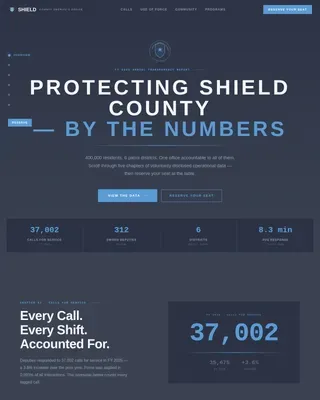
Sheriffs is a hub-and-spoke landing page built for a county sheriff's office. It scrolls like an annual transparency briefing, moving visitors through operational statistics, community programs, and event registration. The civic Slate & Sky color system and sticky anchor navigation give it the weight and clarity of a well-run public institution.
by Rocket studio
Quick summary
Sheriffs is a single-page civic transparency hub for a county sheriff's office. It guides residents through voluntarily disclosed operational data before presenting community event registration. The scroll feels like a structured annual report, building cumulative trust through statistics, pull quotes, and program highlights, so signing up for an event feels like the natural next step.
Who this template is for
This template is built for county sheriff's offices that want to engage their community openly and drive participation in public programs. It is equally useful for any civic agency that needs to present operational data alongside an event registration path.
- County communications teams managing public transparency initiatives
- Community affairs deputies coordinating Citizens' Academy, ride-alongs, and neighborhood events
- Parents and residents looking for a clear, trustworthy point of contact with their local office
What problem this template solves
Most government websites bury program registration behind navigation menus and dense text. Residents arrive with a specific need, find no clear path, and leave without acting. This template fixes that by leading with verifiable data before asking for anything.
- Visitors lack trust in institutions that ask for personal information before proving transparency
- Program registrations are scattered across forms with no unified entry point
- No single page communicates operational performance, community programs, and event sign-up together
What you get with this template
You get a fully structured, single-page layout designed around public trust and event registration. Every section serves a clear purpose, moving visitors from informed observers to willing participants.
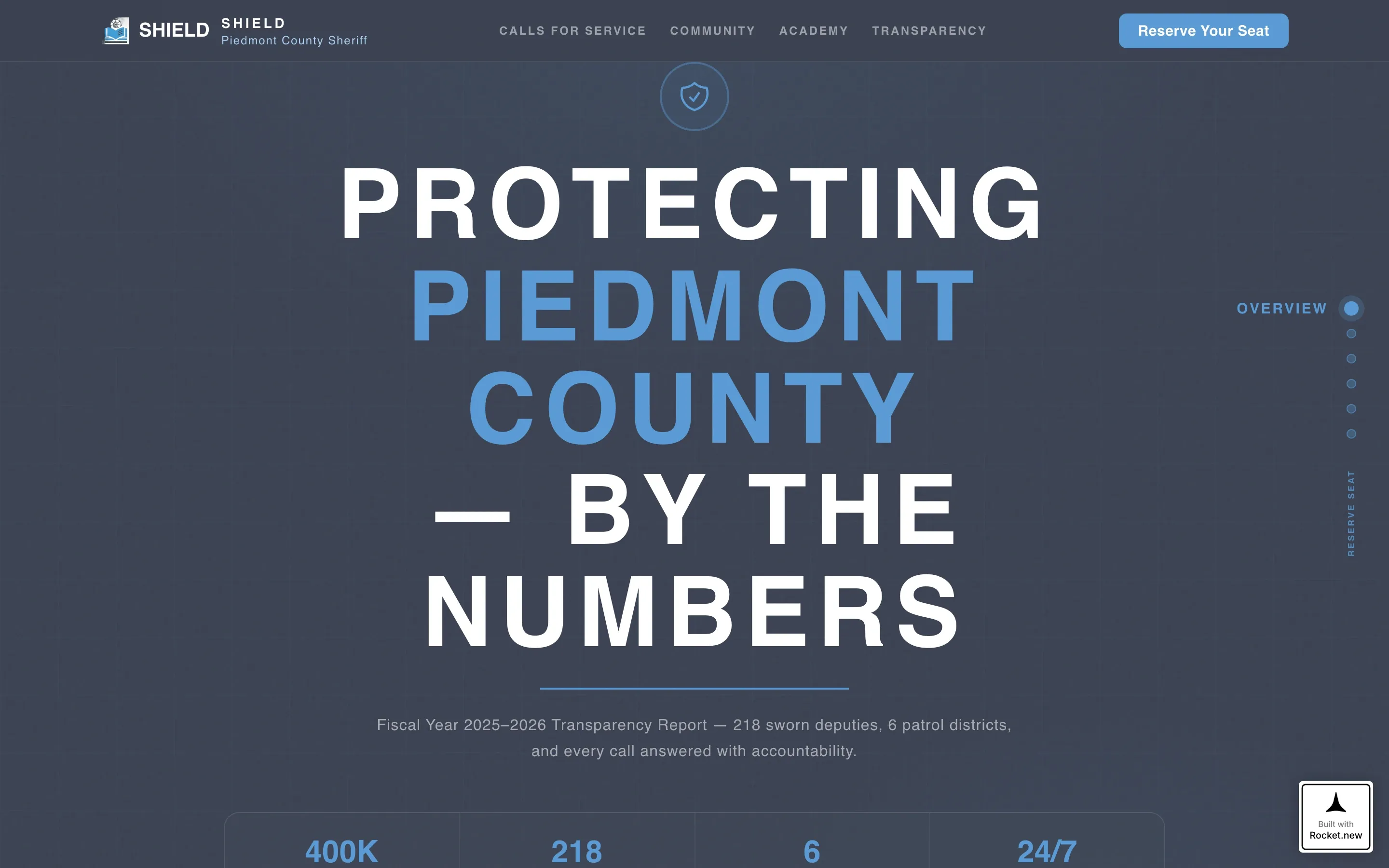
- A hero section with a giant all-caps headline, office seal, and sky-blue rule, plus a sticky anchor navigation bar
- Five data-driven spoke sections covering calls for service, community engagement, academy programs, use-of-force transparency, and event registration
- An event registration form with event selection, name, email, and ZIP code fields, plus a secondary bulletin subscribe option
Feature list
Sticky Anchor Navigation with Active States
A fixed side navigation bar links directly to each spoke section. As the visitor scrolls, the active dot updates to reflect the current section. This keeps orientation clear across a long, data-dense page without requiring a menu tap.
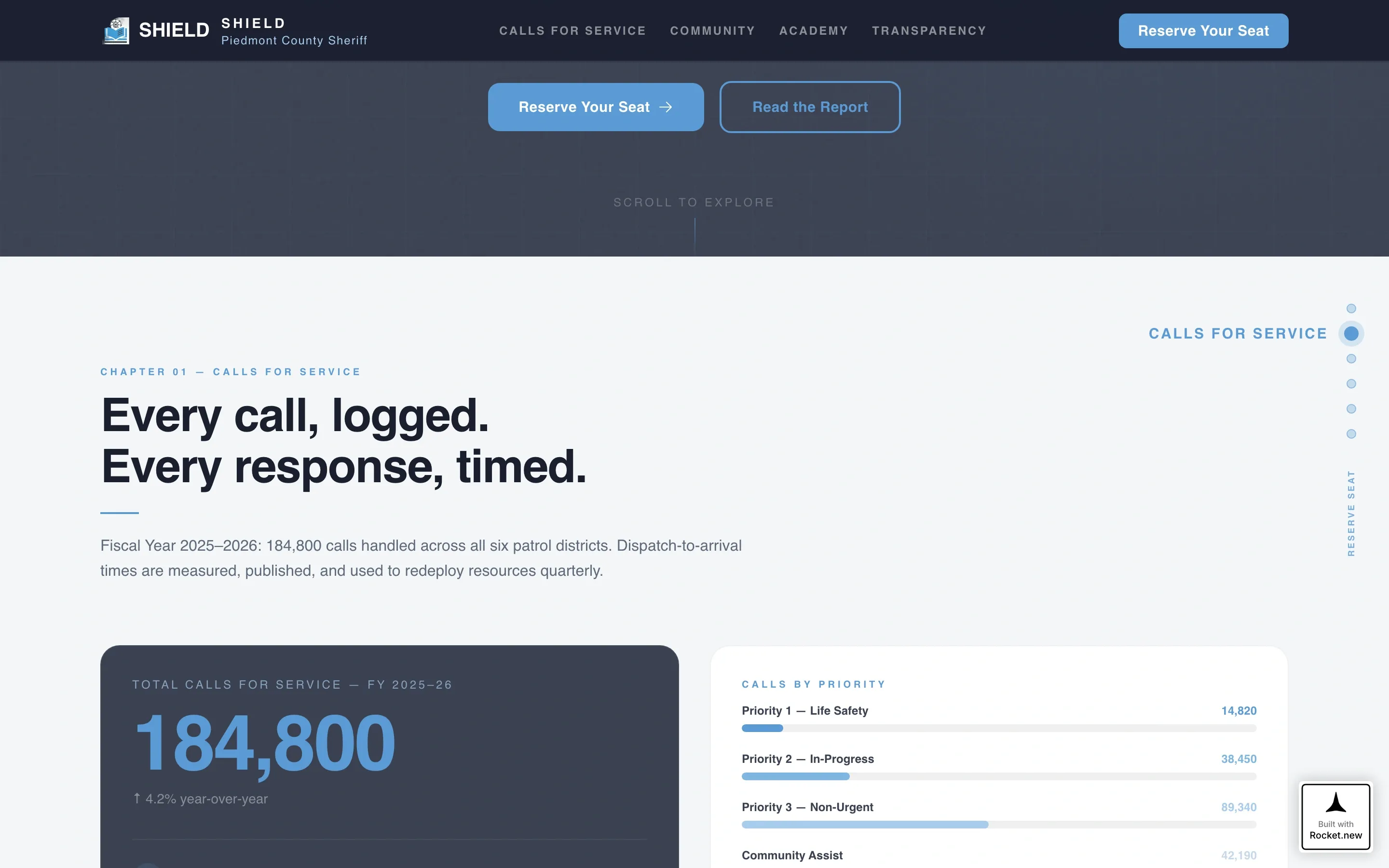
Odometer Counter for Calls for Service
The calls-for-service section includes an animated odometer counter that counts up on scroll entry. This gives the statistic a sense of real magnitude and signals that the numbers are live and meaningful, not decorative.
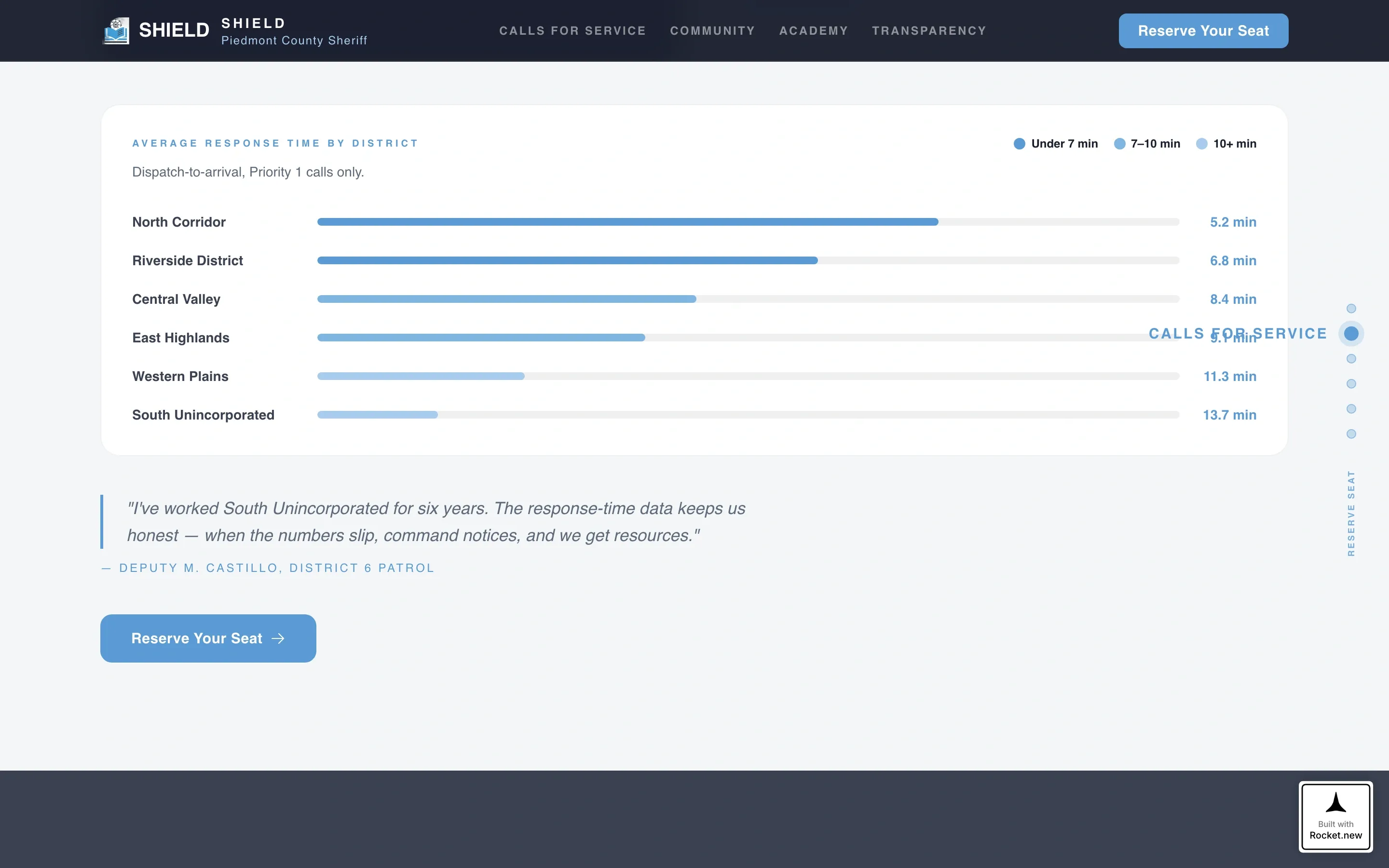
District Response Heat Map
Average response time is displayed as a heat-mapped district visualization. Residents can see how their geographic area compares, adding geographic specificity to the transparency narrative.
Pull Quote Rhythm Between Data Sections
Single-sentence pull quotes from deputies and residents appear between each data chapter. This stat-story-stat-story rhythm keeps the page human without diluting its institutional authority.
Event Registration Form with District Routing
The registration form leads with event selection from four program options: Citizens' Academy, Coffee with a Deputy, National Night Out, and the Ride-Along Program. The ZIP code field routes each registrant to their correct district station automatically within the form flow.
Bulletin Subscribe Secondary Path
A secondary email capture sits below the main registration form. Visitors who are not ready to attend an event can subscribe to the Sheriff's Bulletin, keeping the office connected to a broader audience without requiring immediate commitment.
Page sections overview
| Section | Purpose |
|---|---|
| Hero Headline | Anchor nav entry, office seal, all-caps headline, sky-blue rule |
| Calls for Service | Odometer counter, district response heat map |
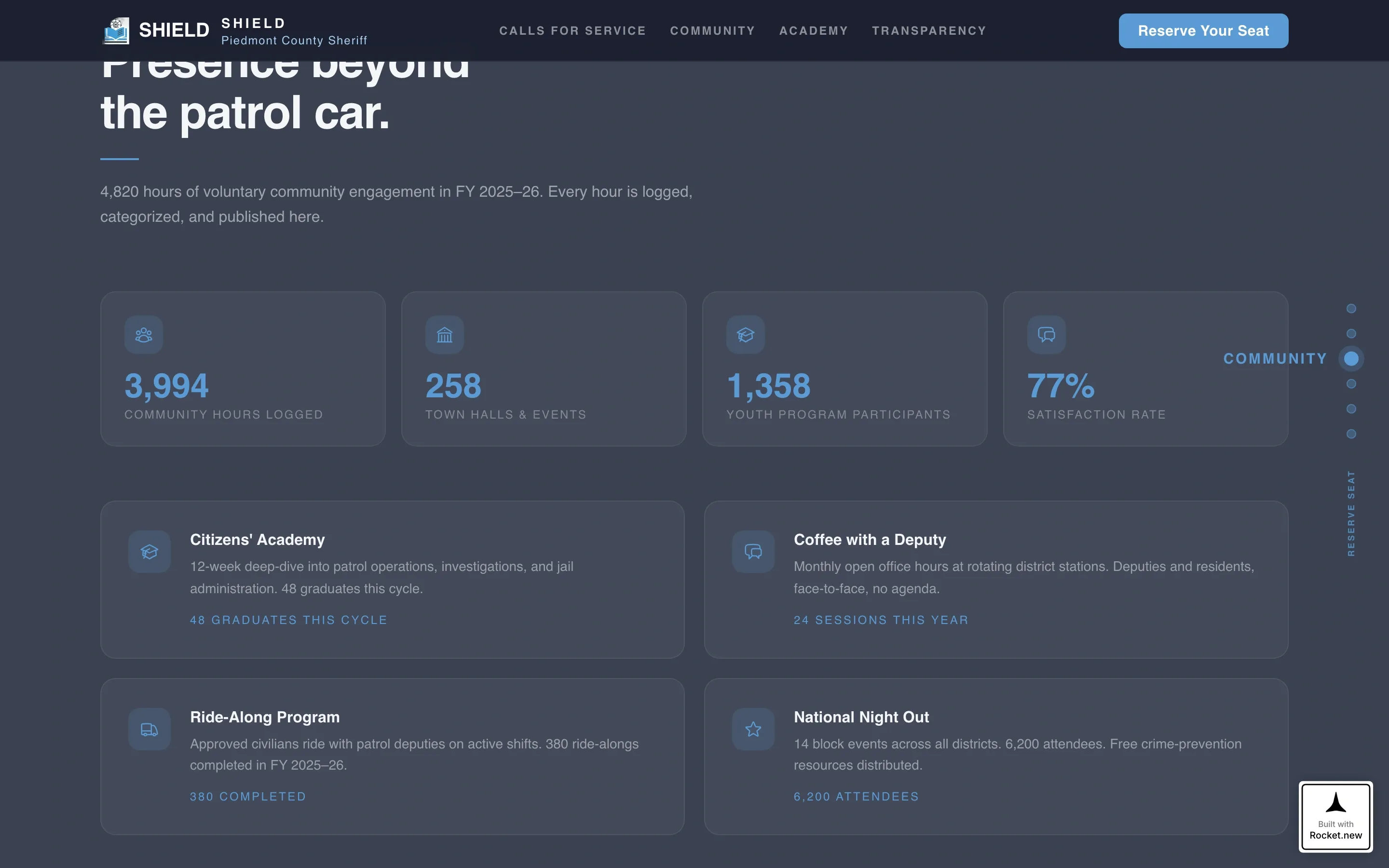
| Community Engagement | Hours logged, program stats, resident pull quotes |
| Academy & Programs | Graduation rates, program cards, registration call to action |
| Use of Force | Year-over-year trend, incident breakdown |
| Event Registration | Form with event selection, name, email, ZIP, bulletin subscribe |
| Footer | Linear single-row pattern with office contact and links |
Design & branding system
The template uses a Civic Service theme built on the Slate & Sky color system. The palette is authoritative without being aggressive, approachable without losing institutional gravity.
- Charcoal (#3B4252) anchors the header and footer; gunmetal (#5E6A7A) fills secondary panels; sky blue (#5B9BD5) highlights every button, link, and anchor-nav dot; dress-white (#F4F6F8) fills content wells
- Typography uses Plus Jakarta Sans in a wide-tracked, all-caps treatment for headlines and clean body weight for data sections
- The overall visual style is Industry Report, reading like a printed annual transparency briefing with a civic institutional finish
Mobile & speed optimization
The template is desktop-first in its design intent, reflecting the wide-canvas needs of heat maps and data dashboards. Full mobile support is built in so the page remains functional and readable on any screen size.
- Animations are powered by GSAP ScrollTrigger, including staggered section reveals and the odometer counter, with client-side rendering isolated to interactive components
- Static content sections use server components to keep the initial load lean
- The sticky anchor navigation collapses gracefully on smaller screens so mobile visitors retain clear page orientation
How this template helps you convert
The page earns registration by proving transparency first. By the time a visitor reaches the sign-up form, they have scrolled through five chapters of voluntarily disclosed data and come to see the office as credible and open.
- The stat-story-stat-story rhythm replaces marketing language with operational evidence, so residents feel informed rather than persuaded before they reach the registration form.
- The event registration form reduces friction by asking for event preference first, then collecting only the minimum details needed: name, email, and ZIP code for district routing.
- The secondary bulletin subscribe path captures visitors who are not yet ready to attend, keeping them connected to the office for future engagement.
Other information about this template
This template is part of a specialized civic and government template category designed for agencies that serve large residential populations and need to communicate both authority and accessibility. It is well suited for sheriff's offices, municipal police departments, and county public safety agencies operating transparency programs.
- The template supports localization for United States contexts, including MM/DD/YYYY date formatting and district-based ZIP code routing
- The accordion FAQ component is included in the interactive layer alongside the registration form and bulletin subscribe feature
- GSAP ScrollTrigger drives all medium-to-high animation sequences, including odometer counters and staggered section reveals
- The footer follows a linear single-row pattern, keeping the close of the page clean and uncluttered
Theme
Civic Service
Creative direction
Industry Report
Color system
Slate & Sky
Style
Hub & Spoke (Anchor Nav)
Direction
Event Registration
Page Sections
Sticky Anchor Navigation
Animated Odometer Counter
District Response Heat Map
Stat-story Pull Quote Rhythm
Event Registration Form
Secondary Bulletin Subscribe
Related questions
Can I change the event options in the registration form?
How does the ZIP code field work in the registration form?
Is the odometer counter connected to live data?
Does the template support mobile devices?
Can a municipal police department use this template?