Emergency Management Government Professional Website Template
Dispatch is a split-screen landing page template built for state emergency management departments. It pairs a live-status infographic header with a step-by-step decision flow covering preparedness, active response, and recovery. The Navy Authority color system and amber alert accents create an operations-center aesthetic that guides every visitor, from county coordinators to families searching for shelter, straight to the action they need.
by Rocket studio
Quick summary
Dispatch delivers a calm, authoritative landing page for state emergency management departments. The 50/50 split-screen layout moves visitors through three clear phases: Prepare, Act, and Recover. A full-viewport infographic header shows live threat zones and operational status at a glance, while amber call-to-action elements guide every type of visitor to the right resource without confusion.
Who this template is for
This template is purpose-built for state and regional emergency management departments that need to serve multiple audiences at once. It handles the range from a county coordinator checking grant deadlines to a family searching for open shelters while a storm approaches.
- County emergency coordinators and emergency managers needing quick access to toolkit links, plans, and reporting portals
- Families, school superintendents, and municipal public works directors seeking shelter locations, evacuation routes, and real-time guidance during an active event
- Government agencies and local organizations developing community preparedness plans, operations documentation, and post-disaster recovery procedures
What problem this template solves
When disaster strikes, a cluttered or unclear website fails the people who need it most. Visitors arrive under stress, often on mobile devices, sometimes on degraded networks. They need immediate, visible utility, not a generic page that buries critical information under navigation menus and marketing copy.
- There is no single structured site that serves county coordinators, first responders, and families with the same clarity during an emergency
- Most government websites do not present life safety information in a decision-tree format that tells visitors exactly what to do next, at each phase
- Departments lack a ready-made emergency landing page that displays emergency contact information, live shelter counts, and alert sign-up in one focused, distraction-free layout
What you get with this template
This template includes a full single-page layout built around five structured sections. Each section follows the split-screen format, pairing two complementary resources side by side so visitors can self-route without scrolling through irrelevant content.
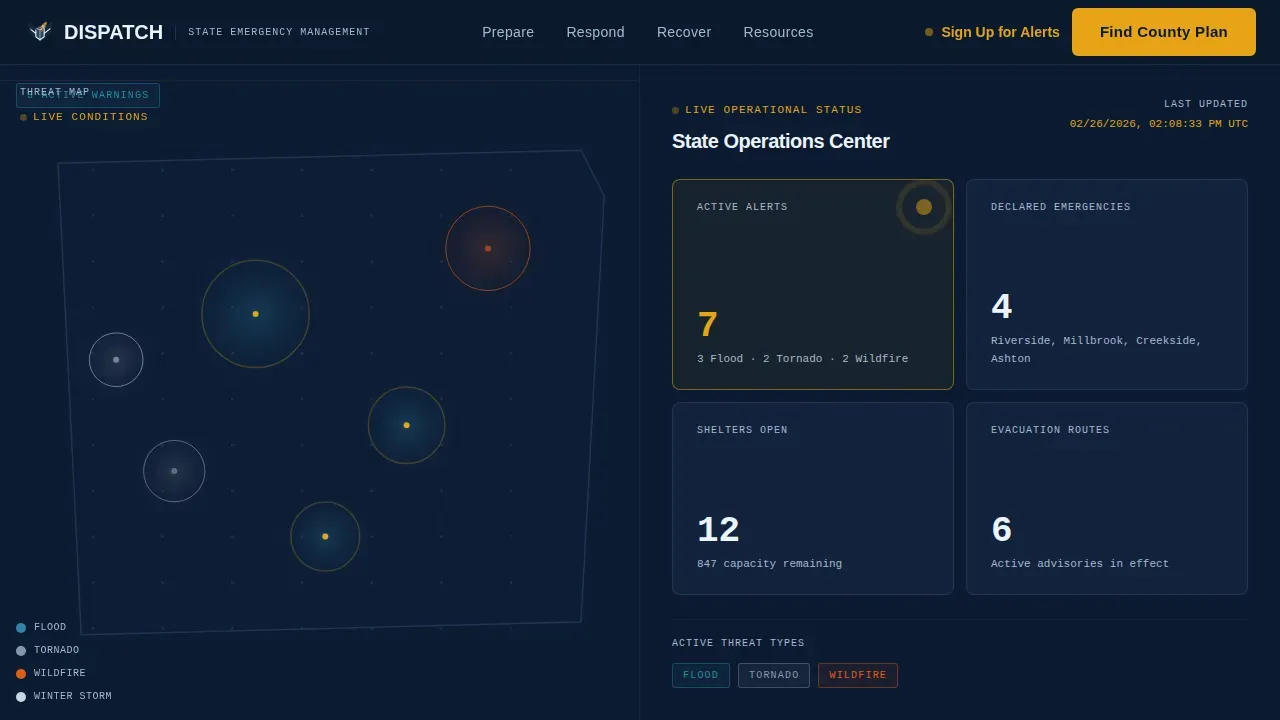
- A full-viewport infographic header with a stylized threat-zone map on the left and a live status dashboard on the right, showing active alert counts, shelter openings, counties in declared emergency, and a last-updated timestamp
- Three sequential split-screen content sections covering Before a Disaster, During a Disaster, and After a Disaster, each opening with a numbered step and a single imperative verb: Prepare, Act, Recover
- A resources strip with quick-access cards, a primary amber call-to-action button, a two-field alert sign-up form, and a sticky mobile call-to-action bar anchored at the bottom of the screen
Feature list
This template includes design and layout capabilities grounded in the source brief. Each feature serves a specific operational purpose.
Split-Screen Infographic Header
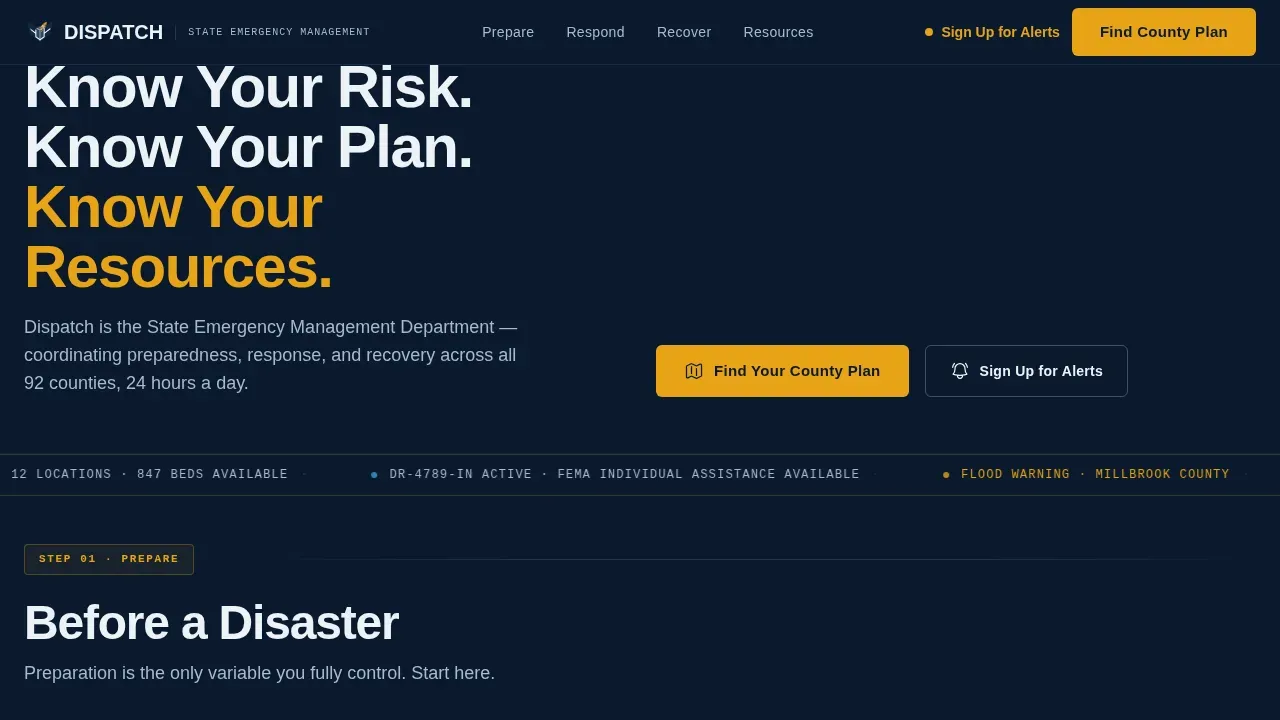
The header fills the full viewport with a stylized state map divided down the center. The left panel displays current threat zones color-coded by hazard type: flood blue, tornado gray, wildfire orange, and winter storm white. The right panel shows a real-time status dashboard with active alert count, open shelter count, counties under declared emergency, and a last-updated timestamp in JetBrains Mono typeface. An amber pulse animation marks active threat zones, creating urgency without panic. The headline "Know Your Risk. Know Your Plan. Know Your Resources." anchors below the map.
Three-Phase Decision Tree Layout
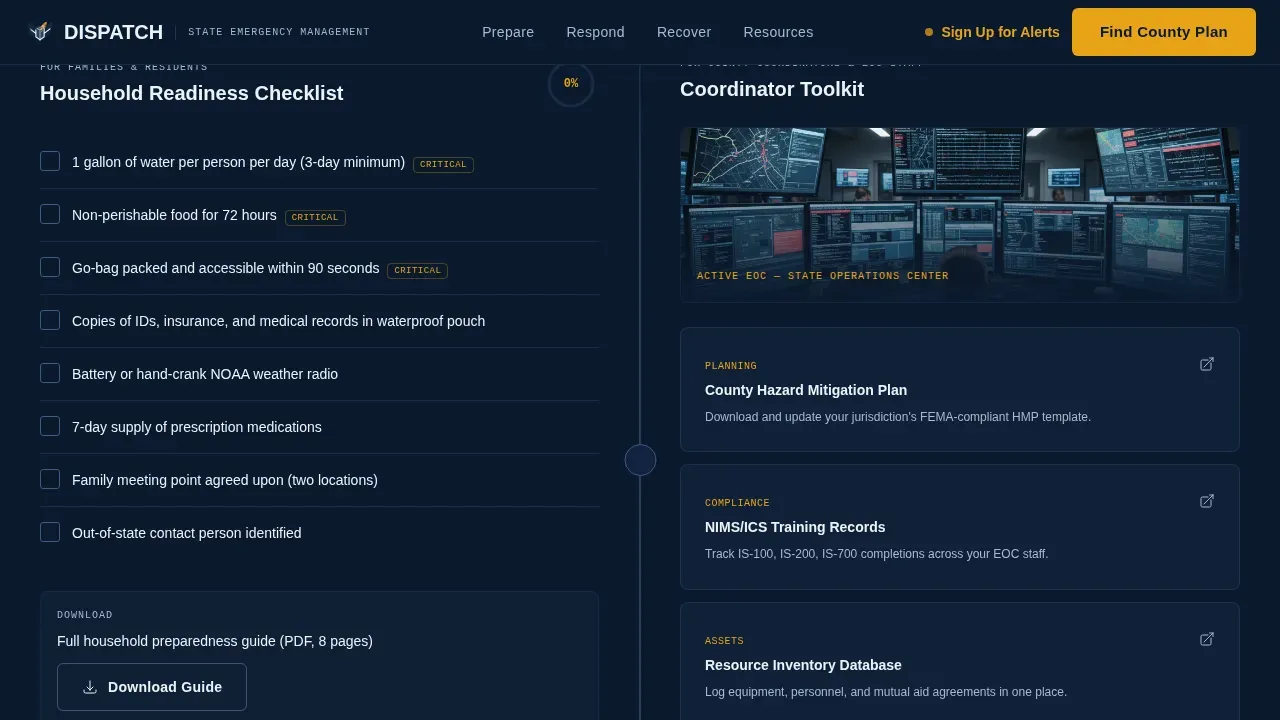
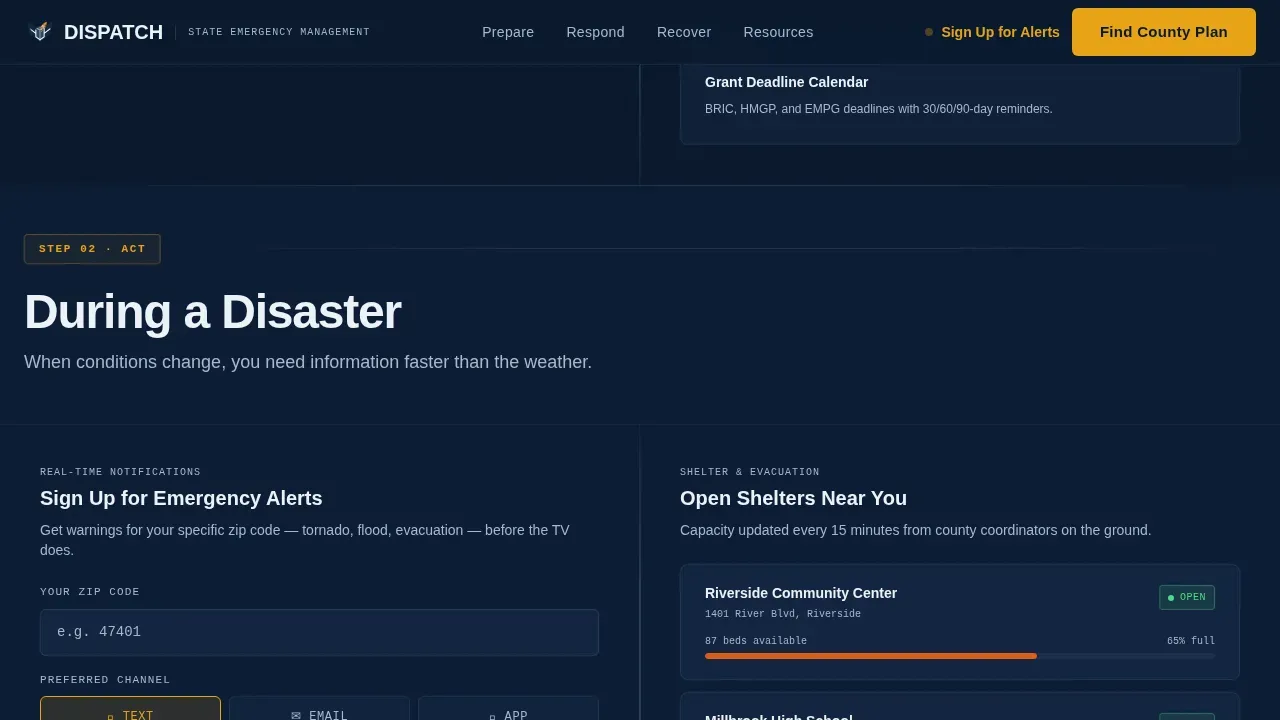
The page scrolls as a descending decision tree structured around three emergency phases. The Before a Disaster section splits family preparedness checklists on the left against county coordinator toolkits on the right. The During a Disaster section pairs an alert sign-up form with a shelter and evacuation route finder. The After a Disaster section matches individual assistance applications with municipal damage reporting portals. Each split opens with a numbered step so visitors always know where they are in the process.
Amber Alert Sign-Up Form
Embedded in the During a Disaster section, the inline alert sign-up form captures only two fields: zip code and preferred notification channel, which can be text, email, or app. This minimal form respects the visitor's urgency and keeps the process fast. It provides a direct path for residents to receive official emergency communication without navigating away from the page.
Sticky Mobile Call-to-Action Bar
On mobile devices, a sticky bottom bar displays the primary call-to-action throughout the entire scroll. The "Find Your County Plan" button appears in urgent amber on navy, routing visitors to the county-specific preparedness portal. This ensures that even a family member searching for shelter on a phone during an active event always has one-tap access to localized plans and resources without hunting for a button.
Accordion Checklist Components
The Before a Disaster section includes frequently-asked-question-style accordion elements for preparedness checklists. This keeps the page compact and skimmable, letting a county coordinator or school administrator expand only the items relevant to their specific needs. It reduces visual clutter and supports fast scanning when time is limited.
Quick-Access Resource Cards Strip
A dedicated resources strip near the bottom of the page provides quick-access cards linking to key tools and portals. These cards assist visitors who arrive after completing the primary decision flow and still need additional resources, document links, or contact information for their organization or department.
Page sections overview
| Section | Purpose |
|---|---|
| Hero Infographic Header | Displays live threat zones and operational status dashboard |
| Before a Disaster | Pairs family checklists with county coordinator toolkit |
| During a Disaster | Combines alert sign-up form with shelter and evacuation finder |
| After a Disaster | Matches individual assistance with municipal damage reporting |
| Resources Strip | Quick-access cards and primary call-to-action placement |
| Footer (Linear Single-Row) | Provides contact links and department-level general information |
Design & branding system
The visual identity follows a Directory and Discovery theme built on the Navy Authority color system. Every design decision reflects a state operations center aesthetic: dark backgrounds, high-contrast text, and amber indicators that direct tired eyes to the most critical information on the page.
- Color palette: deep command navy (#0B1A2E) as the primary background, tactical steel (#3D5A80) for secondary panels and card surfaces, alert white (#EDF2F7) for all body text and breathing room, and urgent amber (#E8A317) used exclusively for active alerts, calls-to-action, and wayfinding accents
- Typography: DM Sans for body text and authority paragraphs throughout the page, JetBrains Mono reserved for data values, timestamps, and dashboard figures to reinforce operational precision
- Animation: medium-level scroll reveals on section entry, amber pulse animation on active threat zones in the header map, and a persistent sticky call-to-action bar on mobile viewports
Mobile & speed optimization
This template is built with a mobile-first approach because families and community members searching for shelter during an active event are overwhelmingly on phones, often on limited or degraded networks. The layout must perform under pressure, not just in ideal conditions.
- The sticky bottom call-to-action bar on mobile keeps "Find Your County Plan" reachable at every scroll position, removing the need to hunt for navigation when an emergency occurs
- The two-field alert sign-up form is intentionally minimal, capturing only zip code and preferred channel, to reduce friction on small screens and slow connections
- Section-level scroll reveals are set to medium intensity to keep the experience responsive without heavy animation overhead that could slow rendering on constrained devices
How this template helps you convert
This template earns the click by demonstrating operational credibility before asking the visitor to go deeper. The infographic header proves the department is current and active the moment the page loads.
- The live status dashboard in the header, showing shelter counts, active alerts, and a last-updated timestamp, builds immediate trust and signals that the site is operational, not a static brochure, which increases the visitor's confidence to follow through on the primary call-to-action
- The amber "Find Your County Plan" button appears at the top of the page and returns as a sticky bar on mobile, ensuring that the most critical conversion path is always visible regardless of where the visitor is in the scroll, supporting an effective response rate across all device types
- The structured three-phase layout guides visitors to self-select their situation, Prepare, Act, or Recover, reducing decision fatigue and moving each visitor type directly toward the resource most relevant to their stage, whether that is a county operations plan, an alert subscription, or a post-disaster aid application
Other information about this template
This section covers additional considerations and practical context for teams evaluating or implementing the Dispatch template.
- The Dispatch state emergency management landing page template is designed for governmental and non-governmental organizations serving public safety objectives at the state and county level
- The Federal Emergency Management Agency (FEMA) provides a suite of resources and guidance frameworks, including the Comprehensive Preparedness Guide (CPG), that state departments can use alongside this template when developing or updating their operations plan and preparedness documentation
- Emergency medical services organizations and medical services providers serving a geographic location covered by a state emergency management department may find this template's structure useful for building complementary public-facing sites that align with established emergency management best practices
- The template structure supports best practices for emergency landing pages: it provides a brief crisis summary at the top, surfaces emergency contact information in the footer, includes a subscription path for alert updates, and displays a last-updated timestamp on the status dashboard
- Templates for emergency medical services and broader medical services contexts can be adapted from this layout by adjusting section content to reflect service-specific priorities, since the split-screen format and decision-tree flow translate well across related public safety and health services use cases
- Organizations can use pre-built templates like this one to simplify and streamline the planning and development process, reducing the time and resources needed to launch a credible public-facing emergency management site
- The page supports coordination across stakeholders including first responders, local emergency managers, and staff members from multiple departments, by providing clear links, portals, and document access points within a single focused site
Theme
Directory & Discovery
Creative direction
Step-by-Step Guide
Color system
Navy Authority
Style
Split Screen (50/50)
Direction
Click-Through
Page Sections
Split-screen Infographic Header with Live Status Dashboard
Three-phase Decision-tree Scroll Flow
Inline Two-field Alert Sign-up Form
Sticky Mobile Call-to-action Bar
Accordion Preparedness Checklist Components
Quick-access Resource Cards Strip
Related questions
Who is this template designed for?
Can this template be adapted for different emergency types?
Does the template include an alert sign-up feature?
Is the template suitable for mobile users during an active event?
What design elements can be customized?