Kids Rock Climbing After-School Landing Page
Ascend is a single-column landing page template built for kids' rock climbing after-school programs. It combines watercolor illustrations, a gallery-walk scroll flow, and an illustrated five-question quiz that guides parents to the right session group for their child. The warm Community Hearth design and mobile-first layout make it easy for busy families to find information and reserve a spot.
by Rocket studio
Quick summary
Ascend is a single-column landing page template designed for a kids' rock climbing after-school program. It leads parents through a warm, illustrated gallery-walk experience and ends with a personalized quiz that recommends the right session group. The result is a page that feels inviting from the first scroll and makes enrollment feel simple.
Who this template is for
This template is built for local children's enrichment programs that need a landing page capable of converting curious parents into enrolled families. It suits program directors and studio owners who want a polished, story-led page without starting from scratch.
- After-school climbing programs serving kids aged 6 to 12
- Children's enrichment coordinators looking for a warm, family-focused design
- Program owners who want an illustrated quiz to guide parents toward the right session group
What problem this template solves
Parents researching after-school programs are busy. They are texting from carpool lines and scanning pages in under a minute. A generic page full of bullet points and stock photos does not earn their trust or hold their attention.
- Busy parents need to feel the warmth and safety of a program before they ever visit in person
- Families struggle to identify which session group fits their child's age and experience level
- Program owners lose enrollments when there is no clear, guided path from curiosity to registration
What you get with this template
The template delivers a complete single-page enrollment flow, from a hand-illustrated hero to a five-question quiz and a short enrollment form. Every section is designed to build parent confidence one scroll at a time.
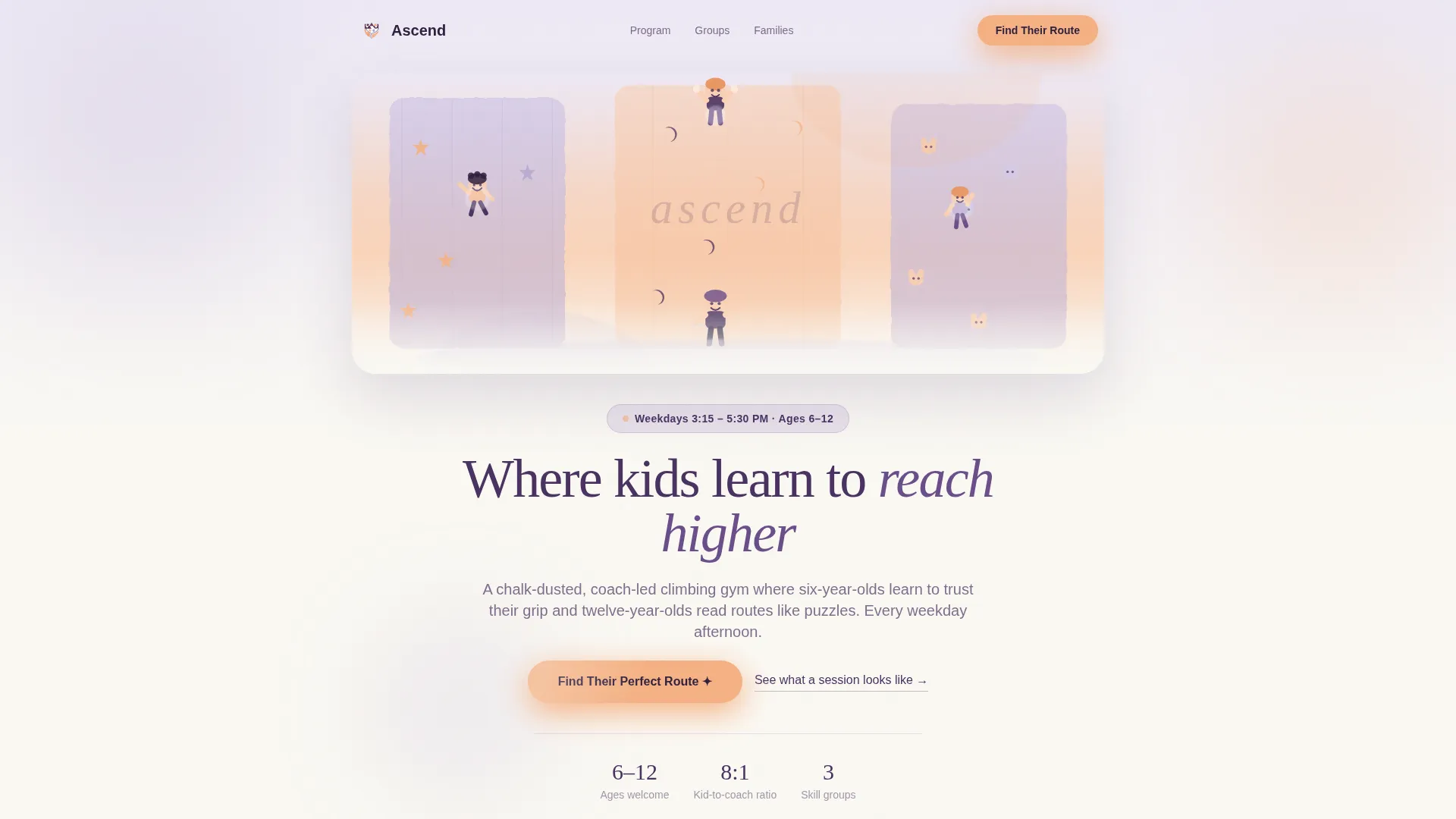
- A watercolor panorama hero with a floating program details card
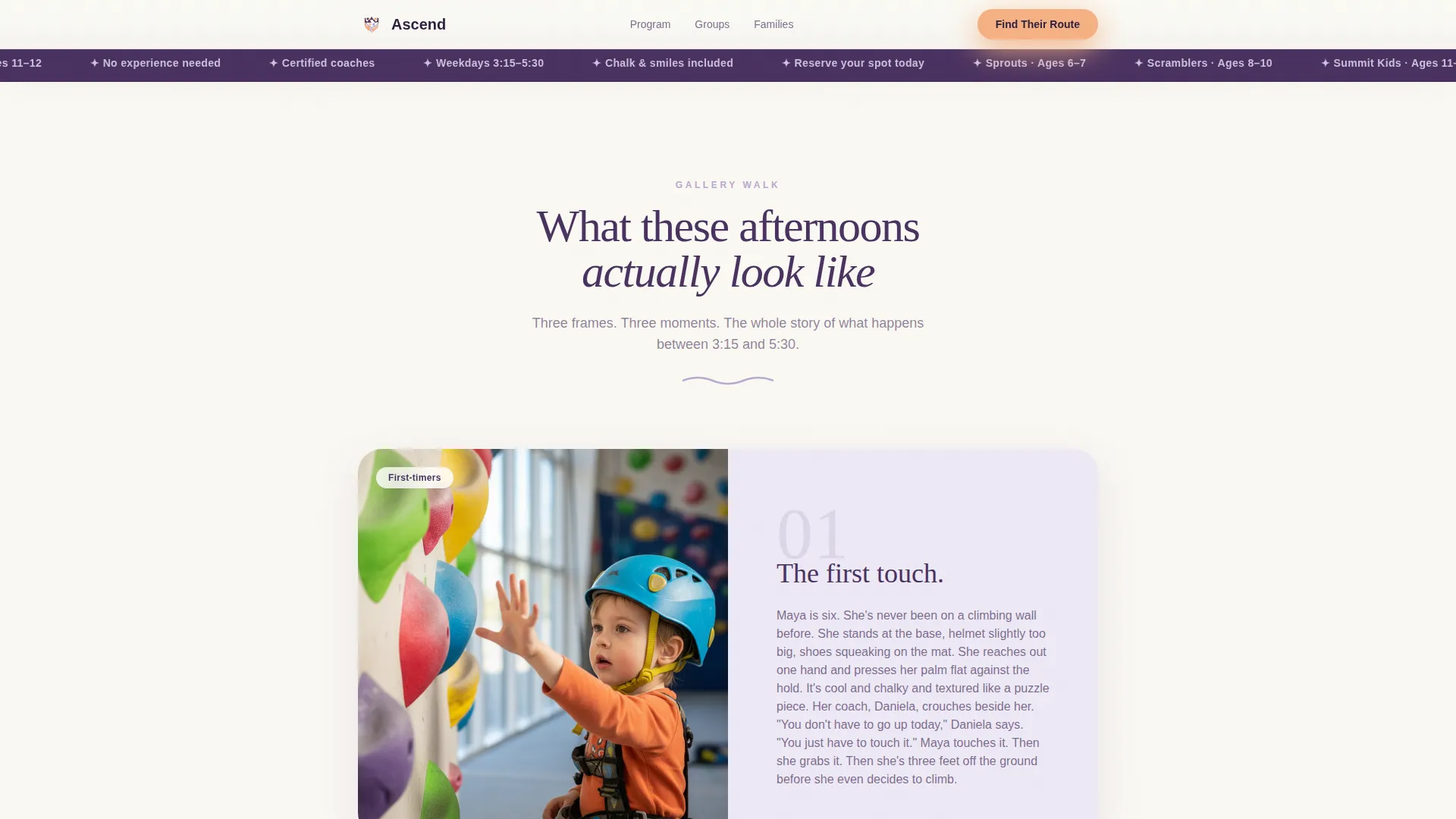
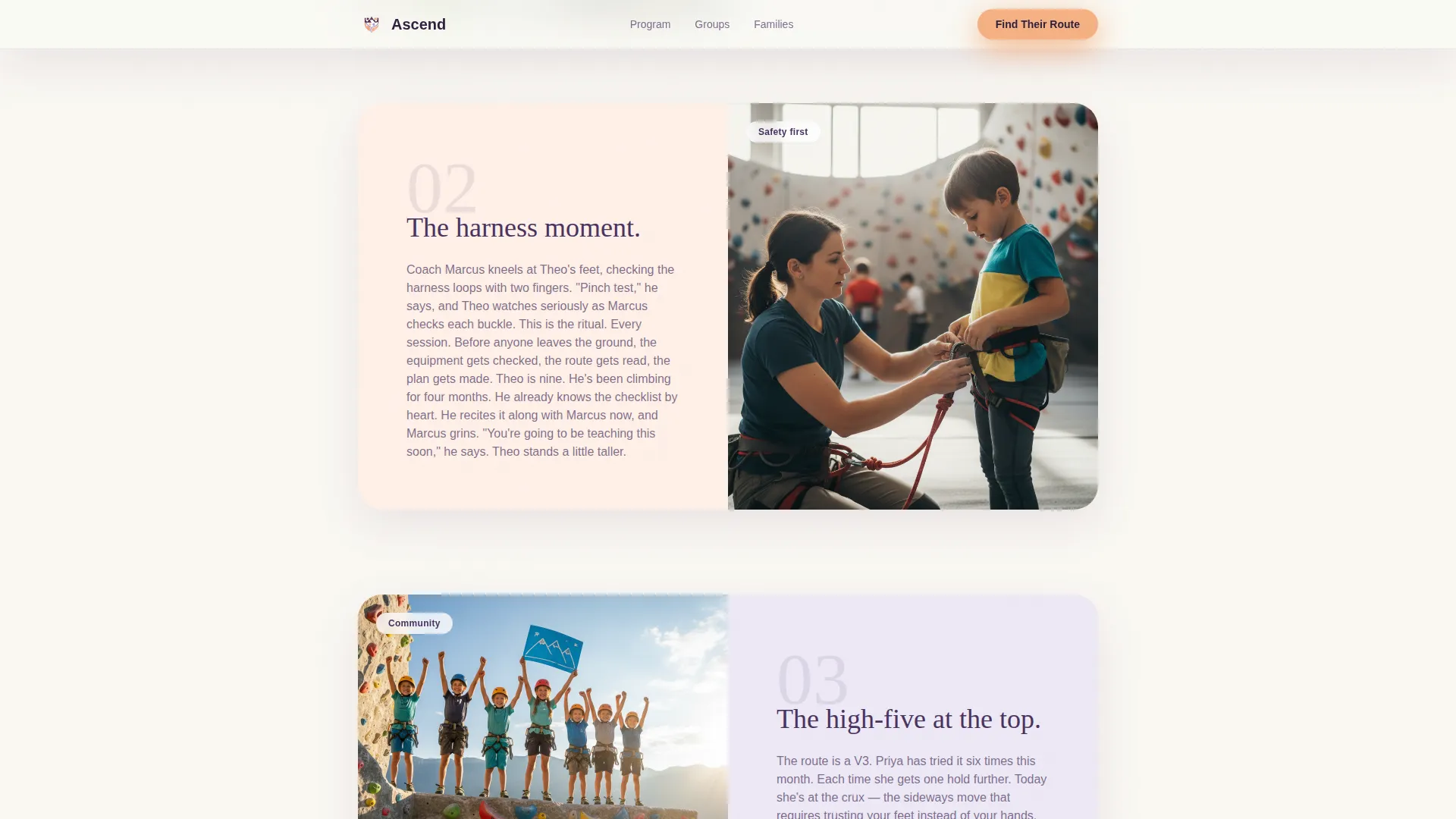
- Three illustrated gallery-walk vignettes that tell the story of a typical afternoon
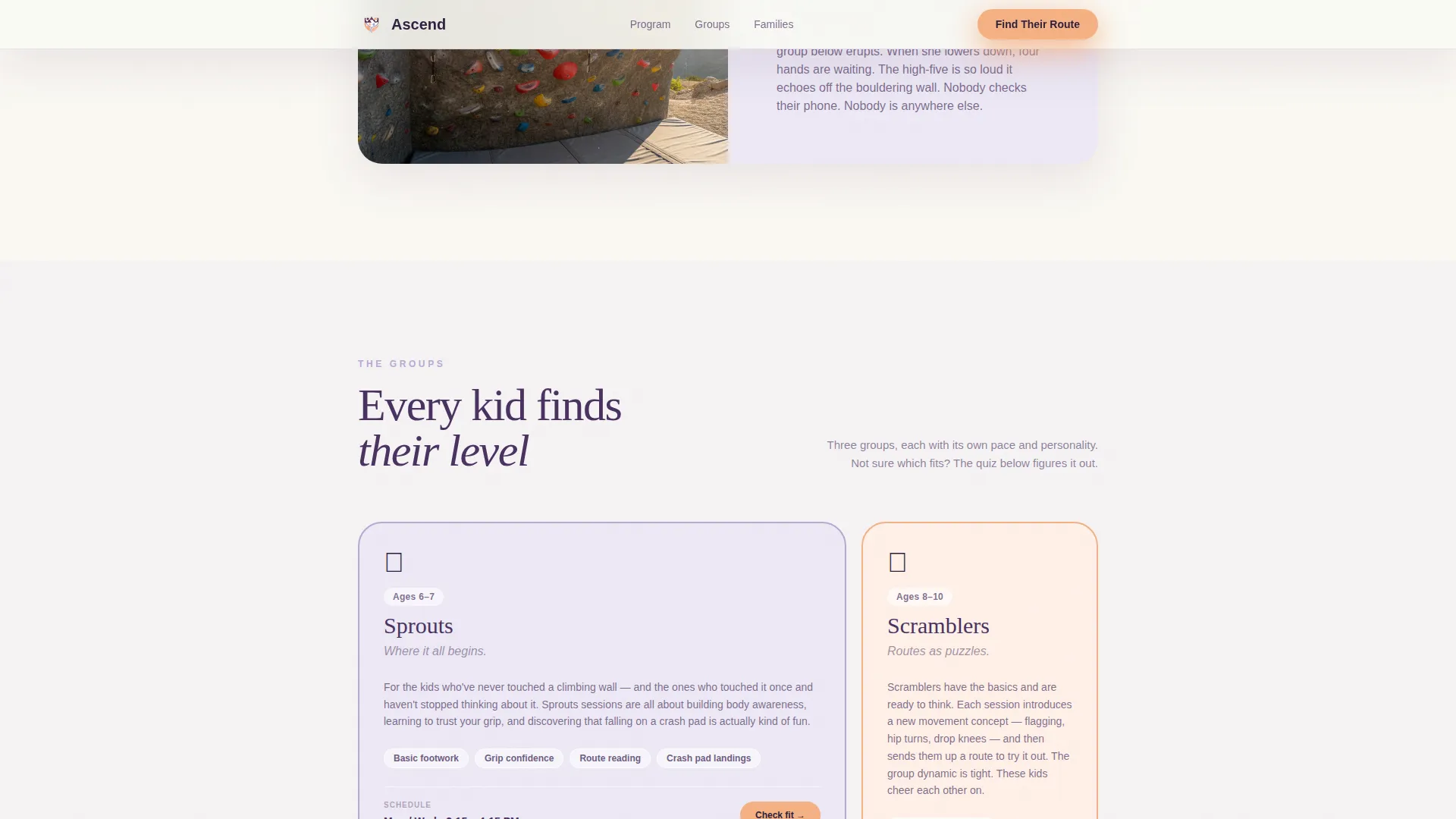
- Program tier cards for Sprouts, Scramblers, and Summit Kids groups
- A five-question illustrated quiz with card-style answers and a "Reserve Their Spot" enrollment form
Feature list
This template includes a focused set of purpose-built features. Each one is designed around the reality of how parents make enrollment decisions for their children.
Watercolor Panorama Hero
The header opens with a wide, hand-drawn illustration of children scaling an indoor climbing wall. Holds shaped like stars, animals, and crescent moons fill the scene. A hand-lettered script program name sits naturally within the artwork, setting a warm and joyful tone from the first moment.
Gallery Walk Scroll Sections
Three framed vignettes scroll into view one at a time. Each frame pairs a watercolor illustration with a short story moment: a nervous first-timer touching the wall, a coach adjusting a harness, and a group high-fiving after completing a route. The whitespace between frames gives the page a gallery-wall feel.
Program Group Tier Cards
Three asymmetric bento-style cards present the Sprouts, Scramblers, and Summit Kids session groups side by side. Each card communicates age range, experience level, and schedule details in a compact, skimmable format that parents can read in seconds.
Illustrated Five-Question Quiz
The "Find Their Perfect Route" quiz uses illustrated answer cards instead of radio buttons. Parents answer five questions covering their child's age, climbing experience, interests, weekly availability, and pickup flexibility. The quiz recommends a specific session group and personalized schedule.
Personalized Results and Enrollment Form
After completing the quiz, parents see a recommended group with a tailored schedule. A "Reserve Their Spot" button opens a short modal enrollment form asking for parent name, child name, email address, and phone number. The flow keeps friction low and intent high.
Parent Testimonials Block
A dedicated social proof section includes parent testimonials that reference specific child ages and session groups. Coach safety credentials appear alongside the testimonials to reinforce trust for parents who prioritize their child's safety above all else.
Page sections overview
| Section | Purpose |
|---|---|
| Hero Panorama | Introduces the program with a watercolor illustration and floating program details card |
| Gallery Walk Vignettes | Builds emotional connection through three illustrated story moments |
| Program Group Cards | Presents Sprouts, Scramblers, and Summit Kids tiers with schedule details |
| Social Proof Block | Displays parent testimonials with child context and coach safety credentials |
| Quiz Call to Action | Guides parents through five illustrated questions to find the right session group |
| Enrollment Form Modal | Captures parent and child details after quiz results are shown |
| Footer | Closes the page with a horizontal pattern layout |
Design & branding system
The visual identity follows a Community Hearth theme. The palette feels warm, trustworthy, and gentle enough for young children while still being grounded enough for safety-conscious parents.
- Deep plum (#4A3260) anchors headlines and key text for strong readability
- Sunrise peach (#F4B183) activates buttons and interactive moments to draw the eye naturally
- Soft wisteria (#B8A9D0) and warm heather gray (#D6D1DE) form the accent and background layers
- Fraunces serif handles display headlines and the hand-lettered title treatment; DM Sans covers body copy and interface text
Mobile & speed optimization
The template is built with a mobile-first layout, reflecting the reality that most parents will first see this page on a phone. Scroll behavior and interactive elements are designed to feel natural on small screens.
- Single-column flow stacks cleanly on all screen sizes without layout breakage
- Illustrated quiz cards are sized and spaced for thumb-friendly tap targets on mobile devices
- Inline SVG illustrations keep visual richness intact without heavy image load overhead
How this template helps you convert
Every design and structural decision in this template points toward one outcome: a parent clicking "Reserve Their Spot" with confidence.
- The gallery-walk scroll builds cumulative emotional trust before any call to action appears, so parents arrive at the quiz already feeling good about the program.
- The illustrated quiz reduces decision friction by doing the matching work for the parent and delivering a personalized recommendation rather than a generic sign-up form.
- The enrollment modal at the end of the quiz flow captures intent at its highest point, when the parent has just seen a result tailored to their child.
Other information about this template
This template is part of a single-column flow format, meaning everything lives on one continuous page. There are no separate internal pages to build or link together. It is suited for local programs that want a focused, conversion-oriented presence without the complexity of a multi-page site.
- The quiz results map to three named session groups: Sprouts (youngest beginners), Scramblers (growing climbers), and Summit Kids (experienced young athletes)
- Scroll-triggered animations reveal each gallery vignette as the user moves down the page, with quiz card transitions adding interactivity to the assessment flow
- The footer uses a Vercel Horizontal layout pattern to close the page cleanly
- This template is built for a USA-based audience using English language, USD pricing format, and MM/DD/YYYY date formatting
Theme
Community Hearth
Creative direction
Gallery Walk
Color system
Lavender Dream
Style
Single Column Flow
Direction
Quiz/Assessment
Page Sections
Watercolor Panorama Hero Section
Gallery Walk Scroll Vignettes
Session Group Tier Cards
Illustrated Five-question Quiz
Personalized Results and Enrollment Modal
Social Proof and Safety Credentials
Related questions
What age range is this landing page template designed for?
Can I customize the three session group names?
How does the illustrated quiz work?
Is this template suitable for a program that runs on specific weekdays only?
Does the enrollment form send data anywhere automatically?