Kids Art & Craft Studio Landing Page Template
Artstudio is a single-page landing page template built for kids' art and craft studios. It opens with an illustrated quiz that identifies each child's creative style, then walks parents through a full studio visit in zigzag sections before asking them to book. The result is a warm, screen-free, parent-friendly experience that earns trust before requesting a single detail.
by Rocket studio
Quick summary
Artstudio is a kids' art and craft studio landing page template designed to convert curious parents into booked sessions. An interactive quiz opens the page, a four-step visual journey builds emotional buy-in, and a personalized registration form closes the loop. The design uses a soft lavender and coral palette that feels crafted, not corporate.
Who this template is for
This template is built for studio owners and activity center operators who serve families with young children. It speaks directly to the adults doing the booking, not the kids.
- Children's art and craft studio owners running painting, sculpture, or fiber arts sessions
- Kids' activity center operators offering birthday party packages or drop-in weekend classes
- Homeschool co-op coordinators and enrichment program managers seeking a dedicated booking page
What problem this template solves
Parents browsing activity options face a trust gap. A bare class listing with a registration button rarely convinces them. They want to feel the experience before committing their Saturday morning to it.
- Generic booking pages skip the emotional storytelling that turns browsers into buyers
- Most studio pages bury the registration form before parents understand what their child will actually do
- Without a personalized path, parents must guess which class type fits their child's interests
What you get with this template
You get a fully structured, single-page layout that guides a parent from curiosity to booking in one smooth scroll. Every section has a defined job, and nothing is left to guesswork.
- A hero section with an illustrated quiz that identifies the child's creative style and pre-selects a recommended class
- A four-step zigzag studio journey with alternating image and copy blocks, oversized coral step numbers, and a floating call-to-action button
- A slim four-field registration form pre-populated from the quiz result, plus a secondary birthday party intake path
Feature list
A paragraph introduces the capabilities below. Each feature comes directly from the template brief and reflects what the layout and components are built to do.
Illustrated Quiz Starter
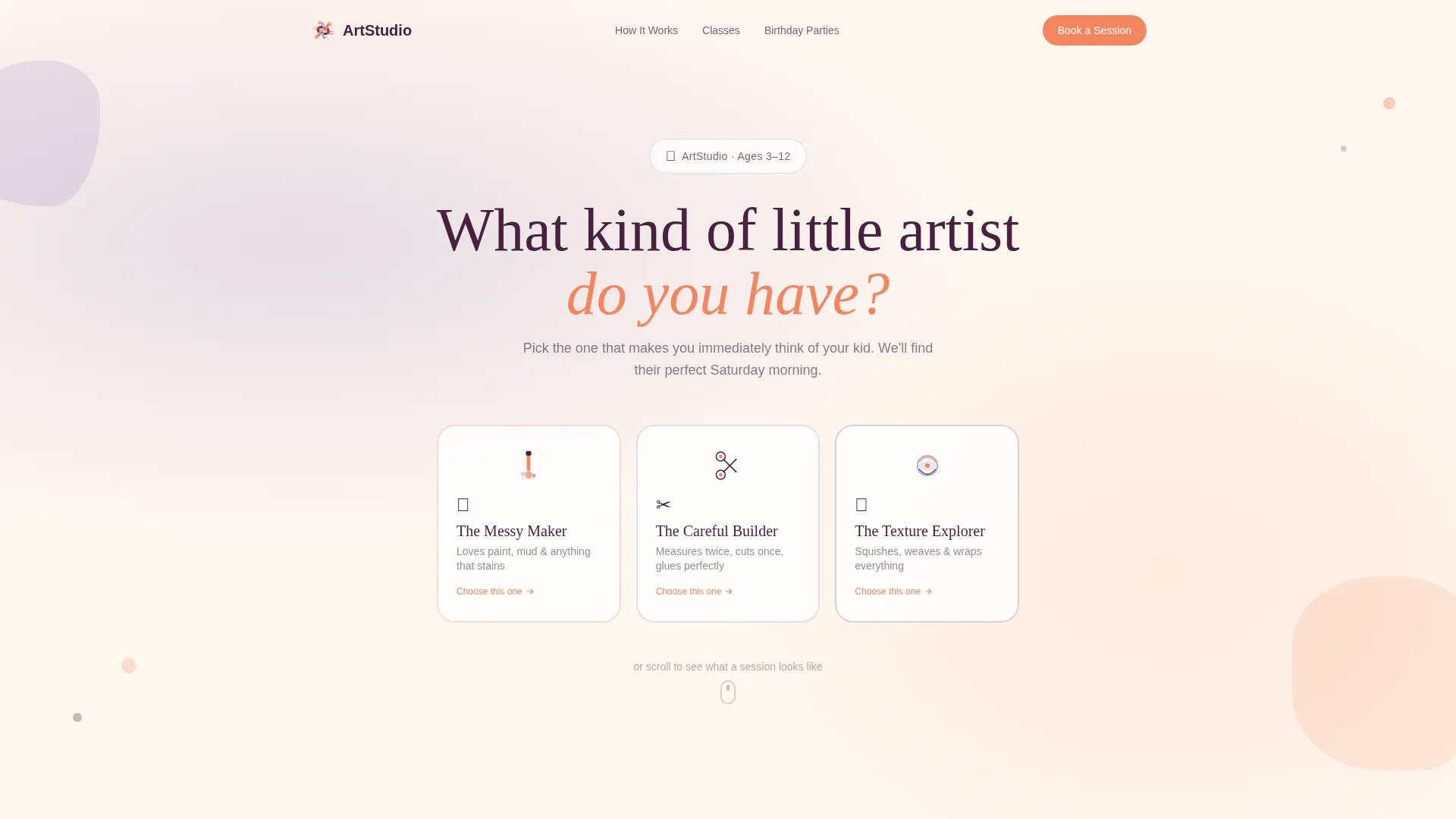
The hero opens with a watercolor-wash background and a bold question: "What kind of little artist do you have?" Three oversized, hand-drawn-style buttons let parents choose between the Messy Maker, the Careful Builder, and the Texture Explorer. Each button has a subtle wiggle animation on hover, giving the header a lively, crafted feel.
Zigzag Studio Journey
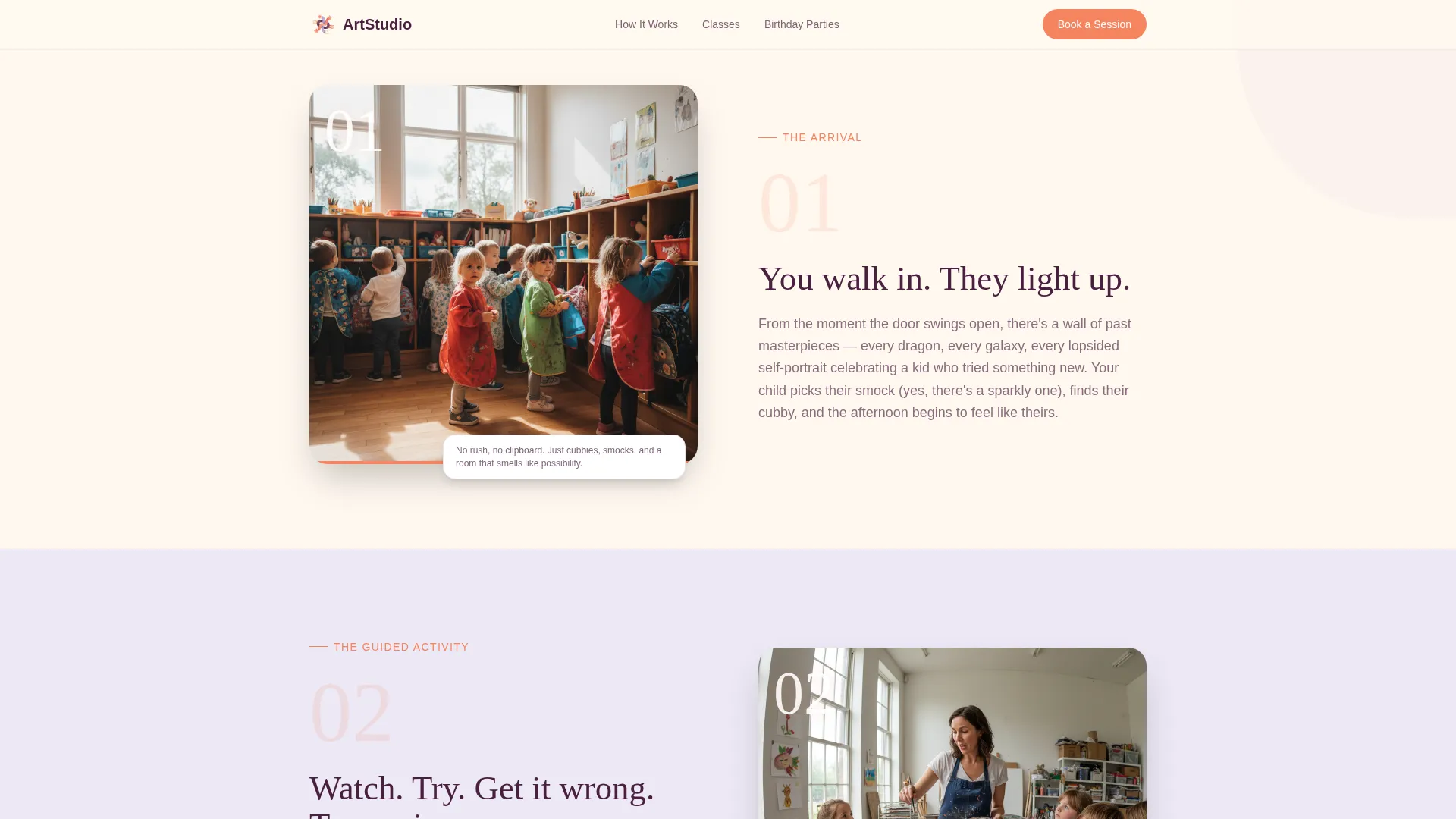
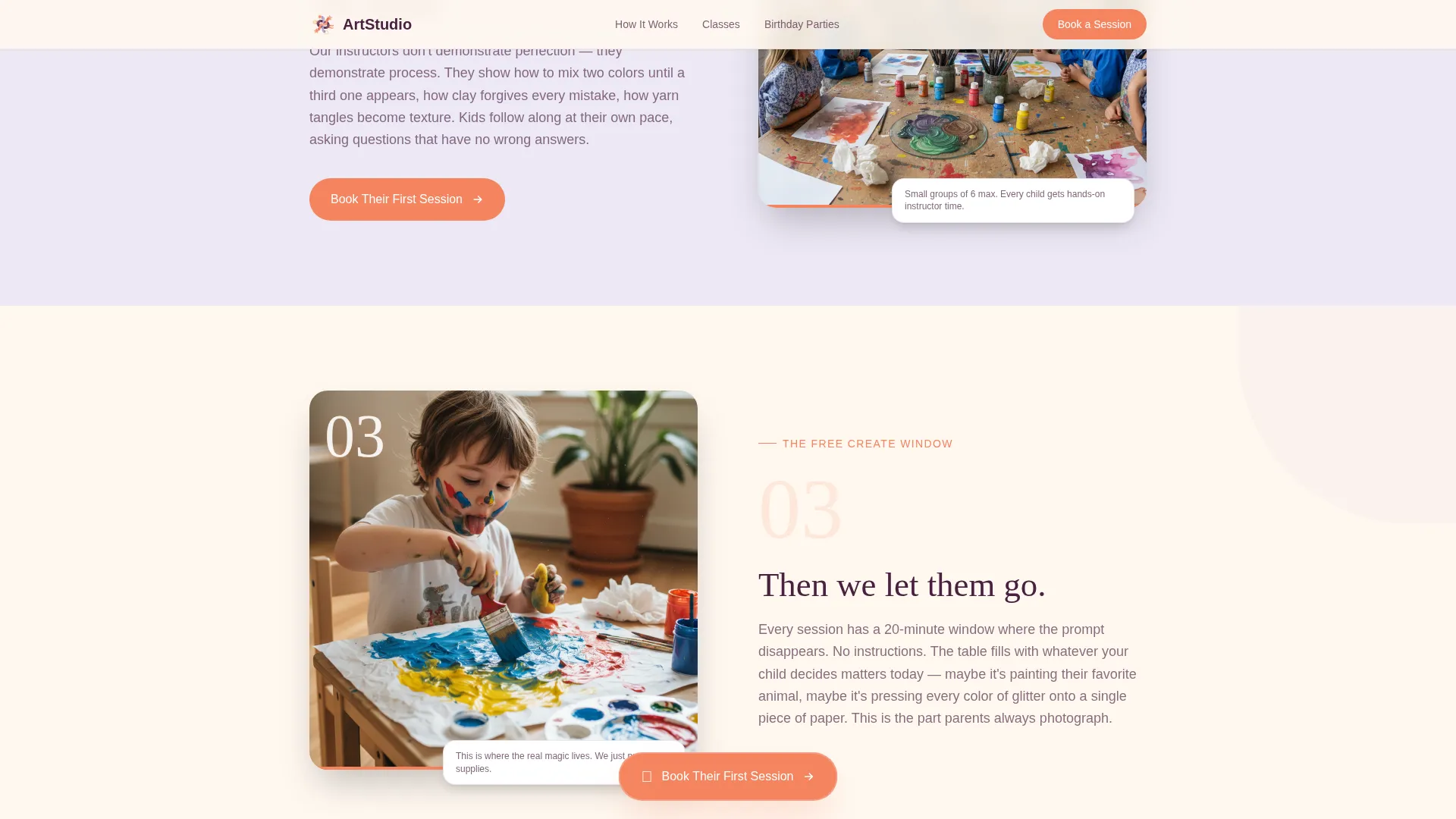
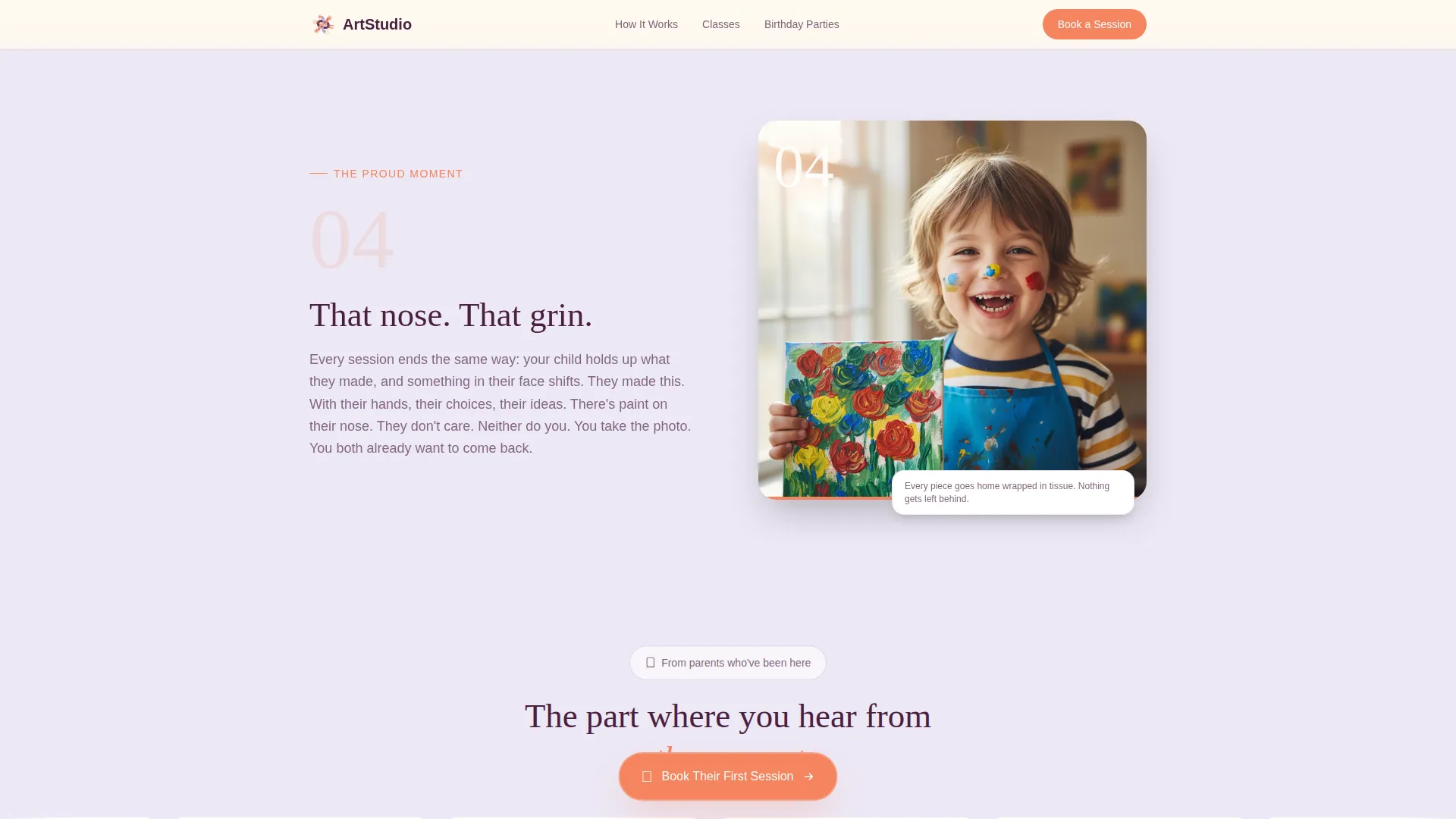
Four numbered steps scroll down the page in alternating left-right blocks. Step one shows arrival, step two shows the guided activity, step three reveals the free-create window, and step four lands on the proud moment of a finished piece. Coral numerals and paired copy make each step feel like a real chapter in a child's studio visit.
Floating Call-to-Action Button
After step two, a "Book Their First Session" button appears and stays pinned as a floating element for the rest of the scroll. Parents always have a clear next action without hunting for a link, no matter how far down the page they are.
Personalized Registration Form
The quiz result carries forward to pre-select a recommended class type in the booking form. Parents fill in only four fields: child's first name, age, preferred day, and email address. A secondary link beneath the form routes birthday party inquiries to a shorter intake focused on date, headcount, and theme.
Scrolling Testimonial Marquee
A social proof section displays parent testimonials in a scrolling marquee format. Each quote references a child's name, a specific class type, and an emotional outcome, giving prospective bookers relatable, specific reassurance from real families.
Warm Illustrated Visual Style
The template uses no stock photography in its hero. Illustrated, hand-drawn-style artwork gives the page the feel of a studio art teacher's sketchbook. Combined with the Lavender Dream color system and Fraunces serif headlines, the visual identity stands apart from generic activity-listing pages.
Page sections overview
| Section | Purpose |
|---|---|
| Hero Quiz Starter | Engages parents with an illustrated personality quiz and sets the child's creative type |
| Studio Journey Step 1 | Shows arrival: cubbies, smock selection, and the excitement wall of past projects |
| Studio Journey Step 2 | Depicts the guided activity with an instructor and prompts the floating call to action |
| Studio Journey Step 3 | Reveals the free-create window where children work off-script |
| Studio Journey Step 4 | Celebrates the proud moment of a finished piece and a paint-nosed grin |
| Registration Form | Collects four fields, pre-filled from quiz, with a birthday party secondary path |
| Social Proof Marquee | Scrolls parent testimonials with child names and specific class outcomes |
| Footer | Single-row linear footer with studio links and contact information |
Design & branding system
The Lavender Dream palette is built around four colors that feel like a wildflower bouquet on a white kitchen table. Soft lavender washes alternate with warm cream across section backgrounds, keeping the rhythm gentle and breathable.
- Soft lavender (#B8A9D0) for section backgrounds, warm cream (#FFF8F0) for breathing room, playful coral (#F4845F) for buttons and icons, and deep plum (#4A2040) for headlines and anchoring text
- Fraunces serif for headlines brings a storybook warmth, while DM Sans body text keeps reading easy and modern
- Illustrated, hand-drawn artwork in the hero replaces stock photography entirely, giving the page a studio-made, boutique feel
Mobile & speed optimization
The template is built with a mobile-first layout priority because most parents book activities on their phones, often during school pickup or a spare moment between errands.
- Static page sections are built as server components, while interactive elements like the quiz and form use client components to keep rendering efficient
- Scroll reveal animations, staggered step transitions, and the floating call-to-action button are all designed to perform smoothly on smaller screens
- The four-field form is intentionally minimal, reducing friction for parents completing a booking on a phone with one hand
How this template helps you convert
The conversion strategy is built into the page structure itself. Parents are not asked to commit until they have already experienced the full studio visit emotionally.
- The quiz creates personal investment from the very first interaction, making the page feel built for that specific child rather than every child at once.
- The four-step journey lets parents visualize the session in detail before the registration form appears, replacing skepticism with familiarity.
- The floating call-to-action button and pre-filled form remove friction at the exact moment a parent is most ready to book, shortening the path from intent to confirmation.
Other information about this template
This template sits inside the Kids and Family category, within the Kids Activity and Learning Center subcategory. It is purpose-built for the art and craft studio niche and reflects a B2C, parent-targeted service model.
- The template style is Zigzag/Alternating, following a Step-by-Step Guide creative direction with a Quiz Starter header concept and an Event Registration landing-page direction
- The Family First theme runs through every design and copy decision, prioritizing the parent's emotional confidence over feature lists or pricing tables
- The template is localized for English (US) with date formatting in MM/DD/YYYY and currency in USD, making it ready for North American studio operators out of the box
- Animation intensity is set to high, with wiggle-on-hover, scroll reveals, staggered step transitions, and a persistent floating button all included in the template
Theme
Family First
Creative direction
Step-by-Step Guide
Color system
Lavender Dream
Style
Zigzag/Alternating
Direction
Event Registration
Page Sections
Illustrated Quiz Starter Hero
Four-step Zigzag Journey
Floating Call-to-action Button
Quiz-personalized Registration Form
Birthday Party Secondary Path
Scrolling Parent Testimonial Marquee
Related questions
Can I use this template for a birthday party booking page?
Does the quiz result change what appears in the booking form?
How many fields does the main registration form include?
Is this template suitable for weekday enrichment programs or homeschool groups?
Can the colors and fonts be updated to match an existing studio brand?