Disability Benefits Office Landing Page Template
Advocate is a modular card grid landing page built for disability benefits offices. It guides denied claimants from confusion to action using a structured icon grid, denial pattern cards, a claims timeline, and a workshop registration form. The design uses deep navy, steel gray, and amber to project credibility and urgency in equal measure.
by Rocket studio
Quick summary
Advocate is a single-page template designed for disability benefits advocacy offices. It opens with a category icon grid, moves visitors through denial pattern data and a horizontal claims timeline, and closes with a free workshop registration form. Every section is built to earn trust before asking for a name.
Who this template is for
This template is made for disability benefits offices that work directly with denied or confused claimants. It fits organizations staffed by former Social Security Administration claims examiners, advocates, and legal representatives who want to convert web visitors into workshop attendees.
- Disability advocates and benefits offices serving working-class adult claimants
- Caregivers filing Supplemental Security Income claims for children with qualifying conditions
- Veterans outreach organizations helping individuals navigate form-letter rejections
What problem this template solves
Most claimants land on a benefits page and still feel lost. Generic legal websites fail to reflect the specific situation of a warehouse worker whose back gave out, or a parent navigating a pediatric SSI filing. Visitors leave before they trust the office enough to share their name.
- Visitors cannot find their exact claim type or situation described on the page
- Denial patterns go unexplained, leaving claimants without context for why they were rejected
- No clear next step exists between reading a page and booking real help
What you get with this template
Advocate delivers a complete, mobile-first landing page with six purpose-built sections. Each section advances a narrative from orientation to proof to registration. The template is structured so that social proof appears before any form field does.
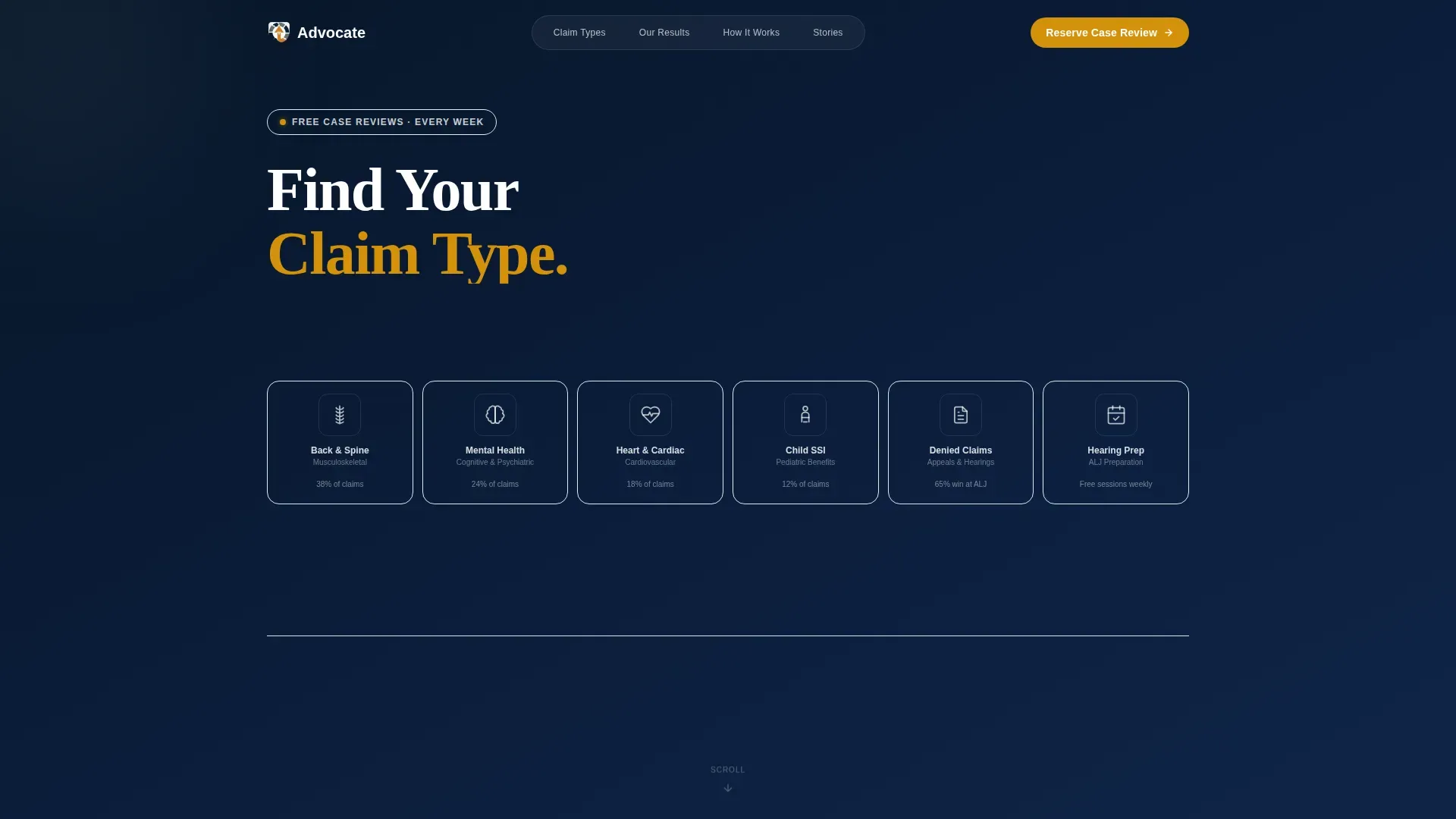
- A bento-style icon grid hero with six claim category cards and hover pulse states
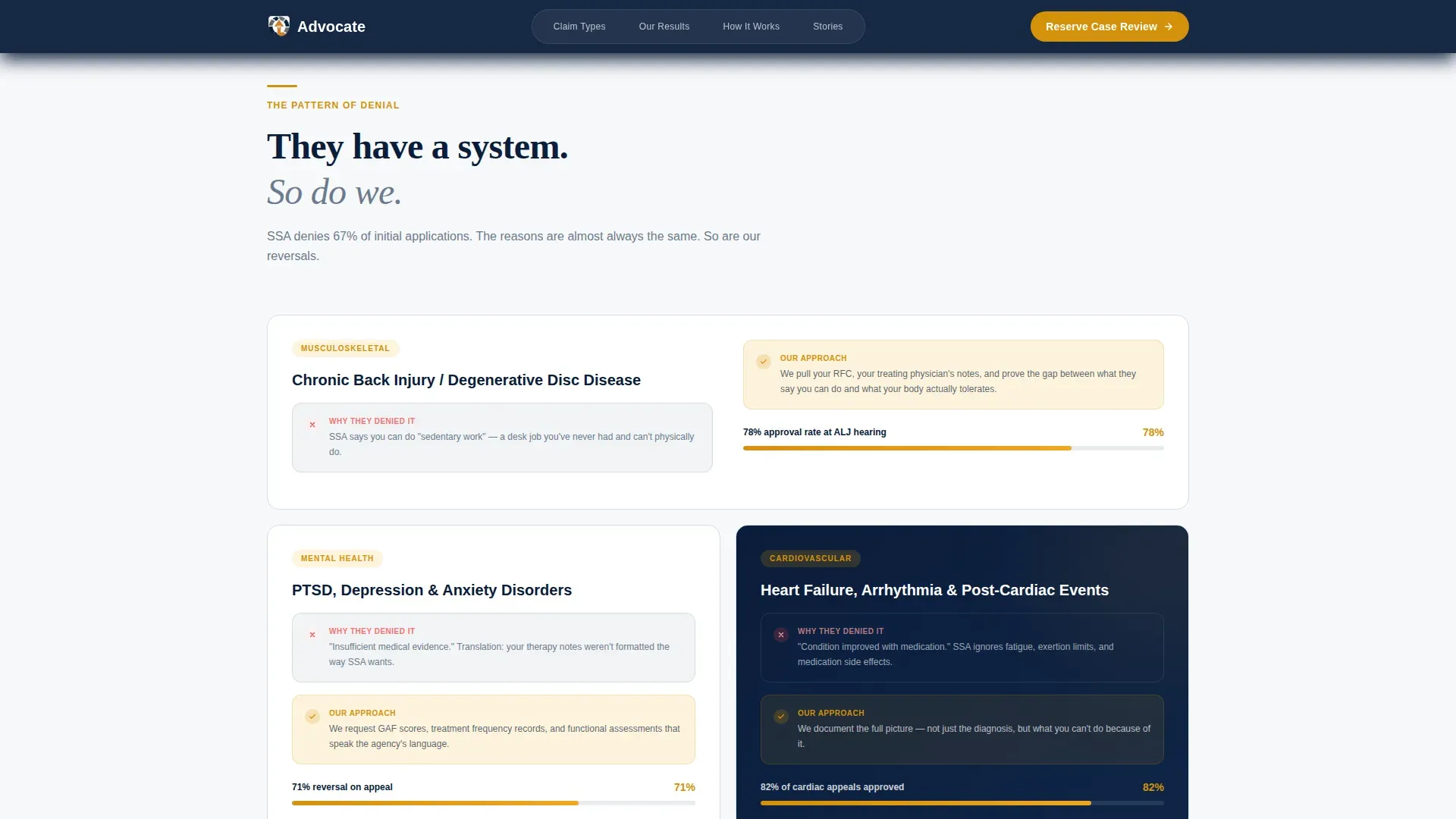
- Asymmetric denial pattern cards showing condition, denial reason, and outcome metrics
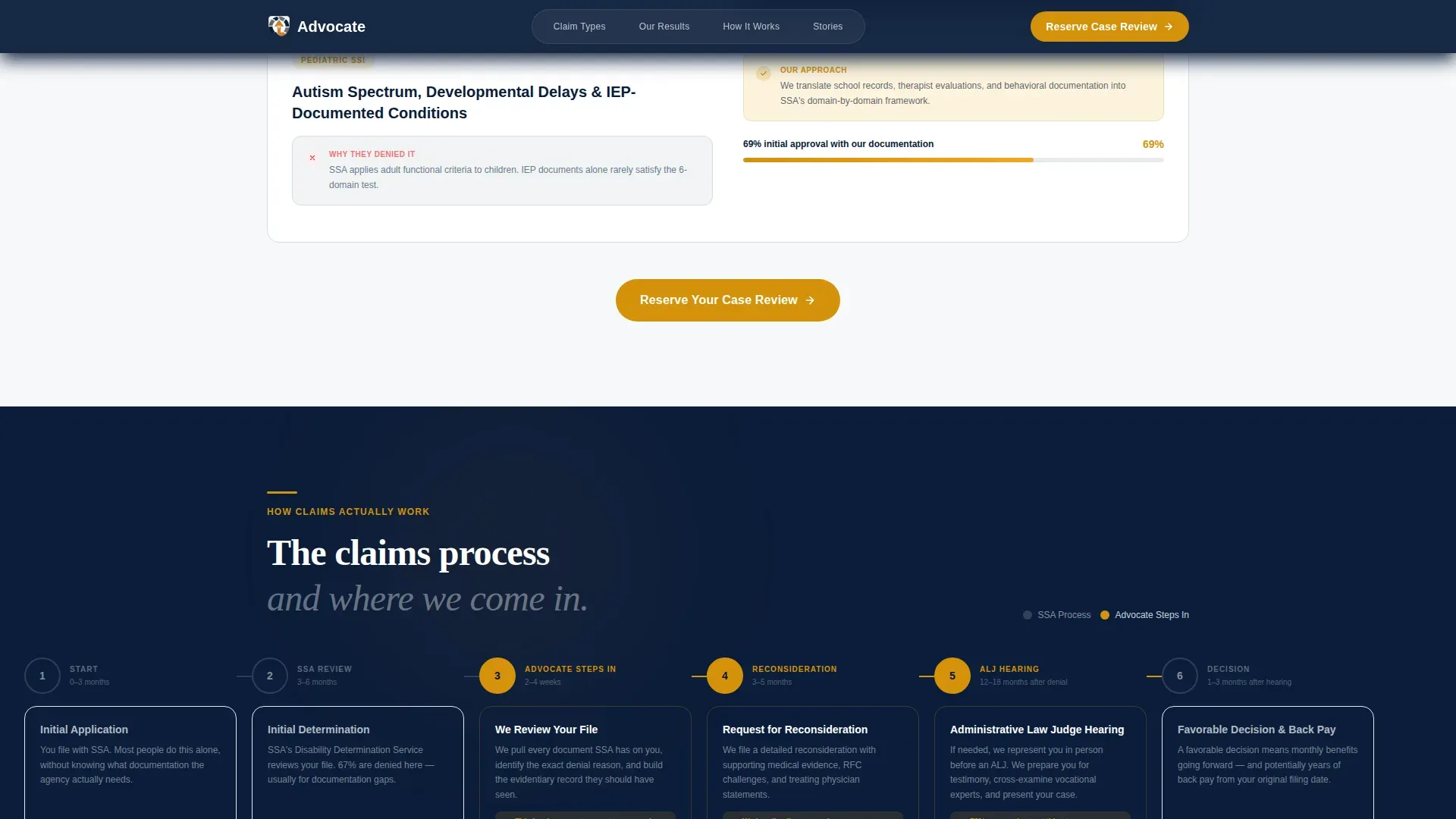
- A horizontal scrolling claims timeline with intervention markers, a testimonial section, and a full workshop registration module with a built-in qualifier screener
Feature list
A brief introduction to the core capabilities built into this template. Each feature maps directly to a section or interaction defined in the source brief.
Icon Grid Hero with Hover States
The header presents six claim-type icons in a clean card matrix. Categories include musculoskeletal, cognitive and mental health, cardiovascular, pediatric Social Security Income, appeals, and hearing preparation. Each icon pulses amber on hover, inviting the visitor to identify their situation immediately.
Denial Pattern Bento Cards
Each claim category card expands into an asymmetric bento layout showing the condition, the common denial reason, and a specific outcome metric. For example, a back-injury appeal section displays a real approval rate at hearing. This section converts passive readers into engaged prospects.
Horizontal Claims Timeline
A horizontally scrolling timeline walks visitors through every stage of the claims process, from initial application through Administrative Law Judge hearing. Amber markers highlight the points where the office intervenes, making the value of professional representation visible at a glance.
Workshop Registration Form with Screener
The registration module collects first name, claim type, current status, and preferred session format. A secondary three-question qualifier screener routes visitors to the same form with pre-filled fields. The sticky amber call-to-action button on mobile keeps the path to registration always within reach.
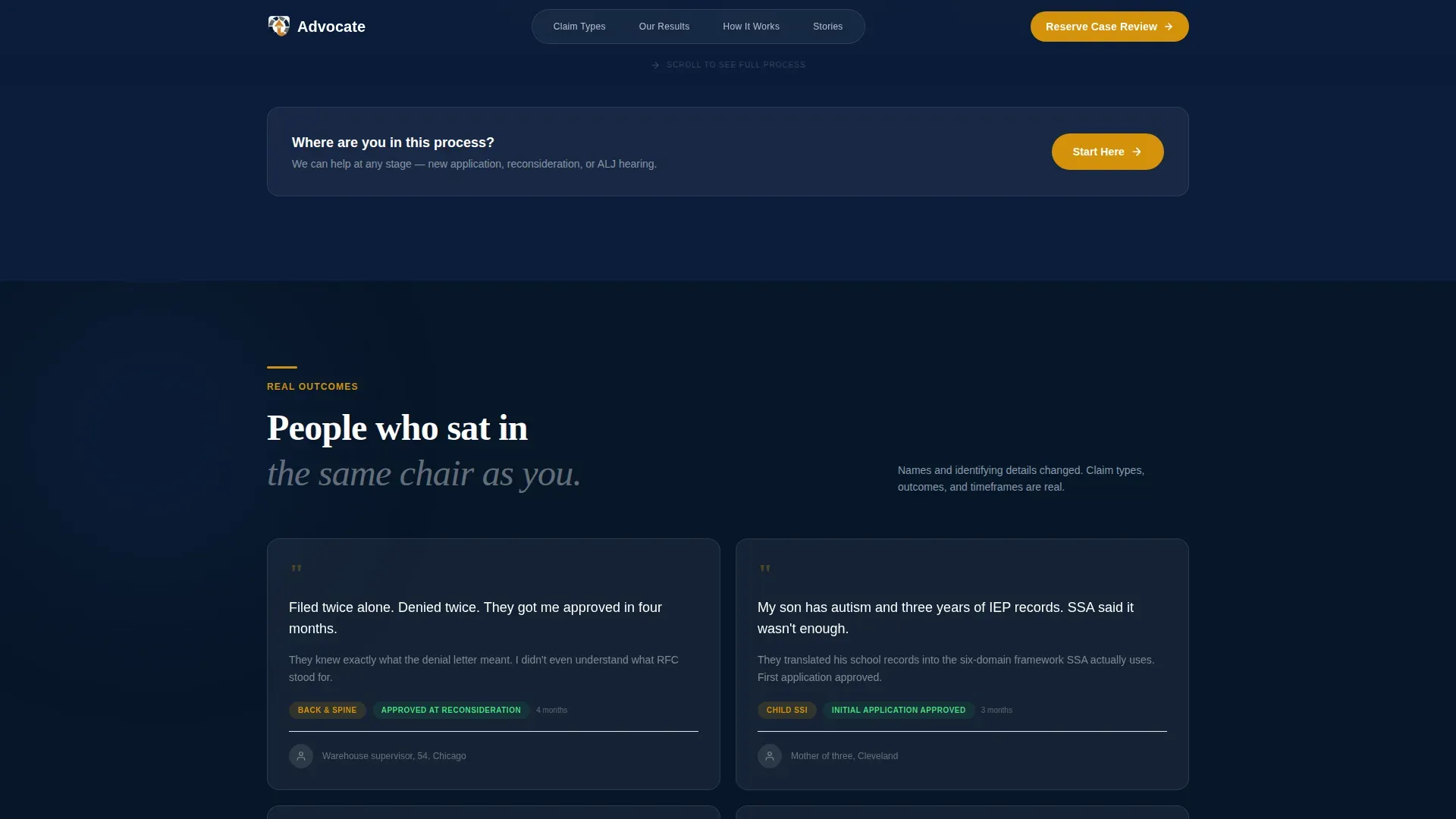
Anonymized Testimonial Cards
A dark-background testimonial section presents specific, anonymized case quotes. Each card carries enough detail to feel credible without compromising client privacy. The format reinforces pattern recognition, showing visitors that others in their exact situation were helped.
Sticky Mobile Call-to-Action
On mobile devices, the primary "Reserve Your Case Review" button is fixed to the bottom of the screen. It reappears after every third card module on scroll. This keeps conversion accessible throughout the entire page without interrupting the reading experience.
Page sections overview
| Section | Purpose |
|---|---|
| Icon Grid Hero | Orients visitors by claim type with amber hover cues |
| Denial Pattern Cards | Shows denial reasons and approval outcomes per condition |
| Claims Process Timeline | Maps the full process with office intervention points |
| Testimonial Cards | Builds trust through specific anonymized case quotes |
| Workshop Registration Form | Captures session sign-ups with a qualifier screener |
| Footer | Single-row linear layout with essential navigation links |
Design & branding system
The visual identity follows a Directory and Discovery theme built on the Navy Authority color system. The palette is designed to feel like the credible side of government: structured, readable, and quietly authoritative. Warm amber breaks through only where action is required, keeping the visual hierarchy intentional.
- Deep federal navy (#0B1D3A) dominates headers, navigation, and section backgrounds
- Steel gray (#6B7B8D) structures card borders and secondary text; clean white (#F7F8FA) provides breathing room between modules
- Warm amber (#D4920B) is reserved exclusively for action states, active cards, call-to-action buttons, and hover pulses
Typography pairs DM Sans for interface and body text with Fraunces as a serif accent, adding human warmth to an otherwise authoritative layout.
Mobile & speed optimization
This template is built mobile-first, reflecting the reality that most claimants browse on phones rather than desktops. The layout adapts each card module for smaller screens without removing any content or interaction.
- The sticky "Reserve Your Case Review" button is fixed to the mobile viewport bottom throughout the full scroll
- Intersection Observer animations reveal sections progressively as the visitor scrolls, keeping the experience smooth on low-end devices
- The horizontal timeline scroll is touch-friendly, with amber markers remaining clearly visible at mobile width
How this template helps you convert
Advocate is designed around a single conversion insight: visitors commit when they recognize themselves in the page before being asked for anything. The structure is intentional and sequential.
- The icon grid lets visitors self-identify their claim type in the first seconds on the page, creating an immediate sense of relevance before any reading begins.
- Denial pattern cards and outcome metrics build escalating proof, showing visitors the system's pattern and then this office's pattern of reversal, so the decision to register feels logical rather than pressured.
- The qualifier screener reduces friction by pre-filling the registration form based on three short answers, lowering the barrier between intent and sign-up.
Other information about this template
Advocate is a template built specifically for the social services and welfare niche within the Government and Public category. It is designed to serve a disability benefits office operating in a working-class, English-language, United States context.
- The template style is Card Grid (Modular), making individual sections easy to reorder or expand for different office specializations
- The creative direction follows a Movement and Cause framework, where the scroll itself is a journey from confusion to clarity
- The landing page direction targets Event Registration, making it suitable for offices running free weekly claim review workshops in person or via Zoom
- Animation uses medium-intensity Intersection Observer reveals and amber pulse keyframes, keeping motion purposeful rather than decorative
- The footer uses a Pattern 1 Linear Single-Row layout, keeping the bottom of the page clean and uncluttered
Theme
Directory & Discovery
Creative direction
Movement & Cause
Color system
Navy Authority
Style
Card Grid (Modular)
Direction
Event Registration
Page Sections
Icon Grid Hero with Amber Hover States
Denial Pattern Bento Cards
Horizontal Claims Timeline
Workshop Registration with Qualifier Screener
Anonymized Testimonial Cards
Sticky Mobile Call-to-action Button
Related questions
What type of office is this template designed for?
Can this template handle multiple claim types on one page?
How does the qualifier screener work?
Is this template suitable for mobile users?
What events or sessions can this template promote?