Torque - Precision Diesel Landing Page Template
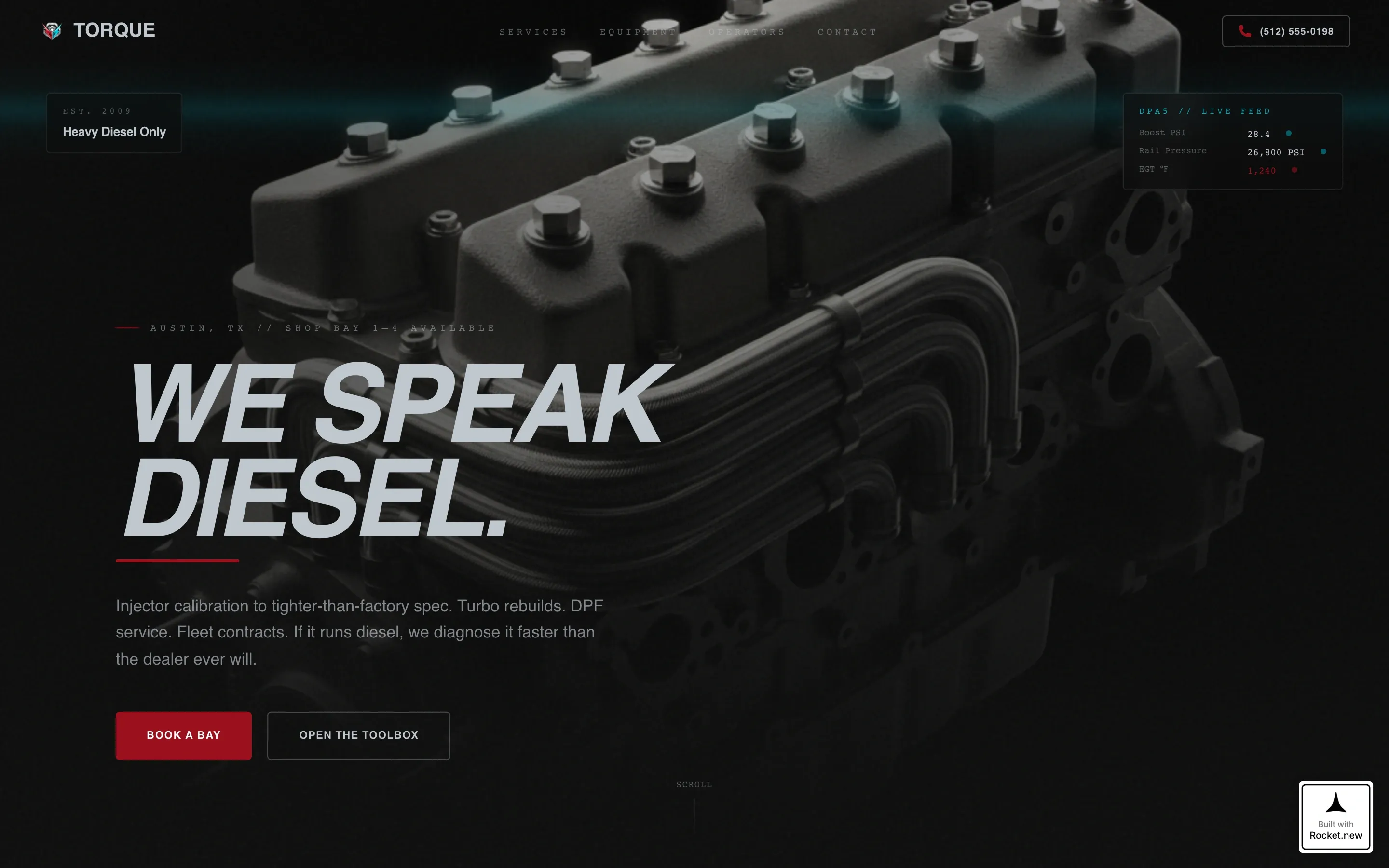
Torque is a gallery and detail landing page built for diesel mechanic shops. It uses an interactive service bay explorer to walk visitors through specialized repairs, then converts them with a pinned booking call to action and a glass-panel overlay form. The Tech Glass visual style, deep black background, and ruby and chrome accents make every section feel as serious as the work itself.
by Rocket studio
Quick summary
Torque is a single-page template designed for heavy-duty diesel repair shops. It combines a cinematic hero section with an expandable service card explorer, a credentials section, operator testimonials, and a pinned booking flow. The result is a page that earns trust before it ever asks for an appointment.
Who this template is for
This template is built for diesel specialists who work on commercial trucks, fleet vehicles, and farm equipment. It speaks directly to shops where expertise is the product and speed of booking is the competitive edge.
- Independent diesel repair shops handling owner-operator and fleet accounts
- Shops specializing in injector diagnostics, turbo rebuilds, and emissions service
- Any diesel service business that needs to convert mobile visitors into booked appointments
What problem this template solves
Most auto repair templates are built for general shops. They show a phone number, a list of services, and a contact form. That approach fails diesel specialists, whose clients arrive with urgent, specific problems and need to see proof of capability before they hand over a six-figure engine.
- Visitors leave when they cannot quickly verify that a shop handles their exact engine or failure type
- Fleet managers and owner-operators will not fill out generic forms; they need fast, direct paths to book or call
- Standard templates do not create the authority-first impression that high-stakes diesel work demands
What you get with this template
This template delivers a complete, single-page booking experience tailored to diesel repair. Every section is purpose-built to move a skeptical, time-pressured visitor from first scroll to confirmed appointment.
- A cinematic spotlight hero with a slide-up headline reveal and animated ruby underline
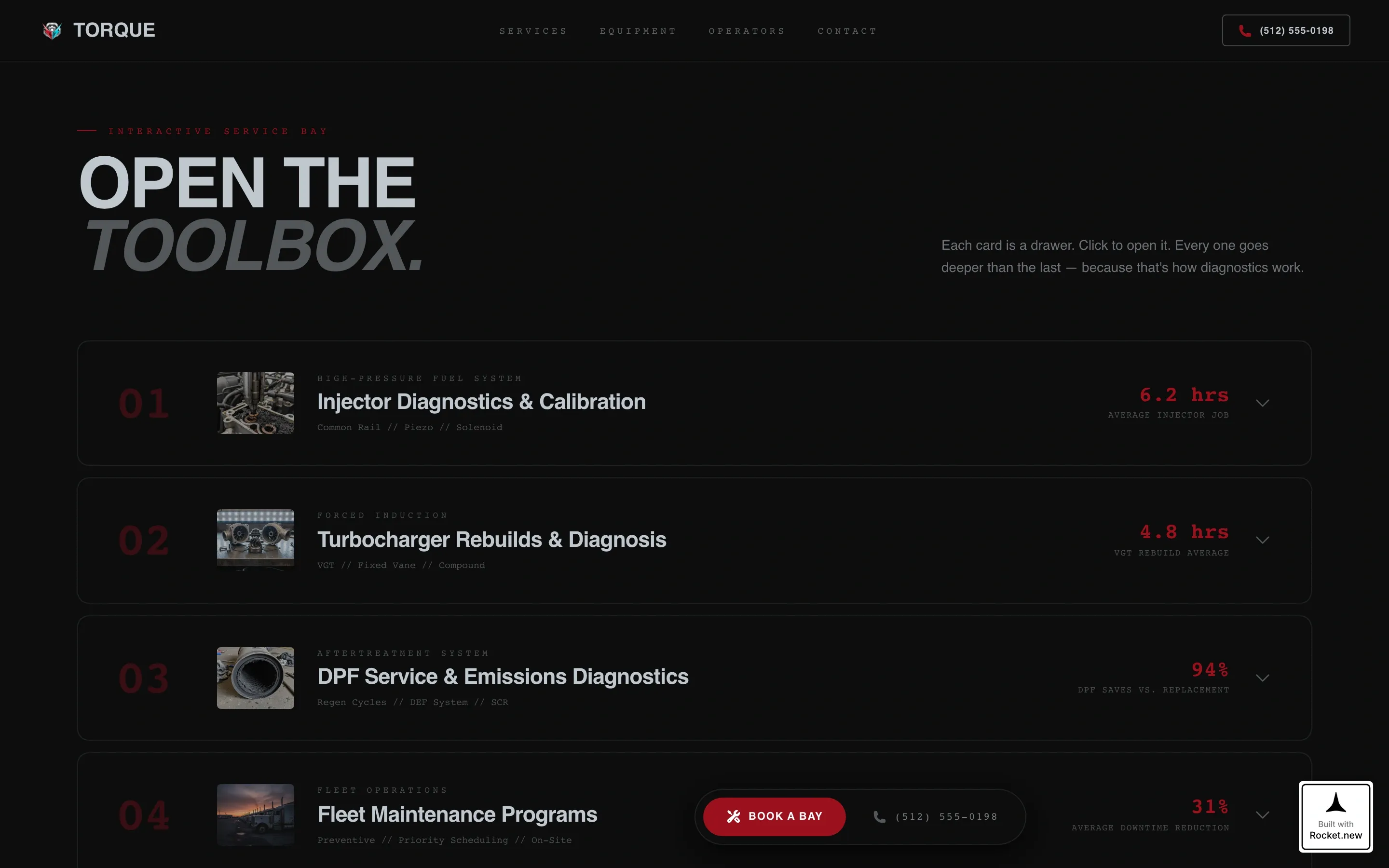
- Four expandable service gallery cards with close-up photography, plain-language fault explanations, and specific equipment callouts
- A pinned "Book a Bay" call to action with a three-step glass-panel overlay booking form
Feature list
This template is built around interaction and proof. The features below are drawn directly from the template's design and functional scope.
Spotlight Hero with Animated Reveal
The hero section centers a diesel engine block photograph on a pure black background, lit like a museum artifact. After two seconds, a chrome-white headline slides up from below. A thin ruby underline pulses once beneath it, setting the tone before a single service card loads.
Expandable Service Bay Explorer
Four gallery cards cover the shop's core services. Each card expands on click into a detail panel with a close-up photo, a plain-language explanation of what fails and why, and the specific diagnostic equipment used. Every expanded card ends with a real timing stat that puts dealer wait times in direct contrast.
Pinned "Book a Bay" Call to Action
After the visitor scrolls past the second service card, a ruby-red booking button pins itself to the bottom of the viewport. It stays visible throughout the rest of the page, reducing friction at the exact moment interest peaks.
Three-Step Glass Overlay Booking Form
Tapping the pinned call to action opens a glass-panel overlay form. It collects vehicle year, make, and engine via a pre-loaded dropdown, then a symptom selector with mechanic-real options, then a preferred drop-off date. The sequence is short and specific enough that fleet managers will complete it on a phone.
Credentials and Stats Section
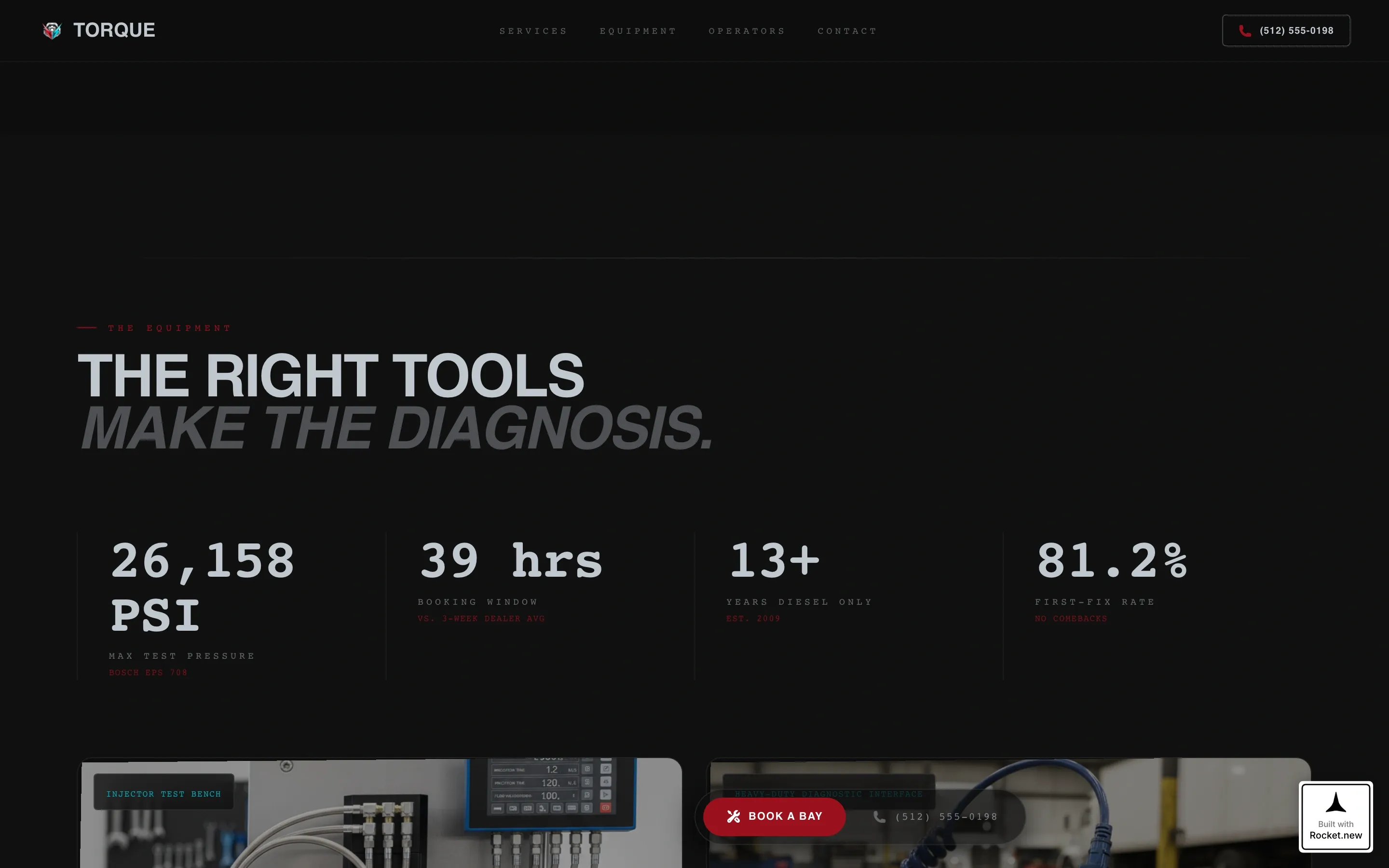
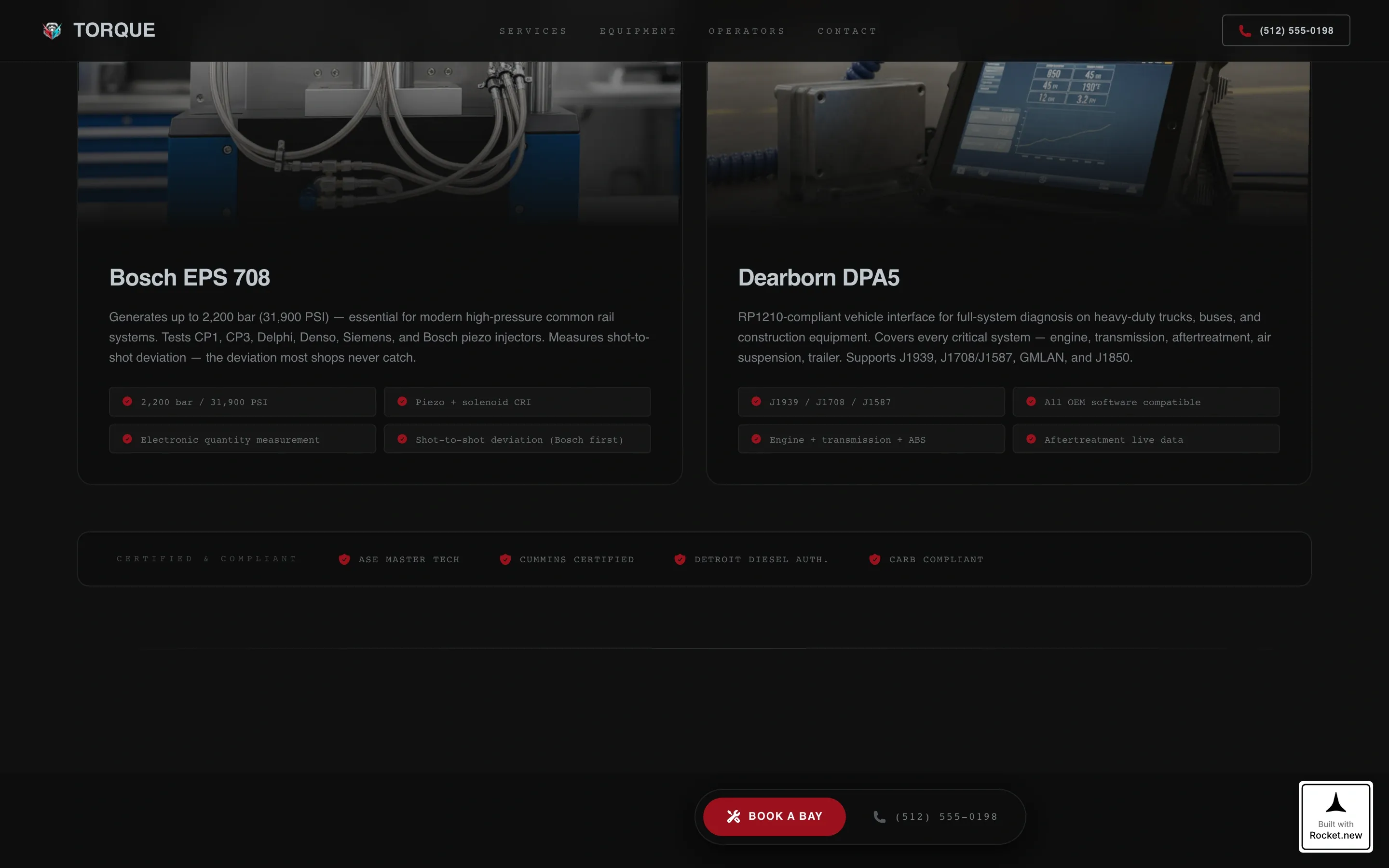
A dedicated section highlights the diagnostic equipment used in the shop alongside timing stats that compare shop turnaround directly to dealer benchmarks. The data is presented in a monospace data-readout style that reinforces technical authority without sounding like marketing copy.
Operator Testimonials Section
An alternating-layout testimonials section displays real quotes paired with truck model and engine spec details. Showing the exact platform each customer runs makes the social proof credible to visitors who are evaluating the shop for the same type of work.
Page sections overview
| Section | Purpose |
|---|---|
| Hero Spotlight | Cinematic engine reveal with slide-up headline |
| Service Bay Explorer | Four expandable service gallery cards |
| Equipment Credentials | Diagnostic tools and turnaround stats |
| Operator Testimonials | Alternating quotes with truck and engine specs |
| Book a Bay | Pinned call to action and glass overlay form |
| Footer | Linear dark pattern with contact and navigation |
Design & branding system
The visual identity follows a Tech Glass approach on a deep shop-shadow black background. Chrome silver carries headlines and divider lines, ruby red marks primary actions and section anchors, and a diagnostic-screen cyan activates only on hover states and interactive elements.
- Color palette: deep black (#0D0D0D) background, polished chrome silver (#C0C7CF) for type, hydraulic ruby (#9B111E) for calls to action, and diagnostic cyan (#00E5FF) reserved for hover and live interactive accents
- Typography: DM Sans handles headlines and body copy for clean readability; JetBrains Mono renders stats, specs, and data readouts in a monospace style that reads like a live diagnostic screen
- Glassmorphism panels appear on the booking overlay and expanded service cards, keeping the dark background visible beneath layered user interface surfaces
Mobile & speed optimization
The template is built mobile-first. Fleet managers checking in from the road and ranch operators on job sites are among the primary users, so every interactive element is designed to work cleanly on a small screen.
- The pinned booking button and glass overlay form are sized and sequenced for one-thumb use on a phone
- Server Components handle static sections while Client Components power the interactive cards and booking overlay, keeping the interactive experience responsive
- The symptom selector and vehicle dropdown pre-load common diesel platforms so mobile users can complete the form without typing
How this template helps you convert
The page is structured so that trust builds before any booking request appears. The visitor earns their way to the call to action through progressively more specialized content.
- The hero section leads with expertise, not a phone number, establishing authority in the first two seconds before the visitor has scrolled at all.
- Each expanded service card ends with a concrete timing comparison, giving the visitor a direct, quantified reason to book rather than wait for a dealer appointment.
- The pinned call to action appears only after the visitor has engaged with at least two service cards, so the booking prompt arrives when interest and confidence are both at their highest point.
Other information about this template
This template is a strong fit for diesel repair businesses that compete on specialization, turnaround speed, and technical credibility. It is designed for the USA market, with imperial measurements, USD pricing references, and 12-hour time formatting built into the layout logic.
- Animation intensity is high throughout: scan-line effects, slide-up reveals, card expansion transitions, and the pinned call to action all use deliberate motion to guide attention
- The footer uses a linear dark pattern consistent with the overall deep-black aesthetic and includes space for contact details and navigation links
- A secondary conversion path sits at the bottom of each expanded service card as a click-to-dial "Call the Shop" link, giving fleet managers who prefer a direct call a fast alternative to the booking form
- The template is built as a gallery and detail landing page, meaning all content lives on one scrollable page without separate routing or multi-page navigation
- The booking form's vehicle dropdown comes pre-loaded with common diesel platforms, making it immediately usable for the core target audience
Theme
Tech Glass
Creative direction
Interactive Explorer
Color system
Ruby & Chrome
Style
Gallery + Detail
Direction
Booking/Scheduling
Page Sections
Spotlight Hero with Animated Reveal
Expandable Service Bay Explorer
Pinned Booking Call to Action
Three-step Glass Overlay Form
Equipment Credentials and Stats
Operator Testimonials Section
Related questions
Is this template designed for a single diesel shop or a multi-location business?
Can I edit the service cards to match my shop's actual repair offerings?
How does the booking form handle mobile users?
Does the template come with photography or only placeholder images?
What makes this different from a general auto repair template?