Volvo Parts Gallery & Lead Gen Landing Page Template
Torque is a gallery and detail landing page built for Volvo parts and accessories stores. It pairs a bold stats-first narrative with an expandable parts gallery, a three-step "Find My Part" form, and a fleet quote sidebar. The dark industrial design uses a Ruby and Chrome color system to feel as precise and purposeful as the parts it sells.
by Rocket studio
Quick summary
Torque is a single-page gallery and detail landing page for a Volvo parts warehouse. It leads with oversized performance stats, flows into an expandable product grid with fitment detail panels, then closes with a three-step lead generation form and a fleet quote sidebar. Every section earns trust before asking for information.
Who this template is for
This template is built for Volvo parts sellers who need to prove inventory depth and fulfillment speed before a visitor bounces. It works equally well for direct-to-consumer storefronts and business-to-business wholesale accounts.
- Weekend mechanics and do-it-yourself Volvo owners who need exact fitment data fast
- Fleet managers running commercial accounts with multiple vehicles in rotation
- Euro-specialty independent shops looking for a professional parts catalog experience online
What problem this template solves
Finding the right Volvo part online is frustrating when a page gives no fitment context, no compatibility years, and no signal that the seller actually stocks what you need. Torque removes every one of those objections before the visitor reaches a single form field.
- Buyers leave without converting because trust is never established early enough
- Fitment uncertainty causes hesitation, cart abandonment, and repeat support requests
- Commercial accounts have no clear path to request fleet pricing separate from retail
What you get with this template
Torque delivers a fully structured, design-ready landing page with six distinct sections, interactive components, and a two-path lead generation system. Every element is grounded in the parts catalog visual language described in the source brief.
- A parallax hero with floating exploded-view components and a bold inventory stat overlay
- An asymmetric parts gallery with expandable fitment detail panels and category thumbnails
- A three-step progressive form plus a fleet quote sidebar for commercial accounts
Feature list
This section covers the core built-in capabilities of the Torque template as defined in the source brief.
Exploded View Parallax Hero
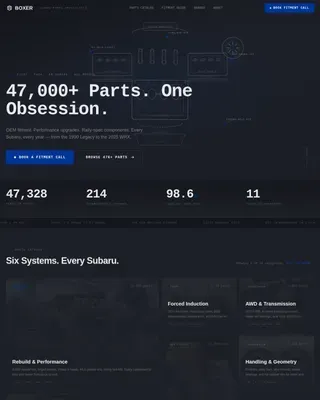
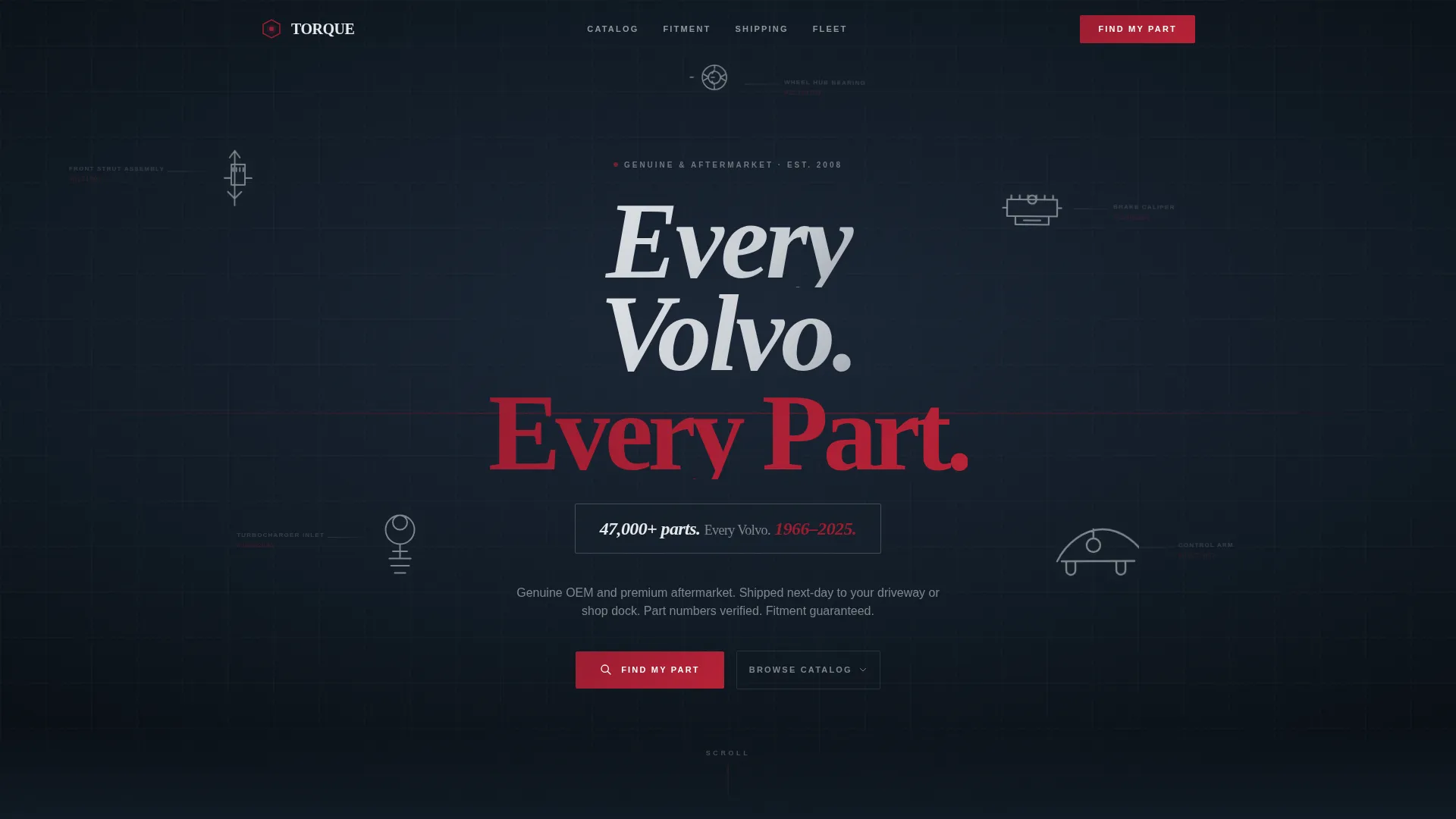
The hero renders a high-resolution 3D-style diagram of a Volvo engine or suspension assembly. Components float apart against a deep blue-black background with faint part-number callouts and leader lines. The assembly reacts to cursor movement with subtle parallax, simulating the feel of rotating a part on a workbench.
Stats-First Scroll Narrative
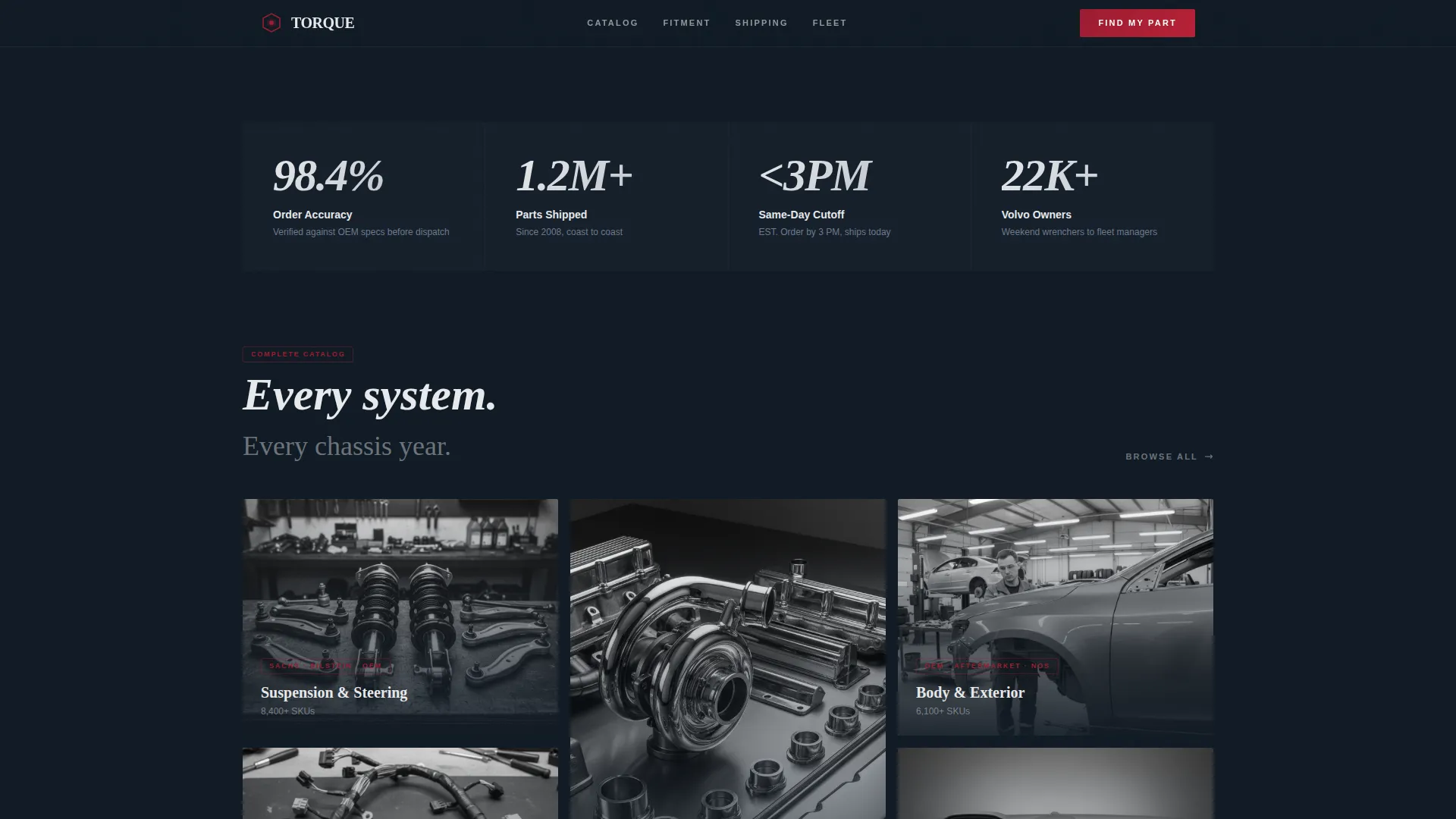
Every scroll stop opens with a bold, oversized number before any explanation arrives. Stats like order accuracy, parts shipped, and dispatch cutoff times are rendered in large Fraunces italic numerals. The number lands first, and the supporting gallery grid follows beneath it.
Expandable Parts Gallery
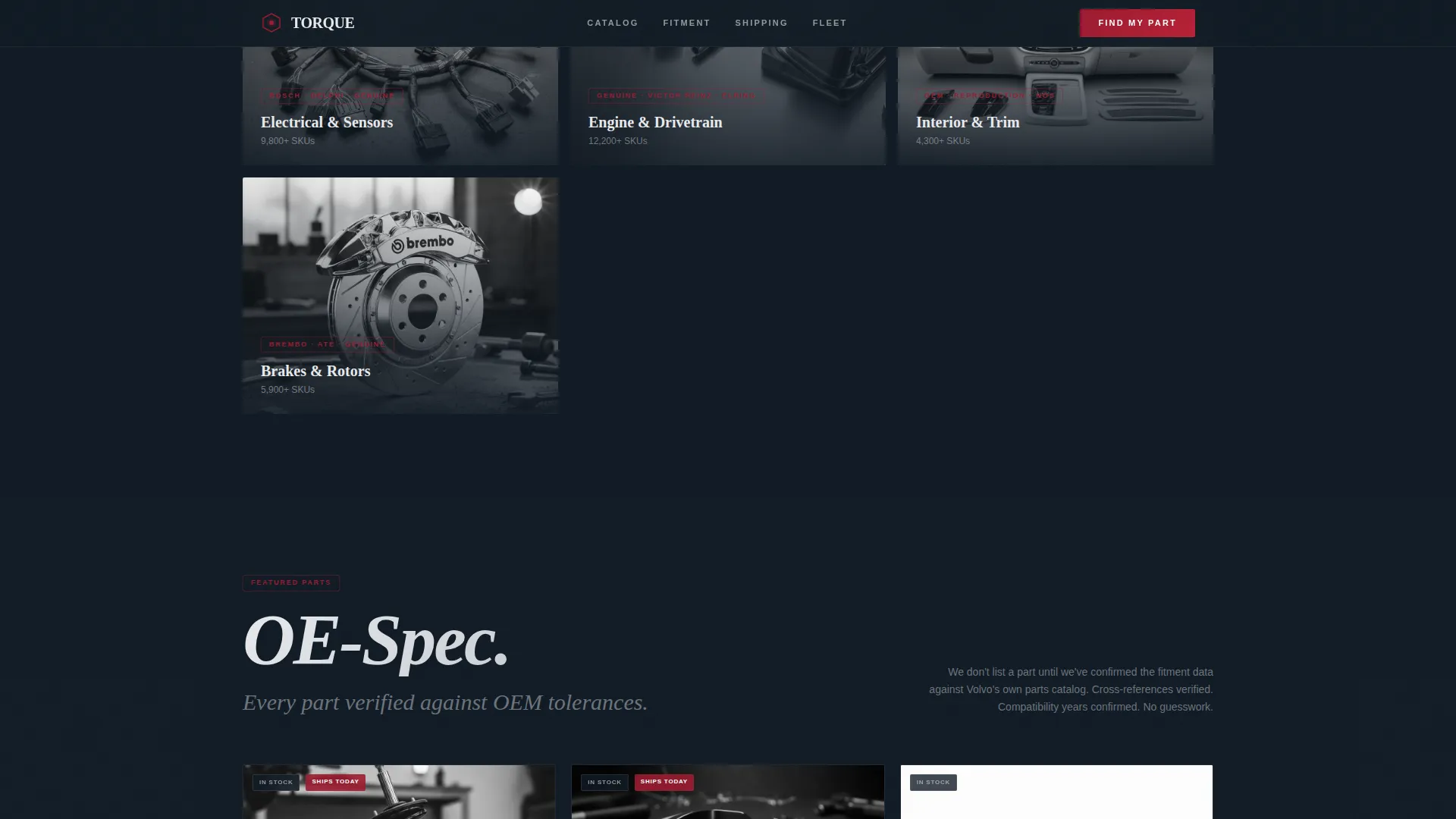
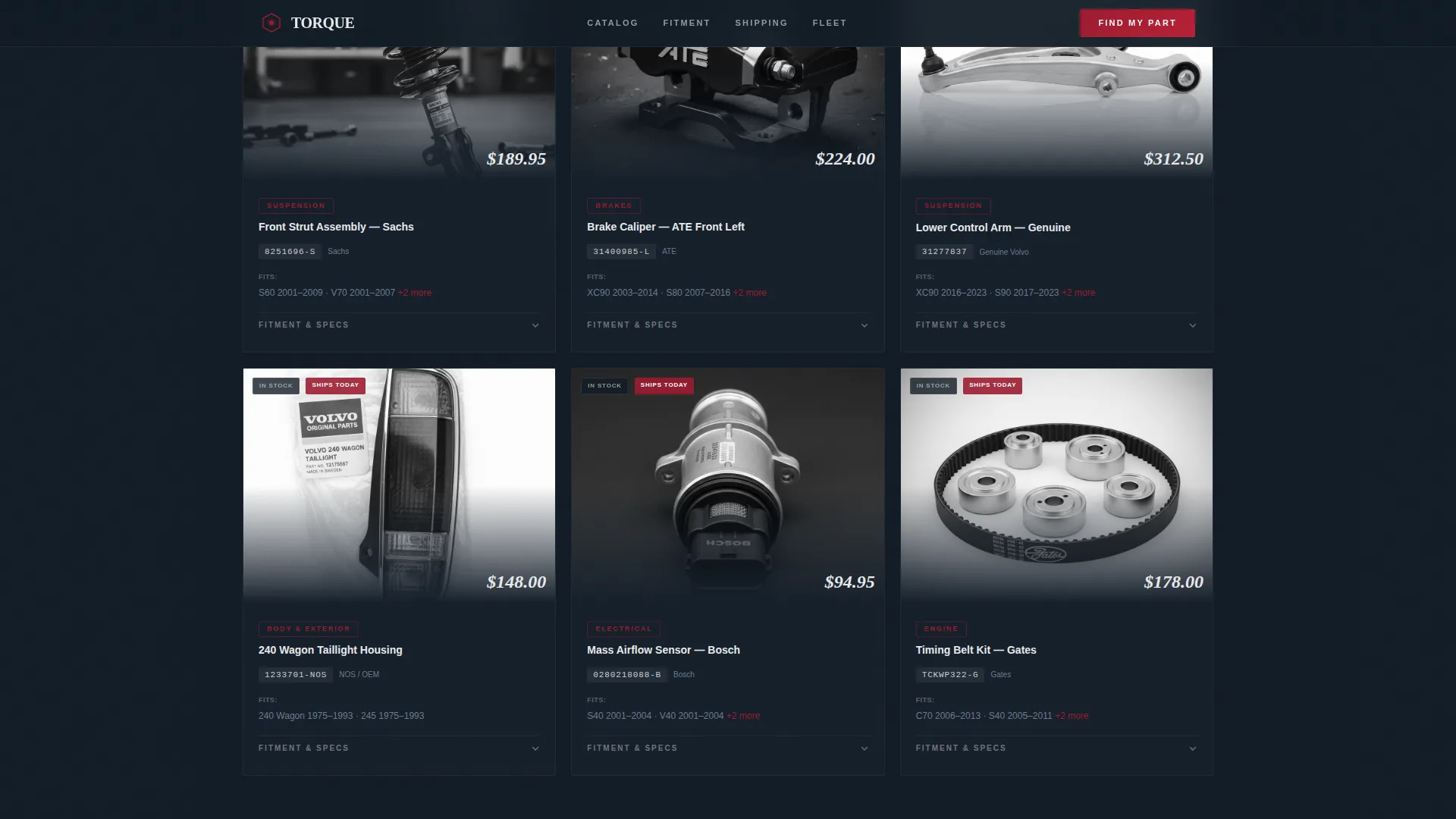
An asymmetric product grid organizes parts into categories such as suspension, body panels, electrical, and interior trim. Each thumbnail expands into a detail panel showing fitment data, original equipment manufacturer cross-references, and compatibility years. GSAP scroll reveals and staggered grid entries animate the gallery into view as the visitor scrolls.
Three-Step Progressive Lead Form
The "Find My Part" form guides visitors through model year and chassis code, then system category, then a free-text field for a part description or original equipment number. The multi-step flow reduces form friction and keeps the request focused. It uses Client Components for interactive rendering.
Fleet Quote Sidebar
Commercial accounts can open a dedicated sidebar form by clicking the secondary "Get a Fleet Quote" call to action. The sidebar requests fleet size and service interval. This keeps the B2B path clean and separate from the retail lead flow.
Fulfillment and Trust Section
A dedicated section leads with the same-day dispatch stat and follows with named mechanic testimonials and fleet customer quotes. Social proof is specific and shop-attributed, not generic. The section reinforces the stats narrative before the visitor reaches the form.
Page sections overview
| Section | Purpose |
|---|---|
| Hero Exploded View | Anchors visual identity with floating parts diagram and inventory stat |
| Stats Impact Grid | Delivers oversized performance numbers before category gallery loads |
| Parts Gallery | Shows expandable product grid with fitment detail panels per category |
| Fulfillment and Trust | Validates dispatch speed and accuracy with mechanic testimonials |
| Find My Part | Captures leads through a three-step form and fleet quote sidebar |
| Footer Single Row | Closes the page with a clean linear single-row footer pattern |
Design & branding system
Torque follows a Dynamic Motion theme with a Ruby and Chrome color system. The palette is engineered to feel like looking under a freshly detailed hood: dark surfaces, polished accents, and a single vivid red drawing the eye to what matters.
- Background anchored in deep blue-black (#0F1923), card surfaces in polished chrome silver (#C8CDD3), and ruby red (#9B1B30) used exclusively for calls to action and hover states
- Machined aluminum (#E8EAED) applied to open-field body typography for legibility against dark backgrounds
- DM Sans for body copy and Fraunces italic for oversized stats, creating a clear hierarchy between data and description
Mobile & speed optimization
The template is designed desktop-first to match the garage workbench aesthetic, with full mobile support built in. Interactive components are split between Server Components for static sections and Client Components for the gallery and forms.
- Cursor-reactive parallax and magnetic call-to-action animations are scoped to the interactive Client Component layer
- Static content sections use Server Components to keep the initial page load lean
- The layout adapts to mobile viewports so fleet managers and shop owners can engage from any device
How this template helps you convert
Torque is structured so that every trust signal appears before the visitor is asked to act. The page architecture builds confidence in a deliberate sequence, then presents two clear conversion paths.
- Stats load first and answer the three most common objections: inventory depth, order accuracy, and fulfillment speed. By the time the visitor scrolls to the form, those objections are already resolved.
- The "Find My Part" form uses a three-step progressive structure so the request feels guided rather than demanding, and the fleet quote sidebar gives commercial buyers a dedicated path without cluttering the retail experience.
Other information about this template
Torque is a gallery and detail template style built on a Dynamic Motion theme. It is part of the Automotive and Transport category under the Volvo Services subcategory, specifically designed for the Volvo parts and accessories store niche.
- The template covers the full model range referenced in the brief: genuine and aftermarket parts spanning 1966 to 2025, from P1 and P2 platform sedans to XC-series crossovers
- The Intersection Match Score for this template is 13, indicating a strong alignment between the niche, subcategory, creative direction, and lead generation objective
- Animation is set to high intensity, including GSAP scroll reveals, staggered grid entries, and magnetic call-to-action effects, all scoped to Client Components
Theme
Dynamic Motion
Creative direction
Stats-First Impact
Color system
Ruby & Chrome
Style
Gallery + Detail
Direction
Lead Generation
Page Sections
Exploded View Parallax Hero
Stats-first Scroll Narrative
Expandable Parts Gallery
Three-step Progressive Lead Form
Fleet Quote Sidebar
Fulfillment and Trust Section
Related questions
Who is this landing page template designed for?
Can the template handle both retail and fleet inquiries at the same time?
Does the parts gallery show fitment and compatibility information?
Is this template suitable for a large parts catalog with many categories?
How does the stats section work visually?