POS & Merchant Services Landing Page Template
Swipe is a sidebar companion landing page built for point-of-sale and merchant services providers. It leads with a four-step quiz that personalizes a rate analysis in real time, pairing an expanding FAQ content rail with a live savings estimate in a fixed sidebar. The dark dashboard aesthetic and teal accent system make it feel like a merchant's own operations screen.
by Rocket studio
Quick summary
Swipe is a single-page merchant services landing page built around a four-step quiz that converts visitors into rate analysis leads. A fixed sidebar tracks quiz progress and updates a savings estimate live as merchants scroll. The dark terminal interface, teal status indicators, and transaction-green confirmation states create a dashboard feel that fits right inside a payment professional's workflow.
Who this template is for
This template is built for payment and merchant services providers who sell to small and mid-sized business operators. It speaks directly to the operators managing the day-to-day reality of processing fees, hardware decisions, and monthly reconciliation.
- Franchise operators managing multiple locations from a single account
- Food truck owners and mobile vendors who rely on tap-to-pay in unpredictable conditions
- Boutique retailers and bar or restaurant operators tired of opaque processing costs
What problem this template solves
Most merchant services landing pages bury their value in dense pricing tables and generic callouts. Operators arrive skeptical and leave without converting because the page never earns their attention or answers their real questions.
- Visitors need a reason to share their processing details before they see any rate
- FAQ-style content hides behind product language instead of real merchant pain points
- No visible, personalized savings estimate means no urgency to complete the form
What you get with this template
You get a fully structured sidebar companion landing page with five distinct sections, high interactivity, and a visual system tuned for a finance and payments audience. Every major component is defined and ready to build on.
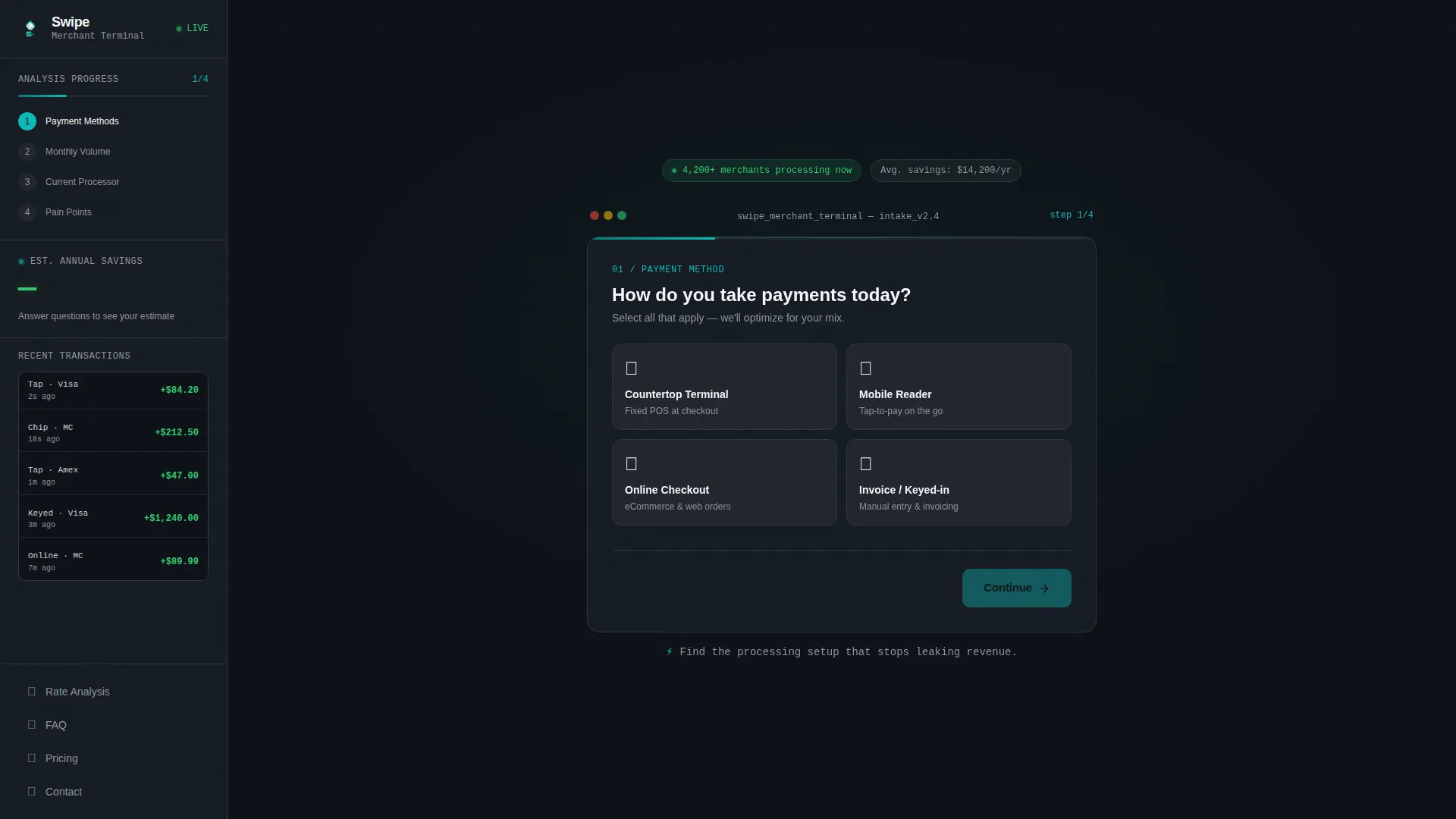
- A four-step quiz hero with a teal progress bar and a live savings estimate sidebar
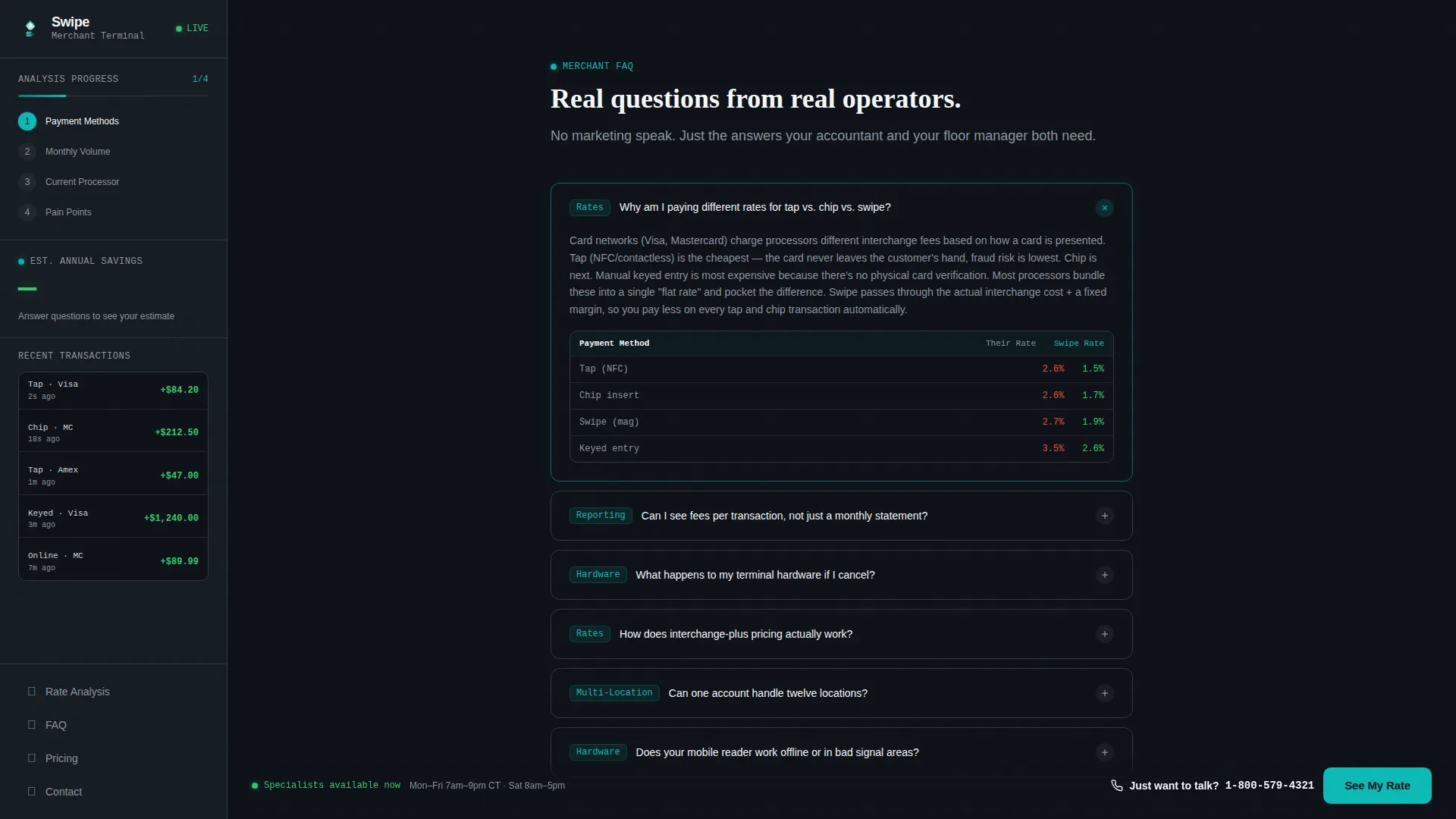
- An expanding FAQ section with animated micro-interaction panels answering real merchant questions
- Operator testimonials, a three-step how-it-works flow, a rate comparison bento grid, and a minimal footer
Feature list
This template ships with a complete set of interactive and structural components designed specifically for merchant services conversion.
Four-Step Quiz Terminal
The header section functions as a merchant intake terminal. It walks visitors through payment method mix, monthly processing volume via a slider, current processor selection via a dropdown, and a multi-select frustration picker. Each completed step advances a glowing teal progress bar.
Live Savings Estimate Sidebar
A fixed sidebar companion sits beside the main content rail. It displays a running savings estimate that updates as the visitor completes quiz steps and scrolls through FAQ content. The accumulating number makes leaving the page feel like leaving money on the counter.
FAQ Accordion with Micro-Interactions
The scrollable content rail below the quiz unfolds as real merchant questions with expandable answer panels. Each panel includes a mini dashboard screenshot or animated micro-interaction as contextual proof, keeping the educational flow grounded in visible data.
Rate Comparison Bento Grid
A dedicated pricing transparency section presents processing rates in a bento-style grid layout. It gives operators a clear side-by-side view of costs without requiring them to dig through footnotes or call a sales representative.
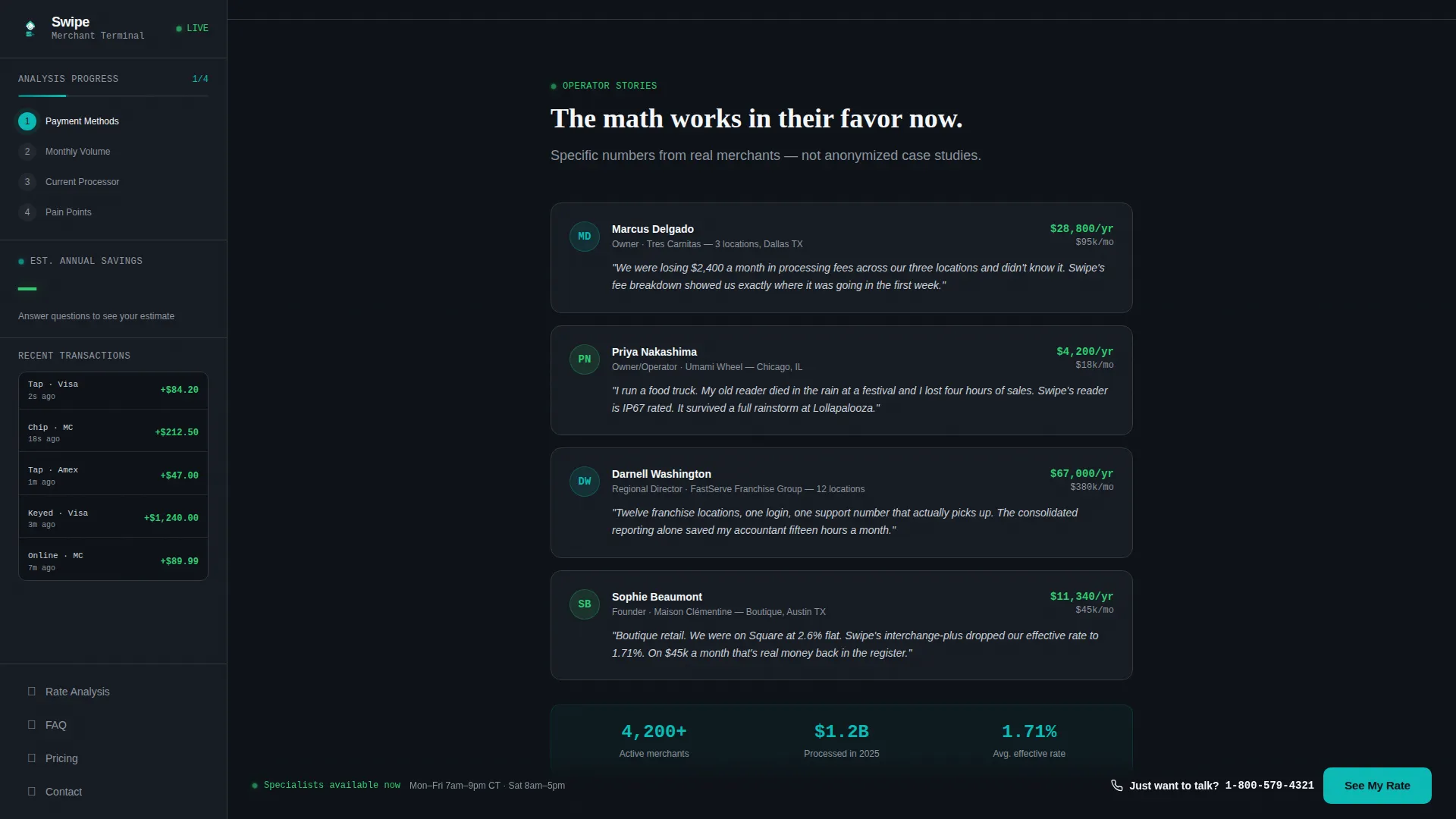
Operator Social Proof Block
Testimonials are presented with specific dollar savings, merchant type, and volume context. This framing matches the mindset of franchise operators and retail owners who want peer-level proof, not generic five-star reviews.
Sticky Click-to-Call Bottom Bar
A persistent bottom bar carries a secondary conversion path reading "Just want to talk? Call a human" with a click-to-call phone number. This accommodates franchise operators and high-volume merchants who prefer a direct conversation over a quiz flow.
Page sections overview
| Section | Purpose |
|---|---|
| Quiz Hero Terminal | Starts four-step merchant intake with teal progress bar |
| Fixed Savings Sidebar | Tracks quiz progress and updates live savings estimate |
| FAQ Accordion Rail | Answers real merchant questions with animated proof panels |
| Operator Testimonials | Builds trust with specific savings, merchant type, and volume |
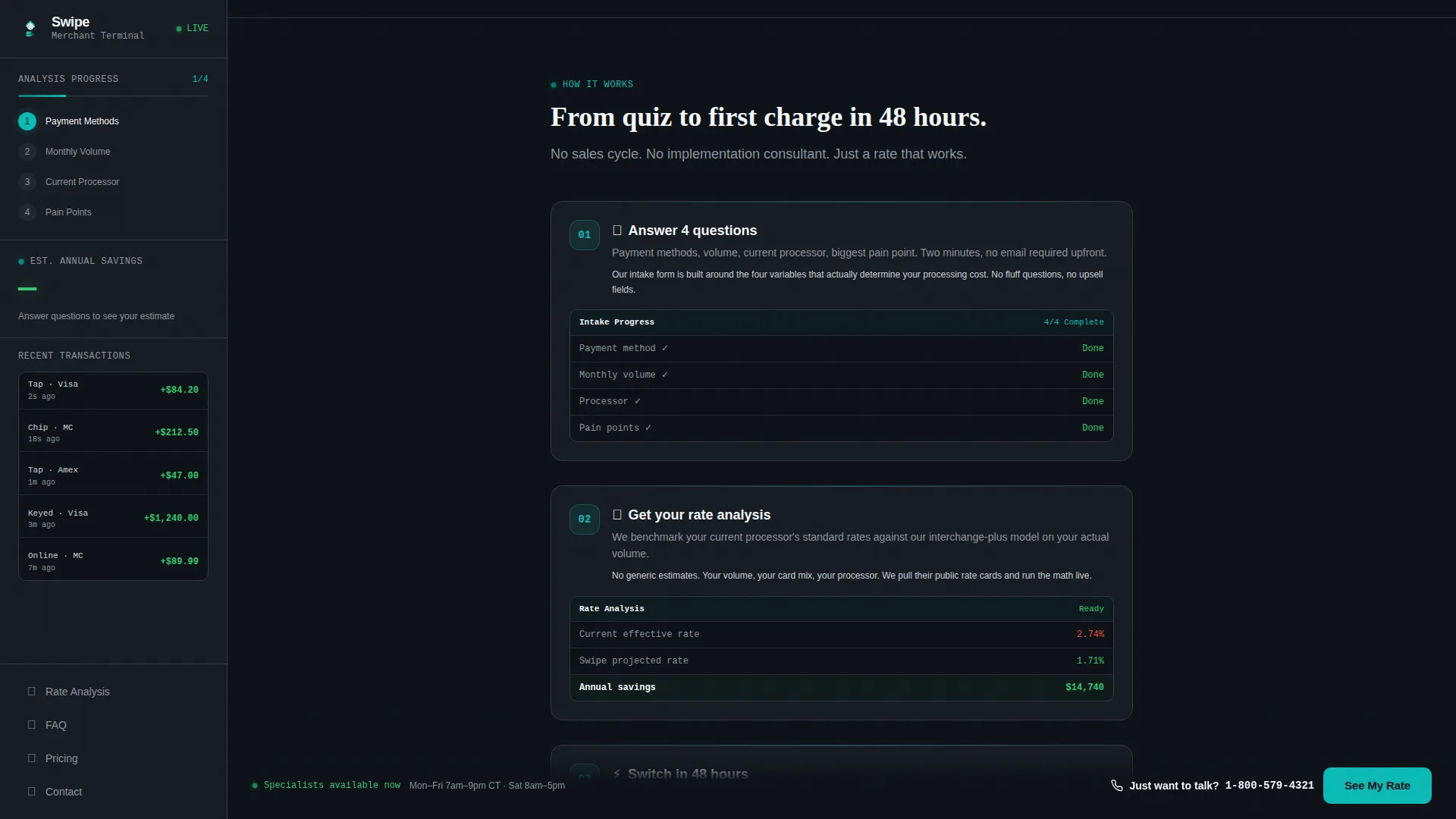
| How It Works | Illustrates the three-step process with dashboard screenshots |
| Rate Comparison Grid | Displays pricing transparency in a bento-style layout |
| Sticky call to action Bar | Provides click-to-call fallback for high-volume operators |
| Footer | Closes page with a minimal developer-style footer pattern |
Design & branding system
The visual identity follows a Dashboard Pro theme using the Teal Catalyst color system. The palette is built to feel like a merchant's own operational interface at midnight, not a generic finance product page.
- Deep terminal black (#0D1117) owns the main content panels and background; operational teal (#0ABAB5) anchors the persistent sidebar, navigation, and progress bar
- Ledger white (#F4F7FA) carries body text across dark panels for clean legibility
- Transaction green (#2ECC71) appears exclusively on positive-state moments: completed quiz steps, confirmed savings figures, and successful interaction pulses
Typography uses DM Sans for body text, JetBrains Mono for numbers and data fields, and Fraunces for display headings, reinforcing the terminal-meets-financial-dashboard aesthetic.
Mobile & speed optimization
The template is designed desktop-first to support the fixed sidebar layout, with a responsive stack that adapts cleanly for mobile and tablet viewports. Static and interactive sections are architected separately to keep the quiz and sidebar performant on slower connections.
- Server components handle static sections like the FAQ rail, testimonials, how-it-works flow, and footer
- Client components manage the interactive quiz form, live savings counter, and FAQ accordion to isolate rendering load
- The sidebar collapses into a sticky bottom element on mobile, preserving the savings estimate visibility without blocking content
How this template helps you convert
The conversion architecture is built around a single insight: operators become leads when they see their own numbers, not generic promises.
- The four-step quiz creates investment before the ask. By the time a visitor reaches "See My Rate Analysis," they have already shared their processing context, making completion feel like a natural next step rather than a cold form submission.
- The live savings estimate in the sidebar creates visible, growing urgency. Each answered question increases the displayed estimate, so abandoning the page means leaving a personalized number behind rather than closing a generic marketing pitch.
- The sticky click-to-call bar captures operators who prefer a phone conversation. Franchise operators managing twelve locations rarely complete web forms; the secondary conversion path meets them where they are.
Other information about this template
This template is built specifically for the point-of-sale and merchant services category within the broader payment and fintech space. It is a strong fit for providers operating in the United States market with USD pricing and US phone number formatting built into the layout.
- The template is localized for a US business context: dollar formatting, US phone number display, and domestic processor naming conventions are built into the dropdown and quiz components
- Animation intensity is set to high across the template, including teal pulse indicators on status elements, a savings counter tick-up effect in the sidebar, a glowing progress bar, and FAQ expand transitions
- The bento grid pricing section is designed to support rate comparison without requiring visitors to request a custom quote upfront, reducing friction for price-sensitive merchants
- The footer follows a minimal developer-style pattern suited to a technical or operationally minded audience
Theme
Dashboard Pro
Creative direction
FAQ-Driven
Color system
Teal Catalyst
Style
Sidebar Companion
Direction
Quiz/Assessment
Page Sections
Four-step Merchant Quiz Terminal
Live Savings Estimate Sidebar
Expanding FAQ Accordion Rail
Rate Comparison Bento Grid
Operator Testimonials Block
Sticky Click-to-call Bottom Bar
Related questions
Can I customize the quiz steps for a different set of merchant questions?
Does the savings estimate in the sidebar use real data?
Is this template suitable for mobile users?
What kind of social proof does this template support?
Can this template support a click-to-call path alongside the quiz?



