Teaching Hospital Landing Page Template
Rounds is a split-screen landing page template built for teaching and university hospitals. It combines a bold stacked type tower, a documentary-style photo, and a checklist-driven audit layout to guide prospective medical students, nursing candidates, allied health professionals, and hospital administrators toward a personalized program fit through an interactive five-question diagnostic quiz.
by Rocket studio
Quick summary
Rounds is a single-page template designed for teaching hospitals and clinical education programs. It uses a 50/50 split-screen hero, a scroll-driven checklist audit of five clinical education pillars, a program stats grid, graduate testimonial cards, and a guided quiz call-to-action. Every section builds the visitor's confidence before asking them to act.
Who this template is for
This template is built for institutions and programs that need to communicate clinical education quality to a discerning audience. It serves both individual applicants and institutional decision-makers who need evidence before they commit.
- Prospective medical students and residents evaluating specialty programs and learning environments
- Nursing candidates and allied health professionals comparing continuing education placements
- Hospital administrators benchmarking their teaching credentials against peer institutions
What problem this template solves
Teaching hospitals struggle to communicate program quality in a way that feels transparent rather than promotional. Most institutional pages bury the data that applicants actually need. Visitors leave without confidence, and administrators never find the benchmarking evidence they came for.
- Applicants cannot easily compare board pass rates, residency match data, or simulation hours across programs
- Administrators lack a quick way to audit a program's credentials and download structured evidence
- Generic hospital pages fail to convey the specific culture and rigor of a real teaching environment
What you get with this template
This template delivers a fully structured, section-led landing page designed around clinical education trust signals. Every component is purposeful and prompt-backed.
- A 50/50 split-screen hero with a stacked type tower and a documentary-editorial photograph slot
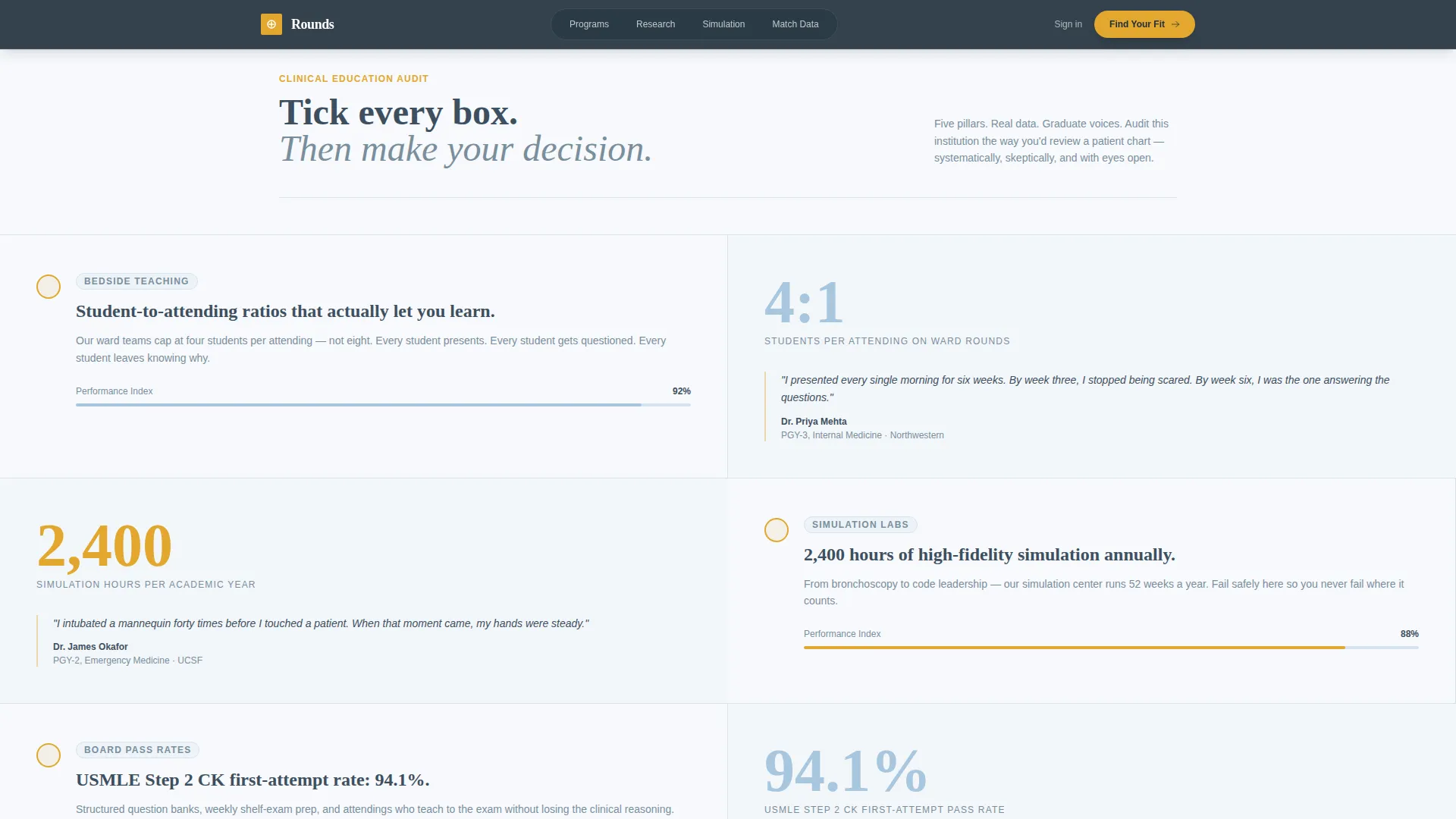
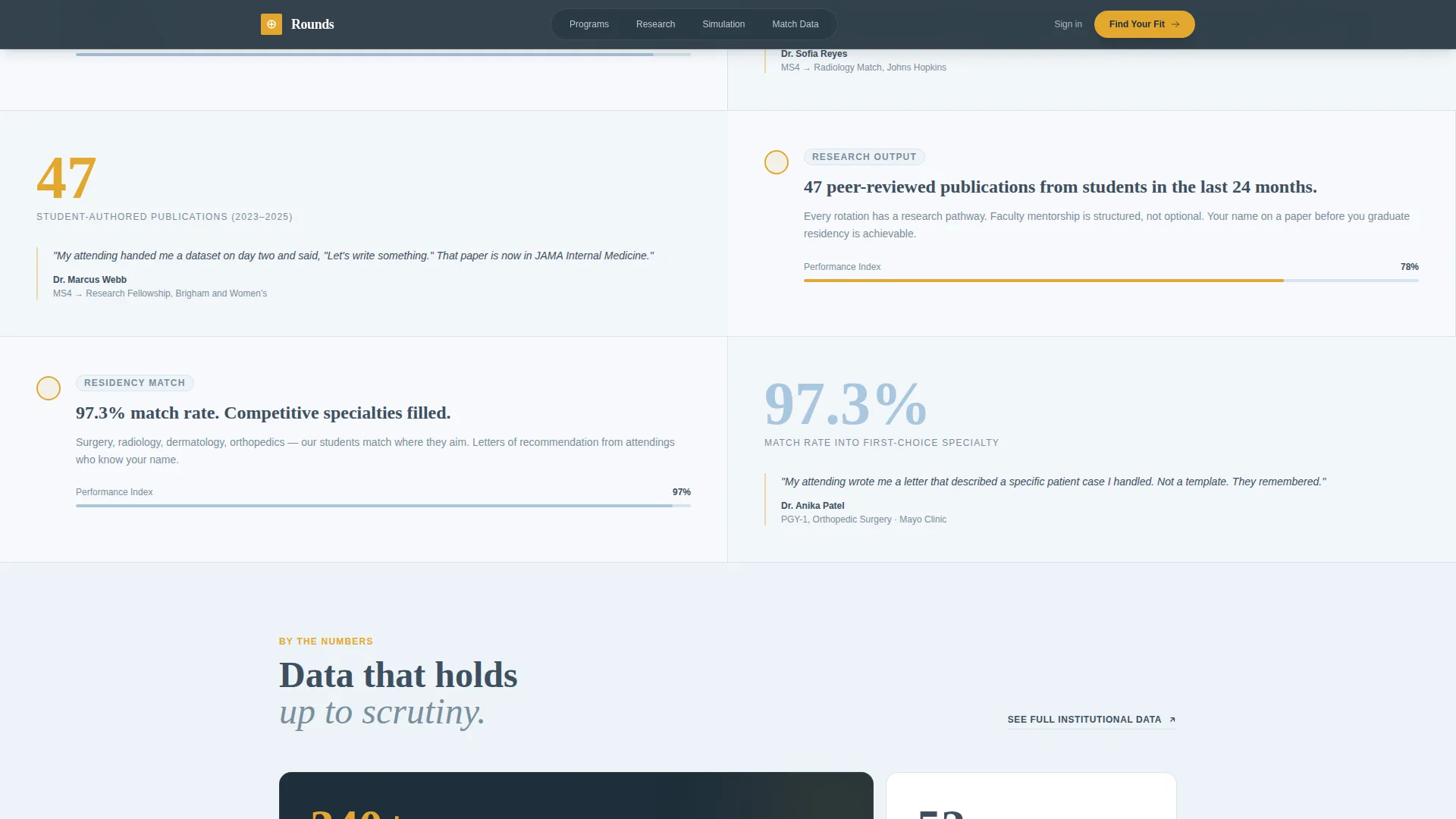
- A five-pillar checklist audit section with stats, progress bar animations, and graduate testimonial snippets
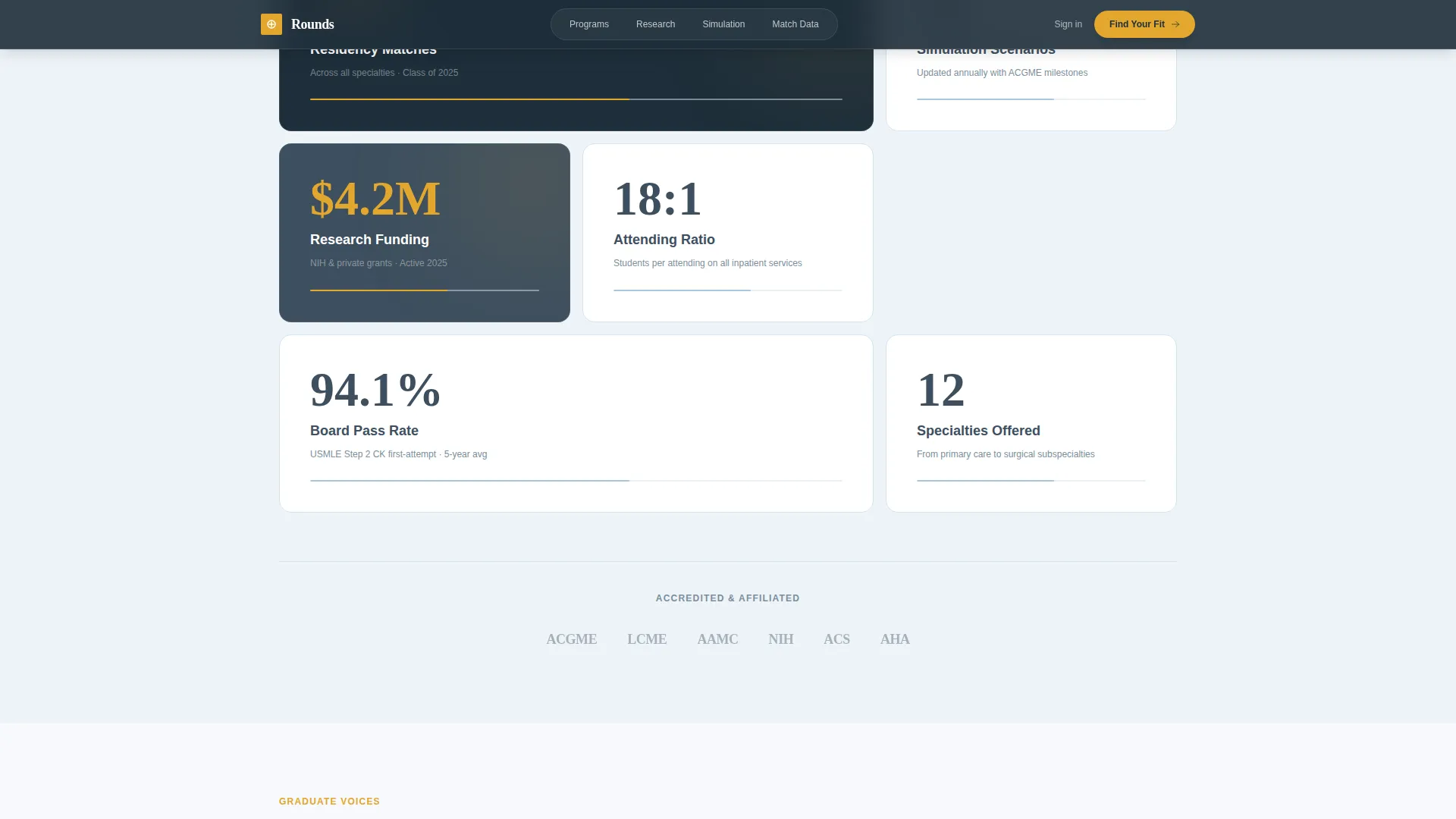
- An asymmetric bento grid for program statistics, a graduate voices section, a quiz call-to-action block, and a linear single-row footer
Feature list
This template packages several purpose-built components that work together to guide visitors from curiosity to commitment.
Stacked Type Tower Hero
The left half of the viewport holds the words TEACH, TREAT, and TRANSFORM stacked vertically in heavyweight serif type. Each line scales slightly larger than the one above it. The right half holds a documentary-style photograph of a resident presenting at morning rounds. The composition anchors attention and earns trust before a single word of body copy is read.
Scroll-Driven Checklist Audit
Five clinical education pillars are presented as checklist items, each paired with evidence on the right side. Evidence takes the form of a key statistic, a short graduate testimonial, or an animated progress bar that fills on scroll. The accumulation of checked items mirrors the confidence a visitor builds as they review a pre-procedure checklist.
Interactive Five-Step Quiz Modal
The primary call-to-action launches a five-question diagnostic quiz. Questions cover specialty interest, preferred learning style, career stage, geographic flexibility, and timeline. Each answer dynamically narrows program recommendations, giving the visitor a personalized result rather than a generic brochure.
Program Stats Bento Grid
An asymmetric grid displays board pass rates, residency match percentages, simulation lab hours, and research output side by side. The layout is scannable and data-forward, designed for visitors who want numbers before narrative.
Graduate Voices Testimonial Cards
Editorial-style testimonial cards feature graduate quotes paired with their specialty and graduation year. The format reads like a documentary caption rather than a marketing pull quote, reinforcing the template's honest, institutional tone.
Gated Program Audit Download
A secondary call-to-action path offers a downloadable program audit PDF for administrators. The gated download captures institutional leads while providing genuine value to benchmarking users who need structured, shareable evidence.
Page sections overview
| Section | Purpose |
|---|---|
| Split-screen hero | Introduce institution with type tower and documentary photo |
| Checklist audit | Present five clinical pillars with evidence and animations |
| Program stats grid | Display board rates, match data, and simulation hours |
| Graduate voices | Share outcome-specific testimonials by specialty and year |
| Quiz call-to-action | Drive personalized program matching via five-step diagnostic |
| Footer | Provide linear single-row navigation and contact closure |
Design & branding system
The visual identity follows an Educational Guide theme. The palette and typography feel like a well-loved anatomy textbook left open on a sunlit desk: approachable and rigorous without the cold sterility of a standard hospital website.
- Color system uses cumulus white (#F7F9FC) for backgrounds, chalkboard slate (#3D4F5F) for primary type, clinical sky blue (#A8C6DF) for accents, and notation amber (#E2A72E) reserved for checkmarks, progress indicators, and interactive highlights
- Typography pairs Fraunces, a heavyweight serif, for headlines and the type tower, with DM Sans for all body copy and interface elements
Mobile & speed optimization
The template is built with a desktop-first priority, reflecting the research behavior of both administrators and students who typically evaluate programs on larger screens. Mobile responsiveness is included so the layout holds across devices.
- Static sections use server components to keep the page load lean and predictable
- The interactive quiz modal uses client-side components, isolating dynamic behavior from the rest of the page
How this template helps you convert
The page is structured as a progressive confidence builder. Each scroll section earns the next, so visitors arrive at the call-to-action already convinced rather than still skeptical.
- The checklist audit format lets visitors self-qualify by reviewing evidence at their own pace, creating momentum through accumulation across five clinical pillars before the quiz is even presented.
- The quiz call-to-action reframes the conversion as a service to the visitor, promising personalized program clarity in two minutes rather than asking them to fill out a generic inquiry form.
Other information about this template
Rounds is part of a broader Health and Medical template family covering hospital and health system use cases. It sits specifically at the intersection of teaching hospital and clinical education content needs.
- The template style is Split Screen (50/50), a layout well suited to pairing bold typographic statements with photographic evidence
- The creative direction follows a Checklist and Audit structure, a pattern that maps naturally onto how both applicants and administrators evaluate programs
- The header concept is the Stacked Type Tower, a typographic device that commands authority without relying on institutional iconography
- The landing page direction is Quiz and Assessment, positioning the primary conversion as a diagnostic tool rather than a lead form

Theme
Educational Guide
Creative direction
Checklist & Audit
Color system
Cloud Canvas
Style
Split Screen (50/50)
Direction
Quiz/Assessment
Page Sections
Stacked Type Tower Hero
Scroll-driven Checklist Audit
Five-step Diagnostic Quiz Modal
Program Stats Bento Grid
Graduate Voices Testimonial Cards
Gated Program Audit Download
Related questions
Who is this template designed for?
Can I customize the checklist pillars and program stats?
How does the five-step quiz modal work?
Is the gated PDF download ready to use out of the box?
What typography and colors does this template use?



