Vibrant Social Connection Landing Page Template
A sidebar companion landing page built for hematology support groups and blood disorder communities. It pairs a warm testimonial mosaic with plain-language educational modules, a sticky disorder-category sidebar, and a progressive lead generation form. The design earns trust through real patient stories before asking for any contact details, turning a newly diagnosed visitor into an engaged community member.
by Rocket studio
Quick summary
This landing page template is built for hematology patient communities. It combines a testimonial mosaic layout with educational content blocks and a sticky sidebar navigation. The page guides visitors from confusion to connection, earning their trust through peer stories and plain-language medical explanations before presenting a low-friction join form.
Who this template is for
This template is designed for organizations, advocates, or community managers running a blood disorder support group. It speaks directly to patients and caregivers who need both information and belonging.
- Newly diagnosed adults working through their first complete blood count (CBC) results for conditions like sickle cell disease, hemophilia, thalassemia, or myelodysplastic syndrome (MDS)
- Parents managing a child's infusion schedules and treatment milestones
- Long-term patients who still feel isolated between medical appointments
What problem this template solves
People living with blood disorders often leave a hematology appointment with more questions than answers. Clinical language, unfamiliar lab values, and sparse peer networks leave them searching online with nowhere trustworthy to land.
- There is no warm, credible space that combines real patient stories with medical translation in one place
- Standard medical websites feel cold and do not build the sense of community that patients need between appointments
- Collecting community sign-ups often fails because generic forms ask for too much, too soon
What you get with this template
This template delivers a full sidebar companion landing page structured around trust-building and community growth. Every section earns the next scroll before asking anything of the visitor.
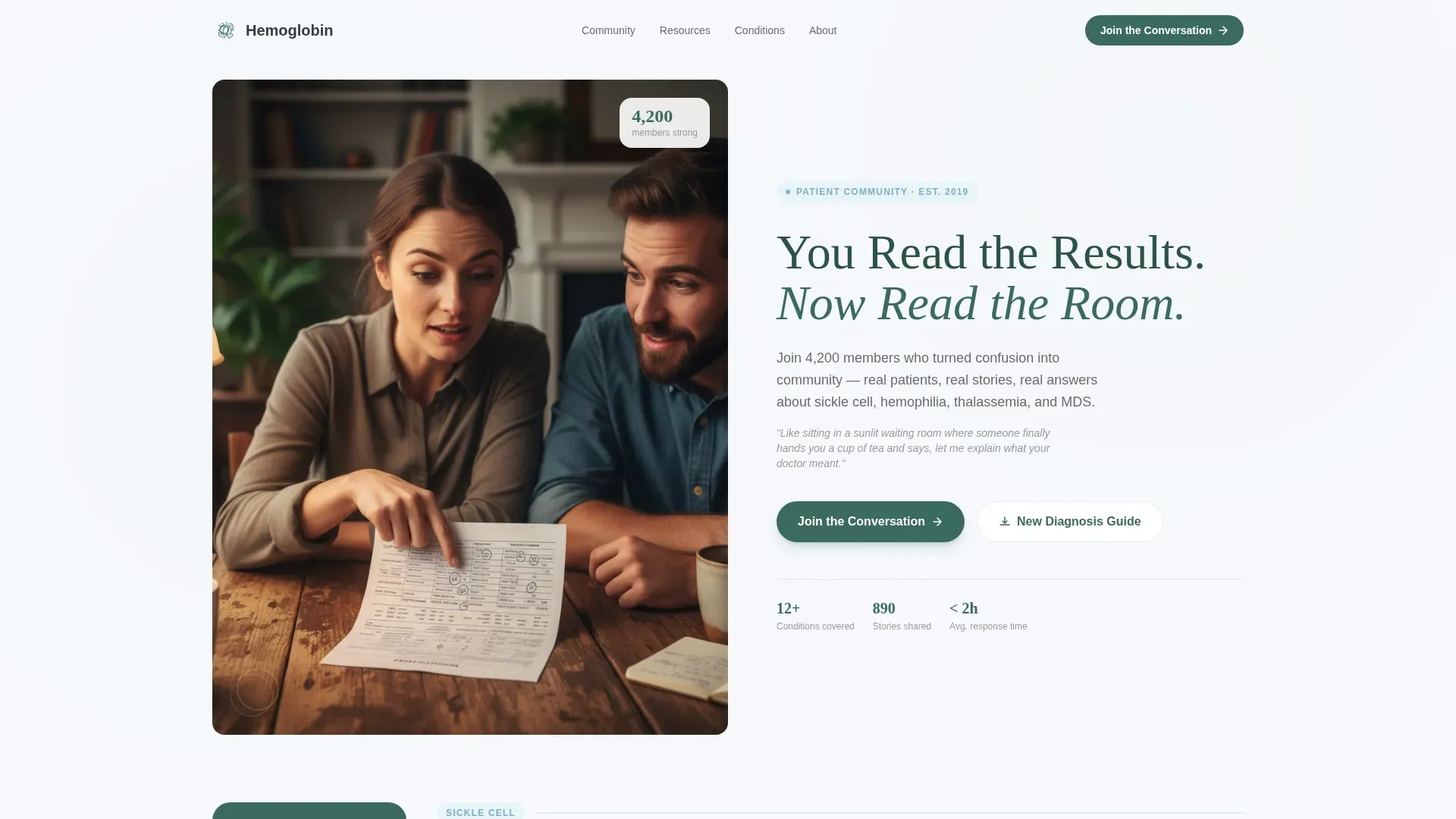
- A half-page hero header with an editorial headline and a 4,200-member social proof count
- A multi-cluster testimonial mosaic with varied tile sizes, diagnosis year badges, and paired medical explainer cards
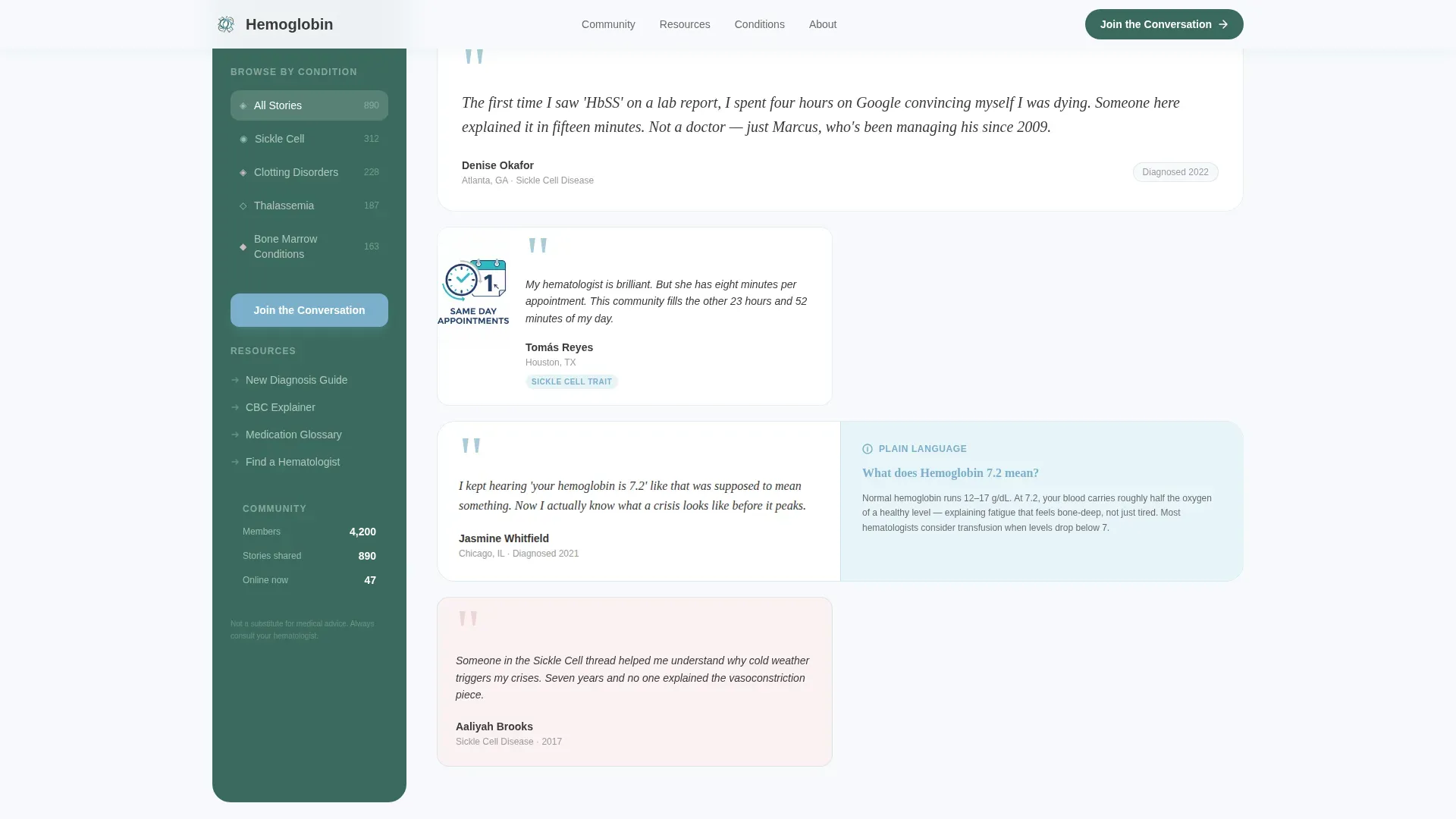
- A sticky sidebar with disorder category filters, a progressive join form, and a secondary gated PDF download path
Feature list
This template includes purpose-built components that work together to move a hesitant visitor toward joining the community. Each feature below is present in the described layout.
Sticky Sidebar with Category Navigation
The sidebar stays fixed as the visitor scrolls, offering clickable disorder categories: Sickle Cell, Clotting Disorders, and Bone Marrow Conditions. This lets visitors jump directly to the stories most relevant to their diagnosis without losing their place on the page.
Progressive Disclosure Join Form
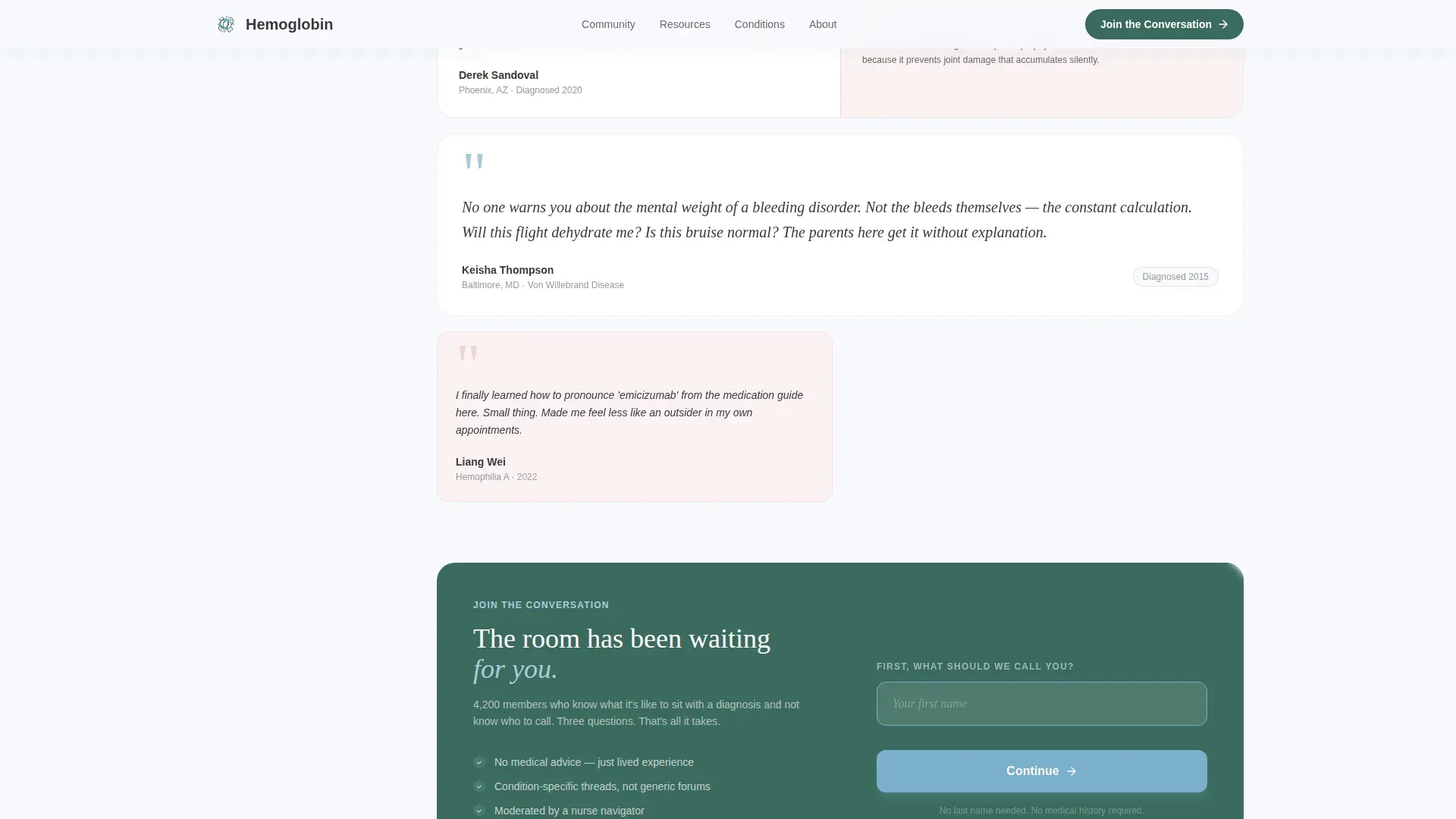
The join form inside the sidebar collects information in three steps. It asks for a first name only, then a condition category from a dropdown, then an email address. This sequence builds trust before requesting contact details, reducing form abandonment.
Testimonial Mosaic Layout
Member stories appear as a living quilt of varied tile sizes. Some tiles are quote-only, some include a small photo and diagnosis year, and some are paired directly with a medical explainer card. The mosaic feels overheard rather than curated, which reinforces authenticity.
Inline Educational Modules
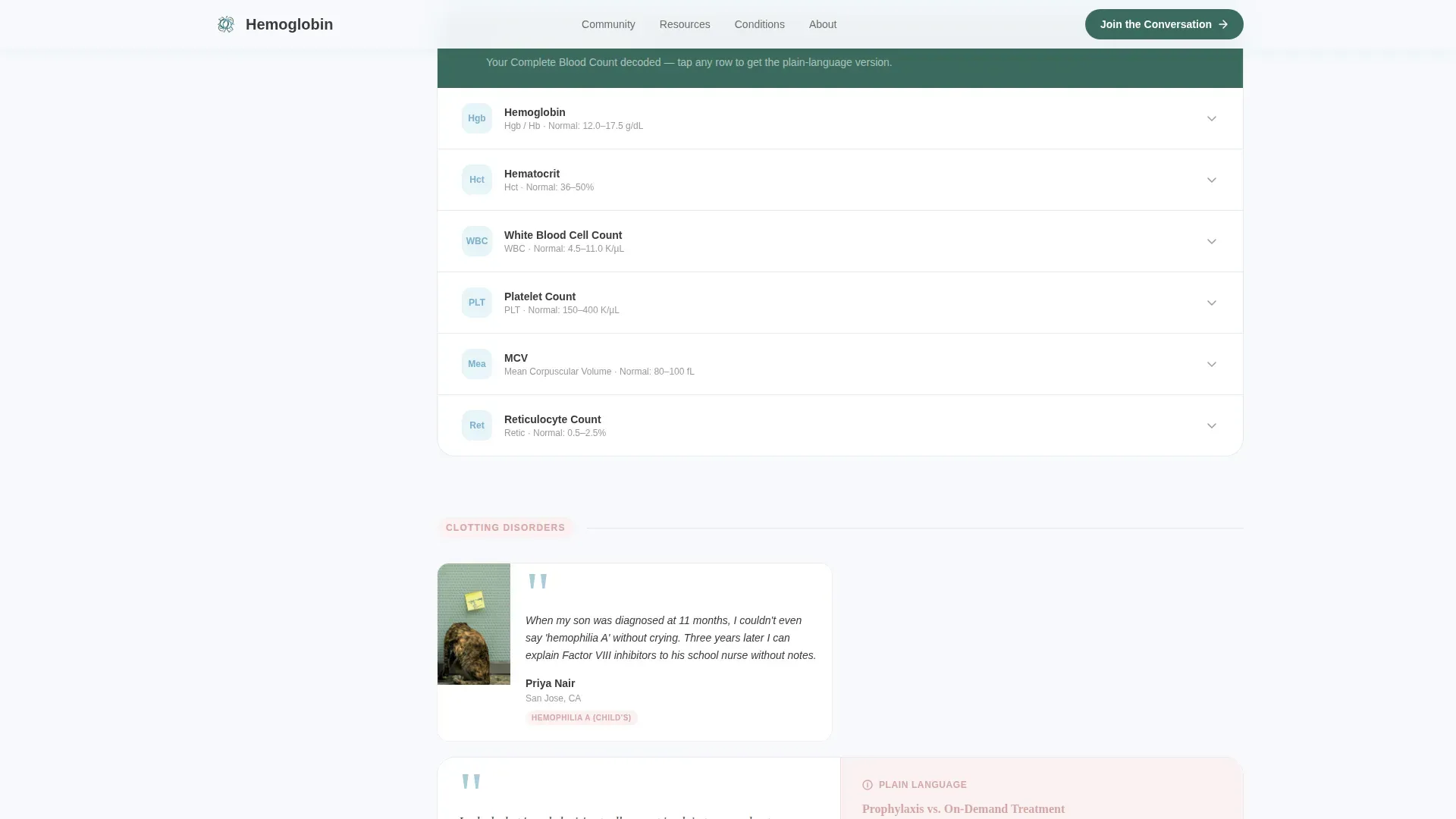
Between testimonial clusters, the page surfaces short educational content. This includes an animated red blood cell (RBC) diagram, a "What Your CBC Means" accordion, and a medication pronunciation guide. These modules translate clinical jargon without interrupting the emotional flow of the page.
Gated PDF Secondary Conversion Path
Visitors not yet ready to join can download a New Diagnosis Guide by submitting only an email address. This secondary path catches high-intent visitors at an earlier stage of readiness and keeps them connected to the community.
Half-Page Hero Header
The hero uses a split composition: a warm photograph on the left and an editorial headline on the right. The headline "You Read the Results. Now Read the Room." is set in evergreen serif type and paired with the member count subline to establish immediate social proof.
Page sections overview
| Section | Purpose |
|---|---|
| Hero Header | Establish emotional tone and display social proof |
| Sticky Sidebar | Persistent disorder navigation and primary join form |
| Testimonial Cluster 1 | Sickle cell stories with CBC accordion explainer |
| Educational Module | Animated RBC diagram and pronunciation guide |
| Testimonial Cluster 2 | Hemophilia and thalassemia stories with join form |
| Testimonial Cluster 3 | MDS and bone marrow stories with PDF download call to action |
| Page Footer | Minimal single-row footer |
Design & branding system
The visual identity follows an Educational Guide theme. The palette is called Alpine Fresh and is designed to feel clear and human rather than clinical.
- Background stays in alpine white (#F7F9FC), the sidebar anchors in evergreen (#3B6B5E), and interactive elements use glacier blue (#7AAFCB)
- Warm heather (#D4A5A5) is reserved for testimonial cards and empathy-forward accents, adding human warmth without disrupting the calm base
- Typography pairs Fraunces serif for headlines with DM Sans for body text and interface elements, balancing editorial authority with everyday readability
Mobile & speed optimization
The layout is designed desktop-first, built around a sidebar and main column that require at least 1,024 pixels of screen width. On smaller screens, the sidebar collapses gracefully so content remains accessible.
- Static page sections are built as server components for efficient rendering, while interactive elements like the sidebar filter and join form run as client components
- Scroll-reveal animations, staggered entrance effects, and clip-path image reveals are set to medium intensity, keeping motion purposeful without overwhelming the page
How this template helps you convert
Every design decision on this page is oriented toward reducing hesitation and earning the visitor's willingness to connect.
- The testimonial mosaic places authentic peer stories before any ask, so visitors feel recognized and safe before they see the join form
- The progressive join form removes friction by starting with just a first name, which lowers the perceived cost of the first step
- The gated PDF download creates a second conversion path for visitors who are not yet ready to join, capturing their email while delivering immediate value
Other information about this template
This template is a strong starting point for any hematology medicine community platform. It is purpose-built for the health and medical space and reflects the specific emotional and informational needs of blood disorder patients and caregivers.
- The page structure supports both a primary lead generation goal and a secondary content download goal simultaneously
- The disorder category sidebar makes the layout adaptable to communities covering multiple conditions under the hematology umbrella
- Template style is classified as Sidebar Companion, and the creative direction is Testimonial Mosaic, making it well-suited for communities where peer voice is the primary trust signal
Theme
Educational Guide
Creative direction
Testimonial Mosaic
Color system
Alpine Fresh
Style
Sidebar Companion
Direction
Lead Generation
Page Sections
Sticky Sidebar with Disorder Navigation
Progressive Disclosure Join Form
Testimonial Mosaic Layout
Inline Educational Modules
Gated PDF Secondary Conversion Path
Half-page Editorial Hero Header
Related questions
Can I customize the disorder categories in the sidebar?
How does the progressive join form work?
Is the testimonial mosaic easy to update with new member stories?
What is the purpose of the gated PDF download path?
Does this template work on mobile devices?



