Podium - Confident Speaking Landing Page Template
Podium is a single-page landing page template built for public speaking courses. It uses a zigzag FAQ-driven layout, a warm Forest Trust color system, and a giant centered headline to create an emotionally resonant, lead-generating experience. Two conversion paths capture both ready enrollees and cautious visitors, making it ideal for course creators in the education and training space.
by Rocket studio
Quick summary
Podium is a confident, conversion-focused landing page template for public speaking courses. It pairs a bold typographic header with a scrolling FAQ-driven zigzag layout that answers real visitor doubts one by one. Two lead capture paths, a seat reservation form and a free PDF download, work together to turn hesitant visitors into committed students.
Who this template is for
This template is built for course creators, coaches, and training providers who run public speaking programs. It suits anyone who needs to enroll students online without a hard sell.
- Public speaking instructors running cohort-based or workshop-style courses
- Corporate trainers offering communication and presentation skills programs
- Independent coaches targeting mid-career professionals, new managers, or anyone preparing for a high-stakes speech
What problem this template solves
Most course landing pages either overwhelm visitors with features or rush them to a sign-up button before trust is built. Podium solves the trust gap. Visitors arrive carrying real fears about freezing, sounding unnatural, or not being funny enough. This template addresses those fears directly, section by section, before asking for a commitment.
- Visitor hesitation caused by unaddressed doubts about public speaking ability
- Poor conversion on course pages that lead with credentials instead of empathy
- Missed leads from visitors who are interested but not yet ready to enroll
What you get with this template
The template delivers a complete, ready-to-customize single-page layout structured around the full buyer journey, from first impression to form submission.
- A full zigzag FAQ section layout with alternating left-right content blocks, each opening with a real visitor question
- Two distinct lead capture paths: a two-step seat reservation form and a free PDF download gated by email
- A typography-first hero section, multiple "Save My Seat" call-to-action placements, and a cohesive Forest Trust color system applied throughout
Feature list
This section details the core template components built into the Podium design.
Giant Centered Hero Headline
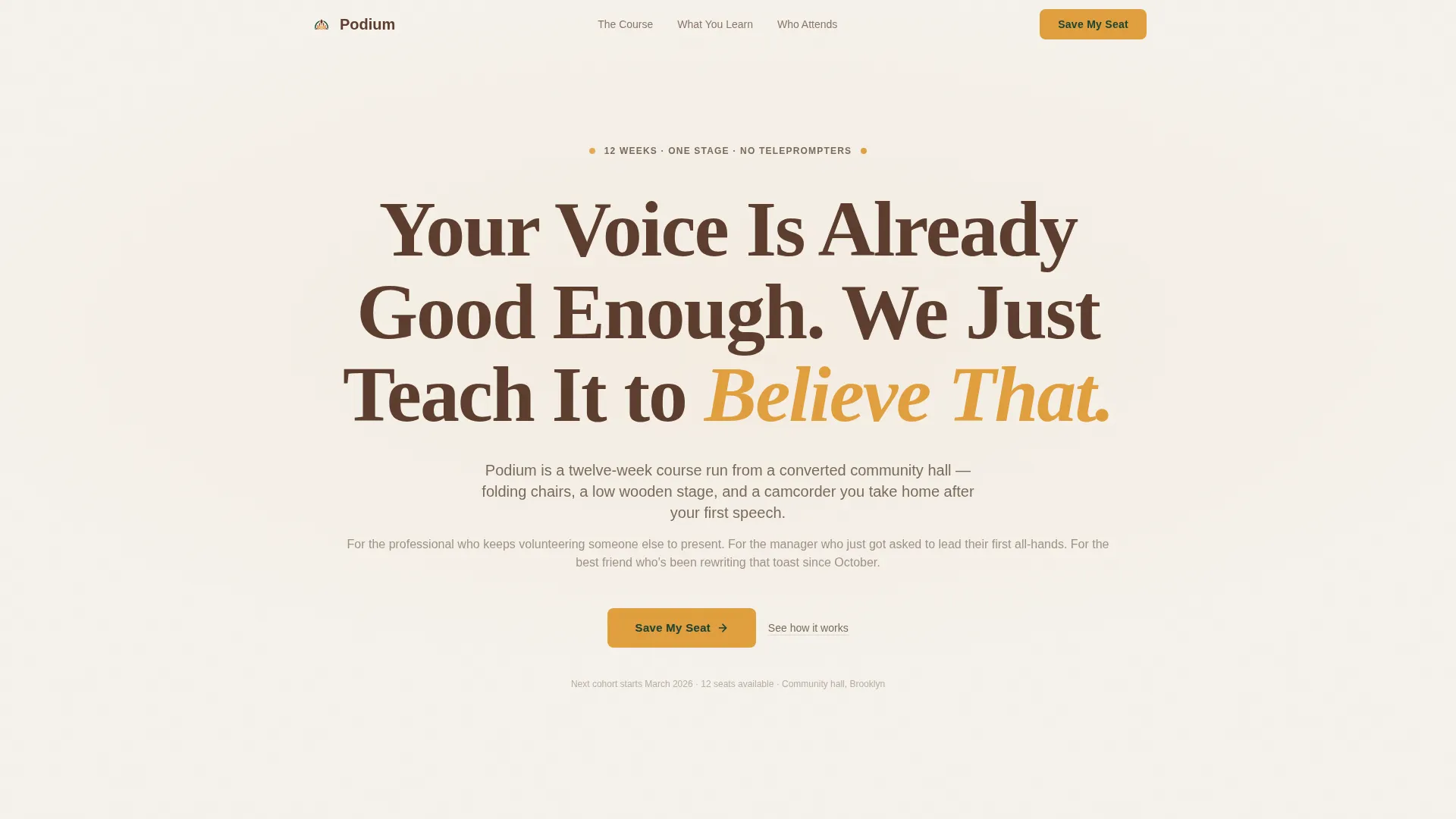
The header is a single large serif headline set on birch white. It fills the viewport edge to edge and uses lantern amber to highlight the emotionally loaded word "Believe." A short supporting line reads "12 weeks. One stage. No teleprompters." No images or video compete with the message. The typography carries the entire first impression.
FAQ-Driven Zigzag Layout
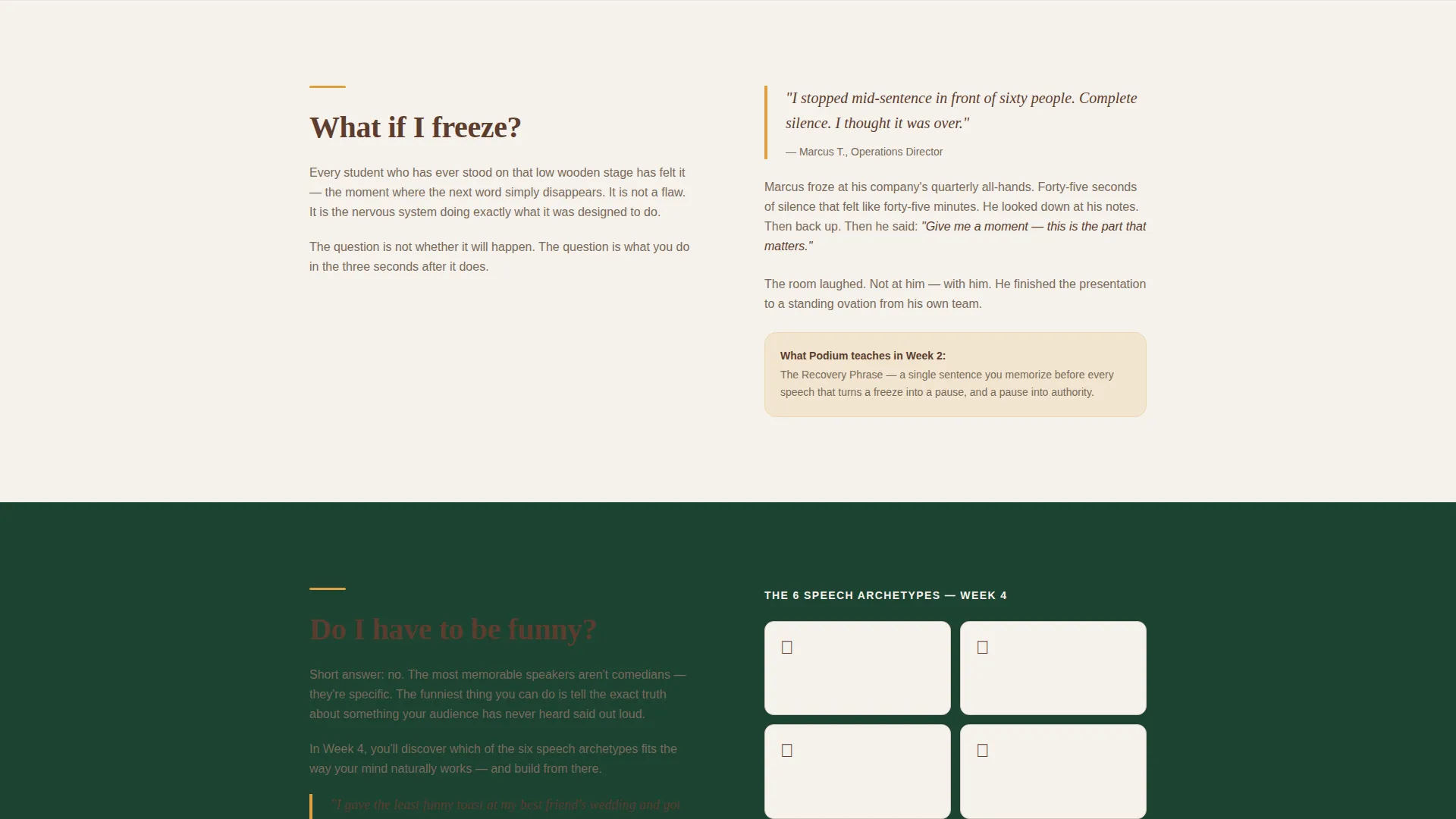
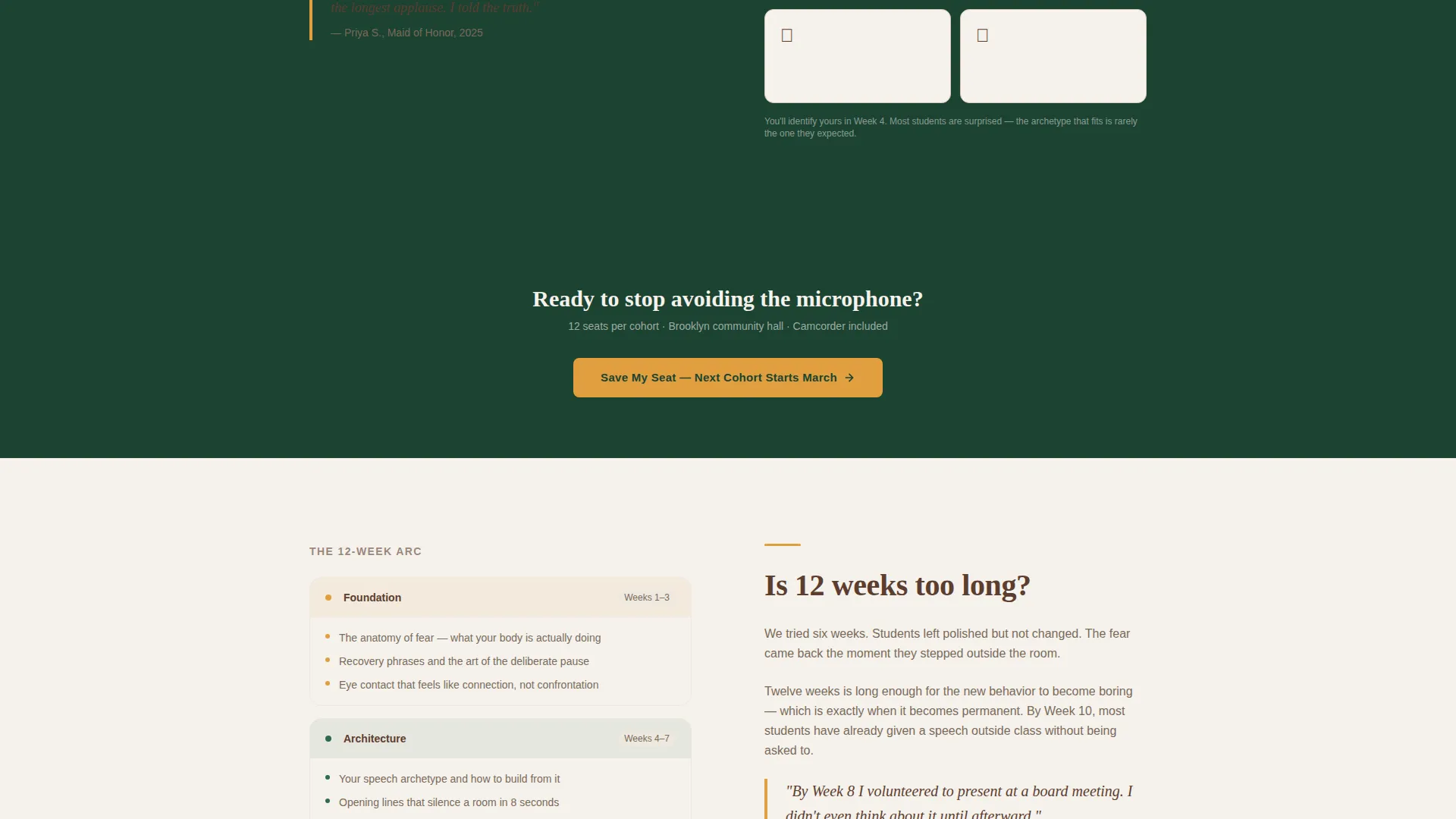
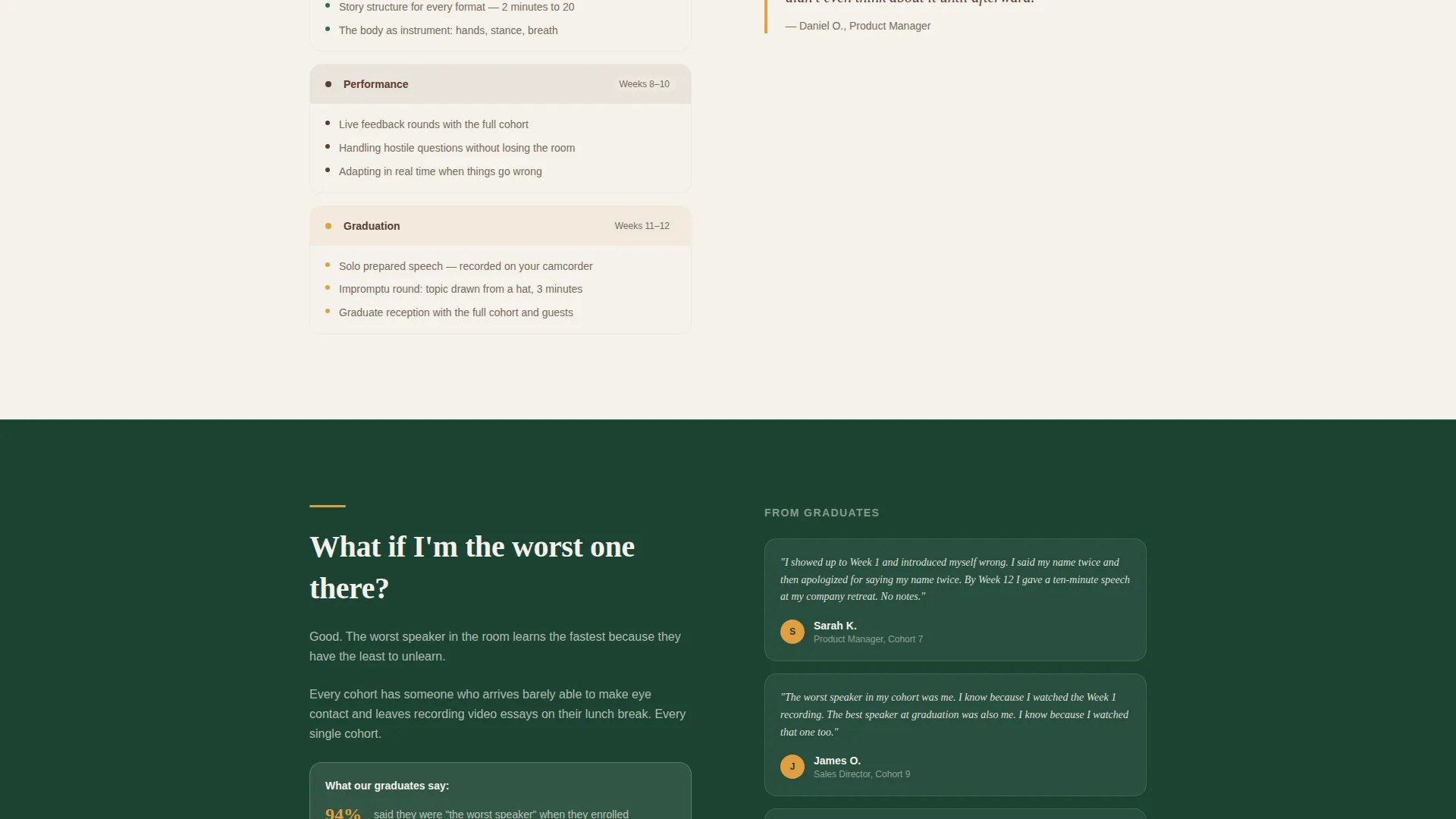
Each alternating section opens with a real question visitors are silently asking, such as "What if I freeze?" or "Do I have to be funny?" The left-right alternating structure keeps the scroll feeling like a genuine conversation. Every section dissolves one layer of doubt before the next begins, making the path to sign-up feel natural rather than pressured.
Two-Step Seat Reservation Form
The primary call-to-action button reads "Save My Seat" in lantern amber on evergreen. Clicking it opens a two-step inline form. Step one captures first name and asks "What's the speech you've been avoiding?" as a free-text field. Step two collects email address and preferred cohort month.
Free PDF Secondary Capture
A secondary conversion path offers a downloadable resource called "The 5-Minute Calm-Down Script." It is gated by email address only. This path catches visitors who are not ready to reserve a seat but are ready to take a first step.
Repeating Call-to-Action Placement
The "Save My Seat" button appears first directly below the header and then repeats after every third FAQ zigzag section. This placement ensures the conversion opportunity stays visible throughout the scroll without interrupting the conversational flow.
Forest Trust Color System
The palette uses four defined colors: deep evergreen for backgrounds and section dividers, heartwood brown for headlines and navigation, warm lantern amber for buttons, pull-quotes, and hover states, and soft birch white for testimonial blocks and body copy areas. Each color has a defined role and the system is applied consistently across the full page.
Page sections overview
| Section | Purpose |
|---|---|
| Hero Headline | Sets emotional tone and course promise |
| Primary call to action Block | First "Save My Seat" enrollment entry point |
| FAQ Zigzag One | Addresses fear of freezing mid-speech |
| FAQ Zigzag Two | Clarifies humor expectations and speech types |
| Repeating call to action Block | Second enrollment prompt after three FAQ sections |
| PDF Lead Capture | Secondary opt-in for the free Calm-Down Script |
| FAQ Zigzag Three | Continues answering unspoken visitor doubts |
| Final call to action Block | Closing seat reservation call to action |
Design & branding system
The template is built around the Community Hearth theme, which evokes the feeling of a warm, low-lit room where it is safe to speak. Every color choice supports that emotional environment.
- Evergreen (#1B4332) anchors section backgrounds and dividers; heartwood brown (#5C3D2E) grounds headlines and navigation elements
- Lantern amber (#E09F3E) activates buttons, pull-quotes, and hover states, drawing attention without aggression
- Soft birch white (#F5F1EB) opens breathing room in testimonial areas and body copy sections, keeping the page from feeling heavy
Mobile & speed optimization
The Podium template is structured for clean rendering across screen sizes. The zigzag layout stacks gracefully on smaller viewports, keeping the FAQ conversation readable and the forms accessible without horizontal scrolling.
- The centered hero headline and supporting subline scale proportionally across viewport widths
- Form steps are separated into two clear screens, reducing input friction on mobile devices
- Section dividers and color blocks maintain visual hierarchy without relying on large image files
How this template helps you convert
The template is built around a single idea: reduce resistance at every scroll point before asking for a commitment. Each layout decision supports that goal.
- The FAQ-driven zigzag layout answers real objections in order, so visitors feel understood before they reach any form
- The two-step form spreads the commitment across two low-friction screens, and the first question "What's the speech you've been avoiding?" creates personal investment before an email is requested
- The free PDF path gives hesitant visitors a low-stakes first step, expanding the total pool of captured leads beyond those ready to enroll immediately
Other information about this template
The Podium template is categorized under Education and Training, with a specific fit for the Corporate Training and Learning and Development subcategory. It is designed to serve the public speaking course niche directly.
- The template style is Zigzag/Alternating, which means each FAQ block visually alternates its content left and right down the page
- The creative direction is FAQ-Driven, a format that mirrors how a skilled instructor answers concerns one by one in a real classroom setting
- The header concept is Giant Headline Centered, a typographic approach that trusts words over imagery to create impact
- The landing page direction is Lead Generation, with every structural decision aimed at capturing either a seat reservation or an email address
Theme
Community Hearth
Creative direction
FAQ-Driven
Color system
Forest Trust
Style
Zigzag/Alternating
Direction
Lead Generation
Page Sections
Giant Centered Typographic Hero
Faq-driven Zigzag Layout
Two-step Seat Reservation Form
Free PDF Secondary Lead Capture
Repeating Call to Action Placement Strategy
Forest Trust Color System
Related questions
Can I change the FAQ questions in the zigzag sections to match my course?
Does the template include both the seat reservation form and the PDF download capture?
Can I update the color palette to fit a different brand identity?
Is this template a good fit for a solo instructor, or is it built for larger organizations?
What type of course works best with this template?



