Agile Scrum Mastery Online Course Landing Page Template
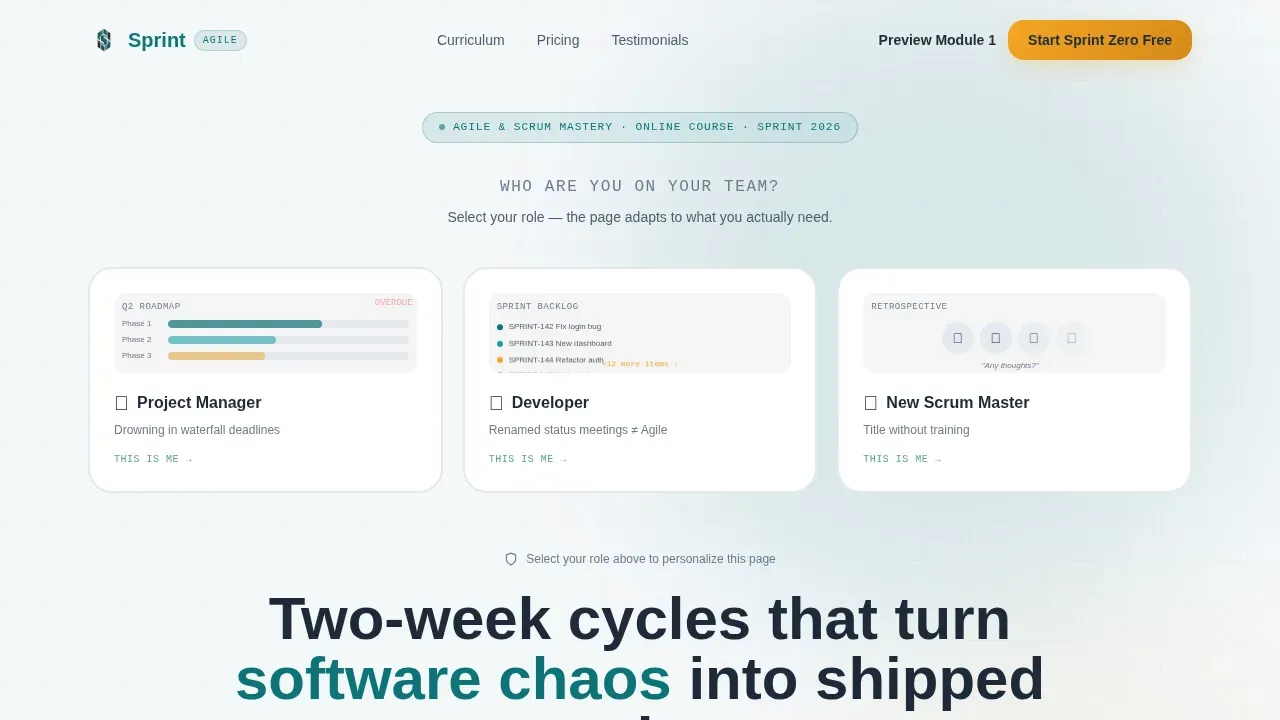
Sprint is a persona-driven Agile and Scrum online course landing page built for project managers, junior developers, and new Scrum Masters ready to stop running renamed status meetings. The template uses a Comparison Table layout, a Persona Selector header, and a freemium conversion flow to turn curious visitors into enrolled students through role-specific messaging and demonstrated course value.
by Rocket studio
Quick Summary
Sprint is a single-page course landing page template designed around three distinct learner personas. It opens with an interactive Persona Selector, guides visitors through a scrum-framework-paced scroll, and anchors conversion with a Free versus Pro versus Team comparison table. The page reflects core Agile values: clarity, structure, and professional results in every section.
Who This Template Is For
This template is built for course creators and educators who teach agile project management, scrum methodology, or software development practices to working professionals. It speaks directly to the people most likely to enroll and removes every barrier between curiosity and commitment.
- Mid-career project managers drowning in waterfall deadlines who need a structured path into Agile
- Junior developers who have been told "we do Agile" but only experience renamed status meetings
- Team leads handed a scrum master title without a single hour of formal training
What Problem This Template Solves
Most online course landing pages list features. This one starts a conversation. The problem is that a project manager, a developer, and a new scrum master all come to an Agile course with different pain points, different vocabulary, and different stakes. A generic welcome page loses all three. This template solves that mismatch by asking visitors who they are before speaking to them.
- Generic course pages fail to connect with personas who have different agile process frustrations
- Visitors leave when they cannot see their own problem reflected in the headline or testimonials
- Freemium course pages often hide value behind forms, killing trust before it builds
What You Get With This Template
You get a fully structured, role-aware landing page that mirrors the scrum framework in its scroll rhythm. Every section builds on the previous one, matching the momentum of a real sprint cycle from vision to sprint review. The design system, copy structure, and interactive logic all come pre-planned from the source brief.
- A Persona Selector hero with three illustrated role cards and dynamic headline reframing for each identity
- A Free versus Pro versus Team comparison table with row-by-row feature reveals and clear upgrade triggers
- A freemium conversion block featuring the "Start Sprint Zero Free" call to action, a single email field, and a role dropdown pre-filled from persona selection
Feature List
This template delivers six purpose-built features grounded in the source brief. Each one supports a specific conversion or communication goal.
Persona Selector Hero with Dynamic Reframing
The header opens with three horizontally arranged illustrated role cards: Project Manager, Developer, and New Scrum Master. Each card shows a small animated scene of that persona's daily frustration. When a visitor clicks their identity, the page reframes: headline copy, testimonials, curriculum highlights, and comparison table column order all shift to prioritize what that role cares about most.
Scrum-Paced Scroll Structure
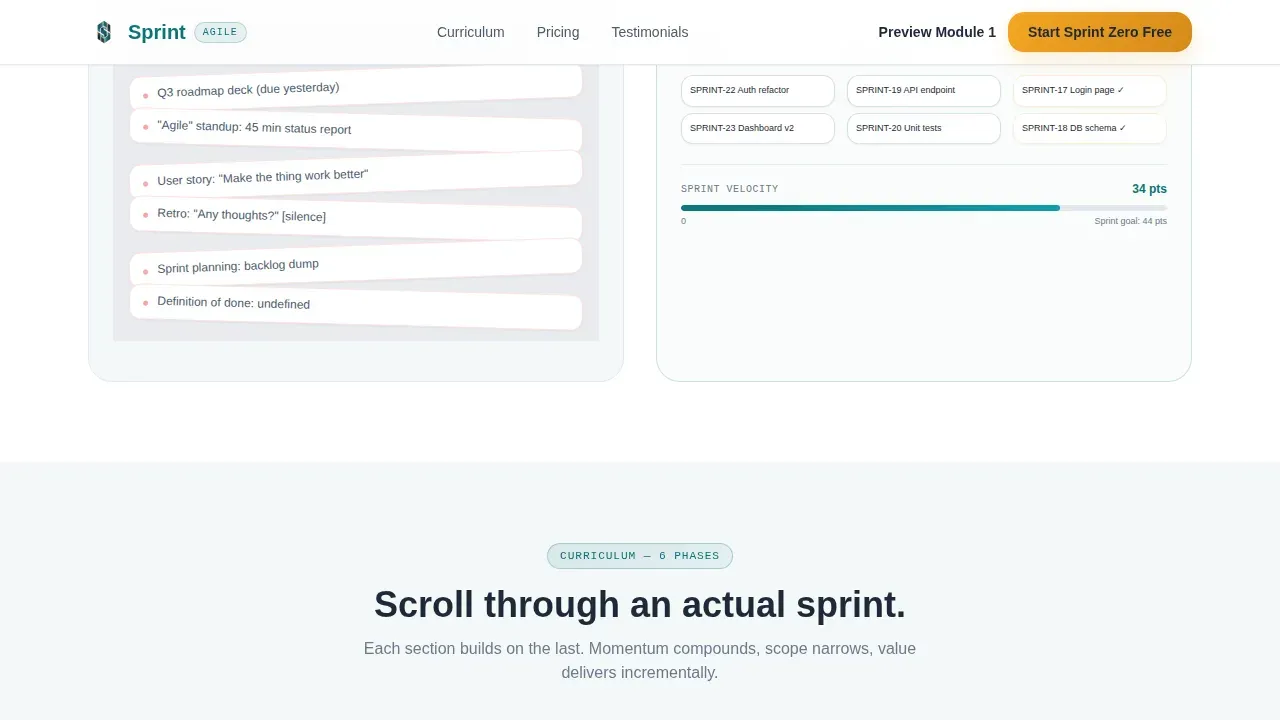
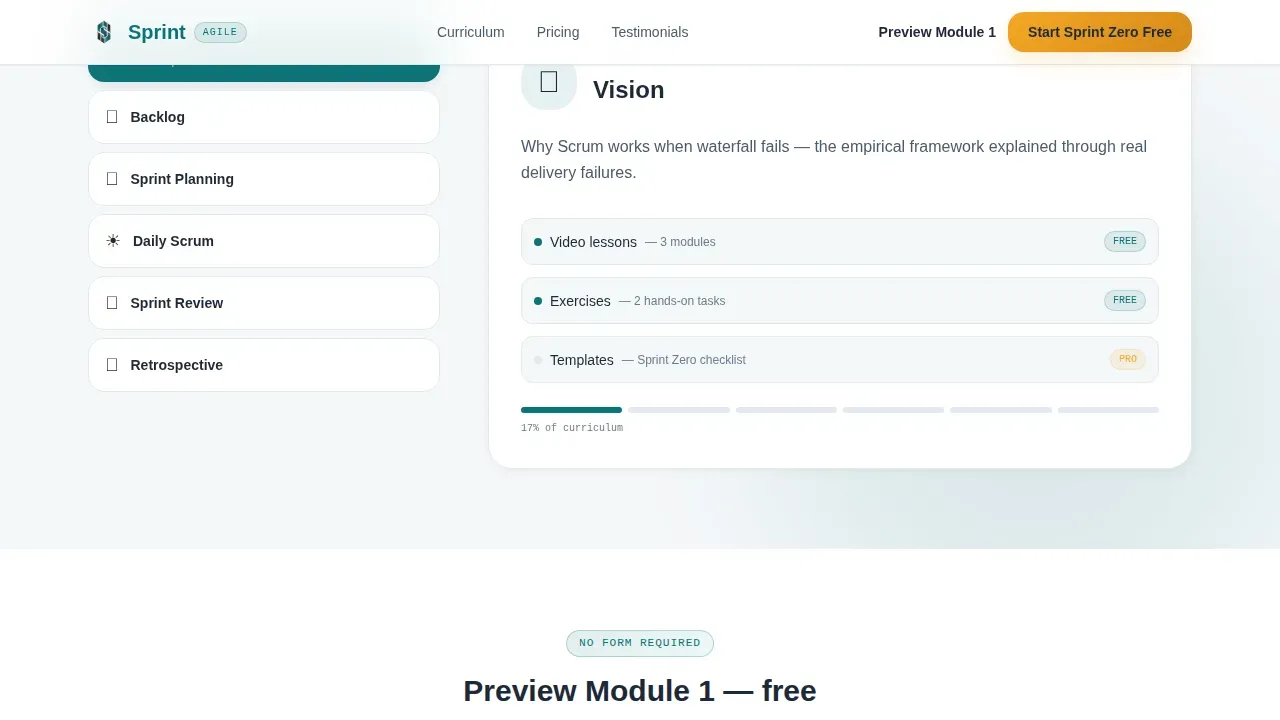
The page scroll follows the scrum framework in sequence: Vision, Backlog, Sprint Planning, Daily Scrum, Review, and Retrospective. Each section builds on the last. Scrolling feels like progressing through an actual sprint cycle, with momentum compounding and scope narrowing until the final section lands like a sprint review demo. This step-by-step guide rhythm keeps visitors engaged from top to bottom.
Free versus. Pro versus. Team Comparison Table
The comparison table is the persuasion engine of the page. It places the Free tier against Pro and Team columns with row-by-row feature reveals that show exactly where free knowledge ends and guided mastery begins. The Pro column surfaces simulation exercises, live cohort retros, and a printable scrum master toolkit. Scrum templates provide a clear view of what each tier delivers, making the upgrade decision feel logical rather than pressured.
Freemium Conversion Block with Dual Call to Action
Below the comparison table, the primary call to action reads "Start Sprint Zero Free" with a single email field and a role dropdown pre-filled from the persona selection. A secondary path, "Preview Module 1," lets hesitant visitors watch the first lesson's opening five minutes with no form required. This dual approach earns the signup through demonstrated teaching quality rather than gated curiosity.
Role-Specific Testimonial Grid
A testimonial section displays quotes that swap based on the active persona selection. Each testimonial includes the student's name, job title, and a specific outcome, such as landing a scrum master role or increasing team velocity. This carousel-style layout validates the course with authentic, role-matched social proof rather than generic praise.
Teal Catalyst Design System
The visual identity uses deep sprint teal (#0D7377) as the primary color, planning-board charcoal (#1E2A38) for dark column backgrounds, velocity-chart white (#F4F7F9) for the page background, and retrospective amber (#F5A623) exclusively for calls to action and progress indicators. DM Sans handles headings; Manrope handles body copy. The result feels like a freshly reset Kanban board: dark columns, bright cards, everything in its lane.
Page Sections Overview
| Section | Purpose |
|---|---|
| Persona Selector Hero | Identify visitor role; reframe headline and content |
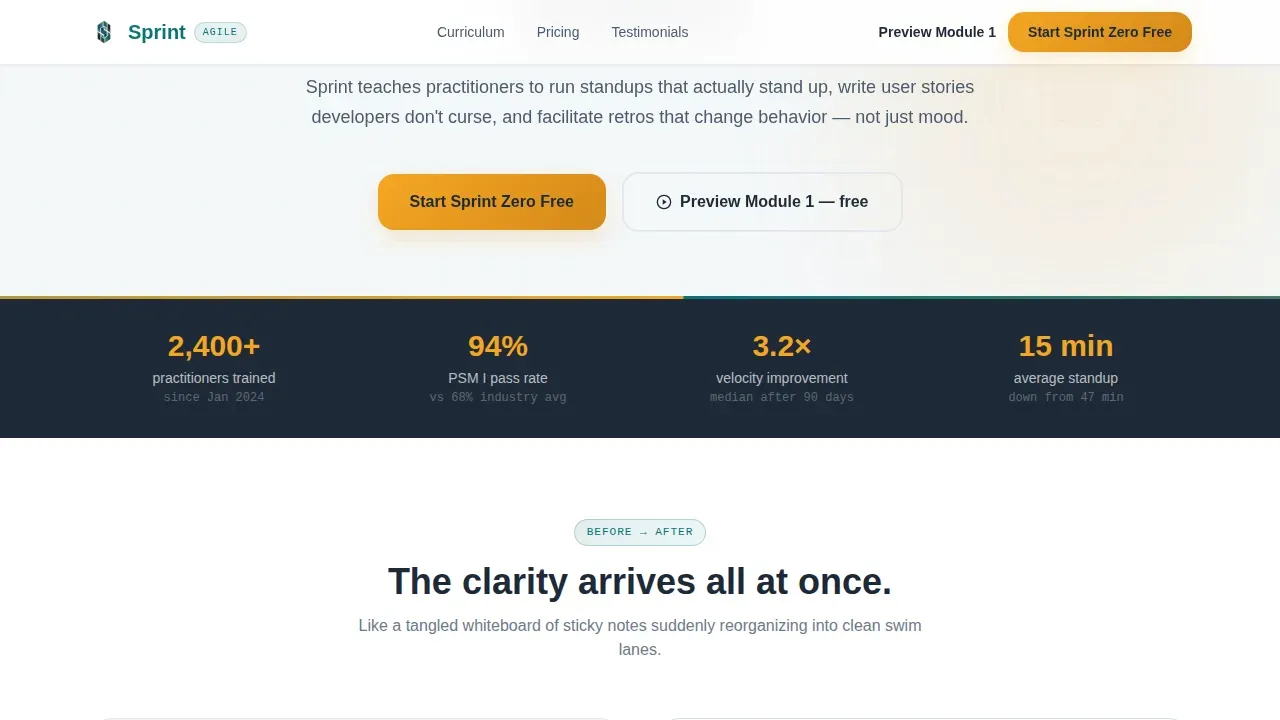
| Pain to Clarity | Show before/after contrast per persona using split layout |
| Comparison Table | Compare Free, Pro, and Team tiers with row reveals |
| Testimonials Grid | Display role-matched student outcomes and career wins |
| Conversion Call to Action | Capture email with pre-filled role dropdown; offer module preview |
| Footer Linear Row | Provide single-row navigation and legal links |
Design & Branding System
The design language mirrors a clean Kanban board aesthetic. Dark column backgrounds contrast against bright card elements, and every interactive component uses the structured swim-lane logic that agile teams recognize instantly. The palette was chosen to feel like potential energy before a sprint begins: organized, purposeful, and ready to move.
- Colors: Sprint teal (#0D7377) primary, charcoal (#1E2A38) structural, white (#F4F7F9) background, amber (#F5A623) calls to action
- Typography: DM Sans for headings delivers clarity at scale; Manrope for body text keeps reading comfortable and modern
- Animation level is high throughout: persona card transitions, page reframe effects, table row reveals, and floating sticky notes particles all contribute to an immersive agile environment
Mobile & Speed Optimization
The template is desktop-first by design, given the comparison table complexity and the rich persona-selector interactions. A mobile fallback layout ensures the page remains functional and readable for visitors on smaller screens, which remain a significant portion of eLearning traffic.
- Desktop-first layout handles comparison table columns and animated persona cards at full fidelity
- Mobile fallback collapses the table and persona cards into a readable stacked format without losing core conversion elements
- Client components handle interactive persona logic; server components handle static sections for efficient workflow across devices
How This Template Helps You Convert
The entire page is architected around a single goal: turning a curious visitor into an enrolled student. It does not rely on pressure. It relies on relevance, demonstrated value, and a clear, low-friction first step.
- The Persona Selector makes every visitor feel seen before they read a single word of course content, reducing bounce and increasing scroll depth through role-specific sprint planning copy, user stories framing, and scrum board visuals.
- The comparison table does the heavy persuasion work by showing genuine scrum templates value at the Free tier while making Pro features, such as burndown charts, capacity planning tools, and printable scrum master resources, feel like a natural next step rather than an upsell.
- The dual call-to-action block removes the final objection: visitors who are not ready to commit can preview a module with zero friction, allowing team members to experience teaching quality firsthand before entering their email.
Other Information About This Template
This template is designed for the Agile and Scrum online course niche and incorporates best practices for freemium course conversion. Below are additional details relevant to educators, developers, and template buyers evaluating fit and capability.
- Scrum templates important note: the page design reflects the principle that scrum templates provide a consistent format for communication, planning, and progress tracking across all team members and stakeholders
- The template supports agile management template use cases where the product owner, scrum master, and development team each need tailored messaging to understand their role in the scrum process
- Scrum templates provide a repeatable process for managing backlogs, sprint planning, daily updates, and retrospectives; this template mirrors that structure in its scroll sequence so visitors internalize scrum workflow as they browse
- Common scrum templates include the product backlog, sprint backlog, and burndown charts; this page template references all three artifact types within section copy to reinforce agile project management credibility
- The sprint backlog section of the comparison table makes individual responsibilities and sprint goals clear, promoting accountability within the sprint team
- Daily scrum meetings and daily stand ups are called out in the curriculum sequence to help scrum teams see exactly which ceremonies the course covers
- Story points, team capacity, and capacity planning are referenced in the Pro tier features, allowing project managers and team leads to assess upgrade value at a glance
- The page is localized for USA audiences with USD pricing, English copy, and a tone suited to mid-career professionals in an agile business context
- Multiple teams or cross team dependencies scenarios are addressed in the Team tier column, making this template relevant for organizations scaling agile teams beyond a single sprint team
- Visual elements across the page include icons and infographics representing the five events of Scrum: Sprint, Planning, Daily Scrum, Review, and Retrospective, supporting the 3-5-3 structure concept visually
- The template makes it straightforward to highlight certification pathways (such as PSM or CSM preparation) without overstating specific outcomes, keeping claims honest and buyer-trust intact
- Instructor credential blocks and badge icon slots for PSM and CSM certifications are included in the design so course creators can establish authority quickly
- A countdown timer slot for early-bird pricing is built into the conversion block, giving course operators a tool to create urgency without writing new code
- The footer follows a linear single-row pattern, keeping the page focused and distraction-free at the bottom of the scroll
Theme
Educational Guide
Creative direction
Step-by-Step Guide
Color system
Teal Catalyst
Direction
Freemium/Trial
Page Sections
Persona Selector Hero with Dynamic Reframing
Scrum-paced Scroll with Step-by-step Flow
Free Versus. Pro Versus. Team Comparison Table
Dual Call-to-action Conversion Block
Role-specific Testimonial Grid
Teal Catalyst Visual Design System
Related questions
Does this template work for a self-paced course or a live cohort format?
Do visitors need prior Agile experience to connect with this page?
How does the comparison table handle the free-to-pro upgrade message?
Can I use this template to highlight certification preparation like PSM or CSM?
Is this template suitable for teams selling to enterprise or multi-team buyers?