Online Skill Courses FAQ Website Template
Leverage is a modular card grid landing page built for a negotiation skills online course. It opens with a multi-step form that mirrors the course's own methodology, then guides visitors through FAQ-driven content cards loaded with free tools and live simulation previews. The result is a page that earns trust before it ever asks for enrollment.
by Rocket studio
Quick summary
Leverage is a single-page template designed for a negotiation skills online course. A multi-step header form acts as a live product demo, and a modular card grid below it answers real objections with video clips, downloadable scripts, and practice exercises. Visitors experience the course methodology firsthand before they ever reach the enrollment section.
Who this template is for
This template is built for course creators and educators who teach practical, human-centered negotiation skills. It works especially well when the offer centers on live simulations, conversation coaching, or soft-skill training rather than passive video lectures.
- Mid-career professionals preparing for salary or promotion conversations
- Startup founders heading into high-stakes funding or partnership meetings
- Procurement managers and consultants who want to stop leaving value on the table
What problem this template solves
Most online course pages describe a curriculum and then ask for a purchase. That approach creates distance. Visitors feel like they are reading a brochure instead of experiencing the product. This template closes that gap by making the page itself feel like a first lesson.
- Visitors leave before trusting the course, because no free value is offered upfront
- Generic layouts fail to reflect the warmth and intimacy a conversation-based course actually delivers
- Objections about confidence, aggression, and awkwardness go unaddressed and quietly kill conversions
What you get with this template
You get a fully structured landing page built around a card grid layout and a multi-step intake form. Every section is designed to lower resistance and build familiarity with the course approach before the enrollment call to action appears.
- A three-step header form that segments visitors by situation, timeline, and email
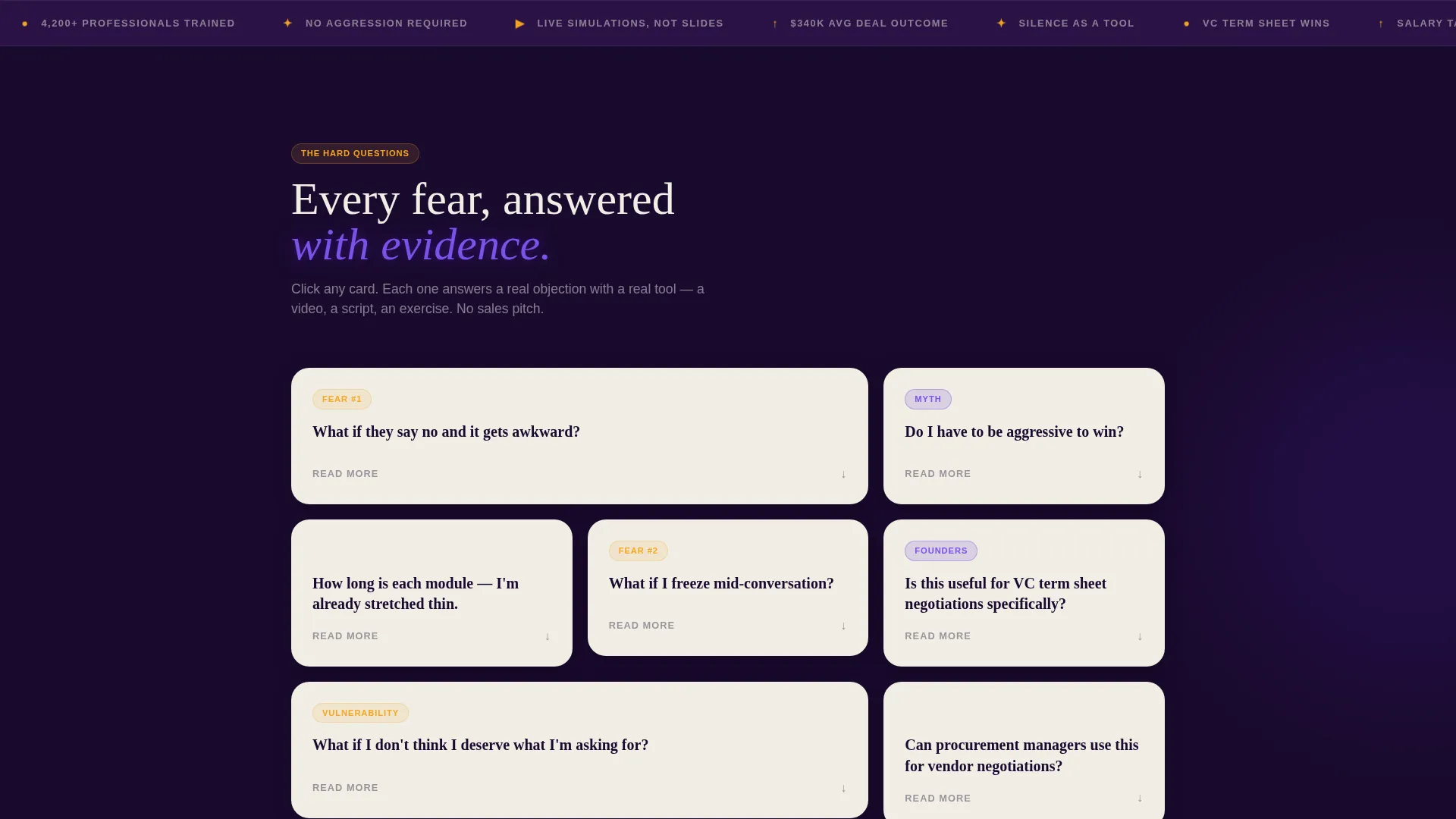
- A modular FAQ card grid with slots for video clips, downloadable resources, and practice exercises
- A warm, editorial visual identity built on a deep hearthstone and electric indigo color system
Feature list
This template bundles the following built-in features based on the source brief.
Multi-Step Intake Form as Product Demo
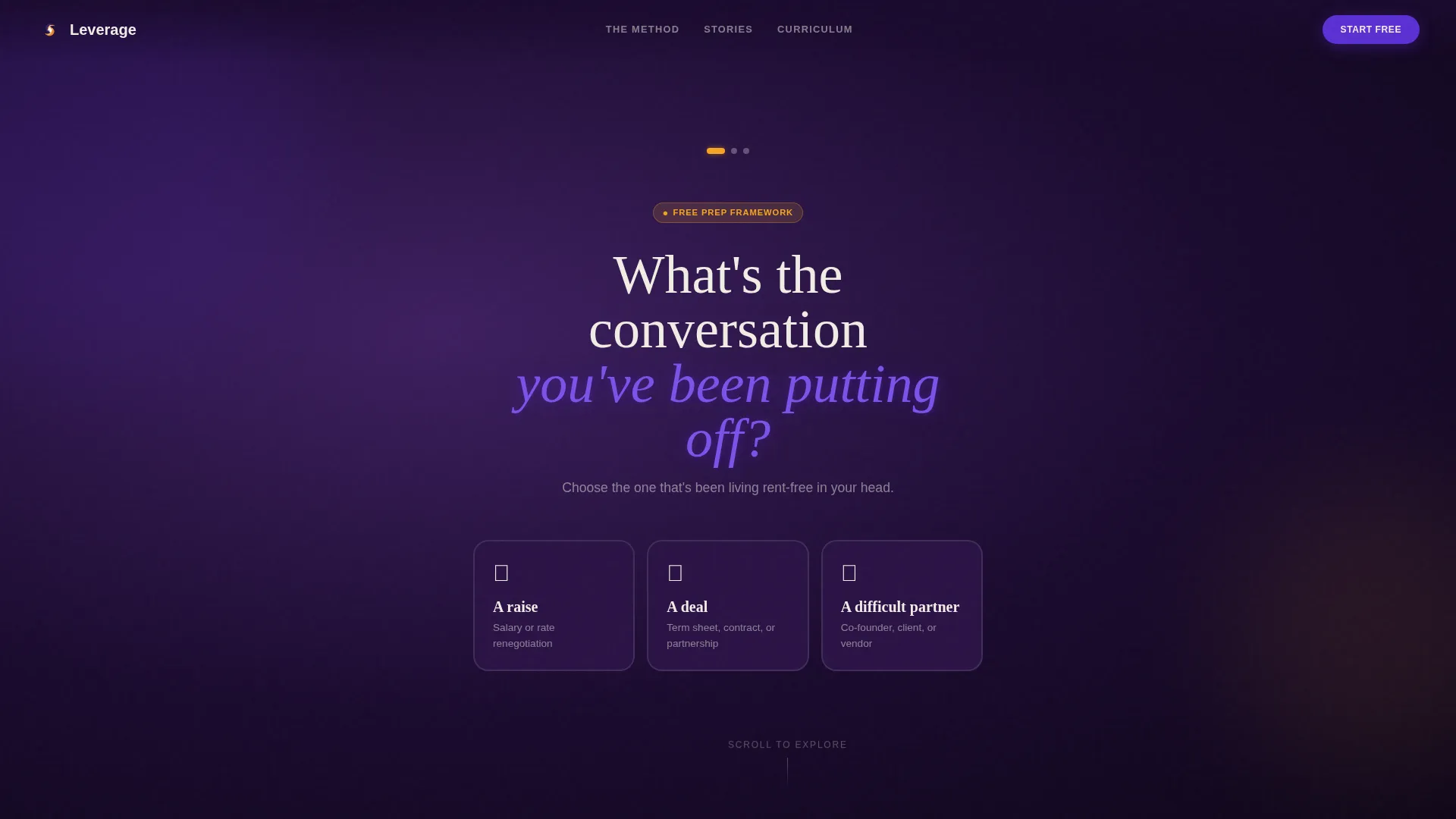
The header opens with a single large-type question: "What's the conversation you've been putting off?" Visitors select from three scenario cards, then answer a timeline question, then enter their email. The three-step flow mirrors the course's own framework of situation, stakes, and timeline. By the time they submit, they have already used the methodology once.
FAQ-Driven Modular Card Grid
Each card in the grid addresses a real fear or objection framed as a question. Cards grow progressively braver as the visitor scrolls, moving from logistical questions down to vulnerable ones. Every card is self-contained and can hold a short video, a transcript excerpt, or a linked resource without breaking the layout.
Personalized Prep Framework call to action
The primary call to action delivers a personalized PDF preparation framework based on the visitor's form answers. This turns a standard lead-capture moment into a perceived exchange of real value, not just a newsletter sign-up.
Free Resource Distribution
Secondary calls to action are distributed across the card grid. Downloadable scripts, a silence-timing exercise, and a recorded mock negotiation are each accessible with only an email address, pre-filled from the header form if already completed.
Community Hearth Visual Identity
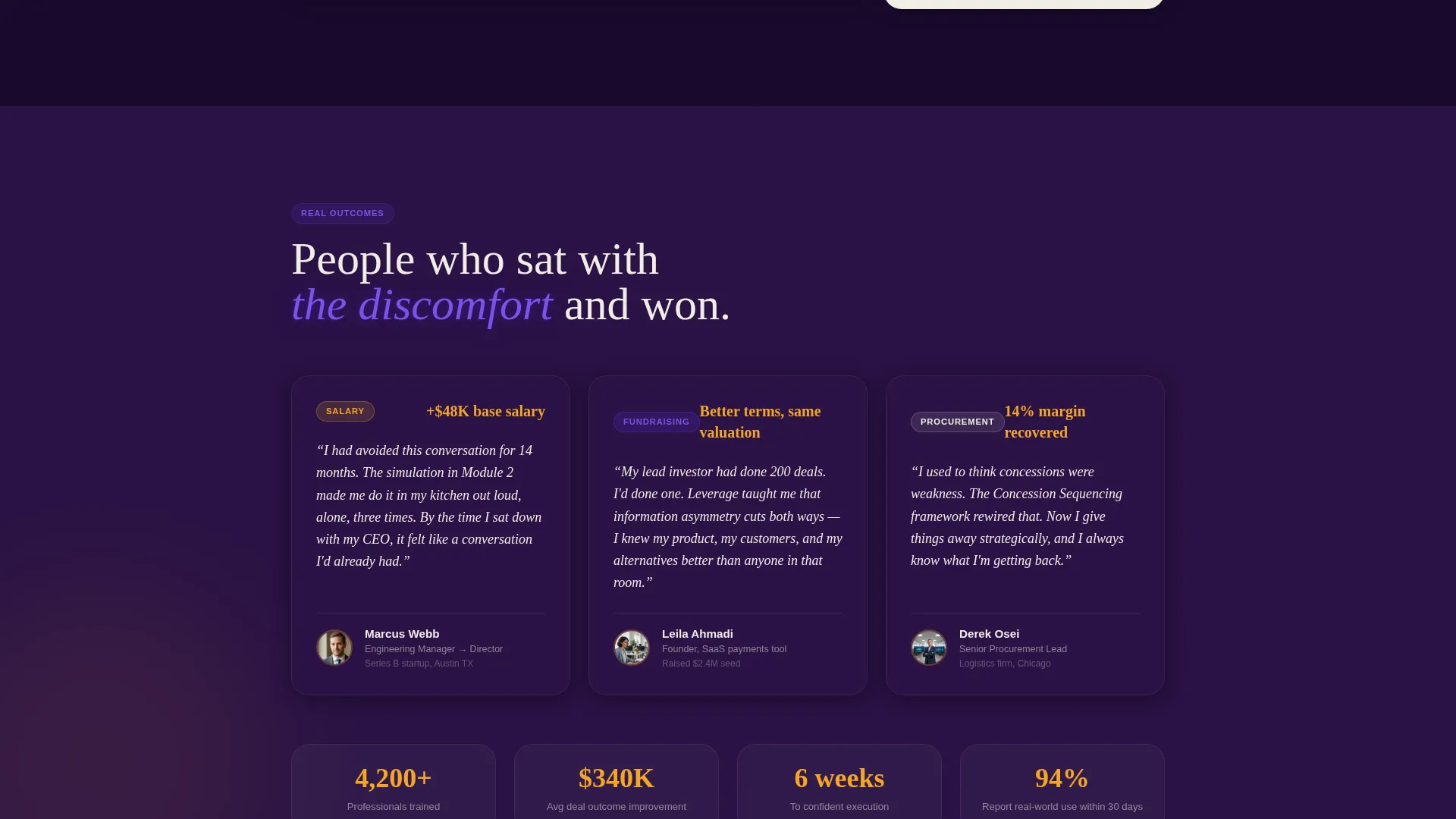
The Electric Indigo color system uses deep hearthstone as the background, parchment card surfaces that appear to float above it, charged indigo for headlines and active states, and warm amber for hover effects and progress indicators. The overall atmosphere feels like a late-night study session in a wood-paneled room.
Simulation-First Content Slots
The template includes dedicated card slots for live simulation previews. One card can show a two-minute video of a rejection scenario and the recovery technique. Another can display a student transcript. These slots make the course's live-simulation approach visible before enrollment.
Page sections overview
| Section | Purpose |
|---|---|
| Multi-Step Header Form | Segments visitors and delivers the course methodology as a live demo |
| Scenario Selection Cards | Lets visitors self-identify their negotiation situation |
| Timeline Qualifier Step | Adds urgency context and personalizes the follow-up framework |
| Email Capture Step | Collects lead data and unlocks the personalized prep PDF |
| FAQ Objection Card Grid | Addresses fears and objections through self-contained story cards |
| Video Simulation Cards | Shows real rejection and recovery scenarios from the course |
| Free Resource Cards | Distributes scripts, exercises, and a mock negotiation recording |
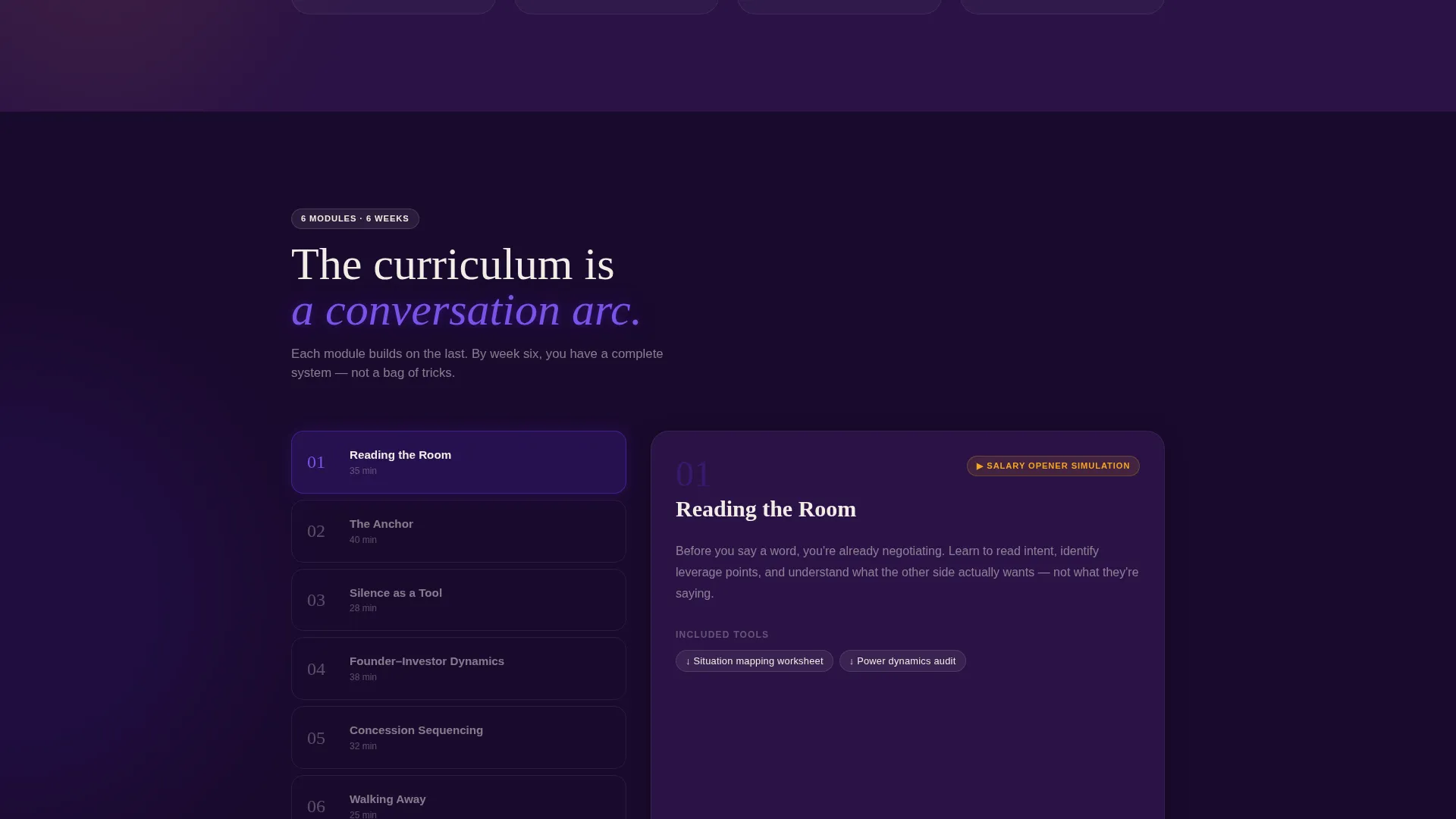
| Course Module Breakdown | Reveals curriculum detail after trust has been established |
| Enrollment Call to Action | Converts warmed, engaged visitors into enrolled students |
Design & branding system
The visual identity follows a Community Hearth theme powered by the Electric Indigo color system. The palette balances intellectual warmth with sharp electric focus, making the page feel personal without feeling unprofessional.
- Deep hearthstone (#1A0A2E) as the page background, warm lantern amber (#F5A623) for hover states and progress indicators, charged indigo (#5B2FD4) for headlines and active user interface elements, and soft parchment (#F0EDE5) for card surfaces
- Large serif typography for the primary header question gives the opening form a weighty, contemplative presence
- Amber accent animations on hover mimic the visual quality of embers catching air, reinforcing the hearth metaphor throughout the scroll
Mobile & speed optimization
The card grid layout is modular by design, which makes it straightforward to restack on smaller screens without losing the visual hierarchy. Each card is self-contained, so the reading experience on a phone mirrors the desktop flow closely.
- Cards reflow into a single-column stack on mobile, preserving the progressive objection-to-answer arc
- The multi-step form breaks into one question per screen on smaller devices, keeping the interaction focused and low-friction
- Video and resource slots are embedded within individual cards rather than in full-width sections, keeping load behavior contained per card
How this template helps you convert
The template is structured so that visitors receive tangible value at multiple points before they ever see a price or enrollment button. This builds trust progressively and naturally.
- The multi-step header form gives visitors an immediate, personalized output in exchange for an email, converting lead capture into a demonstration of the course's value
- Free downloadable resources distributed across the card grid keep visitors engaged and create multiple low-commitment entry points that warm them toward full enrollment
- The course module breakdown appears only after visitors have already used the methodology, so the enrollment call to action lands with context and earned credibility behind it
Other information about this template
This template is categorized under Education and Training, specifically within the Online Skill Courses subcategory, and is purpose-built for the negotiation skills niche. A few additional details worth noting before you customize it.
- The template style is Card Grid (Modular), meaning individual cards can be reordered, removed, or duplicated without restructuring the full layout
- The creative direction is FAQ-Driven, so the card grid is most effective when each card leads with a real question your audience is actually asking
- The landing page direction is Content and Resource, meaning the page is designed to give before it asks and to earn enrollment through demonstrated value
- The header concept is a Multi-Step Form, and its three steps map directly to the negotiation framework taught in the course: situation, stakes, and timeline
- The Community Hearth theme and Electric Indigo color system work together to create a space that feels intimate and focused rather than corporate or aggressive
Theme
Community Hearth
Creative direction
FAQ-Driven
Color system
Electric Indigo
Style
Card Grid (Modular)
Direction
Content/Resource
Page Sections
Multi-step Form as Live Demo
Faq-driven Objection Card Grid
Personalized Prep Framework Delivery
Free Resource Card Slots
Community Hearth Visual Identity
Simulation Preview Card Slots
Related questions
Can I change the questions in the multi-step header form?
Do I need video content ready before I launch?
Can visitors access the free resources without completing the header form?
Is this template suitable for courses outside of negotiation?
How does the personalized prep framework PDF work?



