Insurance Comparison Platform Pre-Launch Website Template
Shield is a coming soon landing page built for insurance agencies ready to launch a multi-carrier comparison platform. It combines a dashboard-style data grid, a scrolling carrier logo bar, and a teal-on-navy visual identity to communicate credibility before day one. The primary call to action drives early-access email sign-ups with an optional zip-code field for a personalized carrier preview.
by Rocket studio
Quick summary
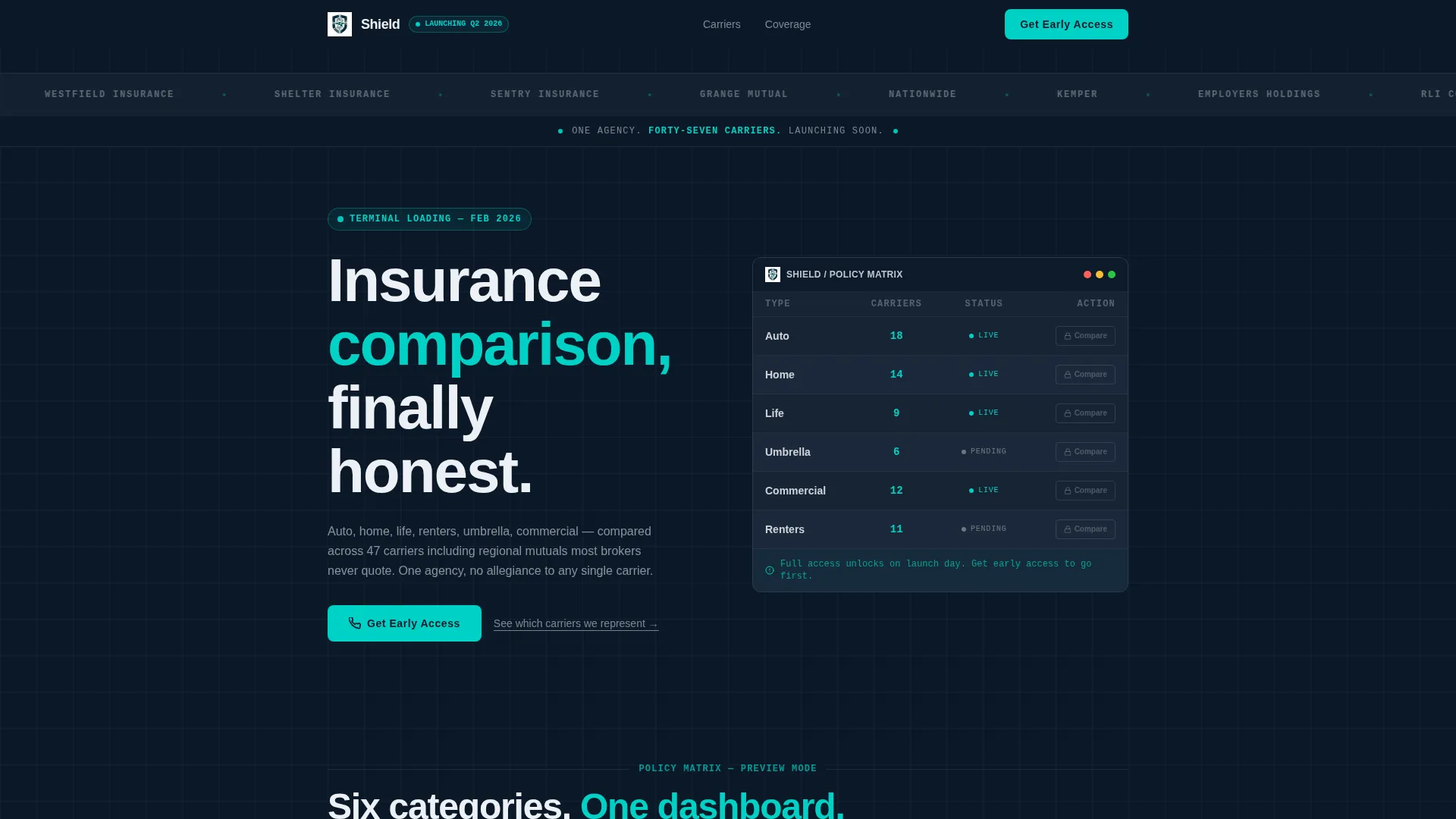
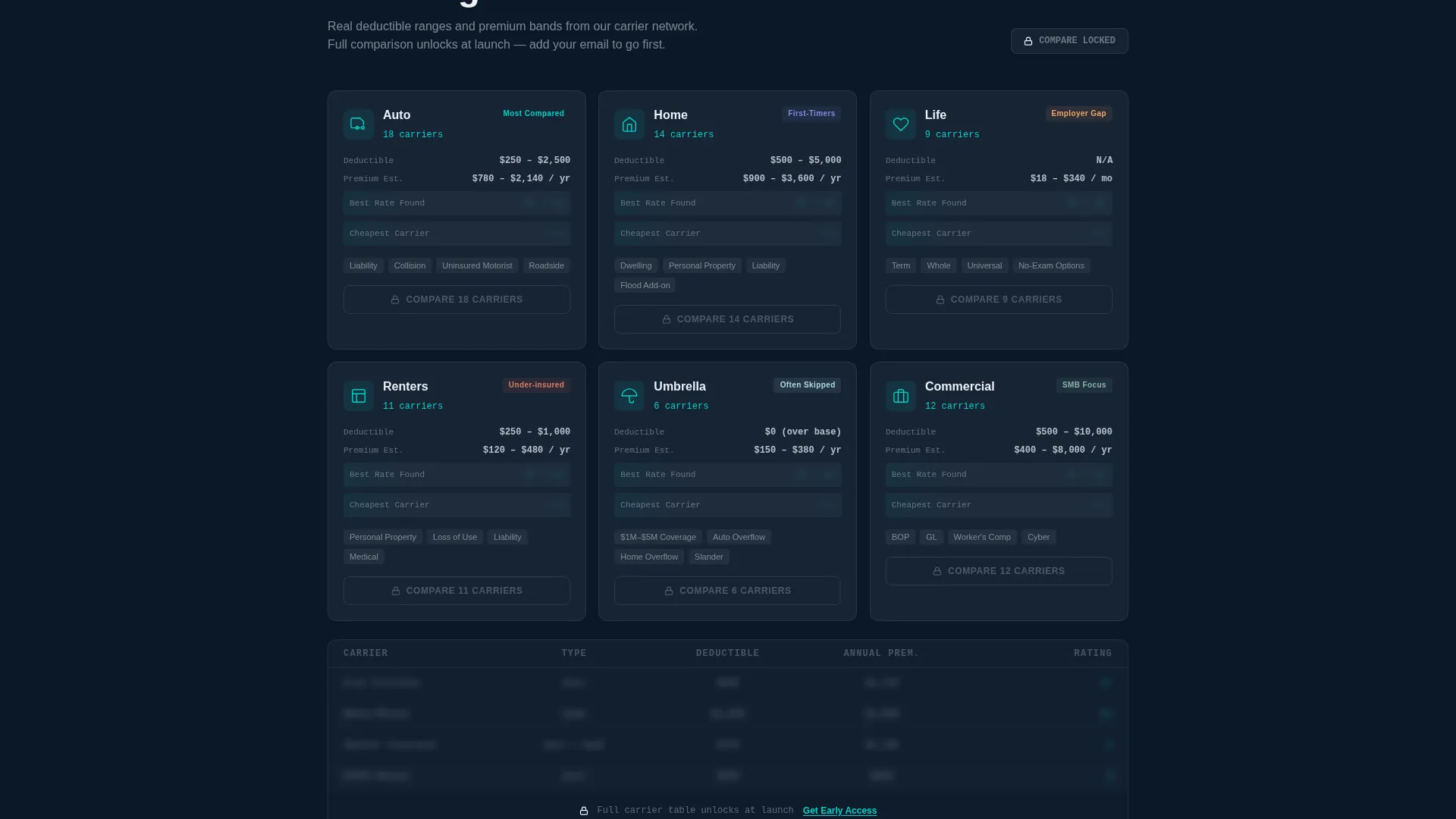
Shield is a pre-launch landing page template for insurance agencies. It uses a dashboard and data-grid layout to preview auto, home, life, renters, umbrella, and commercial policy categories. A scrolling carrier logo bar anchors credibility at the top. The page funnels visitors toward an early-access email capture with a zip-code personalization hook.
Who this template is for
Shield is built for insurance agencies and brokers who are preparing to launch a multi-carrier comparison platform and need a professional holding page that does real work before opening day. It suits teams that want to build an audience and validate demand while the full product is still in development.
- Independent insurance agencies planning a public launch of a carrier comparison service
- Insurance brokers consolidating multiple product lines under one digital storefront
- Agency founders who want to capture early-access leads and gauge demand by location
What problem this template solves
Most insurance agency coming soon pages are blank placeholders. They say "launching soon" and nothing else. Shield solves that by turning the pre-launch window into an active lead-generation moment.
- Visitors arrive with real questions but find no useful structure to hold their attention
- Agencies lose early-access sign-ups because there is nothing compelling to act on before launch
- The comparison value proposition is hard to communicate without showing actual product structure
What you get with this template
Shield delivers a fully designed, single-page layout that communicates a multi-carrier insurance platform before it goes live. Every section is built to earn attention and move visitors toward the email capture form.
- A horizontal carrier logo marquee that scrolls continuously against a deep navy background
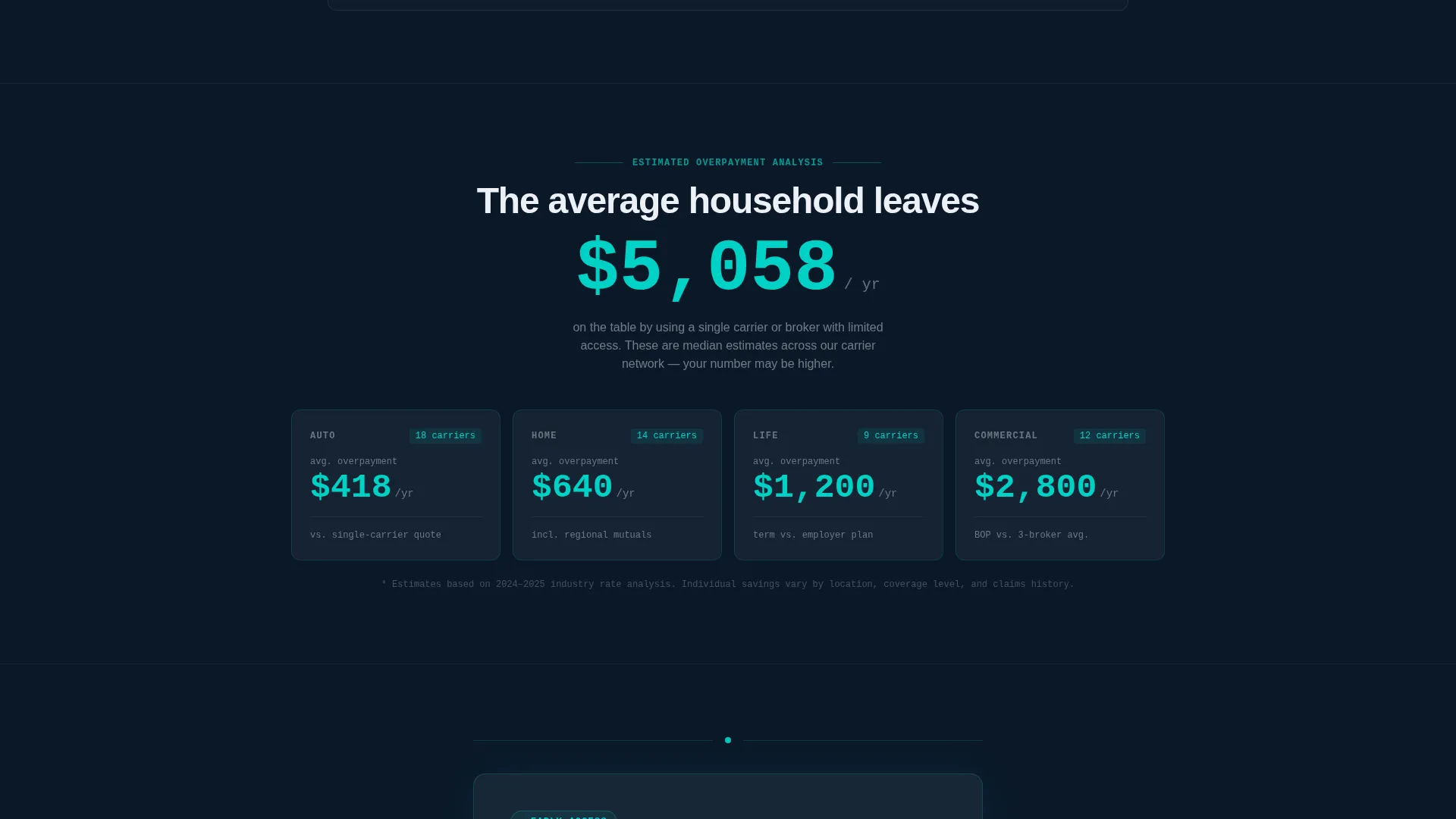
- A feature matrix of six insurance category cards with locked comparison previews and an animated savings counter
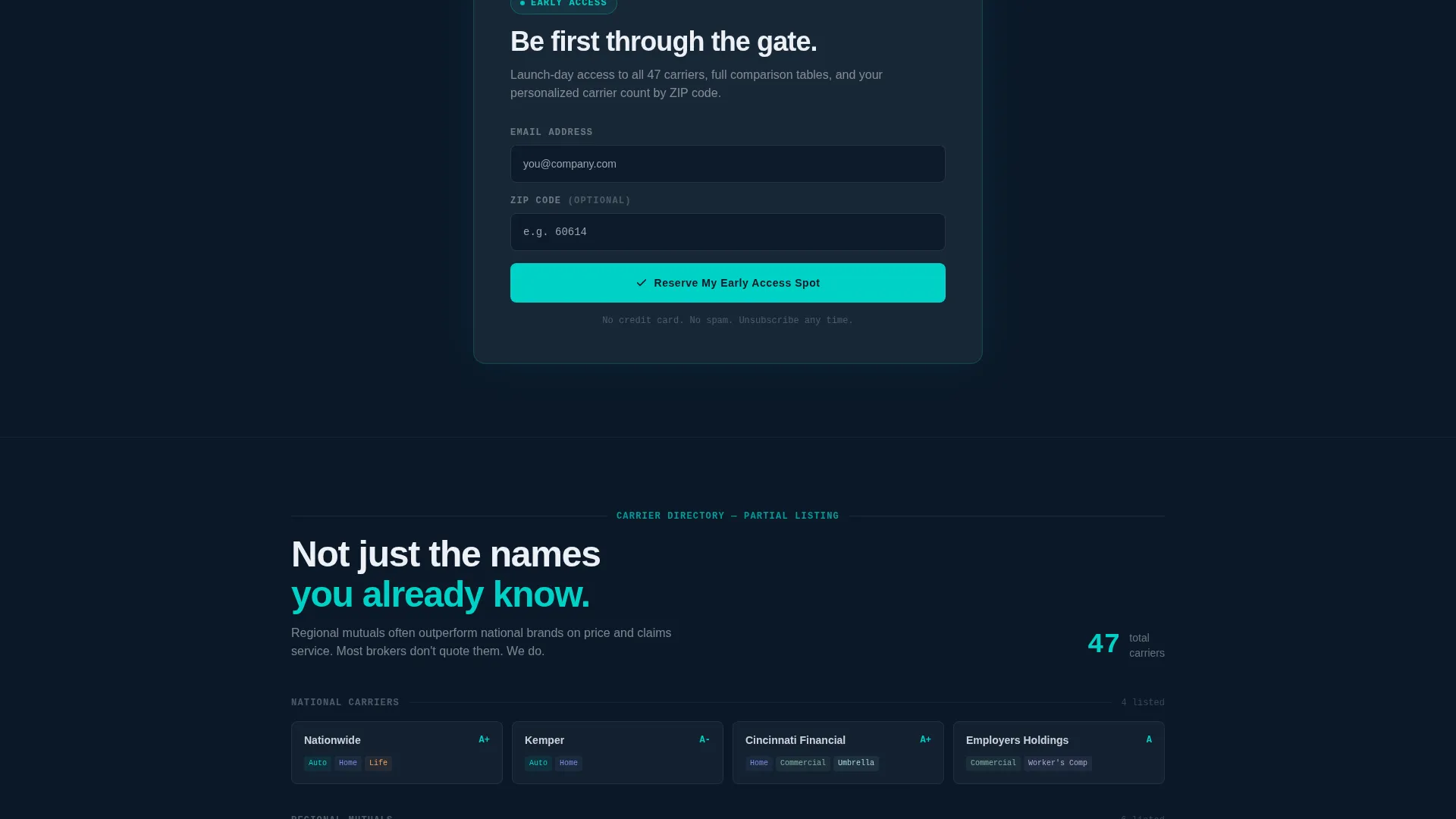
- A persistent "Get Early Access" banner fixed to the viewport bottom, plus a single-field email capture with optional zip-code input
Feature list
This template includes purpose-built components that work together to communicate credibility, create curiosity, and capture leads on a pre-launch insurance agency landing page.
Scrolling Carrier Logo Bar
A full-width horizontal ribbon displays carrier logos in a slow, continuous marquee against the deep navy header. Logos appear monochrome and evenly weighted, with a single tagline beneath them. The visual effect establishes agency scale before a visitor reads a single word of body copy.
Insurance Category Card Grid
Six coverage types, auto, home, life, renters, umbrella, and commercial, are laid out as dashboard-style cards. Each card shows the coverage category, the number of carriers available, and a grayed-out "Compare" button with a lock icon. The grid communicates platform depth while keeping the full comparison locked until launch.
Animated Savings Counter
As visitors scroll through the category grid, an animated counter displays estimated average savings by policy type. The counter escalates the page's value narrative from "here is what we offer" to "here is what you are currently overpaying," creating a reason to act on the early-access offer.
Persistent Early-Access call to action Banner
A teal call-to-action button labeled "Get Early Access" appears first beneath the logo bar and then locks to the bottom of the viewport as a persistent banner. This keeps the primary conversion action visible at every scroll depth without interrupting the content experience.
Zip-Code Personalization Input
The email capture form includes an optional zip-code field. When filled in, it unlocks a personalized carrier-count preview, for example, "12 carriers available in your area." This small interaction makes the sign-up feel immediately useful and specific rather than generic.
Directory and Discovery Theme
The overall layout follows a directory-style visual logic: dense with structured information, scannable at a glance, and designed to feel like a data dashboard rather than a marketing brochure. Teal status accents pulse gently on interactive elements, reinforcing the sense of a live system preparing to open.
Page sections overview
| Section | Purpose |
|---|---|
| Carrier Logo Bar | Establish agency scale with a scrolling marquee of carrier logos and a launch tagline |
| Early Access call to action | Introduce the primary conversion action beneath the logo bar |
| Category Card Grid | Preview all six insurance lines as locked dashboard cards with carrier counts |
| Animated Savings Counter | Escalate urgency by showing estimated savings per policy type |
| Email Capture Form | Collect early-access sign-ups with optional zip-code personalization |
| Persistent Bottom Banner | Keep the "Get Early Access" call to action fixed at the viewport bottom across all scroll depths |
Design & branding system
Shield uses a Midnight Blue color system that draws from the visual language of financial data terminals. The palette is dense with information but never feels crowded. Every color choice has a clear functional role.
- Deep terminal navy (#0B1929) as the primary background, policy-card charcoal (#1C2A3A) for card surfaces, status-light teal (#00D2C6) for interactive accents, and paper-white (#EDF0F5) for readable data cells
- Teal accent elements pulse gently on interactive components to signal activity without demanding attention
- Carrier logos are displayed in monochrome and evenly weighted to avoid visual hierarchy conflicts between brands
Mobile & speed optimization
Shield is designed to remain legible and functional on smaller screens. The dashboard grid and marquee are core interactive components, so the layout keeps them intact across viewport sizes.
- The carrier logo marquee and category card grid reflow cleanly for narrower screens
- The persistent bottom banner remains anchored to the viewport on mobile, keeping the primary call to action accessible at all times
- The zip-code input and email capture form are sized for comfortable thumb interaction on touch devices
How this template helps you convert
Shield treats curiosity as the conversion engine. Rather than pushing urgency tactics, it earns the click by showing enough real data structure to make the early-access offer feel worthwhile.
- The carrier logo bar and locked comparison cards establish credibility and demonstrate platform depth before a visitor even reaches the form, so the sign-up ask feels earned rather than premature.
- The animated savings counter shifts the visitor's frame from passive interest to personal relevance, and the zip-code personalization field turns a generic email form into a specific, useful interaction.
Other information about this template
Shield fits comfortably within the broader category of insurance agency website templates and is specifically designed for the coming soon phase of a new comparison platform. A few additional details are worth noting.
- The template is categorized under Technology and is suited to the Insurance Agency Coming Soon Page niche
- The page direction is click-through, meaning every design decision prioritizes routing visitors to the email capture rather than providing a full browsing experience
- The secondary navigation path is a "See Which Carriers We Represent" text link that scrolls back to the logo bar, keeping visitors engaged without opening a new page
- The tagline built into the header section reads "One agency. Forty-seven carriers. Launching soon." and is part of the template's default copy structure
Theme
Directory & Discovery
Creative direction
Feature Matrix
Color system
Midnight Blue
Style
Dashboard/Data Grid
Direction
Click-Through
Page Sections
Scrolling Carrier Logo Marquee
Locked Insurance Category Grid
Animated Policy Savings Counter
Persistent Viewport-bottom Call to Action
Zip-code Email Capture Form
Directory and Discovery Layout System
Related questions
Can I edit the carrier logos shown in the scrolling marquee?
Does the zip-code field connect to a live carrier database?
Can I adjust the number of insurance category cards in the grid?
Is Shield suitable for an agency that does not offer comparison shopping?
How does the persistent call to action banner behave as visitors scroll?



