Fluent - Welcoming Esl Landing Page Template
Fluent is a modular card-grid landing page built for English language schools serving immigrant families. Animated counters open the page with real enrollment data, while FAQ-driven cards answer every hesitation before the form appears. The design uses a warm teal and yellow palette to feel welcoming and trustworthy. The primary call to action registers families for a free open-house event.
by Rocket studio
Quick summary
Fluent is a single-page, card-grid landing page template designed for English as a Second Language (ESL) schools that serve immigrant families. A data-driven header builds immediate trust, FAQ-style cards address real parent questions, and a simple event registration form invites families to reserve their open-house seats. Every design choice reflects warmth, clarity, and community.
Who this template is for
This template is built for ESL schools and language programs that work directly with immigrant communities. If your students include working parents, children, and teenagers all learning English together, this page speaks to them honestly and practically.
- Language school operators enrolling adult learners alongside their children
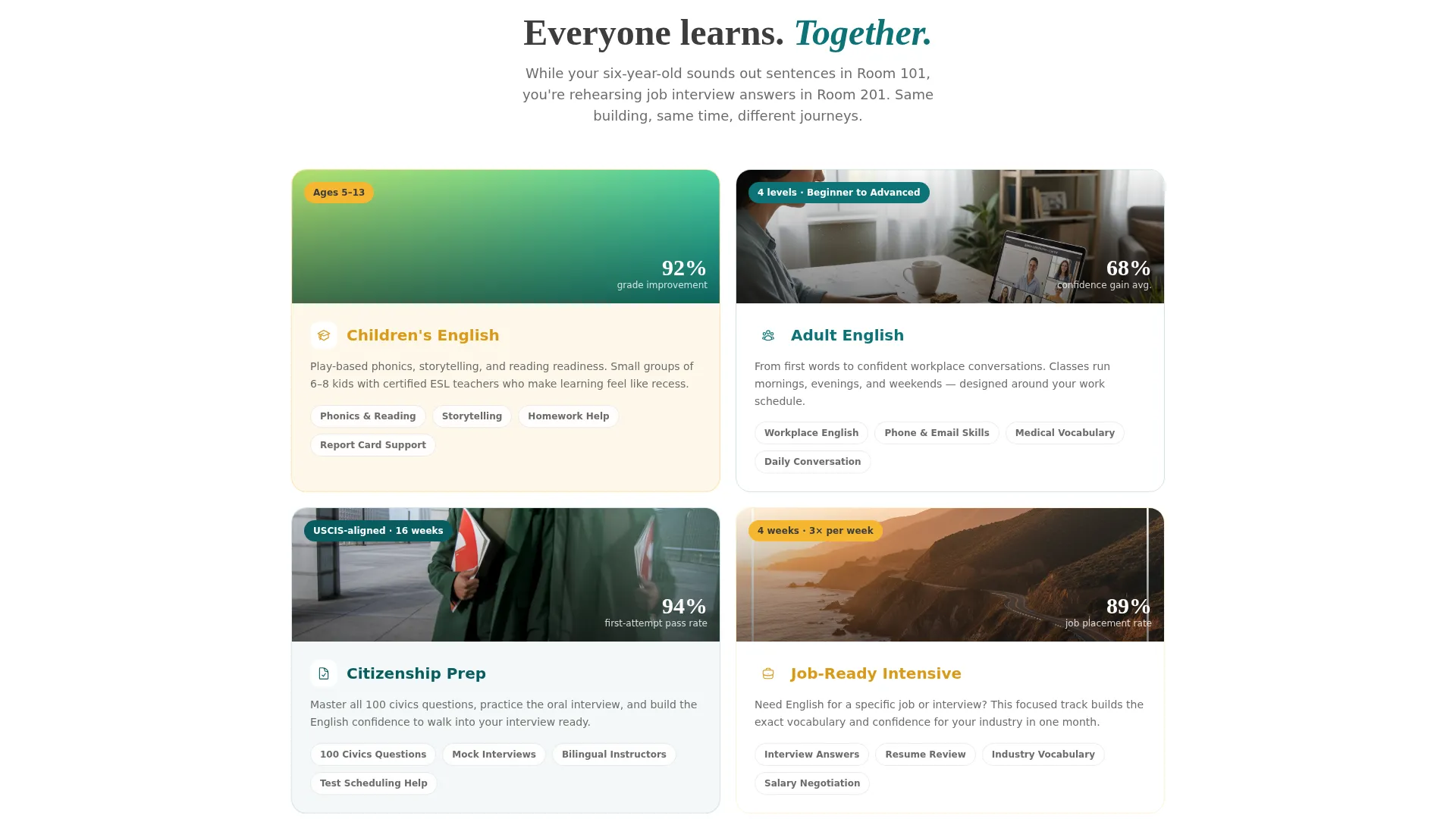
- Community education programs offering citizenship interview preparation and workplace English
- ESL programs that use open-house events as the primary enrollment entry point
What problem this template solves
Immigrant families often arrive at a school's website with real anxiety: Can we afford this? Will my child and I attend at the same time? Will this help my spouse pass the citizenship test? A generic school page does not answer those questions. Families leave without enrolling because no one addressed their specific worries.
- Trust barriers that prevent families from submitting a registration form
- Language and cultural distance that makes school websites feel cold or confusing
- Hesitation caused by unanswered financial, scheduling, and content questions
What you get with this template
You get a fully structured, single-page layout built around the real questions immigrant families ask at the front desk. The page guides every visitor from curiosity to registration without requiring a separate FAQ page or multiple clicks.
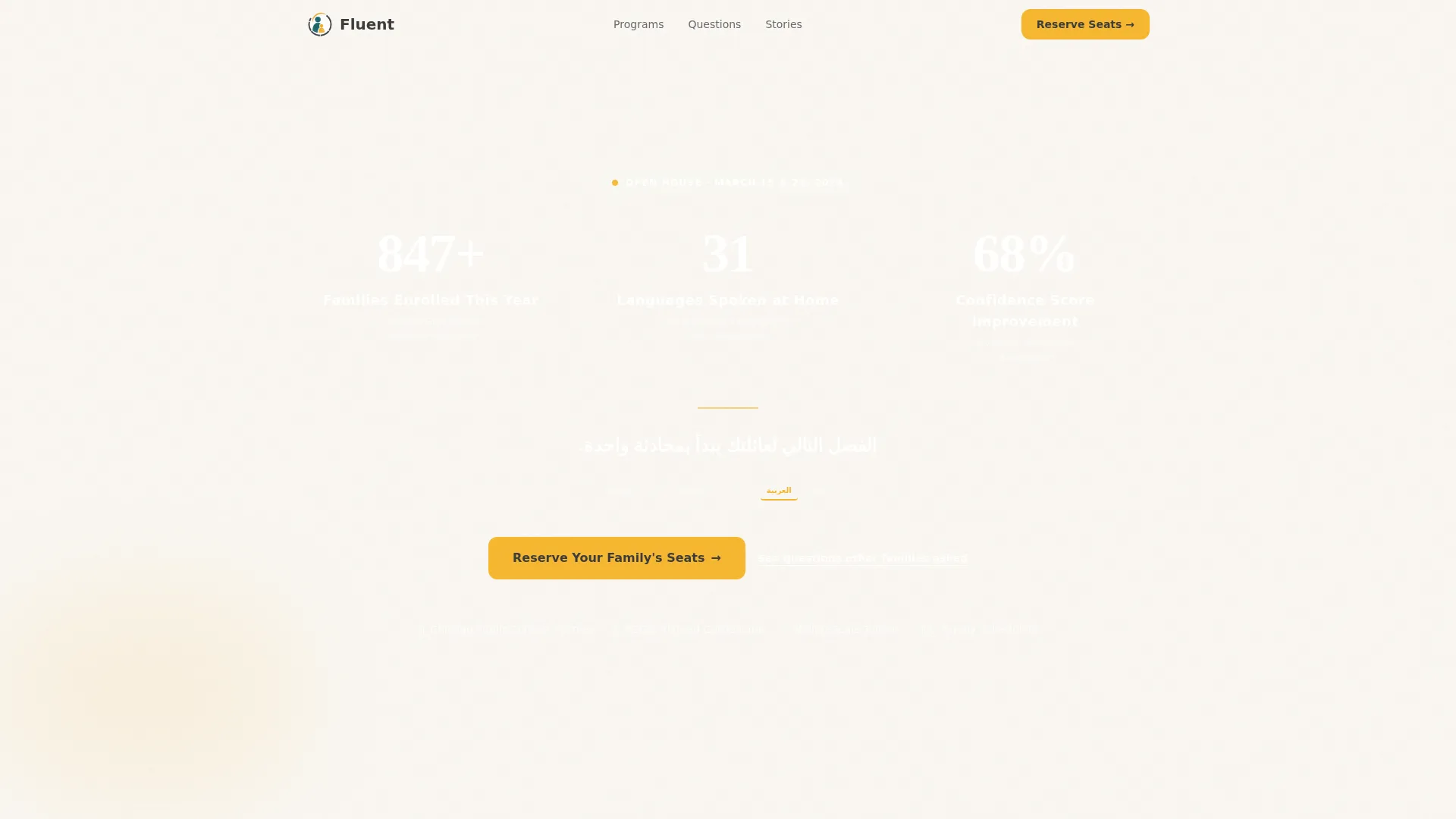
- An animated data header with three live-style counters showing enrollment, language diversity, and confidence improvement
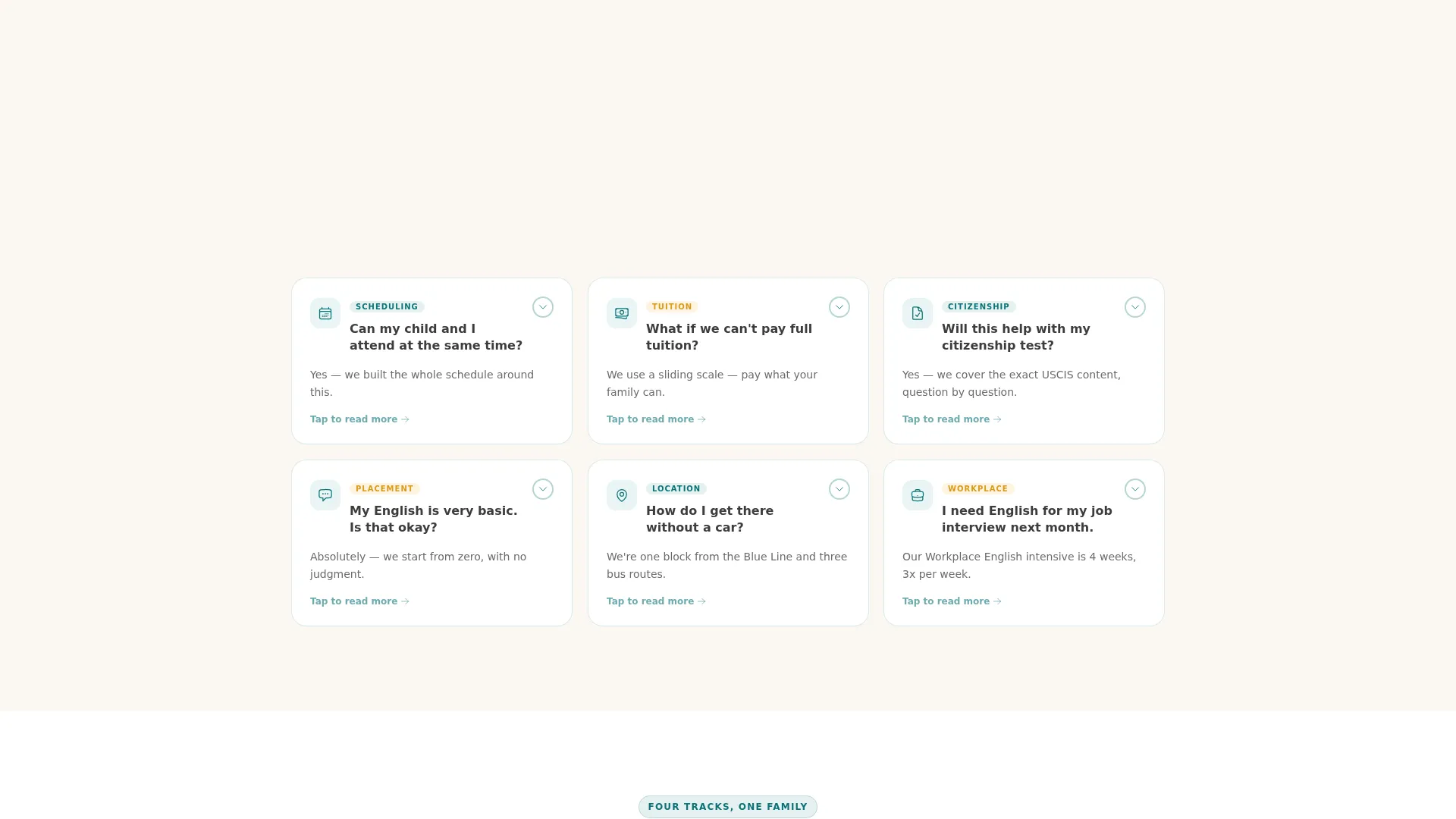
- A modular FAQ card grid where each card answers one parent question, with tap interactions and a reordering behavior based on engagement
- A focused event registration form and a secondary SMS capture path for families not yet ready to commit
Feature list
This template is built around six core capabilities drawn directly from its brief.
Animated Data Storytelling Header
Three large counters animate upward against a deep teal background, displaying families enrolled, languages spoken at home, and average confidence-score improvement after one semester. Below the counters, a single typographic line cycles through English, Spanish, Mandarin, Arabic, and Haitian Creole to greet every family in their own language.
FAQ-Driven Modular Card Grid
Each card in the grid answers one real question a parent has asked at the front desk. Cards flip, expand, or highlight with a yellow accent when tapped. The grid reorders itself by most-clicked cards, so the layout learns what this community most needs to know and surfaces it first.
Parallel Scheduling Display Card
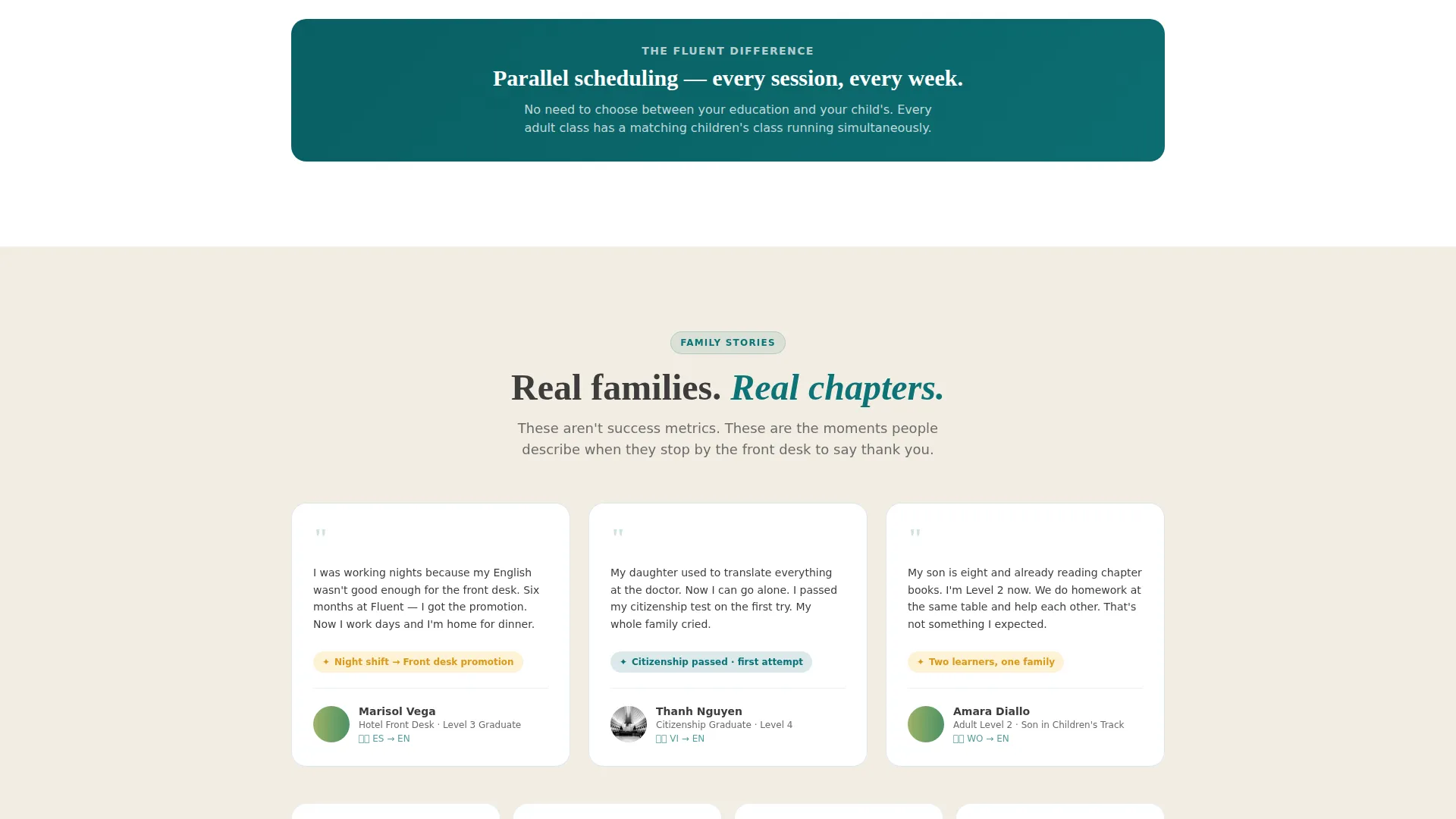
One dedicated card explains the school's parallel scheduling system, showing how a child and a parent can attend classes at the same time. This directly addresses one of the most common enrollment hesitations for families with young children.
Sliding-Scale Tuition Card
A card presents tuition options using a sliding-scale breakdown and shame-free language. Families can see their options clearly without feeling judged, which removes one of the most emotionally charged barriers to enrollment.
Citizenship Test Content Card
A card shows the exact content aligned with the United States Citizenship and Immigration Services (USCIS) interview preparation, giving adult learners a clear reason to enroll beyond general English fluency.
Event Registration Form with SMS Path
The primary form collects a parent's first name, number of family members attending, preferred language for the welcome packet, and children's ages via toggle chips. A secondary option, labeled "Not ready? Get the FAQ guide texted to you," captures a phone number for follow-up without pressuring an immediate commitment.
Page sections overview
| Section | Purpose |
|---|---|
| Animated stats header | Builds trust with real enrollment and outcome numbers |
| Rotating language tagline | Welcomes families in their native language |
| FAQ card grid | Answers scheduling, cost, and content questions |
| Parallel scheduling card | Shows how families attend classes together |
| Sliding-scale tuition card | Removes financial hesitation with clear options |
| Citizenship prep card | Shows USCIS-aligned course content |
| Event registration form | Captures open-house seat reservations |
| SMS follow-up capture | Collects phone numbers for families not yet ready |
Design & branding system
The visual identity follows a Family First theme built on the Teal Catalyst color system. The palette is intentionally warm and approachable, designed to feel like a well-loved children's book rather than a corporate institution.
- Deep classroom teal (#0D7377) anchors the header and primary containers; warm chalk-dust white (#FAF7F2) fills card backgrounds and open space; soft pencil graphite (#3D3D3D) carries all body text
- Bright encouragement yellow (#F5B731) appears on buttons, badges, progress indicators, and card hover or tap states to signal energy and forward movement
- Hand-set typography with a single rotating tagline line reinforces cultural inclusivity and reinforces the page's welcoming tone without visual clutter
Mobile & speed optimization
The card grid layout is modular by design, which means it stacks and reflows cleanly on smaller screens. Families accessing this page on a phone at a bus stop or in a waiting room get the same clear, complete experience as someone on a desktop.
- Toggle chip inputs for children's ages keep the registration form thumb-friendly on mobile devices
- The animated counters and card interactions are designed to work within a tap-based interface, not just hover-based desktop behavior
- The secondary SMS capture path gives mobile users a low-friction alternative to form completion
How this template helps you convert
The page is structured to answer every hesitation before the call to action appears. By the time a parent reaches the registration form, the only remaining question is which Saturday works for their family.
- The data header earns immediate credibility with real numbers, so families trust the program before reading a single paragraph of copy.
- The FAQ card grid addresses cost, scheduling, and citizenship content upfront, removing the hesitations that most commonly prevent form submission.
- The dual-path conversion system, combining the event registration form with the SMS follow-up option, captures families at two different readiness levels and keeps both moving toward enrollment.
Other information about this template
This template is well suited to programs that run regular open-house events as their primary enrollment strategy. It is also a strong fit for schools that serve multilingual households and want their digital presence to reflect that diversity from the first second a family lands on the page.
- The rotating tagline in Spanish, Mandarin, Arabic, and Haitian Creole reflects the actual language communities most commonly served by urban ESL programs in the United States
- The template's card-first structure means school staff can update individual FAQ cards as community questions evolve, without redesigning the full page layout
- This template works within the Fluent brand concept and is available as part of the Education and Training category on the template marketplace
Theme
Family First
Creative direction
FAQ-Driven
Color system
Teal Catalyst
Style
Card Grid (Modular)
Direction
Event Registration
Page Sections
Animated Enrollment Data Header
Faq-driven Card Grid Layout
Rotating Multilingual Tagline
Dual-path Conversion System
Sliding-scale Tuition and Cost Card
Citizenship Preparation Content Card
Related questions
Can I customize the FAQ cards to match the questions my own students ask?
Does the rotating tagline support languages other than the five included?
Is the event registration form easy to configure for a real open-house event?
What makes this template different from a standard school website template?
Can I use this template if my school does not offer citizenship test preparation?



