Business Communication Professional Website Template
Faxsnap is a single-page, split-screen landing page template built for instant eFax services. It pairs a developer-facing API snippet with a consumer-friendly app moment, showing both audiences the same three-second send flow. Built on a Midnight Blue palette with Startup Velocity energy, it drives app downloads through a friction-free first-fax offer.
by Rocket studio
Quick summary
Faxsnap is a bold, split-screen landing page template for smartphone-based fax services. It speaks to both developers and everyday users at once. The Midnight Blue color system keeps the layout electric and focused. Every section accelerates toward one action: download the app and send your first fax free.
Who this template is for
This template is designed for founders and product teams launching a modern fax or eFax service. It works especially well if your audience includes non-technical users who still need fax for compliance or paperwork.
- Solo attorneys and legal professionals who file documents outside business hours
- Traveling healthcare workers who send intake forms on the go
- Small business owners who deal with vendors or institutions still using fax
What problem this template solves
Legacy fax machines are slow, paper-hungry, and tied to a desk. People who still need to send faxes often have no clean digital option. This template gives your service a launch-ready page that makes the old way look absurd and the new way feel obvious.
- No clear way to show non-technical users how fast a mobile fax app actually works
- Developer and consumer audiences usually need separate pages, creating extra build effort
- High friction in early sign-up flows causes drop-off before the first send
What you get with this template
You get a fully structured, single-page landing layout ready to customize for your eFax or mobile fax service. Every section is pre-designed with purpose, from the hero split down to the app download footer.
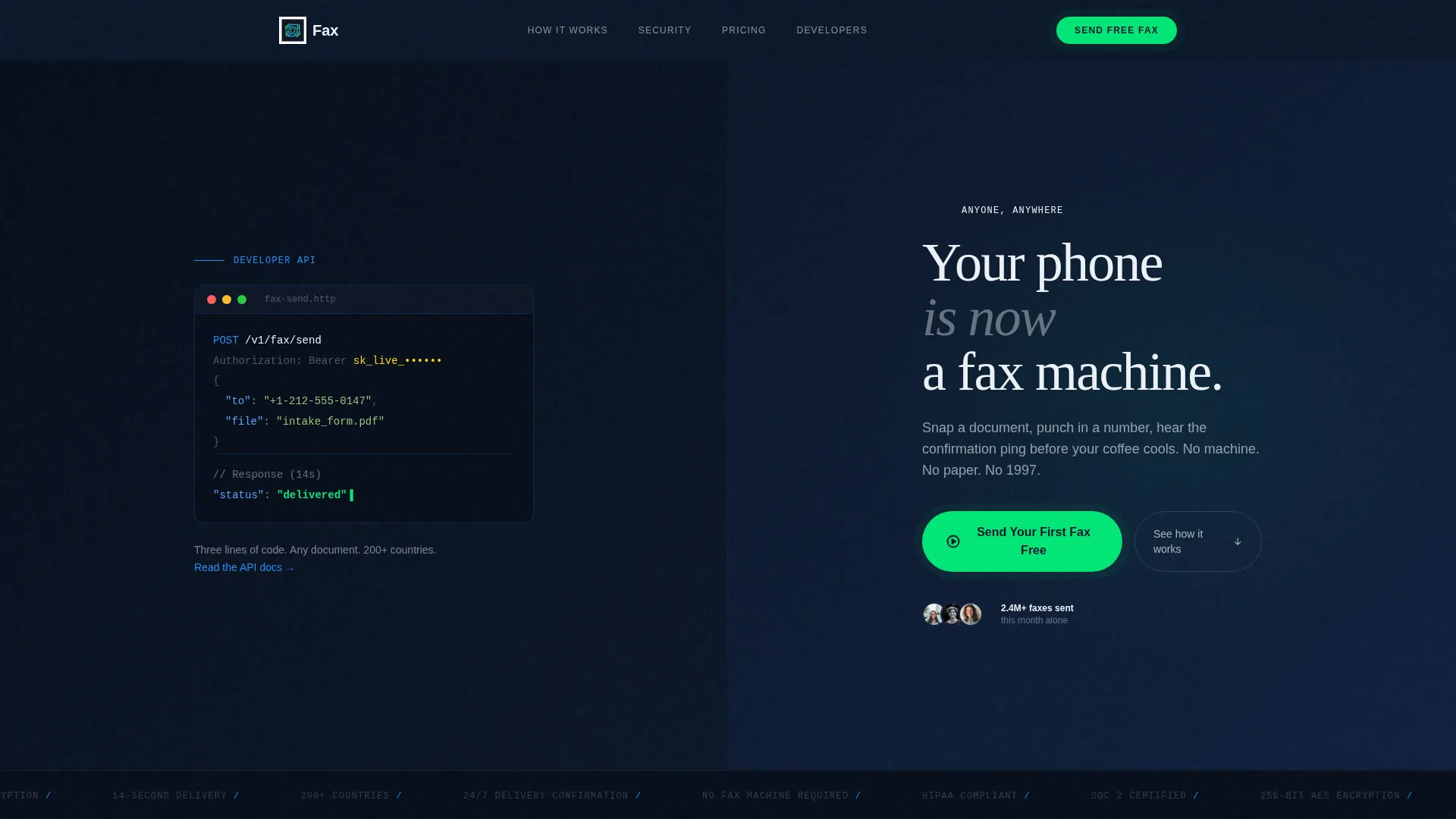
- A 50/50 split-screen header with a live API code snippet on the left and a human phone moment on the right
- Punchy scroll sections covering the problem, speed metrics, and a security lock-up with compliance badge placement
- A primary call-to-action button in notification green, a sticky mobile bottom bar, and a QR code anchor for desktop visitors
Feature list
A quick paragraph on features: each built-in section was designed to do specific conversion work. Nothing here is decorative. Every layout block earns its place by moving the right visitor one step closer to downloading the app.
Split-Screen Hero Header
The header divides the viewport into two equal halves. The left side shows a monospaced API call with a green-highlighted delivered status. The right side shows a hand holding a phone with a green checkmark and a timestamp. Both sides tell the same story to two different audiences simultaneously.
Launch Energy Scroll Flow
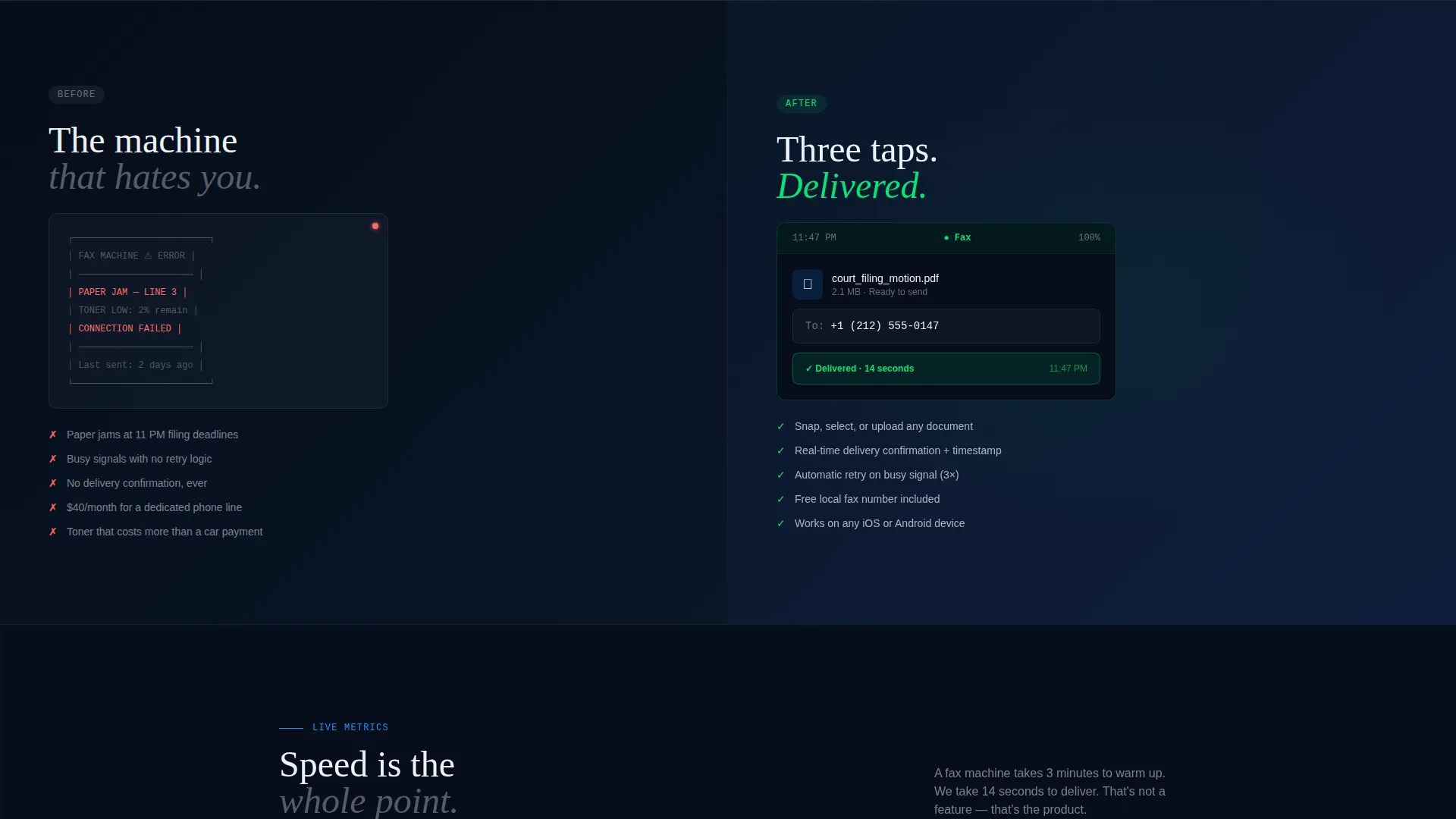
Sections are sequenced like a product keynote countdown. Each block is shorter than the last, building rhythm and momentum. The scroll sequence moves from problem visualization to speed proof to security credentials, accelerating toward the call to action.
Speed Metrics Section
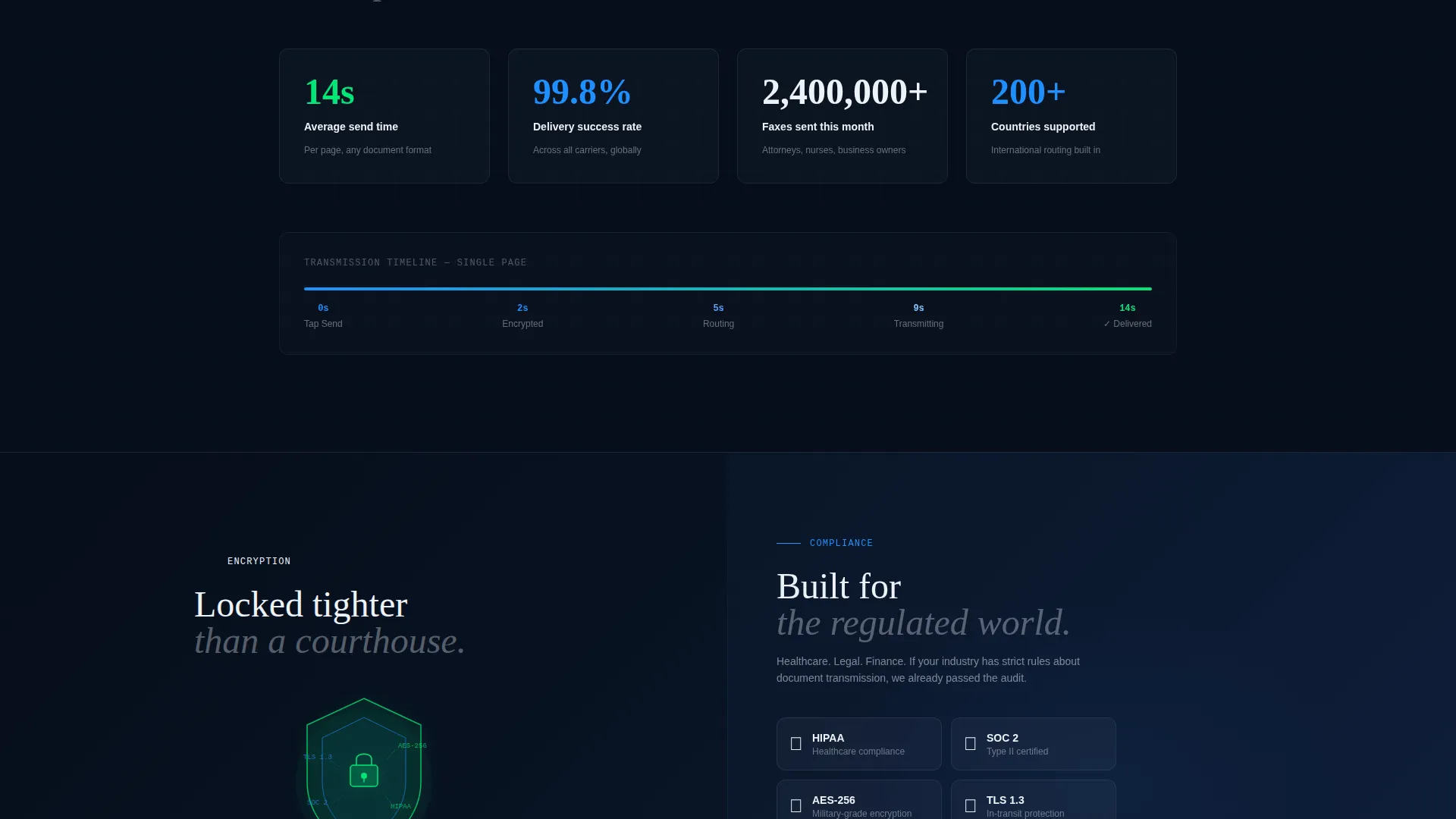
A dedicated split highlights the average send time of 14 seconds alongside a real-time delivery confirmation visual. These concrete numbers replace vague claims with tangible proof that the service is fast.
Security and Compliance Display
A security section pairs a 256-bit encryption shield diagram on the left with compliance badge placement on the right. This section is built to reassure regulated-industry users such as healthcare and legal professionals that the service meets their requirements.
App Download Call-to-Action System
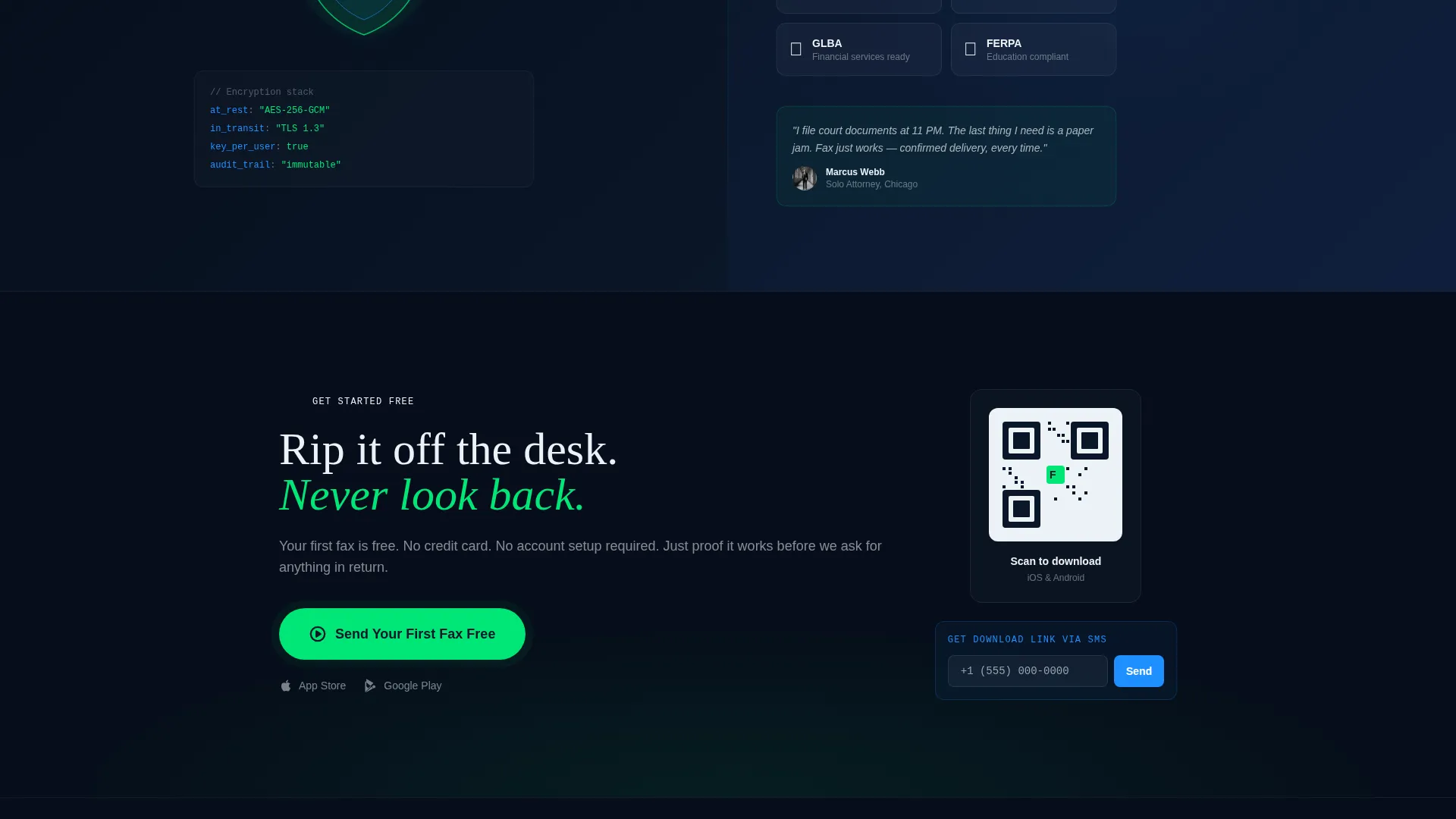
The primary call-to-action button reads "Send Your First Fax Free" and sits in notification green inside the hero panel. Tapping it opens a slim interstitial where visitors choose iOS or Android and enter a phone number to receive a direct download link by text message. A secondary QR code is anchored in the final section for desktop users.
Sticky Mobile Bottom Bar
On mobile, the primary call-to-action persists as a sticky bottom bar throughout the scroll experience. This ensures the download prompt stays visible regardless of how far a visitor has scrolled.
Page sections overview
| Section | Purpose |
|---|---|
| Split-Screen Hero | Introduce the service to both developers and everyday users at once |
| Problem Visualization | Show the pain of legacy fax machines versus a clean app interface |
| Speed Metrics Split | Prove a 14-second send time with a real-time confirmation visual |
| Security Lock-Up | Display encryption and compliance credentials for regulated industries |
| App Download Footer | Deliver the QR code and final call-to-action for desktop visitors |
Design & branding system
The template uses a Midnight Blue color system that feels like a phone screen glowing in a dark room. Every color has a specific role and the palette is intentionally restrained so the green call-to-action always commands attention.
- Deep terminal navy (#0A1628) dominates backgrounds and section dividers, keeping the layout grounded and focused
- Signal blue (#1E90FF) highlights interactive elements, links, and the API code snippet details
- Status-bar white (#EDF2F7) carries all body text for clean readability against dark backgrounds
- Notification green (#00E676) is reserved strictly for success states and call-to-action buttons, creating a clear visual hierarchy
Mobile & speed optimization
The template is built with a mobile-first use case at its core. The target user is literally holding a phone, so the mobile layout cannot be an afterthought.
- The sticky bottom bar keeps the download call-to-action visible on every mobile screen without interrupting the scroll
- The interstitial download flow is designed to be slim and minimal, reducing steps between tap and app install
- The split-screen layout reflows gracefully for smaller viewports so neither panel feels crowded or clipped
How this template helps you convert
The page is engineered to remove every reason a visitor might hesitate before downloading. The first-fax-free offer does the heaviest lifting, but the layout structure supports it at every step.
- The hero instantly proves the service works for both technical and non-technical users, so no visitor feels like the product is not for them
- The speed metrics and security section address the two most common objections: "Is it fast enough?" and "Is it safe enough for my documents?"
- The no-credit-card, no-account-setup first-fax offer eliminates commitment anxiety and gives the visitor proof before asking for anything in return
Other information about this template
This template sits inside the Telecom and Connectivity category, under the Communication and Unified Communications subcategory, with a niche focus on fax and eFax services. It was matched using a Startup Velocity theme, Launch Energy creative direction, and the App Download landing-page direction.
- The header concept is a Code Snippet layout, making it relevant for teams that want to speak to developer audiences alongside consumer users
- The template style is a 50/50 split screen, a format well suited to products that bridge a technical capability and a human benefit
- This layout can support product positioning for services that compete in the online fax, internet fax, and mobile fax space, including use cases that intersect with the eFax and digital document delivery market
Theme
Startup Velocity
Creative direction
Launch Energy
Color system
Midnight Blue
Style
Split Screen (50/50)
Direction
App Download
Page Sections
Split-screen Hero with Dual Audience Appeal
Launch Energy Scroll Sequence
Second Speed Metrics Display
Security and Compliance Badge Section
App Download Interstitial Flow
Sticky Mobile Bottom Bar
Related questions
Who is this landing page template designed for?
Can I use this template if I am not a developer?
What call-to-action options does this template include?
Does the template support both iOS and Android app downloads?
Is this template suitable for regulated industries like healthcare or legal?