Stats-First Cell Tower Company Landing Page Template
Signal is a stats-first cell tower company landing page template built for infrastructure teams that need to lead with proof. The layout opens with three animated KPI counters, moves through a coverage heat map, tenancy performance charts, and a capacity utilization gauge, and closes with a dual-call to action section. Everything is designed to convert MNO scouts, fund managers, and municipal broadband teams into qualified leads.
by Rocket studio
Quick summary
Signal is a dashboard-style landing page template purpose-built for cell tower companies. It leads with massive animated numerals that count up on load, then layers in coverage mapping, benchmark charts, and a capacity gauge as the visitor scrolls. The design uses a Slate and Sky color system to carry industrial weight while keeping the layout open and data-forward.
Who this template is for
This template is built for infrastructure and communication teams that need to convert serious decision-makers, not casual browsers. The page speaks directly to audiences who evaluate towers by the numbers, not by marketing language.
- Mobile network operators scouting colocation opportunities on cell tower portfolios
- Infrastructure fund managers reviewing tenancy ratios and tower utilization data
- Municipal broadband offices comparing coverage reach and negotiating site lease terms
What problem this template solves
A landing page for a cell tower company must establish immediate credibility, trust, and technical competence to convert visitors into leads. Most tower company pages bury their proof inside long paragraphs and PDF downloads. By the time a potential client finds the uptime figure or the tenancy ratio, they have already clicked away.
This template solves that problem by restructuring the entire landing page around data disclosure. Proof comes first. Copy comes second.
- Visitors land on three animated KPI counters before reading a single sentence of body text
- Each scroll step reveals a deeper layer of operational evidence, from coverage maps to benchmark charts
- The call to action appears in a sticky navigation bar and again at the end of every data card section
What you get with this template
This is a complete, single-page landing template built as a dashboard and data grid layout. Every section is a card that reveals harder evidence as the visitor scrolls through the page. The template is ready to customize with your own tower count, coverage data, and brand assets.
- A fully structured landing page with six distinct sections: hero counters, coverage map, tenancy performance chart, capacity utilization gauge, portfolio call to action, and a minimal footer
- Animated interactions including counter tick-up on load, SVG map pin drops by region, bar chart rise on scroll, radial gauge sweep, and a marquee strip for partner logos
- A dual call-to-action setup with a persistent sticky navigation button and an email capture field for portfolio downloads
Feature list
This template delivers a focused set of features drawn directly from the project brief. Each one is built to serve a specific stage in the visitor's decision process.
Animated KPI Hero Counters
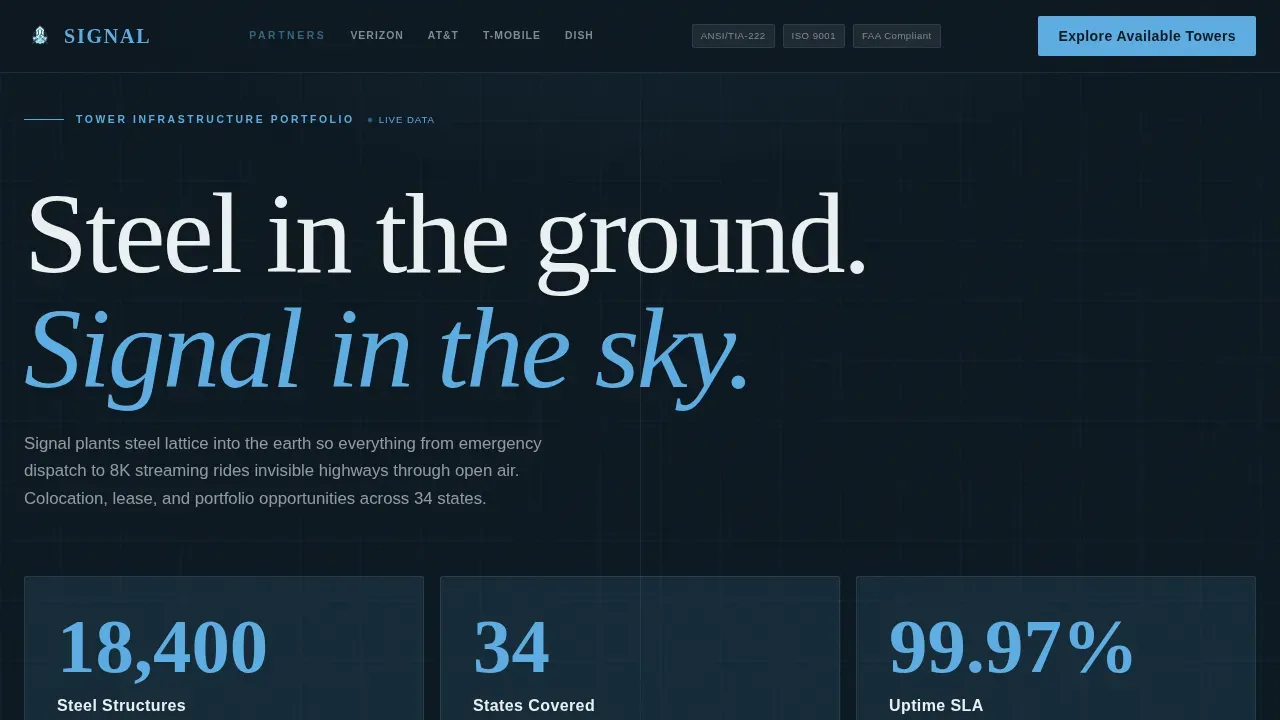
Three large numerals animate upward from zero on page load, decelerating with an eased curve and pulsing once in sky blue when they complete. These counters represent total towers owned, states covered, and network uptime percentage. The numbers make a bold statement before any copy is read, and they grab attention from the first second on screen.
Coverage Heat Map with Pin-Drop Animation
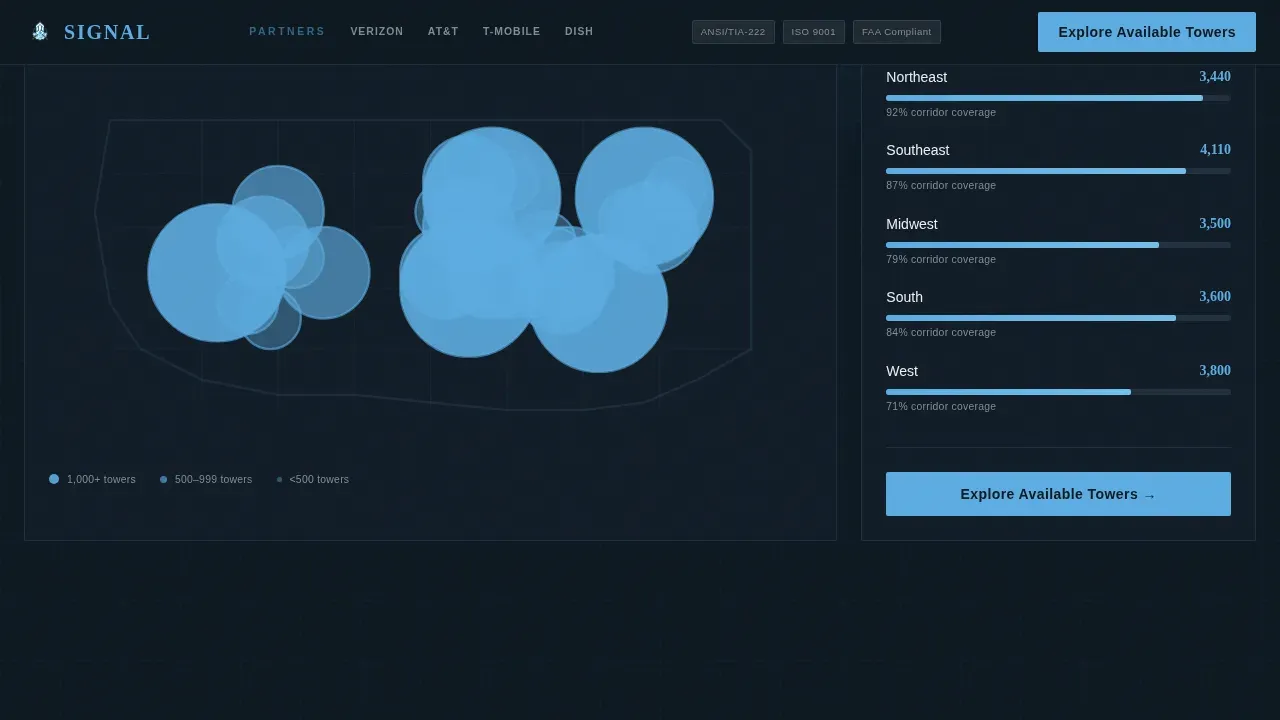
A full-width coverage map populates as it enters the viewport. Map pins drop in regional clusters, creating a visual sweep of geographic reach. This section gives mobile network operators and fund managers instant access to a spatial picture of the portfolio without requiring a separate report download. The dynamic data visualization approach makes complex information easy to read at a glance.
Tenancy Performance Bar Chart
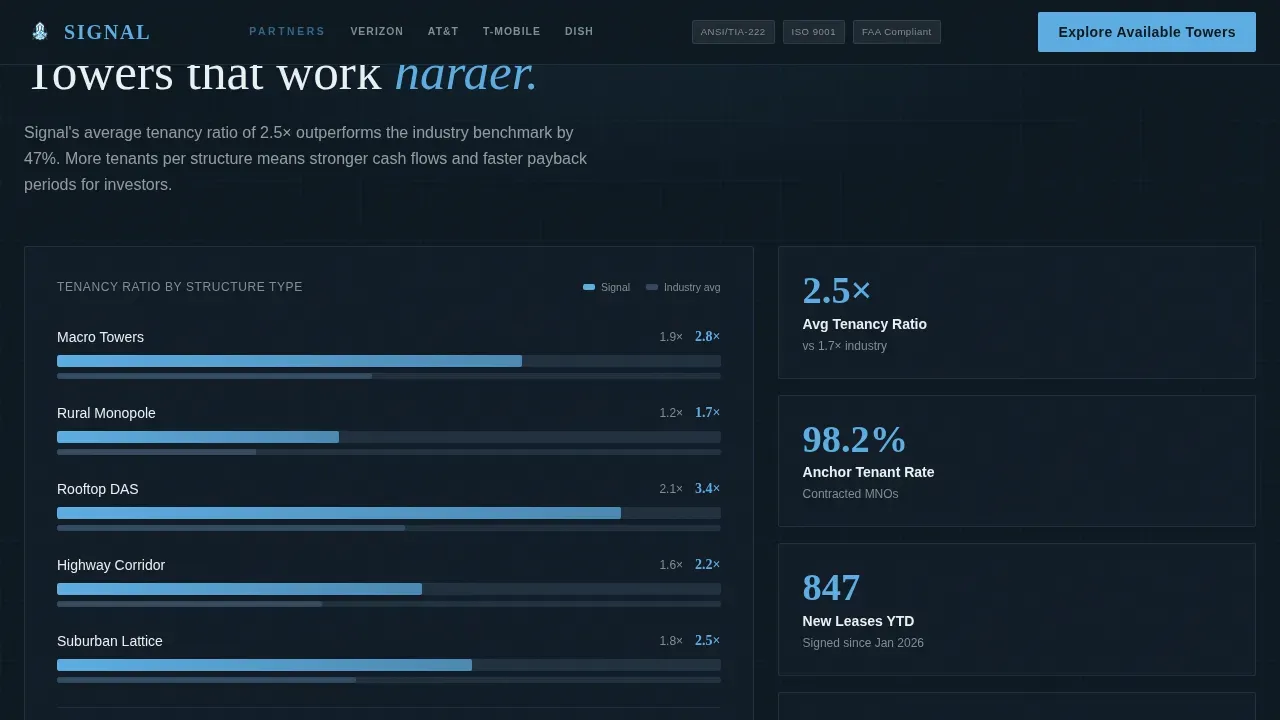
An animated bar chart rises on scroll to compare the company's tenancy ratio against the industry average. The chart uses sky-blue bars against a deep slate background to make the comparison visually appealing and easy to parse. This section is especially useful for infrastructure fund managers who need to evaluate portfolio density quickly. Diagrams and charts that represent data visually are effective when presenting cell tower projects to investment-stage audiences.
Capacity Utilization Gauge and Live Ticker
A radial gauge sweeps to the current utilization percentage as the section enters view. A live ticker alongside the gauge displays real-time capacity data. Together, these visual elements communicate operational status without requiring any written explanation, which keeps the page layout tight and the message focused. Live network uptime percentage, such as 99.999% uptime, is the kind of key metric this gauge section is designed to showcase.
Sticky Navigation Call to Action
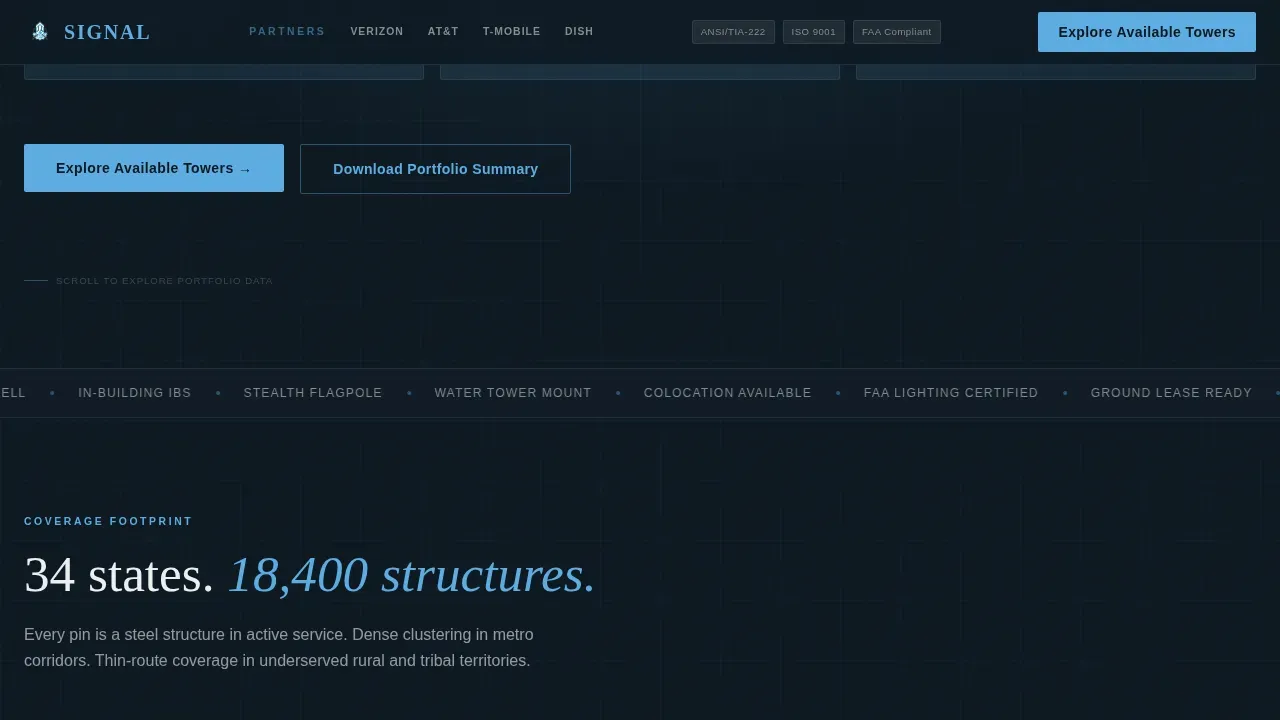
A sky-blue "Explore Available Towers" button persists in the navigation bar throughout the entire scroll. The call to action is positioned above the fold and remains visible without scrolling, which is proven to drive a significant increase in conversion rates. A secondary call to action, "Download Portfolio Summary," uses a single email field to capture higher-funnel interest from visitors who are not yet ready to browse the tower inventory.
Logo Bar and Certification Badge Row
The header carries a horizontal strip with the wordmark, operator partner logos, and a row of certification badges, all rendered in monochrome slate. Client and partner logos display reputable operators or local municipalities already working with the company. This social proof element plays a crucial role in building trust during the first few seconds a visitor spends on the page.
Page sections overview
| Section | Purpose |
|---|---|
| Sticky Nav Bar | Persists "Explore Available Towers" call to action throughout scroll |
| Logo Bar Header | Shows wordmark, partner logos, and certification badges |
| Animated KPI Hero | Displays three tick-up counters for towers, states, uptime |
| Coverage Heat Map | Populates SVG pin drops by region as section enters view |
| Tenancy Performance Chart | Compares company ratio versus industry average with rising bars |
| Capacity Utilization Gauge | Sweeping radial gauge plus live ticker for real-time data |
| Portfolio Call to Action | Primary call to action button plus email capture for portfolio download |
| Minimal Footer | Clean developer-style footer with essential links |
Design & branding system
The visual identity follows a Dynamic Motion theme built on a Slate and Sky color system. Deep tower steel (#2C3E50) dominates structural elements and typography. Atmospheric gray (#7F8C8D) fills secondary labels and supporting data. Open-sky blue (#5DADE2) activates on KPI numbers, progress bars, and hover states. High-altitude white (#ECF0F1) breathes between dense data blocks. The palette feels industrial at the base and limitless overhead, which is exactly the message the layout needs to carry.
- Typography uses DM Sans for data labels and interface text, and Fraunces for display numerals to create visual contrast between operational context and headline scale
- Each card section uses a dark background image treatment against the deep slate tone, with sky blue as the active accent color on all interactive states
- The company logo and certification badges are rendered in monochrome slate inside the header strip, keeping the sleek and modern design consistent across the credential layer
Mobile & speed optimization
The template is desktop-first, reflecting the reality that mobile network operator engineers and fund managers typically work on large screens. A tablet fallback layout ensures the data grid remains readable and functional at mid-range viewport widths. All scroll animations are triggered using Intersection Observer, and transitions use GPU-accelerated transforms to keep motion smooth without taxing the browser.
- Counter tick-up, map pin drops, bar chart rise, gauge sweep, and marquee animations all fire on scroll entry rather than on page load, which helps the page feel responsive across screen sizes
- Mobile users on tablet viewports see a condensed version of the data cards with the same content hierarchy preserved
- The sticky navigation call to action remains accessible on every device size so website visitors never lose their primary path to the tower inventory tool
How this template helps you convert
A call to action is the heart of each landing page. The success of this landing page depends on how visitors respond to it, which translates directly into conversions: colocation inquiries, portfolio review requests, and lease negotiation contacts. This template is structured to earn the click through progressive proof delivery rather than persuasive copy.
- The page front-loads scale and reliability evidence so aggressively through animated counters and dynamic charts that by mid-scroll, the visitor's only remaining question is where, and the "Explore Available Towers" call to action answers it directly.
- Multiple calls to action are well-planned and strategically placed: one persistent in the sticky navigation bar, one closing each data card section, and one email capture for portfolio downloads, each serving visitors at different stages of the decision process.
- A/B testing different variations of the call to action button color, message, and position is straightforward with this layout because the calls to action are isolated components. Small tweaks to messaging or contrasting colors can lead to significant improvements in conversion rates.
Other information about this template
This landing page template is designed for the Telecom and Connectivity category, specifically for cell tower companies operating in the infrastructure market. It is built as a single-page dashboard and data grid layout with a Dynamic Motion theme. Below are additional details that are useful for teams evaluating the template for their projects.
- The template is compatible with standard web build workflows and can be edited to reflect your own tower count, geographic coverage, antenna specifications, and brand assets without rebuilding the underlying structure
- Template customization covers every editable layer: counter values, map region data, bar chart benchmarks, gauge targets, background image selections, and the company logo placement in the header strip
- The layout includes explanations and guidance within the structure to help non-technical stakeholders make informed decisions about what data to surface and how to present it to their target audience
- The template is regularly updated to reflect the latest cellular technologies, meaning the data sections are structured to accommodate 5G capability callouts such as C-Band and CBRS alongside existing 4G metrics
- A simple lead capture form in the portfolio call-to-action section asks for minimal information, keeping the process frictionless for potential clients who want to download the portfolio summary
- Engineers and technical teams can use the presentation-ready data cards to illustrate complex network layouts, site assessments, and project timelines for stakeholder meetings, making it easier for non-technical audiences to grasp essential concepts
- Mobile Tower PowerPoint presentation decks and Google Slides exports can draw directly from the same data structure this landing page uses, keeping communication consistent across channels
- The template includes a footer based on a developer-minimal pattern, which keeps the page complete without adding visual noise at the close of the scroll experience
- Capabilities for stealth towers, rooftop mounts, or disguised antennas that meet zoning compliance requirements can be added to the coverage map section as additional pin types or filter layers
- An Active Project Counter, which showcases how many towers are currently under construction or in the permitting phase, can seamlessly integrate into the KPI hero section as a fourth animated counter
- The quality of any Request for Proposal process is improved when the prospective partner can point to a live landing page that demonstrates scale and reliability before the first meeting; this template saves time by giving teams a presentation-ready starting point that would otherwise take weeks to build from scratch
- Credit card required is not needed to explore the template; instant access to the preview and download is available on the platform
Theme
Dynamic Motion
Creative direction
Stats-First Impact
Color system
Slate & Sky
Style
Dashboard/Data Grid
Direction
Click-Through
Page Sections
Animated KPI Hero Counter Section
Coverage Heat Map with Regional Pin Drops
Tenancy Performance Benchmark Chart
Capacity Utilization Radial Gauge
Dual Call to Action Layout with Sticky Navigation
Logo Bar with Partner and Badge Strip
Related questions
Who is the primary target audience for this landing page template?
Can I customize the KPI counter values and chart data?
Does the template include the email capture form for the portfolio download call to action?
Is this template suitable for presenting to non-technical stakeholders?
What animation interactions are included in this template?