Intelligent Financial Literacy Landing Page Template
This allowance smart kids money education landing page template is built for a children's financial app called Allowance. It combines an interactive savings calculator, side-by-side comparison tables, and a focused lead generation form to turn curious parents into committed users. The design pairs boardroom-serious structure with playful energy, making financial literacy feel approachable for the whole family.
by Rocket studio
Quick Summary
This landing page template is designed for Allowance, a kids money education app that helps parents teach kids financial responsibility through chore-linked earnings, visual savings goals, and real spending decisions. The page leads with an interactive calculator, flows into comparison tables, and closes with a focused lead generation form, all styled in a warm, executive aesthetic.
Who This Template Is For
Parents want to teach kids about money but rarely have a clear starting point. This template gives the Allowance app a credible, conversion-focused home that speaks directly to the adults making the purchase decision.
- Parents of children ages 5 to 13 who want a structured allowance system with real lessons built in
- Dual-income couples and single parents who want to teach financial literacy without lecturing every night
- Grandparents who want giving kids birthday money to mean more than a toy run
What Problem This Template Solves
Most parents know they should teach your kids about money, but the conversation never quite happens. Cash in a jar disappears. Banks feel too abstract. Doing nothing feels like the easiest option until it isn't. This template directly addresses that hesitation.
- No clear framework for how much allowance to give, how to track spending, or how to encourage saving money consistently
- No visible progress for kids who need goal setting made concrete, like saving up for a new bike
- No comparison showing parents why an app beats a loose handful of cash or a basic savings account
What You Get With This Template
This template delivers a complete, single-page layout ready for a kids money education app launch. Every section is built to move a parent from curious to committed.
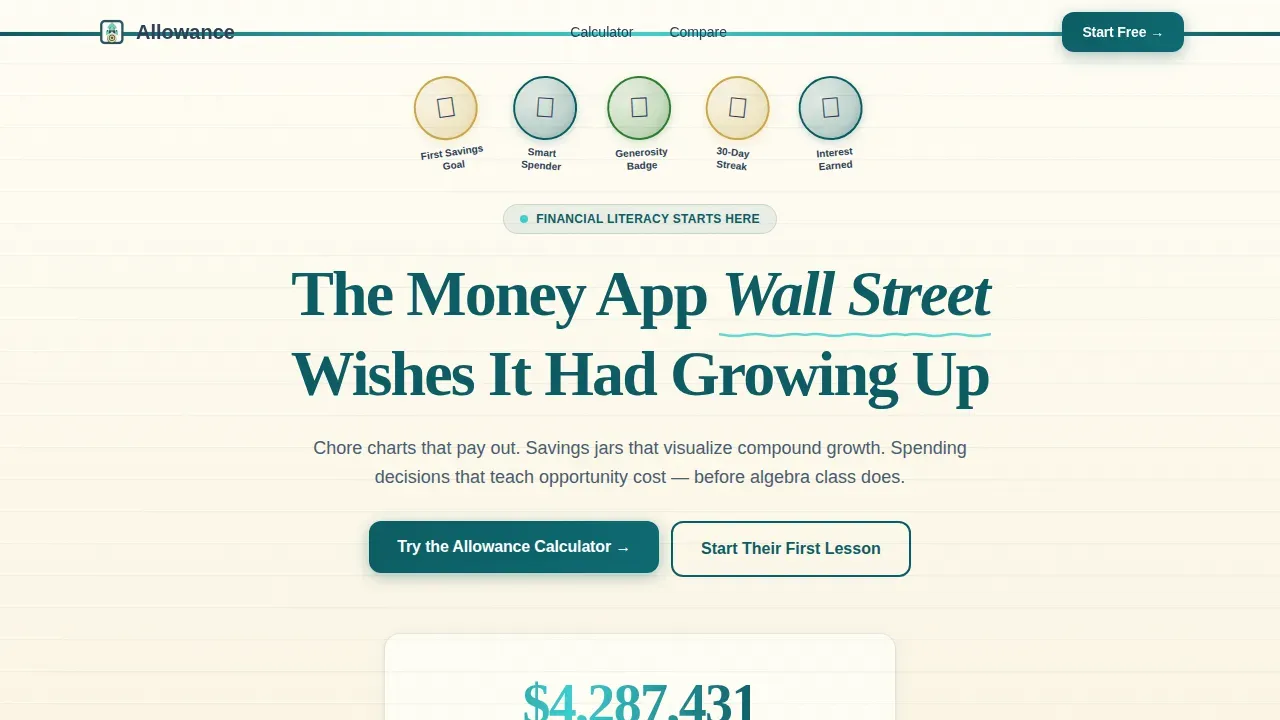
- Hero section with Award Badge shelf displaying milestone patches kids unlock, plus an animated counter showing total allowance dollars managed
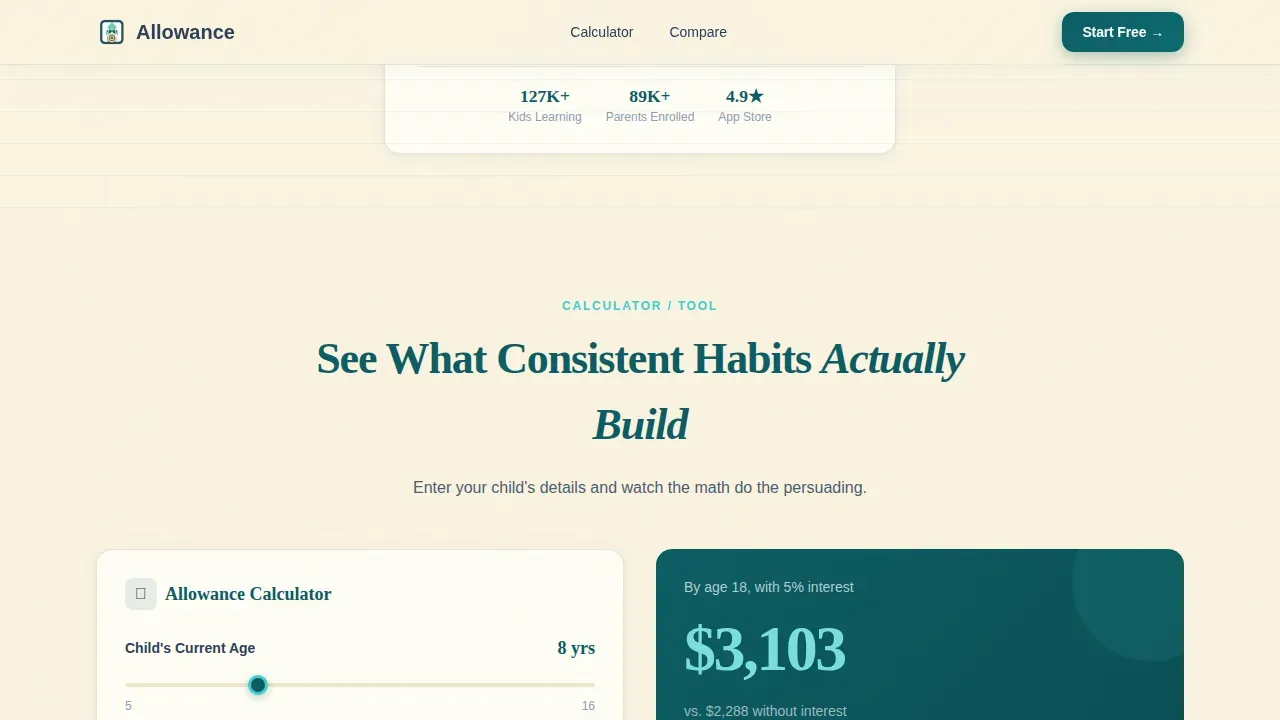
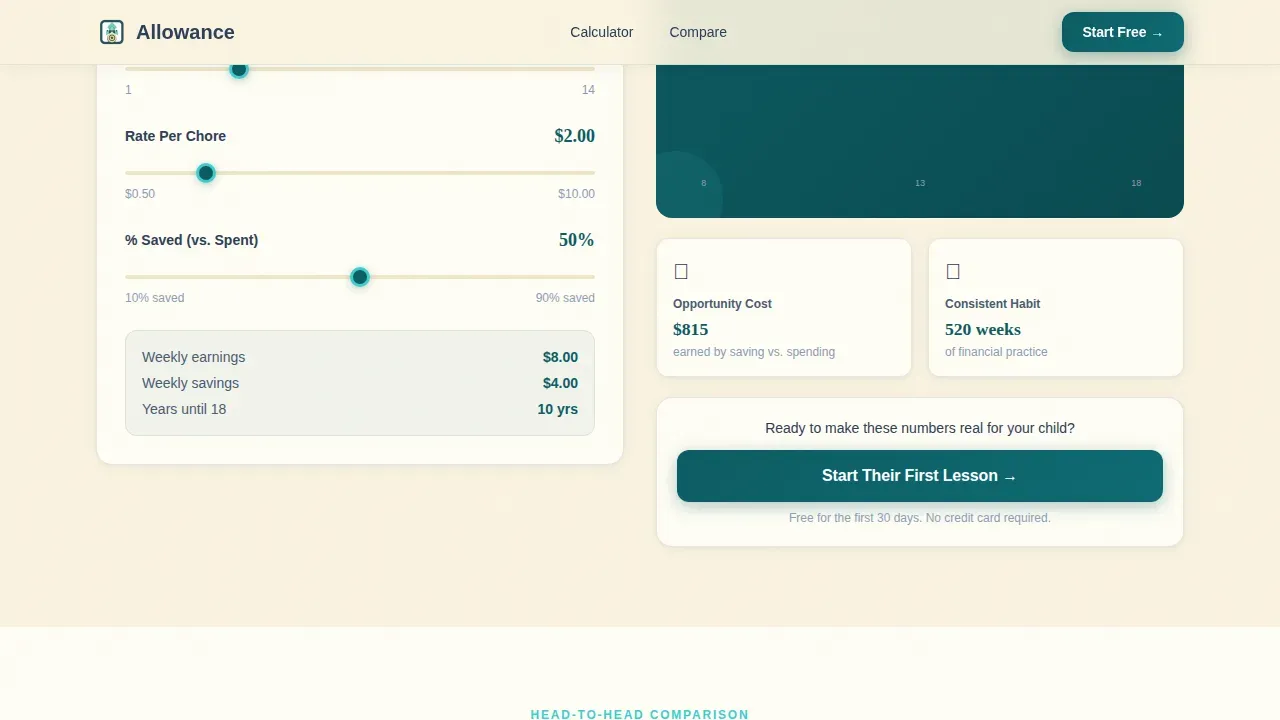
- Interactive Allowance Calculator where parents input their child's age, weekly chores, and per-chore rate to generate a projected savings timeline to age eighteen
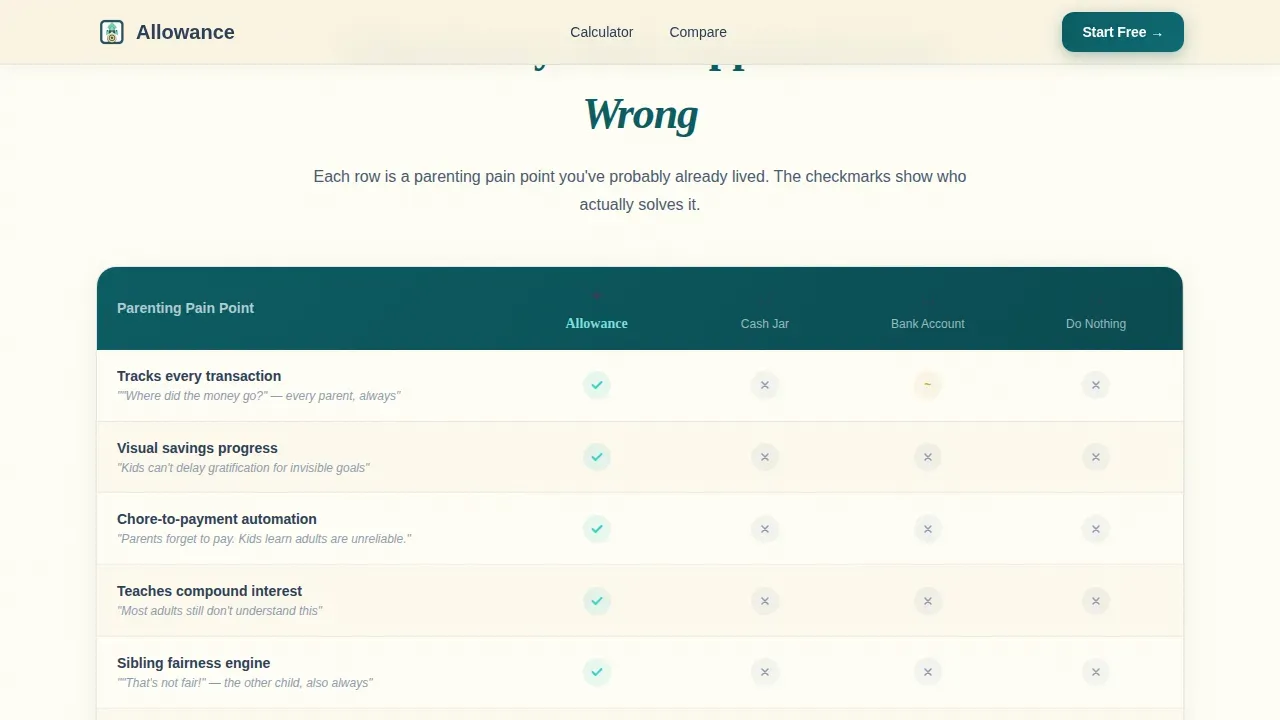
- Comparison tables and lead generation forms that present the app against cash-in-a-jar, a basic savings account, and doing nothing, then capture parent details to close the loop
Feature List
This template is rich with purposeful components. Each one is designed to build trust, teach value, and encourage parents to act.
Interactive Allowance Calculator
Parents enter their child's age, number of chores per week, and a per-chore rate. The tool instantly generates a projected savings timeline, showing what consistent money habits could build by age eighteen. The calculator runs client-side for a fast, responsive experience. It does the persuasion before the form even appears.
Side-by-Side Comparison Tables
Three structured tables compare the Allowance app against cash-in-a-jar, a basic savings account, and doing nothing. Each table row maps to a real parenting concern, tracking spending money, teaching delayed gratification, handling sibling fairness, and encouraging responsibility. Checkmarks appear in catalyst mint; empty cells appear in muted slate, making the contrast impossible to miss.
Award Badge Hero Header
The header displays illustrated merit-style patches rendered in metallic teal and gold foil. Each badge represents a financial milestone kids unlock: First Savings Goal, Smart Spender, Generosity Badge, and 30-Day Streak. They are arranged like scout badges on a sash with soft dimensional shadows. A centered headline and animated dollar counter anchor the shelf below the badges.
Sticky Call-to-Action Bar
A persistent bar appears after the first comparison table scrolls into view. It keeps the primary call to action visible as parents continue reading, reducing the distance between persuasion and conversion. The bar is designed to feel natural, not intrusive.
Dual Lead Generation Forms
The primary form captures a parent's first name, their child's age range (5 to 8, 9 to 12, or 13 and older), and an email address, three fields only. A secondary path offers a downloadable PDF called "The 10-Minute Money Talk" for parents not yet ready to commit, capturing email only. Both forms keep friction low and focus high.
Scroll-Reveal Section Animations
Each major content block animates into view as the user scrolls. Calculator results animate on output. The comparison tables reveal row by row. These medium-intensity animations create a sense of progression without overwhelming the page or delaying the initial load.
Page Sections Overview
| Section | Purpose |
|---|---|
| Hero Badge Shelf | Display milestone badges, animated counter, and headline |
| Allowance Calculator | Let parents project their child's savings to age eighteen |
| Comparison Table One | Compare app versus. cash jar, savings account, and doing nothing |
| Sticky call to action Bar | Keep primary call to action visible after first table |
| Lead Generation Forms | Capture parent details via primary form and PDF download |
| Footer Linear Row | Close the page with a clean, single-row footer |
Design & Branding System
The visual identity blends executive seriousness with just enough warmth to remind you a child will actually use this. The palette feels like a venture capitalist's office where someone left a juice box on the mahogany. It is buttoned-up enough for parents spending real money, and alive enough to promise kids will engage.
- Colors: Deep boardroom teal (#0D5C63) for headers and navigation, polished slate (#2E4057) for body text and table borders, bright catalyst mint (#3CCFCF) on interactive elements and toggle switches, and warm parchment (#FAF3E0) as the background field
- Typography: Fraunces serif for headlines and Dera Minim Sans (DM Sans) for body text, creating a ledger-meets-crayon contrast that is readable and memorable
- Visual style: Merit-badge illustrations with metallic teal and gold foil rendering, soft dimensional shadows, and scroll-reveal animations give the page a layered, hand-crafted quality
Mobile & Speed Optimization
Parents often browse on their phones during bedtime routines. This template is built with a mobile-first layout priority so every section reads clearly on a small screen, and the calculator remains fully usable with touch inputs.
- Mobile-first layout: The hero badge shelf, calculator, comparison tables, and lead generation forms all stack cleanly for phones and tablets
- Client-side calculator: The projection tool runs entirely in the browser with no server round-trip, keeping response times fast even on mobile connections
- Medium animation intensity: Counter animation, calculator results, and scroll reveals are tuned to feel smooth without sacrificing initial load performance
How This Template Helps You Convert
The conversion architecture is deliberate. Every section earns the next click, and the calculator does the heavy lifting before a single form field appears.
- The calculator creates a personal stake. When a parent sees their child's projected savings number, the "Start Their First Lesson" call to action feels like the obvious next step, not a pitch.
- The comparison tables deepen the cost of inaction. Each row in the table highlights a specific parenting pain point, from tracking spending to building delayed gratification, making the app's value concrete and urgent.
- The dual form paths reduce drop-off. Parents ready to commit use the primary three-field form. Parents still deciding can download "The 10-Minute Money Talk" PDF, keeping them in the funnel without forcing a decision they are not ready to make.
Other Information About This Template
This template is part of the Finance and Insurance category, sitting inside the Financial Literacy and Education subcategory. It is purpose-built for the Kids Money Education App niche. The design system is called Teal Catalyst. The creative direction is Calculator / Tool First. The header concept is Award Badges, and the landing page direction is Lead Generation. The template style is Comparison Table, and the theme is Executive Suite.
- Worksheets and planning support: The template's structure naturally supports printable worksheets or PDF lead magnets, like the included "The 10-Minute Money Talk" download, so parents can extend financial literacy conversations beyond the screen
- Chore-based allowance system framing: The page copy is designed around the idea that kids earn money by completing tasks around the house, tying rewards to behavior and teaching the basics of a paycheck before school does
- Practical budgeting focus: The comparison tables and calculator together frame the app as a kids budget planner and money management tool, helping parents understand the long-term value of giving kids a structured allowance system versus cash alone or nothing at all
- Goal-setting and delayed gratification design: The savings jar visualization concept and milestone badges directly reinforce goal setting and delayed gratification, two of the most beneficial money habits children can develop at any age, including older kids approaching their teens
- Community and independence framing: The badge system and chore chart structure encourage a sense of independence and community within the family, making financial responsibility feel like a shared game rather than a chore
- Localization: The template is configured for English, United States Dollar (USD), and MM/DD/YYYY date format, making it immediately usable for United States-based app launches without additional formatting adjustments
Theme
Executive Suite
Creative direction
Calculator/Tool First
Color system
Teal Catalyst
Direction
Lead Generation
Page Sections
Interactive Allowance Calculator with Savings Projection
Side-by-side Comparison Tables
Award Badge Hero Section
Dual Lead Generation Forms
Sticky Call-to-action Bar
Scroll-reveal Section Animations
Related questions
What age range does this template target?
Can I customize the allowance calculator inputs?
What makes the comparison tables effective for lead generation?
Does the template include a downloadable lead magnet option?
Is this template suitable for a financial literacy brand outside the allowance niche?



