Physical Education Education Portfolio Website Template
Drills is a single-column landing page template built for a physical education practice and quiz app. It opens with a live-style exam question, moves through three real student case studies, and closes with a free quiz night registration form. The design uses a teal, charcoal, and highlight-yellow palette that feels sharp, focused, and built for serious exam prep.
by Rocket studio
Quick summary
Drills is a focused, single-column landing page template for a physical education practice and quiz app. It pulls visitors in with a full-viewport exam question, builds trust through three layered student stories, and converts through a free quiz night sign-up. The layout is clean, the visual identity is clinical yet energetic, and every section earns the next scroll.
Who this template is for
This template is built for anyone launching or promoting a PE theory revision and quiz product. The audience spans multiple study levels, all sharing one goal: passing exam-board assessments with confidence.
- University kinesiology students cramming before practicals and lab assessments
- Secondary school PE students revising movement analysis and sport-science frameworks
- Coaching certificate candidates who need to clear theory before stepping onto a pitch
What problem this template solves
PE theory revision is often scattered across notes, videos, and static PDFs that do nothing to prepare students for the pressure of timed questions. A landing page for a quiz app needs to prove its value before asking for anything in return.
- Visitors arrive unsure whether a revision tool is worth their time or email address
- Static promotional pages fail to demonstrate how the app actually feels to use
- Students at different exam levels need to see themselves reflected in the product story
What you get with this template
This template delivers a complete single-column landing page flow, from a quiz-style hero section through narrative case studies to a conversion-ready registration form. Every section is purposeful and tightly sequenced.
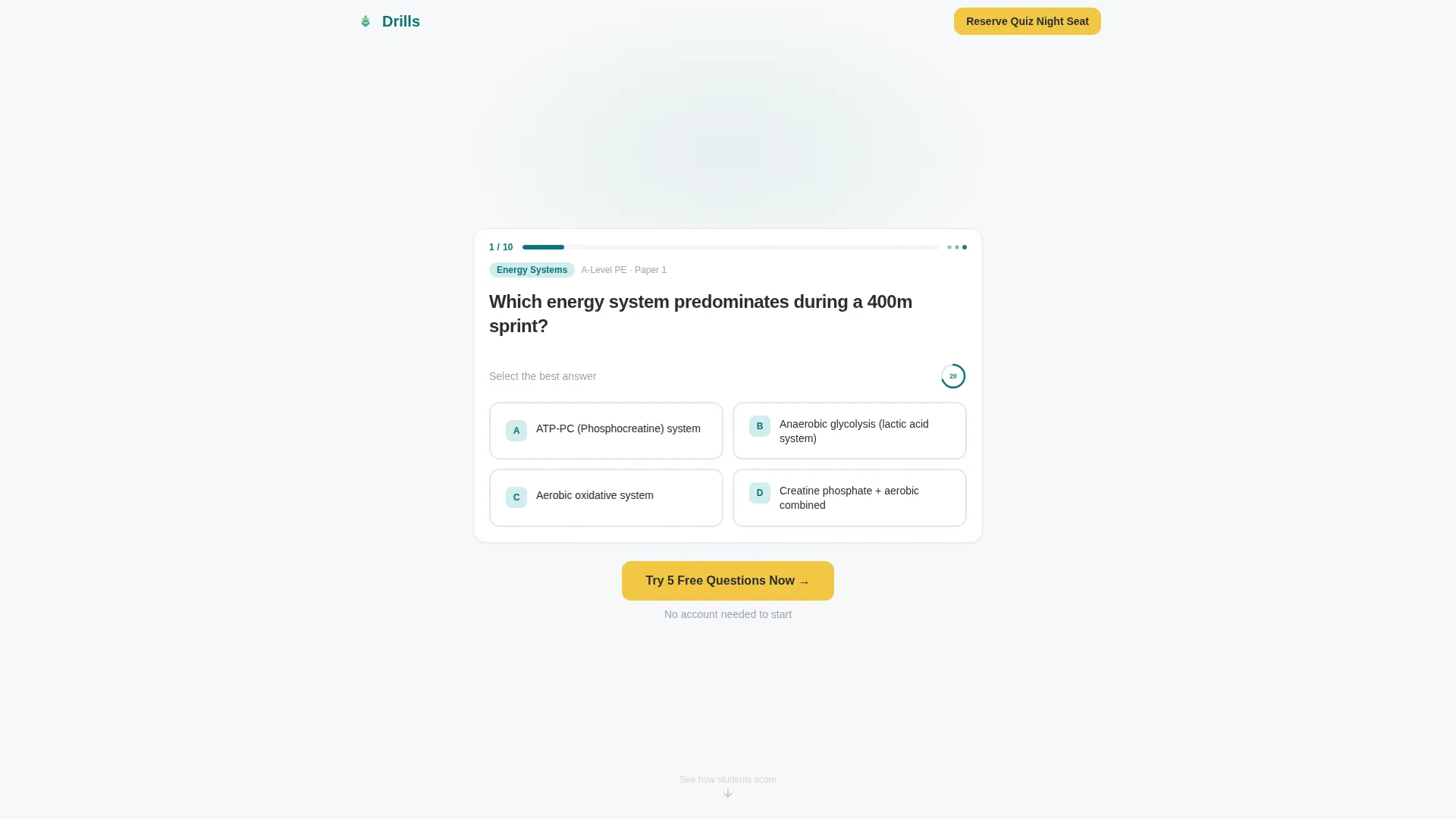
- A full-viewport Quiz Starter header with a real PE question, four answer cards, a progress bar, and a countdown timer
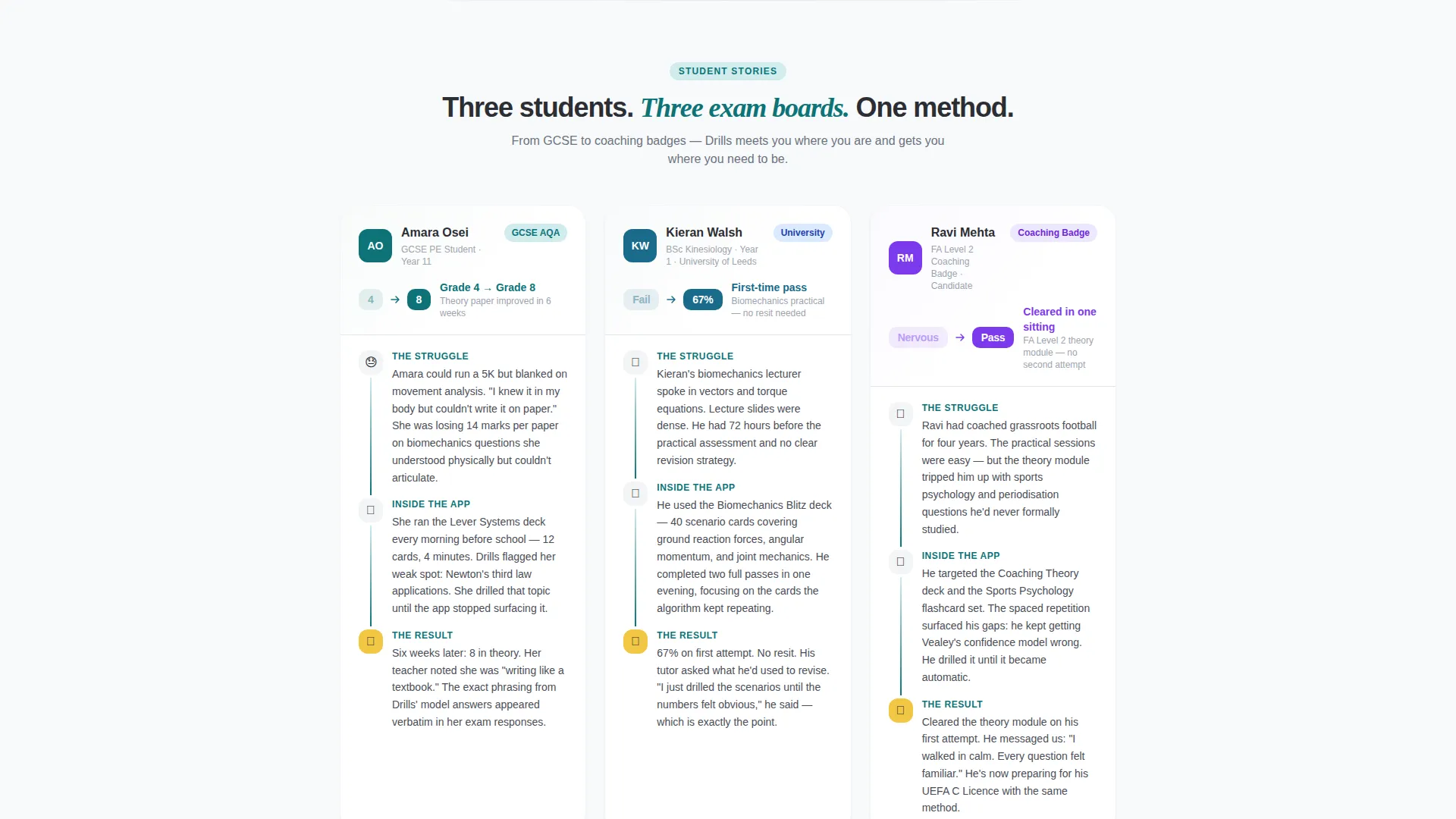
- Three student case studies built in a struggle-study-result structure, each with a score screenshot
- A three-field event registration form and a secondary "Try 5 Free Questions Now" call-to-action path
Feature list
This template includes a focused set of components, each designed to move a revision-minded visitor from curiosity to commitment.
Full-Viewport Quiz Starter Header
The header renders a real physical education exam question at full viewport scale. It includes a question stem, four tap-ready answer cards, a thin teal progress bar set at 1 of 10, and a visible countdown timer. The visitor's brain starts solving before they consciously decide to engage.
Three-Beat Case Study Narrative
Three student stories unfold in a consistent struggle-study-result format. Each case study covers the student's starting difficulty, their study pattern inside the app, and a final result paired with a score screenshot. The stories span a GCSE student, a university fresher, and a coaching badge candidate.
Event Registration Form
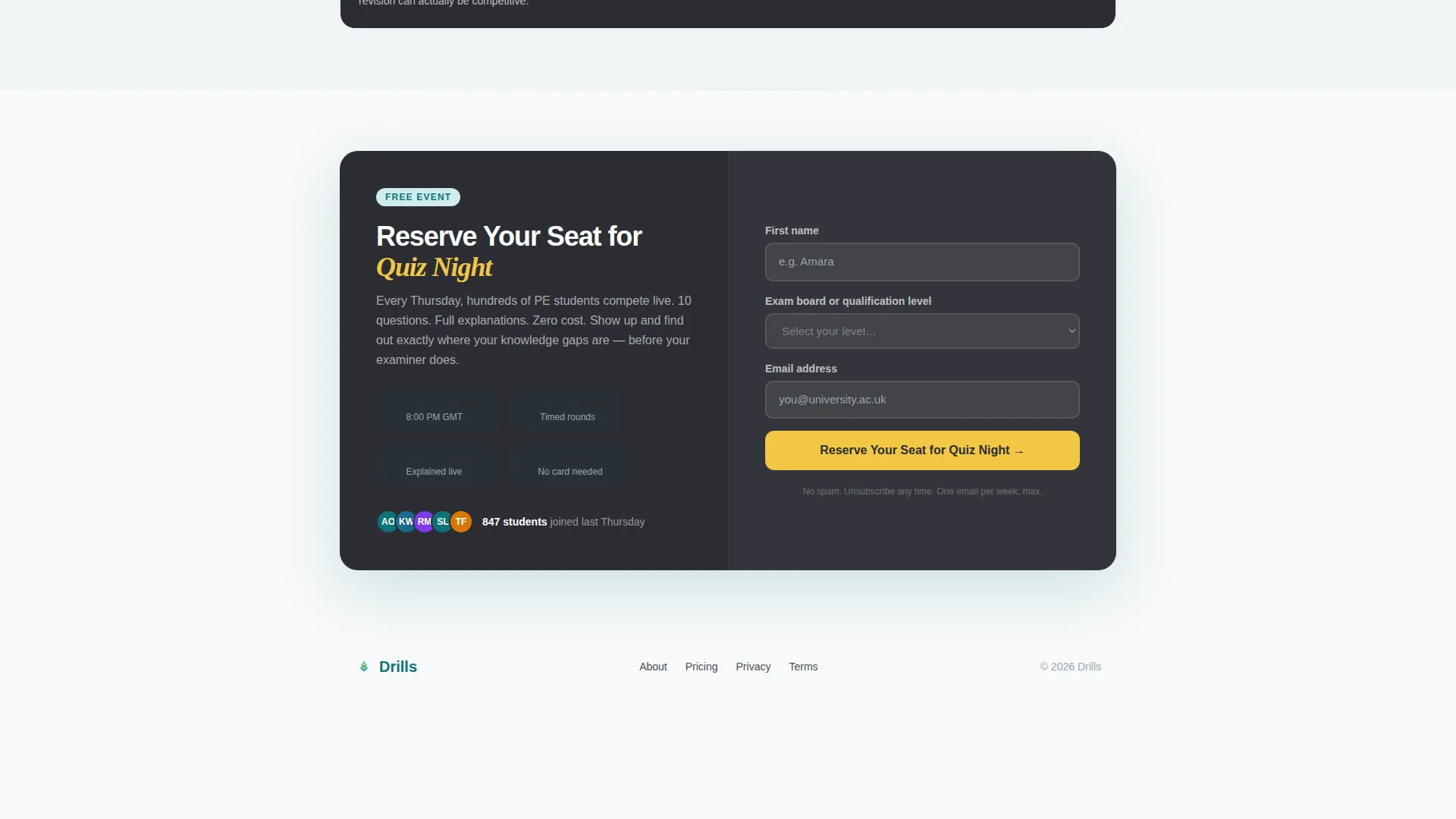
A three-field sign-up form collects a first name, an exam board or qualification level via dropdown (General Certificate of Secondary Education, A-Level, University, or Coaching Badge), and an email address. The submit button fires in highlight yellow against charcoal, making it visually unmissable.
Secondary Free-Trial Call to Action
A second conversion path sits directly below the header. The "Try 5 Free Questions Now" button lets impatient visitors enter the product experience before committing any details. This earns the later registration by leading with value first.
Teal Catalyst Color System
The palette anchors on deep lecture-hall teal for primary elements, chalkboard charcoal for body text and dividers, clean gymnasium white for backgrounds, and reactive highlight yellow for correct-answer states, hover effects, and call-to-action buttons.
Page sections overview
| Section | Purpose |
|---|---|
| Quiz Starter Header | Hook visitors with a live exam question at full viewport scale |
| Secondary call to action Strip | Offer instant product access via free questions |
| Case Study One | Show a GCSE student raising her grade from 4 to 8 |
| Case Study Two | Show a university fresher passing biomechanics first attempt |
| Case Study Three | Show a coaching candidate clearing FA Level 2 theory |
| Quiz Night Registration | Capture name, exam level, and email for the free live event |
Design & branding system
The visual identity follows an Educational Guide theme expressed through the Teal Catalyst color system. The palette is deliberately clinical and energetic at the same time, like a freshly marked whiteboard in a sports science lab.
- Deep lecture-hall teal (#0D7377) as the primary brand anchor, chalkboard charcoal (#2B2D33) for body text and section dividers, clean gymnasium white (#F7F9FA) for backgrounds
- Reactive highlight yellow (#F2C744) activates on correct answers, hover states, and call-to-action buttons, providing instant visual feedback without disrupting the calm study tone
Mobile & speed optimization
The single-column layout is structured specifically for tap-first interactions. Answer cards in the header are sized and spaced for thumb reach, and the form fields are minimal by design.
- Single-column flow means no reflow complexity on smaller screens; every element stacks naturally
- Three-field form and two clear call-to-action paths keep the mobile experience fast and frictionless
How this template helps you convert
The page is built around a principle of earning trust before asking for anything. Two conversion paths work together to capture visitors at different levels of intent.
- The Quiz Starter header triggers genuine cognitive engagement by presenting a real exam question immediately, pulling the visitor into the product mindset before any promotional copy appears.
- The case study narrative builds cumulative social proof across three distinct student profiles, showing results at GCSE, university, and coaching level before the registration form appears.
Other information about this template
This template is well suited to physical education educators, EdTech founders, and sports science coaches who want a polished promotional page without starting from scratch. A few additional details worth noting:
- The template style is a single-column flow, making it straightforward to adapt the content for different exam boards or qualification frameworks
- The case study structure is flexible and can be updated to reflect different student profiles, score improvements, or qualification types relevant to your audience
- The Educational Guide theme and Teal Catalyst color system were chosen specifically for the physical education practice and quiz app niche, balancing academic credibility with the energy needed to keep late-night revisers engaged
- No stock photography or illustration is used in the hero section; the product interface itself serves as the visual centrepiece, reinforcing authenticity
Theme
Educational Guide
Creative direction
Case Study Narrative
Color system
Teal Catalyst
Style
Single Column Flow
Direction
Event Registration
Page Sections
Full-viewport Quiz Starter Header
Three-beat Case Study Narrative
Event Registration Form
Secondary Free-trial Call to Action
Teal Catalyst Color System
Related questions
Who is this landing page template designed for?
Can I update the case studies to match my own user stories?
What does the registration form collect?
Is the Quiz Starter header just decorative, or does it reflect the real app?
Does the template include a way to convert visitors who are not ready to register?



