Dial - Electric Tollfree Landing Page Template
Dial is a dark, dashboard-style landing page built for toll-free number providers. It features an interactive number search grid, a glowing indigo color system, and a sticky call-to-action bar that keeps visitors engaged. Startup founders, e-commerce managers, and franchise owners can all see themselves inside this template the moment the page loads.
by Rocket studio
Quick summary
Dial is a single-page, dashboard-style template designed for toll-free number providers. It opens with an oversized glowing number in a dark full-bleed header, then flows into a live-search data grid, routing mockups, and a feature comparison section. Every interaction is built to move a visitor from curious browser to confident buyer before they ever leave the page.
Who this template is for
This template speaks directly to businesses that sell or provide toll-free phone numbers and cloud-based call routing. The design and copy structure fit teams that need to communicate a fast, credible, and tech-forward service.
- Startup founders who need a professional main line before their first public appearance
- E-commerce managers handling high support-call volumes with no existing routing system
- Franchise owners who want one national number that quietly routes to many locations
What problem this template solves
Most landing pages for telecom services look like software documentation. They bury the product behind long feature lists and static screenshots. Visitors leave before they feel the value. Dial fixes this by making the page itself feel like the product.
- Visitors cannot immediately search for and preview available toll-free numbers on a typical static page
- Routing complexity is usually explained with text alone, making it hard to visualize
- Generic telecom pages rarely reflect the speed or credibility the service actually offers
What you get with this template
Dial delivers a fully designed, interaction-rich single-page layout built around the Directory and Discovery theme. Every section is purpose-built to demonstrate the product rather than describe it.
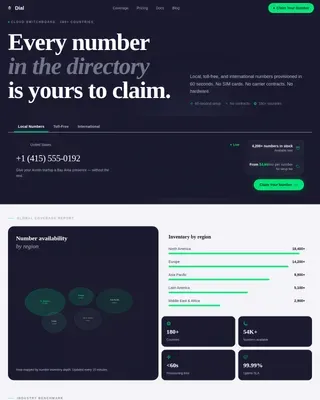
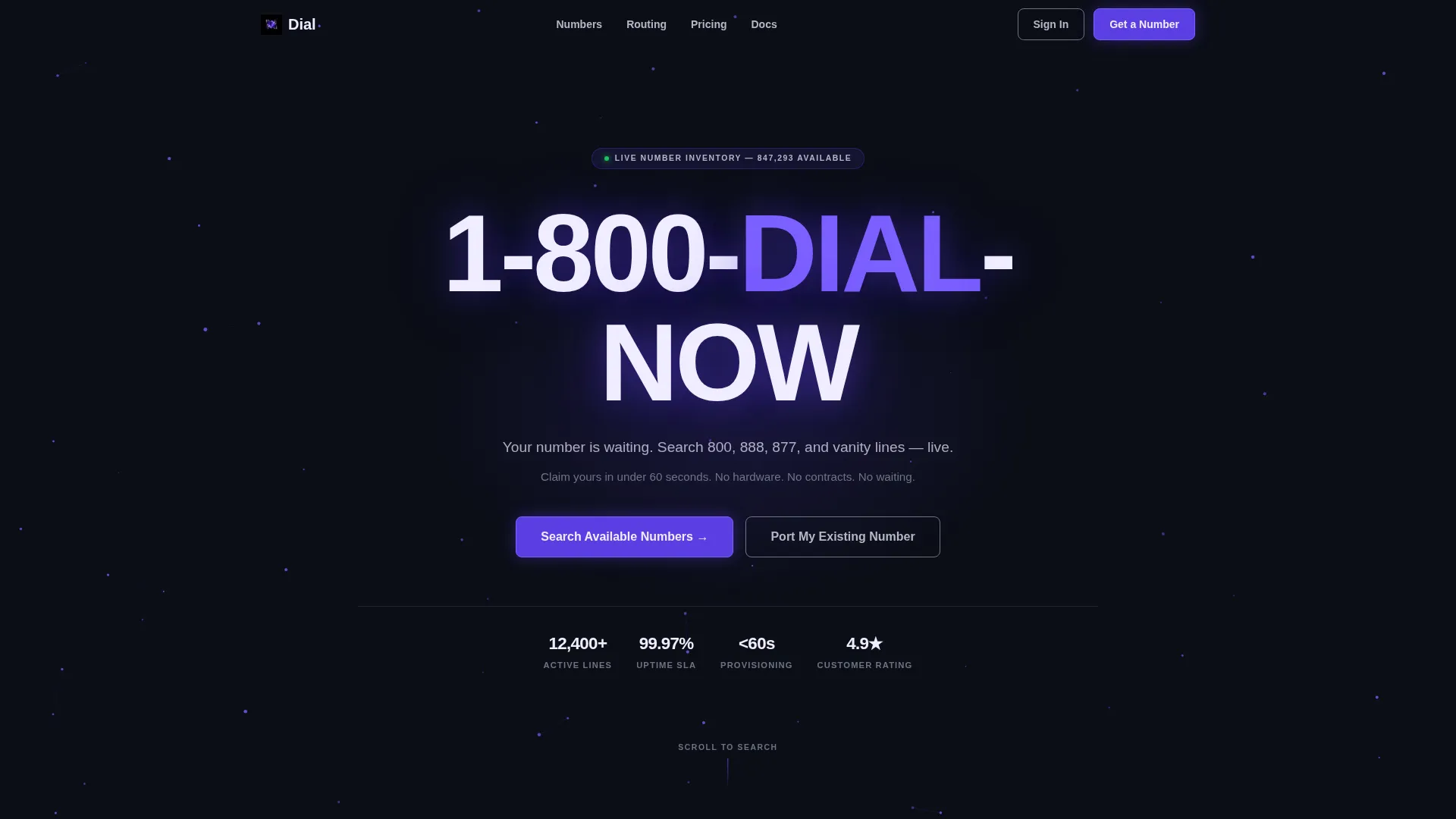
- A dark full-bleed header with an oversized glowing toll-free number and animated particle mesh background
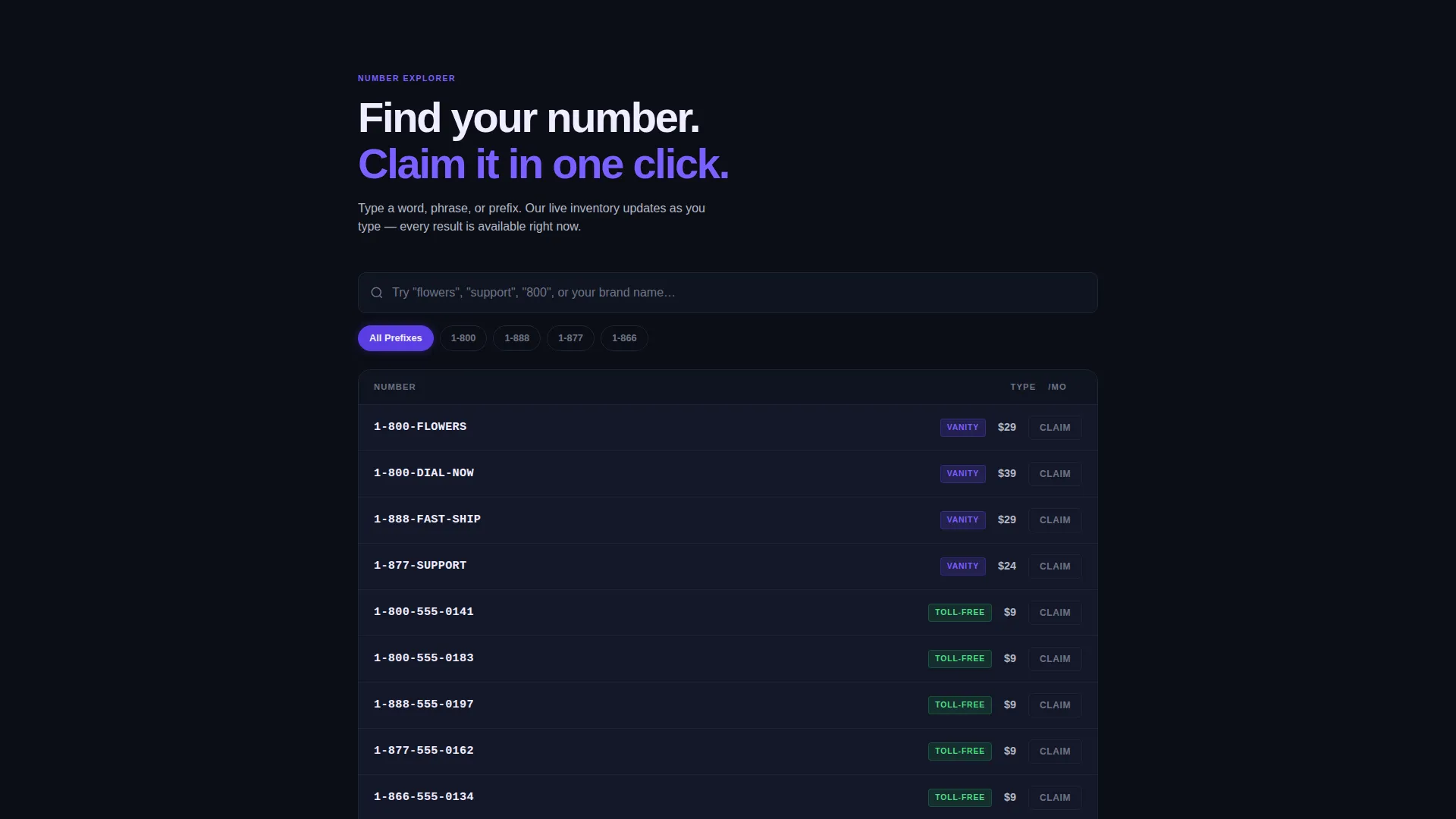
- An interactive number search grid with live-populating rows showing number type, cost, and a one-click Claim button
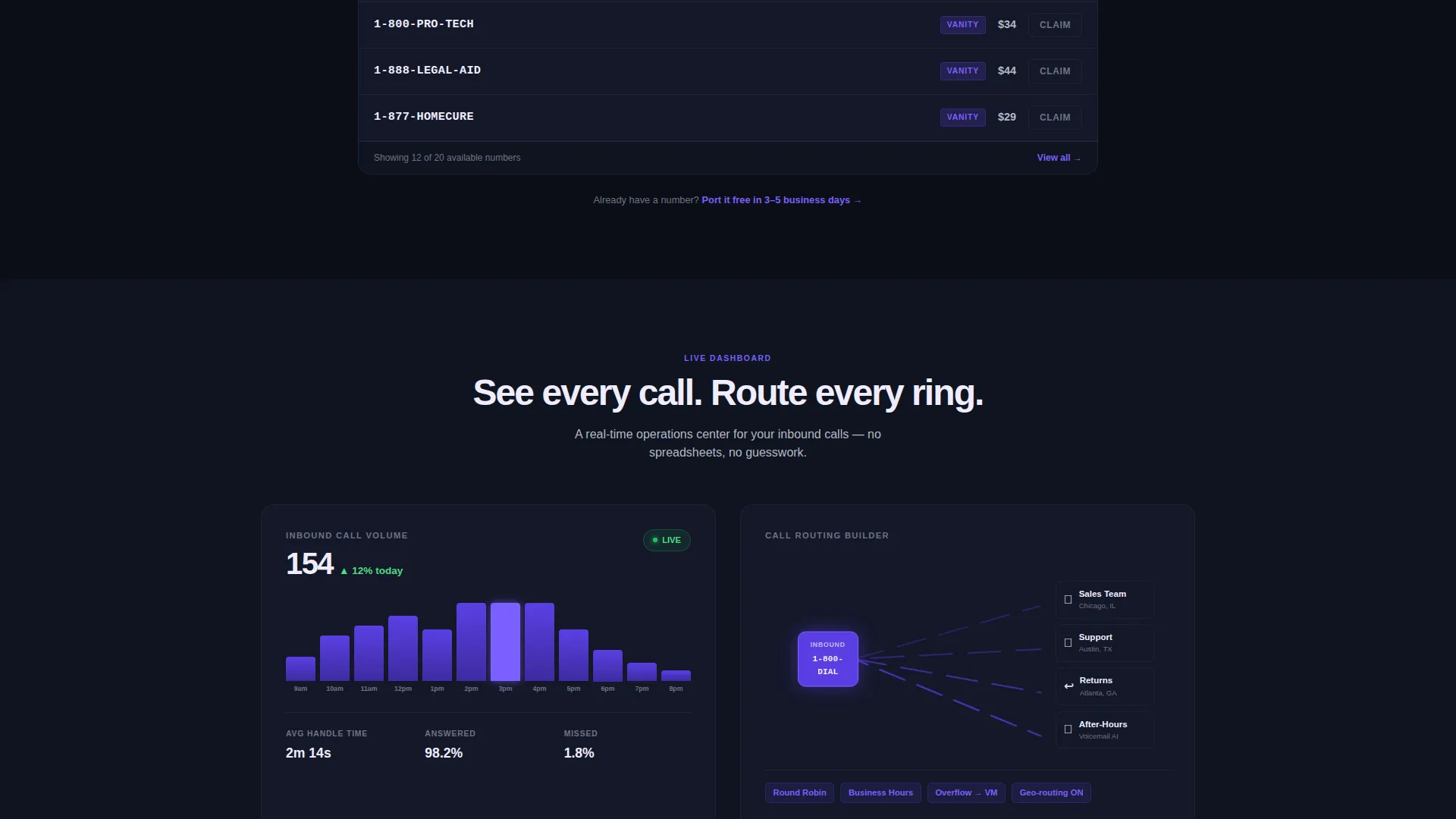
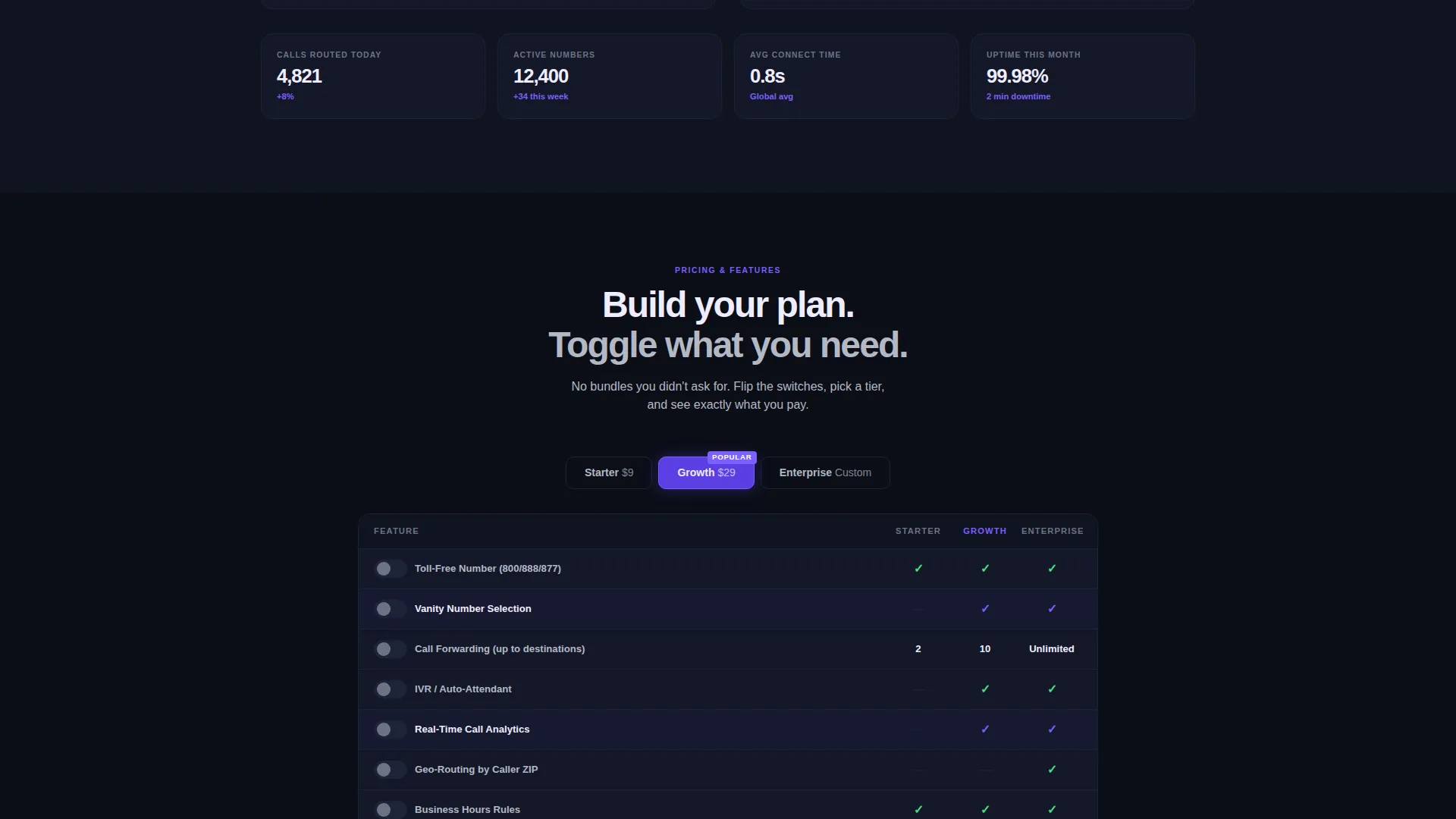
- Dashboard-style cards including a call-volume graph, a routing-rule builder mockup, and a toggleable feature comparison grid
Feature list
This template includes purpose-designed components that match the needs of a toll-free number service landing page. Each one is described below.
Glowing Header with Animated Number Display
The header renders a single toll-free number in oversized hot-white typography. A soft indigo glow pulses outward from each digit, and a slow-drifting particle mesh of interconnected nodes fills the background. The effect communicates a live, always-on network without a single image or human face.
Interactive Toll-Free Number Search Grid
Immediately below the header, a search bar lets visitors type a word or prefix. The data grid below it populates with matching available numbers in real time, each row showing the number, type, monthly cost, and a hover-activated indigo Claim button. This turns the scroll into a working product experience.
Routing Rule Builder Mockup
A visual card shows animated lines connecting a single inbound toll-free number to multiple destination phones. It illustrates how calls can be split across teams, time zones, and departments. Visitors understand the routing logic instantly without reading a word of technical copy.
Sticky Click-Through Call-to-Action Bar
A persistent bar rides the bottom of the viewport as visitors scroll. It holds the primary call-to-action, "Search Available Numbers," rendered in glowing indigo. Clicking it smooth-scrolls directly back to the search grid, keeping the visitor inside the experience rather than bouncing them to a new page.
Ghost Button for Number Porting
A secondary call-to-action, "Port My Existing Number," appears as a silver-outlined ghost button. It targets businesses that already hold a local or toll-free line and want to transfer it. This single button prevents an entire segment of qualified visitors from feeling unaddressed.
Toggleable Feature Comparison Grid
A dashboard-style section lets visitors flip toggles to build their own plan view. It shows features side by side in a scannable grid format. Interaction here encourages visitors to mentally commit to a plan before reaching a signup form.
Page sections overview
| Section | Purpose |
|---|---|
| Dark Header Canvas | Anchors brand with glowing oversized toll-free number and particle mesh |
| Number Search Grid | Lets visitors search and preview available toll-free numbers live |
| Call Volume Dashboard | Shows a live-style call-volume graph to signal scale and activity |
| Routing Builder Card | Visualizes call-split logic across teams and time zones |
| Feature Comparison Grid | Enables visitors to toggle plan features and self-select a tier |
| Sticky call to action Bar | Keeps primary action visible throughout the entire scroll |
| Ghost Button call to action | Addresses existing-number holders with a porting prompt |
Design & branding system
The visual identity follows a Directory and Discovery theme built entirely around the Electric Indigo color system. The palette is deliberately dark and data-forward, evoking a network operations center late at night where only the important signals are lit.
- Deep void black (#0B0E17) fills full-bleed backgrounds throughout the page
- Electric indigo (#5B3FE4) appears on active states, glowing user interface accents, and interactive elements like the Claim button and sticky bar
- Cool silver (#B4B8C5) handles secondary text, grid lines, and ghost button outlines, while hot white (#F0EDFF) carries all primary type and data cell content
Mobile & speed optimization
The template is structured to deliver a clean, responsive experience across screen sizes. The dark background and minimal use of imagery keep the visual load light by design.
- The data grid layout adapts to narrower viewports so number rows remain readable on smaller screens
- The sticky call-to-action bar is designed to stay anchored at the bottom of the screen on both desktop and mobile
- No stock imagery or human photography is used anywhere in the template, reducing heavy media assets
How this template helps you convert
Dial is engineered around a single principle: let visitors touch the product before they fill out a form. By the time a visitor clicks "Claim" on a specific number row, the emotional decision is already made.
- The interactive search grid creates a moment of ownership. A visitor who finds their ideal vanity number has already mentally claimed it, which makes clicking through to signup feel like finishing what they started.
- The smooth-scroll sticky call-to-action bar eliminates dead ends. No matter where a visitor is on the page, the next step is always one tap away without disrupting their browsing flow.
- The routing builder mockup and toggleable comparison grid answer objections visually. Visitors who might hesitate over complexity or pricing can explore both before committing.
Other information about this template
This template sits at the intersection of the Telecom and Connectivity category and the Communication and Unified Communications subcategory. It is specifically designed for the toll-free number provider niche, making it a strong fit for businesses competing in that space.
- The template style is Dashboard and Data Grid, which suits any service that benefits from showing live or near-live data to prospects
- The creative direction is Interactive Explorer, meaning the template rewards scrolling and clicking rather than passive reading
- The header concept is Dark Full-Bleed with Glow, a visual approach that positions the product as modern, infrastructure-grade, and always active
- The landing page direction is Click-Through, optimized to move visitors from discovery to a specific next-step action rather than capture a lead on-page
Theme
Directory & Discovery
Creative direction
Interactive Explorer
Color system
Electric Indigo
Style
Dashboard/Data Grid
Direction
Click-Through
Page Sections
Glowing Toll-free Number Header
Interactive Number Search Grid
Call Routing Builder Mockup
Sticky Call-to-action Bar
Toggleable Feature Comparison Grid
Number Porting Ghost Button
Related questions
What type of businesses is this template designed for?
Can visitors actually search for toll-free numbers inside the template?
Does the template include both a primary and a secondary call to action?
Is this a multi-page template or a single landing page?
Can I update the color system to match my own brand?