Trusted Surgeon Landing Page Template
Consult is a single-page landing page template built for plastic surgeons who offer virtual consultations. It combines a portrait-led hero, a procedure comparison table with expandable rows, before-and-after galleries, patient testimonials, and a minimal three-field booking form, all styled in a calm, educational tone designed to earn patient trust before asking for a commitment.
by Rocket studio
Quick summary
Consult is a landing page template for plastic surgeons running virtual consultations. It opens with a portrait hero and a trust statistic, moves through a procedure comparison table, and closes with a three-field booking form. The design is calm and educational, built to help patients feel informed and safe before they book.
Who this template is for
This template is designed for plastic surgery practices that want to convert online visitors into booked virtual consultations. It speaks directly to patients who research carefully before committing to a procedure.
- Surgeons offering rhinoplasty, facelifts, blepharoplasty, liposuction, breast augmentation, or body contouring consultations virtually
- Practices targeting women in their thirties and forties researching mommy makeovers, as well as men exploring facial contouring options
- Revision patients who need to rebuild trust after a previous experience before booking a second consultation
What problem this template solves
Most plastic surgery pages push patients toward booking before they feel ready. That pressure creates drop-off, especially among cautious or research-driven visitors. This template removes the pressure by educating first and asking for a commitment only after trust has been established.
- Patients leave pages that feel salesy or rushed, and never return; this template holds attention with data and calm explanation before any call to action appears
- Visitors comparing multiple surgeons have no easy way to evaluate procedures side by side; the built-in comparison table gives them that clarity in one place
- Revision patients and first-timers alike need to see the surgeon's face and hear their voice; the expandable video rows provide that connection without requiring an in-person visit
What you get with this template
The template is a fully structured single-page layout with five main content sections, each serving a specific role in the patient's decision journey. Every section is visually cohesive and flows naturally from evidence to narrative to action.
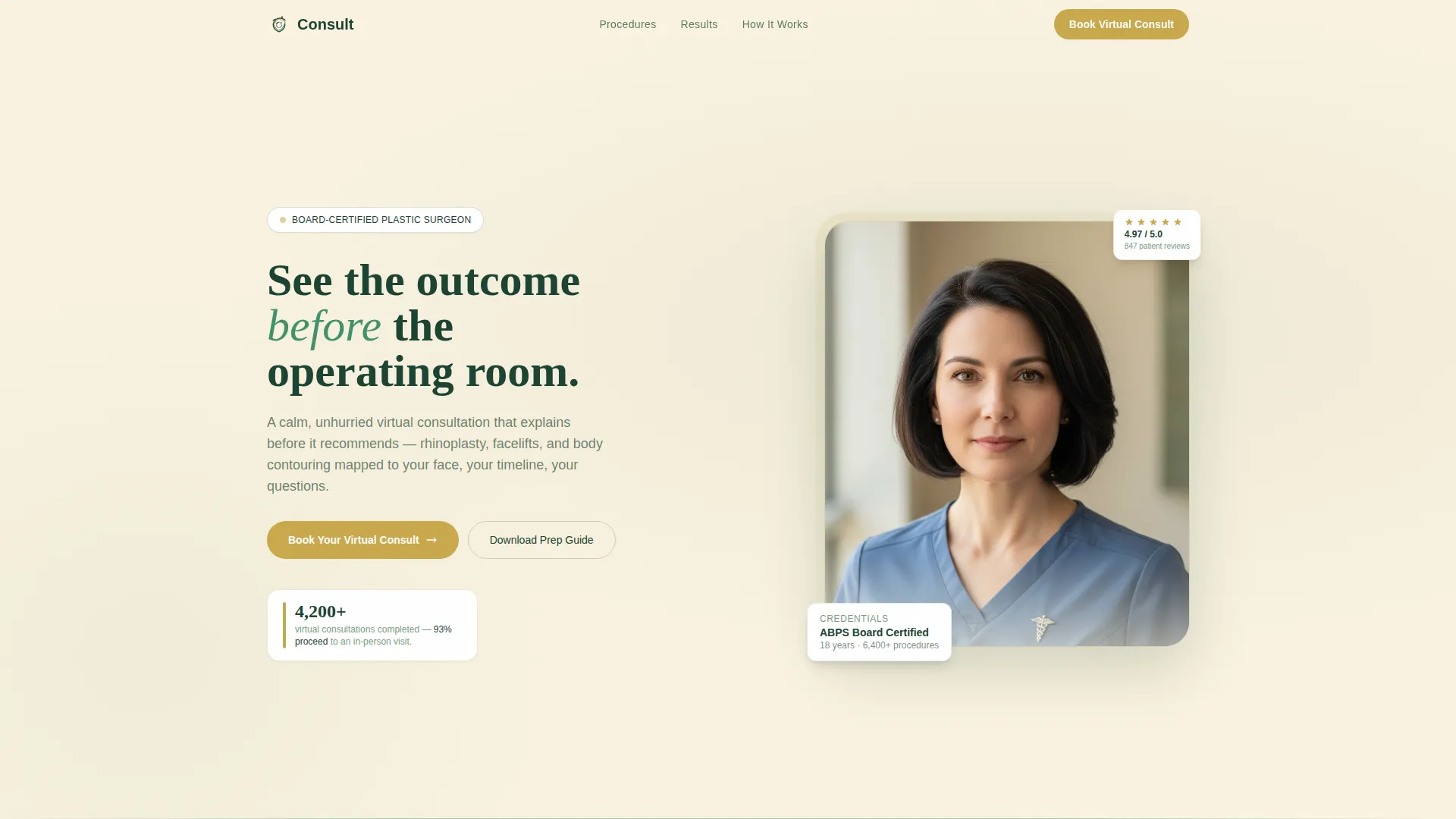
- A portrait hero section with a fade-in trust statistic and a primary gold call-to-action button
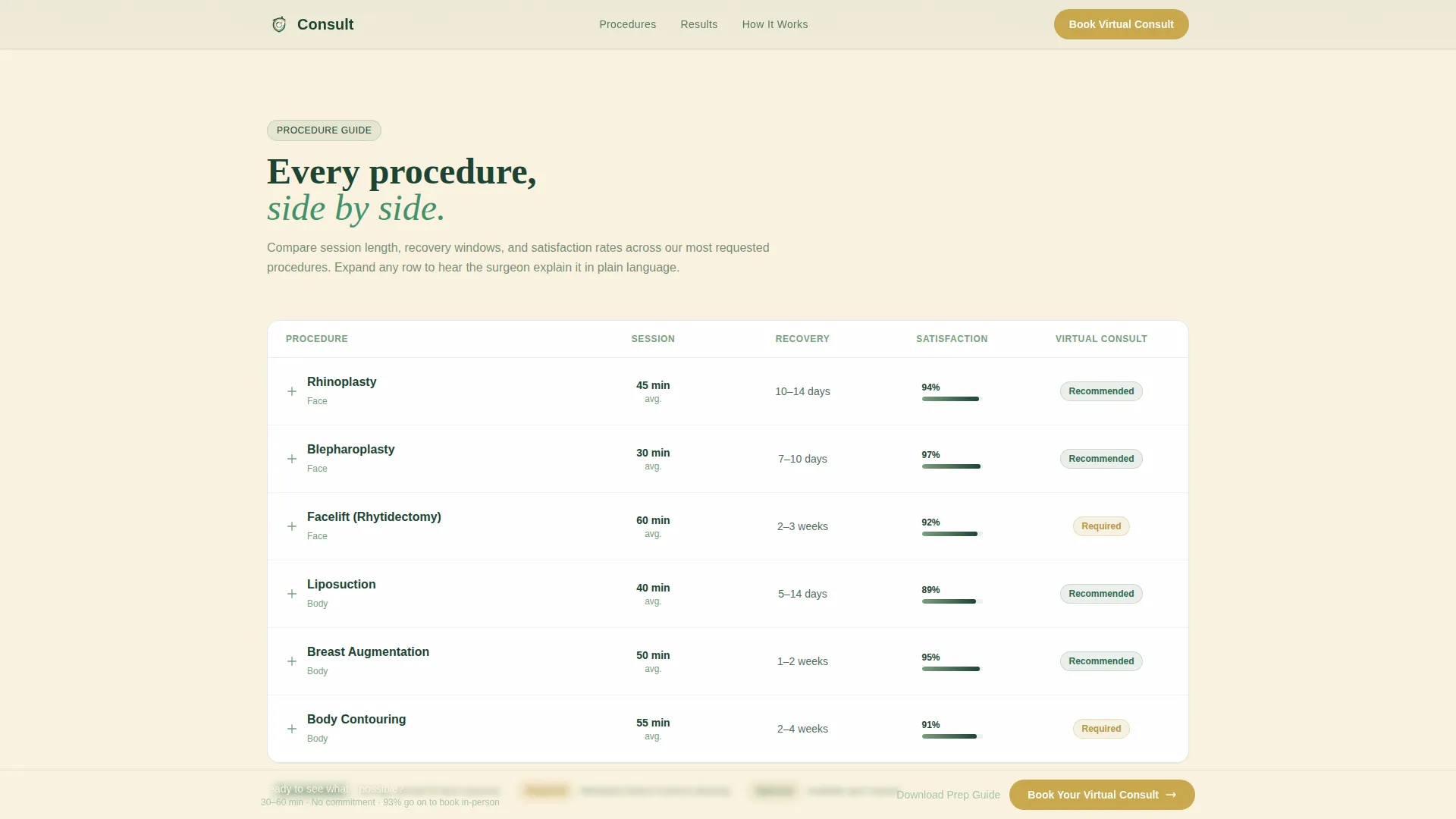
- An expandable procedure comparison table covering session length, recovery window, satisfaction rate, and virtual consultation status per procedure
- A step-by-step visual walkthrough of the virtual consultation process, a before-and-after gallery organized by procedure, patient testimonial cards with real timelines, a three-field booking form, and a secondary email capture path offering a downloadable consultation prep guide
Feature list
This template includes a focused set of interactive and visual components, each grounded in the specific needs of a virtual consultation practice.
Portrait-Centered Hero Section
The hero places the surgeon's portrait front and center, shot against a neutral linen background in soft directional light. A single trust statistic fades in below the image, and a gold "Book Your Virtual Consult" button gives visitors an immediate, low-friction action to take.
Expandable Procedure Comparison Table
The comparison table lists key procedures across columns that show average session length, recovery window, satisfaction rate, and whether virtual consultation is recommended or required. Each row expands to reveal a short video clip of the surgeon explaining that procedure in plain language.
Before-and-After Gallery with Testimonials
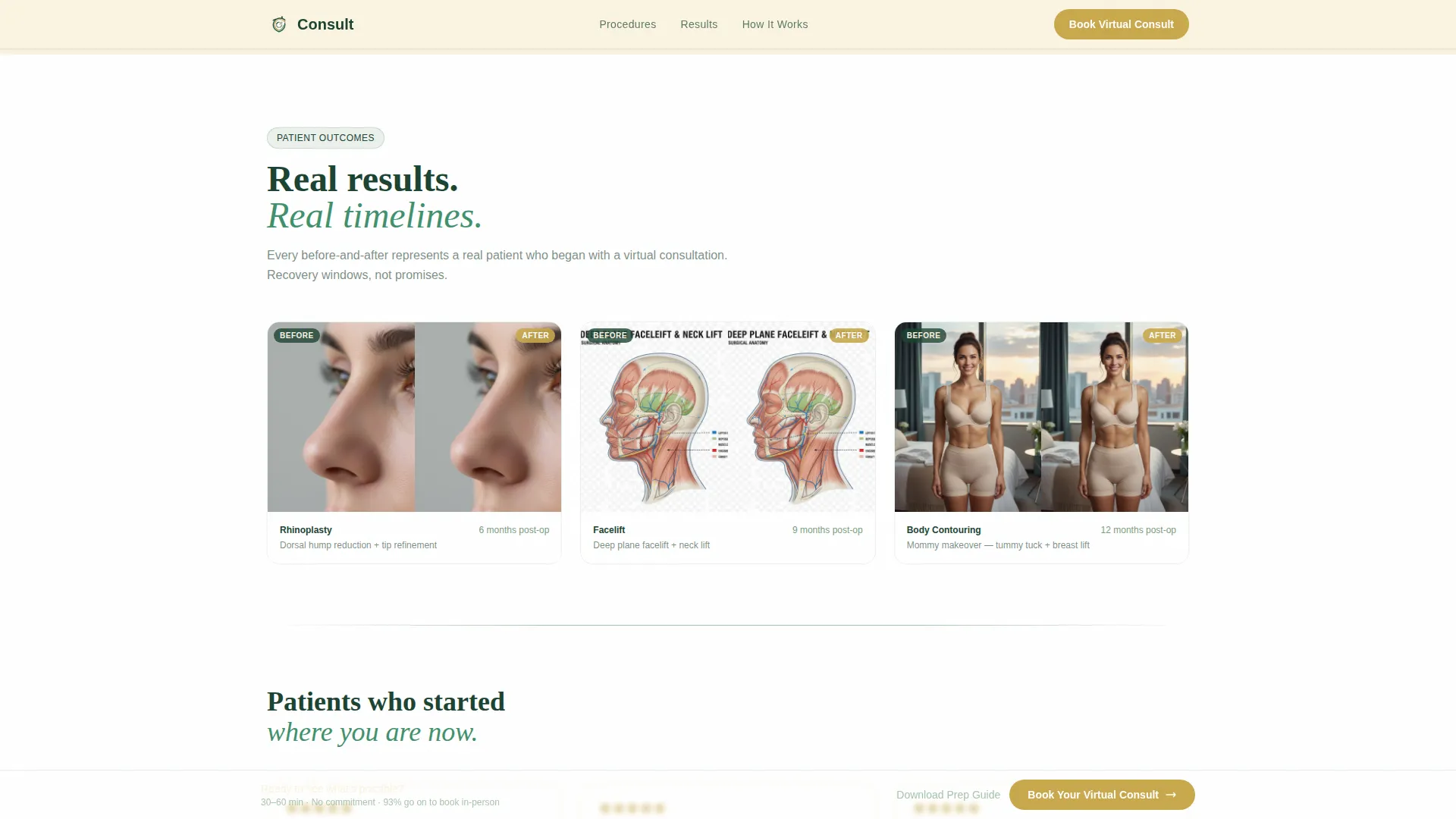
Procedure-organized before-and-after galleries sit alongside patient testimonial cards that include real timelines. This pairing gives visitors both visual evidence and personal context in the same scroll.
Virtual Consultation Walkthrough
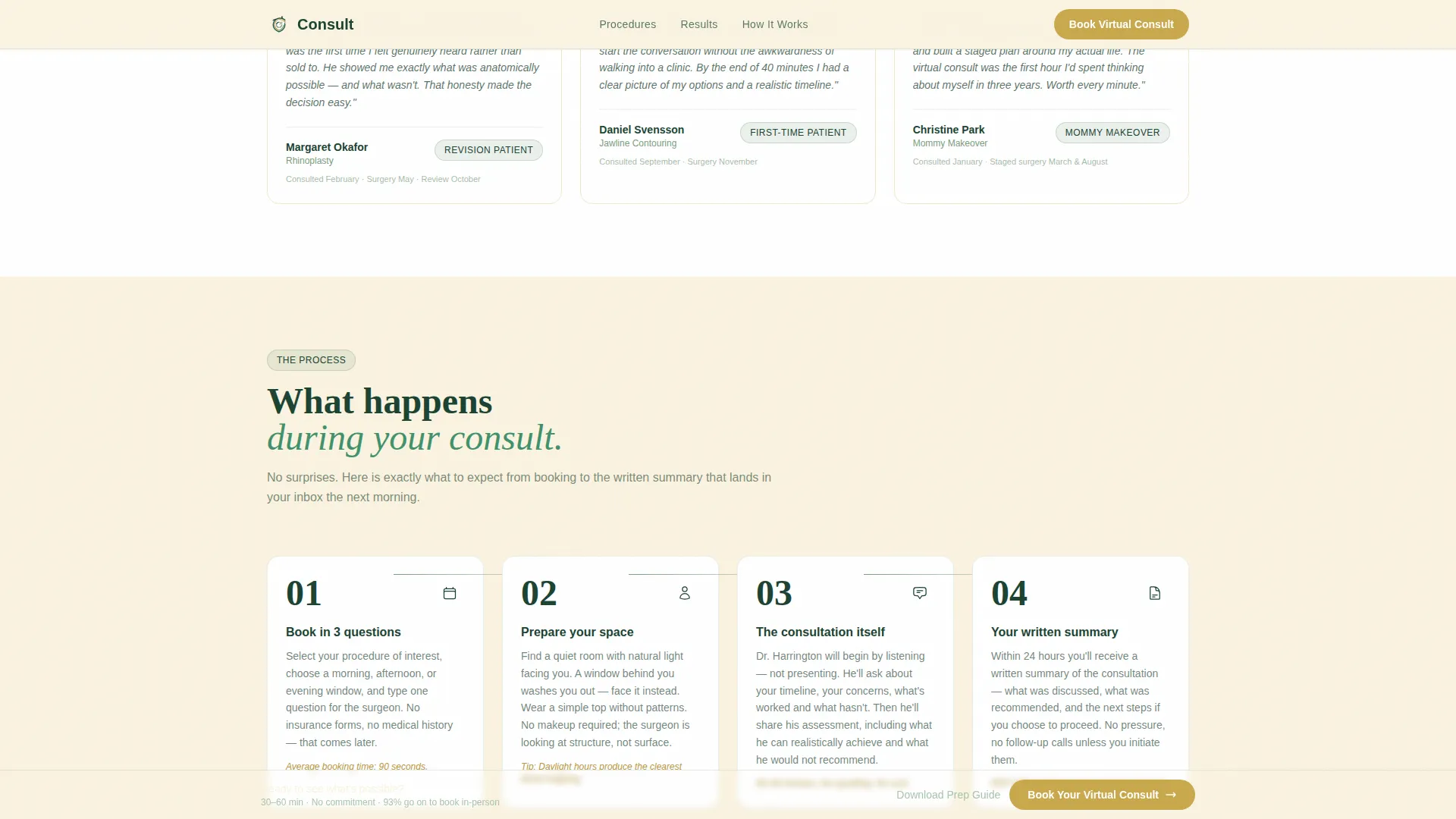
A step-by-step visual guide walks patients through exactly what to expect during their virtual appointment. It covers practical details like camera angles, lighting suggestions, what to wear, and what questions to prepare in advance.
Minimal Three-Field Booking Form
The booking form asks only three things: procedure of interest via a dropdown, preferred time window (morning, afternoon, or evening), and a single open-text field for the patient's main question. No insurance or medical history fields appear at this stage.
Secondary Email Capture Path
Visitors who are not yet ready to book can download a consultation prep guide by submitting their email address. This secondary path captures interest and supports follow-up without requiring a full booking commitment.
Page sections overview
| Section | Purpose |
|---|---|
| Hero Portrait | Builds immediate trust with surgeon portrait, fade-in stat, and primary call to action |
| Comparison Table | Lets patients evaluate procedures side by side with expandable video rows |
| Before and After | Provides visual procedure evidence organized by treatment type |
| Patient Testimonials | Reinforces trust with real patient timelines and personal accounts |
| Consultation Walkthrough | Prepares patients for what to expect during the virtual appointment |
| Booking Form | Converts ready visitors with a three-field form and a prep guide download option |
| Footer | Single-row linear footer with practice links and contact details |
Design & branding system
The visual identity follows an Educational Guide theme built around a Forest Trust color system. The palette draws on nature and private clinic aesthetics to communicate calm authority without clinical coldness.
- Deep surgical evergreen (#1B4332) anchors headers and navigation; warm birch cream (#FAF3E0) provides generous whitespace between content blocks; muted sage (#7A9E7E) softens borders and secondary text
- Quiet gold (#C9A84C) appears only on calls to action and trust badges, reserving its visual weight for moments where a decision is being asked for
- Typography pairs Fraunces serif for headings, adding gravitas, with DM Sans for body text, keeping reading comfortable and clear
Mobile & speed optimization
The template is built desktop-first to serve research-heavy decisions made on larger screens, while remaining fully responsive across all device sizes.
- Static content sections use server-side rendering for fast initial load; interactive components like the expandable table and booking form are handled client-side
- Scroll-reveal animations, staggered card entries, and the comparison table row expansion are implemented at medium intensity to add life without slowing the experience
- The sticky call-to-action bar appears after the comparison table on all screen sizes, keeping the booking prompt accessible as visitors scroll
How this template helps you convert
The page is structured so that trust accumulates naturally before any booking ask is made. By the time a visitor reaches the form, they have already seen data, heard the surgeon's voice, and understood the process.
- The fade-in trust statistic (4,200+ virtual consultations completed, 93% proceed to an in-person visit) immediately signals credibility and reduces hesitation at the top of the page
- The three-field booking form removes friction at the critical decision moment, and the secondary prep guide download path captures visitors who need more time before committing
Other information about this template
This template is categorized under Health and Medical, specifically within the Plastic Surgeon Website subcategory, and is purpose-built for the Plastic Surgeon Virtual Consultation Page niche. It is a single landing page with a Stats-First Impact creative direction and a Booking and Scheduling conversion goal.
- The template style is a Comparison Table layout, which is well-suited to high-consideration medical decisions where patients want to evaluate options before speaking to anyone
- Time slot options are localized for United States audiences, with morning, afternoon, and evening windows reflecting standard USA time zone conventions
- The booking form deliberately excludes insurance and medical history fields, keeping the initial barrier low and reserving detailed intake for after the consultation is confirmed
Theme
Educational Guide
Creative direction
Stats-First Impact
Color system
Forest Trust
Style
Comparison Table
Direction
Booking/Scheduling
Page Sections
Portrait-centered Hero with Trust Stat
Expandable Procedure Comparison Table
Before-and-after Gallery by Procedure
Step-by-step Consultation Walkthrough
Minimal Three-field Booking Form
Secondary Prep Guide Download Path
Related questions
What procedures does the comparison table cover?
Can a visitor book without scrolling through the entire page?
What does the secondary download path offer?
Is this template suited to revision patients or cautious first-timers?
How many fields does the booking form include?



