Carrier — Network Landing Page Template
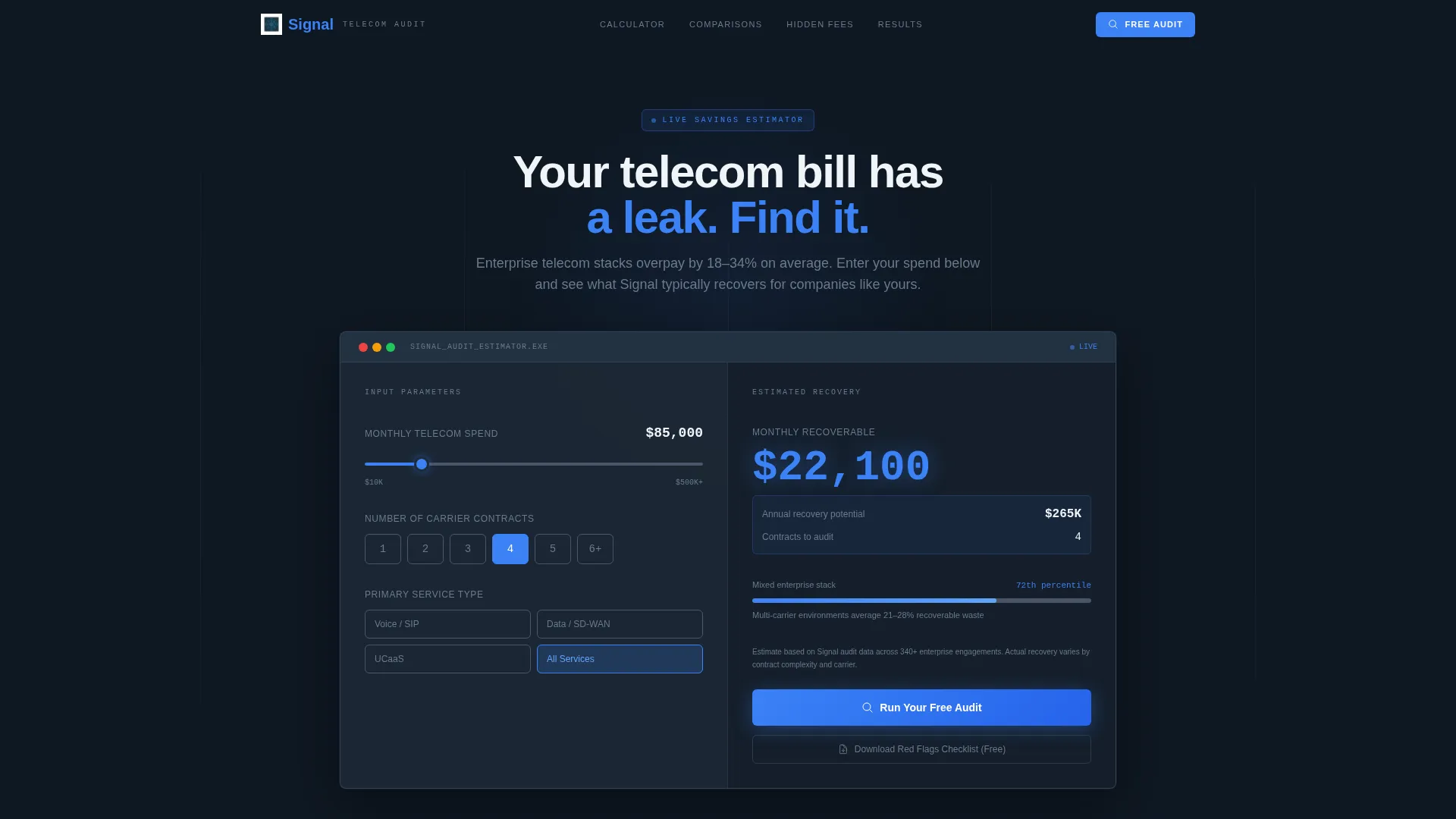
Signal is a comparison table landing page built for enterprise telecom consulting and advisory firms. It leads with an interactive spend calculator that estimates savings before the visitor scrolls. Deep-dive comparison tables, a progressive audit request form, and a lead-capture checklist download work together to turn skeptical CFOs and IT directors into qualified prospects.
by Rocket studio
Quick summary
Signal is a single-page template designed for telecom consulting and advisory firms that audit enterprise carrier contracts. The page opens with a functioning spend calculator, then guides visitors through authoritative comparison tables covering voice, data, SD-WAN (software-defined wide area network), and UCaaS (unified communications as a service). Every section is built to earn trust through evidence before asking for a commitment.
Who this template is for
This template was built for firms that specialize in dissecting enterprise telecom stacks. The audience is sophisticated, the problem is expensive, and the page needs to match both.
- Telecom consulting and advisory firms auditing multi-carrier environments
- Boutique cost-recovery specialists focused on enterprise carrier contracts
- Independent consultants serving CFOs, IT directors, and procurement leads
What problem this template solves
Most telecom consulting firms look like every other B2B service provider online. A generic headline and a contact form do not convince a CFO managing six-figure monthly invoices to hand over their billing data. Clients arrive suspicious, already burned by overcharges nobody flagged.
- Visitors leave before understanding the firm's specific expertise and methodology
- A weak first impression signals the firm is no sharper than the carrier it is auditing
- There is no immediate, tangible proof of value above the fold
What you get with this template
Signal delivers a fully structured, single-page layout purpose-built for the telecom audit niche. Every component is chosen to make expertise visible and the path to engagement frictionless.
- An embedded spend calculator with animated savings estimates and benchmark comparisons
- Tabbed comparison tables covering voice, data, SD-WAN, and UCaaS service types
- A three-step progressive audit request form and a secondary email-only checklist download
Feature list
Signal is organized around components that demonstrate expertise rather than describe it. Here are the core features built into this template.
Interactive Spend Calculator
A slider-based calculator sits above the fold with three inputs: monthly telecom spend (ranging from ten thousand to five hundred thousand dollars or more), number of carrier contracts, and primary service type. It returns an animated sky-blue savings estimate and a benchmark comparison before the visitor scrolls.
Tabbed Comparison Tables
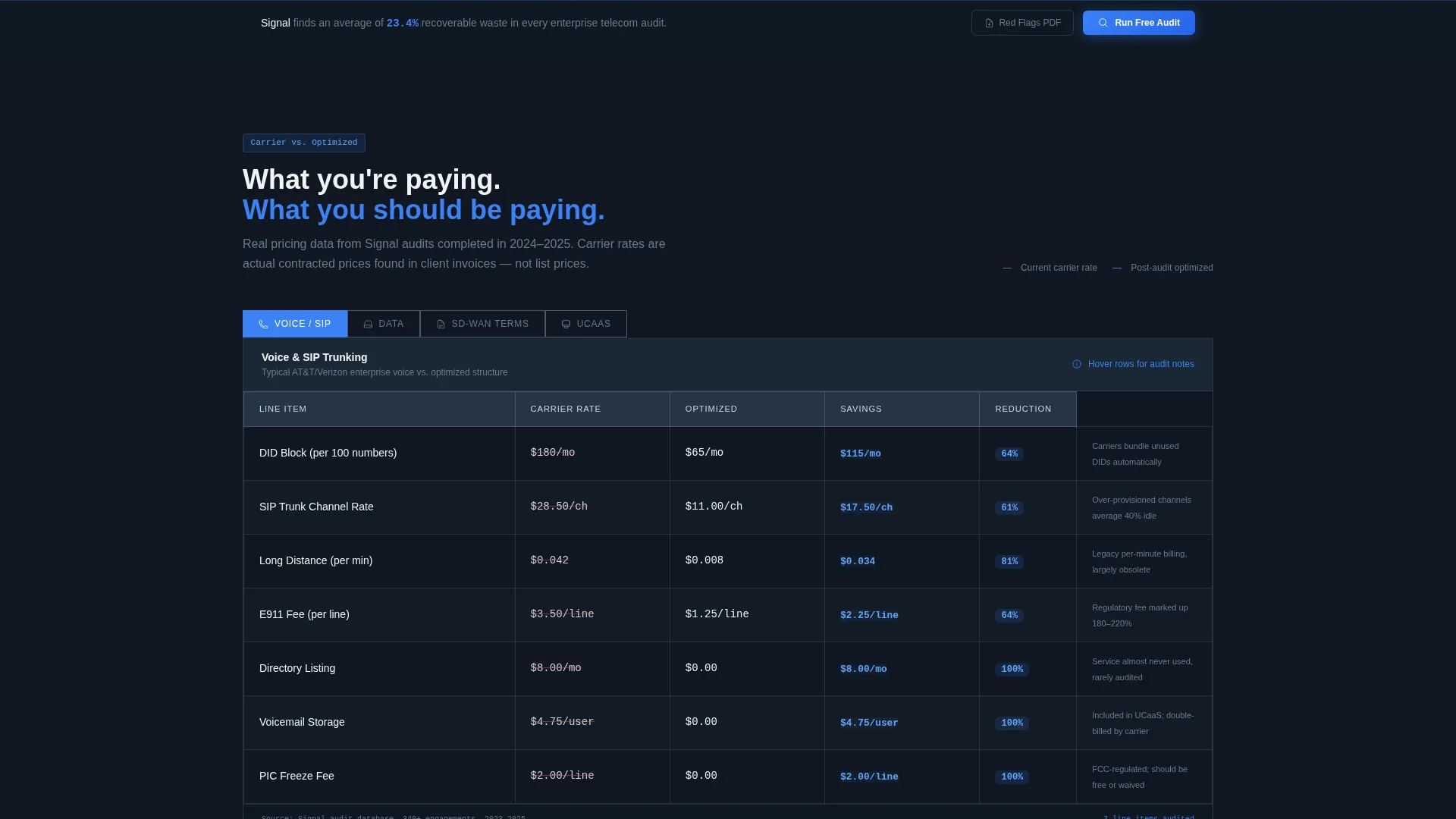
Four toggle tabs let visitors switch between voice, data, SD-WAN, and UCaaS views. Each table compares common carrier pricing structures against optimized structures row by row. The savings column uses subtle sky-blue highlights to pull the eye toward the cost delta.
Hidden Fee Taxonomy Section
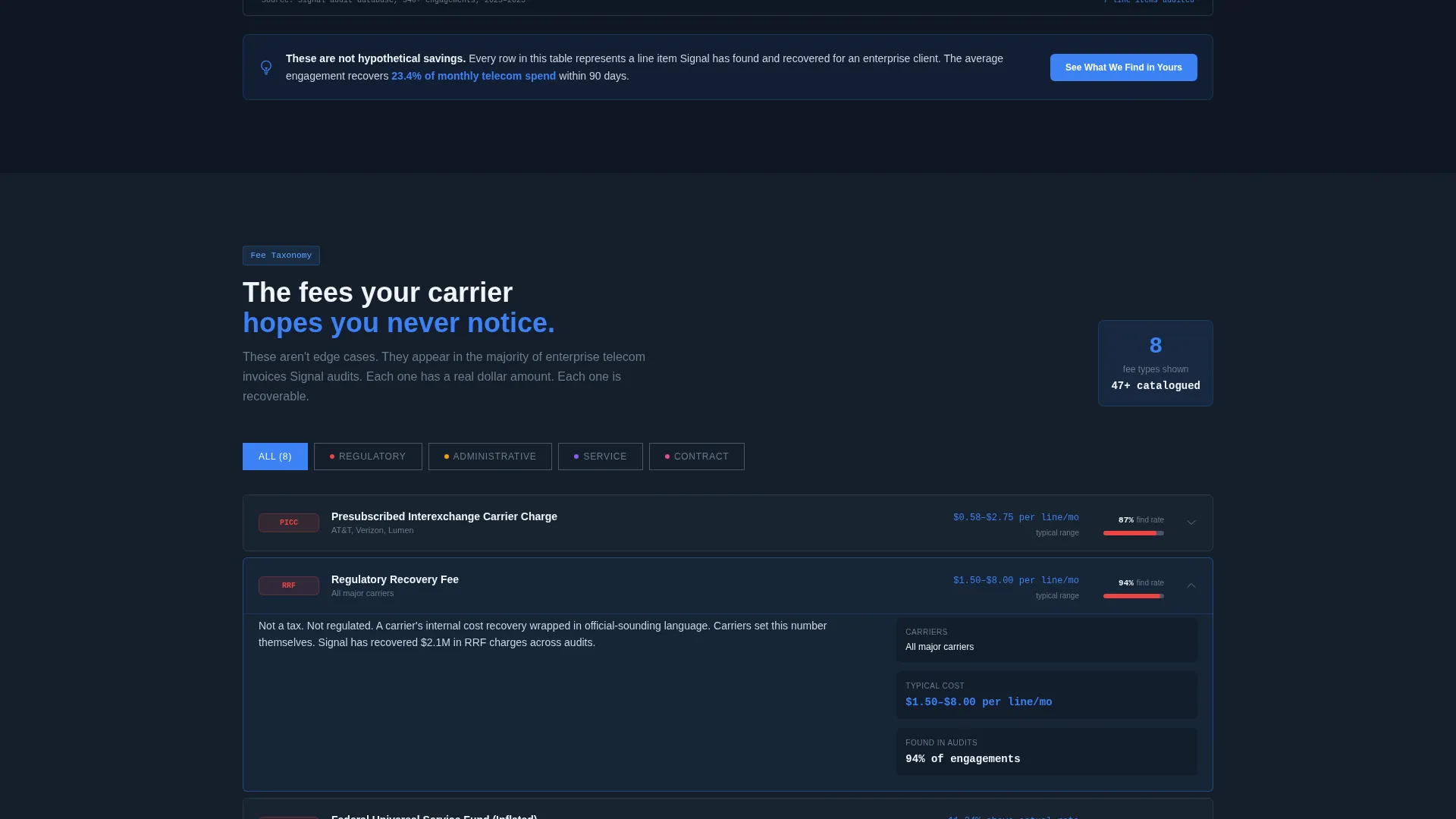
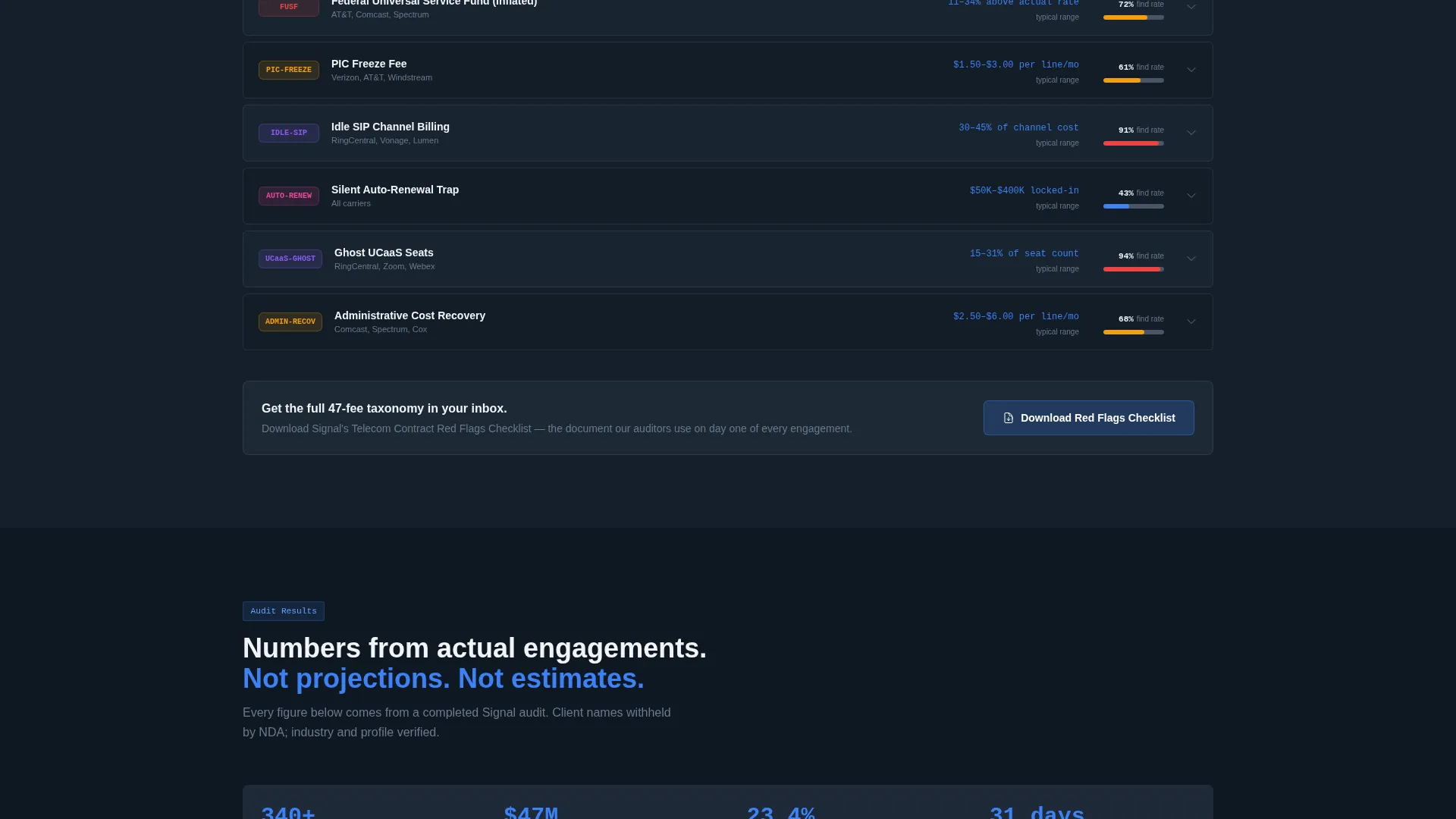
As visitors scroll deeper, tables become more specific. They cover feature-by-feature breakdowns of major UCaaS platforms, contract term trade-offs, and a hidden fee taxonomy with real dollar examples. Each section leaves the visitor more informed about what they are likely overpaying.
Three-Step Progressive Audit Form
The primary call to action opens a progressive form. Step one captures company name and estimated monthly spend. Step two collects number of locations and current carriers via a multi-select dropdown. Step three requests a work email and preferred callback window, then promises a high-level savings report within 48 hours.
Checklist Lead Capture Path
A secondary conversion path lets visitors download a "Telecom Contract Red Flags Checklist" PDF by submitting only their email address. This captures leads who are suspicious of their invoices but not yet ready to request a full audit.
Sticky Call-to-Action Bar
A "Run Your Free Audit" sticky bar activates after the first scroll. It stays visible throughout the page, giving visitors a persistent, low-friction entry point to the audit form at any point in their reading.
Page sections overview
| Section | Purpose |
|---|---|
| Calculator Header | Estimate savings before scrolling |
| Benchmark Comparison | Show spend versus. industry average |
| Tabbed Pricing Tables | Compare carrier versus. optimized rates |
| UCaaS Platform Breakdown | Compare unified comms platforms feature by feature |
| Contract Term Comparison | Highlight trade-offs across contract lengths |
| Hidden Fee Taxonomy | Name and quantify buried charges |
| Audit Request Form | Capture qualified leads in three steps |
| Checklist Download | Capture early-stage leads by email |
| Sticky call to action Bar | Persistent audit entry point on scroll |
Design & branding system
The visual identity follows a Directory and Discovery theme using the Slate and Sky color system. The palette feels like a radar screen in a control tower: dark and authoritative, with precise flashes of blue that signal something has just been found.
- Deep charcoal slate (#1E2A38) for primary backgrounds, mid-tone gunmetal (#4A5568) for table borders and secondary text
- Open-sky blue (#3B82F6) for interactive elements, animated savings figures, and savings-column highlights
- Cirrus white (#F0F4F8) for alternating table rows and visual breathing space throughout the page
Mobile & speed optimization
The template is designed to remain fully usable on smaller screens. The calculator inputs, comparison tables, and multi-step form all adapt to narrower viewports without sacrificing function.
- Tabbed table navigation collapses cleanly on mobile so visitors can still switch between service types
- The sticky call-to-action bar remains accessible on mobile without obscuring critical page content
- Form steps are presented one at a time, reducing visual load and keeping the flow manageable on any screen size
How this template helps you convert
Signal is built around a Calculator-and-Tool-First creative direction. Trust is earned through evidence, not persuasion, and every section is sequenced to move visitors toward the audit request.
- The spend calculator delivers a personalized savings estimate above the fold, giving the visitor an immediate, data-backed reason to stay and explore the comparison tables below.
- The progressive three-step audit form lowers commitment incrementally, while the parallel checklist download path ensures the page captures leads at both the "ready now" and "not quite yet" stages of intent.
Other information about this template
Signal is designed as a standalone landing page for the telecom consulting and advisory space. It is well-suited for firms operating in the broader telecom and connectivity market, including those working across SIP (session initiation protocol) trunking, SD-WAN, and UCaaS engagements.
- The freemium and trial conversion model is built in: the free audit call to action and the checklist download serve two distinct lead temperature levels
- The comparison table template style makes the page especially useful for firms whose value proposition centers on finding what competitors and carriers overlook
- The template is purpose-built for the telecom services and platforms subcategory, where buyers are analytically minded and respond to data over lifestyle imagery
- No stock photography or hero images are included by design; the calculator is the hero
Theme
Directory & Discovery
Creative direction
Calculator/Tool First
Color system
Slate & Sky
Style
Comparison Table
Direction
Freemium/Trial
Page Sections
Interactive Spend Calculator
Tabbed Carrier Comparison Tables
Hidden Fee Taxonomy Tables
Three-step Progressive Audit Form
Email-only Checklist Download
Sticky Audit Call to Action Bar
Related questions
Who is the Signal template designed for?
Does the template include the calculator logic, or do I need to build that separately?
Can I customize the carrier options in the audit form dropdown?
What is the purpose of the checklist download path?
Is the sticky call-to-action bar always visible?