Unified Operations Landing Page Template
Campus is a single-column landing page template built for campus management software platforms. It showcases unified university operations, from admissions and faculty scheduling to hostel allotments and fee reconciliation, through a people-first scroll. Role-by-role storytelling, a resource download funnel, and a geometric teal visual identity make this template immediately credible to institutional decision-makers.
by Rocket studio
Quick summary
Campus is a single-column flow landing page template designed for campus management software. It speaks directly to registrars, deans, and IT directors by mirroring their real daily frustrations before presenting a solution. The layout earns trust through role-based storytelling, a resource download funnel, and a structured playful visual identity rooted in academic teal.
Who this template is for
This template is built for EdTech and campus management software companies that need to convert institutional buyers. It speaks to the people inside universities who feel the operational pain every day.
- Registrars and enrollment officers managing complex admission pipelines across multiple systems
- Deans and academic administrators toggling between disconnected portals to approve routine changes
- IT directors responsible for legacy system integrations across an entire institution
What problem this template solves
University operations software is hard to sell because the pain is invisible to outsiders. This template makes that pain visible by naming specific roles, specific frustrations, and the exact screen that fixes each one.
- Prospects land on a page that already understands their job title and daily struggle
- Each role section builds narrative momentum that flows naturally into the next
- The content download funnel captures leads before asking visitors to commit to a full demo
What you get with this template
You get a fully structured single-column landing page layout designed for campus management software marketing. Every section is purposeful and built around the source brief.
- A logo bar header with scrolling university crests that opens with immediate institutional credibility
- Four named role sections (The Registrar, The Dean, The IT Director, The Student) each with a pain narrative and a paired software screen
- A dual conversion path combining a content download form and a branching interactive demo prompt
Feature list
This template packs a focused set of layout and conversion components. Each one is grounded in the source brief and designed to do a specific job.
Logo Bar Credibility Header
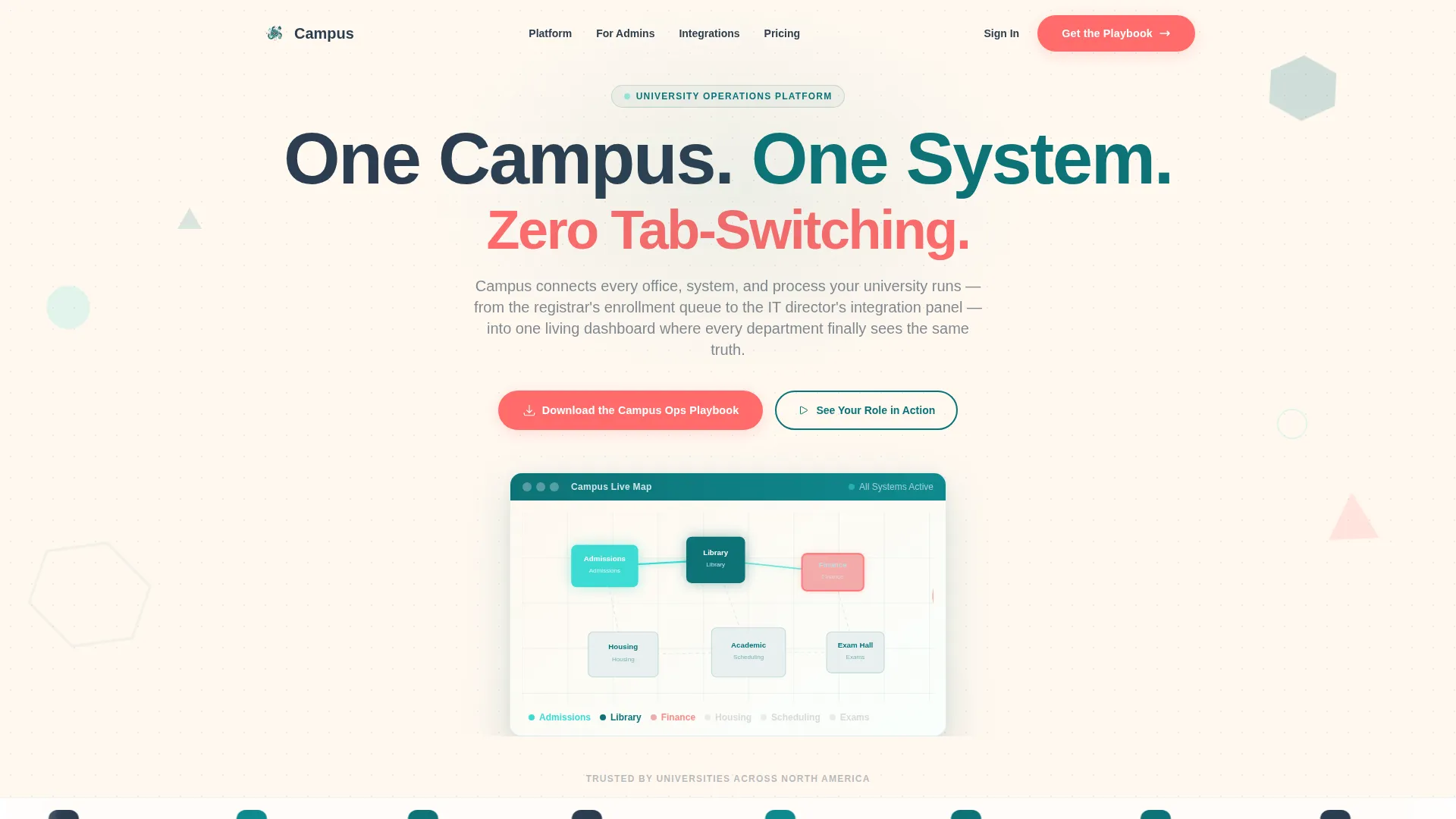
The page opens with a horizontal ribbon of university crests and institutional logos scrolling gently across the top. A bold geometric sans-serif headline sits above it. Below the logo bar, a looping campus map animation shows buildings lighting up one by one as modules connect, ending with the full campus glowing teal.
Role-Based Narrative Sections
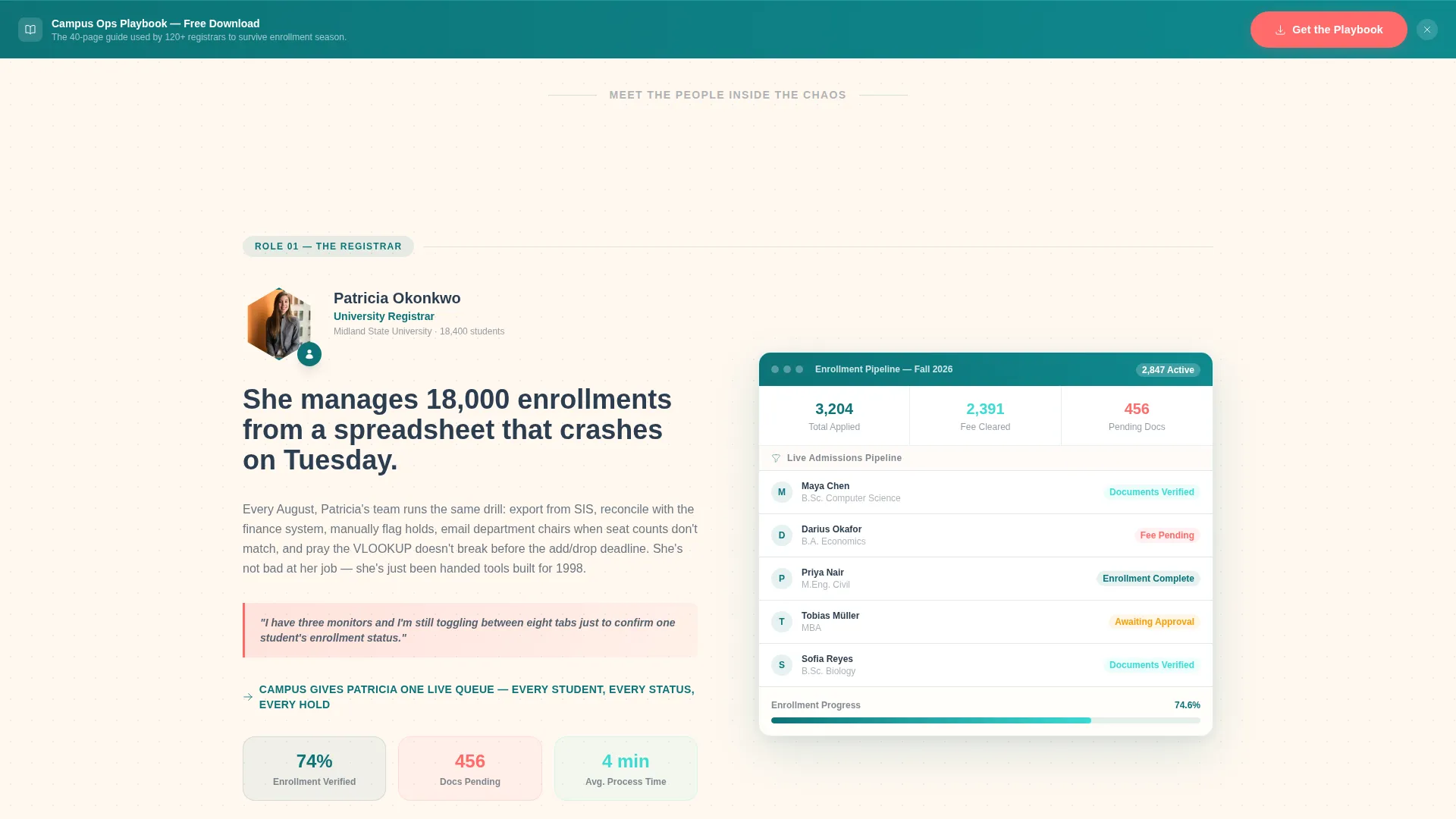
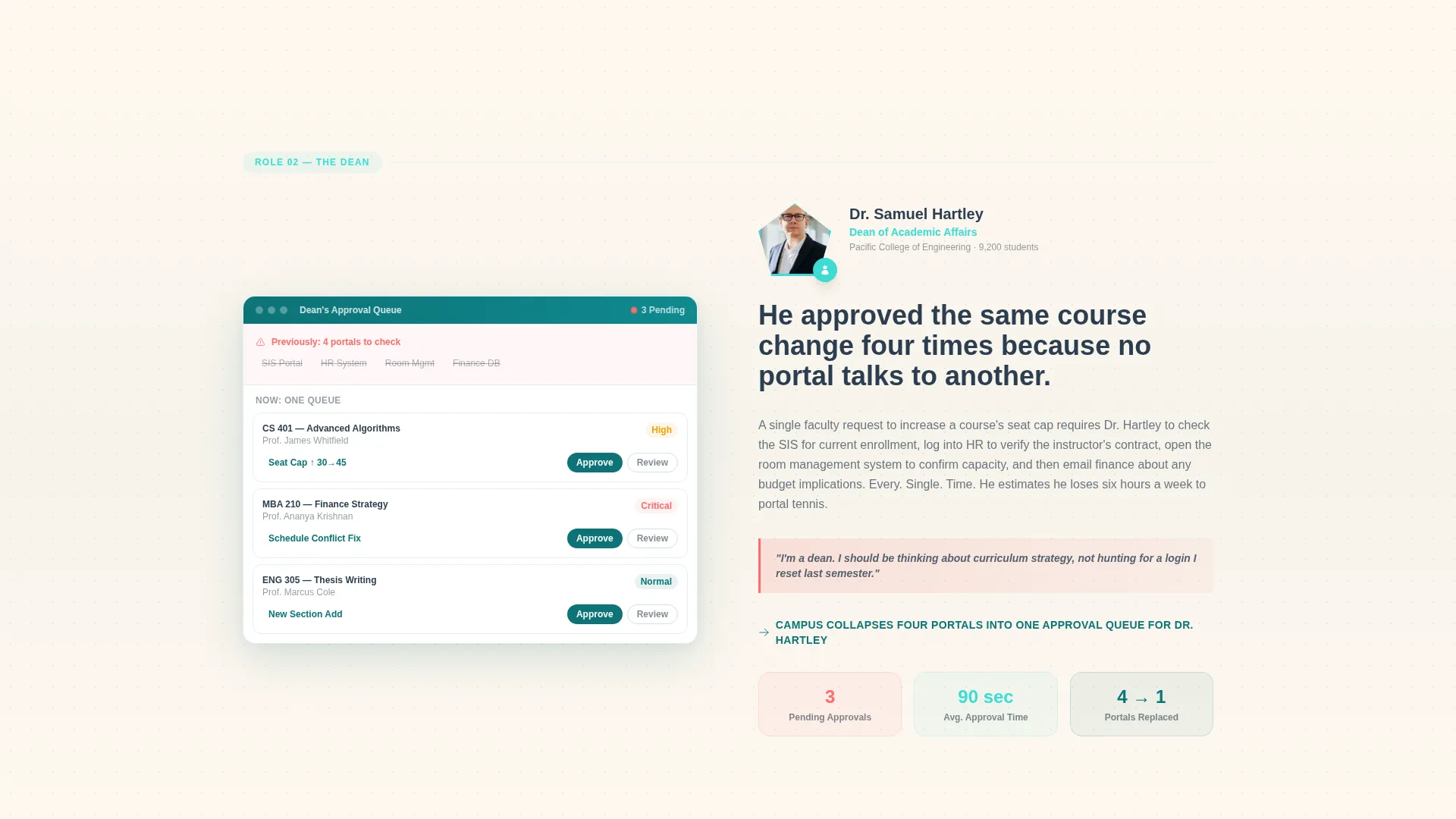
Four named role sections anchor the scroll: The Registrar, The Dean, The IT Director, and The Student. Each section pairs a portrait photograph framed inside a geometric shape with a specific pain-point narrative and the software screen that resolves it. The roles hand off sequentially to show the platform as connective tissue between people.
Dual Conversion Path Layout
The primary call to action is a signal coral "Download the Campus Ops Playbook" button. It appears first after the second role section and repeats as a sticky bottom bar past the midpoint. A secondary path offers a two-minute interactive demo titled "See Your Role in Action" that branches based on which role section the visitor engaged with most.
Gated Resource Download Form
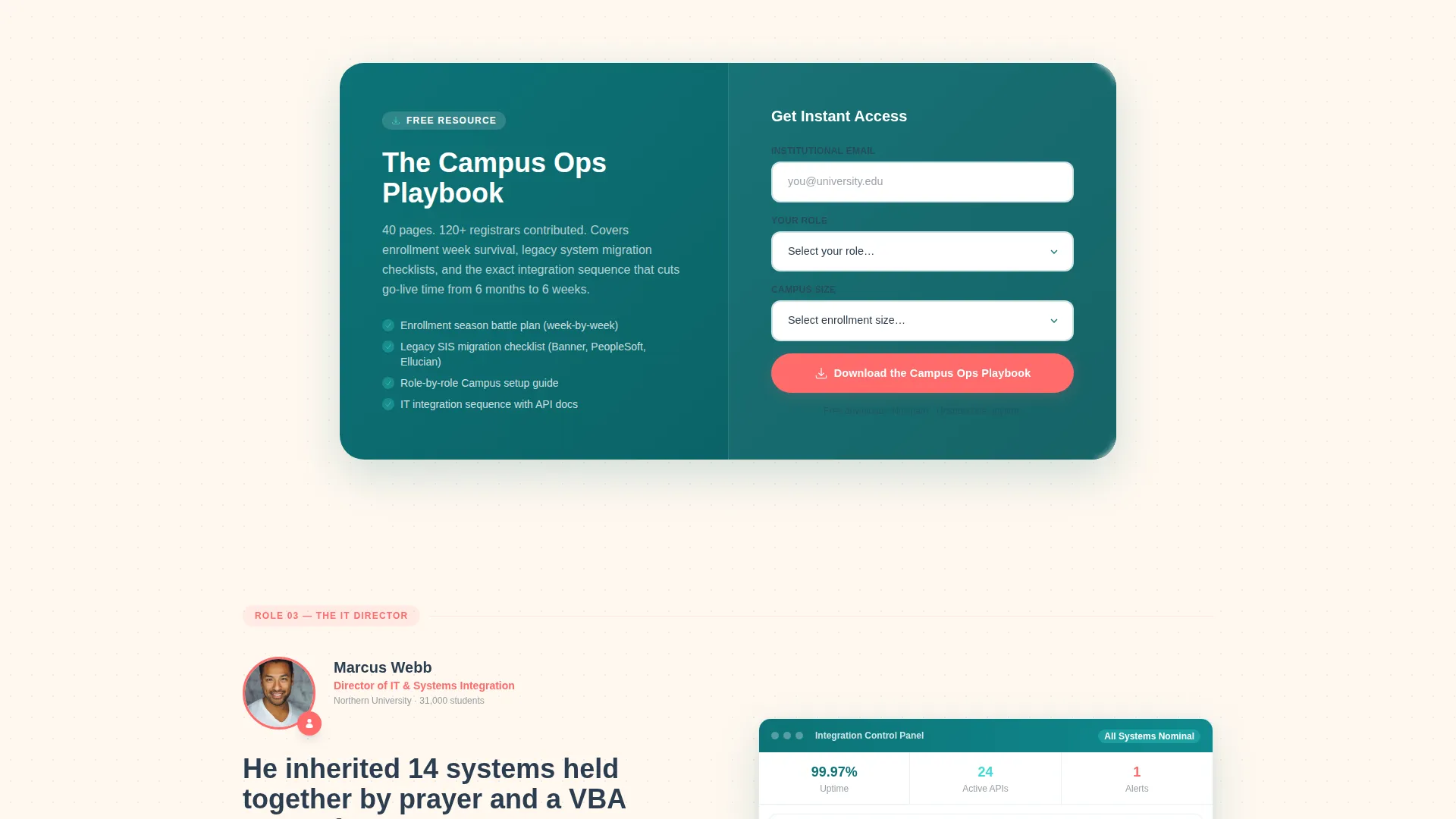
The download form collects institutional email first, then a role title from a dropdown (Registrar, Dean, IT, Administration, Other), then campus size (under 5,000 students, 5,000 to 20,000 students, or 20,000 and above). The form is designed to qualify leads before the handoff.
Geometric Background Texture System
Hexagons, rounded triangles, and offset circles float as background textures throughout the page. These shapes rotate subtly on scroll and frame portrait photography. The visual effect creates structured playfulness without distracting from the core narrative.
Sticky Bottom Conversion Bar
After the page midpoint, a persistent bottom bar repeats the primary download call to action. It stays visible as the visitor continues scrolling, keeping the conversion prompt accessible without interrupting the storytelling flow.
Page sections overview
| Section | Purpose |
|---|---|
| Logo Bar Header | Opens with institutional credibility via scrolling university logos |
| Headline Block | Delivers the core value proposition in bold geometric typography |
| Campus Map Animation | Shows platform modules connecting across a simplified campus visual |
| Registrar Role Section | Mirrors enrollment pain and shows the relevant software screen |
| Dean Role Section | Addresses multi-portal frustration with a course approval workflow view |
| IT Director Section | Speaks to legacy integration burden and shows the integration panel |
| Student Role Section | Completes the people narrative from the student perspective |
| Primary call to action Block | Introduces the Campus Ops Playbook download after role two |
| Resource Download Form | Captures institutional email, role, and campus size for lead qualification |
| Interactive Demo Prompt | Offers a branching two-minute demo based on role engagement |
| Sticky Bottom Bar | Repeats the download call to action persistently after the page midpoint |
Design & branding system
The visual identity follows a Playful Geometric theme built on the Teal Catalyst color system. It feels serious enough for a provost's presentation and energetic enough that a first-year student would click around.
- Deep academic teal (#0D7377) anchors the primary brand tone, bright catalyst mint (#3CDBD3) handles interactive highlights and hover states, soft chalkboard charcoal (#2C3E50) carries body text, and warm whiteboard cream (#FFF8F0) sets the background warmth
- Signal coral (#FF6B6B) marks notifications, alerts, and all primary call-to-action buttons throughout the page
- Geometric shapes including hexagons, rounded triangles, and offset circles serve as background textures, rotating on scroll and framing portrait photography
Mobile & speed optimization
The single-column flow layout is inherently well-suited to mobile viewports. Content stacks naturally without complex grid reflows.
- Portrait photography framed in geometric shapes scales cleanly on smaller screens without losing the visual framing intent
- The sticky bottom conversion bar remains accessible on mobile, keeping the primary call to action within thumb reach throughout the scroll
How this template helps you convert
This template is built around earning the conversion before asking for it. Every layout decision is designed to reduce friction and build trust role by role.
- The logo bar and campus map animation establish platform credibility in the first viewport, giving institutional visitors an immediate reason to keep scrolling
- Each role-based narrative section builds specific emotional resonance before the first call-to-action appears, so visitors feel understood rather than pitched to
- The dual conversion path lets visitors self-select between a resource download and an interactive demo, matching their readiness level and increasing the chance of a meaningful lead capture
Other information about this template
This template is part of a broader single-column flow template collection for EdTech and learning platform use cases. It is designed for the campus management software niche and aligns with institutional sales cycles where multiple stakeholders need to be reached.
- The template style is Single Column Flow, making it straightforward to customize in most modern no-code builders
- The Teal Catalyst color system and Playful Geometric theme are defined in the source brief and can be adapted to match an institution's own brand palette
- The Content and Resource landing page direction means the primary conversion goal is lead capture through a gated asset, not a direct product purchase or free trial signup
Theme
Playful Geometric
Creative direction
Team & People
Color system
Teal Catalyst
Style
Single Column Flow
Direction
Content/Resource
Page Sections
Logo Bar Credibility Header
Role-based Narrative Sections
Dual Conversion Path Layout
Gated Resource Download Form
Geometric Background Texture System
Related questions
Who is this landing page template designed for?
What conversion paths does this template include?
Can the color system and typography be customized?
How does the role-based layout build trust with institutional buyers?
What information does the lead capture form collect?



