Magnetic LinkedIn Bio Landing Page Template
Byline is a full-width immersive landing page template built for a LinkedIn bio writing app. It pairs an Editorial Magazine theme with an Obsidian and Gold color system to create a high-impact single-page experience. The design guides ambitious professionals from a compelling before-and-after social feed through real user spotlights toward a clear app download call to action.
by Rocket studio
Quick summary
Byline is a single-page landing page template for a LinkedIn bio writing app. It opens with a live-scrolling social feed of profile transformations, moves through magazine-style creator spotlights, and closes on a focused app download flow. The Editorial Magazine theme and Obsidian and Gold palette make every section feel intentional, authoritative, and worth reading.
Who this template is for
This template is built for founders, product managers, and operators who want to market a LinkedIn profile writing or bio coaching product. It fits creators, indie app developers, and career-focused brands that need a page as sharp as the service they sell.
- Career coaches and personal branding consultants launching a LinkedIn bio tool
- App developers or SaaS teams offering AI-powered or human-crafted LinkedIn profile rewrites
- Boutique copywriting studios positioning themselves as premium profile writing services
What problem this template solves
Most landing pages for professional writing tools look generic. They rely on bullet-point benefit lists and stock photo smiles, and they fail to demonstrate what good writing actually looks like. Byline solves this by making the writing itself the centerpiece of the page.
- Visitors see real before-and-after bio transformations, which builds proof faster than testimonials alone
- The editorial design language signals expertise and taste before a single word of body copy is read
- A live impact-score tool creates curiosity that drives the primary conversion action
What you get with this template
Byline delivers a full-width immersive layout with every section pre-designed and ready to populate with your own content. The page is structured so each scroll step builds on the last, moving visitors from awareness to action without friction.
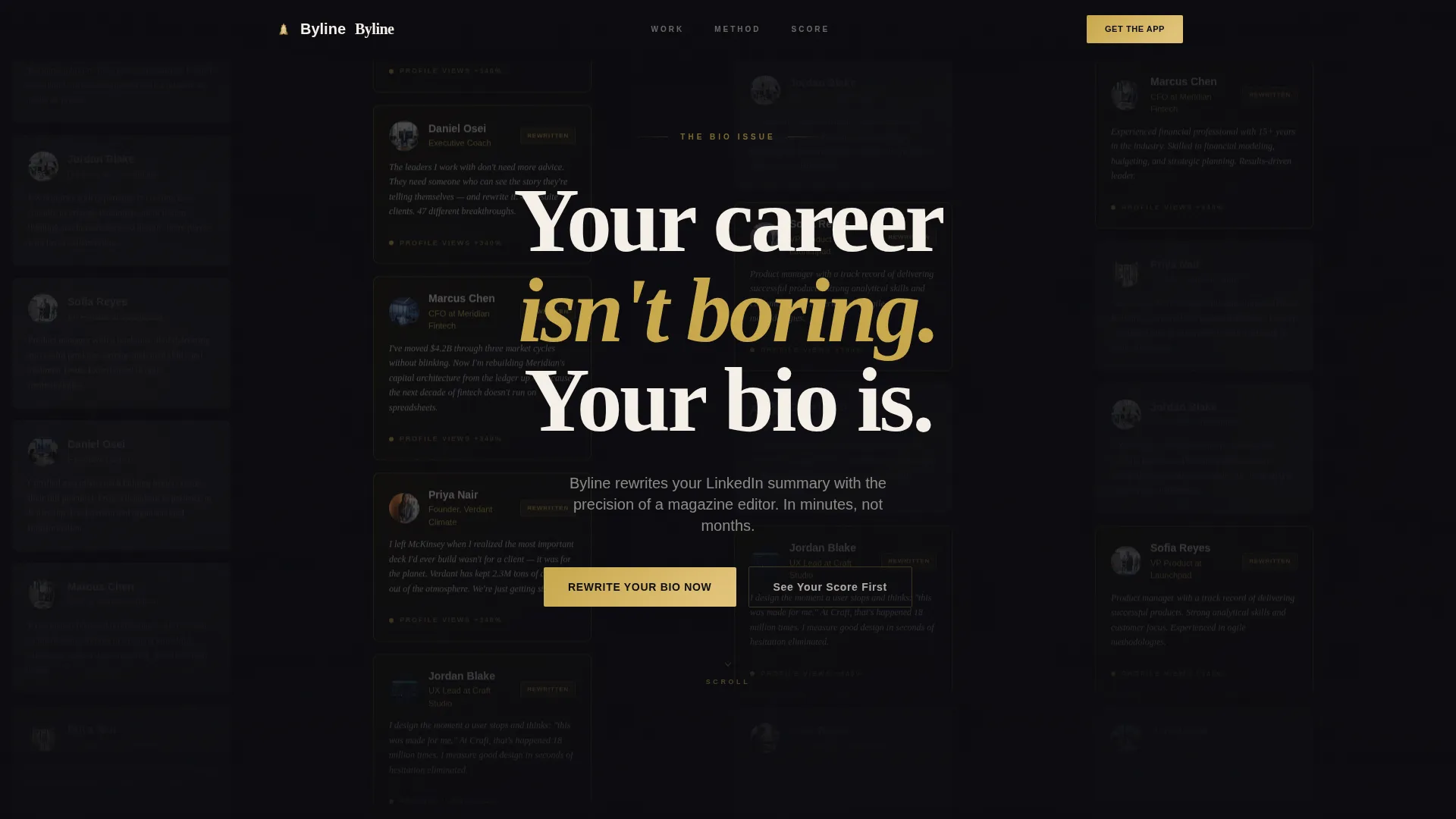
- A full-width auto-scrolling social feed header with before-and-after LinkedIn profile cards
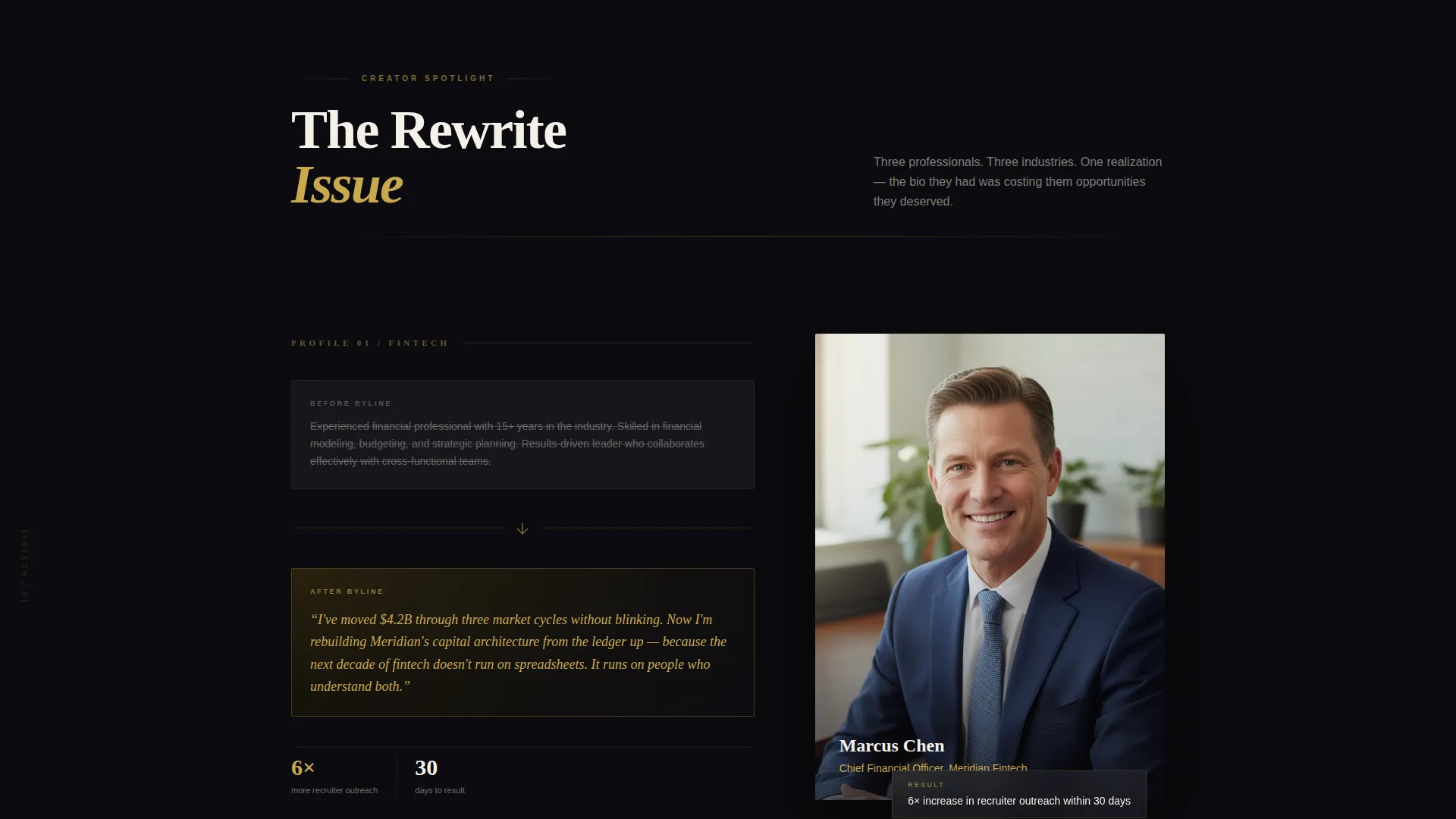
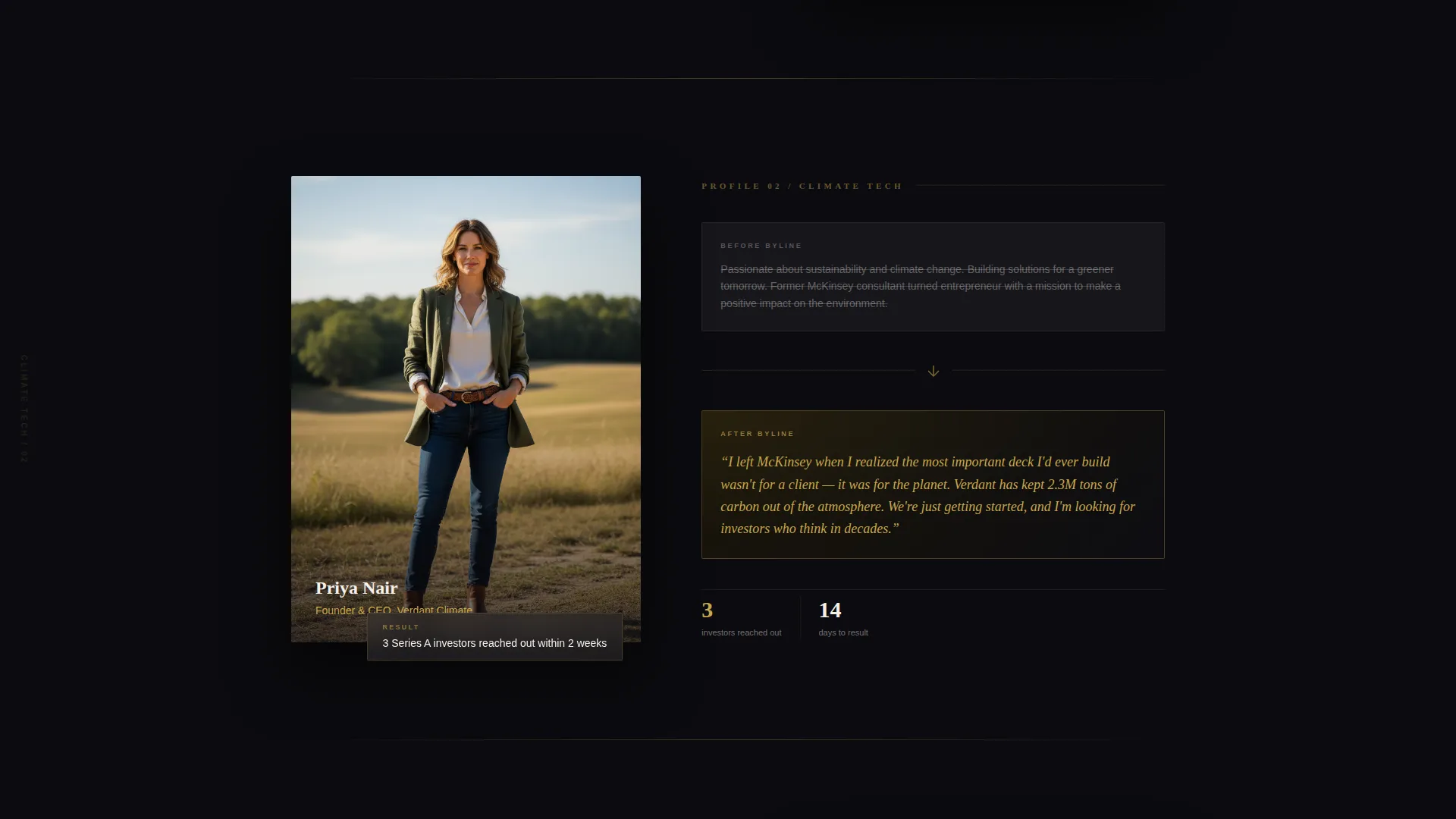
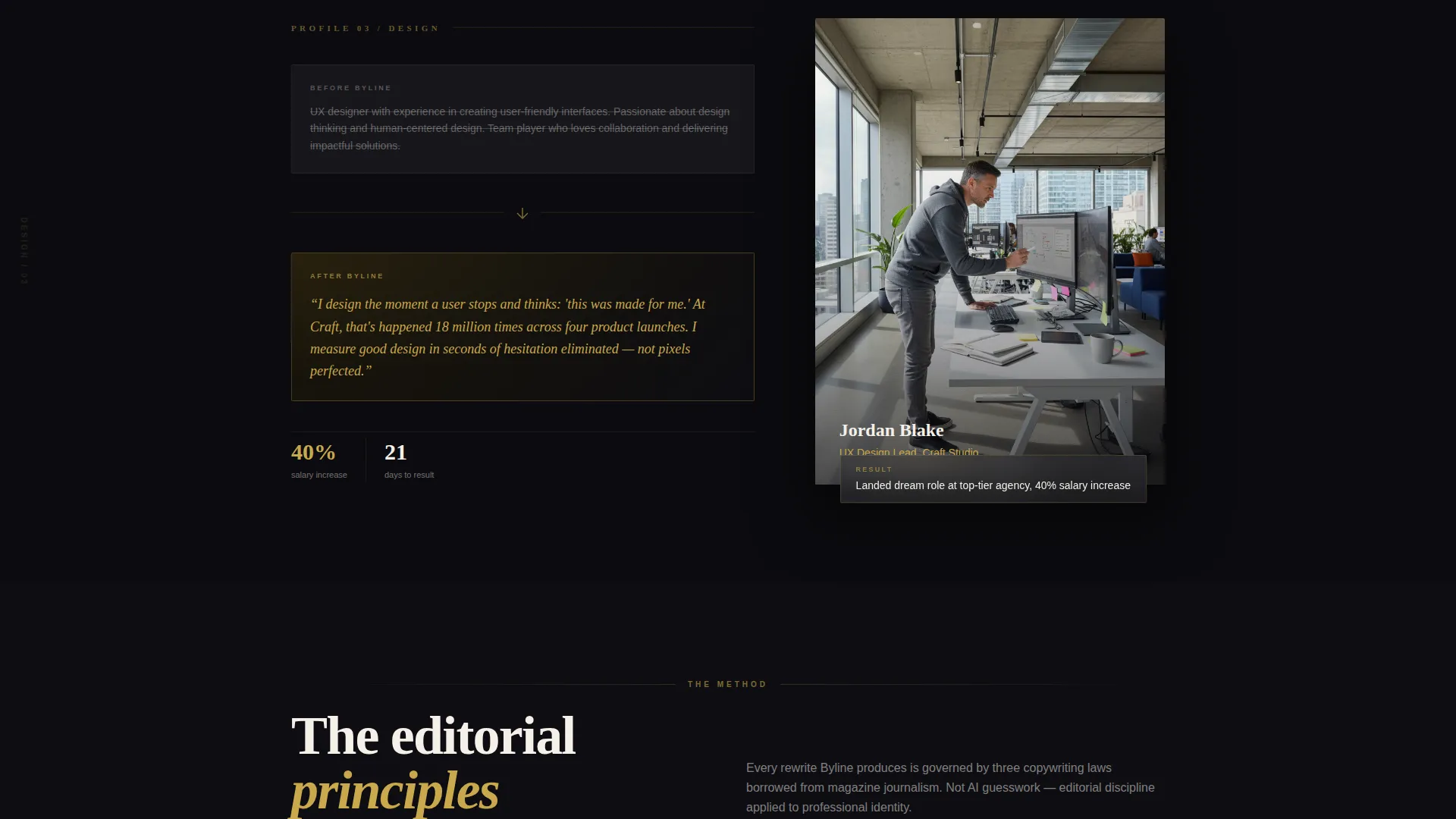
- Magazine-style creator spotlight sections with pull quotes, struck-through old bios, and new gold-type rewrites
- A two-step app download micro-flow with device mockups, a QR code panel, and direct store links
Feature list
This section details the core built-in components of the Byline landing page template.
Auto-Scrolling Social Feed Header
The header spans the full width of the viewport and displays a slowly scrolling wall of LinkedIn profile cards. Each card shows a "before" bio in grayed-out generic type beside an "after" bio glowing in gold serif on an obsidian card. A centered editorial headline fades in over the feed at reading pace.
Creator Spotlight Sections
Each spotlight section profiles one real user transformation in a magazine feature layout. A large pull quote of the original bio appears struck through in graphite, then the rewritten version is set in gold serif beside a cropped portrait and job title. Short editorial interstitials between spotlights name the specific copywriting principles applied, such as hook lines, quantified impact, and voice calibration.
Floating App Download Bar
After the second creator spotlight, a persistent floating bar appears at the bottom of the viewport. It carries the primary call to action in gold type on an obsidian background. The bar stays visible as the visitor scrolls, keeping the conversion trigger in reach at all times.
Two-Step Download Micro-Flow
Tapping the primary call to action opens a focused two-step sequence. The first step lets the visitor select their platform between iOS and Android, with device mockups showing the app's bio editor mid-draft. The second step reveals a QR code and a direct store link side by side.
Live Bio Score Tool
A secondary conversion path invites visitors to paste their current LinkedIn summary into a live text field. The tool returns an instant readability and impact score. This interaction creates curiosity debt that makes downloading the app feel like a natural next step.
Editorial Interstitial Typography
Between spotlight sections, short editorial copy blocks are typeset in the style of magazine marginalia. These interstitials explain the copywriting principles behind each transformation. They reinforce the brand's expertise without breaking the visual rhythm of the page.
Page sections overview
| Section | Purpose |
|---|---|
| Social Feed Header | Opens with scrolling before-and-after LinkedIn profile card transformations |
| Editorial Headline Overlay | Fades a serif headline center-screen over the feed to hook attention |
| Creator Spotlight One | Profiles first real user transformation with pull quote and portrait |
| Editorial Interstitial One | Names the copywriting principle applied in the first spotlight |
| Creator Spotlight Two | Profiles second real user transformation in the same magazine layout |
| Floating Download Bar | Pins the primary call to action after the second spotlight appears |
| Editorial Interstitial Two | Names the copywriting principle applied in the second spotlight |
| Creator Spotlight Three | Continues the spotlight series with a third industry profile |
| Bio Score Tool | Lets visitors paste their summary and receive an instant impact score |
| App Download Flow | Two-step platform selector with device mockups, QR code, and store links |
Design & branding system
The visual identity follows an Editorial Magazine theme built around four tightly controlled colors. The palette references the inner cover of a leather-bound portfolio with gold-foil details and heavy pages. Gold is used sparingly so that every instance carries visual weight.
- Deep obsidian black (#0B0B0F) forms the primary canvas for the entire page
- Burnished gold (#C9A84C) is reserved for headlines, pull quotes, and interactive accents
- Warm parchment (#F5F0E8) is used for body text blocks to maintain warmth against the dark background
- Muted graphite (#3A3A42) fills secondary surfaces, card backgrounds, and struck-through before-bio text
Mobile & speed optimization
The full-width immersive layout is designed to render cleanly across viewport sizes. The auto-scrolling feed, floating download bar, and two-step micro-flow are each structured to work within the constraints of a mobile screen without losing editorial impact.
- Device mockups in the download flow are sized to reflect both iOS and Android screen proportions clearly
- The floating call-to-action bar remains visible and tappable on small screens after the second spotlight
- The live bio score text field is sized for comfortable mobile input without requiring a viewport zoom
How this template helps you convert
Byline is built around a deliberate conversion architecture that moves visitors through three stages: proof, desire, and action. Every section serves one of these stages without overlap or repetition.
- The scrolling before-and-after feed establishes proof immediately, giving visitors visual evidence of results before they read a single claim
- The creator spotlight sections build desire by making the transformation feel personal and achievable for someone in a similar career position
- The floating download bar and live bio score tool create two distinct entry points to conversion, lowering the barrier for visitors who are not yet ready to download directly
Other information about this template
Byline sits within the Media and Entertainment category under the LinkedIn Templates subcategory, making it a strong fit for the LinkedIn profile bio template niche. The template is classified as a full-width immersive style, which means the layout uses edge-to-edge design moments rather than boxed content columns.
- The header concept is a Social Feed, a design pattern that borrows visual language from the LinkedIn feed itself to create immediate context for the product
- The creative direction is Creator Spotlight, a magazine editorial format that builds trust through individual transformation stories rather than generic feature lists
- The landing page direction is App Download, meaning the primary conversion goal is a store download rather than a lead form or booking
Theme
Editorial Magazine
Creative direction
Creator Spotlight
Color system
Obsidian & Gold
Style
Full-Width Immersive
Direction
App Download
Page Sections
Auto-scrolling Before-and-after Feed
Magazine-style Creator Spotlights
Floating Primary Call-to-action Bar
Two-step App Download Micro-flow
Live Bio Impact Score Tool
Related questions
What kind of product is this landing page template designed for?
Can I use this template if I offer a service rather than an app?
How many creator spotlight sections does the template include?
Does the live bio score tool require a backend integration to function?
Who are the example professionals shown in the template's content?