Specialist Industrial & Warehouse Design Pre-Launch & Coming Soon Website Template
Blueprint is a full-width immersive landing page template built for a warehouse conversion design studio. It features a scroll-jacked hero that guides visitors through a raw-to-finished transformation, a gallery walk of full-bleed project images, a process interlude, and a scarcity-driven waitlist form. The design follows an ink-and-paper editorial palette with drafting-red interactive accents.
by Rocket studio
Quick summary
Blueprint is a single-page, desktop-first landing page template for an industrial conversion architecture studio. It opens with a scroll-locked cinematic hero, moves through a curated gallery walk, and closes with a waitlist form built around scarcity. The Atelier Studio visual identity feels like a hand-bound sketchbook left open on a drafting table.
Who this template is for
This template is built for architecture studios and design practices that specialize in transforming industrial shells into living or hospitality spaces. It suits any firm that wants to open a limited waitlist rather than a standard contact form.
- Industrial conversion architects and warehouse design studios presenting portfolio work
- Boutique hotel developers or property groups promoting a selective project intake
- Couples or independent clients with a raw shell property who want to find the right specialist studio
What problem this template solves
Most architecture portfolio sites feel static. They show finished photography but fail to communicate process, rarity, or intent. Prospective clients leave without a sense of urgency or trust.
- Standard portfolio templates do not create the immersive first impression that a high-end conversion studio needs
- Generic contact forms do not convey project scarcity or motivate qualified leads to act quickly
- Presenting raw, process, and finished work in a single coherent flow is difficult without a purpose-built layout
What you get with this template
Blueprint delivers a complete, section-led landing page experience. Every section has a clear role, from cinematic entry through to waitlist conversion.
- A scroll-jacked hero section, a full-bleed gallery walk, a process interlude, a studio principles section, and a waitlist form with scarcity counter
- An Ink and Paper color system with matte charcoal, warm cotton stock, pencil graphite, and a single drafting-red accent
- Fraunces serif display typography paired with DM Sans body labels for an editorial, unhurried reading experience
Feature list
This template is built around five purposeful features. Each one serves a specific role in the visitor journey.
Scroll-Jacked Cinematic Hero
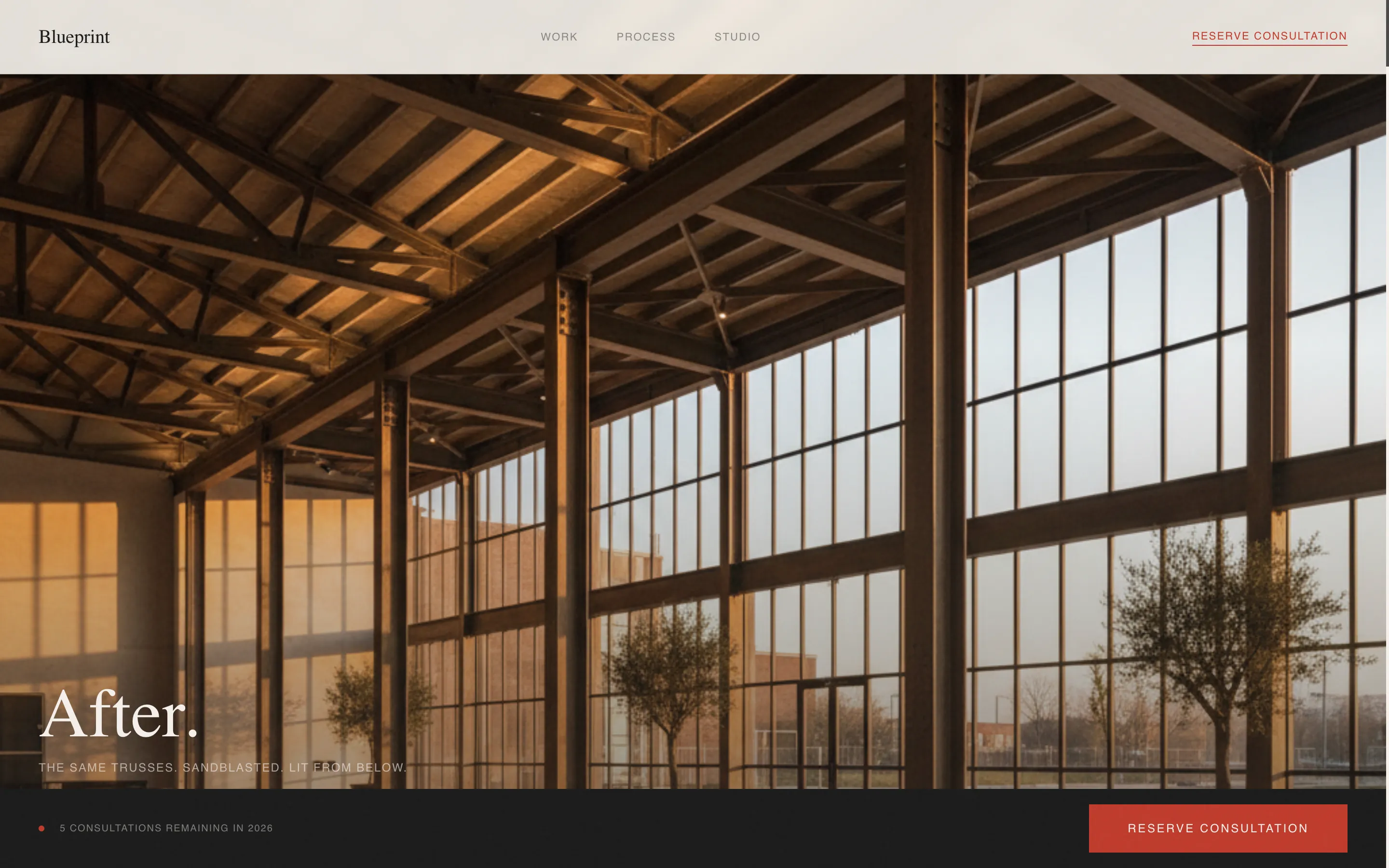
The viewport locks on entry and the visitor's scroll wheel acts as a dolly track. It pulls them through a photorealistic warehouse cross-section: from the raw shell with exposed trusses and cracked slab, through a vellum layer of architectural drawings, and into the finished space. No navigation appears until the journey completes.
Full-Bleed Gallery Walk
Once the scroll-jack releases, each project is shown as a single full-bleed photograph. A thin charcoal rule sits beneath each image, and a two-line serif caption labels it like a gallery piece. The negative space between images widens as the visitor scrolls, giving each conversion room to breathe.
Process Interlude Section
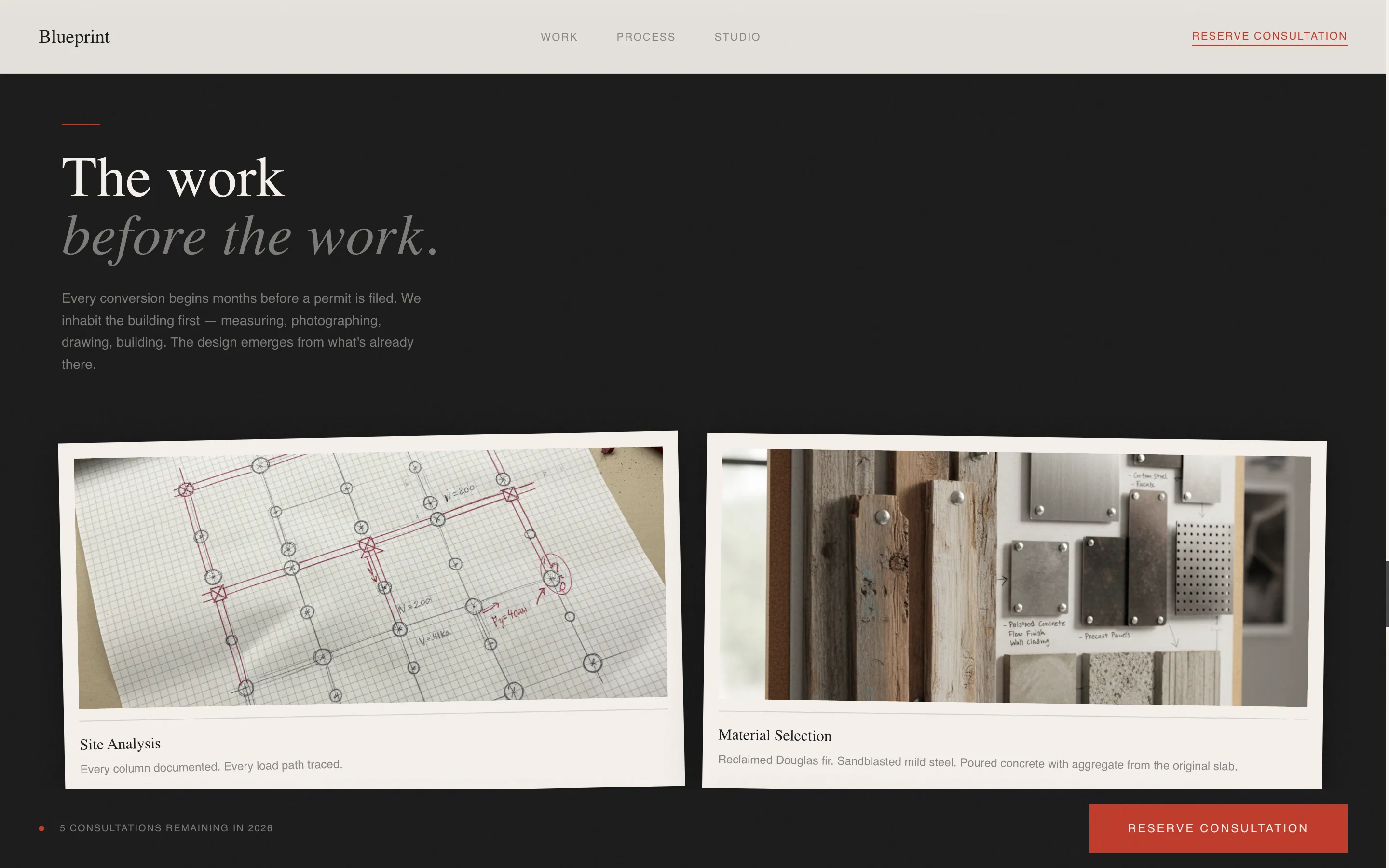
Midway through the gallery, finished photography gives way to process work. Hand-drawn plans, material swatches pinned to cork, and a time-lapse model-building sequence are presented before returning to finished spaces. This rhythm builds trust in the studio's eye before the visitor reads a line of copy.
Scarcity-Driven Waitlist Form
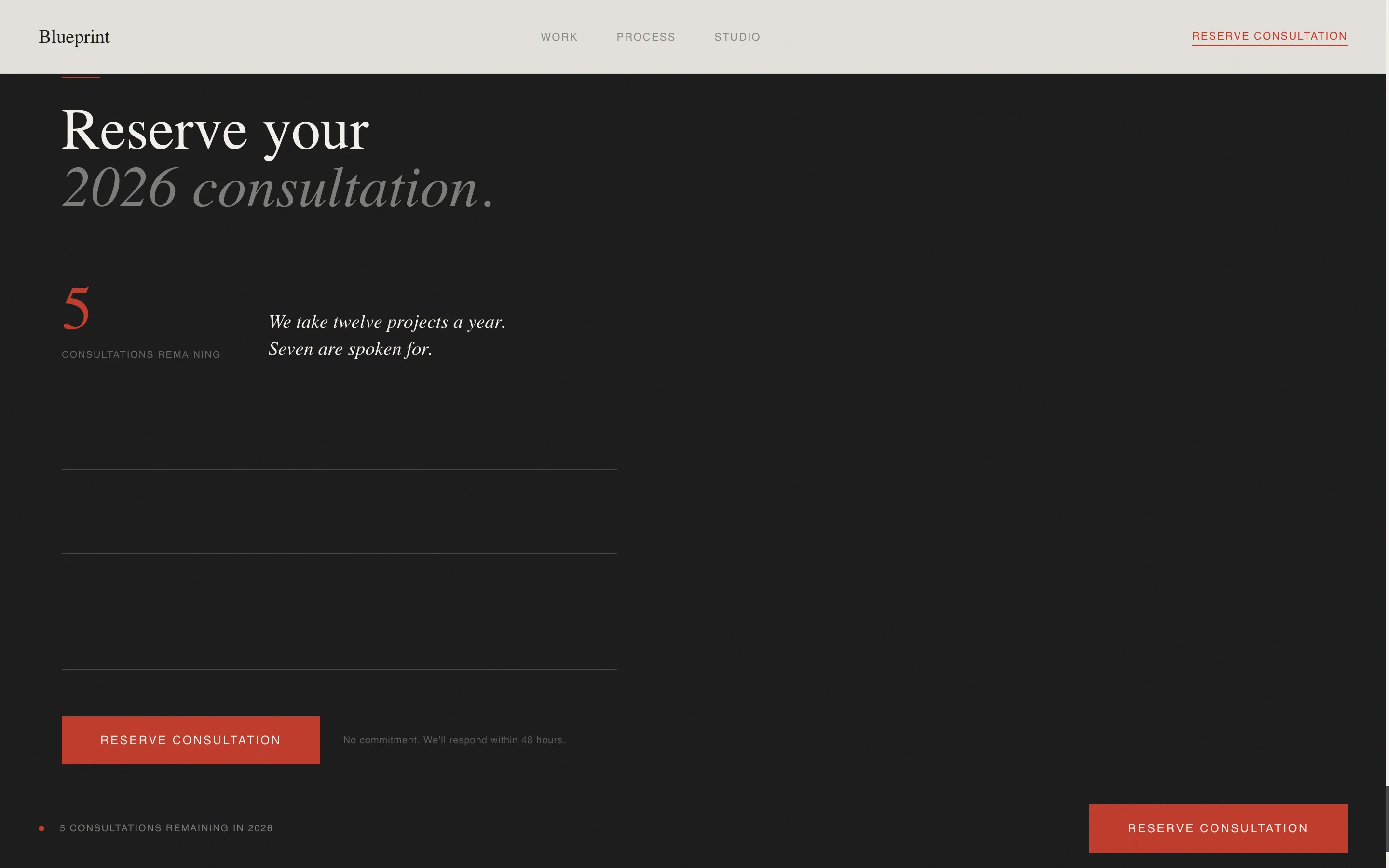
The waitlist form asks only for a first name, an email address, and a single open field: "Describe your warehouse in one sentence." A live counter shows remaining consultation slots. The closing line reads "We take twelve projects a year. Seven are spoken for."
Fixed Bottom Bar Call to Action
After the scroll-jack completes, a fixed bottom bar fades in with the primary call to action: "Reserve Your Consultation." The same call to action appears as a quiet red-underlined text link after the final gallery image, giving the visitor two clear moments to act.
Page sections overview
| Section | Purpose |
|---|---|
| Scroll-Jacked Hero | Immersive cinematic entry through warehouse transformation |
| Gallery Walk | Full-bleed project photography with serif captions |
| Process Interlude | Sketches, material swatches, and model-building sequence |
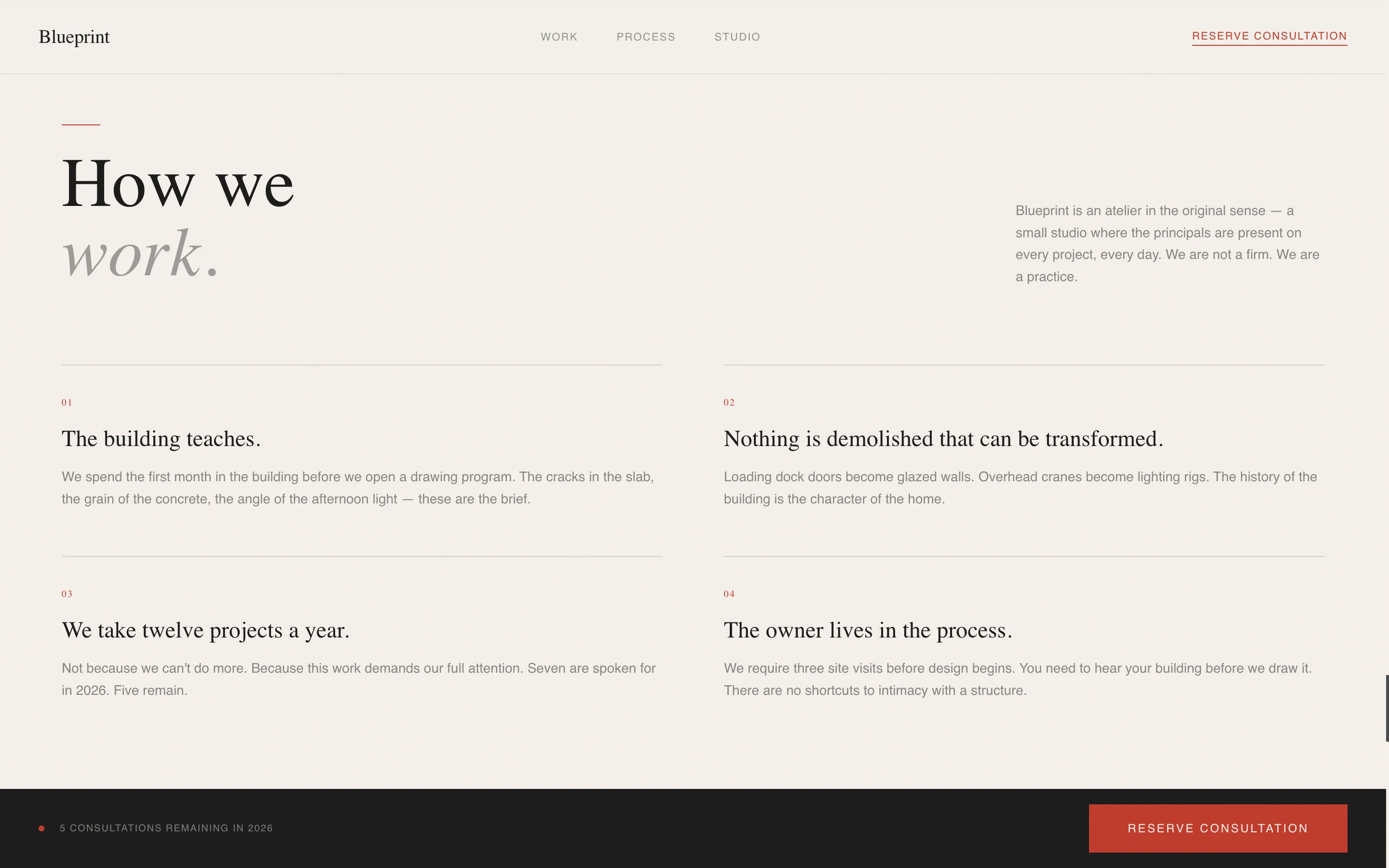
| Studio Principles | Asymmetric layout introducing the studio's design values |
| Waitlist Form | Scarcity counter and consultation reservation capture |
| Footer | Horizontal flow footer pattern with studio contact context |
Design & branding system
The visual identity follows an Atelier Studio editorial theme. Every color and typographic choice reinforces the feeling of a considered, hand-crafted practice rather than a commercial agency.
- Color system uses matte charcoal ink (#1A1A1A) as the primary tone, warm cotton stock (#F5F0EB) as the background, pencil graphite (#4A4A4A) for secondary text, and drafting-red (#C0392B) reserved exclusively for interactive cues and the waitlist button
- Typography pairs Fraunces as the serif display face with DM Sans for body text and labels, maintaining a refined editorial hierarchy throughout
- Spacing is generous and intentional; negative space between gallery images widens progressively to let each conversion breathe
Mobile & speed optimization
Blueprint is designed desktop-first to protect the scroll-jack experience. On smaller screens, the template provides a graceful fallback so the content remains accessible without breaking the visual language.
- The scroll-jacked hero degrades gracefully on mobile, presenting the warehouse transformation as a static or simplified sequence rather than a broken interaction
- Images are lazy-loaded to reduce initial page weight, and animations use GPU-accelerated transforms only
- The fixed bottom bar and waitlist form remain fully functional on mobile, preserving the conversion path across all devices
How this template helps you convert
Blueprint is built specifically to move qualified visitors toward a waitlist signup. Every section is sequenced to build trust before asking for action.
- The scroll-jacked hero earns attention immediately and sets the studio apart from generic portfolio pages, so visitors arrive at the gallery already engaged.
- The process interlude and gallery rhythm build credibility before any copy asks for trust, making the "Reserve Your Consultation" call to action feel earned rather than rushed.
- The live slot counter and closing scarcity line create genuine urgency, prompting qualified leads to act before the 2026 project books close.
Other information about this template
Blueprint is a full-width immersive landing page template suited to a very specific market. A few additional details help clarify fit and usage.
- The template is localized for English-language markets with United States dollar pricing context implied throughout
- The target audience spans a business-to-consumer and business-to-business hybrid: both individual property owners and commercial developers
- Animation level is high, with scroll-jack JavaScript behavior, IntersectionObserver-triggered reveals, and counter animation built into the design system
- The footer uses a horizontal flow pattern consistent with a refined editorial layout
- The template is categorized under Architecture and Design, with a specific focus on industrial and warehouse design as its subcategory niche
Theme
Atelier Studio
Creative direction
Gallery Walk
Color system
Ink & Paper
Style
Full-Width Immersive
Direction
Waitlist/Coming Soon
Page Sections
Scroll-jacked Cinematic Hero
Full-bleed Gallery Walk
Process Interlude Section
Scarcity-driven Waitlist Form
Fixed Bottom Bar Call to Action
Related questions
Who is the Blueprint landing page template designed for?
What makes the hero section different from a standard portfolio header?
Can I edit the scarcity counter and waitlist copy to match my own project numbers?
Does the template work on mobile devices?
What call-to-action approach does this template use?