Pest & Crop Protection Portfolio Website Template
Blight is a hero-dominant landing page template built for a mail-in plant disease diagnostic lab. It guides backyard gardeners, organic farm managers, and county extension agents from a cinematic regional map hero through three real-pathogen case studies to a Symptom Field Guide download form. Every section narrows focus, builds trust, and ends in a clear next step.
by Rocket studio
Quick summary
Blight is a single-page diagnostic lab template designed around a pastoral, field-notebook visual identity. It opens with a 90-percent-viewport watercolor map hero, walks visitors through a three-step submission process, and closes with a resource download form. The layout is built to convert cautious, worried growers into confident, informed submitters.
Who this template is for
This template fits any plant pathology or crop health service that needs to earn trust before asking for action. It speaks directly to growers who are staring at a damaged leaf and need a real answer fast.
- Backyard gardeners and small-scale growers dealing with yellowing leaves or suspect stems
- Organic farm managers who need a confirmed, certifier-ready pathogen diagnosis
- County extension agents triaging multi-site orchard or field die-offs
What problem this template solves
Most growers cannot tell the difference between a fungal infection, a bacterial lesion, and a nutrient deficiency by eye alone. They search online, find conflicting advice, and treat the wrong problem. This template frames a mail-in diagnostic lab as the steady, authoritative alternative to guesswork.
- Visitors arrive anxious and uncertain; the template grounds them in real, named diagnoses
- The absence of pricing transparency creates hesitation; this template prints the flat diagnostic fee beside the mailing instructions
- Generic lab websites feel cold; the pastoral visual system and anonymized case studies make the experience feel local and personal
What you get with this template
You get a complete, ready-to-customize single-page layout that covers every stage of the grower's decision journey. The structure moves from wide-angle regional context down to a single infected leaf viewed under a lab microscope.
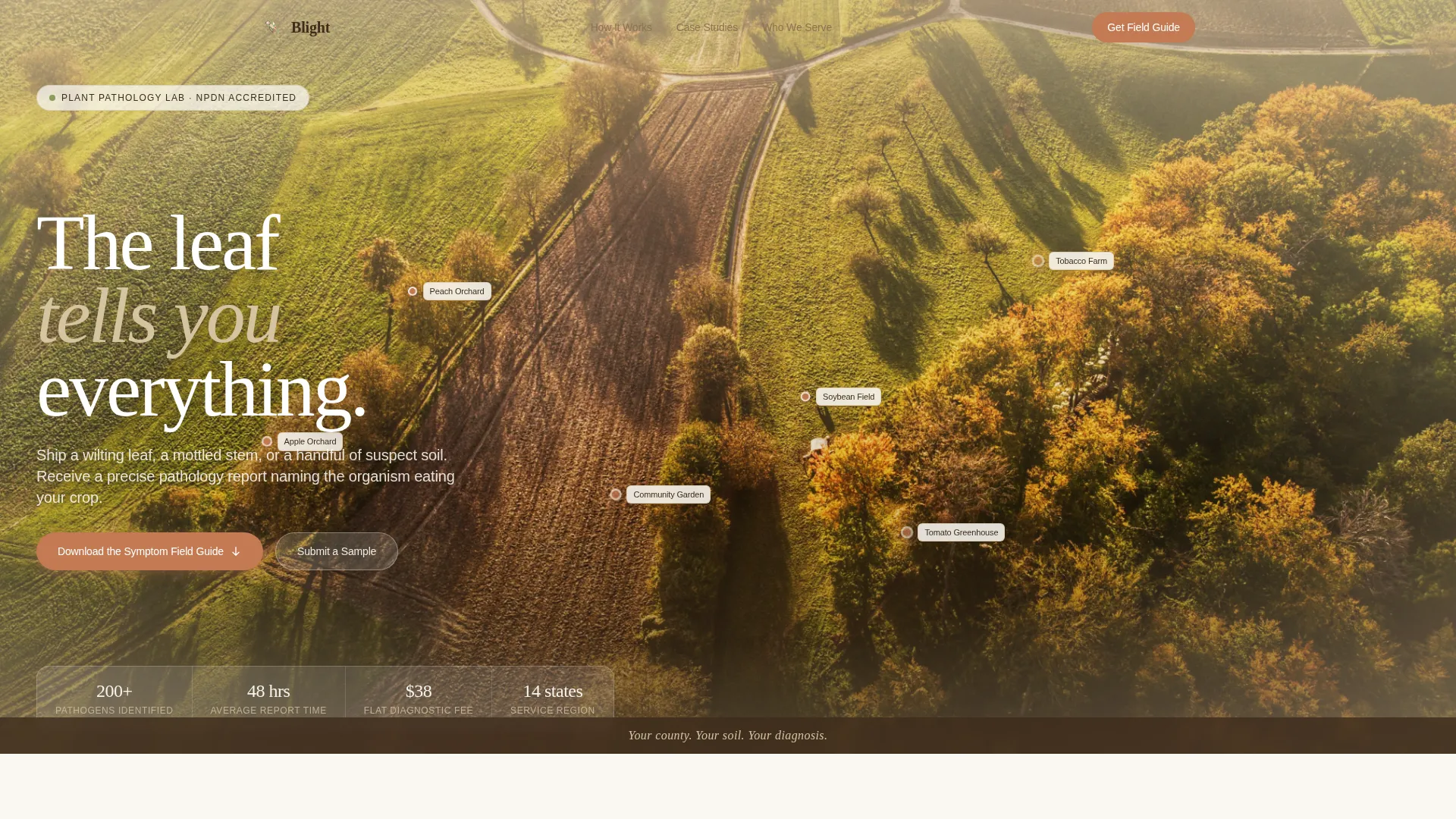
- A cinematic 90-viewport hero with an illustrated watercolor regional map and pulsing botanical location pins
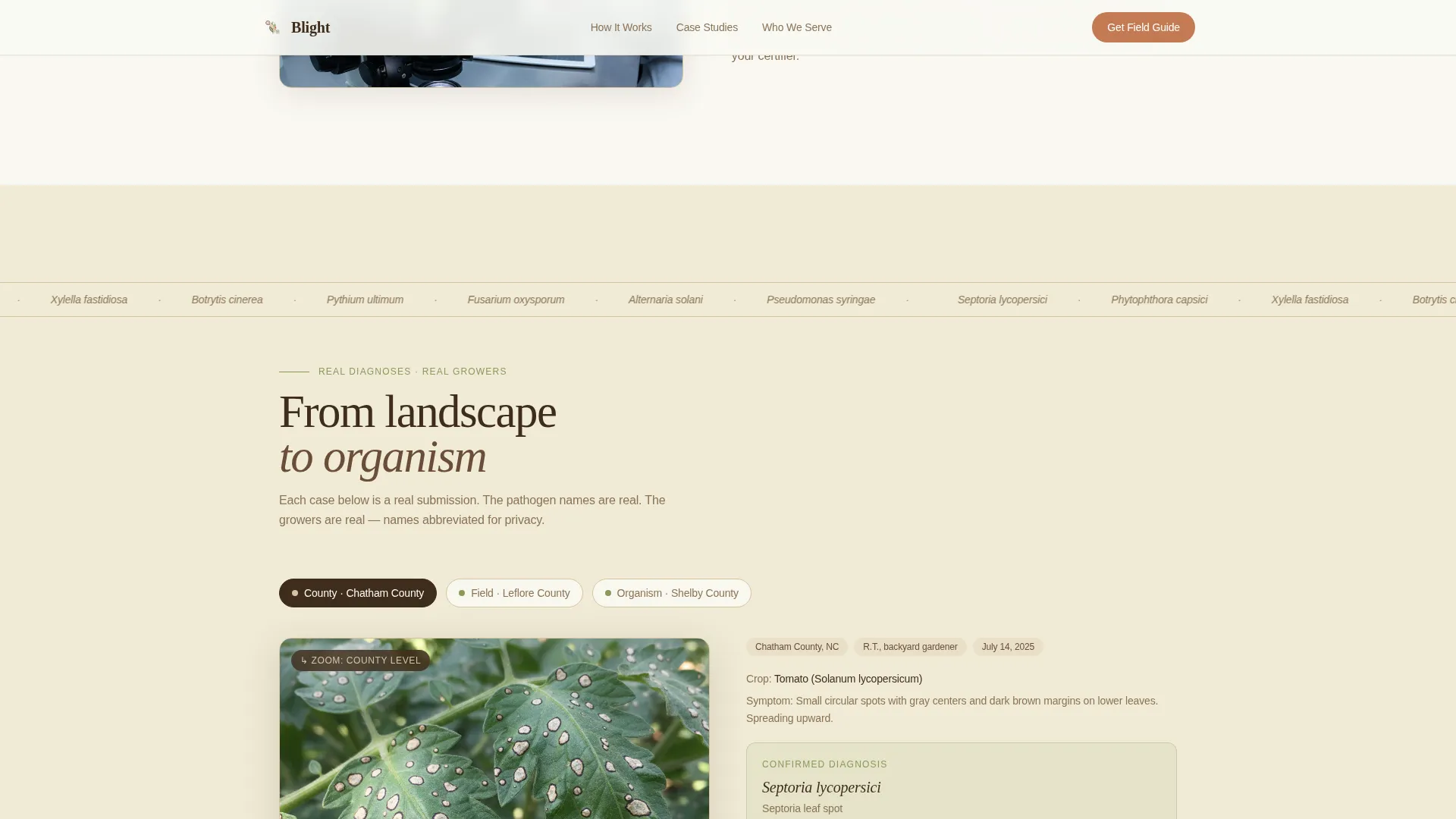
- Three anonymized grower case studies featuring real pathogen names such as Septoria, Phytophthora, and bacterial leaf scorch
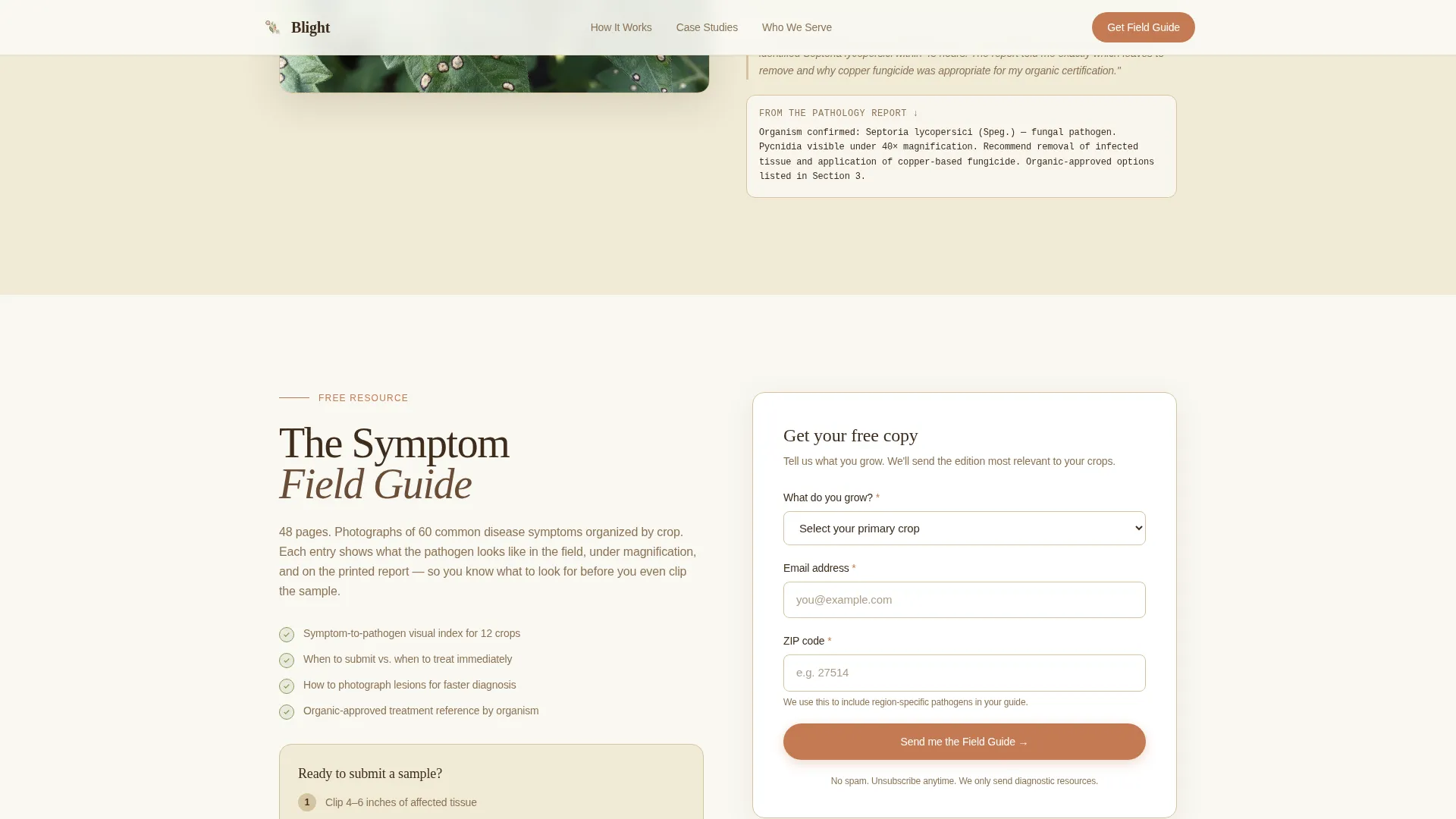
- A primary conversion section with a three-field form collecting crop type, email address, and zip code for the Symptom Field Guide download
Feature list
This template is built around six purpose-driven components that work together to move a visitor from uncertainty to submission.
Cinematic Watercolor Map Hero
The hero fills ninety percent of the viewport with a hand-illustrated regional map rendered in muted watercolor tones. Small botanical icons pulse gently at real crop locations, including a peach orchard, a soybean field, and a community garden. A single grounding tagline sits at the bottom of the frame.
Three-Step Submission Visual
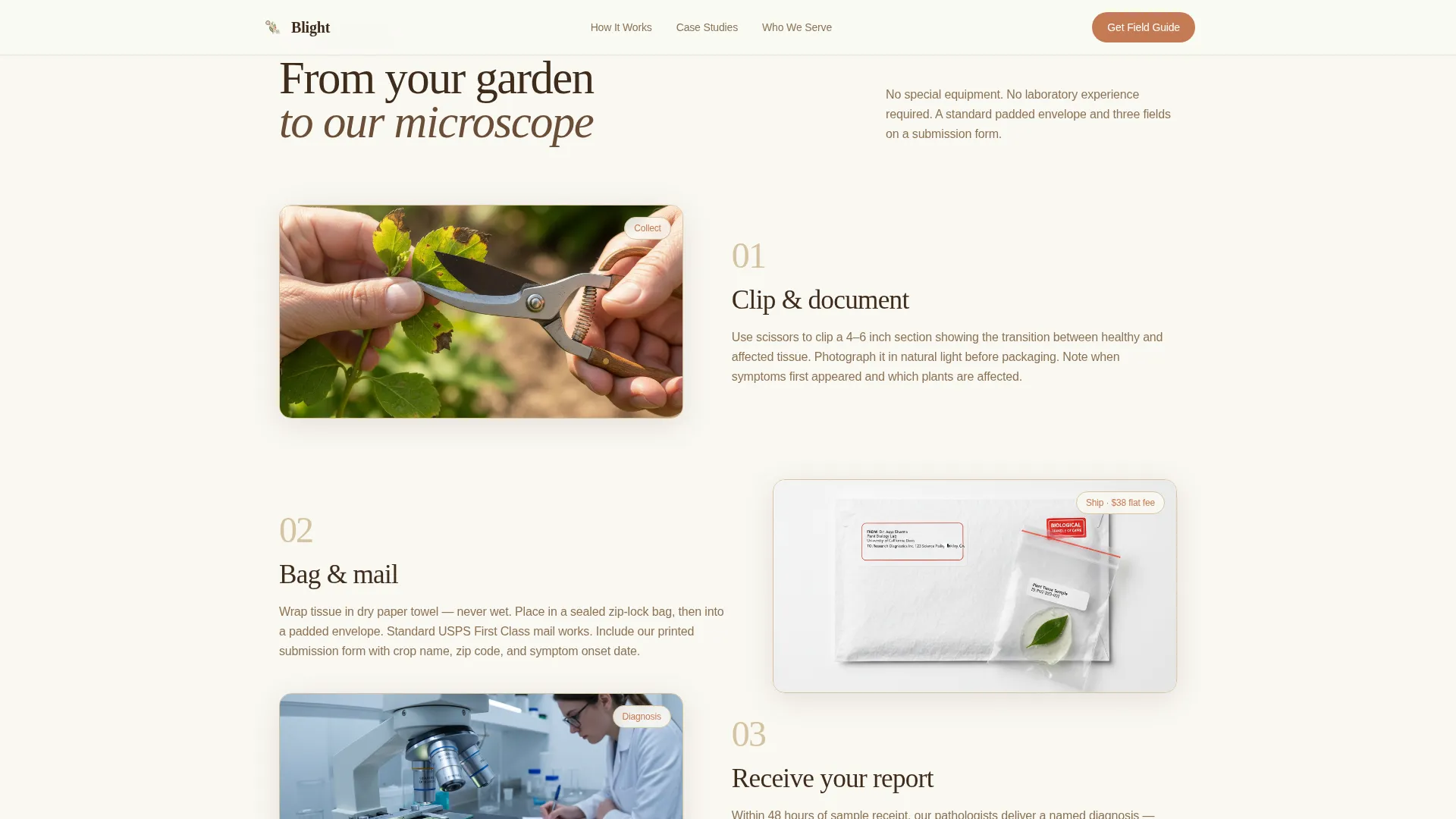
An asymmetric layout walks the visitor through the full mail-in process: clip the affected tissue, bag it securely, and mail it in a standard envelope. The flat diagnostic fee is printed inline beside the mailing instructions so there is no hidden cost.
Pathogen Case Study Cards
Three case study sections zoom the reader in from regional landscape to a single microscope-photographed leaf. Each card presents an anonymized grower name, a real pathogen diagnosis, and the plain-language report that grower received back from the lab.
Symptom Field Guide Download Form
The primary conversion form asks for crop type first, then email address, then zip code. This field order is intentional: it starts the interaction as a conversation about the grower's actual situation rather than a data transaction.
Who We Serve Client Profiles
A dedicated section presents three distinct client profiles with short descriptive copy. An organic certification callout highlights the lab's ability to produce documentation suitable for use with certifiers.
FAQ Accordion Interaction
An interactive accordion component handles common pre-submission questions. Visitors can expand and collapse answers without leaving the page, reducing friction for cautious first-time submitters.
Page sections overview
| Section | Purpose |
|---|---|
| Hero Map | Establish regional authority and draw visitors into the local diagnostic story |
| How It Works | Explain the three-step clip, bag, and mail submission process clearly |
| Case Study Cards | Build trust through real, named pathogen diagnoses and plain-language reports |
| Field Guide Form | Capture crop type, email, and zip code for the Symptom Field Guide download |
| Who We Serve | Address three distinct client types including the organic certification callout |
| Footer | Provide a clean linear close with contact and navigation links |
Design & branding system
The visual identity follows a Pastoral Calm theme rooted in the Warm Stone color system. Every color choice references something found in a dry-stacked garden wall at golden hour: unhurried, grounded, and familiar to anyone who works outdoors.
- Limestone (#D5C4A1) and soft white alternate as section backgrounds; loam (#3E2C1C) anchors all body text for strong contrast
- Sage (#8A9A5B) marks section dividers and iconography; terracotta (#C47A53) appears only on buttons and diagnostic callouts where action is required
- Typography pairs Fraunces serif for display headings with DM Sans for body copy, keeping the tone warm but easy to read
Mobile & speed optimization
The template is built desktop-first with strong mobile adaptation to match how growers actually browse: often outdoors, often on a phone, often mid-worry. Animations use CSS-preferred implementations to keep motion smooth without heavy scripting.
- Scroll-fade with blur and staggered section reveals are handled through CSS animations for reliable cross-device performance
- Pulsing botanical pins and hover states on case study cards are built as lightweight interactive states
- Server components handle static sections, keeping the page load lean even with the illustrated hero asset
How this template helps you convert
The page is structured around a Content and Resource conversion model. Trust is built gradually before the visitor is ever asked to give an email address.
- The regional map hero and three real-pathogen case studies establish lab credibility before any form appears, so the download request arrives at the right moment
- The three-field form asks for crop type before email, which signals that the lab cares about the grower's problem first
- A secondary conversion path offering "Submit a Sample" with step-by-step visuals and a printed flat fee removes the two biggest hesitations: not knowing how to send tissue and not knowing what it costs
Other information about this template
This template is categorized under Agriculture and Environment, specifically within the Pest and Crop Protection subcategory. It is designed for the Plant Disease Diagnostic Lab niche and is well suited to AgriTech service providers operating in the United States using imperial measurements and USD pricing.
- The Local and Neighborhood creative direction is central to the design: each scroll step narrows from a regional map to a county case study to a single photographed leaf
- The header concept is Map-Based, using illustrated watercolor cartography rather than photography or abstract graphics
- The landing page direction is Content and Resource focused, prioritizing the Symptom Field Guide download as the primary call to action
- The Hero-Dominant template style allocates ninety percent of the initial viewport to the map hero, with the remaining ten percent reserved for the anchoring tagline
Theme
Pastoral Calm
Creative direction
Local & Neighborhood
Color system
Warm Stone
Style
Hero-Dominant (90/10)
Direction
Content/Resource
Page Sections
Cinematic Watercolor Map Hero
Three-step Submission Visual
Pathogen Case Study Cards
Symptom Field Guide Download Form
Client Profile Section
Interactive FAQ Accordion
Related questions
Who is this template designed for?
What conversion goal does this template support?
Can I display my diagnostic fee inside the template?
How many sections does this landing page include?
What sample content is included in the template?