Audit - Powerful Telecom Landing Page Template
Audit is a hub-and-spoke telecom expense management landing page template built for one purpose: making wasted spend impossible to ignore. It combines a void-black visual identity, animated spoke sections, and a direct click-through flow to push telecom managers, CFOs, and IT directors toward a live platform demo before doubt has a chance to settle.
by Rocket studio
Quick summary
Audit is a single-page, anchor-navigated landing page template designed for telecom expense management platforms. It uses a dark Void and Violet color system, launch-energy scroll animations, and five spoke sections to surface enterprise telecom waste and drive visitors toward a live demo. No forms, no friction, just a clear visual argument that inaction is expensive.
Who this template is for
This template is built for companies selling telecom expense management software or services to enterprise buyers. If your sales cycle depends on making waste visible fast, Audit is structured to do that work for you.
- Telecom managers buried in hundreds of pages of carrier invoices each month
- CFOs who suspect significant spend leakage but lack the data to prove it
- IT directors inheriting tangled circuit inventories after a merger or acquisition
What problem this template solves
Enterprise telecom environments are notoriously hard to audit. Duplicate circuits stay active for years. Monthly recurring charges creep up across renewals. Shadow IT subscriptions accumulate quietly. No single screen shows the full picture, so waste compounds invisibly.
- Buyers arrive without a clear sense of how much they are overspending
- Traditional landing pages ask for commitment before delivering proof of value
- Visitors need to feel the cost of inaction before they will click through to a demo
What you get with this template
You get a fully structured, anchor-navigated landing page template with five spoke sections, two conversion paths, and a cohesive dark visual identity. Every layout decision is made to build urgency as the visitor scrolls.
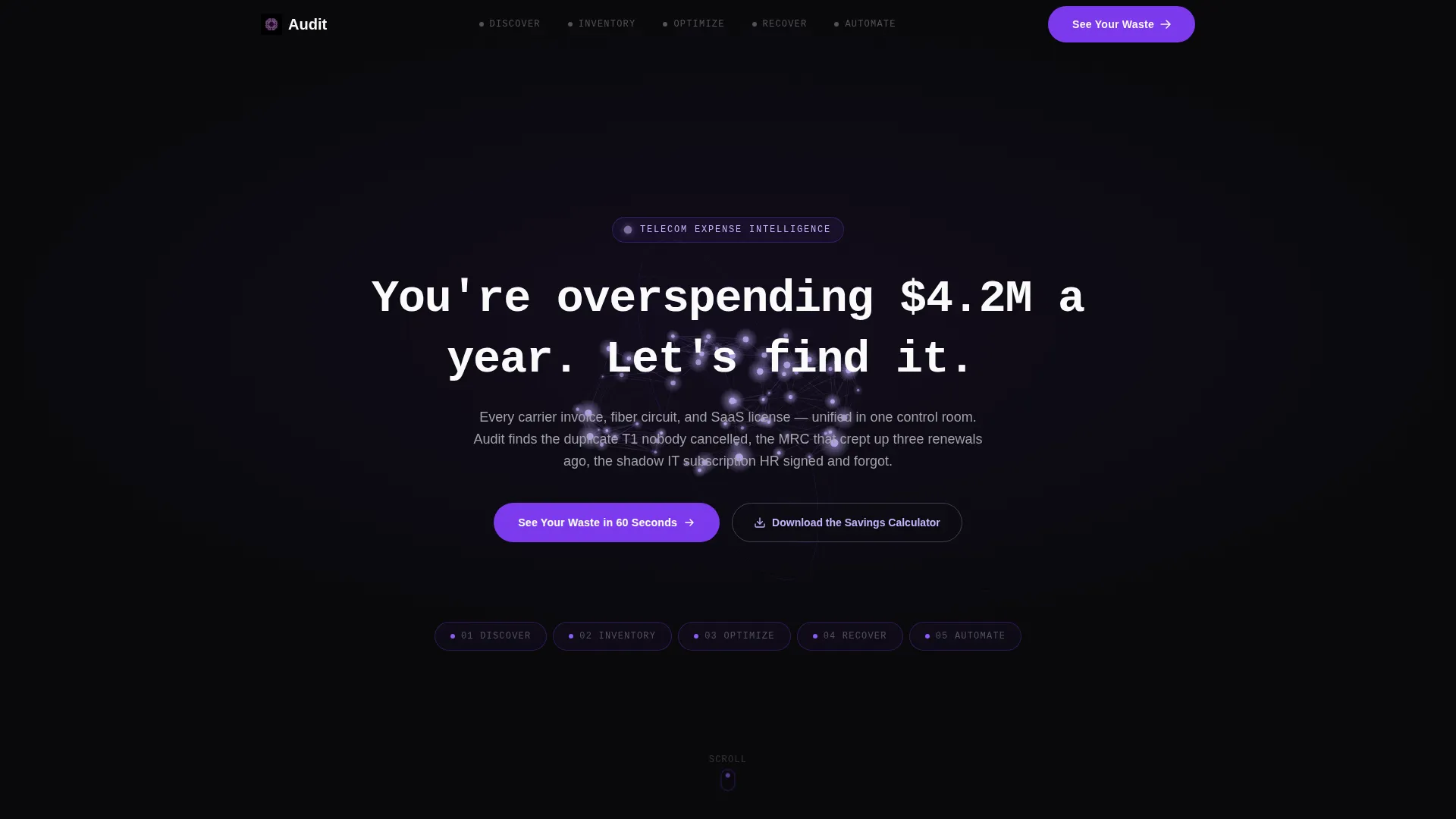
- A hub header with a typed terminal headline, an animated lilac fiber line, and five glowing anchor nav waypoints
- Five spoke sections covering Discover, Inventory, Optimize, Recover, and Automate, each with its own reveal animation
- Two conversion paths: a primary click-through to a demo environment and a secondary email-capture path for a savings calculator
Feature list
This section covers the core functional and visual capabilities built into the Audit template.
Terminal-Style Typed Headline
The header headline types itself on load like a command-line entry, displaying a bold spend-waste claim that frames the entire page. It sets an immediate, data-driven tone before the visitor reads a single line of body copy.
Animated Anchor Navigation
Five glowing waypoints, Discover, Inventory, Optimize, Recover, and Automate, materialize below the header and stay accessible throughout the scroll. Violet pulses on hover and active states so visitors always know where they are in the page.
Viewport-Triggered Spoke Animations
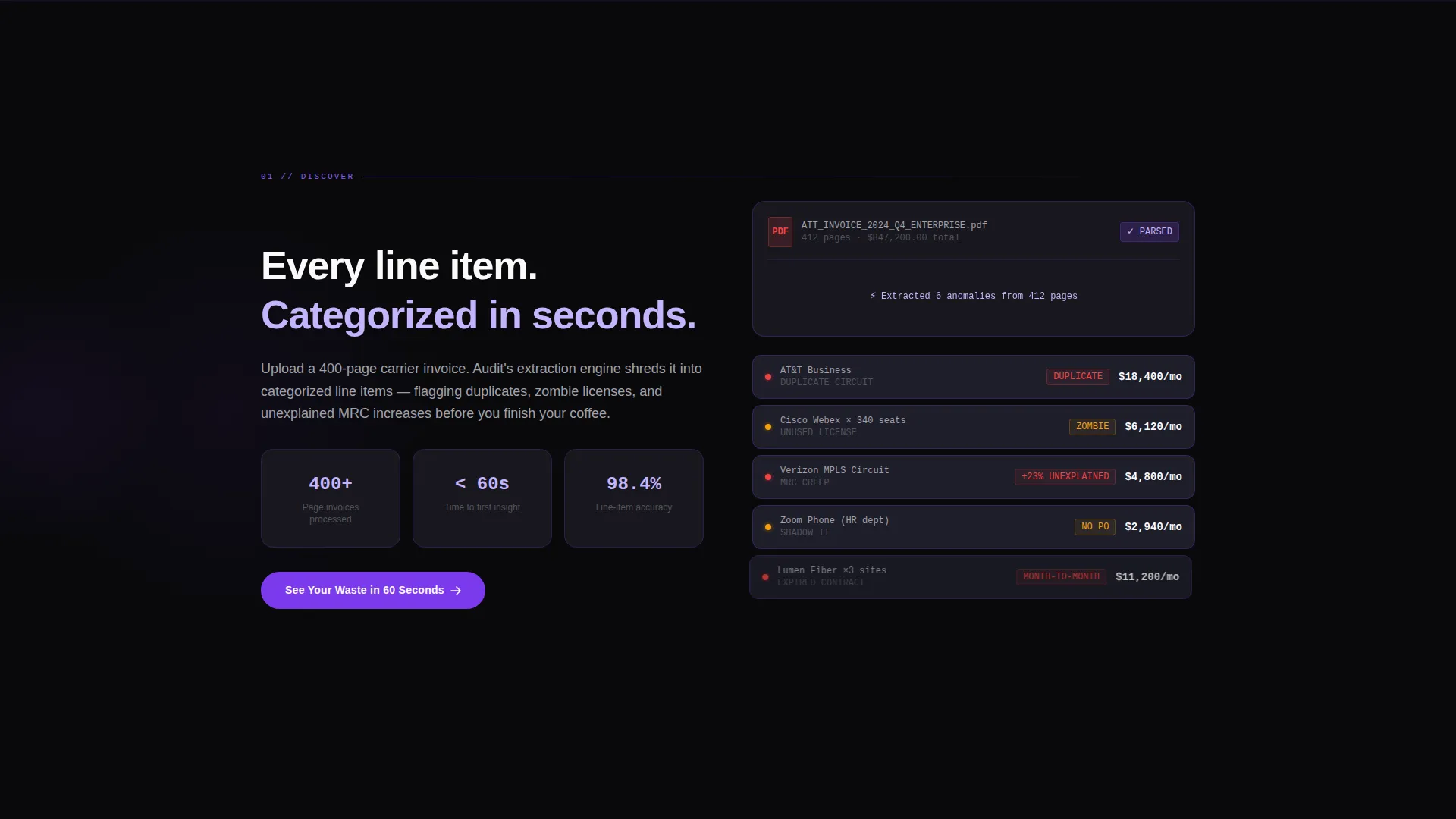
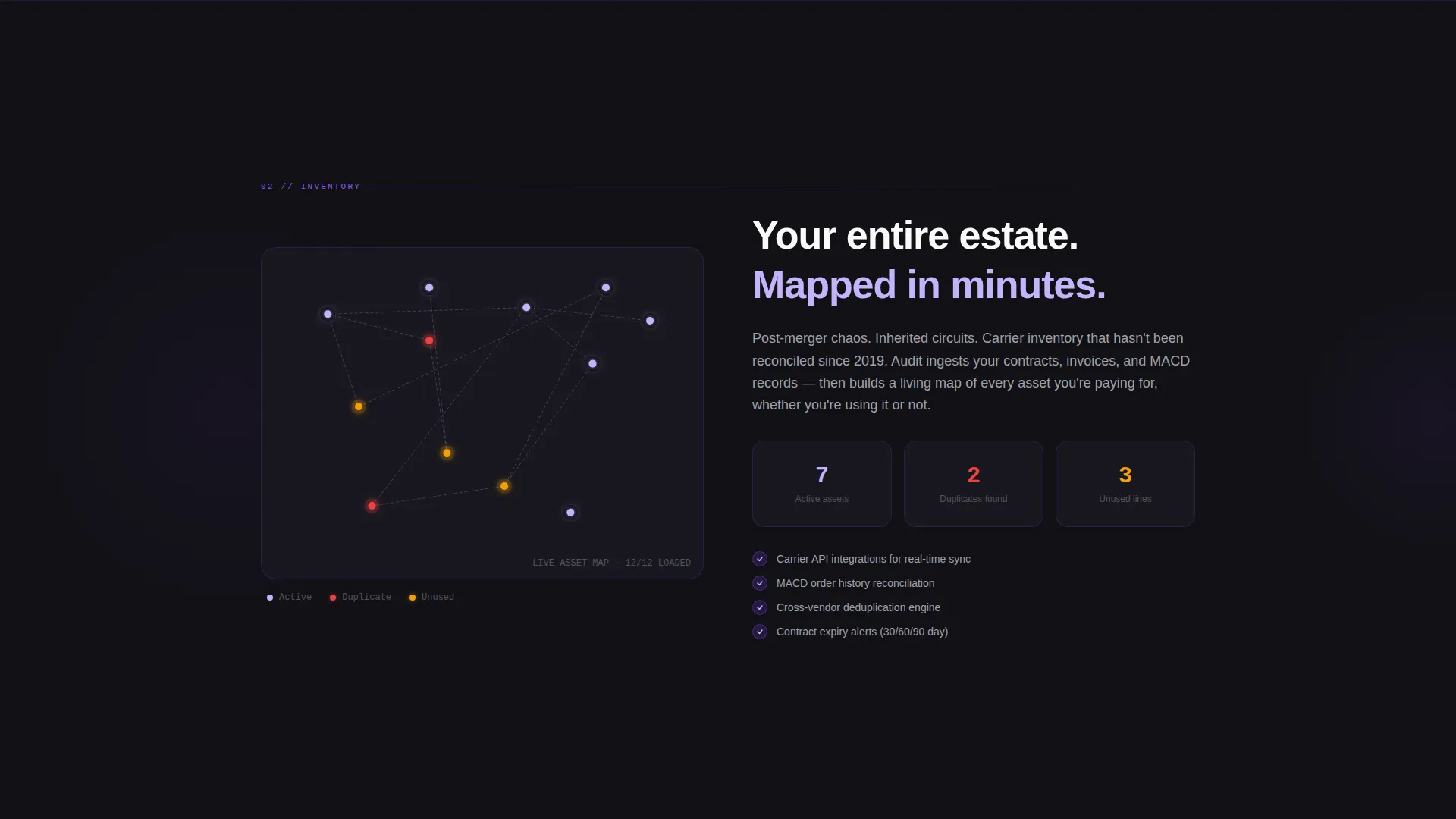
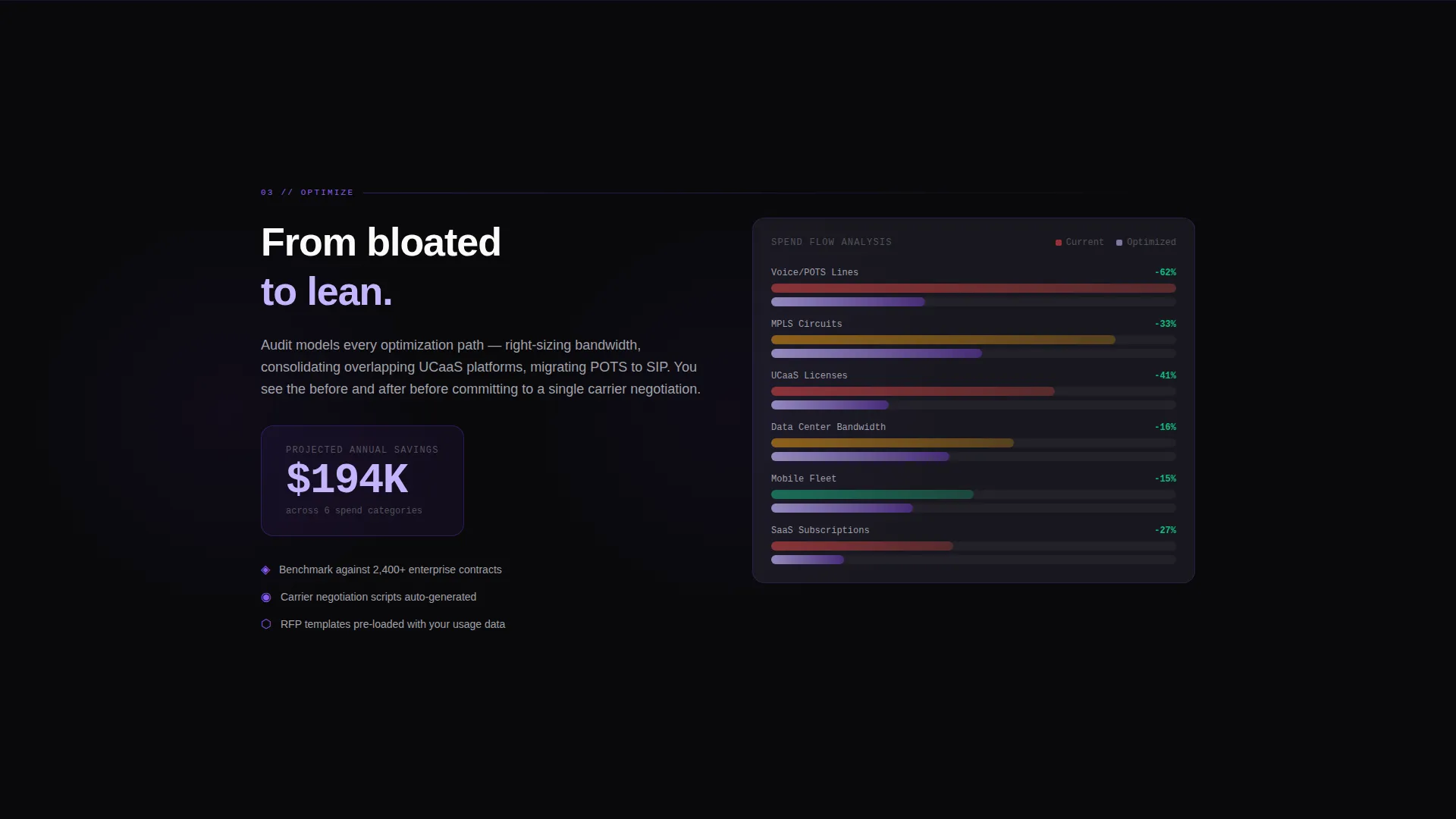
Each spoke section fires a unique animation the moment it enters the viewport. The Discover section shreds a PDF into categorized line items. Inventory populates an asset map. Optimize renders a Sankey diagram of spend flow. Recover runs a recovered-dollars ticker. Automate snaps a workflow builder together like magnetic blocks.
Floating call to action Pill
After the first spoke section, a floating pill button carrying the primary call to action stays visible as visitors scroll. It removes the need to scroll back to the top to convert and keeps the demo path one tap away at all times.
Dual Conversion Architecture
The template supports two simultaneous conversion paths without a form on the page. The primary path pushes visitors to a live guided demo pre-loaded with sample invoice data. The secondary path offers a downloadable savings calculator in exchange for an email address.
Launch Energy Scroll Pacing
Counters, revealed statistics, and escalating animations compound urgency section by section. Each spoke delivers a small ignition moment, so the emotional and logical case for acting builds progressively rather than landing all at once.
Page sections overview
| Section | Purpose |
|---|---|
| Hero Header | Establishes waste claim and anchors the primary call to action |
| Anchor Navigation | Links all five spoke sections for quick orientation |
| Discover Spoke | Shows invoice scan animation and spend categorization |
| Inventory Spoke | Renders dynamic asset map of circuits and licenses |
| Optimize Spoke | Visualizes spend flow from bloated to lean via Sankey diagram |
| Recover Spoke | Runs a recovered-dollars ticker tied to scroll progress |
| Automate Spoke | Demonstrates workflow builder with magnetic-block animation |
| Floating call to action Pill | Keeps primary demo path accessible throughout the scroll |
| Secondary call to action | Captures email via savings calculator download offer |
Design & branding system
The Audit template uses a Void and Violet color system that evokes a network operations center running after midnight. Every color decision reinforces the theme of monitored clarity in darkness.
- Absolute void black (#09090B) as the persistent background, deep comm-tower violet (#7C3AED) for interactive elements and hover states, phosphor glow lilac (#C4B5FD) for data paths and line animations, and terminal white (#FAFAFA) for body text
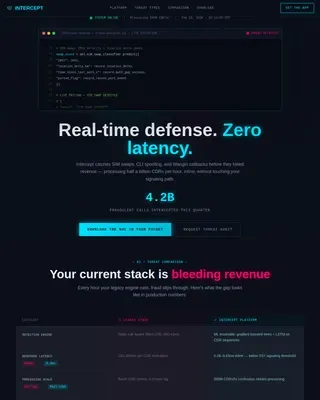
- A glowing wireframe globe made of interconnected nodes fills the hero header, with each node pulsing violet to represent a circuit, line, or license
- Violet activates on hover states and anchor waypoints; lilac traces animated lines and data paths across spoke transitions
Mobile & speed optimization
The Audit template is built with a scroll-first layout that adapts cleanly to smaller viewports. Spoke animations and the floating call to action pill are designed to function at any screen width without losing their visual impact.
- Anchor navigation waypoints reflow gracefully on mobile so all five spokes remain accessible
- The floating pill call to action stays pinned and visible on both desktop and mobile scroll behavior
- Viewport-triggered animations fire based on scroll position, keeping the experience consistent across device sizes
How this template helps you convert
Audit earns the click before asking for it. The page is structured to make the cost of doing nothing feel real and specific, so visitors arrive at the call to action already persuaded.
- The typed terminal headline opens with a concrete spend figure, creating immediate relevance for any buyer who suspects telecom waste in their organization.
- Each spoke section adds a new layer of proof through animation and data visualization, so by the time a visitor reaches the Recover section, they have seen the problem illustrated from five distinct angles.
- Two conversion paths mean the page captures both high-intent visitors ready for a demo and early-stage buyers who need a lower-commitment first step.
Other information about this template
The Audit template sits within the Telecom and Connectivity category, specifically targeting the telecom expense management niche. It is designed as a hub-and-spoke anchor navigation landing page following a Directory and Discovery theme.
- The template style is Hub and Spoke with a full anchor navigation system linking all spoke sections to a central header hub
- The creative direction is Launch Energy, meaning scroll-triggered reveals and escalating data moments compound emotional urgency throughout the page
- The header concept is Dark Full-Bleed with Glow, using a void-black full-viewport background and a luminous wireframe globe as the focal visual
- The landing page direction is Click-Through, optimized to move visitors off the page and into a guided demo environment without requiring form completion on the page itself
- This template is well suited to telecom expense management platforms, managed telecom services vendors, and enterprise software companies selling spend visibility or invoice audit tools
Theme
Directory & Discovery
Creative direction
Launch Energy
Color system
Void & Violet
Style
Hub & Spoke (Anchor Nav)
Direction
Click-Through
Page Sections
Terminal-style Typed Headline
Animated Anchor Navigation
Viewport-triggered Spoke Animations
Floating Call to Action Pill
Dual Conversion Architecture
Launch Energy Scroll Pacing
Related questions
Does this template include a contact form?
Can I change the five spoke section topics?
Who is this landing page template best suited for?
Do the spoke animations require custom development?
Is this a single-page template or a multi-page template?