Medical Equipment & Supply Booking Website Template
Assay is a hub-and-spoke landing page built for lab equipment suppliers. It combines a cinematic testimonial hero, an expert panel anchor navigation, and specialist product sections across five equipment categories. The primary call to action drives visitors toward booking a 30-minute spec review consultation, with a secondary path for quote requests.
by Rocket studio
Quick summary
Assay is a procurement-focused landing page for lab equipment suppliers. It uses a hub-and-spoke layout anchored by an expert panel navigation that guides buyers through five equipment categories. The page builds trust through a named testimonial hero and specialist video-style sections, then converts visitors into booked consultations via a sticky scheduling bar.
Who this template is for
This template is designed for B2B lab equipment suppliers who serve research and life sciences buyers. It works best when your sales process benefits from a consultation before the order is placed.
- University lab procurement officers spending end-of-quarter grant budgets
- Biotech startup founders outfitting their first Biosafety Level 2 (BSL-2) suite
- Hospital pathology managers replacing aging instruments ahead of Clinical Laboratory Improvement Amendments (CLIA) inspections
What problem this template solves
Procurement buyers in research and clinical settings rarely order equipment impulsively. They need to know the supplier understands the science, not just the catalog number. Generic supplier websites fail to build that confidence quickly.
- Buyers leave without booking because no specialist fluency is demonstrated
- Procurement officers need a quote document before they can even schedule a call
- Multiple equipment categories create decision fatigue without a clear navigation structure
What you get with this template
You get a fully structured single-page layout that earns the consultation before asking for it. Every section is sequenced to build credibility and guide the buyer toward action.
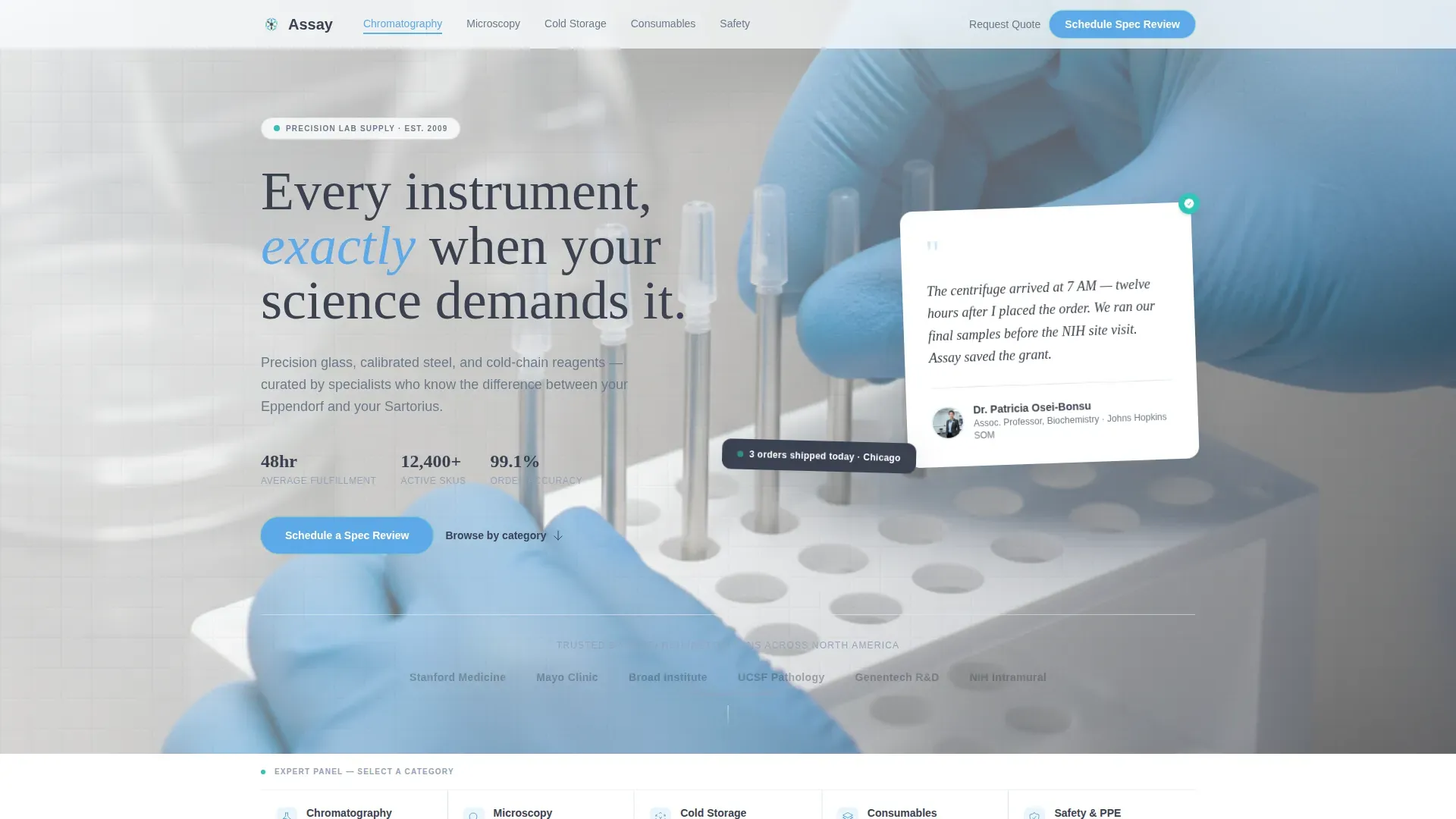
- A cinematic hero section with a floating testimonial card and a soft-focus laboratory photograph
- Five spoke sections covering Chromatography, Microscopy, Cold Storage, Consumables, and Safety
- A sticky bottom bar with an embedded calendar picker and a quote request modal
Feature list
This template includes six purposeful features, each designed around the procurement buyer's actual decision journey.
Floating Testimonial Hero
The hero opens with a white card slightly rotated against a clinical white background. It carries a named principal investigator quote, their department, and credential line. Behind it, a soft-focus photograph of gloved hands adjusting a micropipette rack anchors the composition in real laboratory context.
Hub-and-Spoke Anchor Navigation
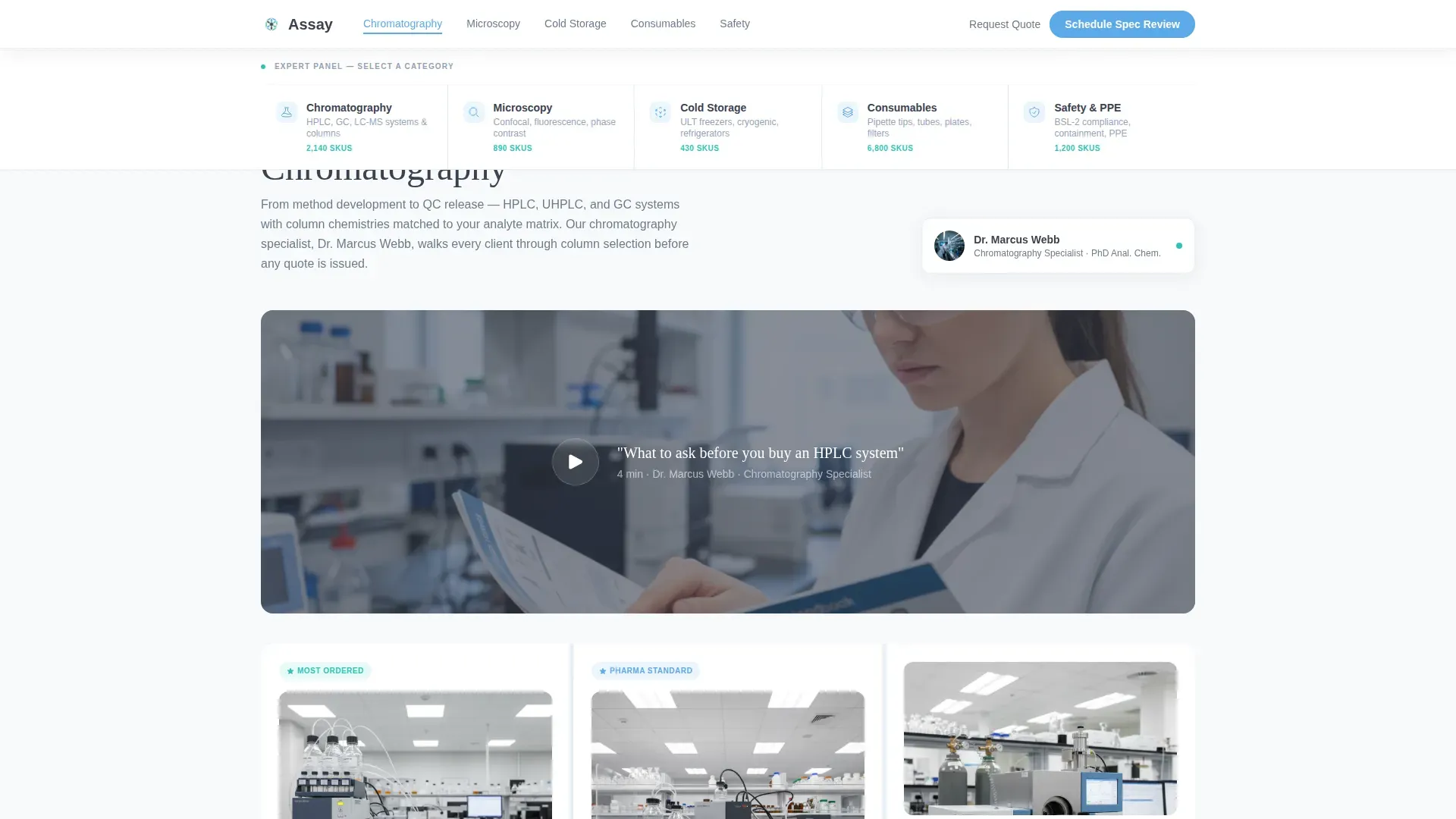
A persistent anchor navigation acts as a panel of specialists. Each of the five category spokes links directly to its corresponding section. The navigation highlights the active spoke as the visitor scrolls, keeping orientation clear at all times.
Specialist Video-Style Product Sections
Each spoke section opens with a short video clip of a product specialist walking through a specific instrument. The specialist narrates what to look for and what questions to ask before purchasing, turning a catalog scroll into a procurement consultation.
Bento Grid Specifications Layout
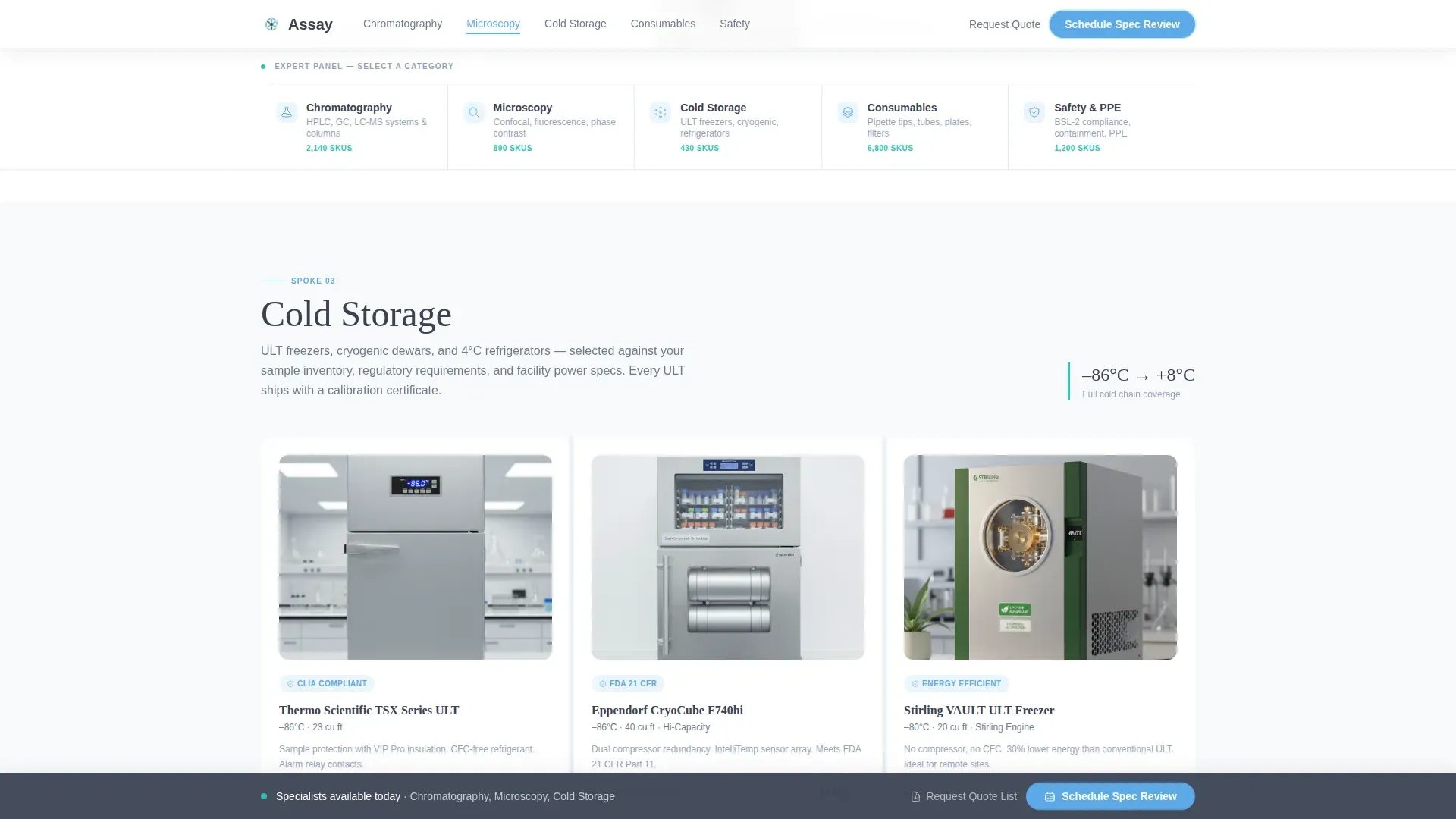
The Cold Storage and Consumables sections present product details in a bento grid format. Specifications are laid out in scannable blocks, making it easy to compare options without leaving the page.
Sticky Scheduling Bar
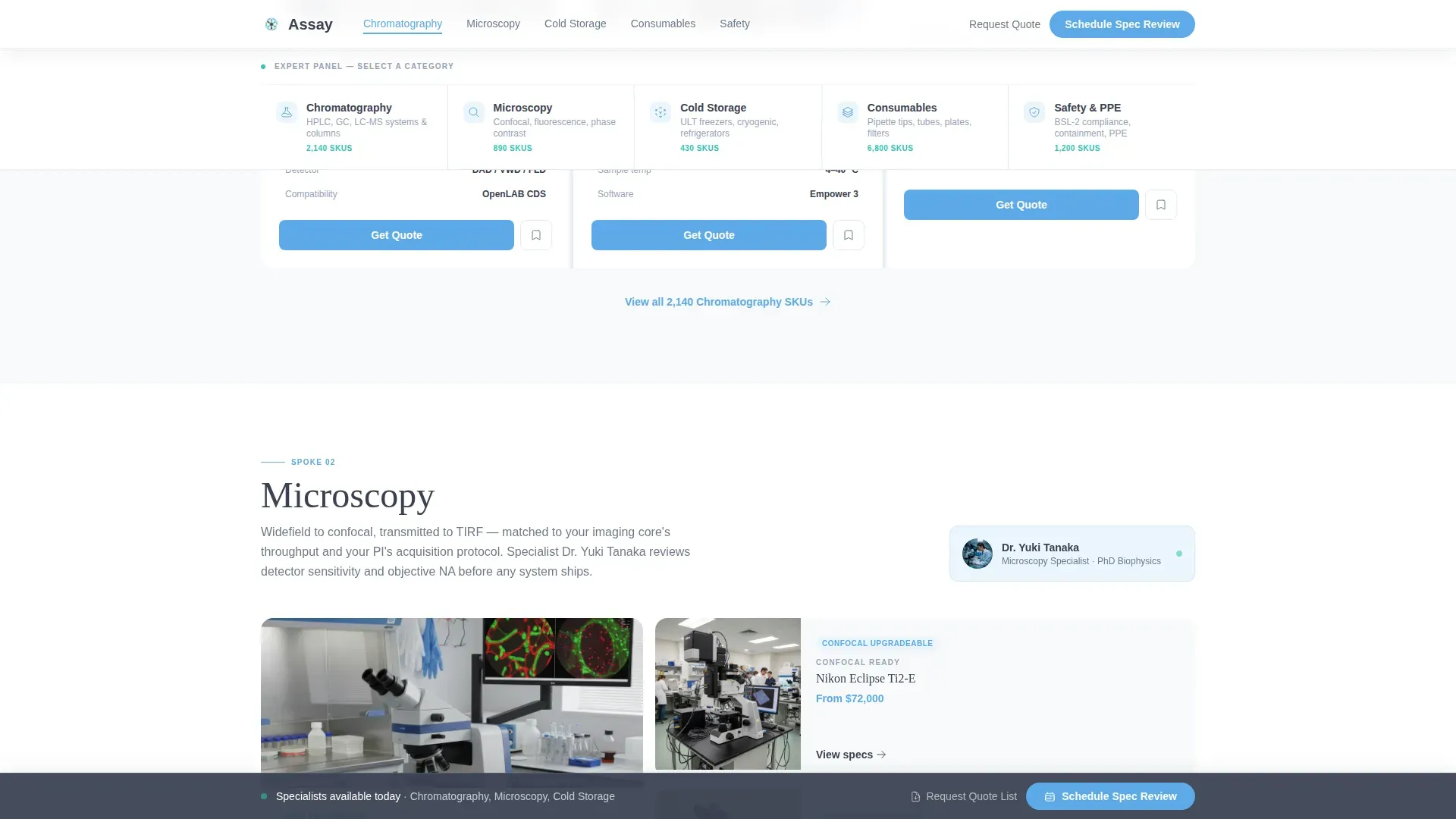
After the first spoke section, a sticky bottom bar appears with the primary call to action: "Schedule a Spec Review." It stays visible throughout the rest of the scroll. The equipment category field pre-fills based on which spoke the visitor clicked.
Quote Request Modal
A secondary conversion path lets procurement officers request a printable quote list as a PDF. This serves buyers who need a document approved internally before committing to a call. The modal is accessible directly from the sticky bar.
Page sections overview
| Section | Purpose |
|---|---|
| Hero with Testimonial | Opens with credibility through a named PI quote over a laboratory photograph |
| Anchor Nav Hub | Orients visitors across five equipment category spokes |
| Chromatography Spoke | Introduces chromatography instruments via specialist video narration |
| Microscopy Spoke | Covers microscopy equipment with specialist-led product guidance |
| Cold Storage Spoke | Presents cold storage options in a bento grid with specifications |
| Consumables Spoke | Displays consumable products in a scannable bento grid layout |
| Safety Spoke | Covers safety equipment and transitions into the booking call to action |
| Spec Review Form | Collects institution, department, category, and preferred time slot |
| Quote Request Modal | Offers a PDF quote list for procurement officers needing pre-call approval |
| Footer | Single-row linear footer with essential supplier links |
Design & branding system
The visual identity follows a Medical Clarity theme built on a Slate and Sky color system. The palette is designed to feel like a freshly calibrated display in a climate-controlled cleanroom: cool, trustworthy, and precise.
- Colors: clinical white (#F8FAFB) for backgrounds, instrument-grade charcoal (#3B4252) for typography, open-sky blue (#5DA9E9) for navigation accents, and reagent teal (#2EC4B6) for interactive hover states
- Typography: Fraunces serif for display headings paired with DM Sans for body text and user interface elements
- Animation: medium intensity with floating card entrance effects, scroll-reveal section transitions, tab switching in the anchor nav, and a sticky call to action bar that enters after the first spoke
Mobile & speed optimization
The template is built desktop-first, reflecting the reality that procurement officers typically work at their desks during business hours. The layout is also fully responsive for mobile viewing.
- Desktop-first column structure with responsive breakpoints for tablet and mobile screens
- Server Components power the static hero and spoke sections to keep initial load fast
- Client Components handle the interactive booking form, anchor nav tab switching, and quote modal
How this template helps you convert
This template earns the booking before it asks for one. Every design and content decision is sequenced to remove friction and build specialist credibility.
- The hero testimonial from a named principal investigator immediately signals that real researchers trust this supplier, lowering skepticism in the first five seconds.
- The expert panel navigation and specialist video sections demonstrate product knowledge category by category, so the visitor arrives at the booking form already convinced the consultation will be worth 30 minutes.
- The dual conversion path serves two distinct buyer types: the decision-maker ready to book a call, and the procurement officer who needs a quote document approved before committing.
Other information about this template
This template is purpose-built for the lab equipment supplier niche inside the broader health and medical category. It reflects the specific procurement culture of research and clinical environments.
- Template style: Hub and Spoke with Anchor Navigation
- Theme: Medical Clarity
- Creative direction: Expert Panel
- Header concept: Testimonial Card
- Primary conversion goal: Booking a 30-minute Spec Review consultation
- Secondary conversion goal: Requesting a PDF quote list
- Localization: English, USD pricing, US date format, US research institution context
Theme
Medical Clarity
Creative direction
Expert Panel
Color system
Slate & Sky
Style
Hub & Spoke (Anchor Nav)
Direction
Booking/Scheduling
Page Sections
Floating Testimonial Hero Card
Hub-and-spoke Anchor Navigation
Specialist Video-style Product Sections
Bento Grid Specifications Layout
Sticky Spec Review Scheduling Bar
Quote Request Modal
Related questions
Who is this landing page template designed for?
What is the primary call to action on this page?
How does the anchor navigation work?
Can the booking form pre-fill based on what the visitor clicked?
What sections are included in this template?



