Animation School Sidebar Companion Landing Page
Animate is a sidebar companion landing page template built for animation schools. It uses a Problem→Solution Arc to guide visitors from tutorial fatigue to enrollment, with a persistent progress sidebar, embedded student reels, a gated cheat sheet, and a free masterclass path. The Dopamine Pop color system makes every section feel alive and purposeful.
by Rocket studio
Quick summary
Animate is a single-page template designed for animation schools that teach frame-by-frame, rigging, and rendering skills. It pairs a bold centered headline section with a persistent left-hand sidebar that tracks scroll progress. The page moves visitors from pain to solution, earns trust with embedded knowledge, and converts through two clear paths: a free resource download and an ungated masterclass.
Who this template is for
This template is built for animation educators and school founders who want a page that does more than list course features. It speaks directly to the students who need structured mentorship most.
- Self-taught artists stuck looping through online tutorials without real progress
- Career-switchers moving from graphic design or illustration into motion work
- High schoolers building portfolios for competitive animation programs who need guidance beyond free video content
What problem this template solves
Most animation school pages either dump a course catalog or oversell outcomes. Neither builds the trust needed to convert a skeptical, self-taught artist. This template addresses a more specific set of real friction points.
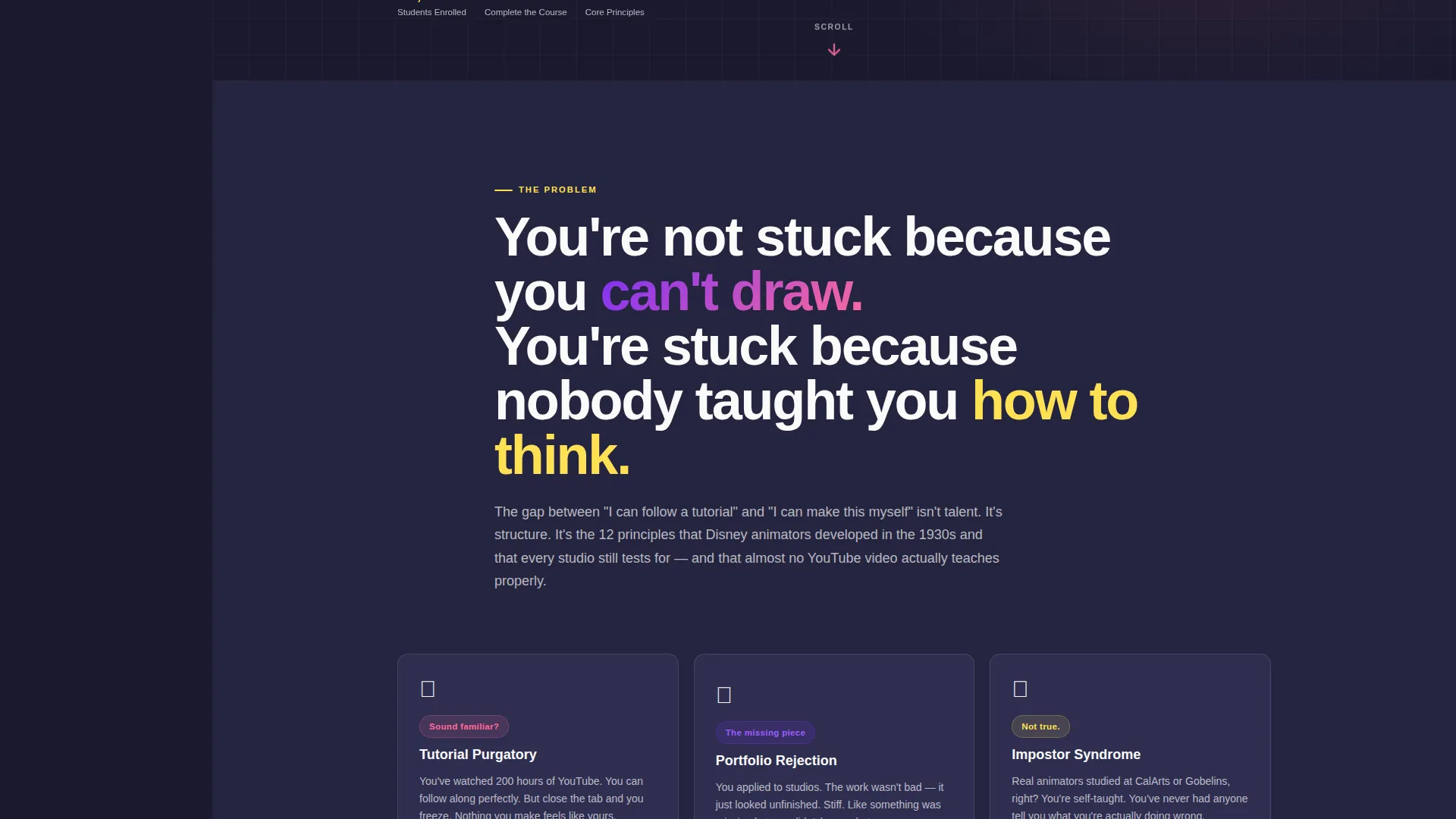
- Tutorial fatigue and the feeling that free content never quite adds up to a real skill set
- Portfolio rejection and impostor syndrome that stall serious artists at the starting line
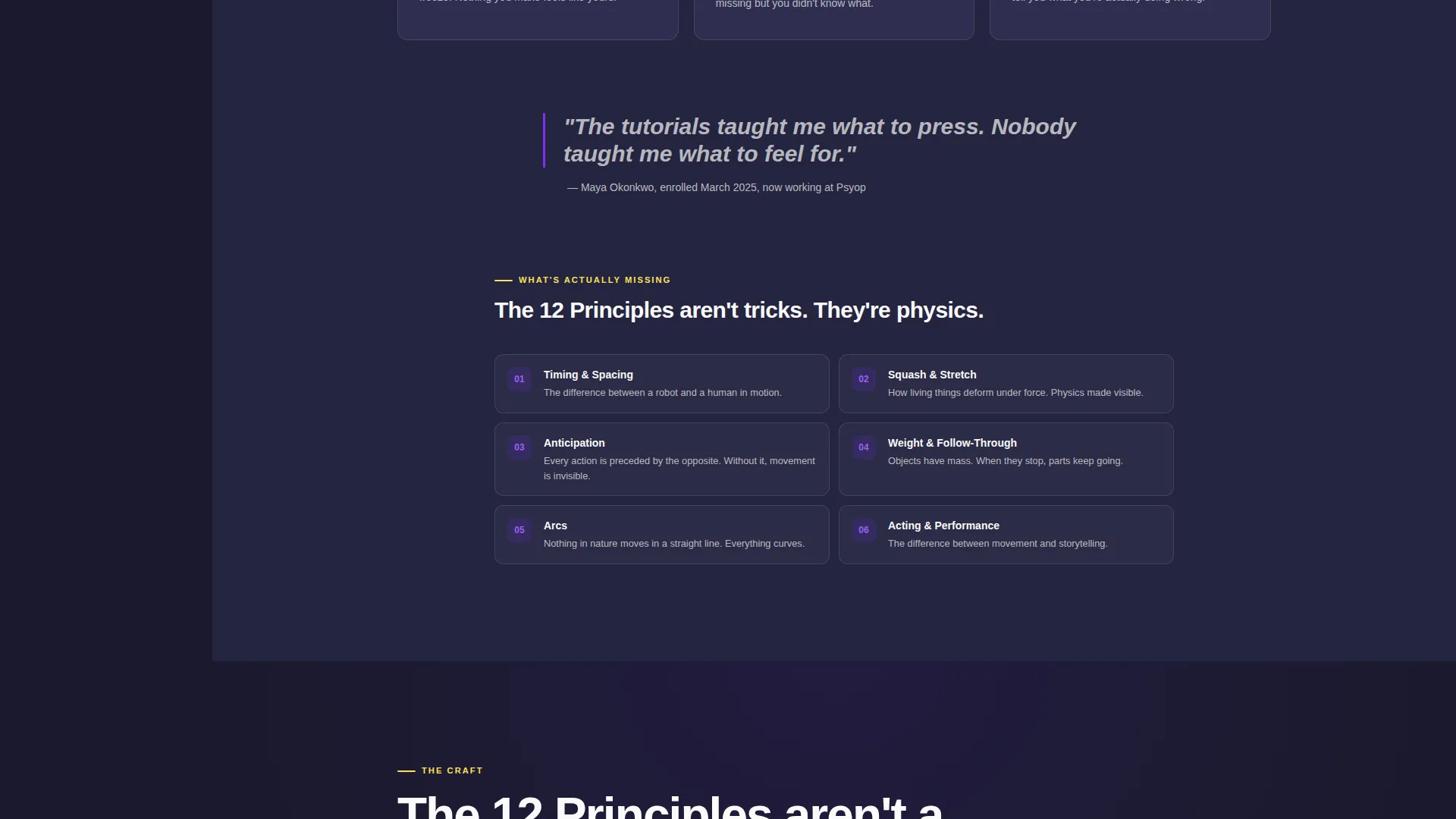
- The absence of structured fundamentals like timing, spacing, weight, and acting in self-directed study
What you get with this template
You get a fully structured single-page layout that earns the visitor's attention before it asks for anything. Every section teaches something, so the conversion feels earned rather than forced.
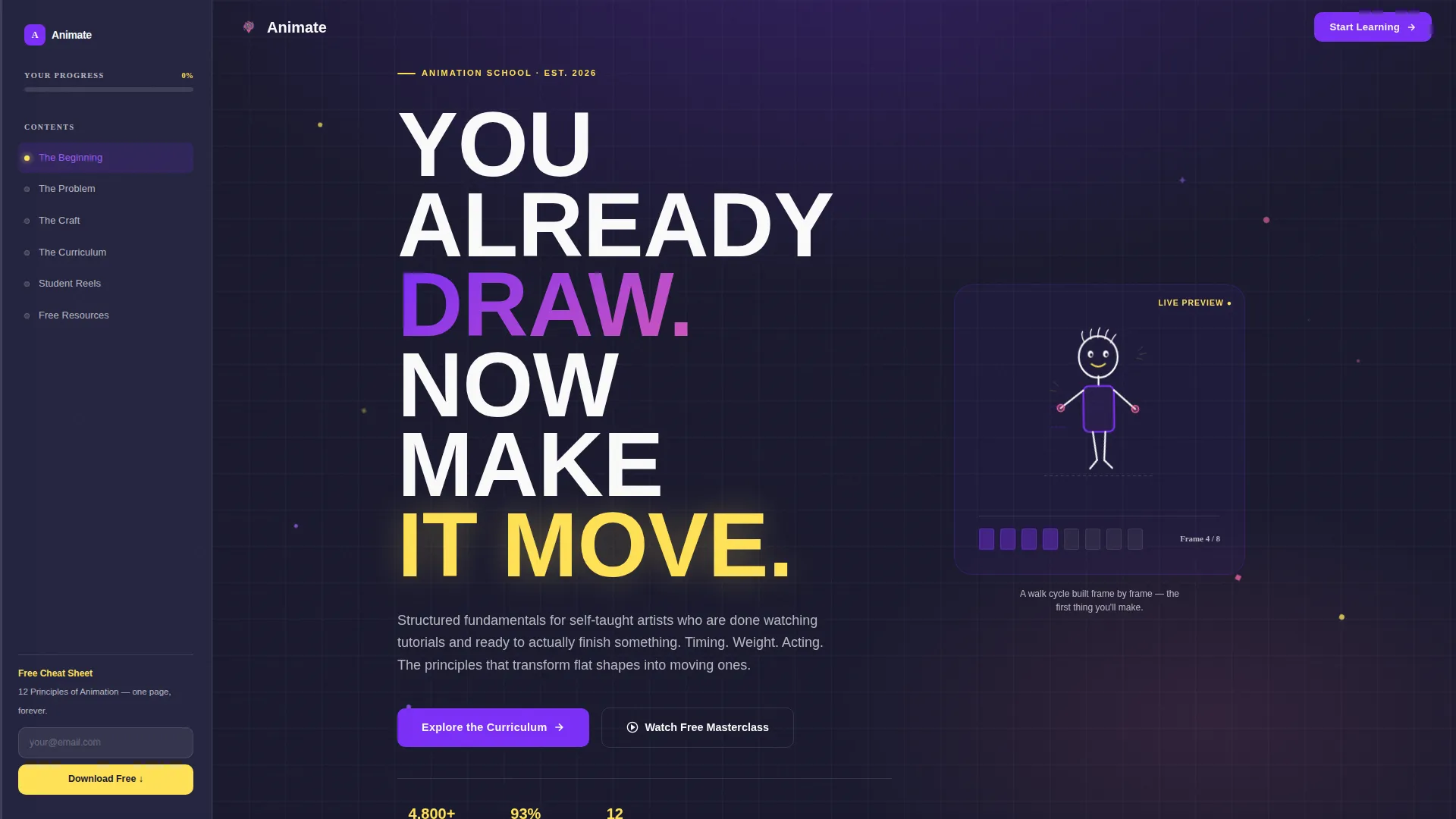
- A giant centered headline section with a looping sketch-to-walk-cycle animation behind the text
- A sticky left sidebar with yellow progress fill, acting as a living table of contents across five named stops
- Inline and pinned email capture gates for a downloadable 12 Principles Cheat Sheet, plus a secondary path to a free 20-minute masterclass
Feature list
This section covers the core built-in capabilities that make this template functional and distinctive.
Giant Centered Headline Header
The header fills the viewport with a bold, stacked display headline. Behind the text, a looping pencil-drawn animation shows a character moving from static sketch to walk cycle. A single pink pulsing arrow below the headline invites the scroll without any navigation competing for attention.
Persistent Sidebar with Progress Tracking
A fixed left-hand column travels with the visitor down the entire page. It lists five named content stops and fills a yellow progress bar as the user scrolls, turning reading into a sense of measurable completion.
Problem to Solution Scroll Arc
The page opens with named pain points, then introduces missing fundamentals, then reveals the curriculum section by section. Each layer builds on the last, mirroring the logic of animation principles themselves.
Embedded Student Before-and-After Reels
Midway through the page, autoplaying video comparisons show a first assignment alongside a capstone piece. The transformation is the argument. No testimonial copy needed.
Dual Conversion Paths
An email-only capture field appears inline after the curriculum section and again pinned at the sidebar bottom. A secondary call-to-action links to a free ungated 20-minute lesson on timing and spacing, giving visitors two ways to engage based on their readiness.
Inline Knowledge Sections
Every content section delivers real animation vocabulary, mini-tutorial breakdowns, and principle explanations. The page earns the click by giving value first, making the downloadable resource feel like the logical next step rather than a gate.
Page sections overview
| Section | Purpose |
|---|---|
| Headline Hero | Establishes the school's promise with a full-viewport centered headline and looping sketch animation |
| The Problem | Names tutorial fatigue, portfolio rejection, and impostor syndrome directly |
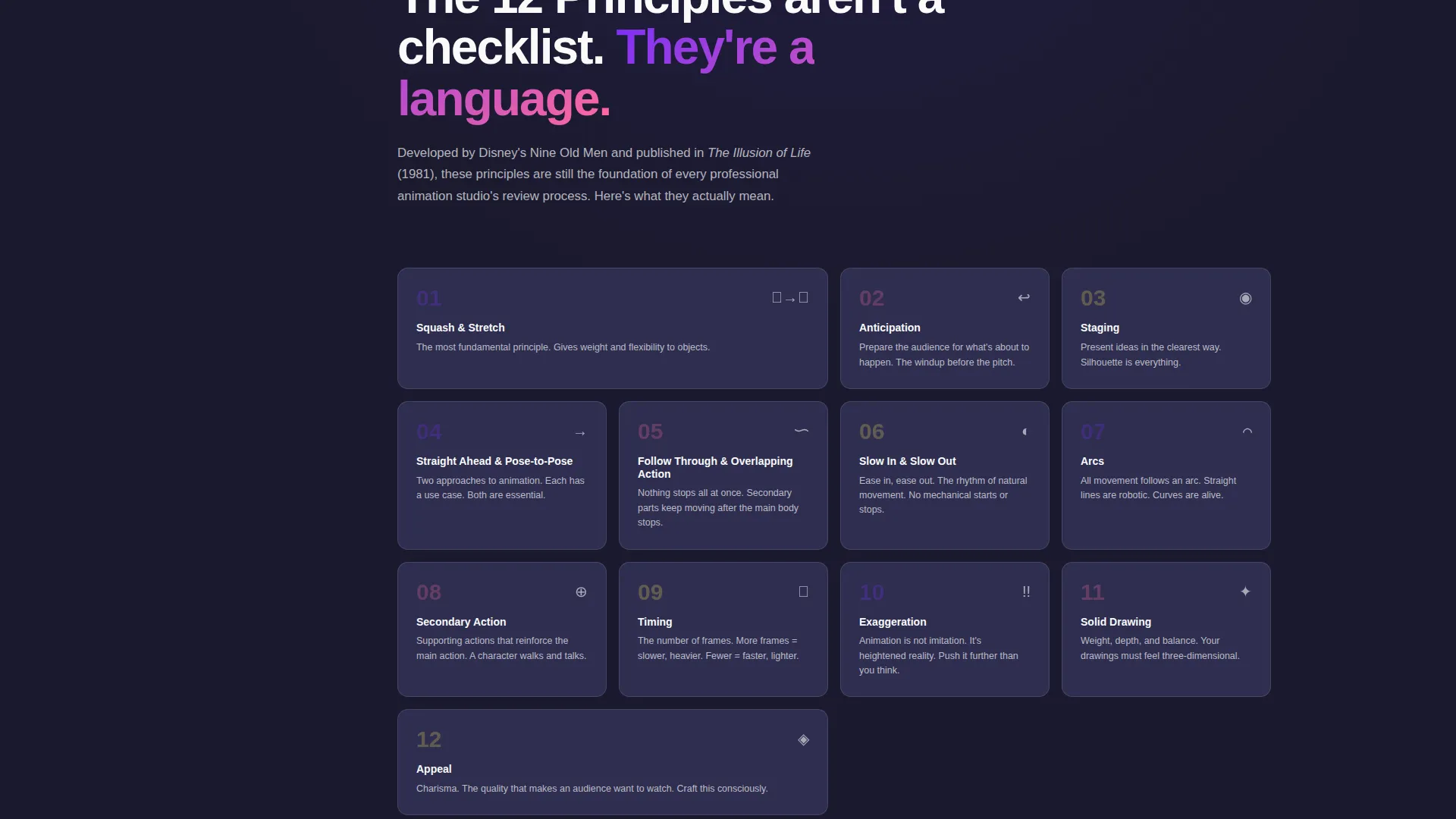
| The Craft | Introduces the missing fundamentals: timing, spacing, weight, and acting |
| The Curriculum | Reveals the course structure layer by layer as the solution to named problems |
| Student Reels | Autoplaying before-and-after videos show real student transformation |
| Free Resources | Inline email capture for the 12 Principles Cheat Sheet and link to free masterclass |
| Sticky Sidebar | Persistent progress tracker with yellow fill bar and five named section links |
Design & branding system
The visual identity follows an Educational Guide theme powered by the Dopamine Pop color system. The palette feels intentionally electric against dark backgrounds, making every section feel like a late-night creative session with fresh markers.
- Electric violet (#7B2FF7) leads headings and navigation highlights; highlighter yellow (#FFE156) marks sidebar progress and callouts; bubblegum pink (#FF6B9D) fires on hover states and interactive moments
- Deep charcoal (#1A1A2E) anchors backgrounds and body text; clean white (#FAFAFA) opens breathing room in content-heavy sections
- A bold, slightly rounded display typeface dominates the header at viewport scale; body text stays clean and readable throughout
Mobile & speed optimization
The sidebar companion layout is designed with responsive behavior in mind. On smaller screens, the persistent sidebar adapts so the core scroll experience remains intact without crowding the content.
- The sticky sidebar collapses gracefully on mobile so the content column takes full width
- Autoplaying reels and the looping header animation are embedded in a way that supports smooth playback across devices
- Inline and pinned email capture fields remain accessible and functional at all screen sizes
How this template helps you convert
The page is built on a content-first conversion model. It gives real knowledge in every section so visitors arrive at the call-to-action already trusting the school.
- The sidebar progress bar turns scrolling into a sense of accomplishment, reducing the chance a visitor leaves before reaching the conversion section.
- The dual-path offer matches different visitor readiness levels: a low-commitment free masterclass for browsers and a direct email capture for visitors ready to commit.
Other information about this template
This template fits naturally into the broader animation education space where prospective students often compare structured programs against self-directed learning paths on platforms like YouTube or Skillshare. It is also well-suited for positioning alongside recognized programs such as CalArts or Gobelins, referencing them as aspirational targets rather than competitors.
- The template is built for a single-page flow, making it straightforward to deploy as a standalone campaign or school microsite
- The 12 Principles Cheat Sheet gate references the foundational animation principles framework widely recognized in the industry
- Color and typography choices are fully documented in the design system so customization stays consistent with the original visual identity
Theme
Educational Guide
Creative direction
Problem→Solution Arc
Color system
Dopamine Pop
Style
Sidebar Companion
Direction
Content/Resource
Page Sections
Giant Centered Headline Header
Persistent Sidebar with Progress Bar
Problem to Solution Scroll Arc
Embedded Student Reels
Dual Conversion Paths
Inline Knowledge and Mini-tutorials
Related questions
What type of page is this template?
Can I use this template for a single animation course rather than a full school?
What are the two conversion paths built into the page?
Does the template include the looping sketch animation shown in the header?
Who is this landing page template designed for?



