Book Podcast Production Landing Page Template
Airwave is a hero-dominant landing page template built for book podcast production companies. It opens with a cinematic short-form reel, guides visitors through a three-act origin story, and drives installs with a sticky app download bar. The Stage and Spotlight visual theme, Ruby and Chrome color system, and embedded audio player make the production quality impossible to ignore.
by Rocket studio
Quick summary
Airwave is a single-page landing page template designed for a book podcast production company. It leads with a full-screen vertical reel, scrolls through a three-act narrative, and closes with a sticky app download call to action. The design feels like the backstage hallway of a live theater: velvet textures, chrome edges, and a single amber light guiding every step.
Who this template is for
This template is built for audio production studios that serve authors. It speaks directly to the people who coach voices, engineer soundscapes, and deliver finished episodes that keep listeners hooked through long commutes.
- Debut novelists with a story ready but no microphone technique
- Mid-list authors whose publishers are demanding a podcast strategy right now
- Self-published writers who want their backlist to become bingeable audio seasons
What problem this template solves
Most authors know their book deserves more than a text listing, but they have no clear way to show a production service that earns trust fast. Generic portfolio pages fail to communicate the emotional experience of hearing a story well told.
- Visitors leave before they understand what the service actually delivers
- There is no low-friction way to sample the production quality before committing
- The gap between "I have a manuscript" and "I have a produced podcast" feels too wide to bridge
What you get with this template
The template packages a full single-page flow into a visually dramatic experience. Every section is designed to move a skeptical author from curious to committed by the time they reach the bottom.
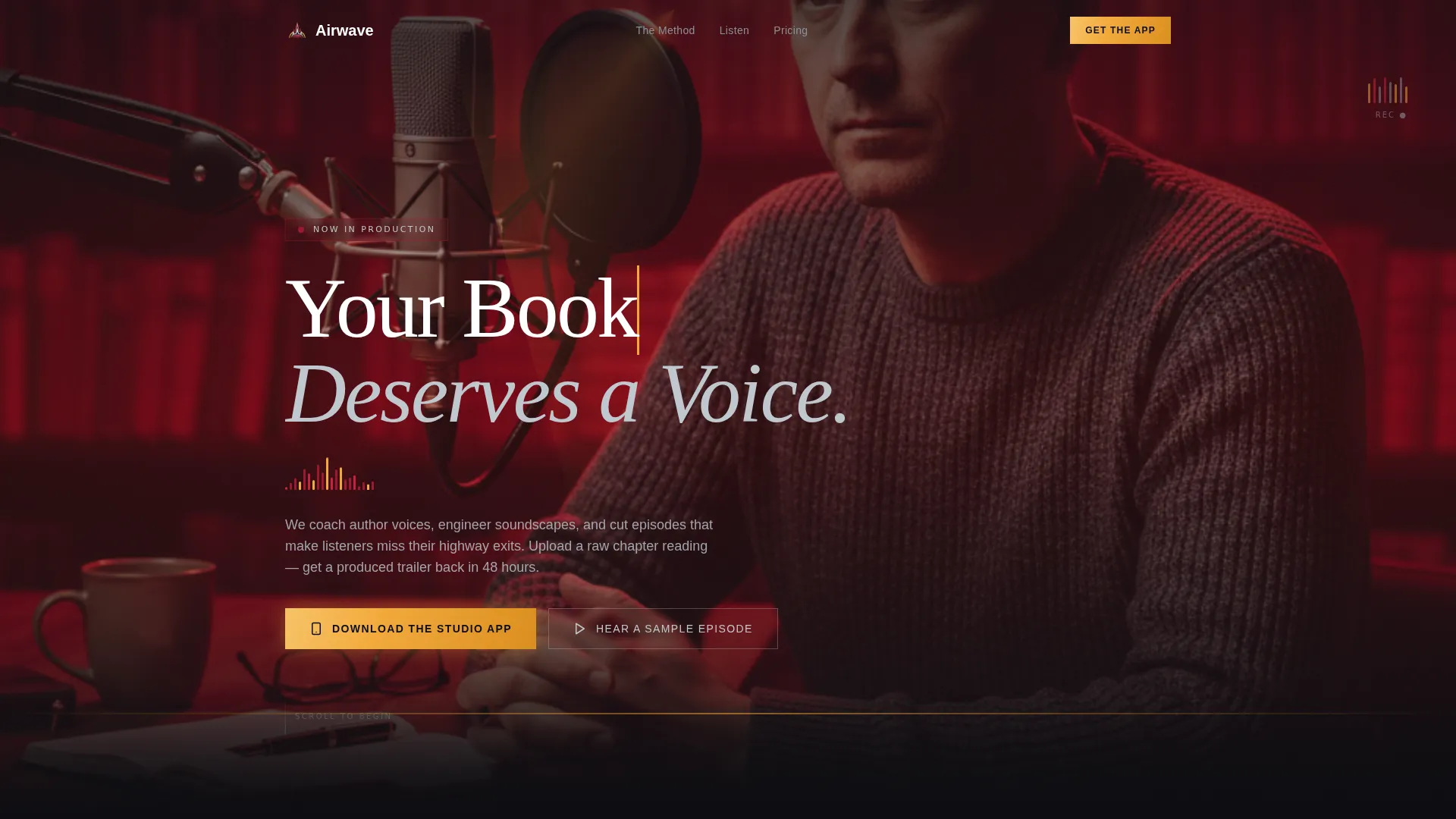
- A vertical-native fifteen-second header reel with a self-typing headline
- A three-act scrolling origin story with pull-quote typography and behind-the-scenes stills
- An in-page audio sample player, a sticky app download bar, and paired App Store and Google Play badge anchors
Feature list
This template brings together a set of purposefully crafted components. Each one is built around a specific moment in the author's decision journey.
Cinematic Header Reel
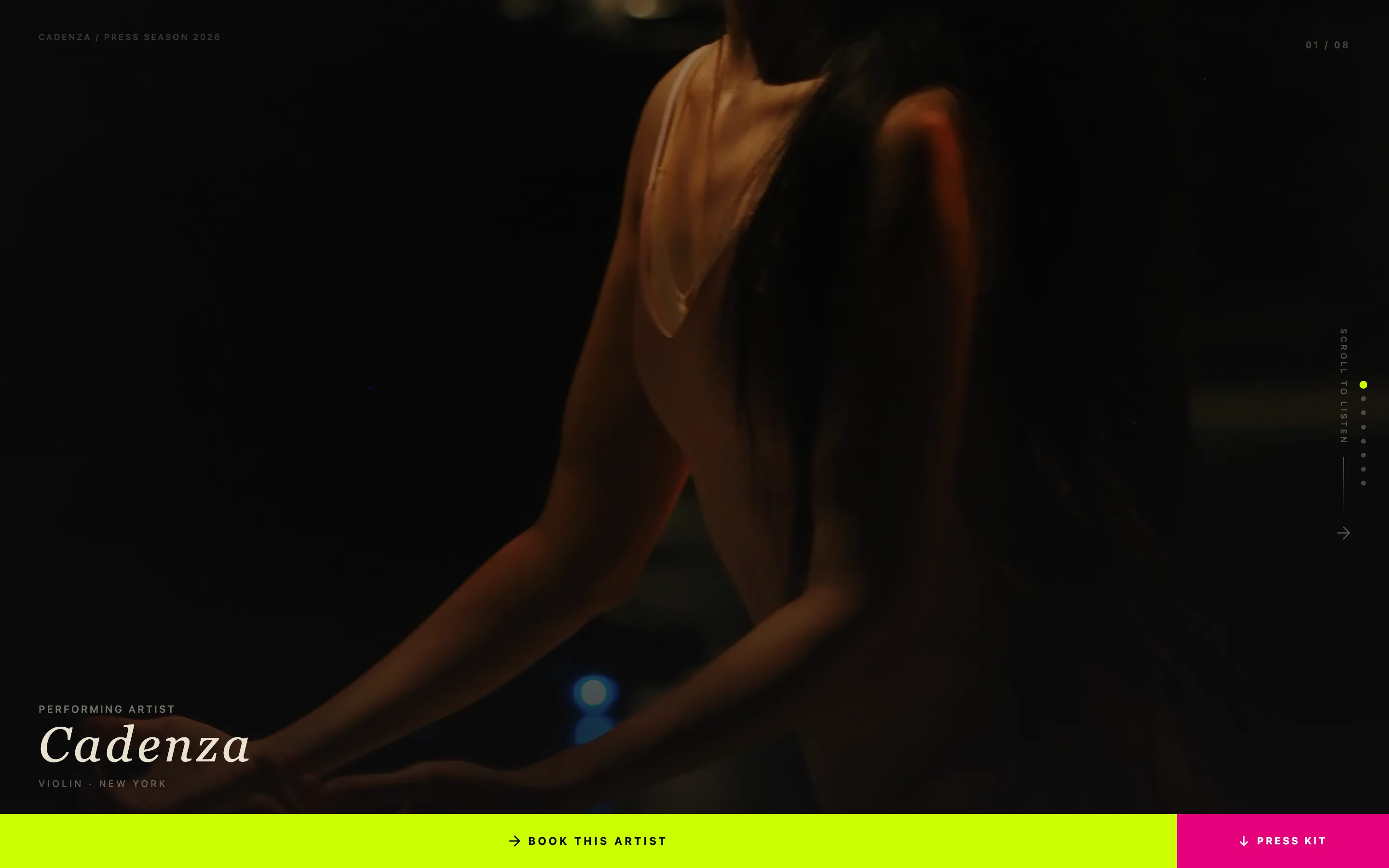
A vertical-native fifteen-second loop opens the page. It follows an author walking into a dim studio, sitting behind a pop-filtered microphone, sliding on headphones, and watching a waveform explode as they begin reading. The headline types itself over the final frame: "Your Book Deserves a Voice."
Three-Act Origin Story Layout
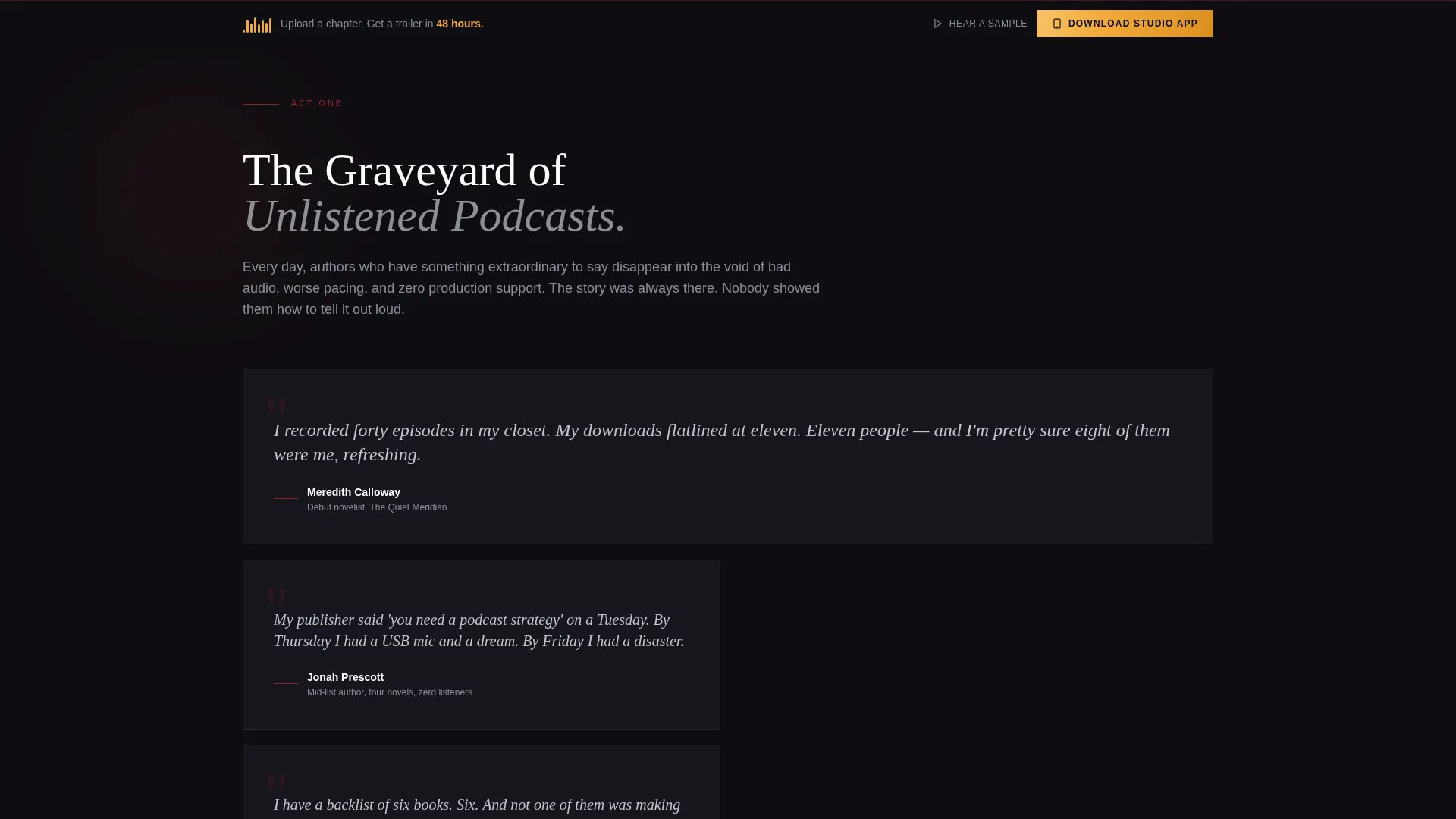
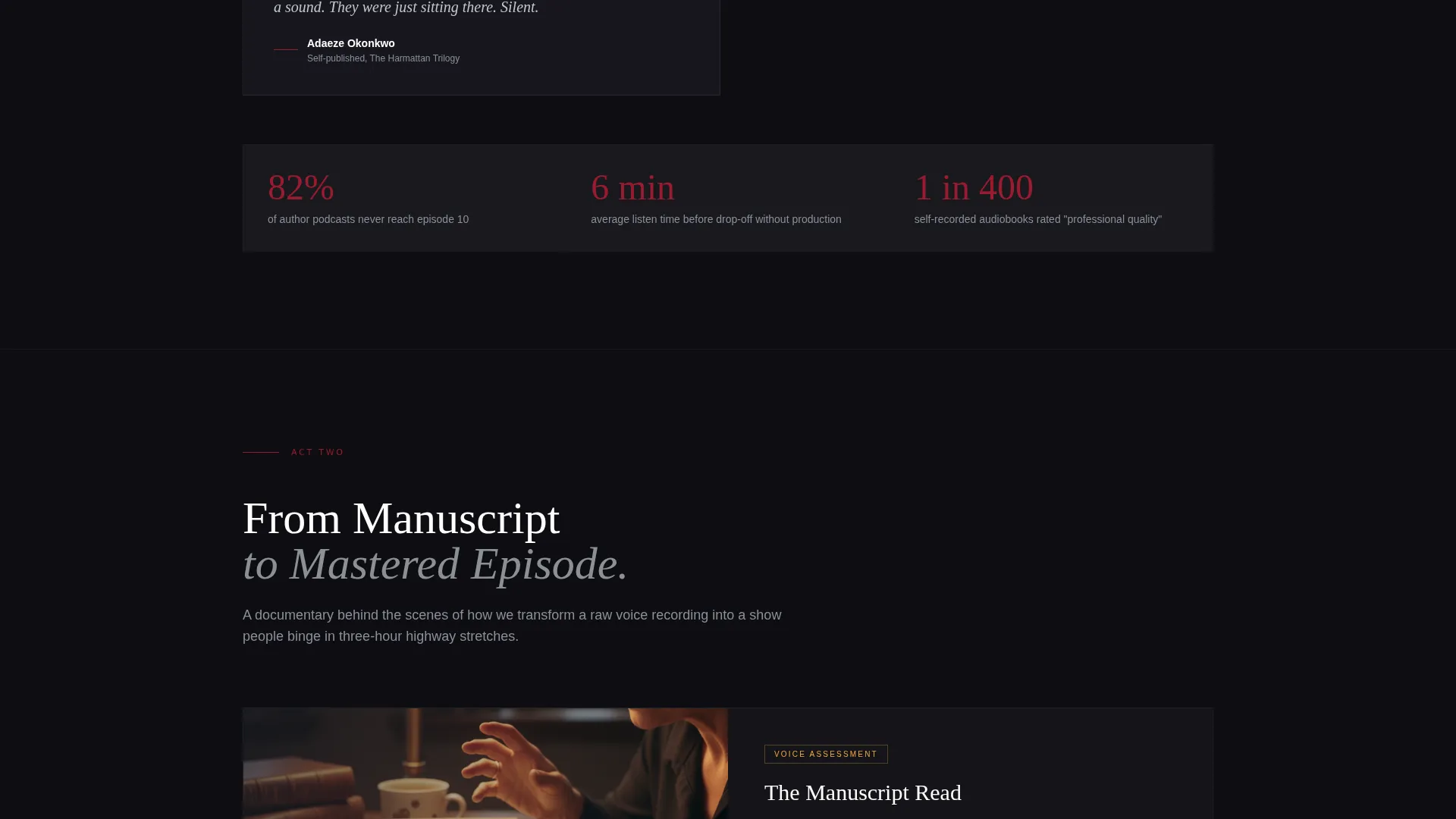
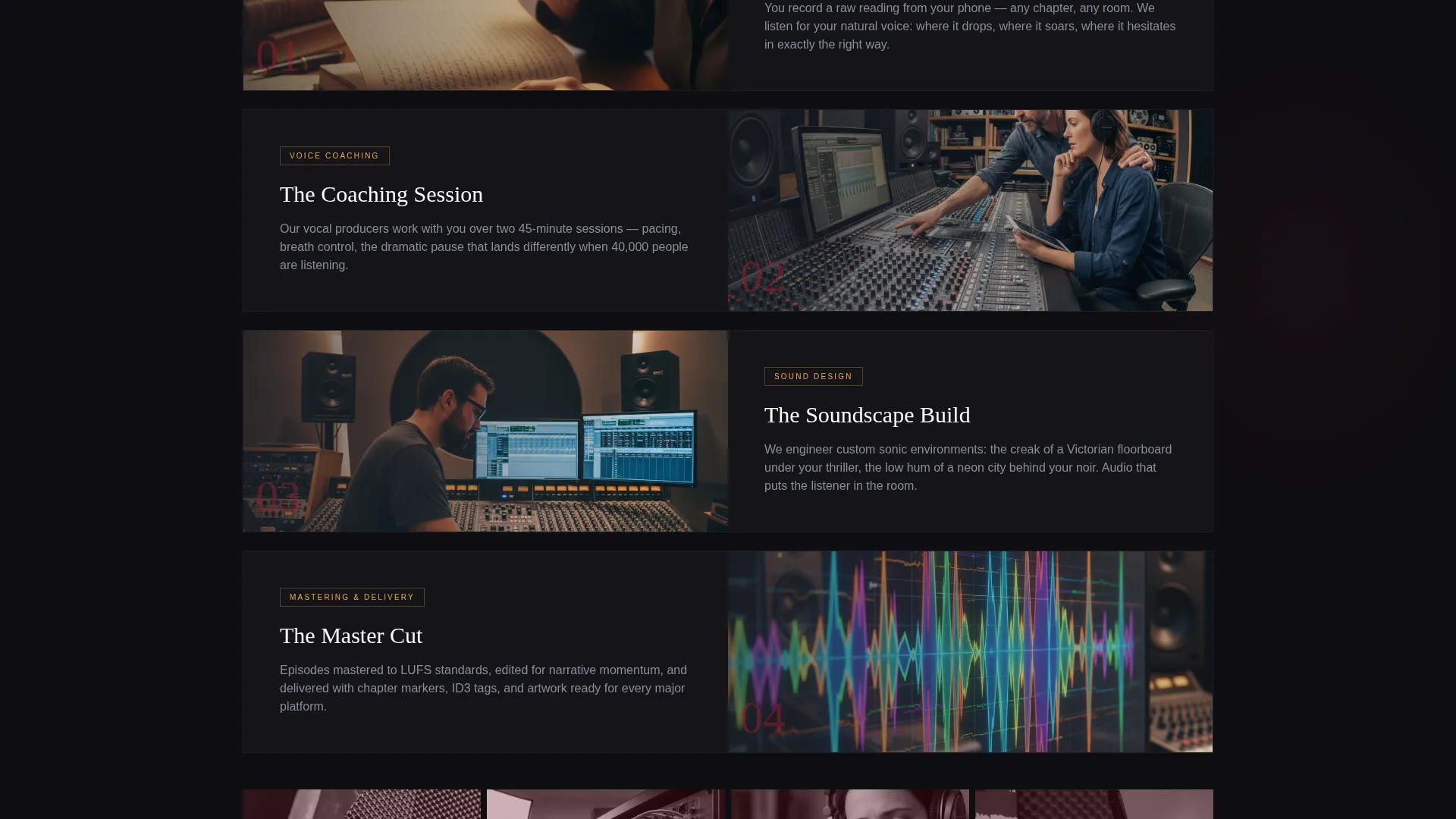
The scroll is structured as a three-act narrative. Act One surfaces the problem using real author pull-quotes. Act Two walks through the production journey from manuscript to mastered episode with documentary-style stills. Act Three showcases finished shows with embedded thirty-second clips and rising download stats.
In-Page Audio Sample Player
A secondary call to action opens an embedded audio player directly on the page. No sign-up is required. Visitors hear the production quality before they are ever asked to install anything.
Sticky App Download Bar
A persistent bottom bar appears after the header reel finishes playing. It anchors the primary call to action, "Download the Studio App," alongside App Store and Google Play badges so the install path is always one tap away.
Pull-Quote Typography Blocks
Act One uses oversized pull-quote formatting to surface real author voices. The typography style creates contrast and emotional weight, making the problem feel personal before the solution is introduced.
Stage and Spotlight Color System
The Ruby and Chrome palette runs through every section. Deep curtain red, polished chrome silver, blackout dark backgrounds, and hot spotlight amber for calls to action create a visual identity that feels theatrical and premium without being heavy.
Page sections overview
| Section | Purpose |
|---|---|
| Header Reel | Opens with a cinematic studio moment and types the headline |
| Act One Problem | Surfaces author frustration using pull-quote typography |
| Act Two Journey | Shows the production process from manuscript to episode |
| Act Three Showcase | Displays finished shows with embedded clips and stats |
| Audio Sample Player | Lets visitors hear production quality with no sign-up |
| Sticky Download Bar | Keeps the app install call to action always visible |
Design & branding system
The visual identity follows a Stage and Spotlight theme that feels like stepping into a live production environment. Every color choice reinforces the feeling of a darkened stage just before the first word lands.
- Deep curtain red (#9B1B30), polished chrome silver (#C0C7CF), and blackout dark (#0E0E12) build the base palette
- Hot spotlight amber (#F2A93B) is reserved exclusively for calls to action and hover states
- Textures and tones reference velvet, coiled cables, and the warm glow of a sound booth work light
Mobile & speed optimization
The template is built around a vertical-native reel format, which means the opening experience is designed for the way people actually hold their phones. Every layout decision prioritizes the mobile visitor first.
- The fifteen-second header loop is vertical and native to portrait-mode viewing
- The sticky bottom bar anchors the download call to action at thumb height on any screen size
- The in-page audio player loads without requiring an external app or sign-up redirect
How this template helps you convert
The page earns commitment gradually rather than asking for it up front. By the time a visitor reaches the sticky bar, they have already experienced the service emotionally.
- The header reel creates an immediate sensory impression that holds attention from the first second, replacing a static headline with a felt experience.
- The three-act scroll deepens investment at each stage, so the install request at the bottom feels like a natural next step rather than an interruption.
- The no-sign-up audio sample removes the last objection before the download ask, letting the produced episode make the final case.
Other information about this template
This template sits at the intersection of the Media and Entertainment category and the Content Creator Niches subcategory, with a specific focus on the book podcast production company niche. It carries a Hero-Dominant layout ratio of ninety percent hero to ten percent supporting content, which keeps the visual drama front and center throughout the page.
- The app promise embedded in the template is clear: record a raw chapter reading on your phone, upload it, and receive a produced trailer within forty-eight hours
- The template style is classified as Hero-Dominant (90/10), meaning the reel and narrative sections carry the majority of the visual and persuasive weight
- The creative direction is Origin Story, structuring the entire scroll as a three-act arc that mirrors the storytelling craft of the authors it serves
- The header concept is a Short-Form Reel, optimized for the vertical-native viewing habits of mobile visitors discovering the service for the first time
Theme
Stage & Spotlight
Creative direction
Origin Story
Color system
Ruby & Chrome
Style
Hero-Dominant (90/10)
Direction
App Download
Page Sections
Cinematic Vertical Header Reel
Three-act Scrolling Narrative
No-sign-up Audio Sample Player
Sticky App Download Bar
Pull-quote Typography System
Stage and Spotlight Color Identity
Related questions
Who is the Airwave landing page template designed for?
Do visitors need to sign up to hear a sample episode?
What does the sticky bottom bar include?
Can the three-act scroll be updated with my own content?
What is the core app promise built into this template?