Music Podcast Landing Page Template | Cinematic Dark
Airwave is a cinematic dark landing page built for a music-industry podcast. It draws visitors into a stage-and-spotlight atmosphere with animated audio previews, crossfading black-and-white stills, and oversized gold pull quotes. The single-column flow guides bedroom producers, vinyl collectors, and commuting music fans toward one clear action: hit play and subscribe.
by Rocket studio
Quick summary
Airwave is a single-column landing page template designed for a music podcast. It uses a cinematic dark visual system to recreate the feeling of standing side-stage before a set begins. Animated waveforms, embedded audio clips, and scroll-linked reveals do the convincing before any call to action appears.
Who this template is for
This template is built for podcast creators who want their landing page to feel as carefully produced as their episodes. It suits anyone bringing listeners inside the music industry rather than just talking about it.
- Bedroom producers aged 18 to 34 hunting for workflow secrets and industry insight
- Vinyl collectors and music enthusiasts who want the story behind the record
- Commuting music fans who prefer deep conversation over quick-hit content
What problem this template solves
Most podcast landing pages give visitors nothing to hear before asking them to subscribe. Visitors arrive cold, skim a paragraph of copy, and leave without committing. Airwave solves this by letting the audio do the persuading first.
- Visitors hear the voice and vibe before any subscribe prompt appears
- The cinematic atmosphere builds trust that the show matches its premise
- Three embedded audio clips remove doubt and lower the barrier to that first click
What you get with this template
You get a fully designed, single-column landing page that puts audio and atmosphere ahead of everything else. Every section is built from the source brief and ready for your content.
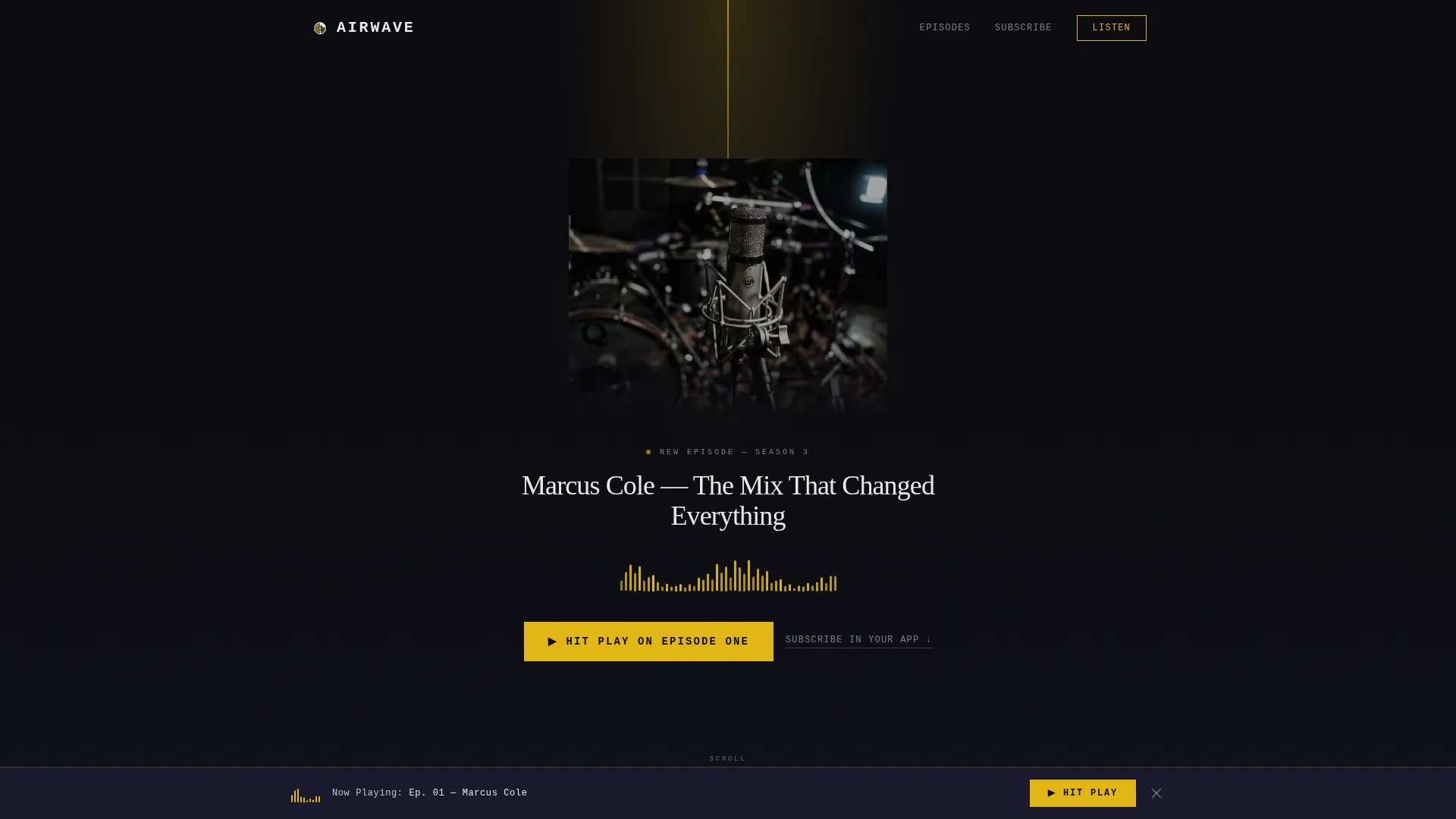
- A hero section with a spotlight still-life image, a typewriter episode title, and an animated SVG waveform
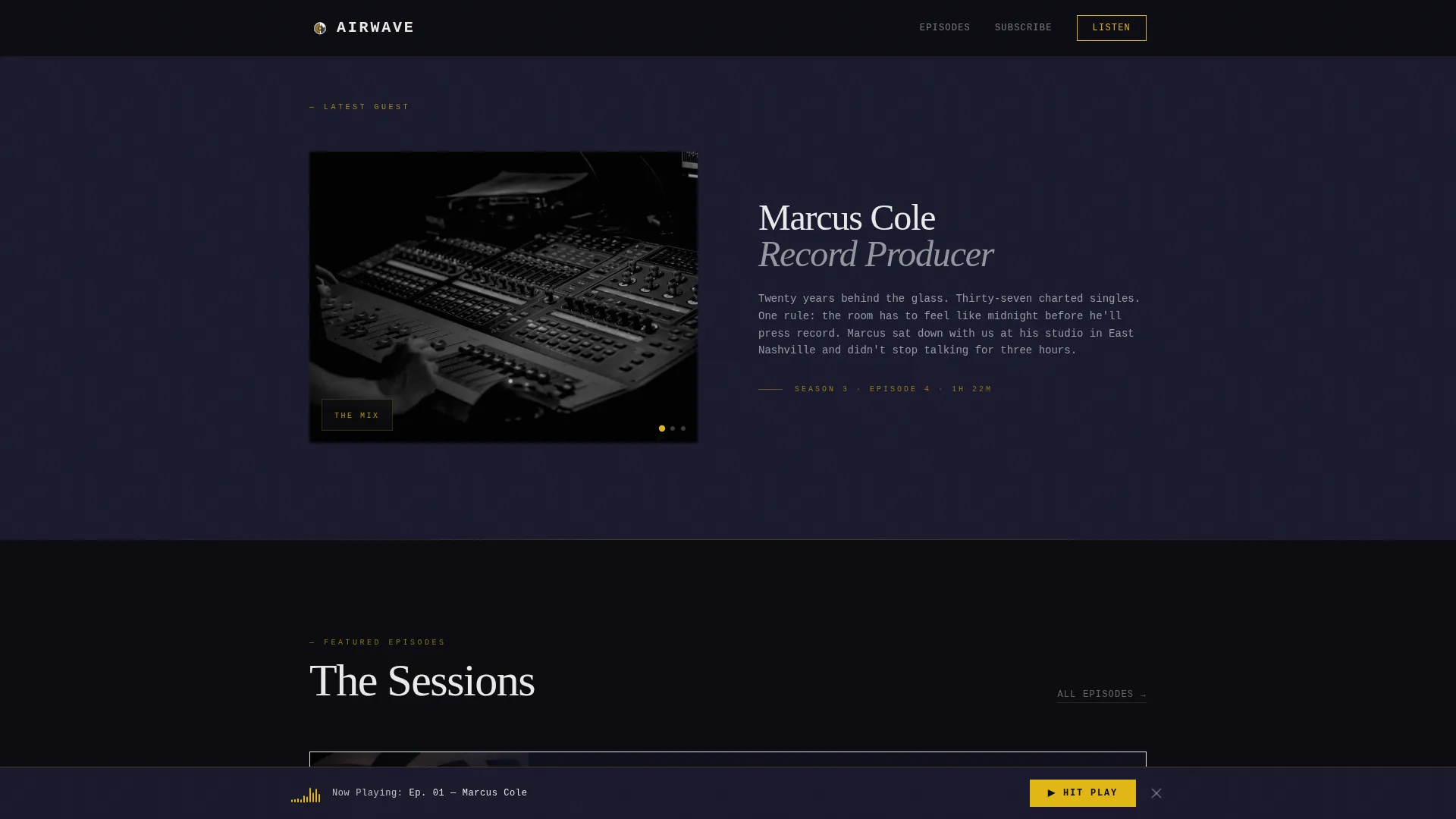
- A cinematic guest reveal using crossfading black-and-white stills that build anticipation on scroll
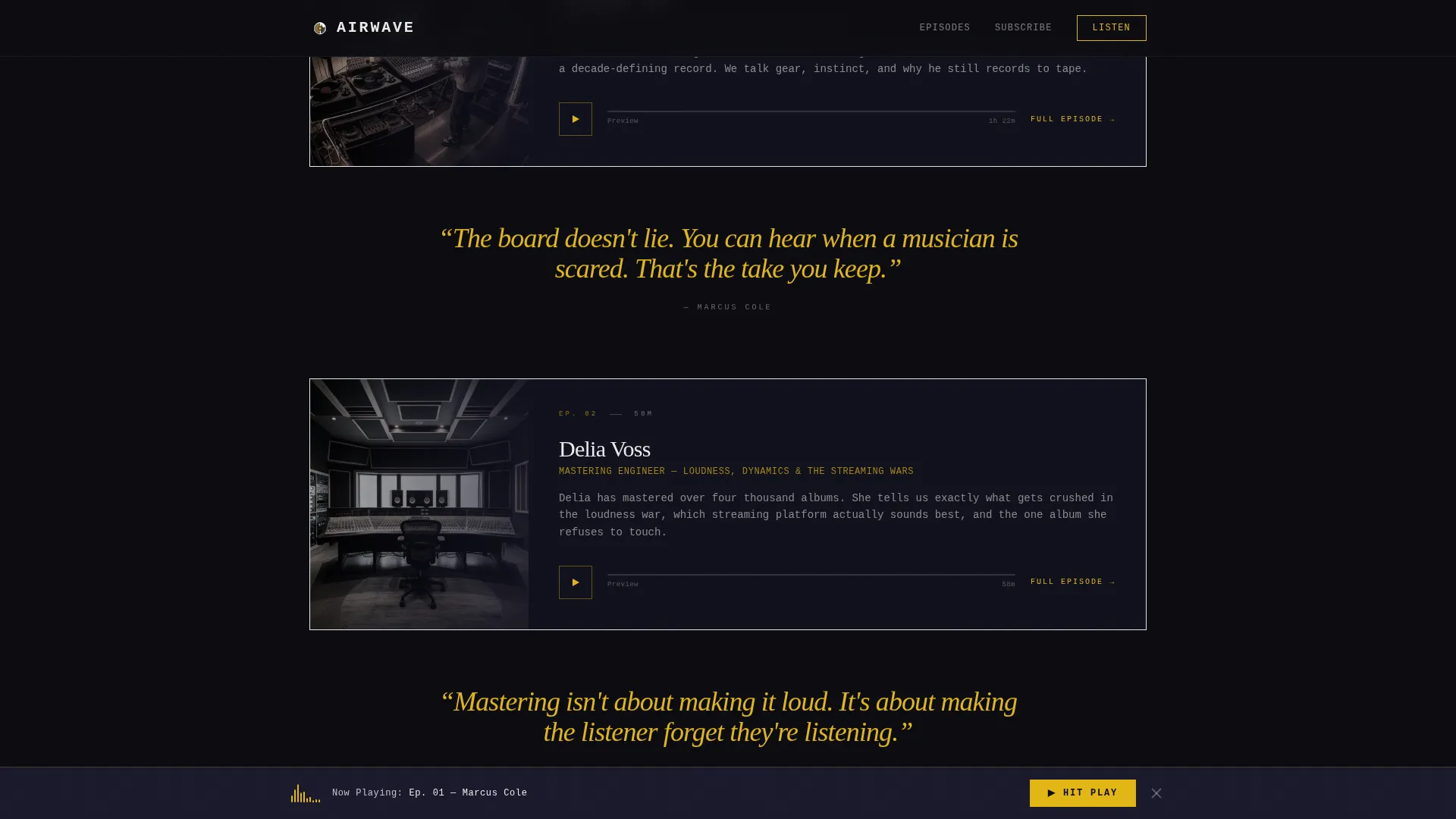
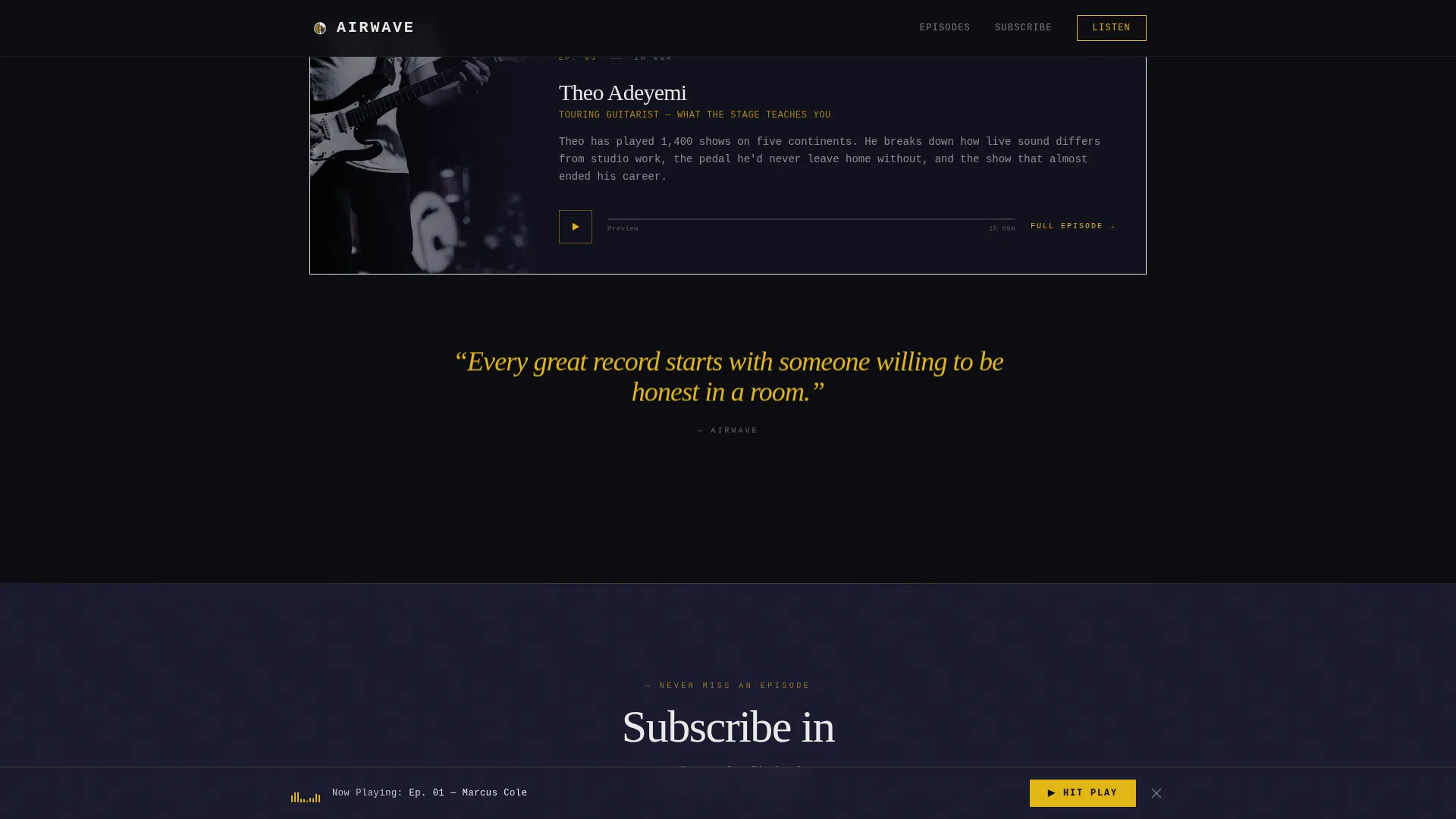
- Full-width featured episode cards with embedded 30-second audio snippets and oversized gold pull quotes
- A platform subscription row and a persistent bottom call-to-action bar that slides up after the first scroll
Feature list
A brief overview of the key capabilities built into this template.
Typewriter Episode Title with SVG Waveform
The episode title types itself one letter at a time directly below the hero spotlight. As it finishes, an animated SVG waveform pulses beneath it, synced visually to the audio preview. This opening sequence sets the show's tone before a visitor reads a single word.
Crossfading Black-and-White Guest Reveal
A series of black-and-white still images fades in and out in sequence as the visitor scrolls past the hero. Hands on a mixing desk, a close-up of a fader, a wide empty studio. Each image holds for a beat before dissolving, building the same slow anticipation a cold open creates.
Embedded 30-Second Audio Snippets
Three featured episode cards each carry a 30-second audio clip that auto-plays as the card enters the viewport on scroll. The page sounds different the deeper a visitor goes. By the time the call to action reappears, the visitor already knows the voice and the depth of the conversation.
Oversized Gold Pull Quotes
Guest quotes appear between episode cards in large gold italic type. They act as interstitials, breaking the visual rhythm the way a music drop breaks a set. The pacing of reading mirrors the pacing of listening.
Persistent Bottom Call-to-Action Bar
After the first scroll, a slim bar slides up from the bottom of the screen carrying the primary call to action. It stays visible without blocking content. Visitors always have a clear next step available, wherever they are on the page.
Platform Subscription Row
A row of platform icons sits below the featured episodes. Each icon links directly to the correct subscription page for that service. Visitors who prefer a specific listening app can jump straight there without hunting.
Page sections overview
| Section | Purpose |
|---|---|
| Hero Spotlight | Introduces the podcast with a still-life image, typewriter title, and waveform animation |
| Cinematic Guest Reveal | Crossfading B&W stills build anticipation before episode content appears |
| Featured Episodes | Full-width cards with embedded audio clips and oversized gold pull quotes |
| Platform Subscribe Row | Icons link directly to subscription pages on each listening platform |
| Persistent call to action Bar | Slides up after first scroll to keep the primary action always reachable |
| Minimal Footer | Single-row footer keeps the exit clean and uncluttered |
Design & branding system
The visual identity follows a Stage and Spotlight theme executed through a Cinematic Dark color system. Every design choice reinforces the sensation of standing in a dim venue between sets, where a single warm cone of light cuts through near-total darkness.
- Colors: deep blackout (#0B0B0F) as the base, backstage charcoal (#1A1A2E) for section separation, spotlight gold (#E2B714) on headlines and interactive elements, and monitor-glow white (#EAEAEA) for body text
- Typography: DM Serif Display for headlines and IBM Plex Mono for interface labels and metadata
- Gold is used purposefully on hover states, play buttons, pull quotes, and primary calls to action so every interactive moment feels like a spotlight hit
Mobile & speed optimization
The template is built desktop-first with a mobile-responsive fallback so the cinematic atmosphere holds across screen sizes. Interactions are handled with native browser capabilities to keep the experience smooth.
- Scroll-linked reveals use IntersectionObserver so animations trigger only when sections enter the viewport
- Native CSS smooth scroll drives page movement without additional libraries
- Audio previews and crossfade sequences are designed to load progressively rather than all at once
How this template helps you convert
The conversion strategy is built into the page structure. Visitors earn the call to action rather than being asked before they are ready.
- Three embedded audio clips let visitors hear the show's voice, depth, and style before any subscribe prompt appears, so the decision to click already feels made.
- The persistent bottom call-to-action bar keeps the primary action visible at all times after the first scroll, removing the need for the visitor to scroll back up to commit.
- The platform subscription row offers a secondary path that meets listeners on whichever app they already use, reducing friction for visitors who are ready to subscribe but prefer a specific service.
Other information about this template
This template is part of a broader set of landing page designs covering creator economy and audio content niches. A few additional details worth noting before you use it.
- The template ships with Pattern 8, a minimal single-row footer layout that keeps the page exit clean
- Animation intensity is set to high by default, covering typewriter text, SVG waveform pulse, crossfade stills, scroll-linked reveals, and the persistent bar slide-up
- The design is localized for English (US) with no currency references, making it straightforward to adapt for other English-language markets
- The template sits within the Media and Entertainment category under the Content Creator Niches subcategory, positioned specifically for the music podcast niche
Theme
Stage & Spotlight
Creative direction
Cinematic Sequence
Color system
Cinematic Dark
Style
Single Column Flow
Direction
Click-Through
Page Sections
Typewriter Title and Animated Waveform
Crossfading Black-and-white Guest Reveal
Auto-play Embedded Audio Snippets
Oversized Gold Pull Quotes
Persistent Bottom Call-to-action Bar
Platform Subscription Icon Row
Related questions
Can I replace the placeholder audio clips with my own episode previews?
Does the page include more than one call-to-action placement?
How does the crossfading guest reveal section work?
Is this template suitable if my podcast covers music topics beyond artist interviews?
Can I link to more than one listening platform?