Content Creator Reviews Website Template
Airwave is a cinematic dark landing page built for a music podcast that takes listeners behind the scenes of the music world. The single-column flow features a spotlight hero with typewriter animation, crossfading black-and-white guest stills, scroll-triggered audio previews, and a persistent call-to-action bar, all designed to convert curious visitors into committed listeners.
by Rocket studio
Quick summary
Airwave is a single-column flow landing page for a music podcast rooted in raw, backstage conversation. The design follows a Stage and Spotlight theme with a Cinematic Dark color system. Every scroll deepens the experience, animated stills, embedded audio clips, and pull quotes build atmosphere and trust before the main call to action reappears.
Who this template is for
This template fits podcast creators who want their landing page to feel as immersive as the show itself. It works especially well for music-focused audio content where storytelling and atmosphere drive listener loyalty.
- Music podcast hosts who interview artists, producers, or audio engineers
- Bedroom producers and music obsessives looking to grow an engaged listener base
- Independent creators who want a high-impact page without building from scratch
What problem this template solves
Most podcast landing pages are functional but forgettable. They list episode titles, drop a subscribe button, and call it done. Airwave solves the harder problem: getting a cold visitor to care enough to press play before they leave.
- Visitors have no reason to trust a new podcast without hearing it first
- A flat, text-heavy page cannot communicate voice, tone, or production quality
- Generic templates do not match the visual identity that serious music content demands
What you get with this template
You get a fully structured, single-page layout designed around audio-first conversion. Every section is purposeful, from the opening spotlight to the persistent bottom bar that follows the visitor down the page.
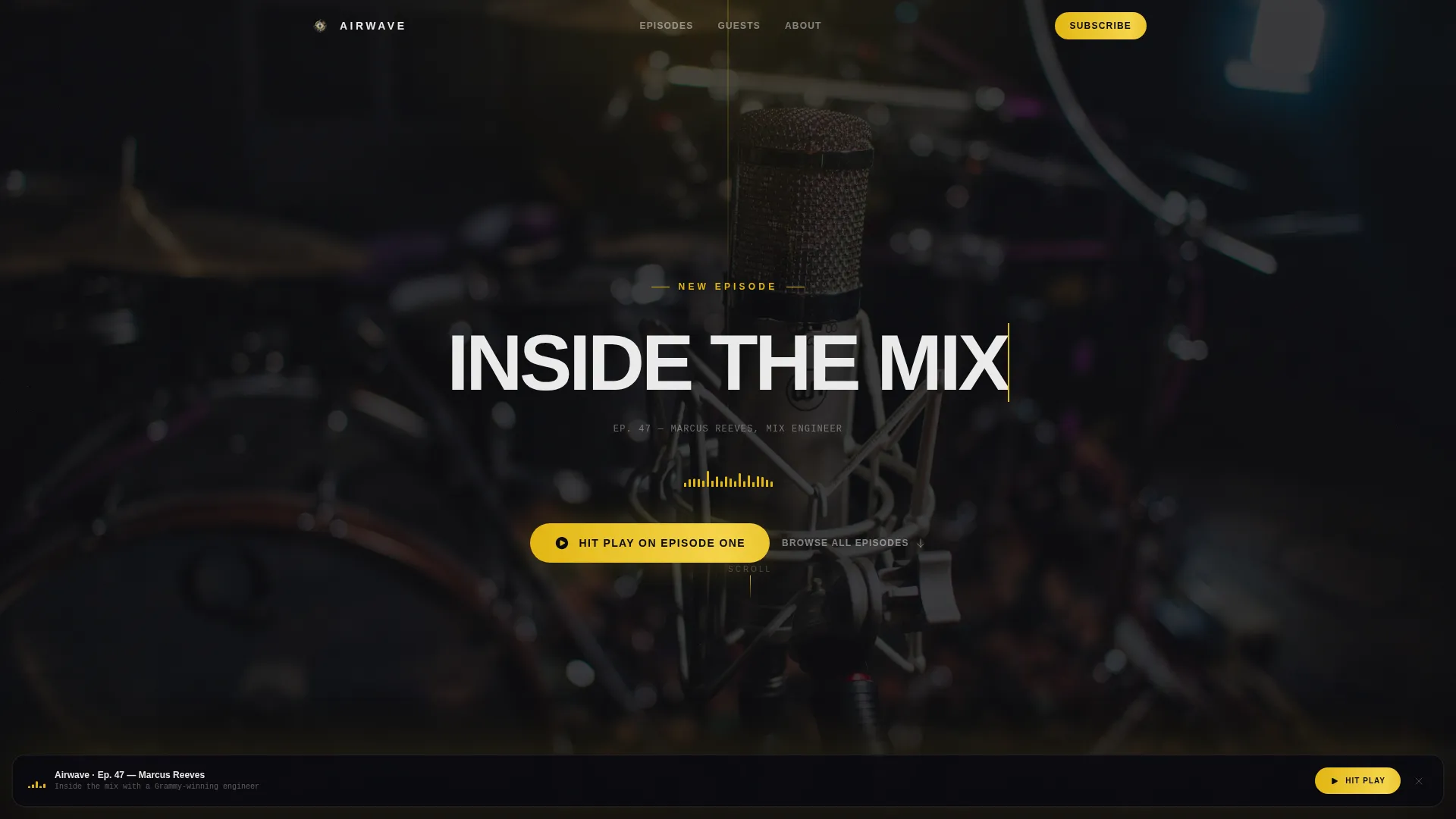
- A hero section with typewriter title animation and a pulsing waveform beneath the episode title
- Three embedded thirty-second audio clips that auto-play on scroll, placed across the featured episodes section
- A persistent bottom call-to-action bar that slides up after the first scroll, keeping the primary action always visible
Feature list
This template includes several purpose-built features that separate it from a standard podcast page layout.
Cinematic Spotlight Hero
The hero opens on a still-life shot, over-ear headphones and a condenser microphone, lit from below by a single gold cone against pure black. The episode title types itself in one letter at a time. A waveform animates beneath it, pulsing as if the audio is already running.
Crossfading Guest Image Sequence
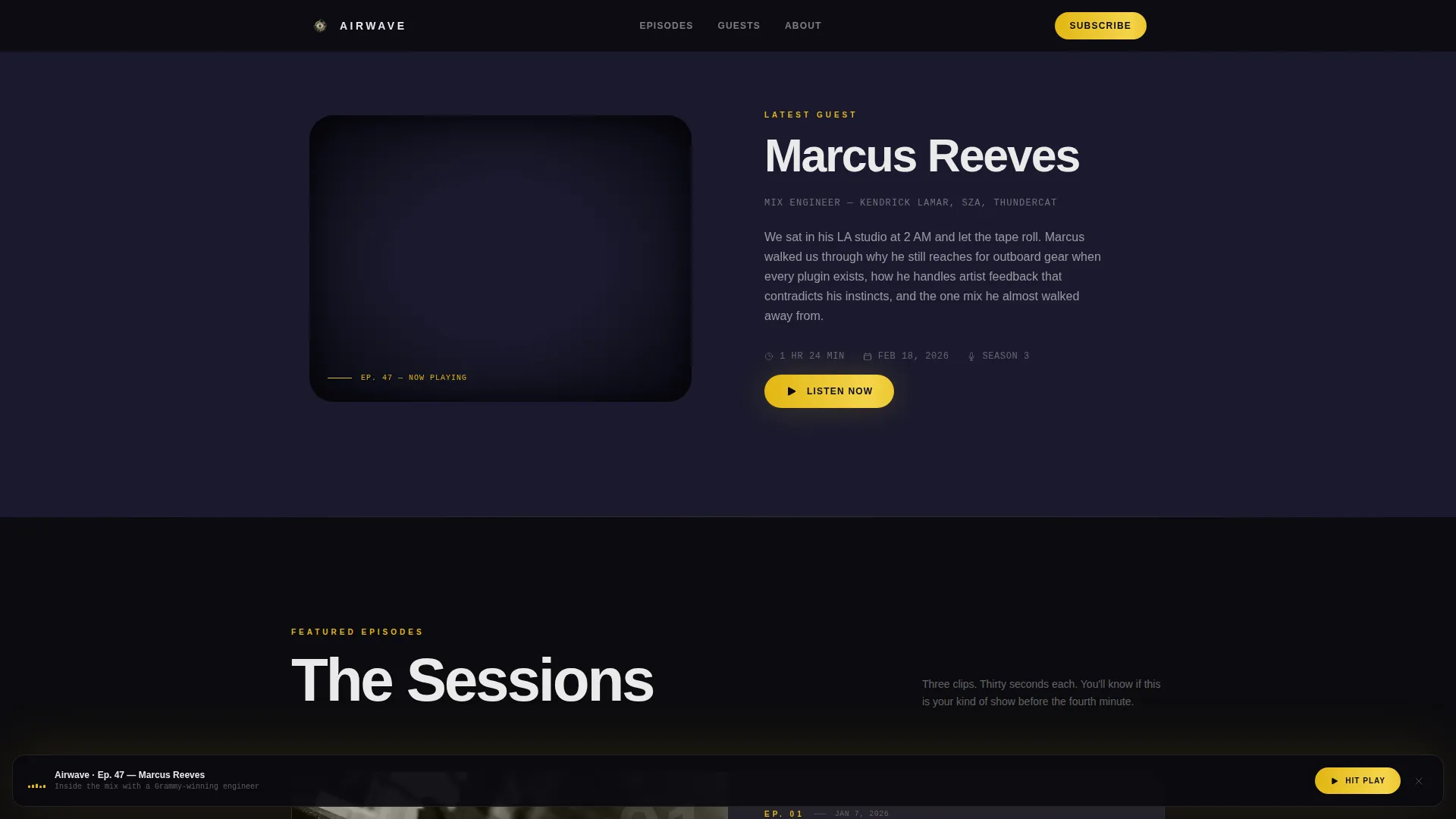
Below the hero, a series of black-and-white stills crossfade in sequence: hands on a mixing desk, a close-up of a fader, a wide shot of an empty studio. Each image holds for a beat before dissolving, building anticipation the way a cold open does in a well-produced episode.
Scroll-Triggered Audio Previews
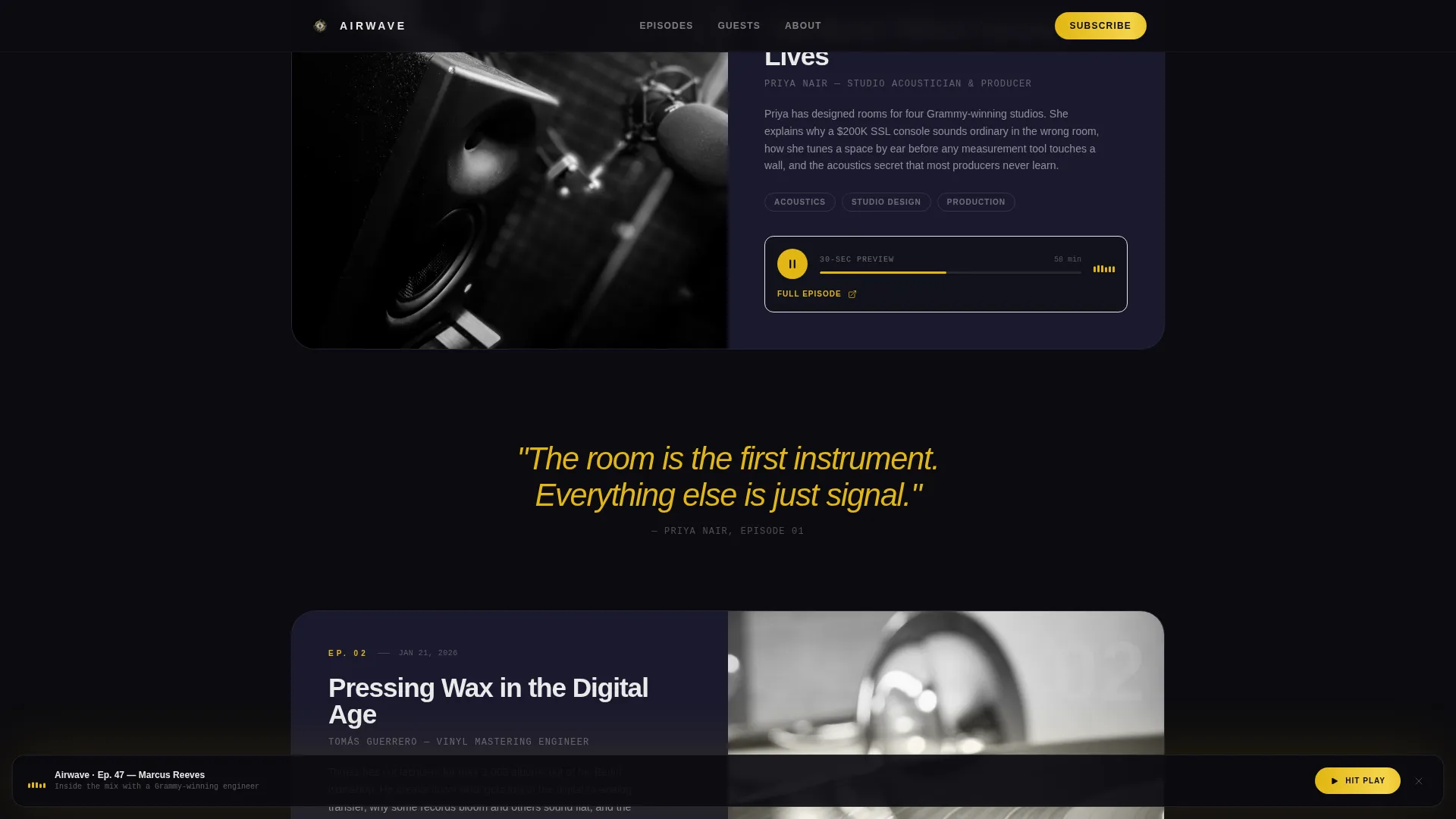
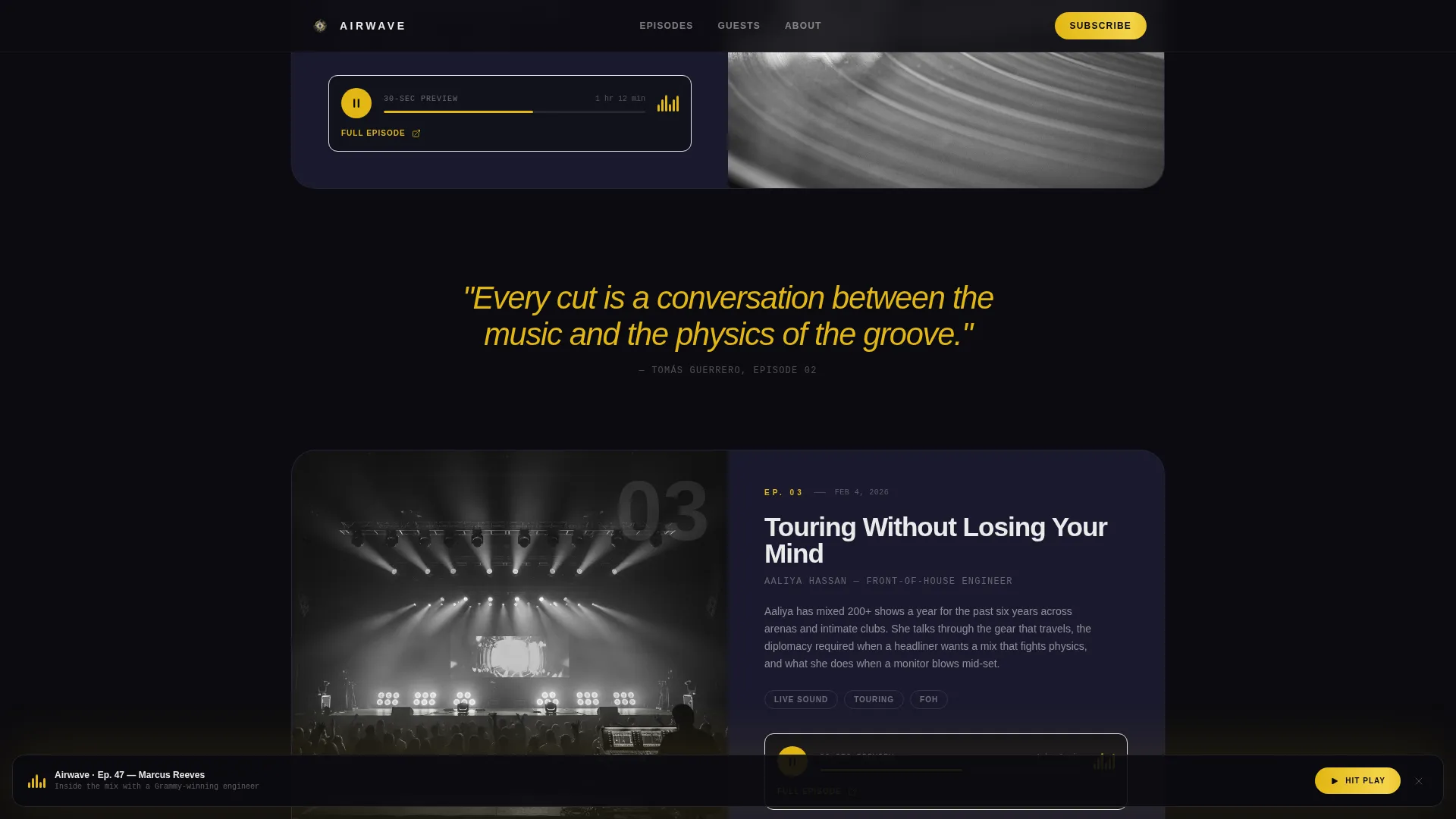
Featured episode cards are full-width and stacked vertically. Each card contains an embedded thirty-second audio clip that auto-plays as the visitor scrolls into it. The page literally sounds different the deeper a visitor goes, letting the content do its own selling.
Oversized Pull Quote Interstitials
Guest pull quotes appear in oversized gold italic type between episode cards. They float as interstitials, breaking the scroll rhythm in a way that mirrors how a standout line lands mid-conversation. The rhythm of reading matches the rhythm of listening.
Persistent Bottom Call-to-Action Bar
After the first scroll, a bottom bar slides up and stays visible. It carries the primary call to action, linking directly to the preferred listening platform, without interrupting the reading experience. It remains available until the visitor is ready to act.
Platform Subscribe Row
A dedicated subscribe section displays platform icons for the major listening destinations. Each icon links to the correct subscription page, giving visitors a direct path to follow the show without hunting for it.
Page sections overview
| Section | Purpose |
|---|---|
| Hero Spotlight | Opens with mic and headphones still life, typewriter title, and waveform animation |
| Latest Guest Reveal | Crossfading black-and-white stills introduce the newest episode guest |
| Featured Episodes | Full-width stacked cards with embedded scroll-triggered audio previews |
| Pull Quote Interstitials | Oversized gold italic guest quotes break up episode cards as floating interstitials |
| Subscribe Platform Row | Platform icons link directly to subscription pages on major listening apps |
| Persistent call to action Bar | Slide-up bottom bar keeps the primary call to action visible throughout the scroll |
Design & branding system
The visual identity is built around a Stage and Spotlight theme using a Cinematic Dark color system. The overall effect is a sold-out venue viewed from the side of the stage, near-total darkness broken by a single warm cone of light.
- Color palette: deep blackout (#0B0B0F) as the base, backstage charcoal (#1A1A2E) for section breaks, spotlight gold (#E2B714) for headlines and interactive states, and monitor-glow white (#EAEAEA) for body text
- Typography: DM Sans at a large scale for headlines, warm white body text that reads cleanly against the dark background
- Motion and texture: high-animation build with typewriter effects, waveform pulse, crossfade stills, stagger reveals, and a float behavior on pull quotes, all reinforcing the venue-at-night atmosphere
Mobile & speed optimization
The template is built with a mobile-first priority, reflecting the core audience, commuters who listen on phones and scroll between stops.
- Layout reflows cleanly into a single column on smaller screens, preserving the cinematic hierarchy without visual clutter
- Audio clips are kept to thirty seconds each, keeping load weight low and preview impact high
- Images are lazy-loaded and CSS animations are structured for GPU-accelerated rendering to keep scroll performance smooth
How this template helps you convert
The conversion strategy is built around letting visitors hear before they commit. By the time the primary call to action reappears, the visitor has already experienced the voice, the vibe, and the depth of the show.
- The hero places the primary call to action, "Hit Play on Episode One", immediately beneath the spotlight, capturing high-intent visitors before they scroll further.
- Three embedded audio clips auto-play on scroll, progressively building familiarity and trust across the page so the subscribe decision feels natural rather than forced.
- The persistent bottom bar ensures the primary action is always one tap away, removing friction for visitors who are ready to convert at any point during the scroll.
Other information about this template
This template is categorized under Media and Entertainment, in the Content Creator Niches subcategory, with a specific focus on the music podcast niche. It is designed for English-language content with no currency or localization variables.
- Template style: Single Column Flow, optimized for a continuous scroll experience rather than tabbed or multi-page navigation
- Footer uses a horizontal flow layout that closes the page without breaking the cinematic tone
- The color system, animation set, and section rhythm work together as a complete package, swapping individual elements in isolation may affect the intended atmosphere
- Social proof elements include guest pull quotes, episode count display, and listener community statistics, all built into the page structure
Theme
Stage & Spotlight
Creative direction
Cinematic Sequence
Color system
Cinematic Dark
Style
Single Column Flow
Direction
Click-Through
Page Sections
Cinematic Spotlight Hero with Typewriter Animation
Crossfading Black-and-white Guest Stills
Scroll-triggered Audio Preview Cards
Gold Italic Pull Quote Interstitials
Persistent Slide-up Call-to-action Bar
Platform Subscribe Row
Related questions
Can I change the podcast name and episode content?
Do the audio preview clips require a specific hosting service?
How does the persistent bottom bar work?
Can I link to multiple listening platforms?
Is this template suitable for a podcast that is not about music?