Personal Injury & Litigation Professional Website Template
Advocate is a nursing home abuse attorney landing page built for elder abuse law firms. It uses a zigzag alternating layout to guide grieving adult children from recognizing warning signs to requesting a free case evaluation. The Executive Suite design, gold Guarantee Badge, and emotional Problem-to-Solution Arc work together to build trust and earn the click.
by Rocket studio
Quick summary
Advocate is a single-page, click-through landing page template designed for nursing home abuse attorneys. It walks emotionally overwhelmed family members through a structured Problem-to-Solution narrative, from warning signs to firm credentials to a clear call to action. Every design choice, from the judicial navy palette to the gold Guarantee Badge, reinforces trust before asking for commitment.
Who this template is for
This template is built specifically for elder abuse and nursing home neglect law firms that serve adult children seeking justice for a parent. It works best for attorneys who offer contingency-fee representation and want to convert anxious, grieving visitors into case evaluation leads.
- Personal injury attorneys specializing in nursing home abuse, neglect, or wrongful death claims
- Elder law firms targeting adult children aged 35 to 65 who suspect facility mistreatment
- Legal practices that use a free consultation or free case review as their primary conversion offer
What problem this template solves
Adult children who suspect nursing home abuse are emotionally overwhelmed. They often visit a page on a phone, mid-panic, and leave without acting because the page feels cold, confusing, or asks too much too soon. This template addresses that gap directly.
- Visitors land without knowing whether their situation qualifies as a legal case
- Standard legal pages feel transactional and fail to meet the visitor's emotional state
- Long intake forms create friction for someone who is not yet ready to commit
What you get with this template
You get a fully structured, single-page layout that moves visitors through an intentional emotional arc from problem recognition to confident action. Every section has a clear job, and no section asks more than the visitor is ready to give.
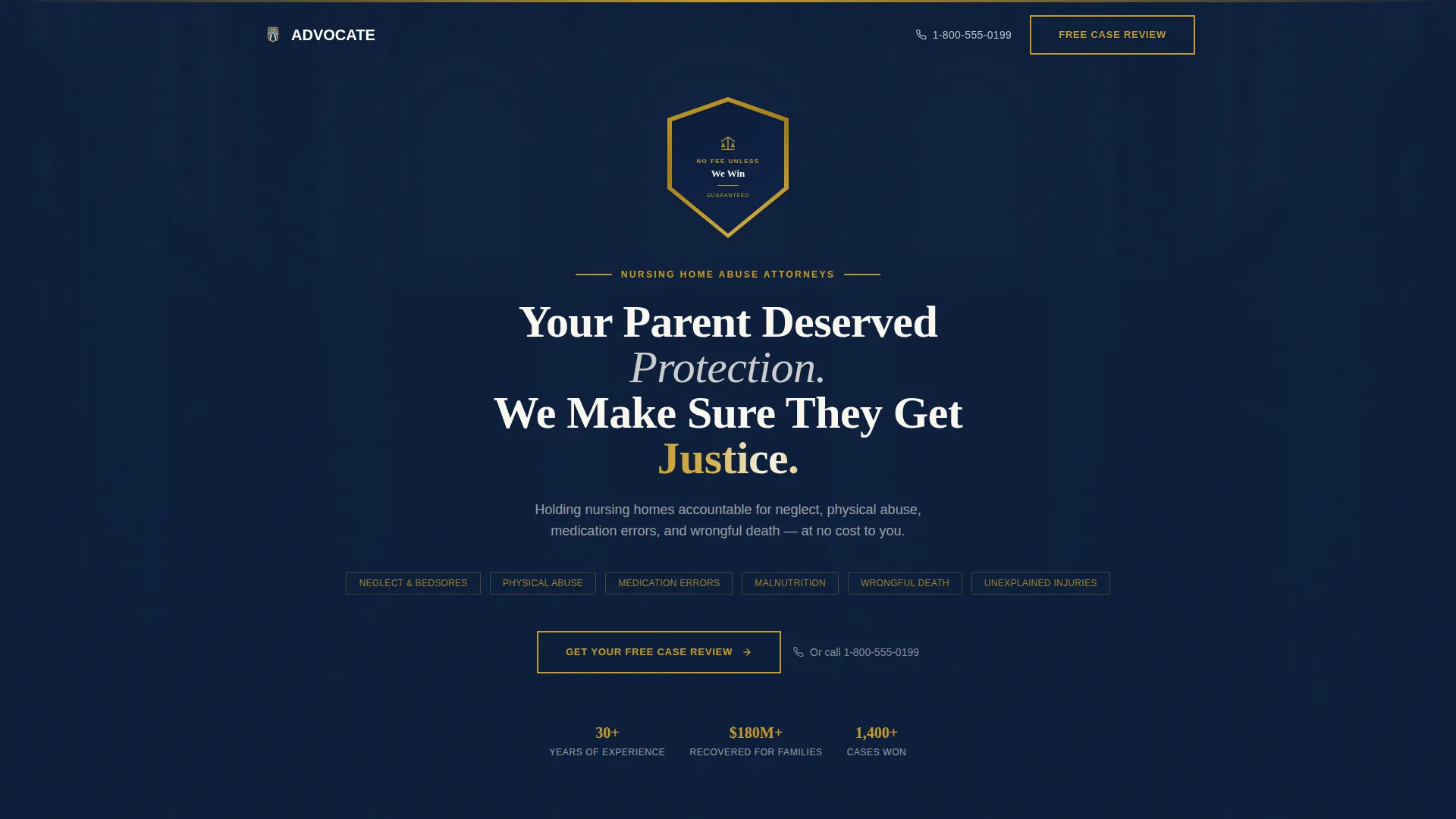
- A hero section with a gold-embossed Guarantee Badge, a single commanding headline, and a named claims list covering neglect, physical abuse, medication errors, and wrongful death
- Five alternating zigzag panels covering warning signs, the firm's investigation process, past verdict results, and an interactive abuse checklist
- A click-through structure with repeated "Get Your Free Case Review" calls to action and no form on the page
Feature list
Gold Guarantee Badge Hero
The hero opens with a gold-embossed shield badge centered above the fold. It carries the firm's no-fee promise in a single readable line. The badge is rendered with dimensional shadow against deep navy, immediately signaling that the visitor pays nothing unless the firm wins.
Zigzag Alternating Panel Layout
Five content panels alternate between deep navy and ivory parchment backgrounds. This creates a visual rhythm of tension and relief that mirrors the Problem-to-Solution Arc. Each panel has a single focused purpose, keeping the visitor moving forward without cognitive overload.
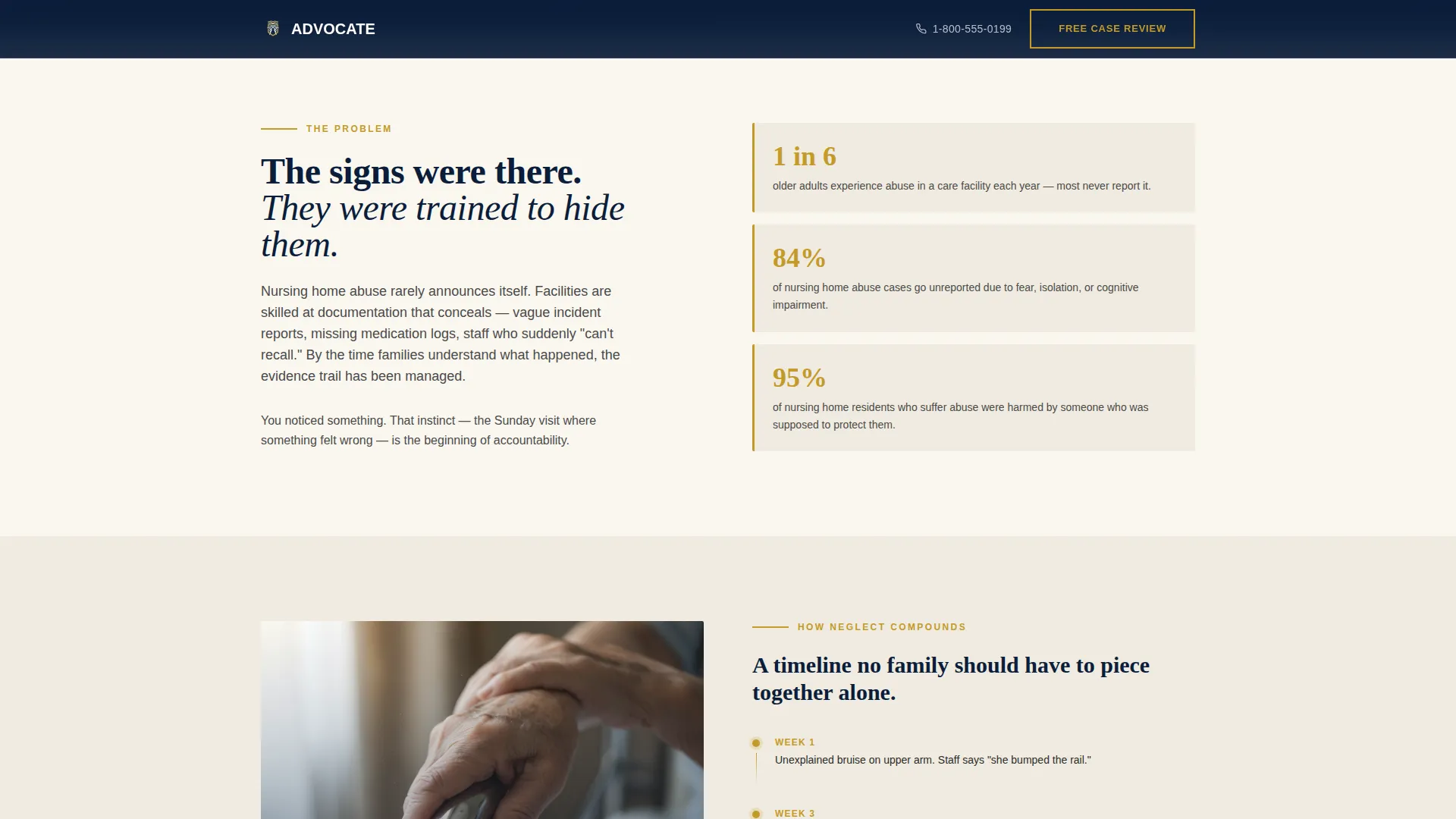
Warning Signs Problem Panel
The first alternating panel presents the problem: warning signs families commonly miss, unreported abuse statistics, and a timeline showing how facility neglect compounds over time. It validates the visitor's suspicion and tightens the emotional urgency before the solution panels begin.
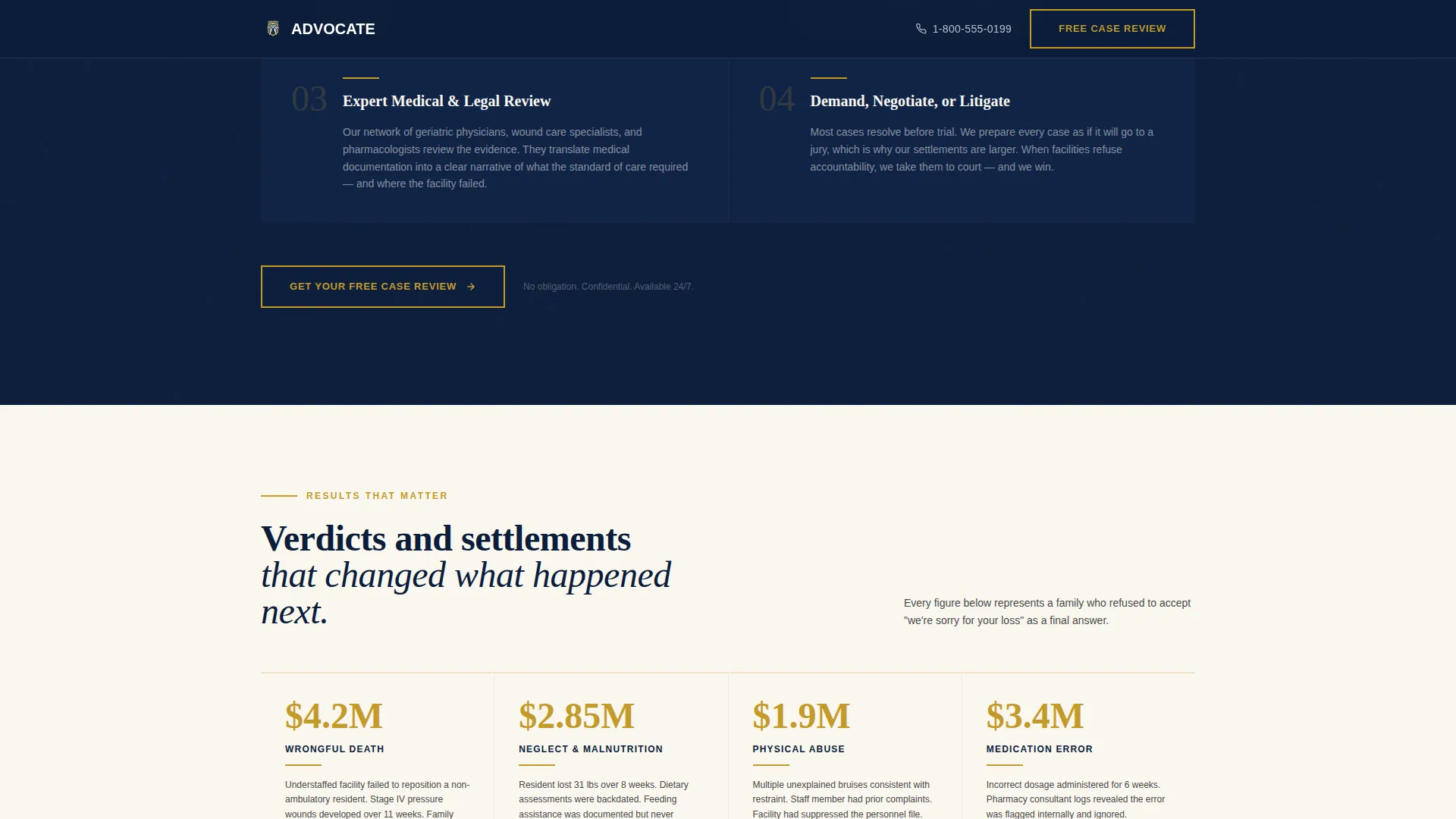
Verdict Results Display
Past verdict amounts are displayed in gold numerals inside an ivory panel. Anonymized case narratives sit alongside each figure, mirroring the visitor's own situation. This section converts abstract legal credibility into specific, relatable proof.
Interactive Abuse Checklist
A navy-background panel presents a toggleable "Signs of Nursing Home Abuse" checklist. Visitors can interact with it to build personal conviction before reaching the final call to action. This reduces hesitation by helping the visitor confirm their own situation qualifies.
Repeated Click-Through Calls to Action
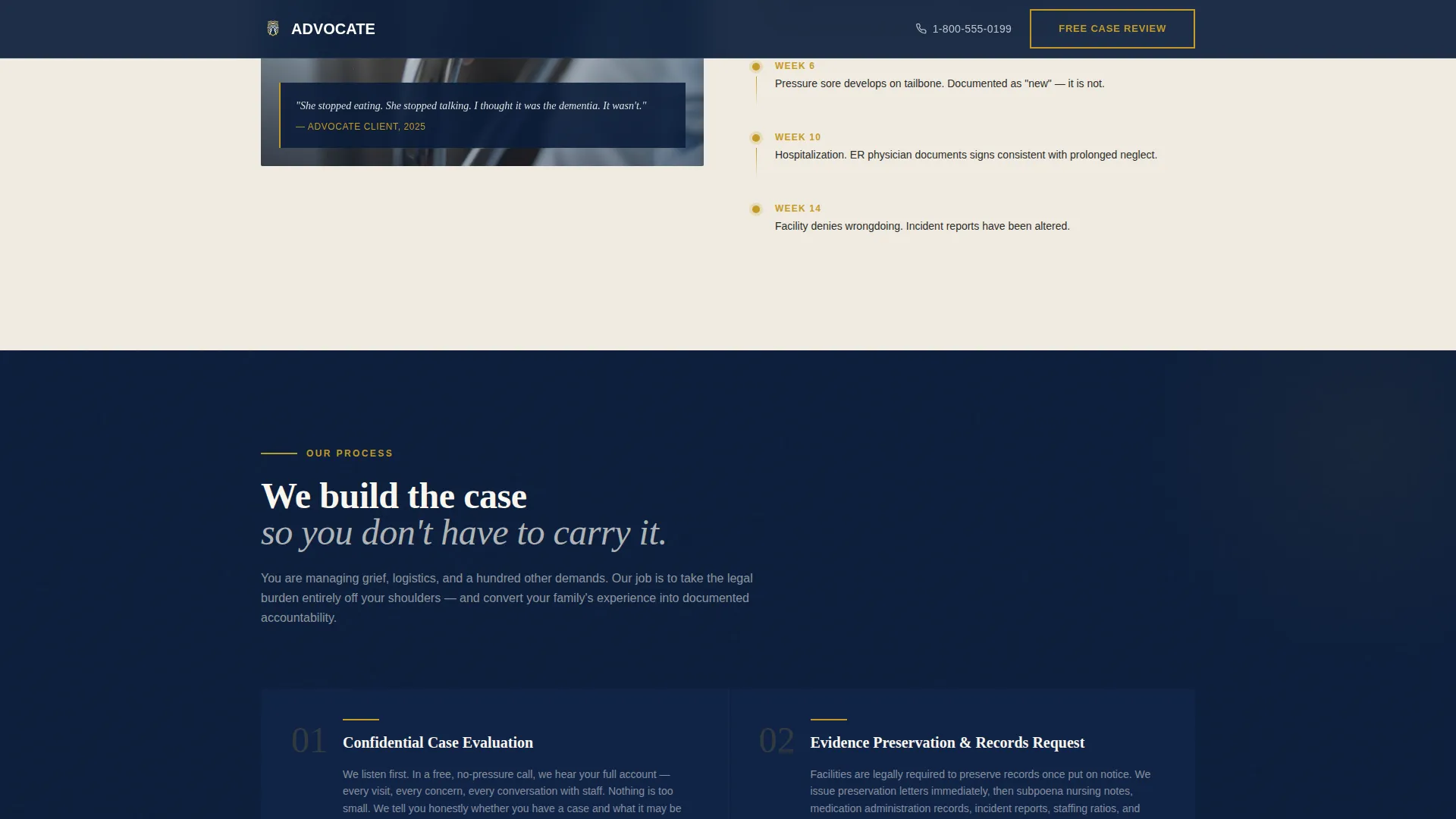
Every solution panel closes with the same primary call to action: "Get Your Free Case Review" in gold text on navy. The consistent repetition removes decision fatigue and keeps the conversion path clear throughout the entire scroll.
Page sections overview
| Section | Purpose |
|---|---|
| Hero with Badge | Establish no-fee promise and named claim types above the fold |
| Warning Signs Panel | Present the problem, missed signs, and abuse statistics |
| Investigation Process | Show how the firm builds a case step by step |
| Verdicts and Results | Display gold verdict figures with anonymized narratives |
| Abuse Checklist Panel | Interactive conviction builder before the final call to action |
| Footer | Linear single-row close with contact and firm information |
Design & branding system
The template follows an Executive Suite visual theme built around a Navy Authority color system. Every palette choice draws from the interior logic of a federal courthouse, projecting consequence, authority, and earned trust.
- Deep judicial navy (#0B1D3A) dominates headers and alternating background bands; burnished gold (#C49A2A) appears only on the Guarantee Badge, verdict numerals, and call-to-action borders
- Ivory parchment (#FAF7F0) fills content panels to provide visual relief between navy sections; decisive charcoal (#2C2C2C) is used for all body text
- Fraunces serif is used for headings to reinforce gravitas; DM Sans handles body copy for clean readability at all sizes
Mobile & speed optimization
This template is built with a mobile-first priority because emotionally overwhelmed visitors frequently arrive on a phone during or after a facility visit. The layout and interaction choices reflect that reality.
- Scroll-reveal animations and staggered stat displays are set to medium intensity, keeping motion meaningful without slowing down emotional momentum
- Server Components handle all static content sections, keeping JavaScript to a minimum throughout the page
- The click-through structure removes any on-page form, which is the single largest friction point for a mobile visitor in distress
How this template helps you convert
The conversion strategy is built on emotional sequencing, not pressure. The page earns the click by compressing the distance between "I think something is wrong" and "I am ready to act."
- The Guarantee Badge and headline immediately answer the visitor's first fear: cost. Removing the financial barrier early keeps the visitor reading instead of bouncing.
- The Problem-to-Solution Arc validates the visitor's experience before introducing the firm. By the time the first call to action appears, the visitor already feels understood.
- The interactive checklist gives the visitor a private moment to confirm their situation qualifies. This self-selection step builds conviction and makes the final click feel like a personal decision, not a sales response.
Other information about this template
This template is categorized under Legal and Compliance, specifically within the Personal Injury and Litigation subcategory, with a focused niche alignment for nursing home abuse attorneys. It is designed for the United States legal market, with English-language copy and USD verdict figures.
- The template uses a Pattern 1 linear single-row footer, keeping the page close clean and uncluttered
- Scroll-linked section transitions and call-to-action hover states are included as interactive behaviors
- The page is structured as a click-through landing page, meaning all conversion happens on the next page after the visitor clicks the primary call to action
Theme
Executive Suite
Creative direction
Problem→Solution Arc
Color system
Navy Authority
Style
Zigzag/Alternating
Direction
Click-Through
Page Sections
Gold Guarantee Badge Hero
Zigzag Alternating Panel Layout
Warning Signs Problem Panel
Gold Verdict Results Display
Interactive Abuse Checklist
Repeated Click-through Calls to Action
Related questions
Can I use this template if my firm handles multiple elder law practice areas?
Does this template include a contact form or intake form?
Can I customize the verdict figures and case narratives?
Is this template suitable for mobile visitors?
How many calls to action does the template include?