Complete Robotics & Automation Cost Estimator Website Template
Actuator is a single-column flow landing page template built for robotic process automation hardware companies. It combines a live-metrics header, three vertical-specific case study sections, and a progressive three-step ROI calculator form. The Dashboard Pro theme uses a deep navy and signal amber palette that mirrors a mission-critical control room display, giving every visitor an immediate sense of precision and authority.
by Rocket studio
Quick summary
Actuator is a single-column flow landing page template designed for robotic process automation hardware companies. It opens with three animated KPI counters, moves through three industry-specific client case studies, and closes with a full-width ROI form. Every layout decision reinforces operational credibility and drives qualified lead capture.
Who this template is for
This template is built for companies that sell or market robotic automation hardware to industrial buyers. The target visitor already understands automation and needs proof, not education.
- Operations directors and plant managers at mid-size manufacturers running multiple shifts
- Logistics and fulfillment center leaders managing throughput and labor costs
- Food processing and pharmaceutical facility managers who need compliance-ready automation solutions
What problem this template solves
Most industrial hardware landing pages bury their proof. They open with brand messaging, hide the numbers, and lose the decision-maker before the first scroll. Actuator flips that structure entirely.
- Buyers need immediate, quantified proof before they will consider a conversation
- Engineers need technical detail to validate feasibility before looping in leadership
- Generic landing pages cannot reflect industry-specific pain, so visitors rarely see themselves in the story
What you get with this template
You get a complete, conversion-focused single-column landing page that leads with data and builds cumulative proof through three distinct client narratives. Every section has a specific job to do.
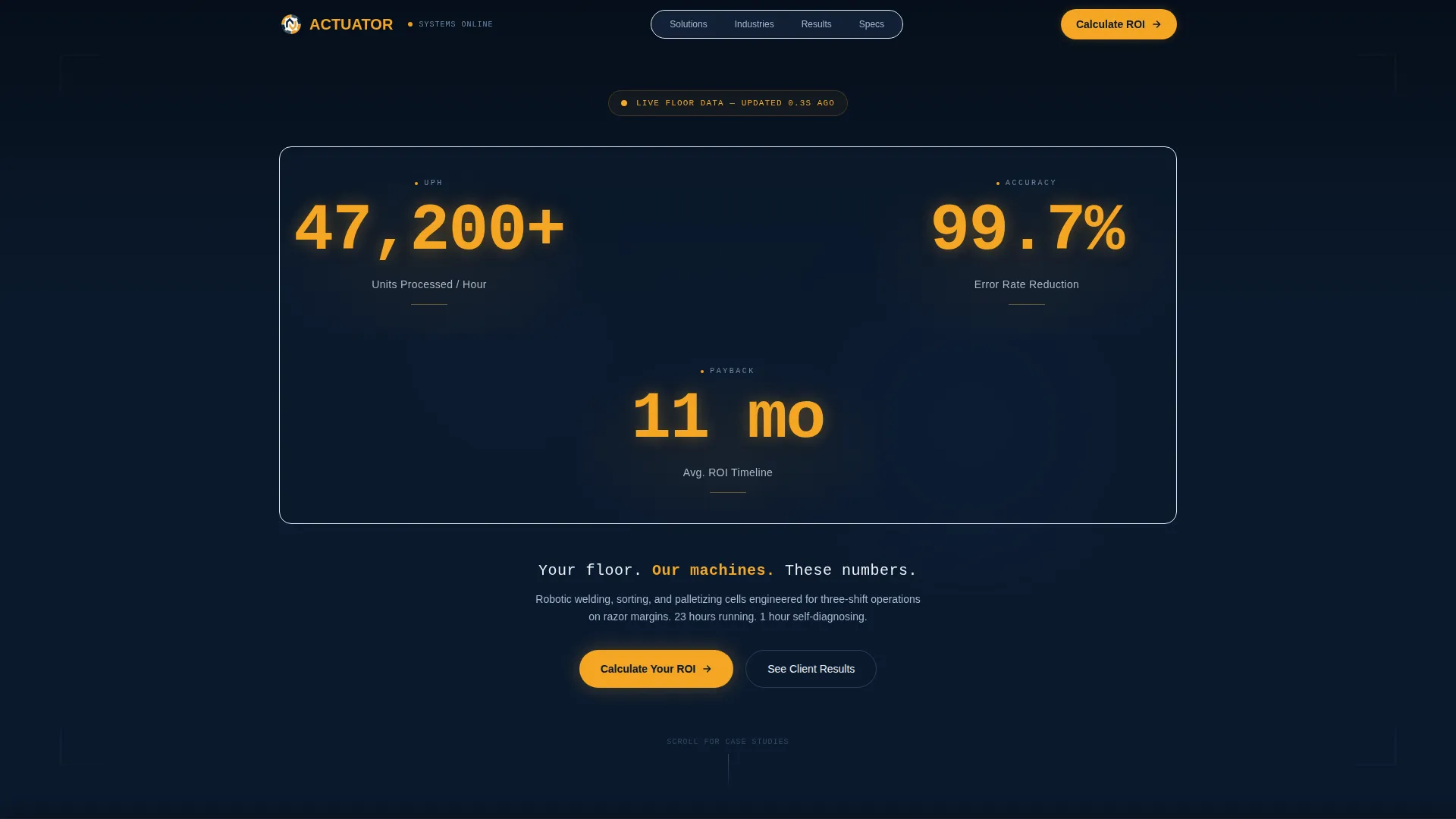
- An animated stats header with three KPI counters displaying units processed, error rate reduction, and return-on-investment timeline
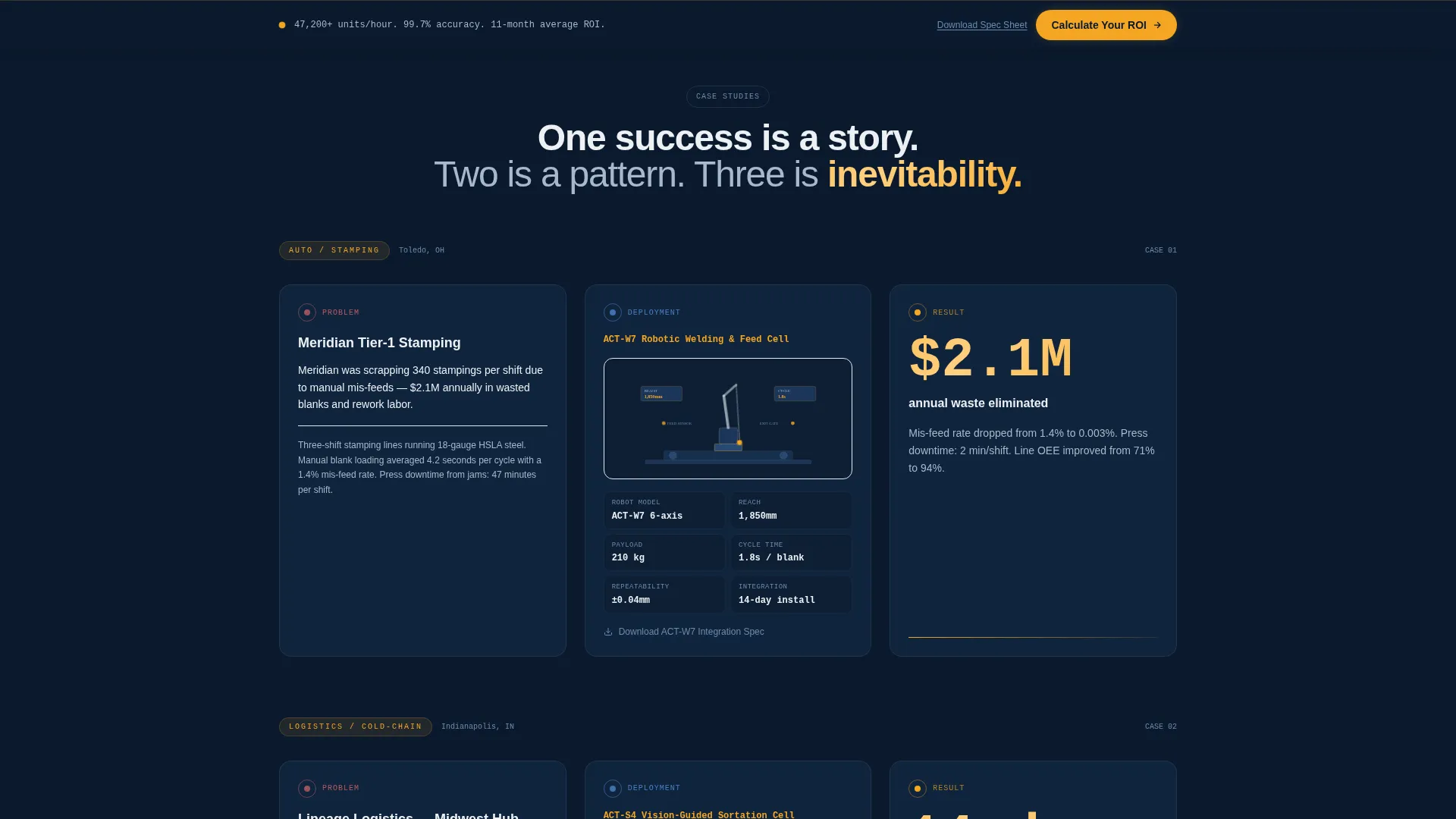
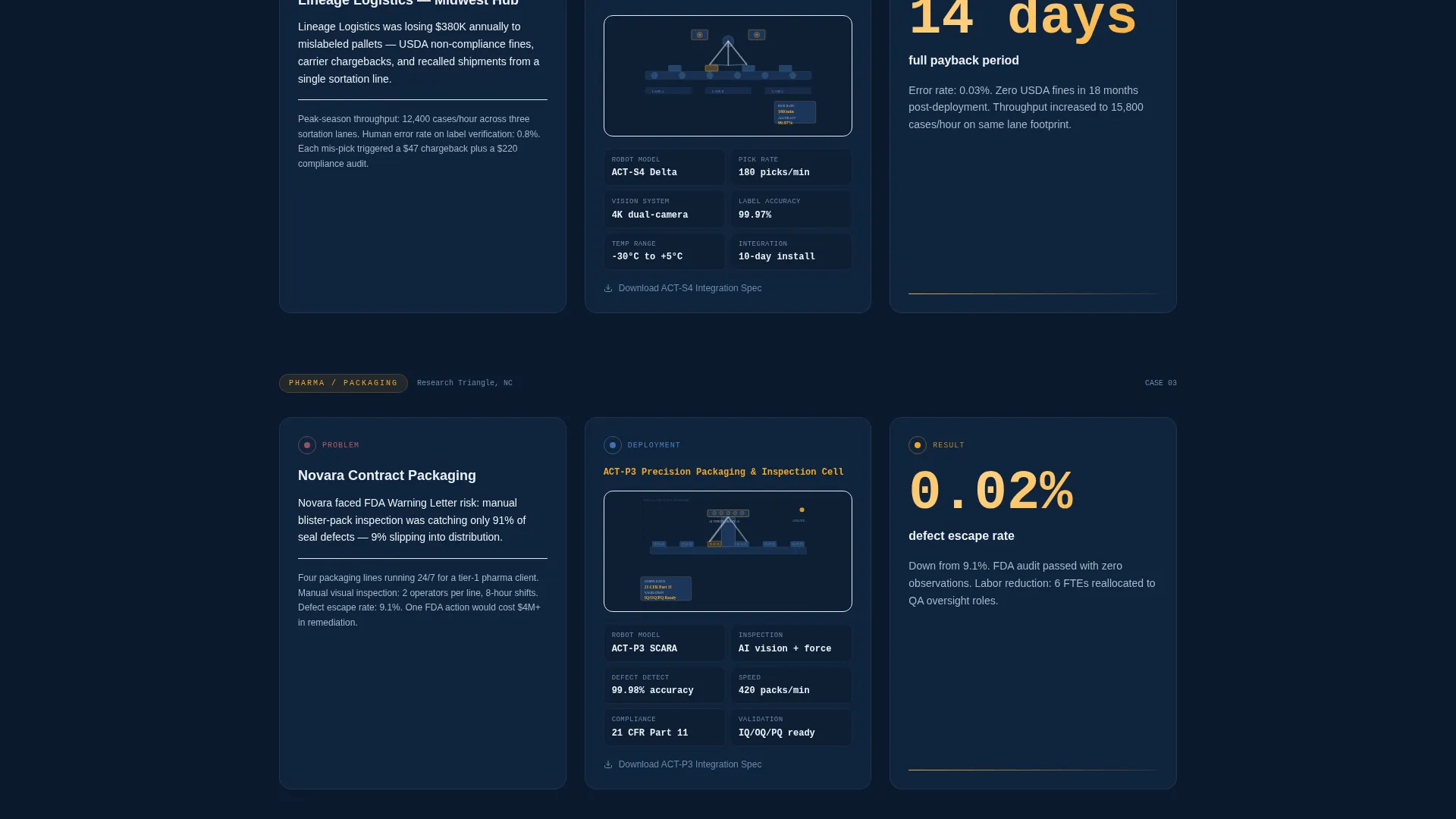
- Three stacked case study blocks covering automotive stamping, cold-chain fulfillment, and pharmaceutical packaging
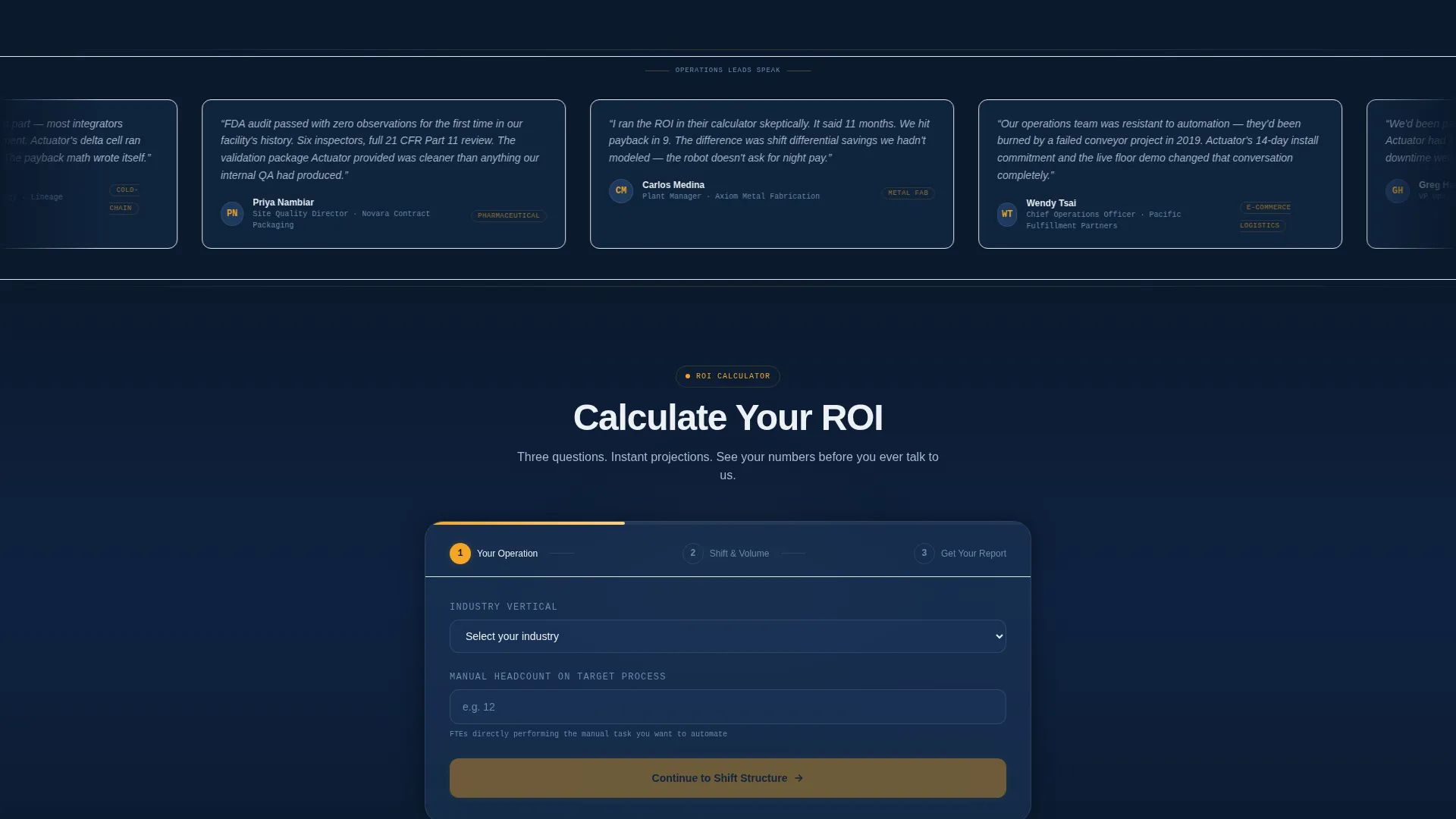
- A three-step progressive ROI calculator form with instant micro-calculations after each step, plus a secondary "Download the Integration Spec Sheet" conversion path
Feature list
This section covers the core built-in components and structural capabilities included in the Actuator template.
Animated KPI Metrics Header
Three oversized counters animate on page load, ticking upward in real time. The counters display units processed per hour, error rate reduction, and average return-on-investment timeline. Set in a monospaced industrial typeface against deep navy, each figure glows in signal amber like a live factory panel readout. No hero image is needed because the data itself functions as the hero.
Three-Vertical Case Study Flow
Each case study unfolds in three beats: the problem, the deployment, and the result. The problem is rendered in stark white text over navy with a specific, named pain point. The deployment section includes a technical diagram or isometric illustration of the robotic cell with annotated specs on slate cards. The result lands as a single amber-highlighted metric. Three verticals stack vertically so visitors in automotive, cold-chain, and pharmaceutical industries each see a familiar scenario.
Progressive Three-Step ROI Form
The primary lead capture form uses progressive disclosure across three steps. Step one asks for industry vertical and current manual headcount. Step two asks for shift structure and estimated throughput. Step three captures name, company, and email. Each completed step triggers an instant micro-calculation showing projected labor savings or estimated cycle time improvement, so the visitor receives tangible value before submitting.
Sticky and Full-Width call to action Placement
The primary call to action, "Calculate Your ROI," appears first as a sticky bottom bar after the first case study. It reappears as a full-width section after the third case study. This dual placement keeps the conversion path visible throughout the entire scroll without interrupting the narrative flow.
Rotating Testimonial Dividers
Thin horizontal dividers sit between each case study block. Each divider carries a single rotating testimonial quote from the operations lead featured in that case. These quotes reinforce cumulative trust at precisely the moment the visitor has just read a relevant success story.
Secondary Engineer Conversion Path
A text link labeled "Download the Integration Spec Sheet" sits beneath each case study's technical diagram. This secondary path serves engineers who need to validate technical feasibility before involving a budget decision-maker, creating a parallel lead capture route alongside the primary ROI form.
Page sections overview
| Section | Purpose |
|---|---|
| Animated KPI Header | Opens with live metrics to establish immediate operational credibility |
| Case Study One | Automotive stamping problem, deployment, and result narrative |
| Testimonial Divider One | Rotating quote from automotive operations lead |
| Case Study Two | Cold-chain fulfillment problem, deployment, and result narrative |
| Testimonial Divider Two | Rotating quote from fulfillment center operations lead |
| Case Study Three | Pharmaceutical packaging problem, deployment, and result narrative |
| Testimonial Divider Three | Rotating quote from pharmaceutical operations lead |
| Sticky ROI Bar | Persistent call to action bar that appears after first case study |
| Full-Width ROI Form | Three-step progressive form with instant micro-calculations |
| Spec Sheet Links | Secondary download path beneath each technical diagram |
Design & branding system
The visual identity follows a Dashboard Pro theme with a Navy Authority color system. The overall feel is a dimmed control room at 2 a.m., everything humming, every metric green.
- Deep command-center navy (#0B1A2E) as the primary background, tactical slate (#1E3A5F) for card surfaces and section dividers, and crisp operations white (#EDF1F5) for body text and data labels
- Signal amber (#F5A623) reserved exclusively for live metric counters, call-to-action buttons, and interactive highlights to ensure critical elements always surface above visual noise
- A monospaced industrial typeface for KPI counters and data labels, paired with clean body type, reinforces the precision and authority of a mission-critical monitoring interface
Mobile & speed optimization
The single-column flow layout is naturally suited for vertical scrolling on any screen size. Every section is structured to read cleanly from top to bottom without requiring horizontal navigation.
- The sticky ROI bar and full-width call to action section maintain clear tap targets and legible button labels at mobile viewport sizes
- The three-step progressive form is broken into discrete steps, which reduces visual complexity and cognitive load on smaller screens
How this template helps you convert
Every structural decision in Actuator is oriented toward moving a skeptical industrial buyer from first scroll to qualified lead submission.
- The animated KPI header front-loads quantified proof, bypassing the credibility gap that kills most industrial landing pages before the visitor reaches the first case study.
- The three stacked case studies build what the brief describes as cumulative proof: one success is a story, two is a pattern, three is inevitability, ensuring that visitors from multiple verticals each encounter a scenario that mirrors their own operation.
- The progressive ROI form delivers instant micro-calculations after each step, so the visitor receives a concrete projected value before committing their contact details, lowering the perceived risk of form submission.
Other information about this template
Actuator is built specifically for the robotic process automation hardware niche within the broader Manufacturing and Industrial category. It fits naturally into a Robotics and Automation subcategory context.
- The template is categorized under Manufacturing and Industrial, with a subcategory alignment to Robotics and Automation
- The case study narrative creative direction was selected because industrial buyers respond to specific, named proof over generic feature lists
- The template style is Single Column Flow, which keeps the scroll momentum unbroken and prevents visitors from navigating away from the conversion path
- The lead generation landing page direction is enforced through dual call to action placement, the sticky bar, and the secondary spec sheet download link
- The intersection match score for this template within its niche context is 13, reflecting a strong alignment between the layout strategy and the robotic process automation hardware buyer journey
Theme
Dashboard Pro
Creative direction
Case Study Narrative
Color system
Navy Authority
Style
Single Column Flow
Direction
Lead Generation
Page Sections
Animated KPI Metrics Header
Three-vertical Case Study Flow
Progressive Three-step ROI Form
Dual Call to Action Placement Strategy
Rotating Testimonial Dividers
Secondary Spec Sheet Download Path
Related questions
Can I customize the KPI counter values and case study content?
Do I need design experience to edit this template?
What industries does this template work best for?
How does the three-step ROI form work?
Is there a conversion path for engineers who are not yet decision-makers?



