

Traffic management software helps cities monitor roads, control signals, and reduce congestion using real-time data. Modern platforms now make it possible to build your own custom system without a large development team.
How do modern cities manage traffic with millions of vehicles on the road every day?
The answer is purpose-built traffic management software. These digital systems collect data from cameras, sensors, and connected vehicles. They help teams monitor roads, coordinate signals, and respond to incidents faster.
According to the INRIX Global Traffic Scorecard, the average driver in the United States lost about 43 hours per year to traffic congestion, roughly equal to an entire workweek. That number shows why smarter transportation systems matter.
This blog covers core features, top platform types, a buy-vs-build decision framework, and a step-by-step walkthrough for creating your own traffic management system.
What is Traffic Management Software?
Traffic management software is a digital system used by public agencies and transportation teams. It monitors and manages road activity in real time. The software collects data from cameras, sensors, connected vehicles, and GPS feeds.
Teams use this data to understand traffic flow, detect road closures, and coordinate signal timing. They also respond to incidents before conditions worsen. Most platforms are web-based, so operators access dashboards and alerts from the office or a remote site.
The software acts as a central command layer for traffic operations. It replaces manual, reactive processes with data-driven decision-making across the entire road network.
Core Features of Traffic Management Systems
Good traffic management software includes a full set of features that support daily operations. Here is what to look for when choosing any platform.
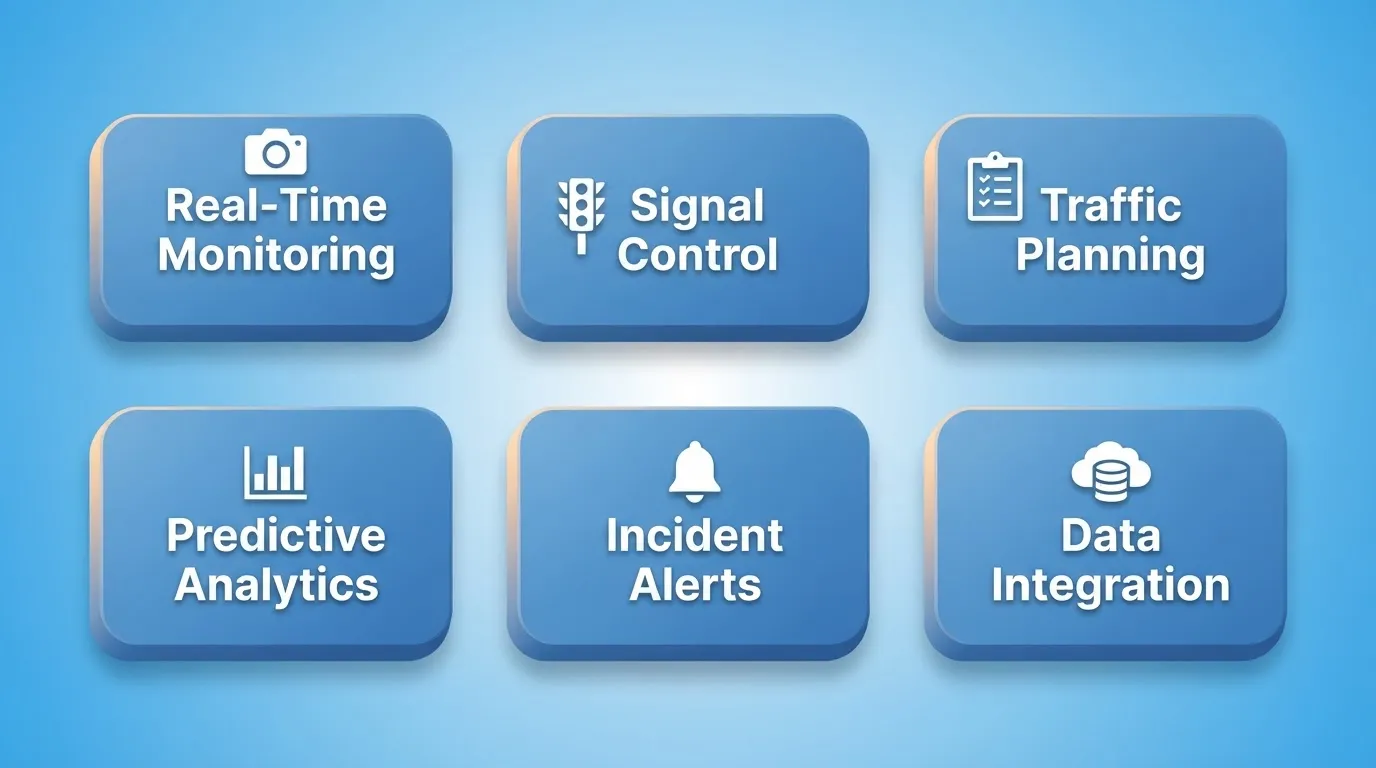
Real-Time Monitoring
Modern systems feed continuous data from sensors, cameras, and GPS signals into a live dashboard. Operators can monitor congestion levels, road closures, signal status, and travel times across the network.
With strong monitoring, teams receive instant alerts when something unusual happens. An accident, a sudden slowdown, or a lane closure triggers a notification. Teams can act before conditions spread further.
Traffic Signal Control
Many traffic control software platforms let teams manage signal timing at signalized intersections. The system adjusts timing based on live traffic flow and demand. This reduces unnecessary wait times and improves throughput.
Some tools support transit signal priority. This feature lets buses and emergency vehicles move through intersections faster. It improves public transit reliability without requiring additional infrastructure.
Traffic Planning Tools
Planners use the software to build traffic plans for events, construction, and work zones. A good traffic control plan reduces confusion and protects road users. The system can simulate traffic scenarios before they go live, so teams catch problems before they affect real roads.
Predictive Analytics
Some platforms use predictive analytics to analyze historical traffic patterns. These analytics help teams forecast future congestion windows. Teams prepare updated traffic plans in advance, shifting from reactive management to proactive planning.
Alerts and Incident Response
Operators receive alerts when incidents happen. The system may trigger automated actions, such as adjusting traffic signals or updating dynamic message signs. This quick response loop separates modern intelligent traffic management systems from older, manual operations.
Data Integration and Reporting
Enterprise-grade platforms connect to external data sources. These include weather APIs, public transit feeds, event calendars, and connected vehicle networks. They generate structured reports that planners use for budget justification, infrastructure planning, and regulatory compliance.
Popular Traffic Management Software Platforms
Many organizations use specialized solutions built for transportation teams. The right choice depends on your city's scale, budget, existing infrastructure, and whether you need a commercial product or a custom-built system.
| Platform Type | Key Features | Typical Users | Deployment |
|---|---|---|---|
| Intelligent Traffic Systems (ITS) | Real-time monitoring, alerts, analytics, signal control | City traffic management centers | On-premise or cloud |
| Smart Mobility Platforms | Signal timing, predictive analytics, transit priority | Large metropolitan cities | Cloud-based SaaS |
| Urban Traffic Control Platforms | Traffic plans, monitoring, network visualization | Transportation agencies | On-premise |
| Integrated Road Management Systems | Dynamic message signs, alerts, security controls | Highway authorities | On-premise |
| Custom-Built Dashboards | Tailored screens, custom data sources, bespoke workflows | Cities with specific needs | Cloud or self-hosted |
A LinkedIn article on smart mobility technologies captures the shift well: "Technology is transforming traffic management by using smart systems, sensors, and AI to monitor and adjust traffic flow in real time, making roads safer and commutes faster."
That insight reflects how modern traffic management systems rely on sensors, connected devices, and analytics to continuously monitor roads.
Should You Buy or Build Your Traffic Management System?
This is one of the most common questions transportation teams face. The answer depends on budget, technical capacity, and how closely your needs match what commercial products offer.
For smaller cities, transportation startups, and agencies with unique requirements, building a custom platform has become increasingly practical. Modern AI app builders can generate a working, production-ready dashboard from a plain language description. No large development team or long procurement cycle is needed.
For teams exploring what a custom build might look like before committing, Rocket's Solve feature turns a business question into a structured report with findings, evidence, and a clear recommendation. You can ask: "What should a traffic management dashboard include for a mid-size city?" and get a complete, actionable answer.
| Factor | Buy (Commercial Platform) | Build (Custom System) |
|---|---|---|
| Time to deploy | Weeks to months | Days to weeks with AI builders |
| Upfront cost | High licensing fees | Lower with no-code or AI platforms |
| Customization | Limited to vendor roadmap | Fully tailored to your workflows |
| Integration flexibility | Vendor-defined connectors | Connect any data source or API |
| Ongoing maintenance | Vendor-managed | Team-managed |
| Best for | Standard use cases, large agencies | Unique workflows, smaller cities, specific needs |
How Traffic Management Software Works: A Process Flow
Understanding how data moves through a traffic management system helps teams configure and optimize their platforms more effectively.
End-to-end data flow in a modern traffic management system, from sensor input to road network response.
Why Cities Invest in Traffic Management Platforms
Modern cities rely on smart traffic management tools for reasons that go well beyond reducing congestion.
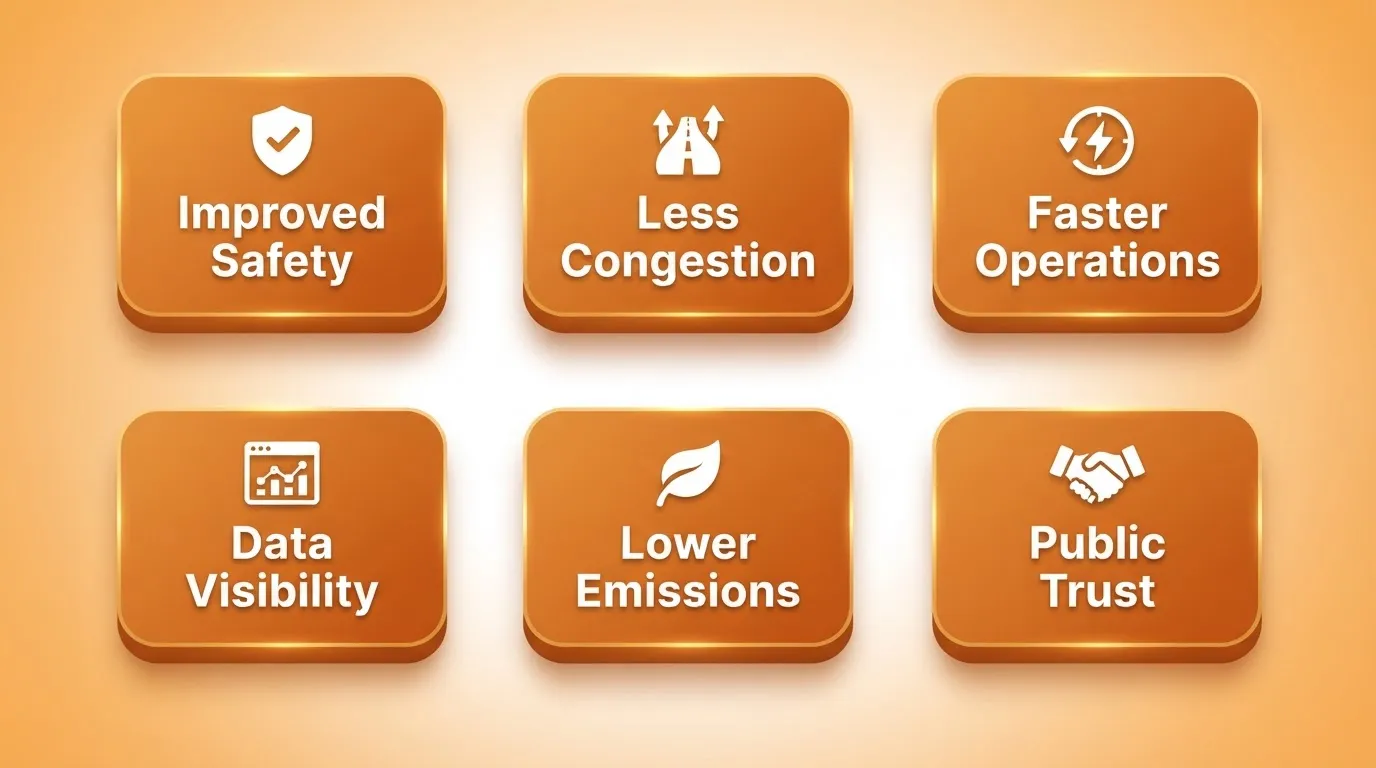
- Improved Safety: Better traffic control reduces accident risk and improves road safety. Real-time monitoring helps teams react faster to incidents.
- Less Congestion: Smart traffic management strategies and better signal timing help reduce congestion and improve traffic flow.
- Faster Operations: Automated traffic control plans help teams save time and manage operations more efficiently.
- Better Data Visibility: Dashboards show actionable insights from traffic data. Planners use these insights to adjust traffic plans and justify infrastructure investments.
- Lower Emissions: Smoother traffic flow reduces stop-and-go driving, which is a significant contributor to urban vehicle emissions.
- Public Trust: Transparent, data-driven traffic management builds public confidence in city infrastructure decisions.
These platforms give city teams a clearer view of what is happening on the roads. They also provide the tools to act before problems compound.
What Screens Does a Traffic Management Dashboard Need?
Whether you are choosing a commercial platform or planning to build your own, a well-designed traffic management dashboard typically includes these core screens.
| Screen | Purpose |
|---|---|
| Live Map View | Real-time visualization of traffic conditions, incidents, and road closures across the network |
| Signal Control Panel | Manage and adjust signal timing at individual intersections or across corridors |
| Incident Log | Track active and historical incidents, response times, and resolution status |
| Traffic Plans Manager | Create, edit, and deploy traffic control plans for events and work zones |
| Analytics Dashboard | Historical traffic patterns, congestion trends, and performance KPIs |
| Alert Center | Configurable alerts for incidents, threshold breaches, and system events |
| Reports Module | Generate structured reports for planning, compliance, and budget justification |
| User Access Management | Role-based access for operators, planners, and administrators |
This screen inventory is a useful starting point whether you are writing an RFP for a commercial vendor or writing a prompt to build your own system.
Building a Traffic Management System with Rocket
You have a clear goal for your traffic management platform. You know what screens it needs. The next question is: how do you build it without a six-month development cycle?
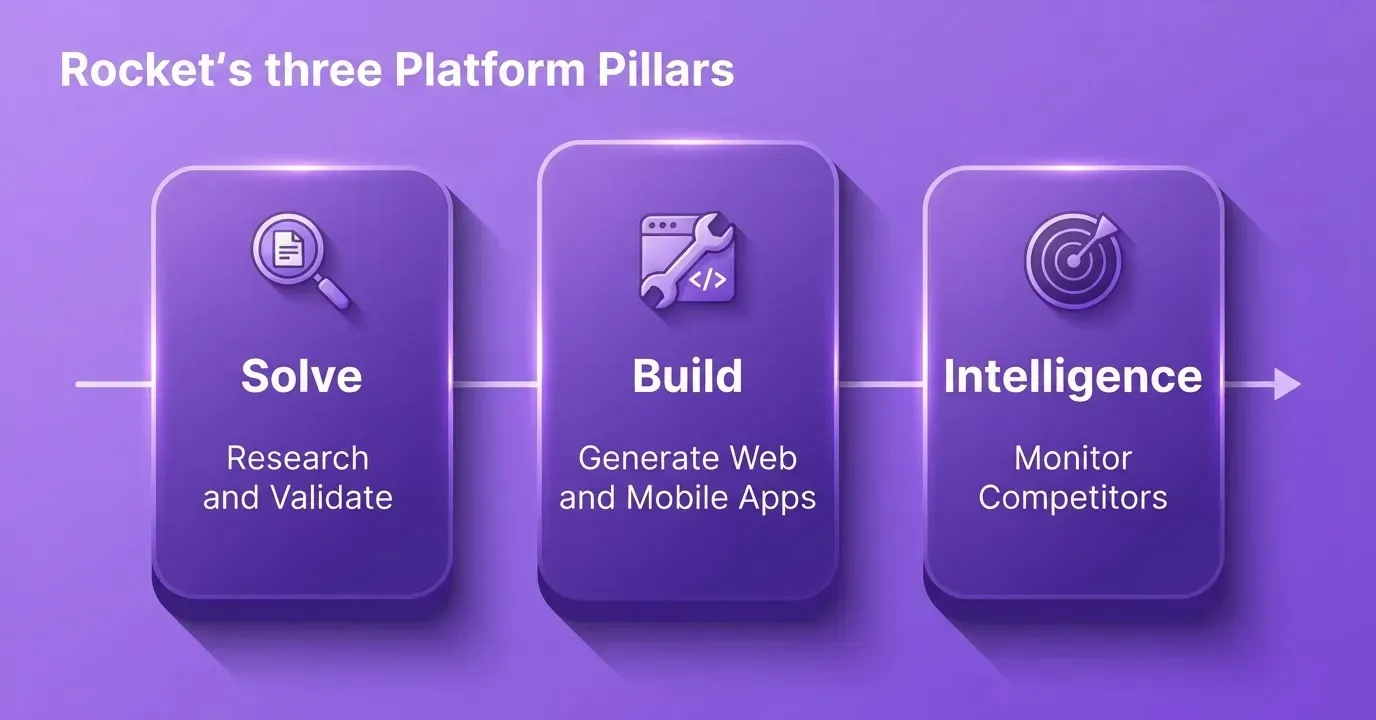
Rocket is a vibe solutioning platform that combines strategic research, AI app building, and competitive intelligence in a single product. Its Build pillar generates production-ready web applications in Next.js and mobile apps in Flutter from plain language descriptions. Every build ships with WCAG accessibility compliance, GDPR coverage, and performance optimization by default. 1.5 million people have tried Rocket across 180 countries.
The platform includes 25+ integrations. Stripe, Supabase, Google Analytics, Twilio, SendGrid, and more all authenticate once and flow into every build.
Step 1: Define Your Traffic Goals
Start with a clear goal for the system. Think about what the platform should do for your traffic operations.
For example:
- Monitor traffic flow across a city network
- Track road closures and incidents in real time
- Manage traffic signals and signal timing across corridors
- Support traffic controllers in daily traffic control tasks
- Generate reports for infrastructure planning
Once the goal is clear, you can start building the management system.
Step 2: Start with a Prompt or Template
Go to rocket.new, sign in, and click Build. Describe your system in plain language or choose a ready template from the library. Templates consume zero credits.
Example prompt:
"Create a traffic management dashboard for transportation teams. Show real-time traffic data, monitor road closures, track vehicles on the network, and allow users to manage traffic plans. Include analytics for congestion trends and alerts for incidents. Use a dark theme with a live map view as the main screen."
Prompt tips from the Rocket docs:
- Lead with purpose, not features. "Build a traffic management dashboard for a city operations team" beats "build a dashboard app."
- List 3 to 5 key screens upfront, then add more through chat after the first generation.
- Specify design preferences in the initial prompt, such as dark theme, data-dense layout, or mobile-first.
Step 3: Watch the Platform Build
Once you submit your prompt, Rocket plans the architecture and writes production-ready Next.js code. It then shows a live preview when done. Most apps generate in 1 to 3 minutes.
Step 4: Iterate Using Three Editing Modes
After the first generation, Rocket gives you three ways to refine the system:
- Chat: Use natural language instructions. For example, "Add a signal control panel" or "Add role-based access for operators and admins."
- Visual Edit: Click any element in the live preview to change text, style, spacing, or layout directly. No code is required.
- Code: Browse and modify the generated Next.js source files directly for advanced customization.
There is no change limit. You can also use slash commands like /Generate SEO Report, /Fix Accessibility Issues, or /Implement Privacy Compliance to run automated checks and fixes.
Step 5: Connect Data Sources and Integrations
Use Rocket's connectors panel to plug in external services. For a traffic management system, you might connect Supabase for a PostgreSQL database storing incident logs and historical data. You could also connect Google Analytics for usage analytics after launch, or Twilio and SendGrid for alert notifications to field crews.
API keys are stored as environment variables and handled at the server level. They are never exposed in client code.
Step 6: Review, Test, and Launch
Before going live, check that real-time data panels display correctly. Also confirm that monitoring dashboards and alert thresholds work as expected. Make sure role-based access is configured for operators and planners.
When everything looks good, click Launch. Rocket deploys to a staging URL first for team review. It then moves to production with a custom domain and automatic HTTPS. Full version history and one-click rollback mean nothing built is ever lost.
How Smart Traffic Systems Improve Safety and Efficiency
When a modern traffic management system works properly, cities begin to see results quickly. With better monitoring, real-time data, and organized traffic control, teams manage roads more effectively. They also respond faster to changing conditions.
Key improvements include:
- Better Traffic Flow: Optimized signal timing helps vehicles move smoothly through signalized intersections, reducing congestion during busy hours.
- Faster Incident Response: Operators receive instant alerts when accidents or road closures happen, allowing real-time updates to traffic plans.
- Safer Roads: Well-designed traffic control plans protect drivers and workers in work zones, supporting long-term traffic safety goals.
- Smarter Transportation Networks: Sensors and connected vehicles generate continuous traffic data. This creates a network that enables cities to monitor roads and manage traffic operations more intelligently.
Overall, smart traffic management tools help cities maintain smoother traffic flow, improve safety, and keep daily transportation operations running efficiently.
The Future of Traffic Technology
Traffic technology keeps evolving as cities look for better ways to manage roads. New tools and digital systems are shaping the next generation of intelligent traffic management systems.
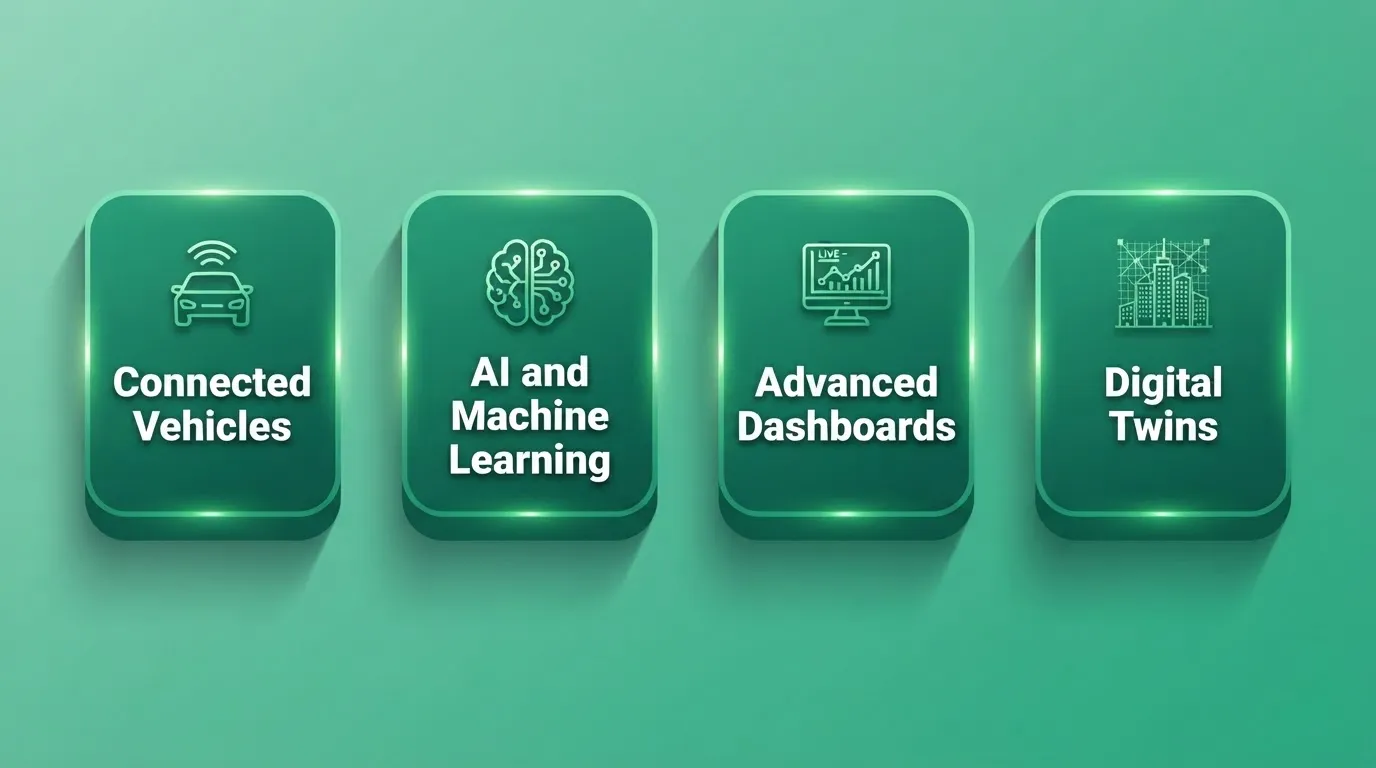
Four Future Technology Trends in Traffic Management
Key developments shaping the future include:
- Connected Vehicles (V2X): Modern vehicles share traffic data directly with city systems via Vehicle-to-Everything communication. This improves signal timing and enables faster incident response without relying solely on fixed sensors.
- Artificial Intelligence and Machine Learning: AI-driven analytics detect traffic patterns and predict congestion before it forms. This helps cities plan better traffic management strategies and shift from reactive to proactive operations.
- Advanced Monitoring Dashboards: New dashboards provide clear, real-time insights for engineers and planners. They are increasingly accessible via mobile apps as well as desktop systems.
- Digital Twins: Some cities build digital twin models of their road networks. These virtual replicas simulate traffic conditions and test interventions before deploying them in the real world.
For teams tracking how these trends affect their competitive position, Rocket's Intelligence feature monitors public signals continuously. It delivers structured briefs on what changes mean for your operations.
Why Cities Need Smarter Traffic Solutions
Urban traffic keeps growing as more vehicles enter the roads and cities expand. Without organized traffic management, problems like congestion, longer travel times, and higher safety risks become common.
Modern digital tools provide a better approach. With traffic management software, planners collect data, monitor roads in real time, and build smarter traffic plans. These systems help teams respond faster to incidents, manage traffic, and maintain safer, more organized transportation networks.
The choice between a commercial platform and a custom-built system depends on your budget, timeline, and operational requirements. For teams with unique needs or limited procurement budgets, building a custom solution with an AI platform is now a practical, fast option.
The Road Ahead for Traffic Management
Traffic management software has moved from a specialized government tool to an accessible, buildable system for cities of any size. The core challenge of monitoring roads, coordinating signals, and responding to incidents in real time has not changed. What has changed is how quickly a capable system can be built and deployed.
As intelligent traffic management systems grow more connected, the teams that act on data fastest will set the standard for urban mobility. Whether you choose a commercial platform or build your own, the right traffic management software turns a reactive operation into a proactive one. Rocket helps transportation teams go from requirements to a deployed, production-ready system without a large development team or a long procurement cycle. Start building on Rocket.new and ship your first version today.
Table of contents
- -What is Traffic Management Software?
- -Core Features of Traffic Management Systems
- -Real-Time Monitoring
- -Traffic Signal Control
- -Traffic Planning Tools
- -Predictive Analytics
- -Alerts and Incident Response
- -Data Integration and Reporting
- -Popular Traffic Management Software Platforms
- -Should You Buy or Build Your Traffic Management System?
- -How Traffic Management Software Works: A Process Flow
- -Why Cities Invest in Traffic Management Platforms
- -What Screens Does a Traffic Management Dashboard Need?
- -Building a Traffic Management System with Rocket
- -Step 1: Define Your Traffic Goals
- -Step 2: Start with a Prompt or Template
- -Step 3: Watch the Platform Build
- -Step 4: Iterate Using Three Editing Modes
- -Step 5: Connect Data Sources and Integrations
- -Step 6: Review, Test, and Launch
- -How Smart Traffic Systems Improve Safety and Efficiency
- -The Future of Traffic Technology
- -Why Cities Need Smarter Traffic Solutions
- -The Road Ahead for Traffic Management

