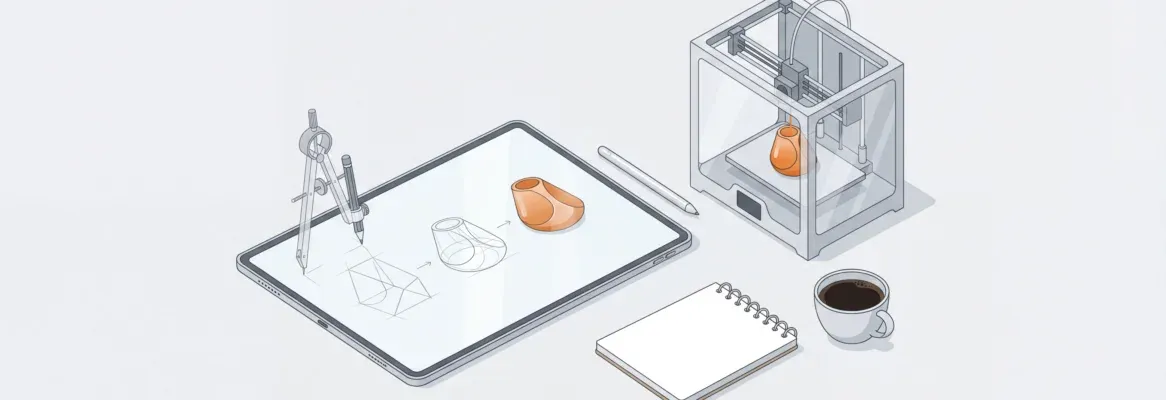
How do teams validate ideas faster? Let's see rapid prototyping in action, showing how early testing cuts development time, improves feedback, and helps teams adapt quickly to changing markets.
What turns a rough idea into something real before time and money disappear?
The answer is rapid prototyping.
Rapid prototyping helps product teams move fast by creating early versions of ideas that can be seen, touched, clicked, or tested. Within the first few days, teams can spot design flaws, check user interactions, and adjust direction.
Studies show that companies using rapid prototyping reduce development time by nearly 50–60%, while improving design validation and team alignment.
That speed matters when markets move fast, and user expectations shift even faster.
What Rapid Prototyping Really Means?
Rapid prototyping is the practice of building early versions of product concepts to enable teams to learn quickly. These versions can be digital screens, interactive demos, or physical prototypes built using modern fabrication methods.
The goal is not perfection. The goal is clarity.
Instead of long discussions, teams put ideas in front of real users. This reveals what works, what feels confusing, and what needs fixing. Rapid prototyping is central to modern product development because it reduces guesswork and keeps teams grounded in reality.
Where Rapid Prototyping Fits in Product Development?
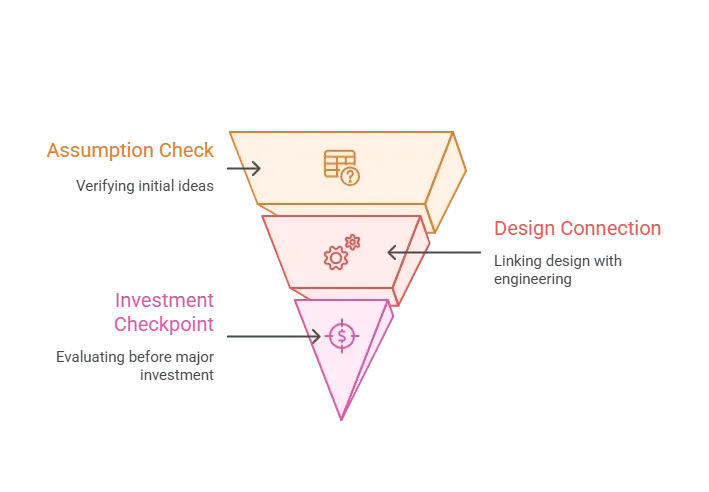
Rapid prototyping plays a clear role in the product development process. It comes after ideation and before full-scale execution. This timing allows teams to check assumptions early and avoid costly iterations later.
The Rapid Prototyping Process Explained
The rapid prototyping process follows a repeatable structure. It stays flexible but never random.
Each step builds clarity while maintaining speed.
Step 1: Define the problem
Clarify user needs, target users, and expected user behavior. This step ensures the team aligns on what success looks like before any design begins. A clearly defined problem prevents wasted effort and keeps decisions user-centered.
Step 2: Sketch and plan
Start at the drawing board with rough ideas and early design alternatives. Sketching encourages creativity without the pressure of perfection. It also helps teams quickly compare multiple solutions before committing to one direction.
Step 3: Build an initial prototype
Create a basic version using low-fidelity prototypes or quick digital layouts. The focus here is functionality, not polish or aesthetics. Fast prototypes make ideas tangible and easier to evaluate.
Step 4: Test and observe
Observe how real users interact with the prototype and note areas of confusion. Observing behavior often reveals issues users may not verbalize. This step uncovers usability gaps early in the process.
Step 5: Gather feedback
Collect insights from focus groups, internal teams, and stakeholders. Feedback highlights both strengths and weaknesses of the prototype. Diverse perspectives help uncover blind spots in the design.
Step 6: Refine and repeat
Apply iterative refinement through multiple iterations and design iterations. Each cycle improves clarity, usability, and alignment with user needs. Iteration reduces risk while steadily increasing confidence in the solution.
This prototyping process continues until the idea is solid enough to move forward. The goal isn’t to rush to the final product. The goal is to learn fast, fix early, and avoid expensive surprises later.
Low Fidelity Prototypes vs High Fidelity Prototypes
Not all fidelity prototypes serve the same purpose.
Low-fidelity prototypes are quick and rough. They help test ideas without emotional attachment. These include wireframes, sketches, or blocky screens.
High-fidelity prototypes feel close to the final product. They reflect real ui components, visual hierarchy, and detailed user interactions.
Both types play a role. Smart teams move between low- and high-fidelity prototypes depending on the question at hand.
Physical Prototypes and Why They Still Matter
Digital tools dominate headlines, but physical prototypes remain powerful. Holding something changes how people react.
Physical prototypes allow teams to test size, grip, weight, durability, and comfort. They help surface design flaws that screens cannot show.
Industries like healthcare, automotive, and consumer electronics rely heavily on physical prototypes for early validation.
Thanks to additive manufacturing and 3d printing, teams can now create physical prototypes quickly and affordably. Complex geometries that once took weeks can now be produced overnight.
3D Printing and Additive Manufacturing in Prototyping
3d printing plays a major role in rapid prototyping today. Using additive manufacturing, material is layered precisely to form parts directly from computer-aided design files.
Methods like fused deposition modeling allow teams to test multiple versions of a part without changing tooling. This supports rapid iterations, weight-reduction experiments, and fast design validation.
Physical prototypes created through 3D printing often serve as reference points before manufacturing begins.
Prototyping Tools Used by Modern Teams
Choosing the right prototyping tools depends on the product type and team setup.
Common tools include:
- Design software for UI and user flow testing
- CAD platforms for mechanical and industrial designs
- 3d printing hardware for physical prototypes
- AI tools for generating layouts, logic, and design systems
Many teams now prefer a unified platform that supports version control, collaboration, and feedback loops in one place.
AI and the Shift Toward Faster Prototypes
AI is quietly reshaping prototyping workflows. With AI tools, teams can generate screens, layouts, and logic flows in minutes. AI prototyping speeds up early exploration without replacing human judgment.
AI-driven rapid prototyping also automates tasks such as layout generation, variant creation, and generative design. This allows teams to focus on decisions instead of repetitive work.
AI models now help predict user behavior and test new user flow ideas before large-scale testing begins.
Feedback, Users, and Learning Fast
Rapid prototyping only works when feedback is taken seriously. Teams must provide feedback channels that feel easy and honest.
Real users behave differently from what internal teams expect. Watching real users struggle or succeed gives direct insight into user needs and expectations.
Strong feedback loops reduce bias and keep the final product grounded in reality.
Rapid Prototyping Teams and Collaboration
A rapid prototyping team usually includes designers, engineers, product managers, and researchers. Each role adds perspective.
As distributed teams become more common, cloud collaboration tools enable shared access to prototypes, comments, and design updates. This supports smoother handoffs and clearer communication.
Strong collaboration shortens development time and reduces misalignment.
Community Insight
A UX designer on Reddit shared this insight on rapid prototyping:
“Once teams started shipping clickable prototypes instead of static mockups, conversations changed. Stakeholders stopped guessing and started reacting.”
Rocket.new and Rapid Prototyping
Launching ideas faster with Rocket.new
Rocket.new enables rapid prototyping by providing product teams with a unified platform for building, sharing, and refining prototypes. It reduces friction between design and feedback.
Top features include:
- Visual builder for fast prototype creation
- Built-in feedback tools to gather feedback from stakeholders
- Cloud collaboration for distributed teams
- Version control for tracking design iterations
Use cases:
- Product teams are testing minimum viable product ideas
- Designers validating user flow and ui components
- Product managers reviewing multiple versions quickly
Rocket.new keeps prototyping simple, fast, and focused, so teams spend less time coordinating and more time building.
How Rapid Prototyping Actually Works?
Rapid prototyping accelerates progress when ideas remain uncertain. Instead of debating possibilities, teams put concepts into action and let real-world interaction guide the next move. Progress comes from evidence, not endless discussion.
This approach shortens feedback loops and exposes weak points before they become costly problems. As a result, teams move with confidence, adapt quickly, and deliver solutions that are shaped by real user behavior from the start.
Table of contents
- -What Rapid Prototyping Really Means?
- -Where Rapid Prototyping Fits in Product Development?
- -The Rapid Prototyping Process Explained
- -Step 1: Define the problem
- -Step 2: Sketch and plan
- -Step 3: Build an initial prototype
- -Step 4: Test and observe
- -Step 5: Gather feedback
- -Step 6: Refine and repeat
- -Low Fidelity Prototypes vs High Fidelity Prototypes
- -Physical Prototypes and Why They Still Matter
- -3D Printing and Additive Manufacturing in Prototyping
- -Prototyping Tools Used by Modern Teams
- -AI and the Shift Toward Faster Prototypes
- -Feedback, Users, and Learning Fast
- -Rapid Prototyping Teams and Collaboration
- -Community Insight
- -Rocket.new and Rapid Prototyping
- -Launching ideas faster with Rocket.new
- -How Rapid Prototyping Actually Works?