

Operations app development moves through six phases: planning, design, development, testing, deployment, and scaling to produce a live tool that manages tasks, workflows, and data in one place. AI-powered builders like Rocket.new can cut this timeline from months to days.
Operations app development takes a business idea through six structured phases: planning, design, development, testing, deployment, and scaling to produce a live tool that manages tasks, workflows, and data in one place.
According to a Statista report, global mobile app revenue is expected to exceed $935 billion, underscoring how quickly businesses are relying on apps to run their operations smoothly. So, if you're thinking about building something similar, you're in the right place.
Understanding the Idea Behind Operations Apps
Every great app begins with one simple idea. In the world of operations, that idea usually solves a real, everyday problem: messy workflows, slow communication, or poor tracking that holds your team back. Before a single line of code is written, the most important step is understanding what problem the app must solve and for whom.
What Operations Apps Actually Do
Operations apps are built to bring everything together on a single platform.
They help teams manage work smoothly and stay connected. A logistics company, for example, might use an operations app to track driver locations, assign delivery jobs in real time, and generate end-of-day route reports, all from one dashboard instead of three separate tools.
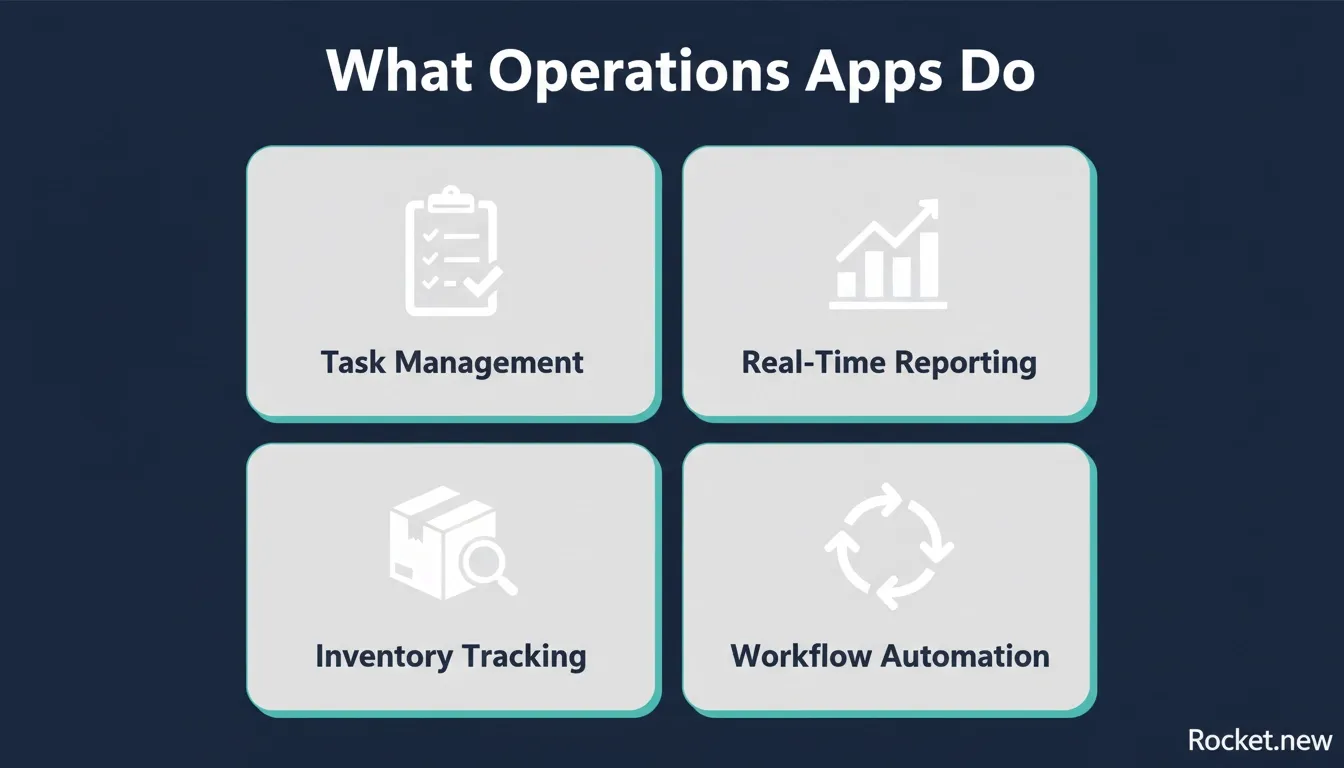 The four core functions that every operations app should cover to unify team workflows.
Why They Matter
Think about your current setup. Your team is handling multiple jobs, tracking inventory, and managing reports simultaneously. Without the right tools, things can quickly get messy. Operations apps step in to simplify all of this. They reduce confusion, improve tracking, and help your team stay on the same page.
Companies adopting digital operations tools see productivity gains of 20 to 30% within the first year. That is not a marginal improvement. It is the difference between a team that reacts to problems and one that prevents them.
What to Identify Before You Start
Before you create your app, take a step back and understand your needs.
Ask yourself:
- Do you need better tracking across projects?
- Is faster task assignment a priority?
- Do you want clearer financial reporting?
- Are your workflows too complex right now?
Clear answers lead to better decisions. And better decisions lead to smoother development. Start with clarity, and the rest becomes much easier.
Planning Your App Structure
Once the idea is clear, the next step is planning. This phase is where most teams either set themselves up for success or create problems they will spend months fixing. Start by listing all the key features your app needs, define the core functionality first, and focus on simplicity to avoid adding too much complexity early.
Some common features include:
- Task assignment and tracking
- Real-time updates
- Inventory management
- Reports and dashboards
- Smart fields for easy data entry
Early planning should also account for user-centric design, scalability, robust security, and stakeholder buy-in.
At this stage, your team should also define workflows and the templates that support each request. These workflows decide how tasks move from one stage to another and improve organization. A field service company, for instance, might define a workflow where a job is created by a dispatcher, assigned to a technician, updated in the field, and closed with a customer signature, with each step triggering the next automatically.
Teams often add calculations for forecasting, use app logic to streamline operations, and look for ways to optimize handoffs for better efficiency.
You also need to think about users. Office staff may need dashboards, while field technicians need mobile access on any device. In commercial trades, the BuildOpsn mobile app is one example of a tool built to help teams maintain equipment records and share updates between the office and the field.
Planning should also consider how marketing supports adoption, what value the app creates for clients and customers, and how developers will build faster. If you want to explore how business workflow automation using AI fits into this planning phase, that context is worth reviewing before you finalize your feature list.
Designing for Real Users
Next, let's talk about user experience. A good operations app should feel easy to use. No one wants to struggle with confusing forms or slow systems. Poor UX is one of the top reasons operations tools get abandoned, with teams reverting to spreadsheets because the app feels harder than the problem it was supposed to solve.
Design should focus on:
- Clean layouts
- Easy navigation
- Quick access to tasks
- Clear data visibility
Your app should help users save time, not waste it. For example, office staff may need reports and tracking tools, while field teams need job updates and forms on-site. A role-based interface, where each user sees only what is relevant to their job, dramatically reduces training time and errors.
Development Phase: Turning Ideas into Code
Now comes the actual development. Developers start writing code based on your plan, covering backend systems, frontend design, and mobile compatibility. The tech stack you choose here has long-term consequences. Most modern operations apps are built on Next.js for the frontend and a managed database like Supabase for data storage, auth, and edge functions.
At this stage, teams focus on:
- Building features
- Connecting data sources
- Setting up automation
- Creating dashboards and reports
Data plays a huge role here. Every task, job, and project depends on accurate data. Your system should store, manage, and process data properly, because poor data handling leads to bad decisions. Developers also add integrations, connecting your app to accounting systems, CRM platforms, or third-party APIs.
For teams looking to build AI apps for operations that scale quickly, the development phase is also when AI-powered features like auto-assignment, anomaly detection, and predictive restocking are wired into the core logic.
Key Features and Components at a Glance
Here is a simple breakdown of what goes into operations app development:
| Stage | What Happens | Outcome |
|---|---|---|
| Idea | Identify the problem and stakeholders | Clear goal and scope |
| Planning | Define features and workflows | Structured, prioritized backlog |
| Design | Focus on user experience and roles | Easy-to-use, role-based interface |
| Development | Write code and connect systems | Functional, integrated app |
| Testing | Validate workflows and fix issues | Reliable, bug-free performance |
| Launch | Deploy to users with phased rollout | Live operations app with support |
This table keeps things simple. Each stage builds on the previous one, so skipping any step can lead to issues later. Take your time with each phase, keep your team aligned, and your app will be much easier to manage and scale after launch.
Testing and Validation
After development, testing begins. This step checks if everything works as expected and helps identify bugs before real users encounter them. Skipping or rushing testing is the single most common reason operations apps fail in their first month of live use.
Validation includes:
- Testing workflows end-to-end
- Checking data accuracy across all modules
- Reviewing report outputs against expected values
- Ensuring reliability under concurrent user load
You should test with real users. Let your team try the app and give feedback. A construction company that piloted its job-tracking app with three field supervisors before full rollout caught a critical bug in the job-close workflow that would have corrupted 30% of its daily reports.
Deployment and Launch
Then comes the exciting part: launch. Your app is now ready for real use.
During deployment, make sure:
- All data is correctly stored and migrated
- Users have access and know their credentials
- Systems are stable under expected load
- Support is available for the first week
Start with a small rollout if possible. This helps you monitor performance and fix issues quickly. A phased rollout, starting with one department or region before expanding company-wide, is the industry standard for operations apps because it limits the blast radius of any post-launch issues.
Common Challenges Field Teams Might Face
Let's be real. Building operations apps is not always smooth. The challenges are real, and they are worth addressing directly so you can plan around them.
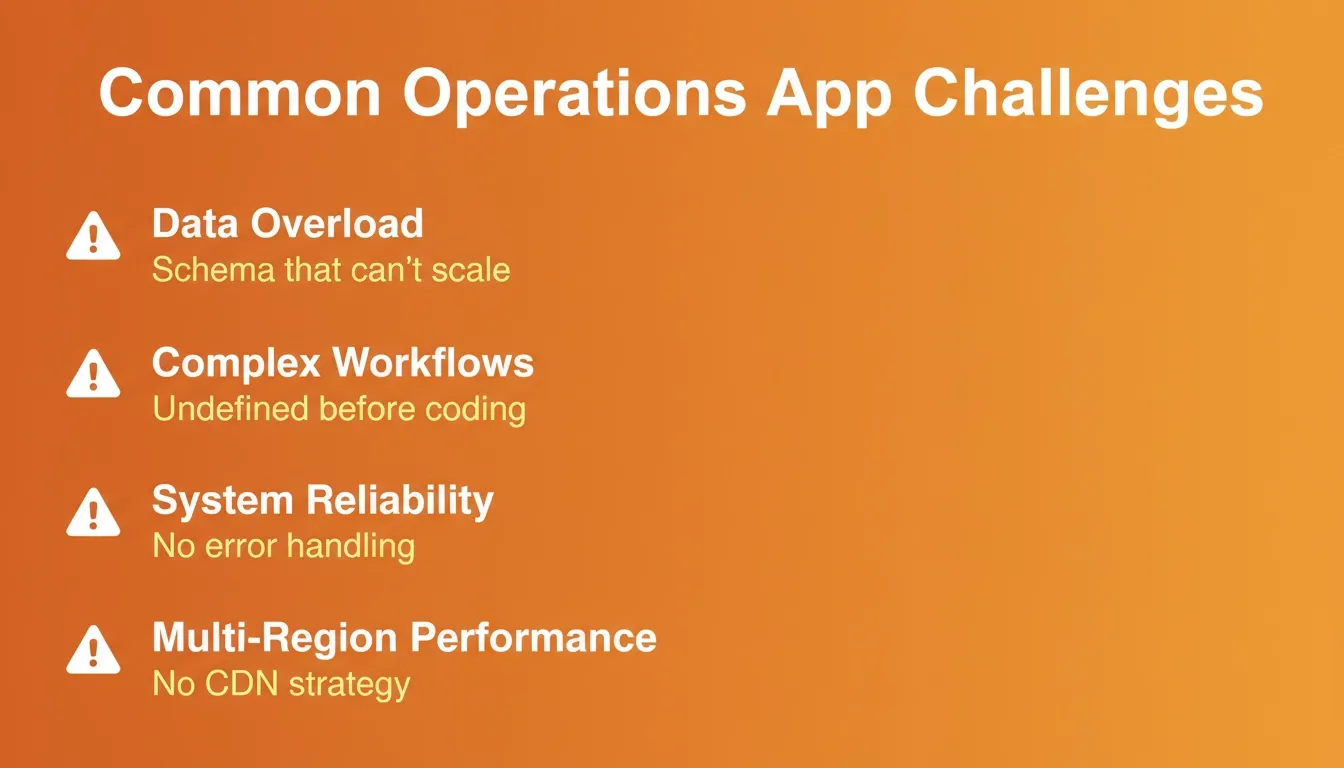 The five most common challenges teams face during operations app development, and how to plan around them.
Managing too much data is the most common early problem. Teams underestimate how much data their operations generate and build a schema that cannot scale. The fix is to model your data carefully during planning and choose a database that supports horizontal scaling.
Handling complex workflows becomes a bottleneck when the app tries to automate processes that were never clearly defined in the first place. Document your workflows on paper before you build them in code. Keeping systems reliable requires proper error handling, retry logic for failed API calls, and monitoring dashboards that alert your team before users notice a problem.
Reducing costs during development is achievable by starting with a focused MVP: the minimum set of features that solves the core problem, then expanding iteratively based on real user feedback. You can explore how low-code development platforms can help reduce both cost and complexity during this phase.
How Automation Helps
What happens when you stop doing everything manually and let the system handle repetitive work? That is where automation steps in and makes a noticeable difference. Service teams that automate routine tasks report a 27% increase in productivity and a 32% reduction in errors, according to Salesforce research.
Automation plays a big role in operations. It reduces manual work and improves productivity.
For example:
- Auto task assignment routes new jobs to the right technician based on location, skill set, and availability
- Automated reports compile daily or weekly summaries and send them to managers without manual data entry
- Inventory tracking updates trigger purchase orders when stock falls below a defined threshold
- Workflow triggers advance a task to the next stage automatically when conditions are met
Automation helps teams save time and focus on important work. The key is to automate the right things: repetitive, rule-based tasks, and keep humans in the loop for decisions that require judgment. If you want a deeper look at this, the best AI workflow builder solutions guide covers the leading options in detail.
Tracking and Financial Reporting Matter
Once your system is running, how do you know everything is on track? This is where tracking and reports come into play. Tracking is key for any operating system.
Your app should track:
- Tasks and their current status
- Jobs from creation through completion
- Projects against milestones and deadlines
- Inventory levels and movement history
Reports turn this data into insights. Dashboards help teams understand what is happening in real time. Good tracking improves visibility and decision-making. A well-designed reporting module can surface patterns that are invisible in day-to-day operations, like a recurring bottleneck every Friday afternoon that is slowing down your entire fulfilment process.
The six-phase operations app development lifecycle from idea to launch.
Scaling Your App for Growth
After launch, your work is not done. Your app needs to grow with your business. The most successful operations apps are designed with scalability in mind from day one, using modular architecture, clean API boundaries, and a database schema that can accommodate new entity types without a full rebuild.
Focus on:
- Adding new features based on user feedback and usage data
- Improving workflows as your team's processes evolve
- Maintaining data accuracy as volume grows
- Supporting users through training, documentation, and in-app guidance
Growth depends on how well your system adapts to new needs. A construction company that starts with job tracking might later add subcontractor management, client portals, and financial reporting, all built on the same platform if the foundation was laid correctly. For teams planning ahead, understanding how to build a project tracking web app gives a practical view of what scalable tracking architecture looks like in practice.
Rocket.new: Your Launchpad for Operations Apps
Now let's talk about something interesting. Rocket.new connects directly to operations app development by helping you create apps faster without getting stuck in heavy code. It is built for speed. You can describe your operations workflow in a single prompt and watch Rocket generate the structure, forms, dashboards, and logic your team needs.
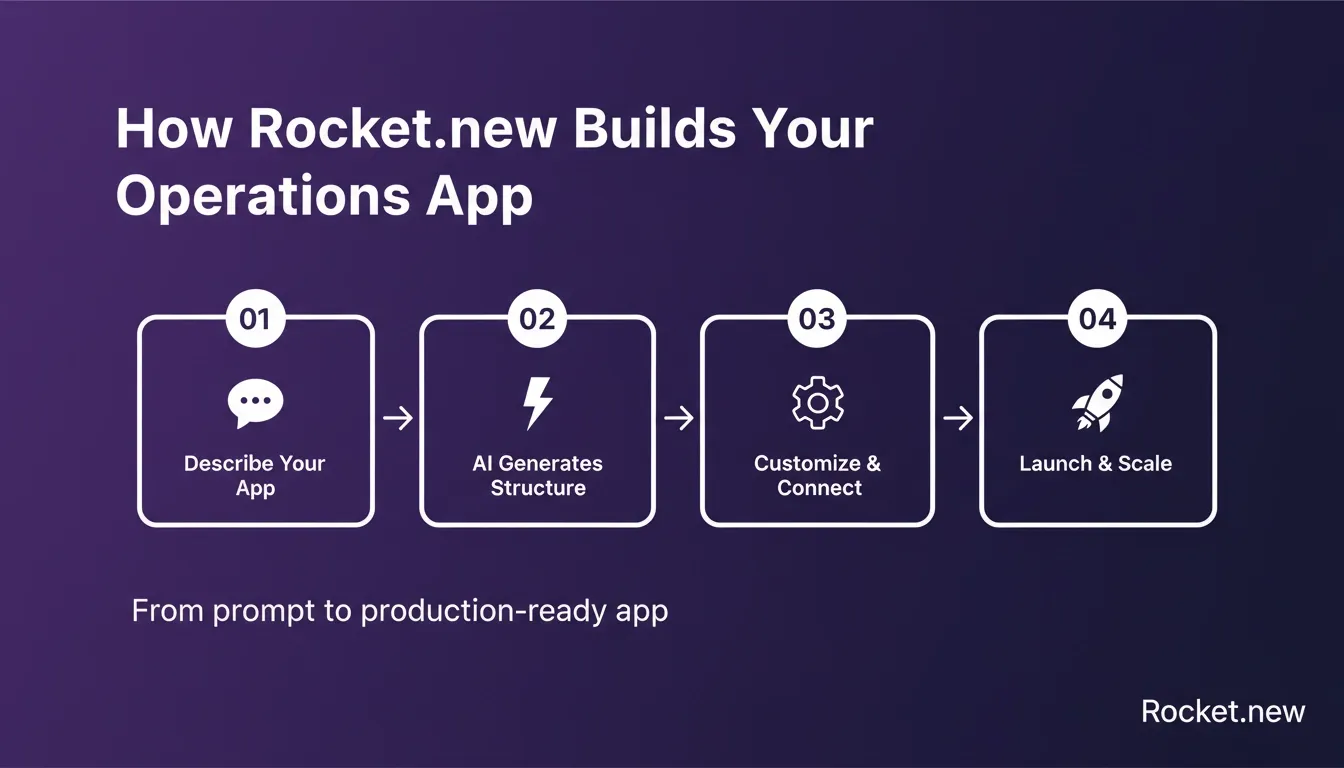 How Rocket.new takes you from a plain-language prompt to a production-ready operations app.
What Rocket.new Actually Builds
Rocket.new is the world's first Vibe Solutioning platform. It covers research, building, and intelligence in one place. For operations app development specifically, the Build capability generates production-ready web apps in Next.js and mobile apps in Flutter, with real design systems, dark/light theming, and fluid navigation.
Every app ships with:
- SEO-ready structure by default
- WCAG accessibility compliance
- GDPR coverage
- Performance optimization built in
Top Features for Operations App Development
| Feature | What It Does |
|---|---|
| Prompt to App | Builds a working app from a plain-language description |
| Figma Import | Converts design files into production-ready code |
| 25+ Integrations | Connects Stripe, Supabase, Airtable, HubSpot, Notion, and more |
| Visual Edit | Click any element to change text, style, or layout without code |
| Version History | Full history with one-click rollback to any previous state |
| Custom Domain | Publish with your own branded domain, automatic HTTPS |
| Built-in Analytics | Tracks visitors, conversions, and Core Web Vitals after launch |
| Code Export | Download the full source code for local development or handoff |
It keeps everything in one platform, so your team, data, workflows, and tools stay connected and managed without confusion. You can also explore how to build internal tools with AI without a developer to see how Rocket handles the ops tooling use case end-to-end.
Build Your Operations App with Just a Prompt
Here is the interesting part. You do not always need a full development team to start. With Rocket.new, you can create an app just by describing what you want.
How It Works
- You start with a simple prompt, for example: "Create an operations app for managing field teams, tracking inventory, and generating reports."
- The platform generates a working structure, setting up workflows, forms, dashboards, and task tracking automatically
- You customize based on your needs: add fields, edit workflows, connect tools, and adjust features
- Your app is ready to be tested and launched, with no heavy setup and no long delays
This method saves time and reduces costs. It also helps teams move faster without waiting for long development cycles. You still get control over your app, your data, and your workflows, but the process feels much lighter and easier to manage.
Bringing It All Together
Many businesses struggle to manage operations because their tools are scattered, tracking is weak, and processes feel too complex. This often leads to confusion, missed tasks, and wasted time across teams. A clear operations app development approach helps bring everything into a single system that connects tasks, data, and workflows in a way that feels organized and easy to manage.
Keep your focus simple. Build step by step and choose tools that help your team save time and stay organized. When done right, your app becomes the backbone of your operations, supports your team, improves productivity, and helps your company grow.
Ready to Build Your Next App?
Ready to build your operations app without the long development cycles? Rocket is the fastest way to go from idea to a working, deployable app. Describe your operations workflow in a single prompt and watch Rocket generate the structure, forms, dashboards, and logic your team needs, then customize it your way.
Start building with Rocket.new and launch your operations app in days, not months.
Table of contents
- -Understanding the Idea Behind Operations Apps
- -What Operations Apps Actually Do
- -Why They Matter
- -What to Identify Before You Start
- -Planning Your App Structure
- -Designing for Real Users
- -Development Phase: Turning Ideas into Code
- -Key Features and Components at a Glance
- -Testing and Validation
- -Deployment and Launch
- -Common Challenges Field Teams Might Face
- -How Automation Helps
- -Tracking and Financial Reporting Matter
- -Scaling Your App for Growth
- -Rocket.new: Your Launchpad for Operations Apps
- -What Rocket.new Actually Builds
- -Top Features for Operations App Development
- -Build Your Operations App with Just a Prompt
- -How It Works
- -Bringing It All Together
- -Ready to Build Your Next App?


