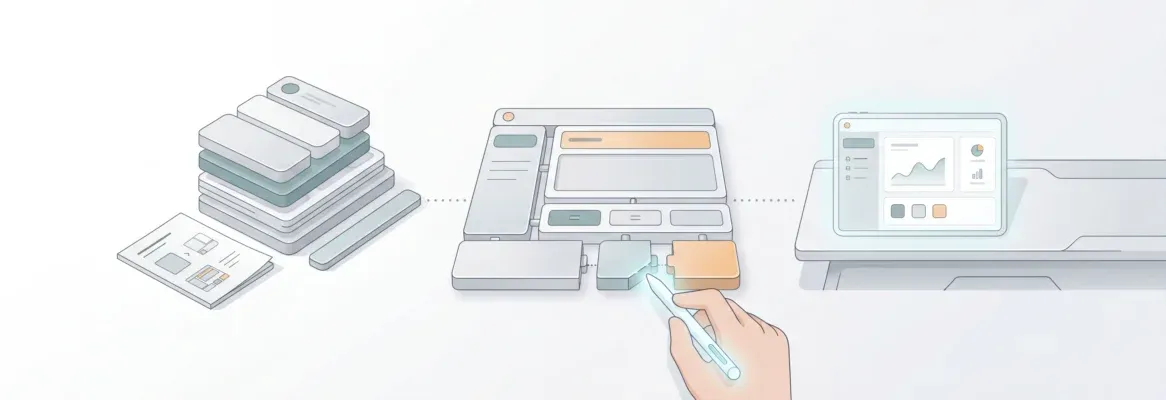
No-code app creation lets founders, teams, and developers build production-ready web apps, mobile apps, and internal tools using visual interfaces and natural language, with no programming required. Here is how it works and who it is for.
Can you build a real app without writing code?
Yes, and it is faster than most people expect.
No-code app creation is reshaping how teams design, test, and launch software. Visual tools and connected workflows have replaced long development cycles. What once required a developer, a designer, and weeks of work now takes hours.
This blog covers the full picture: how no-code development works, who it serves, what you can build, and how to get the most out of it.
What is No-Code App Creation?
No-code app creation is the practice of building functional software applications using visual interfaces, drag-and-drop editors, and natural language prompts. You do not write traditional programming code. Instead, builders work with logic blocks, connected data sources, and pre-built components to produce web apps, mobile apps, dashboards, and internal tools.
The term covers a wide range of tools and approaches. These range from simple form builders to full-stack AI platforms that generate production-ready applications from a plain-language description.
Why it matters now: The cost of building software dropped dramatically when AI entered the workflow. No-code app creation made this shift accessible to non-technical builders, product managers, marketers, and founders.
Why No-Code Has Become the Default Language of Speed
Traditional development cycles often drag projects down. Minor changes meant rebuilding large code blocks, briefing developers, and waiting through review cycles. No-code app builders changed that by giving teams direct control through visual interfaces. As a result, design, automation, and integration now happen simultaneously.
These platforms do not eliminate the need for developers. Instead, they extend developer influence. Developers now handle deeper logic, security architecture, and custom integrations. Meanwhile, business teams manage workflows, interfaces, and iteration.
The outcome is faster delivery of mobile apps, web apps, and native mobile apps. According to Gartner, by 2026 more than 80% of app development activity will be handled by non-professional developers using low-code and no-code tools. This shift was already underway before AI accelerated it further.
The Architecture Shift: From Code-First to Logic-First
Earlier, development began with frameworks and syntax. Now it begins with intent and logic. No-code platforms structure apps around workflow goals before any code is written.
The no-code development flow: from user intent through workflow logic, data sources, and UI layout to final app deployment.
This process begins with user intent, connects to data sources, builds layouts, and ends with deployment. All of this happens without a single line of code. Google Sheets, Supabase, Airtable, and similar systems act as live data sources. The modular architecture allows flexible changes without heavy rewriting. Teams can create apps that evolve alongside business processes.
Who Is No-Code App Creation For?
No-code app creation is not a single-audience tool. It serves distinct user types with different goals. Understanding which category you fall into determines which platform and workflow will serve you best.
| User Type | What They Build | Primary Goal |
|---|---|---|
| Founders and Solopreneurs | MVPs, SaaS products, landing pages | Validate and ship fast |
| Product Managers | Internal tools, dashboards, prototypes | Test ideas without dev dependency |
| Designers | Figma-to-code conversions, client sites | Ship designs without handoff lag |
| Marketing Teams | Landing pages, campaign microsites | Launch without engineering queue |
| Developers | Scaffolding, boilerplates, rapid prototypes | Accelerate early-stage work |
| Enterprise Teams | Internal dashboards, compliance tools, portals | Replace tool sprawl with unified systems |
If you want to build apps without coding and ship faster, no-code is the right starting point regardless of your technical background.
Comparing Traditional vs No-Code App Building
| Aspect | Traditional Development | No-Code App Builders |
|---|---|---|
| Skill Requirement | High technical expertise | Cross-functional collaboration |
| Coding Required | Extensive | Minimal to none |
| Deployment | Manual and staged | Instant visual publishing |
| Data Handling | Custom integration | Pre-connected data sources |
| Speed to Market | Weeks to months | Hours to days |
| Iteration Cost | High rebuild cycles | Low drag-and-drop edits |
| Design Quality | Depends on team | AI-generated with design systems |
| Scalability | Unlimited with engineering | Extends via APIs and custom code |
No-code app builders compress timelines without sacrificing control or structure. The visual programming language replaces raw syntax with connected logic blocks. This makes the entire development process accessible to a broader team.
The Learning Curve and Team Adoption
Shifting to visual tools requires new thinking. Developers move from syntax-based coding to flow-based logic. Analysts and operations teams begin thinking like system designers. This change flattens the learning curve and expands collaboration. Citizen developers now actively contribute to design and automation. Meanwhile, professional developers review logic and performance.
A discussion on LinkedIn captured it well:
"The power of no code app builders isn't just in what they remove. It's in how they connect teams to build faster, with shared understanding."
That connection forms the foundation of modern digital collaboration. Research from Forrester confirms that organizations using visual development platforms report up to 50% faster time-to-market. This is compared to traditional software development approaches.
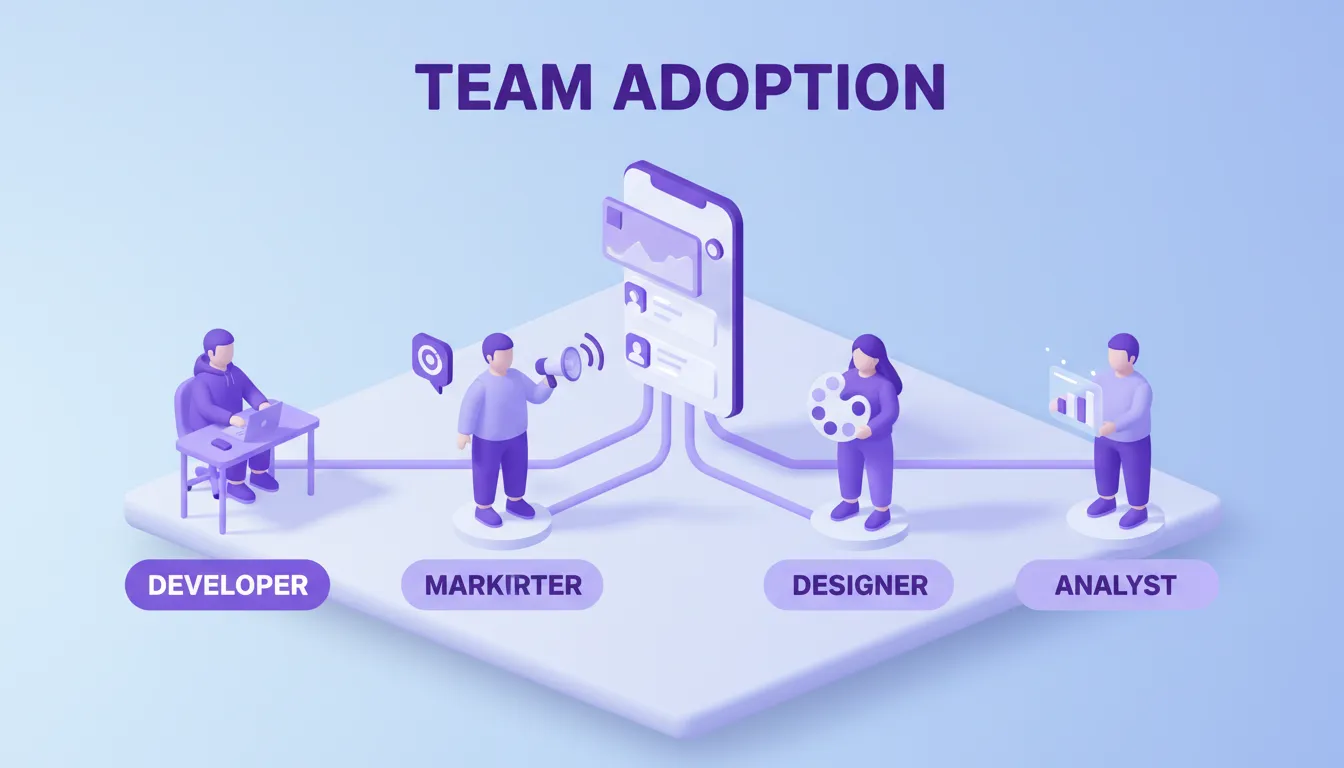
No-code platforms connect every role. Developers, designers, marketers, and analysts all work from the same shared workspace.
Beyond No-Code: The Vibe Solutioning Approach
Most no-code tools solve the "how to build" problem. They assume you already know what to build, who it is for, and whether the market wants it. That assumption is where most products fail.
Rocket is the world's first Vibe Solutioning platform. It is a platform where business thinking and building happen in the same place. Rather than starting at execution, it starts before the first prompt. It delivers strategic intelligence that answers what to build and why.
Rocket 1.0 ships with three core pillars:
Solve takes any business question in plain language and delivers a complete, structured research report. It covers market sizing, competitive landscape, pricing strategy, PRD generation, and risk analysis. Within 60 to 90 minutes, what would take a research team days is complete. Output exports as PDF or presentation deck.
Build generates production-ready web apps in Next.js for web and Flutter for mobile. It works from natural language descriptions, Figma files, or existing GitHub repositories. Every build ships with SEO-ready structure, WCAG accessibility compliance, GDPR coverage, and performance optimization by default. Most apps generate in 1 to 3 minutes.
Intelligence monitors every public platform a competitor operates on, continuously. Pricing changes, hiring spikes, product launches, press coverage, and social signals are all interpreted. Rocket delivers them as structured Intel cards ranked by strategic relevance.
The three pillars share context. The Solve research that validated your direction becomes the foundation of the Build task. The Intelligence signal from last week informs this week's product decision. Nothing is re-explained. Everything compounds.
The Vibe Solutioning loop: research informs building, intelligence triggers action, and building reveals new research needs.
How No-Code App Creation Works on Rocket
Rocket's Build pillar is where no-code app creation happens in practice. Here is the full workflow.
Six Ways to Start a Build
- From an idea: Describe your app in plain language. Rocket scores prompt clarity, asks clarifying questions if needed, then generates a fully functional app with UI, navigation, logic, and production-ready code.
- From a Figma file: Import your design and Rocket converts it to working code. It preserves typography, spacing, visual hierarchy, and color system. The developer handoff becomes unnecessary.
- From an attachment: Upload a PDF, spreadsheet, CSV, or screenshot. Rocket analyzes the content and builds from it.
- From a GitHub repository: Clone an existing Next.js TypeScript repo. Rocket imports files, installs dependencies, sets up live preview, and continues development with two-way sync.
- From a template: Browse a library of production-ready templates by category. Templates consume zero credits. Credits apply only when you start customizing.
- From a URL (Redesign): Paste any website URL and use eight slash commands to reimagine the site. Rocket reads the site structurally and rebuilds it with the specified direction.
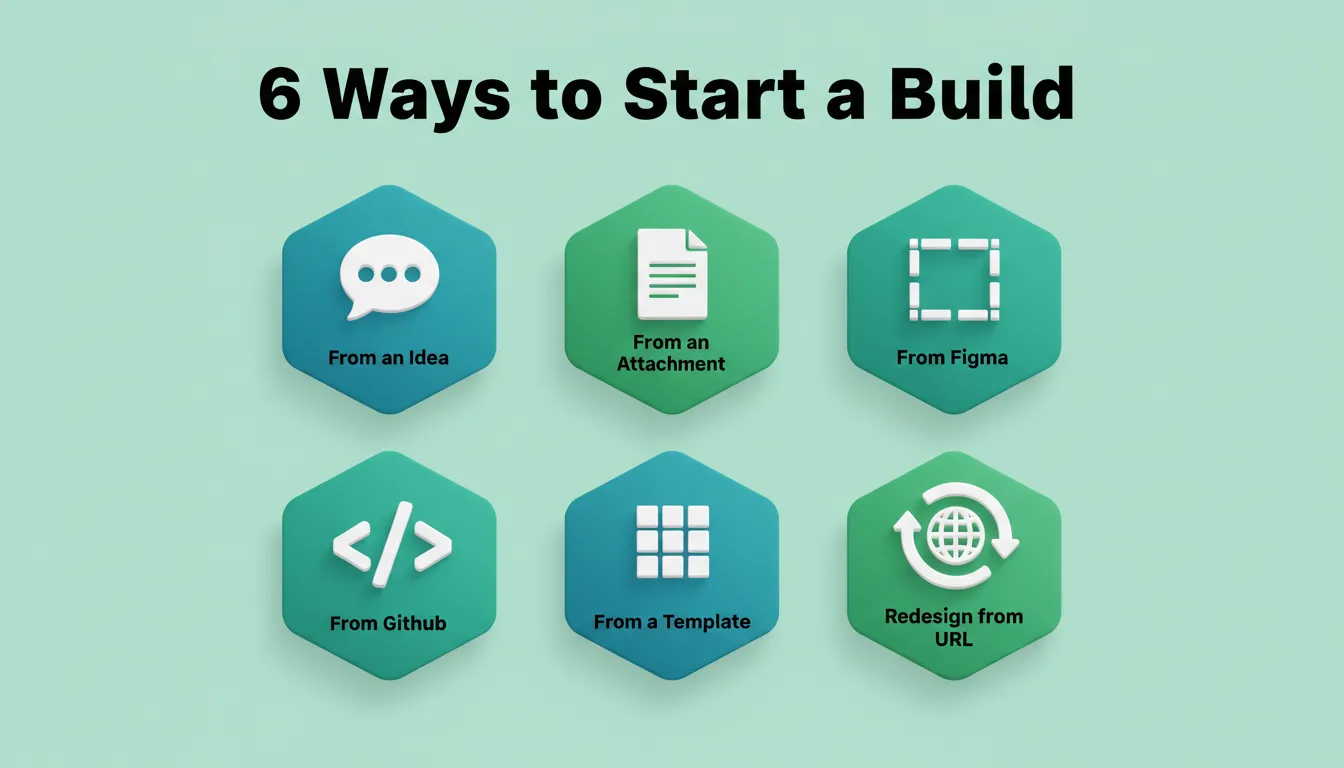 Six ways to start a build in Rocket. Choose the starting point that matches where you are.
Three Ways to Iterate
After the first generation, three editing modes let you refine without re-explaining:
- Chat: Use natural language instructions. For example: "Add a settings page," "fix the mobile layout," or "change the header to dark blue." There is no change limit.
- Visual Edit: Click any element in the live preview to change text, style, spacing, or images directly. This is WYSIWYG editing on the live app.
- Code: Browse and modify source files directly. You get full access to generated Next.js or Flutter code. Download it for local development.
What You Can Build
- Web apps: SaaS dashboards, internal tools, marketplaces, AI-powered apps, and customer portals (built in Next.js)
- Mobile apps: iOS and Android apps from a single Flutter codebase, ready for App Store and Google Play submission
- Landing pages: Conversion-focused marketing sites, portfolio pages, and product launch pages with custom domains
- E-commerce stores: Full online stores with product listings, cart, checkout, and payment integrations
- Internal tools: OKR trackers, customer health monitors, compliance dashboards, investor data rooms, and ROI calculators
26+ Integrations Built In
Rocket connects to over 26 services that flow directly into every build. Authenticate once and they are available in every project:
| Category | Integrations |
|---|---|
| Payments | Stripe, PayPal, Razorpay |
| Databases and Backend | Supabase, Airtable, Strapi, Directus |
| AI Models | OpenAI, Anthropic, Gemini, Perplexity, ElevenLabs |
| Analytics | Google Analytics, Mixpanel, AdSense |
| Email and Messaging | Mailchimp, MailerLite, SendGrid, Brevo, Resend, Twilio |
| Productivity | Notion, Linear, Jira, Google Workspace, Confluence |
| Forms and Scheduling | Typeform, Tally, Calendly, Cal.com |
| Hosting and Code | Netlify, GitHub, Postman |
The Technical Core of No-Code Platforms
Modern no-code platforms rely on a visual programming language. This language represents logic through connected blocks rather than raw syntax. Each node defines data movement, workflow, or trigger behavior. Professional developers can still extend functionality with custom applications, APIs, or scripts. This balance gives enterprises flexibility while allowing citizen developers to move quickly.
On Rocket specifically, the technical foundation includes:
- Next.js for web: Production-grade React framework with server-side rendering, SEO optimization, and built-in performance
- Flutter for mobile: Single codebase for iOS and Android with real design systems, dark and light theming, fluid navigation, and staggered animations
- Supabase for backend: Postgres database, user authentication, file storage, and edge functions, all scaffolded from chat
- Staging and production environments: Separate environments with full version history and one-click rollback
- Built-in analytics: Visitors, conversions, accessibility scores, and Core Web Vitals tracked after launch without additional tools
Best Practices for No-Code App Creation
1. Start with the problem, not the features. "Build a booking system for a hair salon" produces better results than "build a booking app." Lead with purpose.
2. Use the 3-5 feature rule. List the most important features upfront. Add more through chat after the first generation. Front-loading every feature in one prompt is the most common mistake.
3. Validate before you build. Use a research tool to validate your idea before building and confirm the market wants what you are building. The most expensive mistake is a good execution of the wrong thing.
4. Treat data as the source of truth. Keep every app connected to verified datasets. Consistent, versioned data ensures scalability and accuracy as the app grows.
5. Balance speed with control. Empower citizen developers but maintain access governance. Role-based access prevents accidental changes in production.
6. Test after every significant change. Do not make many changes without testing. Isolate changes to identify what broke and what improved.
7. Document design and logic. Keep visual and written records of each app's design. This supports debugging, onboarding new team members, and knowledge sharing.
8. Use progressive web apps for reach, native mobile apps for depth. Choose progressive web apps for internal tools. Choose native mobile apps for end-user interactions that require device features.
9. Separate design from functionality in iterations. Fix the look first, then add logic, or vice versa. Mixing both in one prompt creates unpredictable results.
10. Standardize security practices. Regularly review data permissions, triggers, and automation flows. Use environment variables for API keys. Never hardcode secrets in source code.
What No-Code Cannot Do (And How to Handle It)
No-code platforms are capable but not unlimited. Understanding the boundaries helps you plan correctly.
- Complex custom algorithms: If your app requires proprietary machine learning models or highly specialized computation, you will need custom code. Most no-code platforms allow custom code injection for these cases.
- Highly regulated industries: Healthcare, finance, and legal applications often require compliance certifications such as HIPAA, SOC 2, and PCI-DSS. These go beyond what a standard no-code platform provides. Verify compliance requirements before building.
- Extreme scale: Apps expecting millions of concurrent users may need infrastructure optimizations. Plan for this early, as a no-code platform may not manage it automatically.
- Legacy system integration: Connecting to on-premise systems or proprietary enterprise APIs may require custom middleware. Most platforms support REST APIs and webhooks as the bridge.
The practical answer for most builders: start no-code, extend with custom code where needed, and only move to a fully custom stack when the no-code ceiling is genuinely reached. For most apps, it never is.
The Future of No-Code App Creation
No-code is not a trend. It is a structural shift in how software gets built. As AI models improve and integration libraries expand, the gap between what a non-technical builder can ship and what a traditional development team produces will continue to narrow.
The teams winning today are not the ones with the most developers. They are the ones who validated the right idea before building it. No-code app creation gives you the speed. Pairing it with the right research and intelligence layer gives you the direction.
Start Building Without Limits
No-code app creation is already changing how 1.5 million people across 180 countries build and ship products. Rocket.new combines AI-powered no-code app creation with strategic research and competitive intelligence. You build the right thing, build it fast, and know how it is performing. Start building today and ship your first working app in minutes.
Table of contents
- -What is No-Code App Creation?
- -Why No-Code Has Become the Default Language of Speed
- -The Architecture Shift: From Code-First to Logic-First
- -Who Is No-Code App Creation For?
- -Comparing Traditional vs No-Code App Building
- -The Learning Curve and Team Adoption
- -Beyond No-Code: The Vibe Solutioning Approach
- -How No-Code App Creation Works on Rocket
- -Six Ways to Start a Build
- -Three Ways to Iterate
- -What You Can Build
- -26+ Integrations Built In
- -The Technical Core of No-Code Platforms
- -Best Practices for No-Code App Creation
- -What No-Code Cannot Do (And How to Handle It)
- -The Future of No-Code App Creation
- -Start Building Without Limits