
A mobile app builder AI lets you create production-ready iOS and Android apps from plain-language prompts. Rocket.new generates Flutter mobile apps and Next.js web apps, connects to Supabase for a full backend, and deploys to the App Store and Google Play, no code required.
A mobile app builder AI lets founders and product teams create production-ready iOS and Android apps from natural language prompts, no code, no terminal, no dev team required. Rocket generates Flutter mobile apps and Next.js web apps, connects to Supabase for a complete backend, and deploys to the App Store and Google Play, all from a single platform that also handles market research and competitive intelligence.
What Is a Mobile App Builder AI
Quick answer: A mobile app builder AI is a platform that generates production-ready iOS and Android apps from plain-language descriptions, no coding required.
A mobile app builder AI is a platform that uses artificial intelligence to generate, design, and deploy mobile applications from natural language prompts or visual inputs. Instead of writing hundreds of lines of code manually, users describe what they want, and the AI produces a working app complete with UI, navigation, backend logic, and production-ready code.
Modern platforms like Rocket go further than code generation alone. They combine app building with strategic research and competitor monitoring, so teams validate ideas before writing a single line of code and track the market after launch.
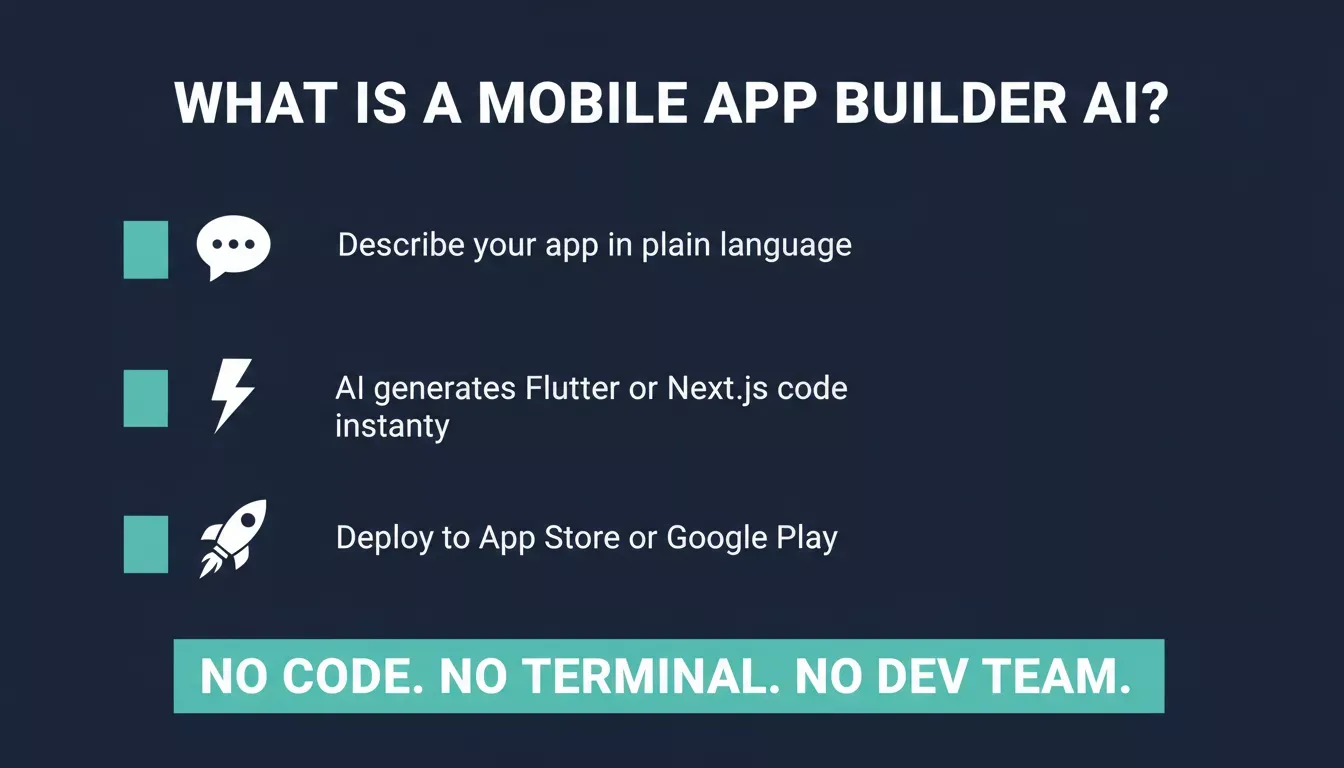
How a mobile app builder AI works: describe your app, let AI generate the code, then deploy to the App Store or Google Play.
How AI Changes the App Development Process
Traditional app development requires a team of engineers, designers, and QA testers working for months. An AI mobile app builder compresses that timeline by automating the most time-consuming tasks:
- Code generation: The AI writes clean, production-ready Flutter code for mobile and Next.js for web based on your prompt.
- UI design: Layouts, components, and navigation are generated automatically.
- Backend setup: Supabase scaffolds a complete Postgres database, user authentication, file storage, and edge functions from chat; no manual configuration required.
- Deployment: Flutter apps can be packaged and submitted directly to the Apple App Store and Google Play Store.
The Solve, Build, Intelligence Advantage
Quick answer: Unlike tools that only generate code, Rocket combines three pillars: Solve (research), Build (apps), and Intelligence (competitor monitoring), in one platform.
Most AI app builders start at the code generation step. Rocket starts earlier and continues longer. The platform is built on three pillars that share context and feed into each other.
Rocket.new three-pillar platform: Solve for research, Build for apps, Intelligence for competitor monitoring.
| Pillar | What It Does | What It Produces |
|---|---|---|
| Solve | Validates ideas, runs market research, creates PRDs | Structured reports exportable as PDF, HTML, or PowerPoint |
| Build | Generates production-ready apps from prompts or Figma | Next.js web apps and Flutter mobile apps with downloadable code |
| Intelligence | Monitors competitors continuously across nine signal pillars | Daily Intel cards, pricing alerts, hiring signals, and trend feeds |
Each pillar works independently; use one, two, or all three. But the real advantage is how they connect: research findings from Solve carry directly into Build tasks as context, and Intelligence signals can trigger a new Solve analysis or a product update in Build without switching tools.
For a team building a mobile app, this means you can validate the market, build the app, and track what competitors are shipping, all without leaving the platform. Explore how Rocket's Build pillar generates mobile-native apps from a single prompt.
Key Features to Look for in a Mobile App Builder AI
Not all AI app builders are equal. When evaluating platforms, focus on these capabilities:
| Feature | Why It Matters | Rocket's Support |
|---|---|---|
| Natural language prompting | Lets non-technical users describe apps in plain English | Yes, describe any app in chat, no code or terminal needed |
| Flutter mobile output | Produces native iOS and Android apps | Yes, Flutter is Rocket's mobile generation framework |
| Next.js web output | Produces production-ready web apps | Yes, Next.js is Rocket's web generation framework |
| Supabase backend | Complete Postgres DB, auth, storage, and edge functions | Yes, connects via OAuth, scaffolds full backend from chat |
| App store packaging | Enables distribution on iOS and Android | Yes, submit to Apple App Store and Google Play directly |
| GitHub code sync | Keeps generated code in your own repository | Yes, two-way GitHub sync for Next.js and TypeScript projects |
| Version history and rollback | Prevents losing working builds | Yes, every build saves a version; roll back from chat |
| 26+ integrations | Connects to payments, email, AI models, analytics | Yes, Stripe, Resend, OpenAI, Mixpanel, and more |
| Figma import | Converts designs to production code | Yes, React, Next.js, or Flutter output with pixel accuracy |
Native vs. Cross-Platform vs. PWA: Which Output Type Do You Need?
Quick answer: Rocket generates Flutter apps (cross-platform native for iOS and Android) and Next.js web apps (deployable as PWAs). Choose Flutter for app store distribution; choose Next.js for browser-based access.
Readers researching "mobile app builder AI" often encounter three output types without a clear explanation of the tradeoffs.
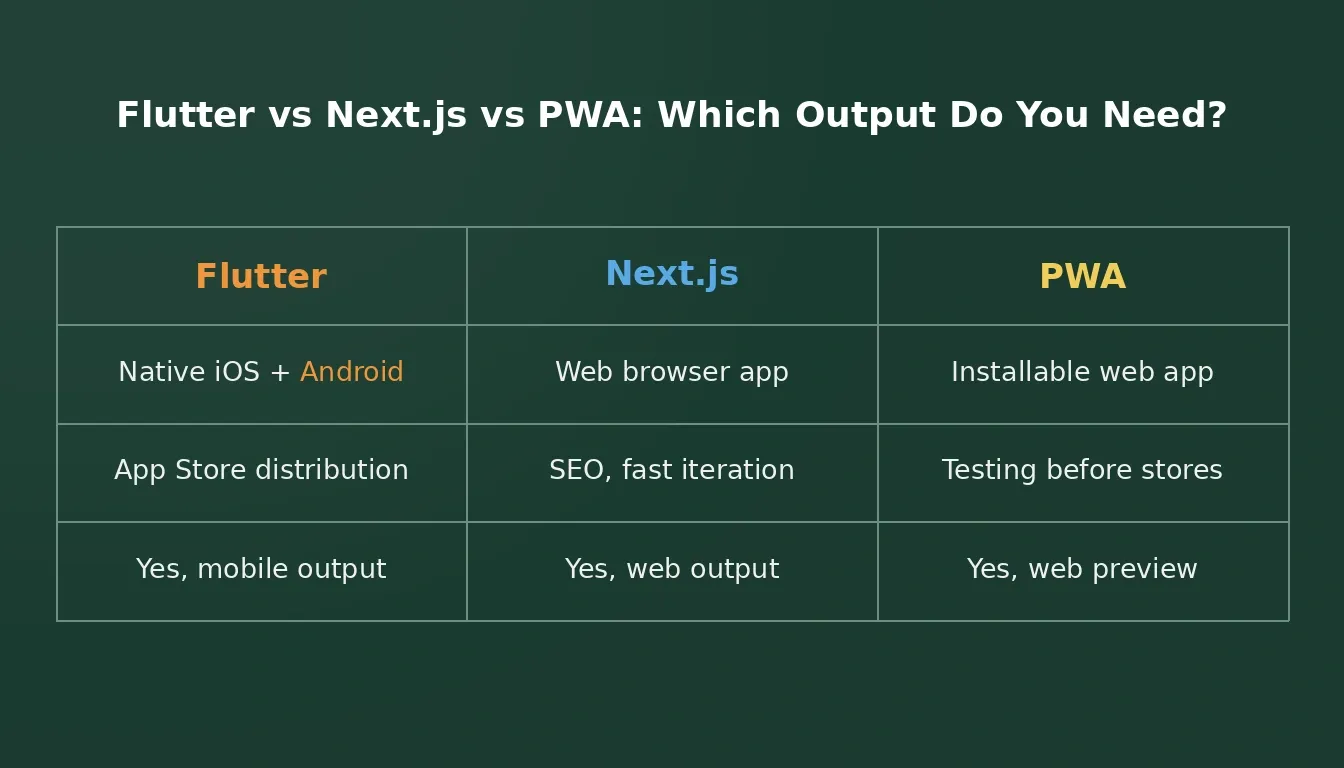
Flutter, Next.js, and PWA compared: choose the right output type based on your distribution goal.
Native apps are built separately for iOS (Swift) and Android (Kotlin). They offer the best performance and deepest OS integration but require two codebases and two teams.
Cross-platform apps use a single codebase to produce apps for both iOS and Android. Flutter — used by Rocket- is Google's cross-platform UI toolkit that compiles to native ARM code, so performance is close to fully native. A single Flutter project produces both an iOS IPA and an Android APK from the same source.
Progressive Web Apps (PWAs) are web apps that can be installed on a device's home screen and work offline. Rocket's mobile apps can also be shared as a web preview before app store submission, which functions similarly to a PWA for testing purposes.
Which to choose:
- App store distribution (iOS and Android): Use Flutter output from Rocket's Build.
- Browser-based access, fast iteration, SEO: Use Next.js output from Rocket's Build.
- Test before submitting to stores: Use Rocket's "Share as web preview" option.
Benefits of Using an AI Mobile App Builder
Speed to Market
The most significant advantage of a mobile app builder is speed. Teams that previously needed three to six months to ship a mobile app can now launch in days. Rocket plans the architecture, writes production-ready code, and shows a live preview the moment generation finishes.
No-Code Accessibility
Rocket generates production-ready Flutter mobile apps and Next.js web apps from plain-language prompts. You do not need to write code or use a terminal. Entrepreneurs, product managers, and designers can build functional apps without engineering support.
Cost Efficiency
Hiring a mobile development team is expensive. Custom mobile app development typically costs between $50,000 and $300,000, and timelines stretch to six months or more. AI builders reduce that cost dramatically by automating the engineering work that drives most of that spend.
Production-Ready Output
Rocket does not produce throwaway prototypes. It generates deployable Flutter code you can download (on paid plans), connect to GitHub, and submit directly to the Apple App Store and Google Play Store. The generated code is yours, no lock-in.
Iterative Development
Because Rocket generates code instantly and saves every version, teams can iterate rapidly. Change a feature, update the UI, or add an integration in minutes, not weeks. Roll back to any previous version from chat if something breaks.
Research-Informed Building
Unlike standalone code generators, Rocket's Solve pillar lets you validate your app idea with structured market research before you build. Findings carry directly into your Build task as context, so the app you generate reflects real market data, not just a blank prompt. Learn more about how to build a mobile app with AI using this research-first approach.
How to Build a Mobile App with AI: Step-by-Step
Six steps from idea to live app on Rocket: validate, prompt, preview, refine, connect backend, submit.
Step 1: Validate Your Idea First
Before writing a single prompt for the app itself, use Rocket's Solve pillar to run a market research task. Ask a business question and get a structured, evidence-backed report. Use those findings to scope your Build task with full context already in place.
Step 2: Write Your Build Prompt
Describe your app in plain language in Rocket's Build editor. Include the app type, key screens, features, and any design preferences. The more specific you are, the closer the first result will be to what you have in mind.
Step 3: Review the Live Preview
Rocket plans the architecture, writes production-ready Flutter code, and shows a live mobile preview the moment generation finishes. Review each screen, test the navigation, and identify anything that needs adjustment.
Step 4: Refine Through Chat
Iterate on your app by chatting in plain language. The AI edits screens, adds features, and writes production code as you talk. Use Visual Edit to click any element directly and update text, spacing, or styling without a prompt. Every change saves a new version automatically.
Step 5: Connect Your Backend
Type a prompt mentioning auth, database, or file storage; Rocket detects the intent and shows a Connect button for Supabase inline. Once connected, Supabase scaffolds a complete Postgres database, user authentication, file storage, and edge functions. No manual API configuration required.
Step 6: Package and Submit to App Stores
Export your Flutter project from the Code tab (paid plan required). For iOS, open the project in Xcode on a Mac, archive the build, and submit through App Store Connect; an Apple Developer account ($99/year) is required. With the right packaging, apps from Rocket can be submitted to both the Apple App Store and the Google Play Store.
Top Use Cases for AI Mobile App Builders
AI mobile app builders are not just for simple tools. Teams are using them to build:
- SaaS products: Subscription-based mobile apps with user accounts, Stripe billing, and dashboards.
- Marketplaces: Two-sided platforms connecting buyers and sellers with real-time listings powered by Supabase.
- Internal tools: Employee-facing apps for operations, HR, and field teams, built without a dedicated dev team.
- Consumer apps: Social, fitness, productivity, and lifestyle apps for end users on iOS and Android.
- E-commerce apps: Mobile storefronts with product catalogs, Stripe checkout, and order management.
- Healthcare apps: Patient portals, appointment booking, and health tracking tools with secure data handling.
Teams building no-code mobile apps with AI are shipping across all of these categories without a single engineer on the founding team.
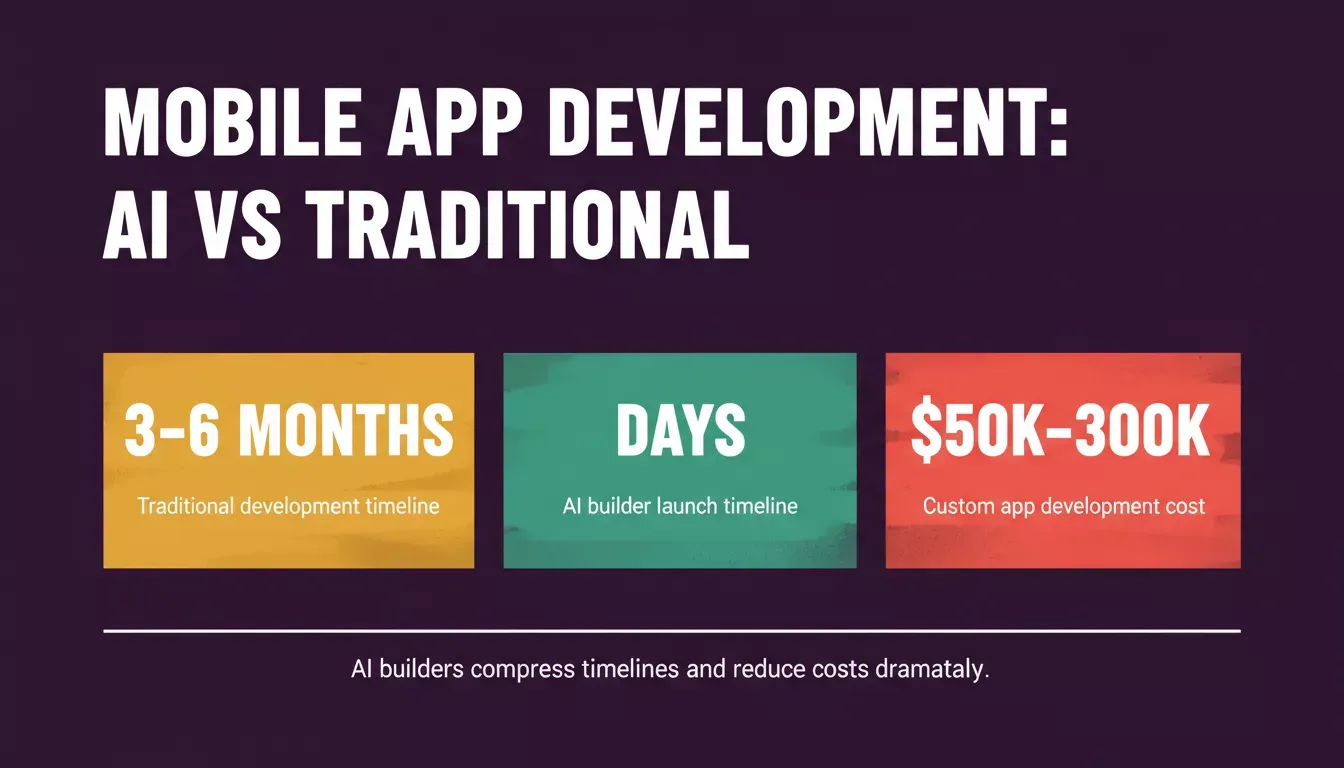
AI app builders compress development from months to days and reduce costs compared to traditional custom development.
Choosing the Right AI Mobile App Builder
Evaluate Output Quality
The most important criterion is the quality of the generated code. Look for platforms that produce maintainable, production-ready output, code you can download, connect to GitHub, and continue developing independently. Rocket generates Flutter code you own outright.
Check Platform Support
Ensure the builder supports your target platforms. Rocket's Build produces Flutter apps for iOS and Android, and Next.js apps for web. Some builders produce web-only output or visual prototypes that cannot be submitted to app stores.
Assess Integration Depth
Your app will likely need payment processing, analytics, communication APIs, and a database. Rocket connects to 26+ services, including Stripe, Supabase, OpenAI, Mixpanel, Resend, and Twilio, from a single prompt. No manual API setup required.
Consider the Full Workflow
A standalone code generator leaves you to figure out market validation, backend setup, and competitive monitoring separately. Rocket's three-pillar approach means Solve research informs what you build, Intelligence monitors what competitors ship after you launch, and Build handles the app itself, all in one platform with shared context.
Founders comparing options should also look at how Rocket stacks up against other AI app builders before committing to a platform.
Review Pricing
Rocket offers a free plan with no credit card required; sign up in about 30 seconds. Paid plans unlock features including code download, higher generation limits, and full Intelligence monitoring. For current plan details and credit limits, see the Rocket pricing page.
Security and Data Handling
Security is a common concern for SaaS, healthcare, and enterprise use cases. Here is what Rocket's Build generates by default:
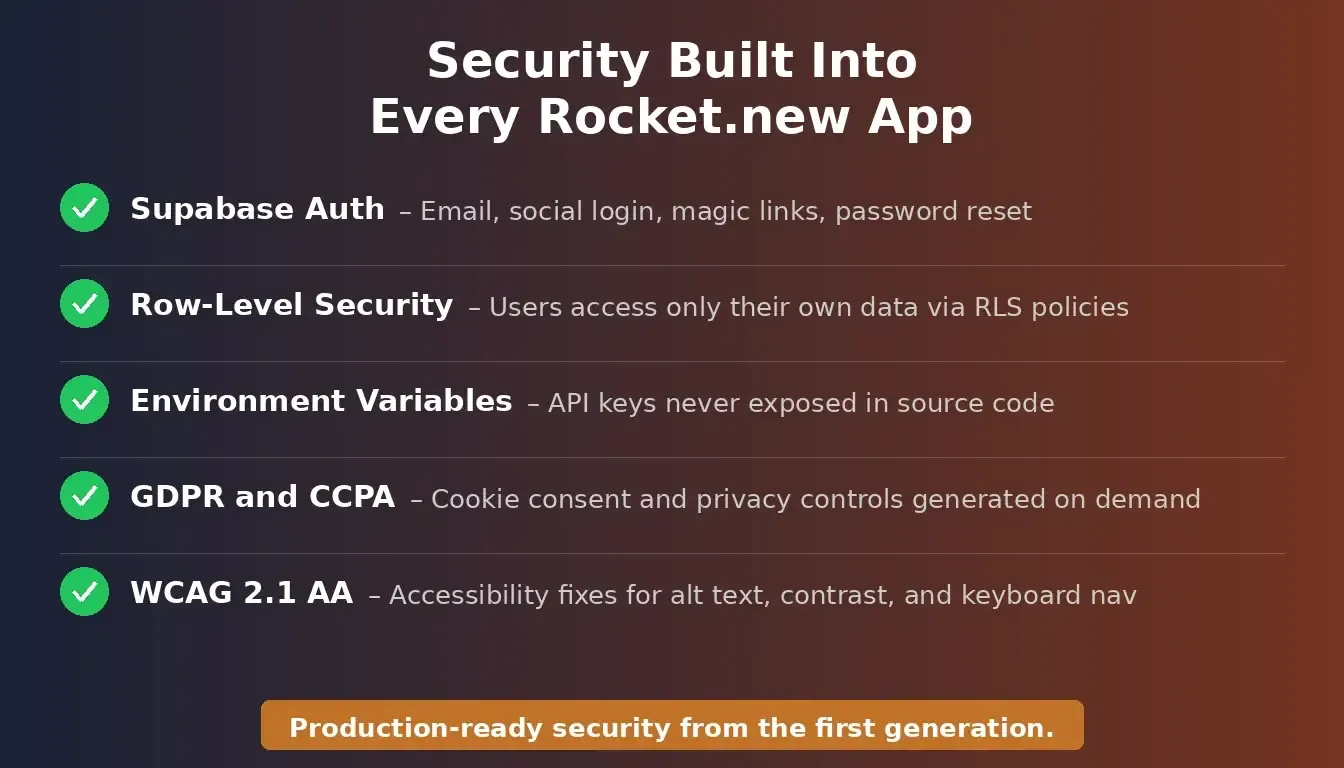 Five security layers Rocket generates by default: auth, row-level security, env vars, GDPR/CCPA, and WCAG 2.1 AA.
Authentication: Supabase Auth supports email/password login, social providers (Google, GitHub, Apple), magic links, and password reset flows. All authentication is handled server-side.
Row-level security: Supabase's PostgreSQL row-level security (RLS) policies ensure users can only read and edit their own data. Rocket generates RLS policies from chat prompts.
Environment variables: API keys, tokens, and secrets are stored in Rocket's environment variables; they never appear in source code or version history.
GDPR and CCPA compliance: Rocket can generate cookie consent banners, privacy policies, and data handling controls from a single prompt via the Compliance and Privacy polish feature.
WCAG 2.1 AA accessibility: Rocket's Accessibility polish feature generates automated fixes for alt text, ARIA labels, contrast ratios, and keyboard navigation.
For a full checklist, see the Rocket security checklist in the docs.
Pricing: What to Expect
Rocket uses a single credit balance shared across Solve research, Build app generation, and Intelligence monitoring tasks. Key pricing facts verified from the docs:
- Free plan: Available with no credit card required. Sign up in about 30 seconds. Includes Light Solve, basic Build generation, and browsing templates (zero credits consumed).
- Paid plans: Unlock code download (required for app store submission), higher generation limits, full Intelligence monitoring, and additional credits.
- Code ownership: Generated code is yours on paid plans, download it, connect it to GitHub, and continue development independently.
- Supabase free tier: Two active projects, 500 MB database storage, and 1 GB file storage (Supabase's own limits, separate from Rocket's plan).
The low-code and no-code market is growing at over 20% annually, reflecting strong demand for accessible app development tools. Platforms that combine research, building, and intelligence in one workflow are positioned to capture the most value as this market matures.
For current tier names and credit amounts, visit the Rocket pricing page.
Table of contents
- -What Is a Mobile App Builder AI
- -How AI Changes the App Development Process
- -The Solve, Build, Intelligence Advantage
- -Key Features to Look for in a Mobile App Builder AI
- -Native vs. Cross-Platform vs. PWA: Which Output Type Do You Need?
- -Benefits of Using an AI Mobile App Builder
- -Speed to Market
- -No-Code Accessibility
- -Cost Efficiency
- -Production-Ready Output
- -Iterative Development
- -Research-Informed Building
- -How to Build a Mobile App with AI: Step-by-Step
- -Step 1: Validate Your Idea First
- -Step 2: Write Your Build Prompt
- -Step 3: Review the Live Preview
- -Step 4: Refine Through Chat
- -Step 5: Connect Your Backend
- -Step 6: Package and Submit to App Stores
- -Top Use Cases for AI Mobile App Builders
- -Choosing the Right AI Mobile App Builder
- -Evaluate Output Quality
- -Check Platform Support
- -Assess Integration Depth
- -Consider the Full Workflow
- -Review Pricing
- -Security and Data Handling
- -Pricing: What to Expect