
Struggling to simplify marketing app development? Use no-code platforms like Rocket.new to cut complexity, reduce costs, and build user-focused apps, tapping into growing mobile revenue opportunities while accelerating development and deployment efficiently.
How to build a powerful marketing app without getting stuck in complex code?
You can use a platform like Rocket.new to speed up the process, reduce cost, and still create something that connects with users.
In fact, Statista reports that global mobile app revenue surpassed $935 billion, underscoring how significant the opportunity is. That means building smart marketing apps is not just a trend; it is a real business move.
Let’s break it down step by step.
Why Marketing Apps Matter Today?
So, why are marketing apps getting so much attention?
People spend hours on their phones. Businesses want to meet users where they already are. A well-built app helps brands connect, track data, and run every marketing campaign from one place.
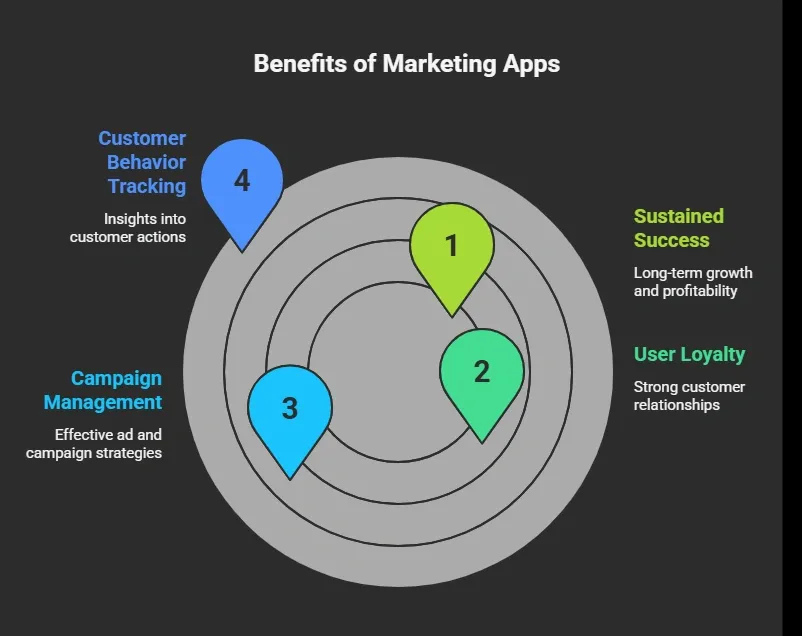
If your business wants to grow, a smart app is no longer optional.
So, How Do You Actually Build a Marketing App?
Alright, enough theory. Let’s get practical.
Here’s the simple truth. You don’t need a huge team or months of coding anymore. With tools like Rocket.new, the process is faster, cleaner, and way more beginner-friendly.
Rocket.new is a vibe solutioning platform that helps you create apps by simply describing what you want. Instead of writing heavy code, you guide the tool with prompts, and it builds your app structure, features, and screens for you.
Below is a step-by-step breakdown of how to create your own marketing app from scratch, even if you’re not deep into tech.
1: Get Clear on Your Idea
Before you touch any tool, you need clarity. If your idea is weak, your app won’t perform well. So take a moment and define what you actually want to build.
Focus on:
- Your target audience
- The main problem your app will solve
- Type of marketing campaigns you want to run
- Your overall marketing strategy
- How your app will stand out from other apps
Clarity saves time. The better your idea, the smoother your entire process will be.
2: Sign up on Rocket.new
Now it’s time to move. Head over to Rocket.new and create your account. The platform is designed to be simple, so you won’t feel lost.
What to do:
- Create an account
- Access the dashboard
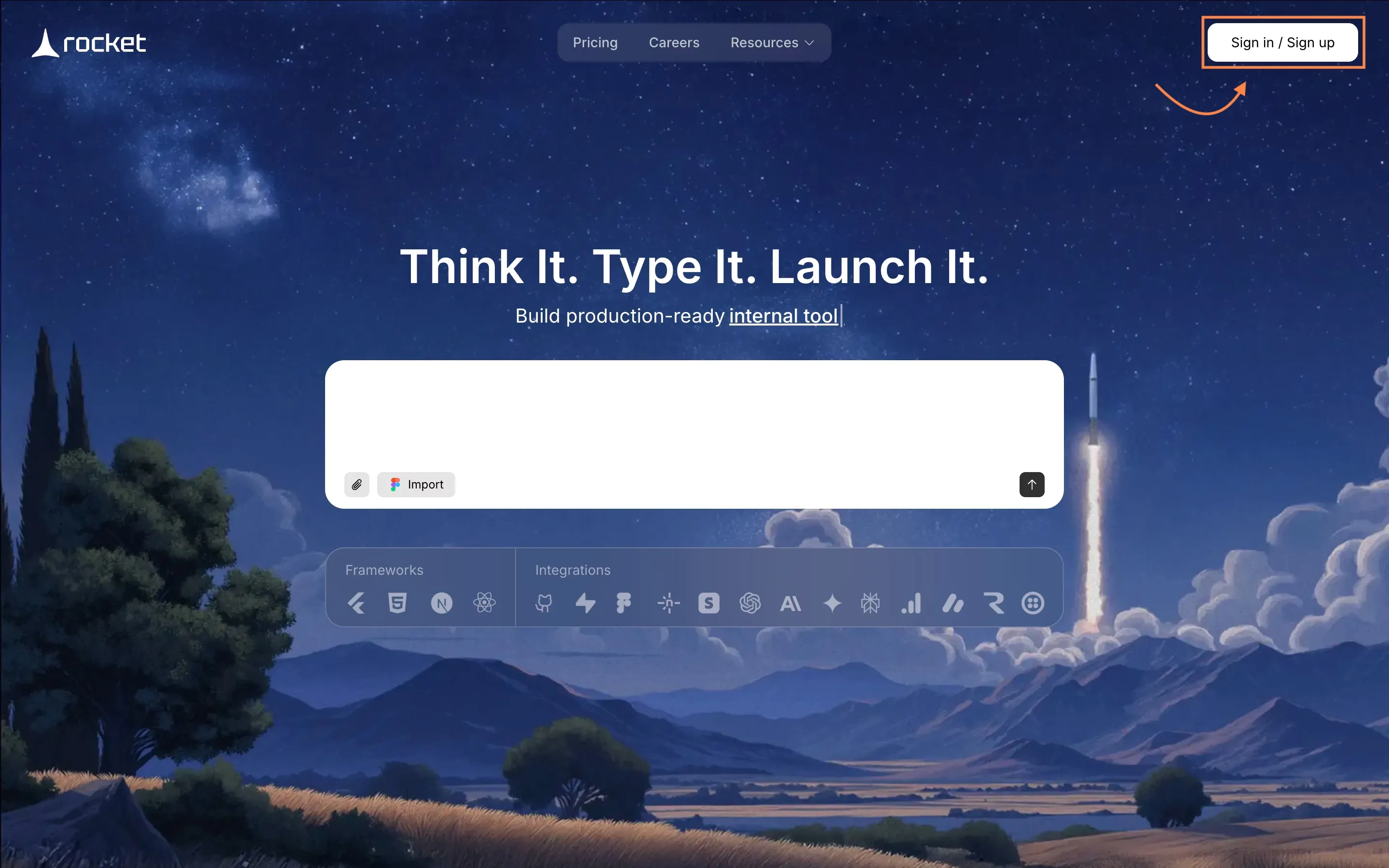
This step takes just a few minutes, but it opens the door to building your full app.
3: Start with a Prompt or Template
This is where things get interesting. Rocket.new lets you either describe your app idea or pick a ready-made template.
You can:
- Enter a prompt like “Create a marketing app for managing social media campaigns.”
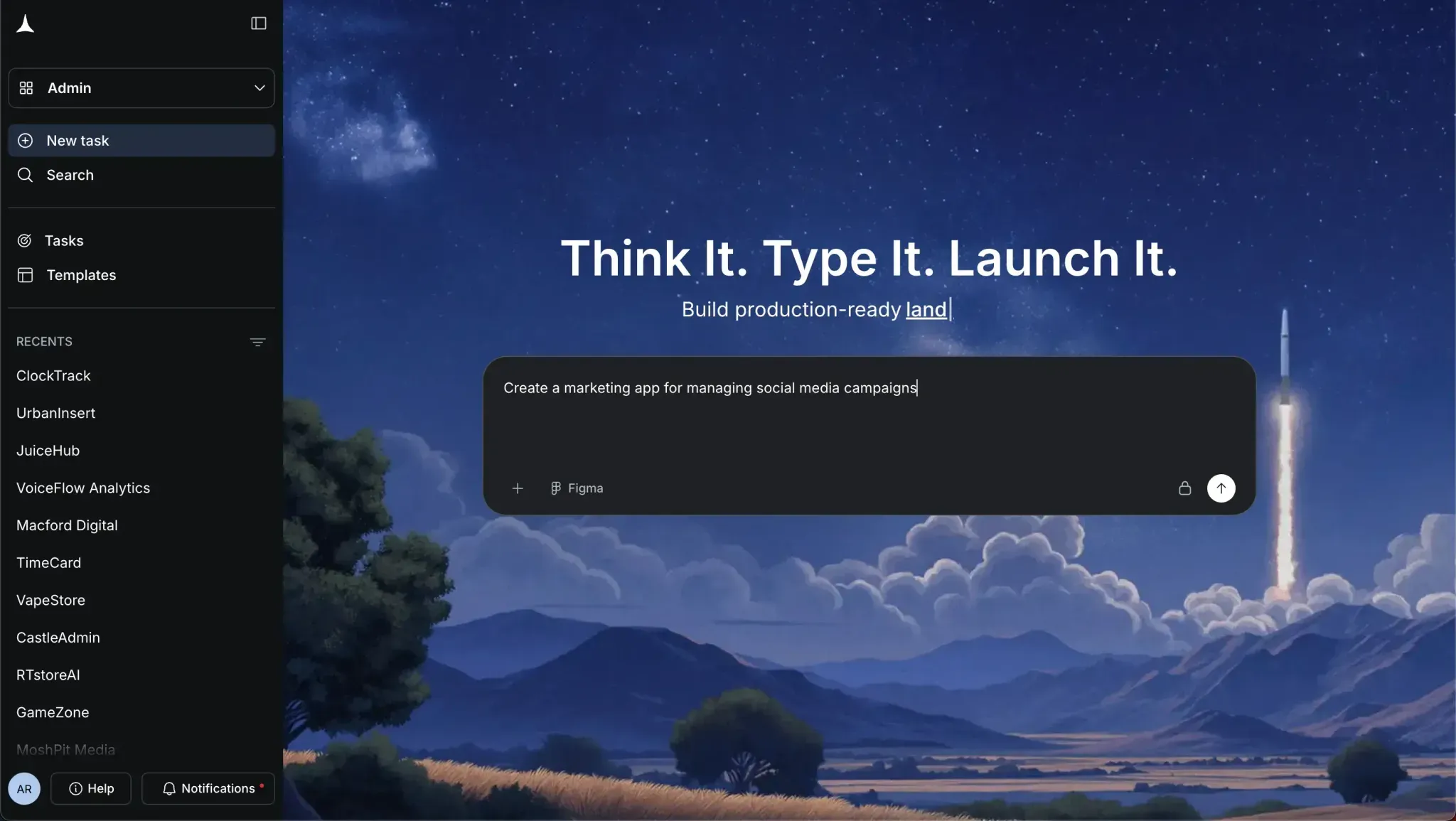
- Choose from existing marketing app templates
- Define basic features like analytics, ads tracking, or campaign tools
If you’re confused, start with a template. It gives you a strong base to build on.
4: Select Screens and Watch It Build
Now comes the fun part. You select the screens you want, and Rocket.new starts building your app in real time.
Typical screens include:
- Dashboard for analytics
- Campaign manager
- Social media scheduler
- Landing page builder
- Ads performance tracker
Seeing your app come to life this fast feels unreal. This is where speed really matters.
5: Customize Your App Based on Your Needs
Once your app is ready, don’t stop there. You need to shape it according to your business and users.
You can modify:
- Features and tools
- App design and graphics
- Campaign settings
- Data tracking and analytics
- User flow and navigation
Add what matters. Remove what doesn’t. Your app should match your audience, not just look good.
Step 6: Add Marketing Features and Commands
Now refine your app for real marketing use. This step is all about making your app useful for campaigns and growth.
Include features like:
- Google ads integration
- Social media posting tools
- Advanced analytics dashboards
- Push notifications
- In-app purchases for revenue
- Remarketing campaigns setup
The right features turn your app into a powerful tool for marketers.
Step 7: Test and Prepare for Launch
Before you launch, test everything. Small issues can hurt user experience and conversion rates.
Check:
- App speed
- Navigation flow
- Campaign tracking accuracy
- Landing page performance
- Ads and analytics setup
Testing saves you from bad first impressions.
Step 8: Launch Your Marketing App
Now it’s go time. Push your app live and start your first marketing campaign.
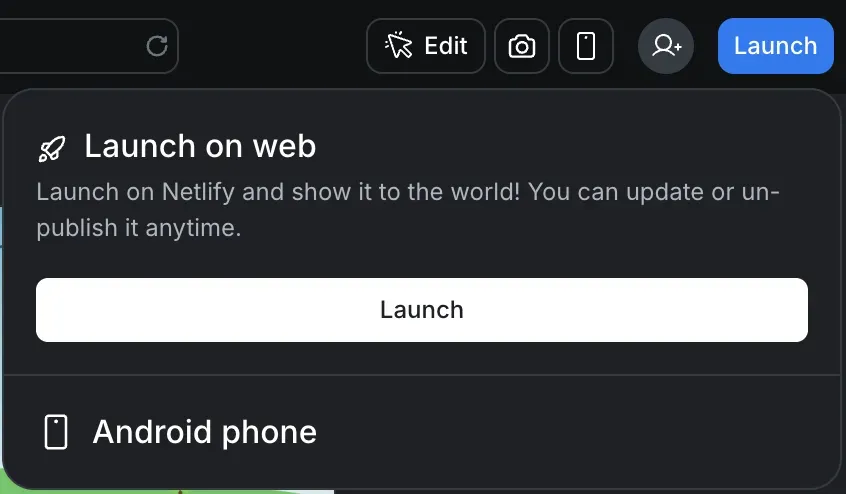
Your launch plan should include:
- Social media promotion
- Google ads campaigns
- Influencer marketing
- Paid advertising
- Posts across platforms
A strong launch brings early users and builds momentum.
Building marketing apps today is more about smart tools than heavy coding. Rocket.new simplifies the process. You get speed, control, and flexibility in one place.
Start simple. Keep your focus on users, campaigns, and data.
Once you get the hang of it, you can scale, improve, and grow your app into something serious .
Quick Comparison
Before you decide how to build your app, it helps to see the difference clearly. Here’s a simple comparison between basic apps and marketing apps built with Rocket.new.
| Feature | Basic Apps | Marketing Apps with Rocket.new |
|---|---|---|
| Analytics | Limited | Advanced analytics included |
| Campaign Management | Basic | Full control |
| Speed | Medium | High speed |
| Cost | Higher | Lower cost |
| Customization | Limited | Flexible |
| User Experience | Average | High quality |
The difference is pretty clear. When you have better tools, you get more control, faster results, and a smoother experience for your users.
Practical Tips for Better Results
Let’s keep it simple. Small, smart actions can make a big difference when you’re building and managing marketing apps.
Focus on these tips:
- Focus on your audience, not just features
- Use data to guide decisions
- Test different ads and campaigns
- Keep your app updated
- Manage your budget wisely
You don’t need big changes to see results. Consistency and small improvements over time can lead to steady growth.
Common Challenges You Might Face
Building marketing apps is not always smooth. There are a few common problems that many businesses face during the process.
Some common challenges include:
- High cost of development
- Managing multiple campaigns
- Keeping users engaged
- Finding the right strategy
These challenges are normal. With the right tool and a clear process, you can handle them without too much stress
The Role of Digital Marketing in Your App
Your app alone is not enough. You need the right support system to help it grow, and that’s where digital marketing comes in.
It helps you to:
- Reach your audience
- Run ads across platforms
- Track performance
- Improve growth
When you combine your app with a strong digital marketing strategy, you give your business a much better chance of growing and succeeding.
Solving Marketing App Development Challenges
Many businesses struggle to build marketing apps due to high costs, complex code, and unclear strategies. They often fail to connect with users or run effective campaigns. This creates delays, wasted budget, and poor results. Using tools like Rocket.new makes marketing app development much simpler. It helps you create apps faster, manage campaigns easily, and track data without getting stuck in technical issues.
Keep things simple. Focus on users, data, and strategy as you build your app. The right tools can speed up your process and reduce cost at the same time. A smart approach with the right platform can turn your app into a strong marketing asset for your business.
Table of contents
- -Why Marketing Apps Matter Today?
- -So, How Do You Actually Build a Marketing App?
- -1: Get Clear on Your Idea
- -2: Sign up on Rocket.new
- -3: Start with a Prompt or Template
- -4: Select Screens and Watch It Build
- -5: Customize Your App Based on Your Needs
- -Step 6: Add Marketing Features and Commands
- -Step 7: Test and Prepare for Launch
- -Step 8: Launch Your Marketing App
- -Quick Comparison
- -Practical Tips for Better Results
- -Common Challenges You Might Face
- -The Role of Digital Marketing in Your App
- -Solving Marketing App Development Challenges