
A web database application builder without coding lets teams design, manage data, and deploy apps using visual tools with no developer needed. No-code platforms are growing fast, and businesses now launch scalable apps in days.
Most teams hit the same wall: a real business problem, a clear idea for an app, and no developer available to build it. The no-code category exists precisely for that gap. Low-code and no-code platforms are projected to account for over 70% of new application development by 2026, and that trajectory is only picking up speed as more teams hit the limits of their dev bandwidth.
Here is where the "no coding required" claim actually holds up, and where it does not.
What a No-Code App Builder Actually Does
A no-code app builder is a platform that lets you build apps through a visual interface: drag-and-drop layouts, point-and-click data connections, and rule-based logic that does not require you to write a single line of code.
Think of it as a visual dashboard. You choose layouts. You connect data. You set rules.
Teams use these tools for everything from CRM systems and inventory tracking to client-facing portals and the internal tools that usually sit at the bottom of the dev team's backlog.
Many platforms also offer a free plan so teams can test core features before committing to a paid tier.
Why Teams Are Dropping the Dev Dependency
Hiring a developer for a project like this can take six to eight weeks just to get someone onboarded, and that is before a single screen gets built. Managing a tech stack adds cost. Writing code from scratch adds time that most business teams simply do not have.
A no-code platform lets teams:
- Ship apps in days rather than months
- Adjust business logic without filing a ticket
- Connect data sources without writing integration code
- Launch without waiting on a dev sprint
That is the practical case, not the marketing one. Operations teams, product managers, and founders are all using these tools to build things that would have required a developer two years ago.
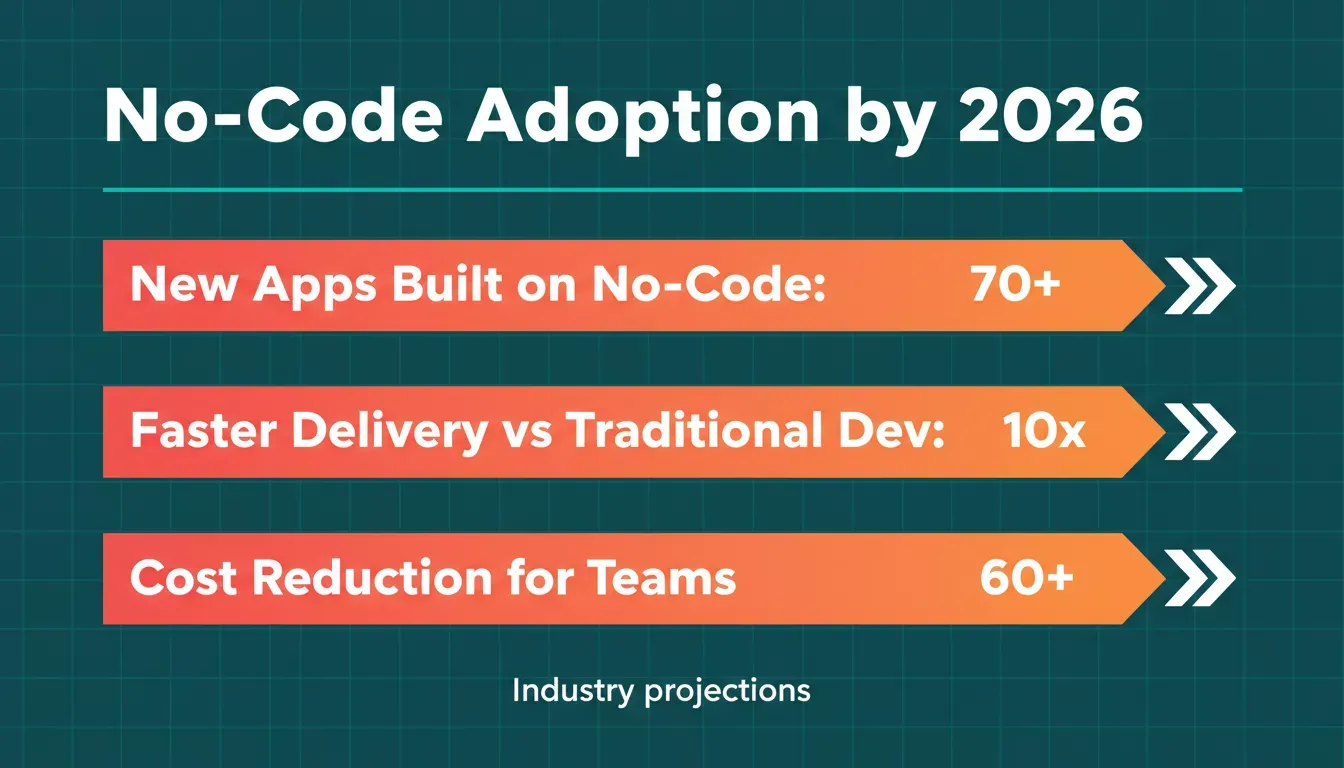
No-code adoption is accelerating across industries, with significant gains in speed and cost efficiency.
The Six Steps That Actually Matter
Here is what the process looks like when you sit down to build a web database application without coding. There is no magic, just a sequence that works when you follow it in order.
- Define your data structure
- Choose the right app builder
- Connect your data sources
- Design the web app interface
- Add logic and workflows
- Secure and launch
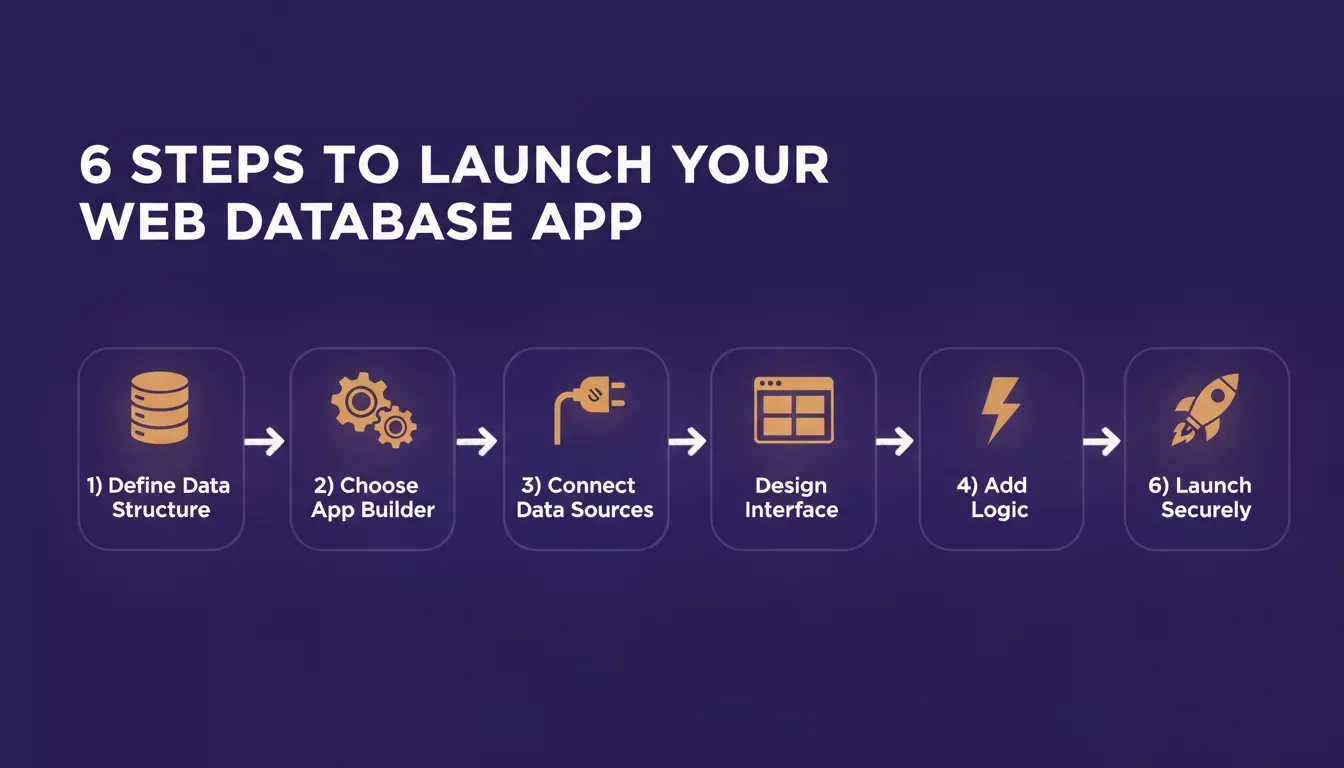
Each step builds on the previous one. Skipping any step creates gaps that slow your launch.
Miss the data structure step and you will be rebuilding halfway through. Pick the wrong builder and you will outgrow it the moment your logic gets complex. The order is not arbitrary.
Step 1: Start With Your Data Structure
Every app begins with data. Before you open any builder, define what information needs to be stored, who needs to access it, and what relationships exist between records.
Some platforms let you connect Google Sheets as a live data source. Others work with SQL databases or their own built-in database layer. The right choice depends on how structured your data needs to be and how fast it will grow.
A clean data structure is what makes it possible to build internal tools that actually scale. Skip this step and you are building on sand.
Step 2: Choose the Right App Builder
Not all builders are equal. Some are optimized for simple forms and dashboards. Others handle complex data modeling, multi-step workflows, and role-based access. Choosing the wrong one early is the most common mistake teams make.
Here is a practical comparison:
| Feature | No-Code Builder | Traditional Code |
|---|---|---|
| Writing code required | No | Yes |
| Setup time | Fast | Slow |
| Custom code options | Limited | Full control |
| Enterprise-grade security | Available on enterprise plans | Depends on setup |
| Free plan available | Yes | Rare |
| Native mobile support | Often included | Requires extra setup |
| Data integration | Built-in connectors | Manual configuration |
The honest tradeoff: no-code tools are fast and accessible, but they hit a wall once your logic gets genuinely complex. That is worth knowing going in, not discovering six months later.
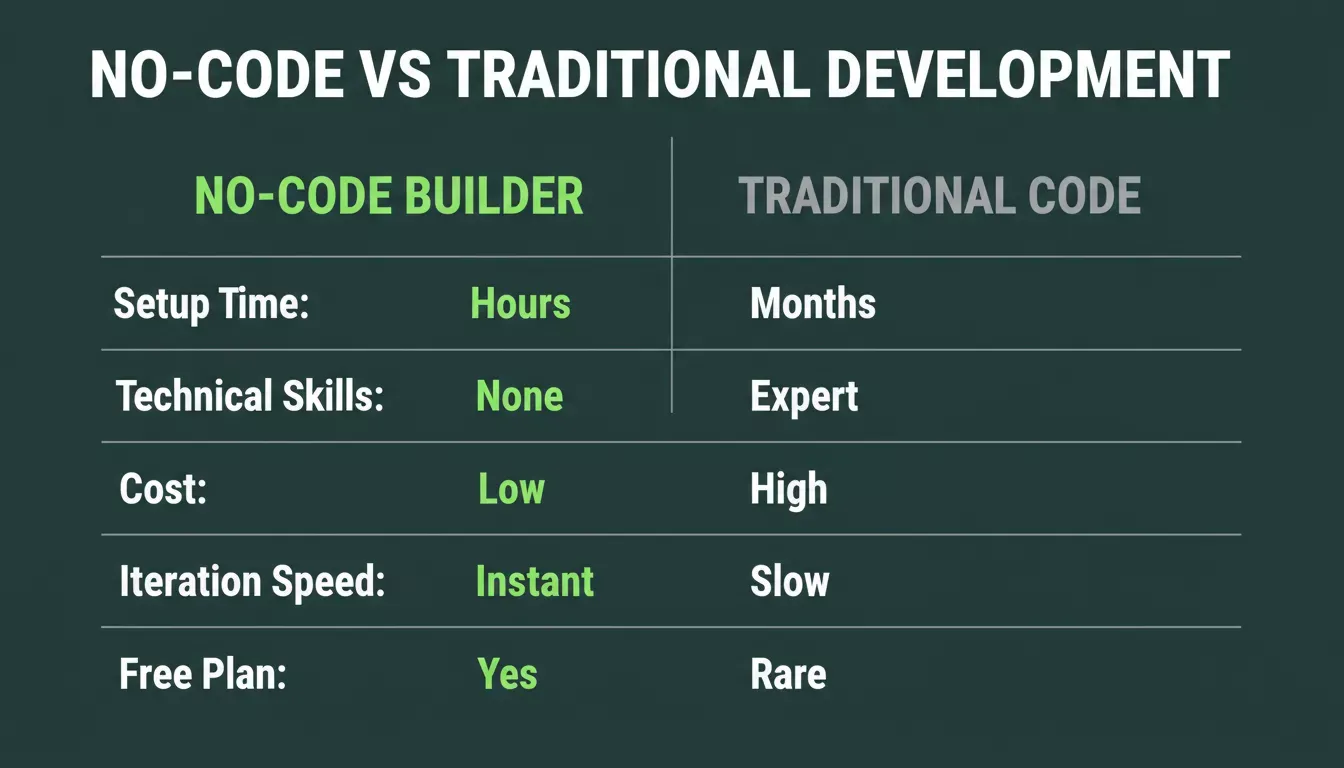
No-code builders consistently outperform traditional development on speed, cost, and accessibility for most business use cases.
Some platforms also serve as low-code tools, which means they allow custom code in specific places when the visual tools run out of road.
Step 3: Connect Data Sources
Once the builder is chosen, connect the data. Most no-code platforms support Google Sheets, CRM systems, external APIs, and third-party apps through built-in connectors that sync automatically.
The goal is a single source of truth. When your app pulls from one connected data layer rather than multiple disconnected spreadsheets, the manual reconciliation work disappears. That alone saves most teams several hours a week.
Step 4: Build Your Web App Interface
This is where the visual work happens. A good builder gives you reusable components, pre-built layouts, and smart suggestions that keep the interface consistent without requiring design skills.
You arrange layouts visually, add forms and dashboards, and wire up analytics tools. Most platforms also generate a mobile-responsive view automatically, so the app works on phones without any extra configuration.
Step 5: Add Logic and Workflows
An app without logic is just a form. Conditional logic controls what users see based on their role or input. Multi-step workflows handle approvals. Automated triggers fire notifications, update statuses, and push data when conditions are met.
Teams building complex automation should look at AI workflow builder solutions alongside their no-code setup. The two approaches complement each other well, especially for approval chains and multi-system triggers.
Step 6: Secure and Launch
Security is not optional, and it is not a last step. The best no-code platforms bake compliance features in: audit logs, role-based access controls, custom domains, and row-level security policies that control exactly who can read or edit each record.
Enterprise plans typically include the compliance layer that a CISO will actually ask about. Teams can start on a free plan and upgrade as the user base grows.
The six-step workflow for launching a web database app without coding.
A Real User's Take
"So I've been experimenting with Rocket.new recently, and I think it's worth sharing how it works and my experience with it" — Reddit
That kind of ground-level account matters. It shows how these tools work in practice, including the friction points, not just the marketing version.
How Rocket Handles the Database Layer
When you build a web database application on Rocket, the backend is not something you configure manually. Rocket uses Supabase to scaffold a complete backend from a single chat prompt, including a PostgreSQL database, user authentication, file storage, and edge functions.
When a user submits a form, logs in to a portal, or updates a record, the system processes the request and retrieves data from a structured Postgres database with row-level security policies already in place. None of that requires the builder to write a line of SQL.
That is the part that usually trips people up with other tools: the database layer looks simple until you need real access controls or real-time updates. Rocket handles both by default.
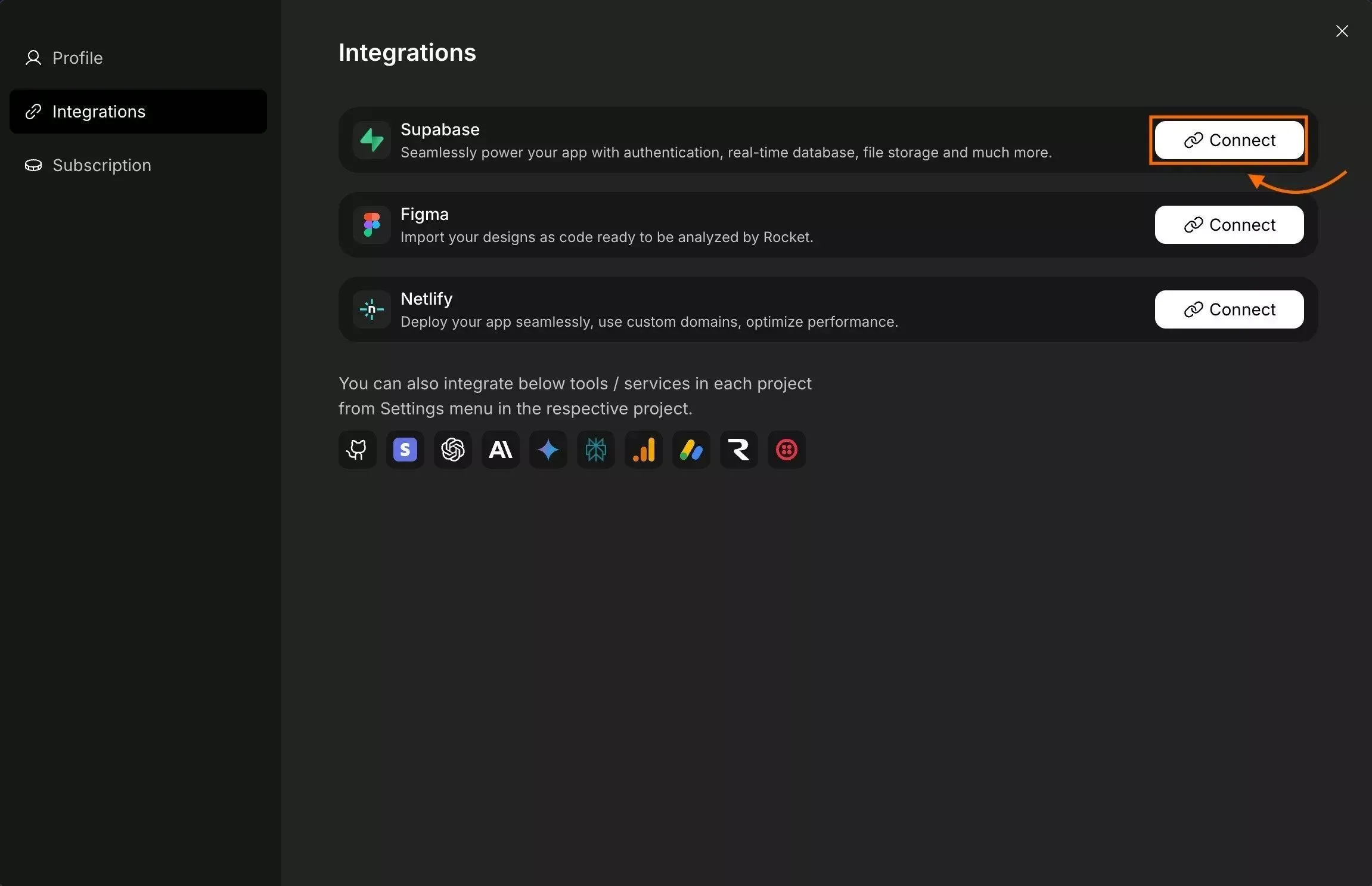
How the Architecture Fits Together
Rocket connects three layers that most builders have to wire up separately:
- Frontend: React and Next.js for web, Flutter for mobile
- Backend logic: Supabase Edge Functions for server-side operations
- Data layer: Supabase PostgreSQL with row-level security
Teams define their data structure through chat. Rocket generates the schema, the API layer, and the UI components that talk to it. The web server and database communicate automatically, and the builder never has to touch the configuration.
Key Features
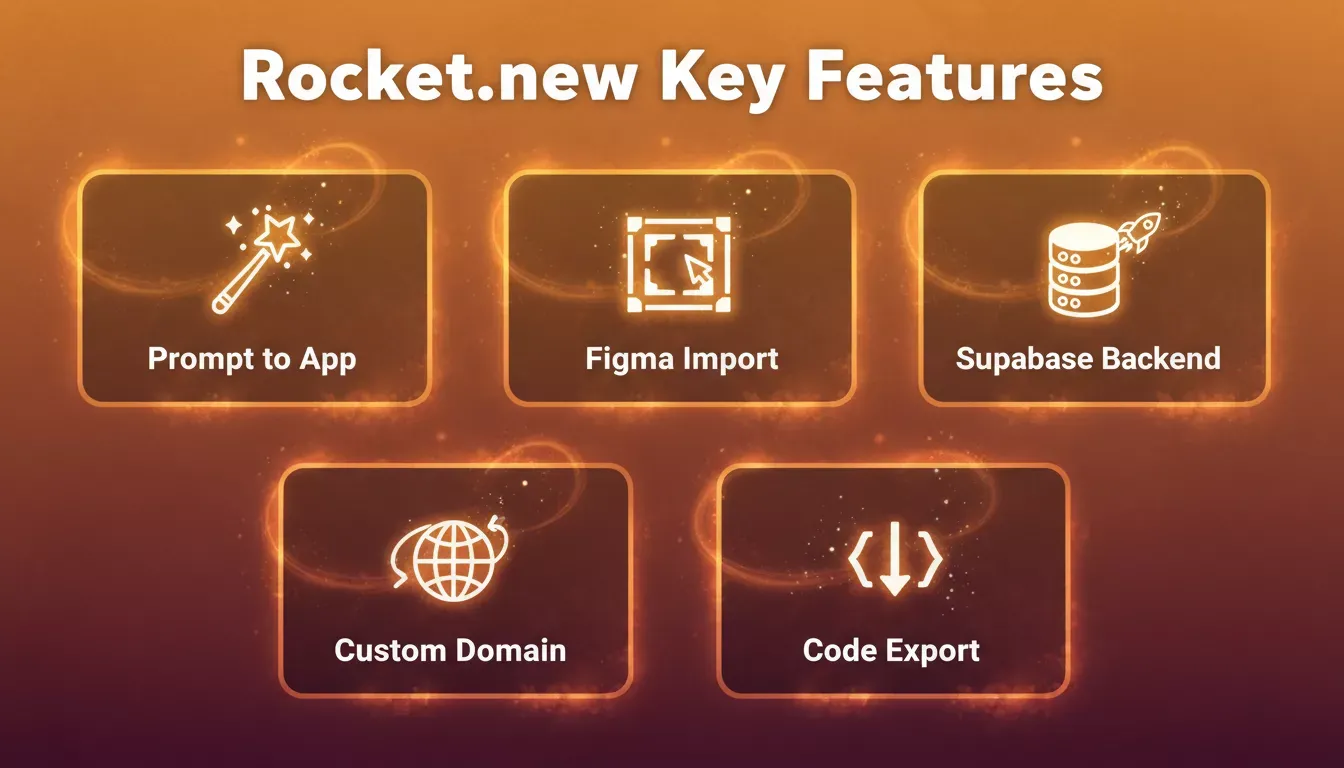
Rocket.new combines AI-powered building with a production-grade backend, all without writing code.
| Feature | What It Does |
|---|---|
| Prompt to App | Builds a full app from a plain-language description |
| Figma Import | Converts design files into live, production-ready code |
| Supabase Backend | Scaffolds Postgres DB, auth, storage, and edge functions from chat |
| Custom Domain | Publishes projects with a branded domain and automatic HTTPS |
| GitHub Sync | Two-way code sync with your repository for developer handoff |
| Code Export | Lets developers extend or customize the generated codebase |
| 26+ Connectors | Connects Stripe, Resend, HubSpot, Airtable, and more from a prompt |
What This Means in Practice
Rocket removes the three things that slow most no-code database projects down: server configuration, database scripting, and backend logic setup. Teams define the data structure, connect it to visual components, and the rest is handled automatically.
The result is a working app backed by a real database, handling real user interactions, with database integration that would take a developer days to configure manually. For teams that need to move fast without hiring, that gap matters.
AI Is Changing What Non-Technical Teams Can Build
The no-code category has always been about accessibility. AI is now changing the ceiling on what accessible actually means.
Smart layout suggestions, automated form generation, and AI-driven analytics are now standard features in the better builders. Complex data modeling that used to require a developer is now guided by the tool itself. Teams exploring this shift can see the cost impact directly in how AI app builders save development costs.
The practical effect: the line between "what a non-technical team can build" and "what requires a developer" keeps moving in one direction.
Where No-Code Is Headed
The use cases are expanding faster than the tooling. Teams are building CRM systems, client portals, inventory trackers, approval workflows, and internal dashboards, all without a developer in the loop.
Operations managers are running automation that used to require a dedicated ops engineer. Founders are shipping MVPs in a weekend. Platforms like Rocket also support building mobile apps with AI alongside web apps, so the same builder covers every surface without switching tools.
The honest version: no-code is not a replacement for a developer when the problem is genuinely complex. It is a replacement for a developer when the problem is a business problem that happens to need software.
The Real Unlock
Launching business applications used to mean writing code, hiring developers, and managing infrastructure. Even small changes required technical work, which meant business teams were always waiting on someone else.
A web database application builder that requires no coding removes that dependency. The backend runs automatically. The data layer is handled. The compliance features are built in. What is left is the actual work: defining what the app needs to do and building it.
Less time waiting. More time shipping. With the right builder, that is not an aspiration. It is just how the process works now.
Ready to launch your own web database application without writing a single line of code? Rocket is the fastest way to go from idea to working app, with AI-powered backend logic, Supabase database integration, and visual tools that any team can use.
Start building for free on Rocket and ship your first app today.
Table of contents
- -What a No-Code App Builder Actually Does
- -Why Teams Are Dropping the Dev Dependency
- -The Six Steps That Actually Matter
- -Step 1: Start With Your Data Structure
- -Step 2: Choose the Right App Builder
- -Step 3: Connect Data Sources
- -Step 4: Build Your Web App Interface
- -Step 5: Add Logic and Workflows
- -Step 6: Secure and Launch
- -A Real User's Take
- -How Rocket Handles the Database Layer
- -How the Architecture Fits Together
- -Key Features
- -What This Means in Practice
- -AI Is Changing What Non-Technical Teams Can Build
- -Where No-Code Is Headed
- -The Real Unlock