What makes a website convert visitors into buyers? See how website design builds trust, improves user experience, guides attention, and increases sales using proven data and practical strategies.
Can a website really influence sales that much?
Yes. A website shapes trust, guides attention, and pushes action within seconds.
Studies show that 57% of users judge a business’s credibility based on website design, and 88% of users won’t return after a poor site experience.
That’s why smart website design choices matter. A good website does more than look nice. It helps users move, click, and buy with ease.
So let’s break down what actually works.
Start With the Site’s Purpose and Audience
Every website starts with one simple question.
What should this site do? That answer defines the site’s purpose.
Some sites sell products. Others collect leads. Some share a blog or promote services. A clear goal helps shape page layouts, page content, and calls to action.
Next comes the target audience.
A website for busy founders feels different from a site for students. Tone, images, and site structure all vary by audience.
This is the first step of the web design process. Skip it, and the rest gets messy fast.
Pick the Right Website Builder
A modern website builder lets users create, customize, and publish with ease. Many options come as a free website builder. Some even offer a free website to start.
Building a site no longer needs coding knowledge. That’s good news.
A solid website builder includes:
- Drag and drop editing
- Ready website templates
- Built-in marketing tools
- Web hosting
- SEO tools
A drag-and-drop editor speeds things up. A few clicks can change layouts, text, and images. No stress.
The best website builder also supports growth. That means more complex websites, advanced functionality, and more advanced plans when needed.
Templates Matter More Than Most Think
Website templates save time. They also shape user behavior.
Good templates follow proven website design patterns. They guide eyes, highlight buttons, and keep users scrolling. Professionally designed templates often convert better than random layouts.
Templates help:
- Maintain a clean site structure
- Balance page spacing
- Keep design consistent
Most website builders offer many templates. Some allow deep customization options. Colors, fonts, images, and layout blocks can change fast.
Website templates work well for blogs, service pages, and online stores.
Use Visuals That Feel Real
High-quality images build trust. Blurry photos do the opposite. Using your own images adds personality. Stock images work too, if chosen well.
Images talk before text does.
Images should:
- Match the brand
- Support page content
- Load fast on desktop devices
A good website balances images and text. Not too crowded. Not too empty.
Focus on Simple Navigation
Users don’t like guessing.
Clear menus help users find web pages fast. Simple labels work best. Home, Services, Blog, Contact. That’s enough for most sites.
Multiple pages are fine. Just don’t overdo it.
A clean site with clear paths keeps users moving toward action. That action could be to sell products, sign up, or contact the business.
Mobile and Screen Size Checks Matter
People visit websites on phones, tablets, and laptops every day. A website should feel smooth and familiar across all devices.
- The layout adjusts correctly across different screen sizes
- Buttons stay clickable without zooming
- Text remains clear and readable
- Images scale properly and don’t break the page
- Navigation stays simple on smaller screens
Most modern website builders handle this part by default, especially those using drag-and-drop layouts. Still, manual checks help. Scroll through the page. Tap buttons. Click links. Small checks catch big issues.
When a site works well on every device, users stay longer, trust the website more, and take action without friction.
Build Trust With Small Details
Trust doesn’t appear instantly. It builds step by step through small signals that tell users the site is real, safe, and worth their time.
A professional website often includes:
- A custom domain
- A professional logo
- Contact forms
- Clear service details
Using a custom domain name helps users remember the site. A perfect domain adds polish. Using an own domain name also helps with search engines.
Security matters too. Web hosting with DDoS protection keeps the site stable.
These details seem small. They matter a lot.
Content That Guides Action
Words do more than explain. They shape how users think, feel, and move through a site. The right phrasing reduces hesitation and makes choices feel obvious.
Clear words remove friction. They guide users to the next step naturally, without pressure or pushy language.
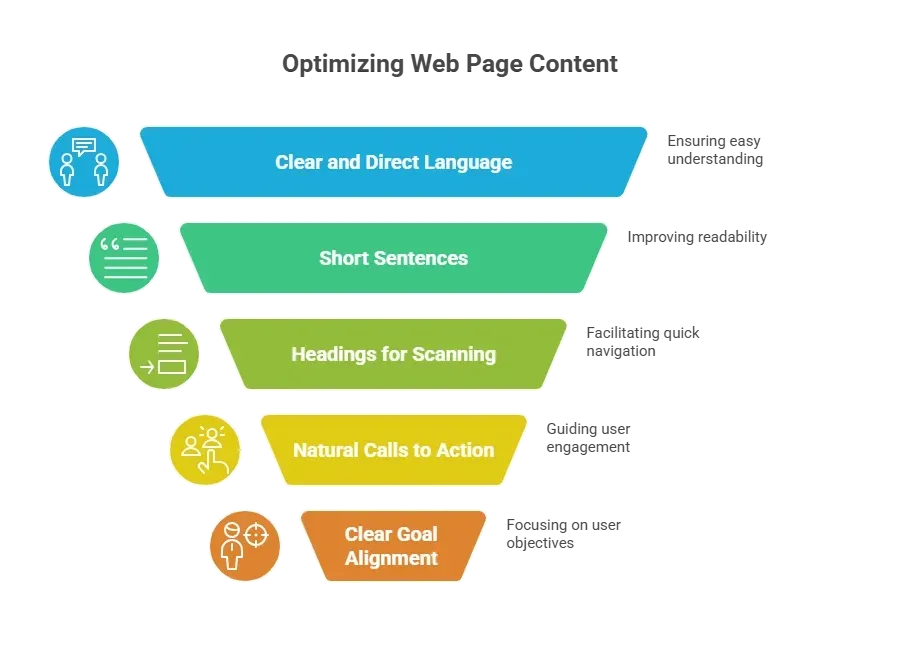
Calls to action should sound simple and familiar. Buy now. Book a call. Read the blog. No drama needed.
A new website often tries to do too much at once. That usually backfires.
Focused content keeps users moving. When each page serves a single purpose, decisions are easier, and sales follow naturally.
Online Store Design Tips That Work
An online store carries more responsibility than a basic site. Visitors are deciding whether to trust the site with their money, so every detail must be clear and reliable.
What strong product pages include:
- Clear images that show the product from multiple angles
- Simple descriptions that explain value without filler
- Fast loading times that keep users from leaving
The checkout flow should feel calm and predictable. No hidden steps. No sudden fees. No confusion at the last click.
Many website builders support online store features right out of the box. These often include payment tools, email campaigns, and built in ai tools that help manage products and customer flow.
When an online store feels easy and safe to use, users stay longer, browse more pages, and feel comfortable completing a purchase. That comfort turns into sales.
SEO Basics Without the Headache
Search engine optimization works best when it feels simple and natural. The goal is to help users find the site, not to play guessing games with algorithms.
Basic steps include:
- Clean URLs
- Clear headings
- Image alt text
SEO tools inside a website platform make this easier. They guide titles and descriptions.
Search engines favor clear structure and helpful content. Blogging helps here. A blog adds fresh pages and answers user questions.
Track What Works
Guessing rarely leads to good decisions. Real data shows how users move through a site and where attention drops.
Google Analytics shows which pages receive clicks and where users exit. These insights highlight patterns that aren’t visible on the surface.
Small changes based on this data improve page flow and layout over time. Consistent tracking leads to steady results day to day.
A Quick Comparison
Not all website builders offer the same level of flexibility. A quick side-by-side view helps identify what fits the site’s needs immediately.
| Feature | Basic Builder | Advanced Builder |
|---|---|---|
| Drag and drop | Yes | Yes |
| Website templates | Limited | Many |
| Custom domain | Paid | Included |
| Online store | Basic | Full |
| Built in marketing tools | Few | Many |
Choosing the right builder depends on how much control and growth the site requires now and in the future.
Community Insight From Real Users
A Reddit discussion on r/webdev highlights how simplicity often wins when it comes to website results.
“Why do some websites with very basic design perform so well?” Many users pointed out that clean layouts reduce confusion and help visitors focus on actions instead of visuals.
That same idea comes up repeatedly across the community. Simple sites feel easier to use, easier to trust, and easier to act on. Simple sites sell more.
Rocket.new: Build the Best Website Possible 🚀
Rocket.new is designed to help anyone create a professional-looking website that functions smoothly and drives results without wasting time or struggling with complex tools.
Whether it’s a blog, an online store, or a service site, Rocket.new gives users everything needed to make a site that actually works.
Top features
- Fast publish options: Get your entire website live in just a few clicks. Perfect for quick launches.
- Blog and service layouts: Ready-made templates for blogs and service pages. Customize them to fit your brand.
- SEO tools: Built-in features to help your site rank higher. Optimize titles, descriptions, and structure.
- Email campaigns: Create and send campaigns directly from your site. Keep your audience engaged easily.
How Rocket.new helps create a winning website:
- Clean templates save time: Start with a professional design and customize it.
- Built in AI tools: Suggest layouts, text flow, and image placement for maximum impact.
- Online store support: Sell products with simple, secure pages.
Template example:
The “Drape - Luxurious Plussize Landing Page Template” template is perfect for clothing lines, accessories, or lifestyle brands. It includes multiple pages for collections, product displays, blog sections, and a polished homepage that guides visitors toward action.
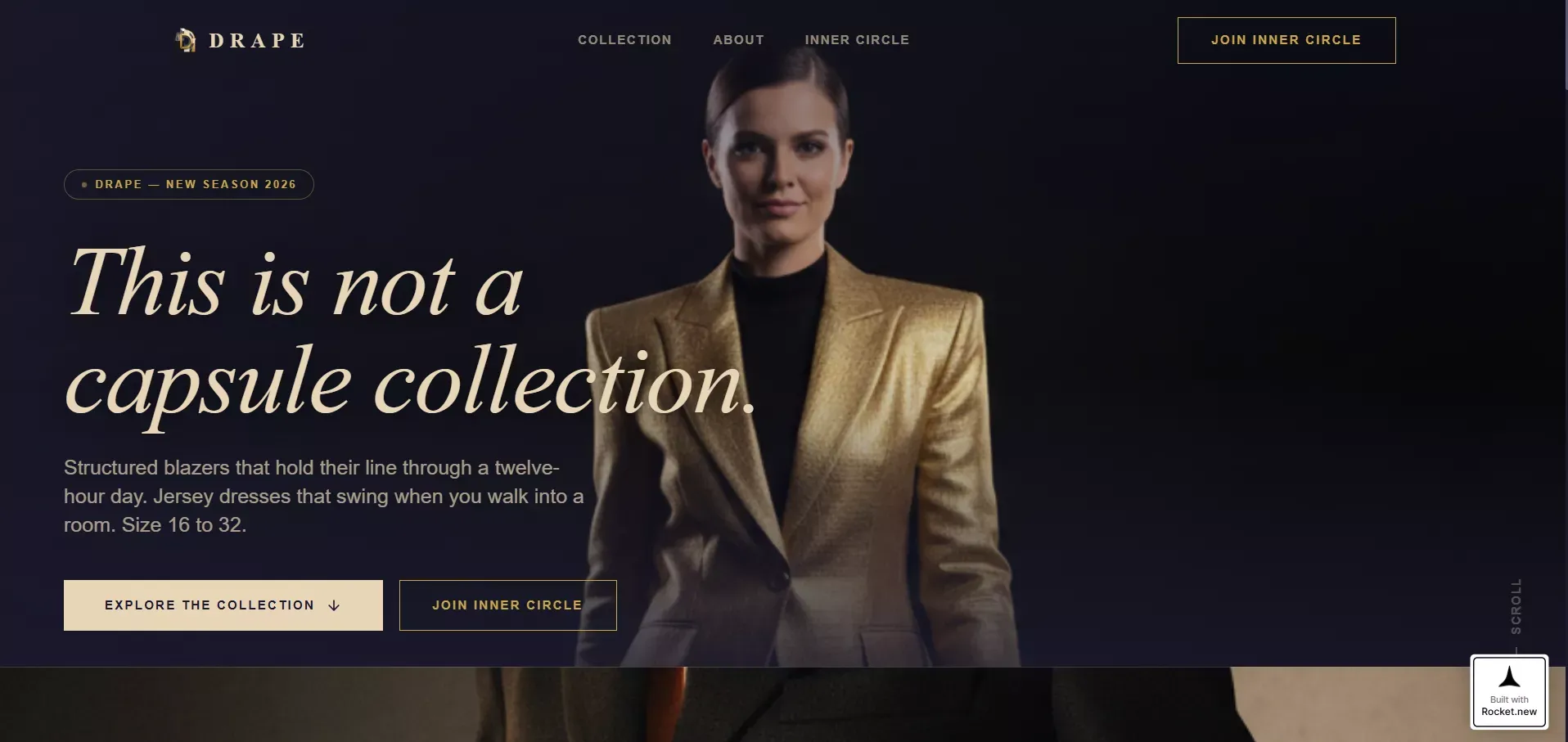
Rocket.new is ideal for creators, startups, and small business owners who want a professional website that converts visitors into customers. With templates such as Fashion Brand and AI layout suggestions, users can create a polished, fully functional website in a few clicks.
👉Build Your Dream Website with Rocket 🚀
Common Design Mistakes to Avoid
Many websites don’t fail because of missing features. They fail because small design choices pile up and confuse users.
Mistakes that show up often:
- Too many fonts fighting for attention
- Too many colors create visual noise
- Too many popups interrupt the flow
A good website stays focused. One color scheme works better than many. One clear message per page keeps users oriented.
Also, avoid hiding contact forms. Users shouldn’t have to search for help or next steps.
When distractions drop, clarity rises. Clear design choices make the site easier to use and more trustworthy.
Customization Without Going Too Far
Customization helps brands stand out and give their website a personal touch. Most website builders let users tweak layouts, colors, fonts, and images, making it easy to create a unique look. This is great for building a site that reflects the brand’s personality.
Still, balance is key. Too much customization can make pages feel cluttered and confuse users. Templates exist for a reason: they guide attention, keep things organized, and make navigation intuitive.
For more complex websites, working with a web designer can help. They can take creative ideas and turn them into a site that looks unique without losing clarity or focus.
Website Design That Sells
Many sites look fine, but don’t guide users.
Confusing layouts, weak content, and poor structure slow sales. Clear goals, simple design, and smart tools change everything. Using the right builder, templates, and domain setup helps create trust and action. That’s the core of how to design a website that supports sales.
A website should feel easy. Easy to read. Easy to click. Easy to trust.
Table of contents
- -Start With the Site’s Purpose and Audience
- -Pick the Right Website Builder
- -Templates Matter More Than Most Think
- -Use Visuals That Feel Real
- -Focus on Simple Navigation
- -Mobile and Screen Size Checks Matter
- -Build Trust With Small Details
- -Content That Guides Action
- -Online Store Design Tips That Work
- -SEO Basics Without the Headache
- -Track What Works
- -A Quick Comparison
- -Community Insight From Real Users
- -Rocket.new: Build the Best Website Possible 🚀
- -Common Design Mistakes to Avoid
- -Customization Without Going Too Far
- -Website Design That Sells