
How to choose an AI-powered development workflow platform? See key features, team needs, security, scalability, and practical tips to select a platform that keeps workflows smooth and efficient.
Choosing the right workflow platform shapes how teams ship as AI spreads across code, data, apps, and daily work. Small choices affect speed, visibility, and trust.
But what if the platform adds friction instead of clarity?
Let's see how to choose an AI-powered development workflow platform without slowing teams down. It highlights what to look for, what to avoid, and how to keep builders focused on shipping.
Start With How Workflows Actually Operate
Before comparing platforms, step back and assess how workflows work today.
Most teams already operate inside a dense network of workflows. These workflows move data between apps, trigger API calls, update source code, and coordinate tasks in real time.
Some workflows are small and fast, like sending alerts or syncing records. Others rely on complex logic, branching decisions, retries, and human approvals. An AI workflow platform should support this full range without forcing teams to redesign how work already happens.
Common patterns usually appear when workflows are mapped:
- Tasks that pause while waiting for manual input
- Data transfers that lack visibility or logs
- Logic scattered across scripts, tools, and apps
Platforms that handle these patterns cleanly reduce manual work rather than pushing it elsewhere.
Think About Everyone Who Touches the Platform
Next, consider the people behind the workflows.
AI workflow platforms rarely serve one role. Most environments include developers, dev teams, ops teams, support teams, and non-technical users working side by side.
A well-balanced platform supports different needs:
- Developers want source code access, clear node structures, and control over AI APIs
- Non-technical users rely on a readable ui and natural language triggers
- Ops teams need audit logs, error handling, and real-time visibility
- Support teams depend on predictable automated workflows
When platforms cater to only one group, collaboration breaks down. Shared visibility keeps workflows understandable and reduces miscommunication across teams.
AI Models and Agents Must Do Real Work
Then comes the AI layer, where many platforms overpromise.
Listing AI models is easy. Making them work within real workflows requires greater depth.
Strong AI workflow platforms support:
- Multiple AI models chosen by task, not branding
- Generative AI for summaries, reasoning, and classification
- AI agents that operate independently within workflows
- Multi-step agents that maintain context across tasks
Context is the difference-maker. AI workflows that lose context between steps behave unpredictably. Platforms that preserve context across data, tasks, and apps deliver consistent outcomes that teams can trust.
Agent Orchestration Keeps Complexity Manageable
After that, look at how agents interact.
As workflows mature, multiple AI agents often collaborate. One agent might analyze incoming data. Another might decide on the next steps. A third might notify users or update apps.
Agent orchestration brings order to this setup:
- Defines which agent acts at each step
- Controls how data passes between agents
- Supports feedback loops that refine results
Without orchestration, AI automation becomes hard to debug. With it, workflows stay readable and easier to adjust as requirements change.
Visual Builders Should Clarify Logic, Not Hide It
Well, visual builders matter, especially for non-technical users. Still, visuals only help when logic remains visible and traceable.
Modern AI workflow builders combine:
- Node-based layouts that show flow clearly
- A drag-and-drop interface for quick creation
- Direct access to source code for advanced logic
- Transparent workflow logic without hidden paths
This balance allows teams to create workflows visually while keeping full control when debugging or scaling.
Flexibility Through Custom Variables and Logic
Next, focus on flexibility. Real workflows rely on dynamic inputs, changing conditions, and shared context.
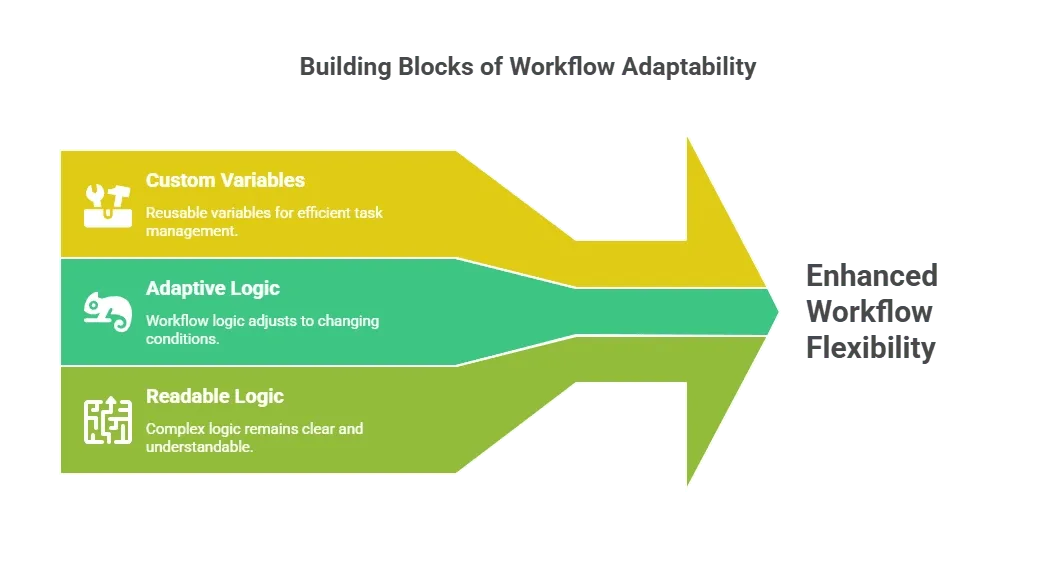
This flexibility prevents logic from spreading across disconnected scripts or tools and keeps workflows easier to maintain.
Plan Early for Scale and Growth
Then comes scale.
Workflows rarely stay small. What starts as a simple automation often becomes critical infrastructure supporting business processes.
As workflows grow, platforms must handle:
- Higher task volume without delays
- More users across teams
- Increasing data flow between apps
- Continuous changes without breaking logic
Platforms that scale smoothly protect early investments and reduce long-term cost.
Data Control and Security Shape Trust
Now turn to data and security.
AI workflows handle sensitive data constantly. Trust depends on control and visibility.
Look for platforms that offer:
- Audit logs for every workflow run
- Role based permissions for teams
- Single sign on for enterprise access
- Clear visibility into api calls and data flow
Many organizations prefer self-host or self-hostable platforms. On-premises deployment provides greater control over data, logs, and compliance, especially in regulated environments.
Hosting Options Reflect Real Business Needs
Some teams require full on-prem setups. Others prefer the cloud for speed. Many fall in between.
Flexible workflow platforms support:
- On-prem deployment for sensitive data
- Cloud options for rapid experimentation
- Hybrid models balancing control and speed
This flexibility allows platforms to grow with business needs instead of forcing hard choices early.
Version Control Keeps Workflows Stable
Next, consider version control.
Workflow changes happen often. Without version control, even small updates become risky.
Reliable platforms include:
- Version control tied directly to workflows
- Clear history of changes
- Rollbacks when updates fail
- Build systems that manage releases
This structure supports collaboration across dev teams and reduces fear around change.
Error Handling Builds Confidence in Automation
Then focus on error handling.
Automation without visibility leads to silent failures and broken trust.
Strong platforms provide:
- Structured error handling paths
- Real time alerts for failed tasks
- Detailed audit logs for diagnosis
- Clear context explaining failures
Ops teams rely on this observability to keep automated workflows dependable.
Speed, Templates, and Early Wins
How quickly can teams see value? Early momentum matters.
Most AI workflow platforms support:
- Templates for common workflows
- Reusable nodes for frequent tasks
- Ready connectors for popular apps
Templates shorten setup time while showing proven patterns. Teams then adapt workflows to fit business logic and scale needs.
Platform Comparison at a Glance
| Area | Basic Tools | Advanced AI Workflow Platforms |
|---|---|---|
| Workflow depth | Linear tasks | Multi step logic and agents |
| Control | Limited | Full code and data access |
| Hosting | Cloud only | Self host and on prem |
| Users | Small teams | Enterprise scale |
| Visibility | Minimal | Audit logs and real time views |
This comparison helps teams spot limitations early.
Rocket.new and Practical AI Workflow Platforms
Rocket.new is designed for teams building AI workflows that need clarity, control, and flexibility from day one. It handles both simple automated tasks and complex multi-step systems without hiding workflow logic.
Top features:
- Visual AI Workflow Builder – Node-based design makes workflows easy to see, build, and debug.
- AI Agents and Multi-Step Agents – Automate tasks intelligently with agents that carry context across multiple steps.
- Agent Orchestration with Feedback Loops – Coordinate agents and refine outcomes automatically over time.
- Self-Host and On-Prem Deployment – Keep data and processes fully under your control, ideal for enterprises.
- Built-in Version Control and Audit Logs – Track changes, roll back updates, and maintain full visibility.
- Natural Language Triggers with Custom Variables – Let users create workflows with plain language inputs while leveraging dynamic variables.
This combination enables teams to automate tasks across apps, maintain full control, and scale workflows with confidence without slowing development.
Cost, Support, and Long-Term Fit
Finally, look at cost and support together. Low entry pricing often increases as workflows scale.
Review:
- Pricing tied to tasks, users, and data usage
- Support responsiveness for developers and ops teams
- Enterprise support availability
- Signals from the open source community
Strong support reduces risk as automation grows.
Choosing the Right AI-Powered Development Platform
Choosing an AI powered development workflow platform comes down to fit. The right platform handles AI, data, code, and automation while keeping teams moving. Clear workflow logic, robust security, and the ability to scale flexibly turn automation into real, reliable results.
Table of contents
- -Start With How Workflows Actually Operate
- -Think About Everyone Who Touches the Platform
- -AI Models and Agents Must Do Real Work
- -Agent Orchestration Keeps Complexity Manageable
- -
- -Flexibility Through Custom Variables and Logic
- -Plan Early for Scale and Growth
- -Data Control and Security Shape Trust
- -Hosting Options Reflect Real Business Needs
- -Version Control Keeps Workflows Stable
- -Error Handling Builds Confidence in Automation
- -Speed, Templates, and Early Wins
- -Platform Comparison at a Glance
- -Rocket.new and Practical AI Workflow Platforms
- -Cost, Support, and Long-Term Fit
- -Choosing the Right AI-Powered Development Platform