

HR onboarding software automates new-hire tasks, documents, and reporting. Build one with no-code tools or AI builders like Rocket.new in minutes. Structured onboarding boosts retention by 50% and productivity by 60%.
HR onboarding software is a system that automates new-hire paperwork, task tracking, compliance checks, and reporting. You can build one in three ways: no-code builders, pre-built SaaS templates, or AI app generators like Rocket.new.
The right system cuts manual work, boosts retention, and gives HR teams real-time data to act on.
Why HR Onboarding Software Matters
Onboarding sets the tone for a new hire's experience. Everyone, from small teams to growing businesses, knows that a clunky process can lead to early turnover and frustration.
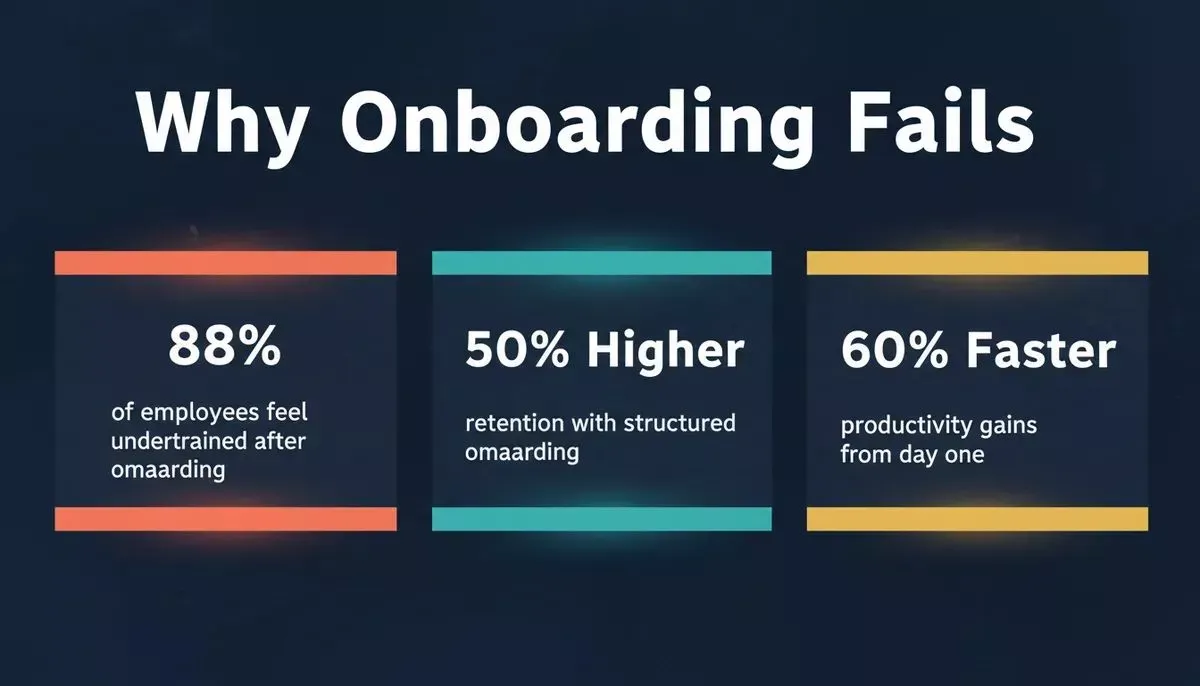
Data-driven view: the measurable cost of poor onboarding on retention and productivity.
Good onboarding matters because companies with structured onboarding programs report significantly better outcomes compared to those without. Organizations that use structured onboarding methods see up to a 50% higher new-hire retention rate and roughly a 60% increase in new-employee productivity. SHRM's onboarding benchmarking research points out that structured onboarding directly improves how quickly new hires contribute and how long they stick around.
So, let's walk through how to build hr onboarding software that handles hiring steps, automated workflows, and reporting and analytics with ease.
Is HR Onboarding Software the Same as an HRIS?
No. An HRIS (Human Resource Information System) is a broad platform covering payroll, benefits, performance management, and compliance across the full employee lifecycle. HR onboarding software is purpose-built for the first 30 to 90 days: collecting documents, assigning tasks, tracking completion, and reporting on new-hire progress.
Many teams use both: an HRIS for ongoing HR operations and a dedicated onboarding tool for the structured new-hire experience.
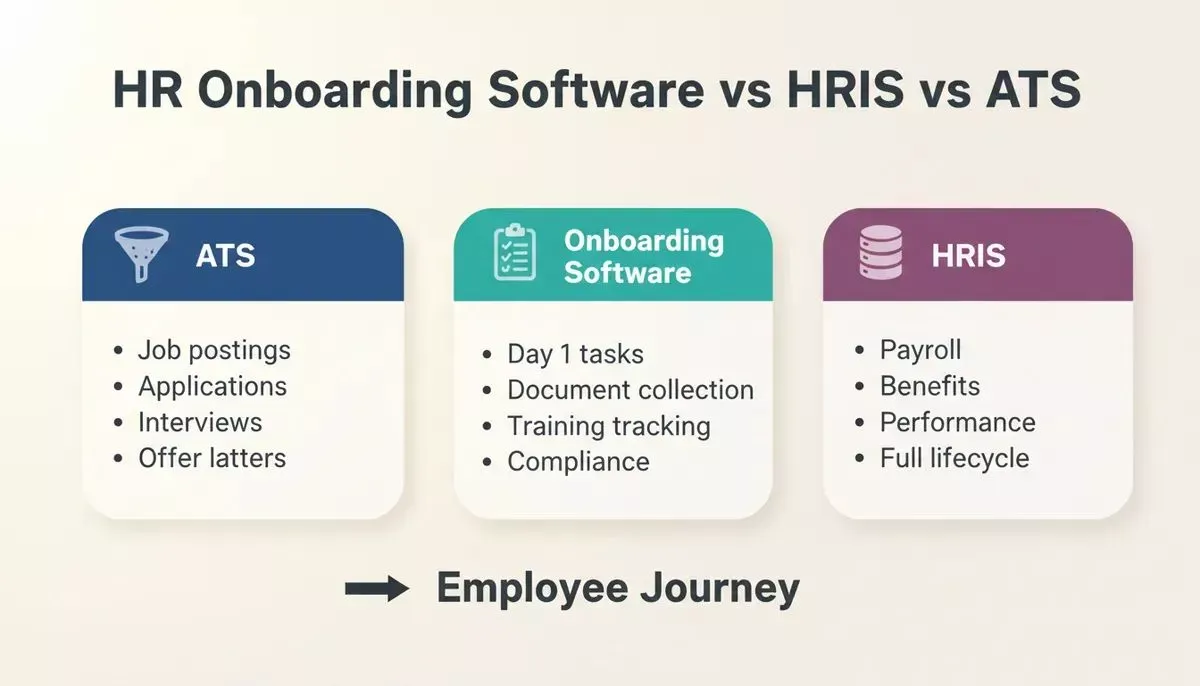
Three tools, three distinct roles in the employee journey. Understanding the difference prevents costly overlap.
What's the Difference Between Onboarding Software and an ATS?
An ATS (Applicant Tracking System) manages the hiring pipeline: job postings, applications, interviews, and offer letters. HR onboarding software picks up where the ATS leaves off, after the offer is accepted. The two systems are complementary, not interchangeable.
How Long Does It Take to Build HR Onboarding Software?
With a no-code or AI app builder, a functional onboarding tool covering checklist, task tracker, and basic dashboard can be live in under a day. Custom-coded solutions typically take four to twelve weeks. The comparison table in the "Comparing Approaches" section below breaks this down by method.
What You Need Before You Start
Before jumping into building your onboarding software, it helps to have a clear game plan. Knowing what you need upfront saves time and prevents complications.
1. Define Your Goal
Clear focus drives better HR strategy. Ask: what should the onboarding system do? Limit scope to the first 90 days.
2. List Out the Processes
- Job descriptions and offer letter storage
- Applicant tracking handoff
- Benefits administration forms
- Compliance checks and e-sign
- Training assignments and progress tracking
3. Know Your Users
HR teams and HR professionals need a user-friendly interface. But don't forget managers and new hires, as their experience affects adoption and satisfaction.
4. Pick the Tools
Technology stacks vary. You can pick no-code builders, pre-built templates, or custom SaaS frameworks. Each has pros and cons depending on how much flexibility you want.
Once these basics are set, the next steps become way easier. You'll know what to build, who it's for, and which tools will get the job done without headaches.
Two Paths to HR Onboarding Software
Before diving in, choose your path:
- Build it yourself - follow the step-by-step guide below to design workflows, add automation, and configure reporting from scratch.
- Use Rocket.new's Build pillar - skip to the Rocket.new section to see how HR teams generate a working onboarding app in minutes using AI, with real Next.js or Flutter code output and 26+ connectors.
Both paths are covered below.
Step-by-Step: Create HR Onboarding Software
Building HR onboarding software doesn't have to be complicated. Follow a simple step-by-step flow, and you'll go from concept to a working tool without getting lost in tech jargon.
Step 1: Choose the Right Builder or Framework
Pick a platform that lets you rapidly prototype and launch. Options include no-code tools or even certain workspace automation platforms.
The idea is to skip heavy coding and focus on the workflow. When choosing your builder, look for templates that support automated workflows and workflows tied to status updates. You don't have to be a software engineer to build something functional that automates repetitive tasks and collects raw data, such as candidate submissions.
Step 2: Map the User Journey
Create clear workflows for each user type: new hires, HR managers, and team leads. What does the new employee see? What does HR see?
| User Role | Key Actions | Main Data Views |
|---|---|---|
| New Hire | Fill forms, upload docs | Onboarding task list |
| HR Professionals | Track progress, assign tasks | Reports, summarized data views |
| Managers | Review training status | Ad hoc reports for review |
This table shows what each participant needs without cluttering the screen.
Step 3: Add Automated Workflows
After that initial setup, add automation for repeat tasks. Good automation removes manual steps and helps HR teams track progress without sending ten emails a day.
- Automated reminders for incomplete paperwork
- Auto-notifications when a new hire completes steps
- Scheduled follow-ups from managers
- Quick e-sign and compliance checks
Pairing your hr onboarding software with a purpose-built AI workflow builder can make this setup even faster and more reliable.
Step 4: Build Reporting and Analytics
This is where reporting, data analytics, and predictive analytics shine. You want dashboards that present data clearly, help managers identify patterns, and surface actionable insights on bottlenecks or delays.
These analytics help HR teams make informed decisions and understand trends in hiring, onboarding success, and even early churn patterns.
Step 5: Test With Real Users
Before you go live, test your system with a couple of hires and HR staff. Ask:
- Did the reporting and dashboards feel clear and useful?
- Could users easily identify patterns in onboarding data?
- Did the reporting and analytics help you make better decisions about the process?
Quick feedback will help you fine-tune your flows before launch.
The HR Onboarding Build Workflow
Understanding the end-to-end flow helps teams build smarter. Here's how the process moves from idea to a live system:
Six steps from goal-setting to a live HR onboarding system.
Don't Forget: Data and Insights Matter
A big part of onboarding success is not just process automation but data that tells a story. Gallup's workplace research consistently finds that most employees don't feel their onboarding prepared them well, a gap that structured reporting and analytics directly addresses.
Systems should help you see where new hires stall, check engagement signals from tasks completed, and turn raw data into summarized views that make sense.
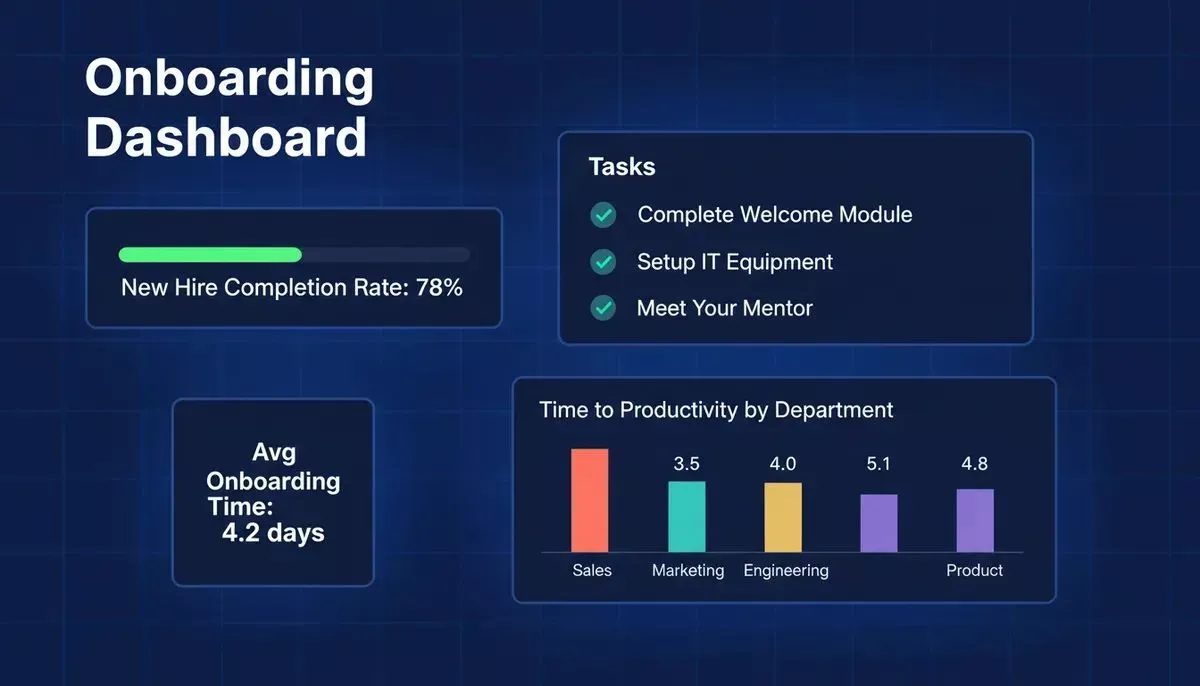
A well-designed onboarding dashboard surfaces completion rates, bottlenecks, and time-to-productivity in one view.
The best onboarding setups give HR professionals what they need in a clear, concise manner, without requiring them to build reports from scratch. For teams that want to go further, building internal tools with AI is now faster than ever without needing a developer.
Comparing HR Onboarding Software Approaches
Not all hr onboarding software is built the same. Here's how different build approaches stack up:
| Approach | Setup Time | Customization | Code Ownership | Best For |
|---|---|---|---|---|
| No-code builder | Hours | High | No | Small to mid-size HR teams |
| Pre-built SaaS template | Hours | Medium | No | Teams needing quick deployment |
| Custom development | Weeks to months | Very high | Yes | Enterprise with complex workflows |
| AI-powered builder (Rocket.new) | Minutes | High | Yes, Next.js or Flutter | Teams wanting speed and real code |
Build time varies dramatically by approach. AI-powered builders like Rocket.new compress weeks into minutes.
Building HR Onboarding Software with Rocket.new
Rocket.new is a three-pillar platform: Solve, Build, and Intelligence, covering the full product lifecycle in one place. For HR onboarding software specifically, two pillars are directly useful.
Solve is where you plan before you build. Ask Solve a structured question such as "What features should an onboarding tool have for a 50-person remote team?" and it returns a research-backed report with market data, competitive analysis, and a recommended feature set. This is the equivalent of a PRD, generated in minutes, not weeks.
Build is where you ship the actual software. Describe your onboarding tool in plain language and Rocket.new generates production-ready code: Next.js for web apps, Flutter for iOS and Android, with a real file structure you can export or sync to GitHub via two-way code sync. No locked-in proprietary format.
What Rocket.new Build Actually Generates
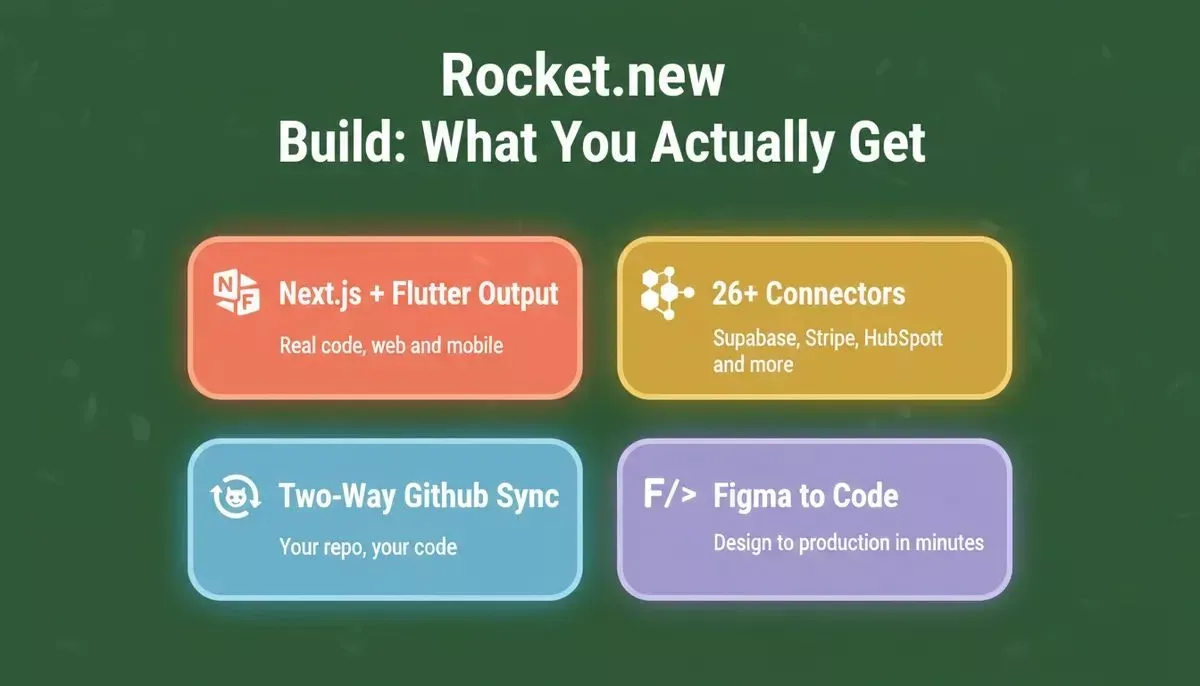
Rocket.new Build outputs real, exportable Next.js and Flutter code, not locked-in proprietary formats.
Top Build Features for HR Teams
- Prompt to App: Describe your onboarding checklist, task tracker, or HR dashboard in plain language and Rocket.new generates the full app
- Figma Import: Convert existing HR design mockups into live, production-ready React/Next.js layouts (web projects)
- Supabase Integration: Scaffold a complete backend with Postgres database, user authentication, and file storage, wired up from a single prompt
- 26+ Connectors: Connect HubSpot for CRM handoff, Brevo or Resend for automated onboarding emails, Tally or Typeform for new-hire forms, and Stripe if you're building a paid HR tool
- GitHub Sync: Two-way sync keeps your generated Next.js code in your own repository so your team can extend it like any codebase
- Code Export: Download the full source at any time with no vendor lock-in
With Rocket.new's Build pillar, HR teams can quickly generate:
- Onboarding Checklists: Organize all steps a new hire needs to complete, from document uploads to training links, backed by a real Supabase database
- Task Trackers: Keep tabs on who has finished tasks. Task management becomes effortless when every step is visible in a live dashboard
- Data Dashboards: View summarized reporting analytics to gain insights and make informed decisions, with Mixpanel or Google Analytics wired in from chat
Rocket.new is free to start. Sign up in about 30 seconds with Google, Apple, or email, no credit card required. Teams building production-ready mobile apps can go from prompt to App Store submission entirely within the platform.
For teams that want to see what's possible before committing, the AI app builder page covers the full range of what Rocket.new generates across web, mobile, and internal tools.
Community Insight
A common question in HR communities captures why structured systems matter. As one HR professional asked on Reddit:
"Wondering what platform people use to capture onboarding information that needs to go to IT and other departments in order to get your new hire set up?"
This is exactly the coordination problem a well-built onboarding system solves: a single source of truth that routes the right information to IT, HR, and the manager simultaneously, without anyone chasing emails.
Building a Better HR Onboarding Software
Manual onboarding sucks time, spawns errors, and leaves new hires confused. Create a simple onboarding tool that automates tasks, tracks progress, and offers real reporting and analytics.
Use builders like Rocket.new or no-code platforms to get going fast. Combine automated workflows with data views that help HR professionals make informed decisions every day.
A streamlined system helps people integrate into the company culture faster and provides HR with the actionable insights they need to adjust and refine their HR strategy without great technical skills. Teams exploring broader productivity app development will find the same principles apply across any internal tool they build.
Ready to stop wrestling with spreadsheets and manual checklists? Rocket.new gives HR teams a fast, flexible way to build custom onboarding tools with real, exportable Next.js or Flutter code, no credit card required, live in minutes.
Start building with Rocket today and give your new hires the seamless start they deserve.
Table of contents
- -Why HR Onboarding Software Matters
- -Is HR Onboarding Software the Same as an HRIS?
- -What's the Difference Between Onboarding Software and an ATS?
- -How Long Does It Take to Build HR Onboarding Software?
- -What You Need Before You Start
- -Two Paths to HR Onboarding Software
- -Step-by-Step: Create HR Onboarding Software
- -Step 1: Choose the Right Builder or Framework
- -Step 2: Map the User Journey
- -Step 3: Add Automated Workflows
- -Step 4: Build Reporting and Analytics
- -Step 5: Test With Real Users
- -The HR Onboarding Build Workflow
- -Don't Forget: Data and Insights Matter
- -Comparing HR Onboarding Software Approaches
- -Building HR Onboarding Software with Rocket.new
- -What Rocket.new Build Actually Generates
- -Community Insight
- -Building a Better HR Onboarding Software

