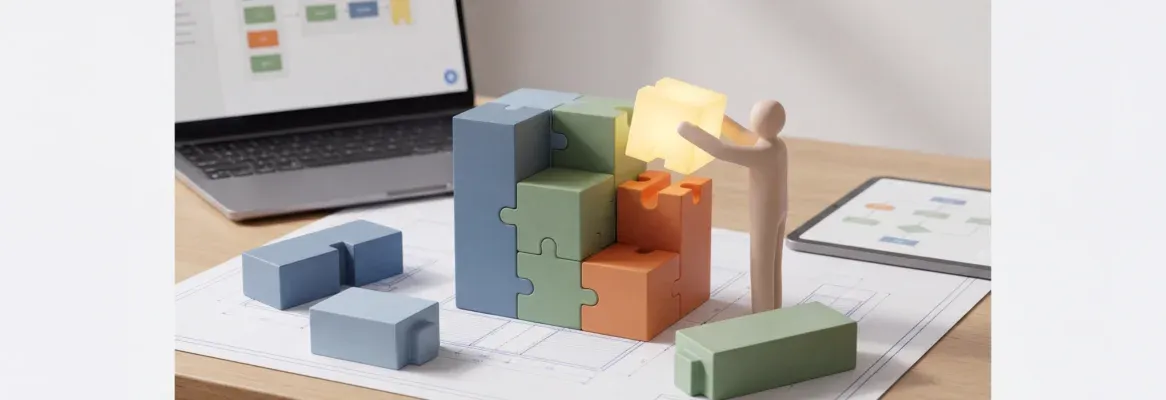
Want to build apps without coding? See how no-code app builders work, key features, real use cases, and tools help create mobile and web apps quickly and clearly.
Is it really possible to build apps without touching code?
Yes, and recent data support it.
A 2024 Statista report projects that the global no-code and low-code software market will reach over $65 billion by 2027, driven primarily by small businesses and non-technical users.
That growth explains why app creators worldwide now build mobile and web apps without traditional programming skills.
Tools feel simpler. Results come faster. And ideas no longer wait months to reach app users.
Let's explain how the process works, what tools matter, and why no-code app builder platforms continue to grow across industries.
What “No Code” Actually Looks Like Today?
No code does not mean magic. It means skipping writing code manually. Instead, visual systems manage logic, layouts, and data.
Modern no-code tools rely on drag-and-drop elements. Buttons, forms, and screens are visually connected. A user selects actions instead of typing syntax. That shift removes friction.
Over the past few years, no-code has moved far past simple apps. Today’s platforms support native mobile app builds, web app workflows, internal tools, and customer portals. Many tools publish directly to the Apple App Store and Google Play Store.
So, app building now feels closer to designing than engineering.
Why App Builders Are Gaining So Much Attention?
Several factors pushed this growth.
Businesses want custom apps without long delays. Teams want internal tools without depending on a technical co-founder. Founders want to test ideas quickly.
An app builder answers all of that. It allows users to create functional products without deep coding experience. Many platforms offer prebuilt components and templates, further accelerating the process.
A single platform often supports:
- Mobile app creation
- Web app deployment
- Client portals
- Customer portals
- Internal dashboards
Some app builders even offer unlimited apps under a single business plan.
Core Pieces Inside a No-Code App Builder
Every no-code app builder relies on a few shared systems.
Visual Editor: This controls layout and visual elements. Drag and drop rows, cards, buttons, and lists to shape the home screen and secondary pages.
Data Sources: Apps need data to work. Many platforms connect with Google Sheets, SQL databases, or their own database. Others support external and REST API connections.
Logic Layer: Logic controls app actions. Rules decide what happens after form submissions, button clicks, or status changes. Some builders allow advanced logic through visual conditions.
Publishing Tools: Once the app looks right, publishing tools handle deployment to mobile applications or web app versions.
How App Building Works Without Code?
Step 1: Choose the Right Platform
Start by selecting a no-code app builder that fits the target audience. Some platforms focus on business workflows. Others focus on consumer-facing mobile app design.
Look for:
- User friendly interface
- Drag and drop builder
- Pre built components
- Active forum and documentation
Step 2: Create a New Project
After signing up, start a new project. Pick a template or begin from scratch. Choose a mobile app, a web app, or a native mobile output.
Step 3: Design the Screens
Design always starts with the home screen. Add new elements like lists, charts, or forms. Drag-and-drop tools keep layouts flexible.
Step 4: Connect Data
Link data sources like Google Sheets, SQL databases, or third-party applications. Data updates appear instantly inside the app.
Step 5: Add Logic and Actions
Add logic to buttons and workflows. App actions define tasks like saving data, sending alerts, or updating records. Even a single line rule can trigger a process.
Step 6: Test and Publish
Test flows with sample users. Adjust spacing, text, and navigation. Then publish to the Apple App Store, Google Play Store, or share a web app link.
Types of Apps You Can Create
No code platforms support a wide range of use cases.

Some tools support unlimited projects and users, depending on the free plan or paid tier.
Features App Users Expect Today
Modern app users expect smooth features. No code builders now offer many of them by default.
- Push notifications for updates and reminders
- Form submissions with real-time alerts
- Built in hosting
- Enterprise grade security
- AI features for smart suggestions
- Machine learning helpers
- AI agents for task automation
Push notifications alone have changed how users interact with mobile apps, particularly for updates and engagement.
No Code vs Code App Builder: A Clear Look
| Feature | Code App | No Code App Builder |
|---|---|---|
| Setup Time | Weeks or months | Hours or days |
| Writing Code | Required | Not required |
| Programming Skills | Needed | Optional |
| Drag and Drop | Rare | Core feature |
| Updates | Manual | Visual |
| Cost | High | Free plan options |
Both paths create apps. The difference shows up in speed, cost, and accessibility.
Rocket.new and Modern App Building
Rocket.new helps app creators move from idea to working app without stress, confusion, or deep technical steps.
The platform keeps things clear, visual, and practical, making app building approachable even for users without coding experience. Everything stays within a single clean workspace, so projects move faster and stay organized.
Key features include:
- Single-prompt app generation – Describe the idea in plain language and get a complete app structure in minutes
- Design-to-app conversion – Turn Figma designs into working web and mobile apps automatically
- Built-in backend setup – Databases, authentication, and security are created without manual setup
- Multi-platform output – Build responsive web apps and native mobile apps from the same project
- Third-party integrations – Connect tools like Stripe, analytics, and external services easily
- Live preview with text edits – Make changes using natural language and see updates instantly
- Templates with smart suggestions – Start faster using templates and AI-driven feature ideas
Rocket.new works well for teams that want powerful apps without writing code.
Limits Worth Knowing
No code platforms still have boundaries.
Very complex workflows may need custom scripting. Some builders cap the maximum number of records. Deep external API setups can feel technical.
Still, most business needs fit well inside a no-code app builder without touching code.
Tips for Smoother App Building
- Keep layouts simple
- Test flows early
- Watch how users move through screens
- Use push notifications carefully
- Start with pre-made templates
Small adjustments improve usability quickly.
Build Apps Without Coding With Confidence
Learning how to build apps without coding now feels practical and accessible. With modern app builder platforms, users create mobile apps, internal tools, and web apps using no-code tools that prioritize clarity and speed. The process stays friendly, flexible, and open to anyone with a solid idea.
Table of contents
- -What “No Code” Actually Looks Like Today?
- -Why App Builders Are Gaining So Much Attention?
- -Core Pieces Inside a No-Code App Builder
- -How App Building Works Without Code?
- -Step 1: Choose the Right Platform
- -Step 2: Create a New Project
- -Step 3: Design the Screens
- -Step 4: Connect Data
- -Step 5: Add Logic and Actions
- -Step 6: Test and Publish
- -Types of Apps You Can Create
- -Features App Users Expect Today
- -No Code vs Code App Builder: A Clear Look
- -Rocket.new and Modern App Building
- -Limits Worth Knowing
- -Tips for Smoother App Building
- -Build Apps Without Coding With Confidence