
Can AI really build landing pages that convert faster? Learn how AI landing page builders reduce setup time, simplify design, and help teams launch lead-focused pages quickly.
Imagine if a landing page could practically write itself..!
With AI landing page generators becoming smarter, that’s barely an exaggeration.
Landing pages are no longer optional.
According to statistics, 43.6% of marketers use them primarily for lead generation, making them a crucial tool for converting visitors into customers.
A smart AI landing page builder helps cut setup time, reduce guesswork, and put a solid page live in record time, sometimes with just a few clicks.
Let's find easy steps to create landing pages that actually convert visitors into customers without losing your mind over design or tech.
What is an AI Landing Page Builder?
An AI landing page builder is basically software powered by artificial intelligence. It helps you create landing pages without touching a single line of code. These tools can generate layouts, content, buttons, and even visitor flows based on your brief.
You simply tell the tool what you want the page to do: collect emails, sell a product, or announce a launch, and it drafts a starting design. After that, it’s just a matter of tweaking it to fit your style.
Gone are the days of needing deep web design skills or waiting weeks for a developer. AI makes the process faster, friendlier, and surprisingly fun. You can create multiple landing variants, test what works best, and adjust without hiring a designer. Plus, landing page templates give you structure from the get-go, so you’re not starting from a blank canvas.
Why Use AI to Build Landing Pages?
Building a landing page manually can feel like juggling design, copy, buttons, and forms. AI landing tools make it faster, smoother, and way less stressful.
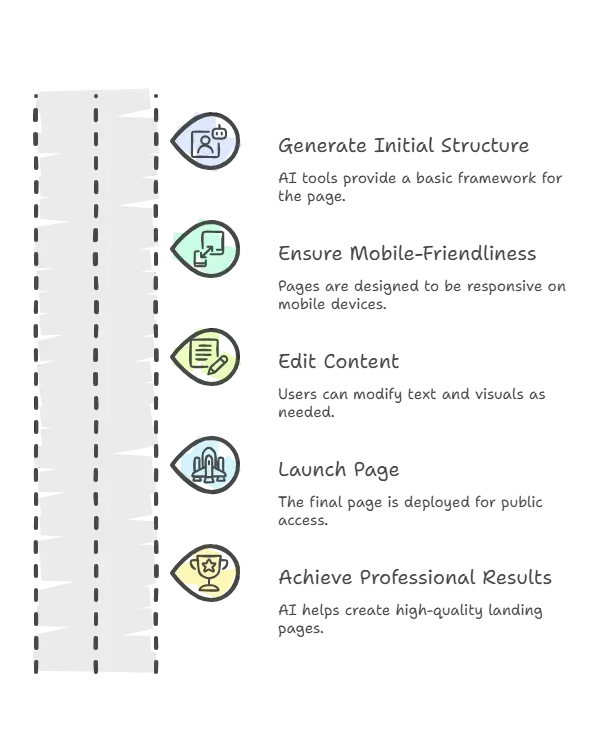
Smart AI landing page builders also often include analytics tools or hooks for Google Analytics, so you can see what works and what doesn’t. That’s how you start turning traffic into actual results, not just pretty pages.
Step 1: Pick the Right AI Landing Page Generator
There are lots of choices, so let’s break this down. When picking an AI landing page generator, look for these things:
| Feature | Why It Matters |
|---|---|
| Templates | Gives structure so you don’t start blank |
| Custom Domains | Looks more trustworthy to visitors |
| Drag and drop | Makes editing a breeze |
| Built‑in analytics | Helps measure performance |
| Lead capture forms | For list building or email marketing |
| Responsive design | Works on phones and desktops |
Different tools lean more toward design, some toward content, and others combine both. Depending on your goal, signups, sales, and event registrations, you’ll want a tool to match.
A couple of examples include popular AI landing page builders that generate pages in minutes, letting you choose from templates that fit your style and goals. With these in hand, you can create pages that actually convert, not just look nice.
Step 2: Start With a Clear Goal
Before the AI starts, know exactly what the page should do. Clear goals help the AI create layouts, copy, and CTAs that actually work.
- Is this to collect emails?
- Is it to sell a product?
- Are you announcing a product launch?
- Do you want to sign up for a webinar?
Once your goal is clear, you can write a simple brief that most AI tools understand.
For example:
Create a landing page that captures email leads for a free ebook. Include a strong headline, short benefits list, email form, and social proof section.
That’s all many tools need to craft a solid starting page.
Step 3: Let the AI Generator Craft Your Content
AI takes your brief and turns it into a ready-to-use page. It suggests headlines, body text, buttons, and visuals so you don’t have to guess.
- Suggests headlines that catch attention
- Writes body text that makes sense for your audience
- Puts in buttons that tell people what to do next
- Suggests visuals or placeholders
You can test different versions too. Some AI tools let you generate multiple variations of the same page. That’s great if you want to see which headline works best or which layout keeps people on the page longer.
Many users on Reddit report that using AI has cut landing page creation time from hours to minutes, allowing them to test many more ideas without losing momentum.
Step 4: Customize Like a Human
AI does the heavy lifting, but your tweaks make the page yours. Once the base page is ready, update text, swap images, adjust buttons, and add brand touches.
- Change the hero section to better match your voice
- Add your real brand colors and logo
- Tweak any button text to align with your audience
- Replace stock visuals with authentic photos
This is where the landing page starts feeling yours. Don’t leave everything to AI; people notice real branding.
Step 5: Add Lead Capture and Tracking
A landing page should capture something from visitors, typically an email address or a click. Connect a capture form, analytics tools like Google Analytics or heatmaps, and ad/referral tracking to see what works.
So make sure you connect:
- A capture form for your email marketing platform
- Analytics tools like Google Analytics or heatmaps
- Tracking for ads or referral sources
This helps you understand who’s visiting and what they do next. You can test different headlines or call‑to‑action buttons to see which one truly gets more clicks and conversions.
Step 6: Publish and Run Traffic
Pick a domain (free or your own) and publish your AI landing page live. Most builders host it or connect to platforms like Netlify/Vercel without coding.
- Link it to your own domain if you want branding power
- Publish landing pages live so people can see them
Most AI landing page builders let you deploy pages instantly with a built-in host, or connect to platforms like Netlify or Vercel. You don’t need deep dev skills to make that happen.
How Rocket.new Fits Into Landing Page Building
Rocket.new is a vibe solutioning platform designed to make building websites and apps effortless, whether you’re creating a full site, a mini app, or just a high-converting landing page.
Rocket.new isn’t just for landing pages; it’s a full AI-powered app and site builder. You can tell it something like: “Make me a splash page that gets people to sign up”, and it crafts the layout, UI design, and production-ready code.
Top Features:
- Converts prompt into production-ready app
- Offers templates for landing pages, web apps, and dashboards
- Design UI/UX that keeps visitors engaged
- Let you publish with custom domains
- Integrates backend logic with UI automatically
- Exports full site code for later edits
Use Cases:
- Launch a promo page for a new product idea
- Spin up a sign-up page alongside your web app
- Create a quick show-and-tell page for pitch feedback
- Compile a landing page and export the full code for future edits
If you want AI to draft landing pages and handle the underlying site and logic, Rocket.new is a perfect fit.
Community Insight
Rocekt.new has seen strong interest and real traction in the tech world.
Rocket.new raised $15M in a seed round led by Salesforce Ventures and Accel, reaching over 400,000 users in 16 weeks showing growing confidence in its ai powered app and landing page creation capabilities. -LinkedIn
How to Build A High‑Converting Landing Page?
Creating a landing page with AI tools takes the headache out of design and copywriting. You can go from blank screen to a live page that makes sense in hours, not days. Play with different layouts and track what works best for your audience.
AI landing pages let you focus on your audience instead of getting stuck on design or code. Tweak, test, and personalize quickly, so every visitor sees a page that actually clicks with them.
Table of contents
- -What is an AI Landing Page Builder?
- -Why Use AI to Build Landing Pages?
- -Step 1: Pick the Right AI Landing Page Generator
- -Step 2: Start With a Clear Goal
- -Step 3: Let the AI Generator Craft Your Content
- -Step 4: Customize Like a Human
- -Step 5: Add Lead Capture and Tracking
- -Step 6: Publish and Run Traffic
- -How Rocket.new Fits Into Landing Page Building
- -Community Insight
- -How to Build A High‑Converting Landing Page?