
GitHub does not back up your repositories independently. Deleted repos, revoked access, and force pushes can permanently destroy your work. This guide covers every GitHub backup method, from local mirrors to automated GitHub Actions workflows, so your code, history, and intellectual property stay recoverable.
Modern development depends on distributed version control. Teams push code, open pull requests, review changes, merge a branch, and deploy. Everything lives inside GitHub repositories.
But what happens when a repository is deleted? Or when access is revoked? Or when a malicious commit wipes files?
This GitHub backup guide explains how to secure your code, projects, and intellectual property without relying only on the public cloud. You already trust GitHub to store your source code. You should also create a structured backup strategy for long-term data protection.
Why GitHub Data Still Needs Protection
GitHub runs on multiple data center regions and offers high availability. Still, high availability is not the same as backup. GitHub stores repositories in a public cloud environment. That protects against hardware failure. It does not protect against human error.
A GitHub user can delete a branch. A repository owner can remove files. An organization admin can change access permissions. A mistaken force push can rewrite commit history.
Each of these actions modifies GitHub data permanently unless you restore it from another location. Data protection is about ownership. Your intellectual property, documentation, issue comments, and wiki pages belong to you. A formal backup plan makes them recoverable.
According to GitHub's official documentation, deleted repositories can only be restored within a limited window by GitHub Support and only under specific conditions. This makes an independent backup strategy non-negotiable.
What Should a Complete GitHub Backup Cover
If you think a backup only means copying a few files, think again. A proper backup strategy must capture the full state of a GitHub repository, not just the latest version of the code. Version history, collaboration data, and configuration details all matter when you need to restore projects accurately.
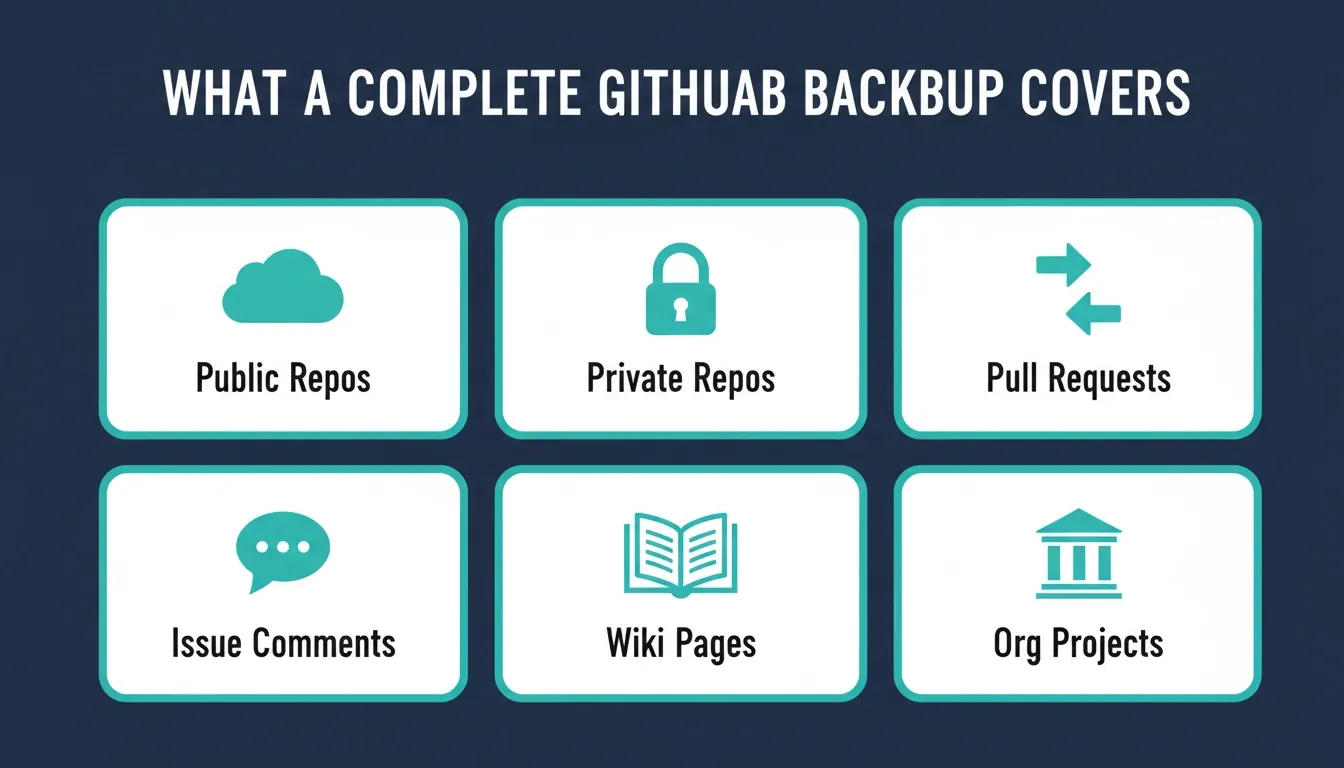 A complete GitHub backup covers six components: public repos, private repos, pull requests, issue comments, wiki pages, and organization projects.
Many teams clone only one branch and assume it is safe. That leaves other repositories and branches unprotected. For proper data protection, back up:
| Component | Why It Matters |
|---|---|
| Public repositories | Deletion is irreversible without an independent backup |
| Private repositories | Contains proprietary code and sensitive business logic |
| Organization projects | Admin errors can affect all members simultaneously |
| Pull requests and issues | Collaboration history required for compliance and audits |
| Wiki pages | Documentation that may not exist anywhere else |
| Compliance-critical repos | Required for regulatory retention and audit trails |
When you cover these components, you protect not only your codebase but also your intellectual property, collaboration history, and regulatory documentation. A real backup plan captures everything required to restore repositories fully, not just fragments.
Local Repository Clone as a Basic Backup
If you want a straightforward way to create a backup, start with a local mirror. It is simple, direct, and does not require extra software. For many developers, this is the first line of data protection before moving to more advanced setups.
Use the following command:
1git clone --mirror <https://github.com/organization/repo.git>Cloning with --mirror is better than a default clone because it includes all refs, not just the default branch. It gives you a full local copy that you can restore later if needed.
After cloning, store the files in a secure location on your computer or backup server. You can also archive them for long-term storage. Repeat this process for all repositories inside your organization to cover every project and codebase.
This method works well for individual developers and small teams. Still, once you manage dozens of git repos, manual cloning becomes hard to manage. Limitations appear quickly:
- No automation
- No incremental backup
- No centralized management
- No granular recovery for pull requests
A local mirror is a solid starting point. As your projects grow, you will need structured backup software or automation to keep repositories consistently protected. If you are also building apps that connect to GitHub, Rocket's GitHub connector supports two-way code sync for Next.js TypeScript projects.
Using GitHub API for Structured Backups
For larger projects, the GitHub API provides more control. You can send authenticated requests to fetch repository metadata, pull requests, issue comments, wiki information, and user permissions.
To access the GitHub API, create a personal access token from your GitHub account. Protect it with a strong password and store it safely.
Example API request:
1GET <https://api.github.com/repos/organization/repo/issues>This request retrieves issue data in JSON format. You can store the response as backup files. You can also write scripts to create new repository mirrors automatically, track modified files, and generate snapshots of repositories.
Automation tools built around the GitHub API reduce manual work and improve data protection. For teams building on top of GitHub data, Rocket's two-way GitHub sync keeps your codebase in sync across environments without manual intervention.
Backup Software for GitHub Projects
Dedicated backup software simplifies the process. Many enterprise backup software platforms support GitHub and other public cloud services.
They provide:
- Scheduled backup jobs
- Incremental backup support
- Granular recovery
- Archiving features
- Compliance reporting
With backup software, you install an agent or connect via API. Then you configure which specific repositories to store. Some solutions allow you to restore a single branch or a single commit. That level of granular recovery is useful when only part of a codebase was modified incorrectly.
Before selecting backup software, check:
- Supported repository types
- Access control options
- Encryption and security controls
- Data center location
- Regulatory requirements coverage
Regular audits help confirm your GitHub data is being saved correctly.
Creating a Secondary Remote Repository
Another method is to create a new repository in a separate platform. You can clone your GitHub repository and push it to a secondary remote.
Example workflow:
- Clone the repo
- Create a new repository on another server
- Add a new remote
- Push all branches
Commands:
1git clone --mirror <https://github.com/organization/repo.git>
2cd repo.git
3git remote add backup <https://backupserver/new-repo.git>
4git push --mirror backupThis approach creates redundancy across platforms. It protects your projects if your GitHub account is compromised. Store credentials carefully. Never expose password values in scripts.
Automating Backups with GitHub Actions
You can enable GitHub Actions to automate backup tasks. Create a workflow file in your repository:
.github/workflows/backup.yml
Inside the file, define steps to clone repositories, create archives, and push to a backup storage location. GitHub Actions can run on schedule using cron syntax. This creates a repeatable backup process without manual effort. Automation reduces missed backups and keeps your latest version safe.
For teams who want to go further, Rocket's version history and rollback feature gives every build a saved version you can compare, label, and restore from directly in the editor.
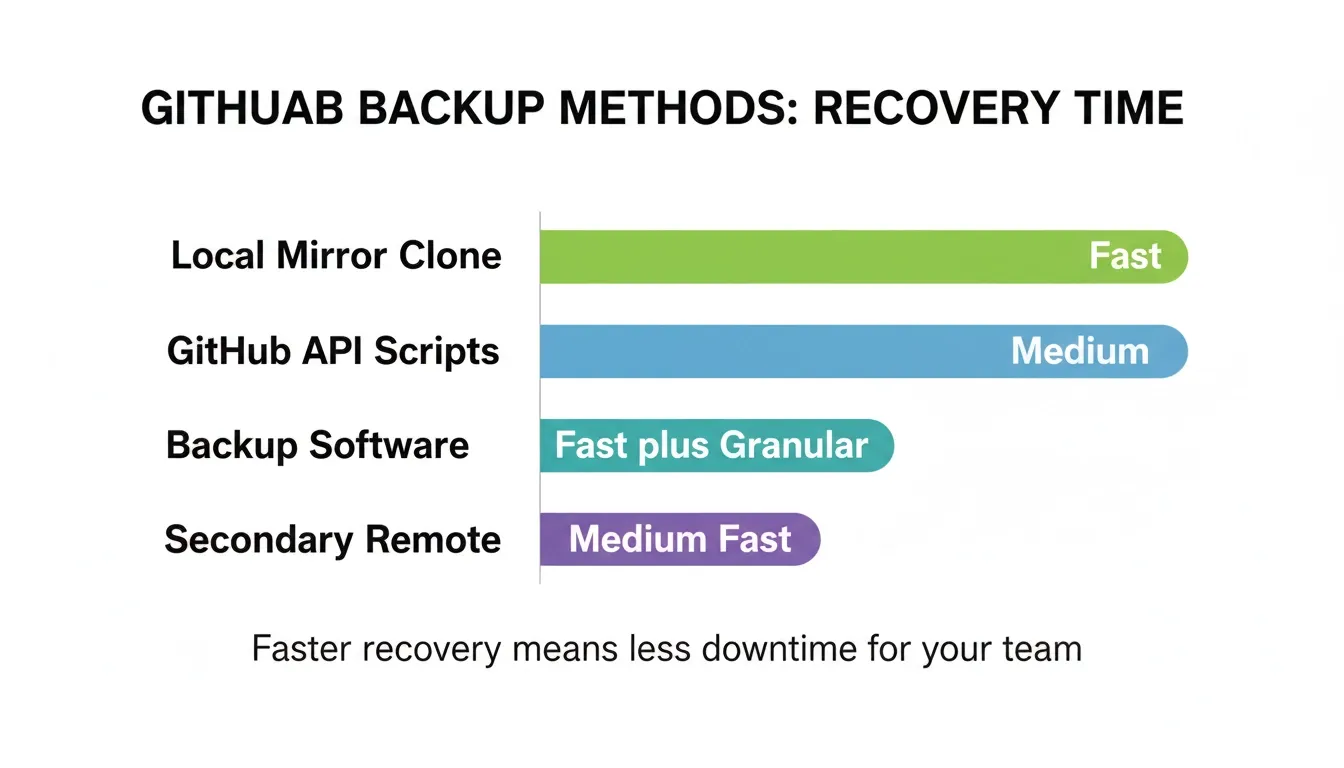 Backup software and local mirrors offer the fastest recovery times. API-based and secondary remote methods add flexibility for larger teams.
Handling Organization-Level Backups
Large organizations often have dozens of repositories and projects. Instead of handling one repository at a time, create scripts that iterate through:
- Organization repositories
- Specific repositories marked critical
- Private and public repositories
Use the GitHub API to list all repositories in an organization. Then clone each repo. Store the files in a structured directory on a secure computer or backup server.
Managing organization-wide GitHub data requires clear documentation and assigned responsibility. Teams building internal tools on top of their GitHub data can also use Rocket to build internal dashboards that surface repository health and backup status without writing custom scripts.
Security and Compliance Considerations
Security matters at every stage. Backup files must be encrypted at rest. Access should be limited to authorized users.
If you work in regulated industries, compliance requirements may demand off-site storage. Some regulatory requirements require retention periods and documented recovery testing.
Data protection strategies should include:
- Access logs
- Version retention policies
- Restore testing
- Separation of duties
Remember that intellectual property stored in repositories is often tied to contracts and business agreements. Reviewing common app security mistakes can help you identify gaps in your overall security posture before they affect your backup strategy.
Restoring a Repository from Backup
A backup has value only if you can restore it. To restore a mirrored repository:
- Create a new repository on GitHub
- Navigate to your local repository
- Add the new remote
- Push all branches
Example:
1git remote set-url origin <https://github.com/organization/new-repo.git>
2git push --mirrorThis restores all branches, commit history, and tags. For granular recovery, you can restore:
- One branch
- A specific commit
- Selected files
Backup software platforms often provide point-in-time restore options. Always test restore procedures on non-production projects.
Common Limitations of Native GitHub Storage
GitHub stores your repositories in the public cloud. It provides redundancy inside its data center network. Still, native storage has limitations:
- No independent backup outside GitHub
- Limited recovery window for deleted repositories
- No automatic archiving to your own infrastructure
- Access risks if credentials are compromised
A GitHub backup strategy gives you independent control over your data. This is especially important for teams whose entire product lives inside a repository.
Real-World Developer Perspective
A popular discussion on Reddit highlights how a GitHub user lost access to their account and projects because they had not secured recovery options and backups.
"so my pc system got corrupted and i completely did a reformat erasing everything and completely forgot that my github recovery codes are also there"
Storing source code and project history only on the public cloud leaves you vulnerable. Backing up GitHub data independently, whether through scripts, local mirrors, or third-party backup software, gives you a fallback when something unexpected happens.
Best Practices for Long-Term Code Storage
Long-term storage is not about copying files once and forgetting them. Repositories grow, branches split, commits pile up, and projects shift direction. Your backup strategy should keep pace with your development work.
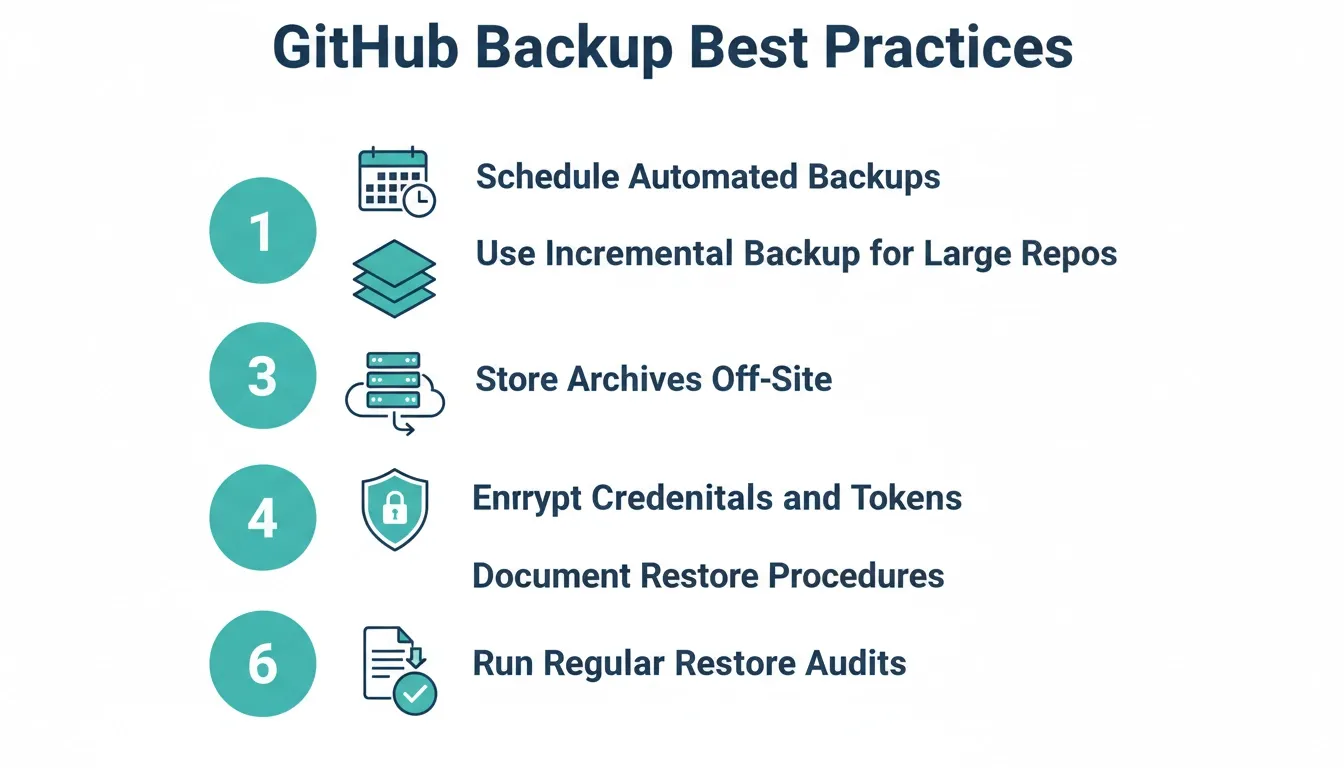 Follow these six best practices to keep your GitHub backup strategy reliable, secure, and audit-ready.
- Schedule automated backup tasks to capture new commits and modified files regularly
- Use incremental backup for large repositories to avoid copying unchanged data every time
- Store archives in a separate data center or independent storage outside the public cloud
- Protect tokens and password credentials with restricted access and encryption
- Document restore procedures so any authorized user can recover a repository when needed
- Perform regular audits to verify that backup jobs run correctly and that data is actually saved
Do not assume that cloning once is enough. Projects evolve. Files change. Commits accumulate. Backup should be continuous, monitored, and tested.
Own Your Code, Don't Just Host It
You learned how to create repository mirrors, automate backup jobs with GitHub Actions, use the GitHub API for structured data capture, and choose backup software that supports granular recovery. You also saw why relying only on the public cloud can expose your repositories, projects, and intellectual property to unnecessary risk.
GitHub backup is not about distrust. It is about ownership and data protection. When your code, files, and commit history truly matter, do not depend on a single platform. Store it twice.
Ready to build and deploy projects that are secure from day one? Rocket gives developers and teams a production-grade environment where version control, GitHub integration, and deployment are built into every project. Start building on Rocket for free and ship with confidence.
Table of contents
- -Why GitHub Data Still Needs Protection
- -What Should a Complete GitHub Backup Cover
- -Local Repository Clone as a Basic Backup
- -Using GitHub API for Structured Backups
- -Backup Software for GitHub Projects
- -Creating a Secondary Remote Repository
- -Automating Backups with GitHub Actions
- -Handling Organization-Level Backups
- -Security and Compliance Considerations
- -Restoring a Repository from Backup
- -Common Limitations of Native GitHub Storage
- -Real-World Developer Perspective
- -Best Practices for Long-Term Code Storage
- -Own Your Code, Don't Just Host It